
The AI yearbook photo trend has recently gone viral on Instagram, so in this article, we thought we'd walk you through how to make one with AI step by step, and what the best AI yearbook generator is. Without further ado, let's get stuck in.
The AI yearbook photo trend has recently gone viral on Instagram, so in this article, we thought we'd walk you through how to make one with AI step by step, and what the best AI yearbook generator is. Without further ado, let's get stuck in.

The AI yearbook trend has recently exploded on social media — it involves people posting AI-generated portraits of themselves in the style of nostalgic high school yearbook photographs, usually from the 1990s, but they can also be from the 70s and 60s instead.
This involves making an image of yourself where you're digitally de-aged, that looks like it was taken many years ago on a film camera and printed.
This alteration is not an easy one to do, which is why a wave of AI-powered generators has taken off, which take your selfie and create a new picture of you in that aesthetic, giving you an appropriate haircut and de-aging you digitally.
The trend itself became popular roughly in late 2023 around an editing app called EPIK, whose AI Yearbook feature flooded feeds with grainy 90s portraits.
The look has stuck around since, because the same effect now runs in dozens of free browser tools.
People also like to play a mini game that involves answering the question of which decade the AI thinks you belong in, which is the kind of thing people share.
AI yearbook generators use image-to-image models, which take your photo as a reference and render a brand-new image of you in a different setting.
AI editing models have become very powerful in 2026, and they can recreate an image that looks realistic and like it was shot in the past, from a single input reference (which can be a selfie, portrait, snapshot, or anything else). The AI:
All automatically and within about 30 seconds.
For the best results, look for tools that run on Nano Banana 2, GPT Image family models, Qwen Edit models, or the Seedream family version 4.0 or later.
Not all AI models can make such drastic alterations to the image while keeping the likeness right, but these models can.
Despite how complex the transformation sounds, it's actually very easy to do, because you can use a specialized AI tool that's been fine-tuned for exactly the yearbook photo transformation.
For example, with Overchat AI's yearbook tool, all you need to do is:
And that's it.
Overchat AI is not the only tool that does yearbook photos, so we thought we'd run you through some alternatives, along with their pros and cons.
Here's how the most popular tools stack up at a glance:
| Rank | Tool | Best for | Decades | Free tier |
|---|---|---|---|---|
| 1 | Overchat AI | Best result, most decades, free | 1960s–2000s | Unlimited (limited time) |
| 2 | Aragon | A polished album of looks | 90s, Y2K | Preview only |
| 3 | Reface (Unboring) | A fun, app-style filter | 90s | Limited |
| 4 | Pixelbin | A clean free one-click photo | 90s | 3/month |
| 5 | Media.io | Editing inside a wider suite | 90s | Limited credits |
Best for: the most realistic result across the widest decade range, for free.
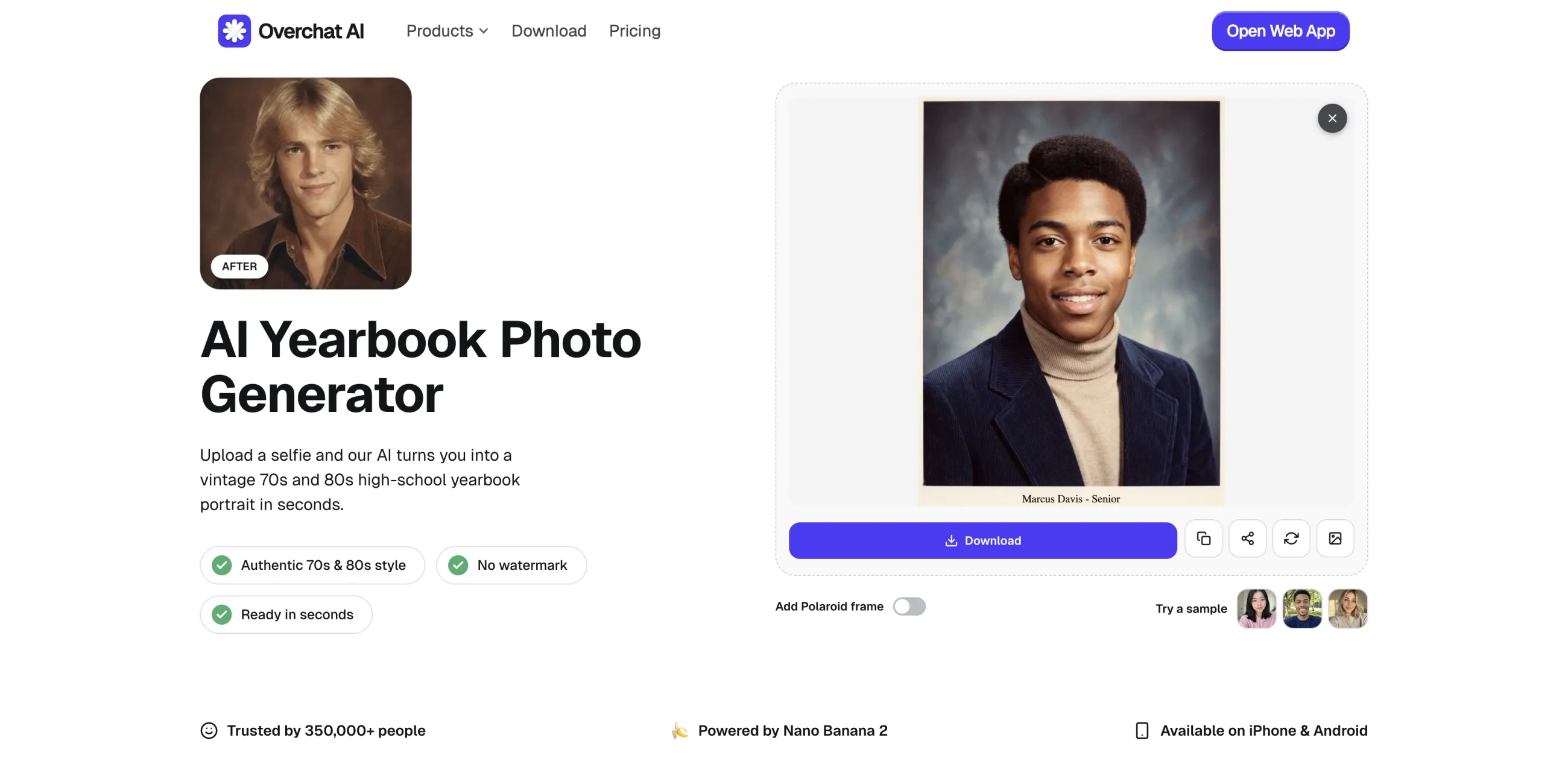
Overchat AI's yearbook tool runs on Nano Banana 2, one of the strongest image-to-image generators in 2026, so it holds your likeness across the restyle really well. It can create images in multiple aesthetics, from different times:
What you get:
It's also part of Overchat AI's all-in-one AI app that features over 150 other AI image and video editing tools and models. When you generate, the image gets saved to My media, where you can access it and drop it into another mini-app: for example, AI image-to-video generator, to add some motion. Or drop it into an AI aspect ratio changer, or AI image editor to do Photoshop-style edits controlled by prompting.
Pros:
Best for: a polished album of yearbook looks.

In Aragon you upload six images of yourself, and it returns an album of 90s and Y2K portraits in varied outfits and poses, with unlimited redos.
The trade-offs are time and money. It takes several minutes for the results to arrive (other tools take a matter of seconds), and it's paid once you go past the demo.
Pros:
Cons:
Best for: a fun, app-style yearbook filter.

Reface's Unboring comes from the team behind the popular Reface face-swap app, and the yearbook feature carries the same playful DNA.
To use it:
The cons? The styling is locked to the 90s, and the deeper customization sits inside Unboring's paid tier. But if you already use Reface for face swaps, the yearbook effect is a cool add-on to have, since it's already there.
Pros:
Cons:
Best for: a clean 90s photo with no sign-up.

Pixelbin automatically renders a 90s yearbook portrait with film grain and a period outfit such as a leather jacket or turtleneck swapped over your own.
The tool is quite minimal since it doesn't have a prompt box, which can be a good thing if you want the simplest possible workflow.
The disadvantage of this approach is that if the result is not to your liking, the only way to fix it is to regenerate and leave it up to AI R&D.
Another limitation is the lack of styles — only 90s is supported. When it comes to usage limits, the free tier caps you at three images a month, which is only enough to give it a try, especially considering that you might need to regenerate multiple times to land on a result you like.
Pros:
Cons:
Best for: making a yearbook photo inside a larger editing suite.

Media.io bundles the yearbook effect into its wider AI photo and video editor. You pick a 90s Male or 90s Female template, upload your photo, and generate a portrait in denim jackets and soft 90s lighting.
The model is trained on real yearbook portraits, and you can keep editing in the same suite, swapping an accessory or a beard with its other AI tools.
With this tool, you get gendered 90s presets instead of a decade picker, and a credit system kicks in once the free trial runs out. The reason to use it is the surrounding editor rather than the yearbook effect on its own.
Pros:
Cons:
Yes. Overchat AI is free and unlimited for a limited time with no watermark and no sign-up.
The most popular decade that AI yearbook photos replicate is the 1990s — this was the original era that the trend began with in late 2023, when the first images in this style surfaced on social media. Over time, people started making yearbook photos from other decades, too, most commonly from the 1960s, 70s, 80s, and 2000s.
The trend started with the EPIK mobile app and its AI Yearbook feature, but you no longer need an app — the same effect runs in browser tools like Overchat AI, so you can make one from your phone or laptop without installing anything.
It's safe as long as you check what the tool does with your upload, since you're handing over a photo of your face. For example, Overchat AI encrypts uploads and doesn't share them, and then auto-deletes what you upload after a set time. If you have privacy concerns, it's always best to read the privacy note of the service you're planning to use — all respectable platforms publish these and you'll normally find them in the bottom navigation after scrolling all the way down on any page.
Overchat AI. It runs on Nano Banana 2, so it keeps your likeness across the restyle better than most other tools, and it's one of the few tools that are transparent about the underlying technology. It's also part of a broader all-in-one AI platform, which means you can take the image after generation and alter it further with one of over 150 included AI image-editing tools — or even animate it into an AI video.


