Enhance your low-resolution footage with a single click using video upscaling powered by artificial intelligence. Upscale 720p clips to 4K resolution and transform your low-resolution clips into professional-quality footage in seconds.
Overchat AI uses machine learning and artificial intelligence to upsample videos up to four times. This allows you to convert 480p video to 1080p or 720p to up to 4K resolution. It also reduces compression artifacts, high ISO noise, and motion blur. The result is a video that looks like it was shot with a cinema camera, even if, in reality, it was shot with a potato phone.
Choose from two to four times of upscaling, depending on your needs and how you plan to use the video.
We use secure encryption and don't retain your videos after completing upscaling, meaning that only you — and nobody else — will see your videos.
Upscale videos from your laptop, tablet, or phone. Everything runs in the cloud, so your device doesn’t need a powerful GPU.
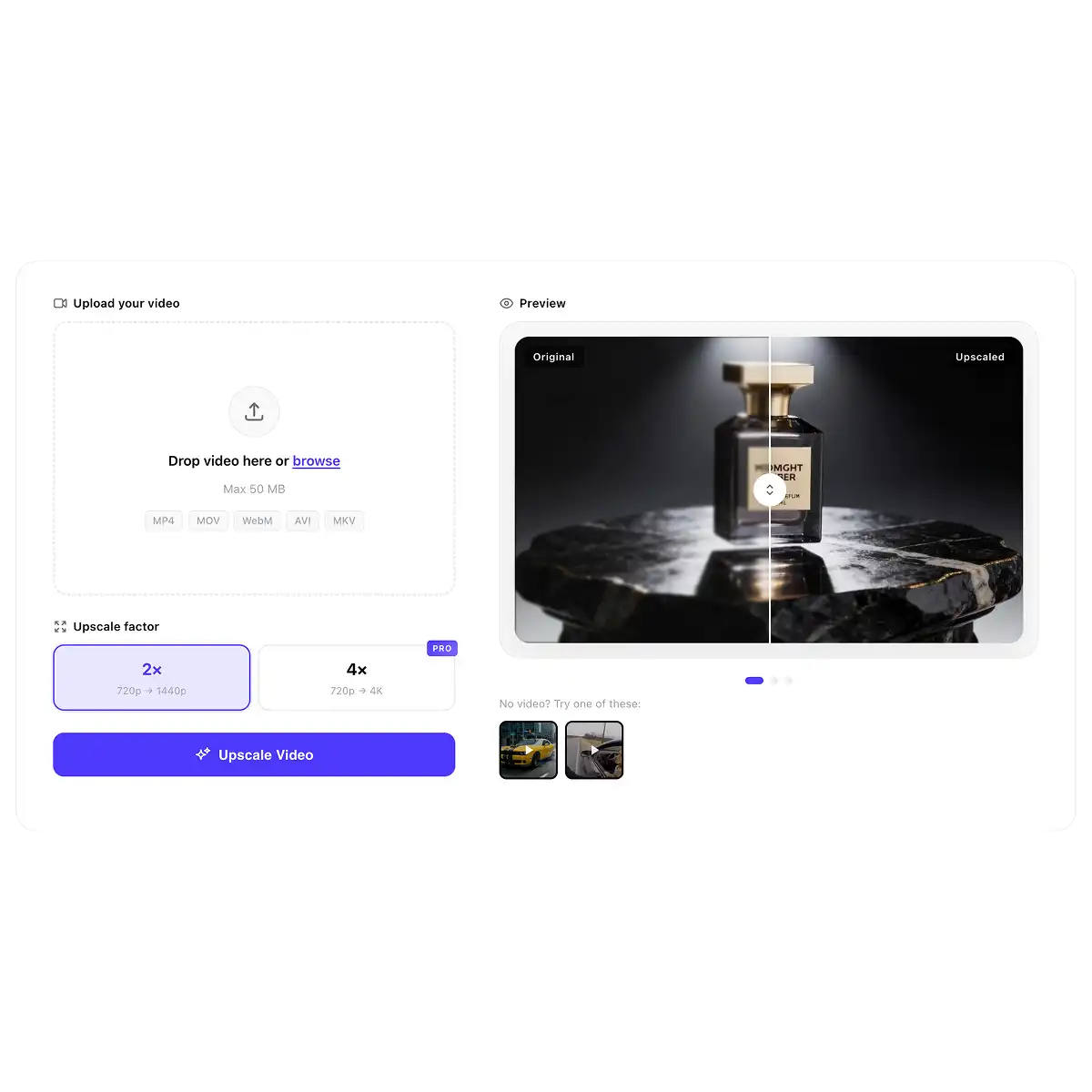
Scroll up to the widget above and upload the video you want to enhance. Our tool supports MP4, MOV, AVI, and WEBM, as well as most other popular video formats.
Choose how much you want to upscale: 2x or 4x the original resolution.
Overchat AI uses an artificial intelligence upsampling algorithm to process your video and increase the number of pixels by up to four times, while enhancing details and overall image quality. Once the process is complete, you can download your upscaled video.
Benefits
Rescue blurry photos or create professional-looking YouTube videos and shorts without expensive camera gear.
Have an old video that holds a precious memory? Upgrade it to look great on modern, high-resolution monitors and TVs.
Enhance videos downloaded from WhatsApp, Telegram, or other platforms where compression is heavy.
Do you have an old phone? Don't let that stop you from making high-quality videos. Shoot in low resolution and upscale to 4K online.
Make your video look amazing, even on a huge TV, projector, or conference room display, and be ready for any occasion.
And TikToks, and Reels — make them look crisp and professional, and get more views and engagement.
Join thousands of users already enhancing their videos with AI on Overchat.
Overchat AI brings you the power of the world's top AI models: GPT, Claude, Gemini, Mistral, and more.

The Overchat AI video upscaler uses a diffusion-based, deep-learning model that is trained on pairs of low- and high-resolution video frames. This model learns to reconstruct fine details that aren't present in the original footage. It analyzes each frame and neighboring frames for temporal consistency, adding missing pixel information and effectively filling in textures, sharpening edges, and reducing artifacts like noise or compression blocking.
MP4, MOV, AVI, WEBM, MKV, and most other popular video formats. The video is delivered in MP4 format, which makes it compatible with most devices and platforms.
It depends on the quality and length of the video, but a short clip (less than 30 seconds) usually takes 1–2 minutes, and longer videos usually take 2 minutes and more.

Chinese company Baidu has quietly released a model that's just as good as DeepSeek and ChatGPT — ERNIE 4.5 delivers exceptional performance at a fraction of the cost — and most people outside China have never even heard of it.

If you're wondering: what is DeepSeek AI, the answer is quite simple. DeepSeek AI is a Chinese AI research lab that builds large language models. The company released several models in late 2024 and early 2025 that compete directly with OpenAI's GPT-4 and Anthropic's Claude, but at a fraction of the operating cost.

ChatGPT Plus costs $20 per month plus tax, while the Pro plan costs $200 per month plus tax. Understandably, not everyone is willing to pay that much for a chatbot, especially if the premium features aren’t worth it to them. This raises an obvious question: how can I use ChatGPT for free?
Available on Web, iOS, and Android. Access your AI assistant anywhere, anytime.





.svg)
