How to Use ChatGPT For Free: Three Popular Ways Explained
Last Updated:
2026-09-13
How to Use ChatGPT For Free: Three Popular Ways Explained
ChatGPT Plus costs $20 per month plus tax, while the Pro plan costs $200 per month plus tax. Understandably, not everyone is willing to pay that much for a chatbot, especially if the premium features aren’t worth it to them. This raises an obvious question: how can I use ChatGPT for free?
In this article, we’ll explain the main ways to use ChatGPT for free while still benefiting from it’s core capabilities.
What’s more, you might be surprised to learn that the free version is more than enough for most everyday tasks. We’ll also cover the best ChatGPT alternatives, so let’s get started.
Free ChatGPT gives you GPT-5.2 (one of the best models in the world), but capped at 10 messages every 5 hours before auto-switching to GPT-5.2 mini.
The 5-hour limit is rolling — send your 10th message at 2 PM, you're unblocked at 7 PM.
Free tier includes image/PDF uploads, web browsing, GPTs, 3 images/day, and 1 GPT-5.2 Thinking use per day — but no custom GPTs, no priority access, and context capped at 16K tokens.
Privacy catch: OpenAI trains on free-tier conversations with no opt-out — only paid plans let you disable this.
Overchat AI is a solid free alternative — one app with OpenAI's GPT models plus Claude, Gemini, and DeepSeek; several models are free to use, you just need an account.
Other solid free options: Claude Sonnet 4.5 (longer context than ChatGPT), Gemini 3 (free with a Google account), Perplexity (unlimited searches + 5 Pro searches/day with citations).
Upgrade to Plus ($20/month) if you hit limits daily — you get 160 messages every 3 hours, custom GPTs, and priority access. Pro ($200/month) only makes sense for heavy agent use.
Best way to stretch the free tier: rotate between ChatGPT, Gemini, Claude, and DeepSeek (which is actually unlimited on free) to effectively get unlimited usage.
Main Ways to Use ChatGPT for Free
If you want to use ChatGPT without paying $20 or $200 for access to the chatbot, there are three options available to you.
Use the free ChatGPT version on OpenAI's website
Try ChatGPT alternatives with better free plans
Use AI chatbots built into other apps and services
Let's break down each option.
1. Use Free ChatGPT on OpenAI's Website
OpenAI offers a free tier that lets you access ChatGPT for free. To use it, you'll need to create an account with your email address, but the sign-up process takes less than a minute.
GPT-5.2 has come out and the free version uses this model at the time of writing — it’s one of the best AI models in the world for coding, math, and complex tasks.
Message limits
Free users can send up to 10 messages with GPT-5.2 every 5 hours. Once you hit this limit, the system automatically switches you to GPT-5.2 mini, a lighter version that's still good for everyday tasks.
The 5-hour limit resets on a rolling basis. If you send your 10th message at 2 PM, you'll be able to use GPT-5.2 again starting at 7 PM.
What you can do
You'll still be able to use most of the AI tools that make ChatGPT so powerful, but there will be strict limits on how often you can use each one each day (1–3 uses).:
Upload and analyze images, PDFs, and text documents
Browse the web for current information
Use GPTs from the GPT Store (pre-built chatbots for specific tasks)
Generate images with GPT-Image-1 (limited to 3 images per day)
Access basic memory features so ChatGPT remembers your preferences
Use GPT-5.2 Thinking, but only once per day
Annoyingly, if you reach your limit in a chat where you have used one of these features, rather than continuing the conversation with a lighter model, you will be forced to start a new chat, resulting in a loss of context.
However, if you haven’t used any of these features and reach your limit, you’ll be able to continue chatting using a lighter model.
What you can't do
The free version has some hard limits. You won't get:
Higher message caps (Plus users get 160 messages every 3 hours)
The ability to create your own custom GPTs
Priority access during high-traffic periods
Instant voice chat features
Process very large documents — context for free users is limited to 16K tokens.
During peak usage times, while being on a free plan you may also run into slower response times or temporarily reduced functionality. That’s because OpenAI prioritizes paid subscribers when server demand is high.
GPT-5.2 mini is good enough for everyday tasks: emails, answering questions, brainstorming. It's fast and a good chatbot for everyday conversations.
That said, if you need a tool for maths or coding, GPT-5.2 won’t be as effective. It won't perform as well for coding, information extraction from large documents or maths.
While GPT-5.2 is one of the best models in the world for real work and solving complex projects, 10 messages every 5 hours is not enough for meaningful tasks. Therefore, while you’ll be able to use ChatGPT for free without issue, it may not be powerful enough for real-world work or study.
Understand That You’ll Have Fewer Ways to Control Data Privacy
OpenAI uses conversations from users to train future AI models, which means your chats aren't completely private. There’s a way to opt out of this with Pro and Plus plans. With free — there’s not.
If you're sharing anything sensitive with ChatGPT chances are somebody on the OpenAI team might see it (though it won’t be linked to your account).
Paid subscribers get more control over their data.
This is not unique to ChatGPT. Claude, Google Gemini, and DeepSeek also likely use data for data training and usually don’t give free users a way to decline participation. As a privacy focused free AI alternative, consider Overchat AI.
2. Try ChatGPT Alternatives with Better Free Plans
If you find ChatGPT's free tier too restrictive, several alternatives offer more generous limits or different feature sets. Some don't even require you to create an account.
Here's how major ChatGPT alternatives compare:
Feature
ChatGPT Free
ChatGPT Plus
ChatGPT Pro
Overchat AI
Claude
Google Gemini
Perplexity AI
Price
Free
$20/month
$200/month
Free (account required)
Free tier available
Free with Google account
Free tier available
Main Model
GPT-5.2 (limited), GPT-5.2 mini
GPT-5.2
GPT-5.2 Pro
GPT-4o, DeepSeek V3.2, Claude Haiku 4.5, Qwen 3
Claude Sonnet 4.5
Gemini 3
Standard model + 5 Pro searches/day
Message Limits
10 messages/5 hours (GPT-5.2), then switches to mini
160 messages/3 hours
Unlimited
Varies by model
Daily cap (varies)
Generous limits
Unlimited regular searches
Account Required
Yes
Yes
Yes
Yes (free)
Yes
Yes (Google account)
Yes
Web Browsing
Yes (1-3 uses/day)
Yes
Yes
Depends on model
Yes
Yes
Yes (specializes in this)
Document Upload
Yes (limited, 16K tokens)
Yes
Yes
Varies
Yes (longer context)
Yes (integrates with Google Drive)
Limited
Image Generation
3 images/day
More daily generations
More daily generations
Depends on model
No
Limited
No
Custom GPTs
Use only
Create and use
Create and use
N/A
N/A
N/A
N/A
Priority Access
No
Yes
Yes
N/A
N/A
N/A
N/A
Best For
Casual use, experimenting
Regular work tasks, coding
Heavy professional use
Many AI models in one app
Writing, coding, analysis
Google ecosystem users
Research, citations
Now, let's look at the most notable apps in more detail:
Overchat AI
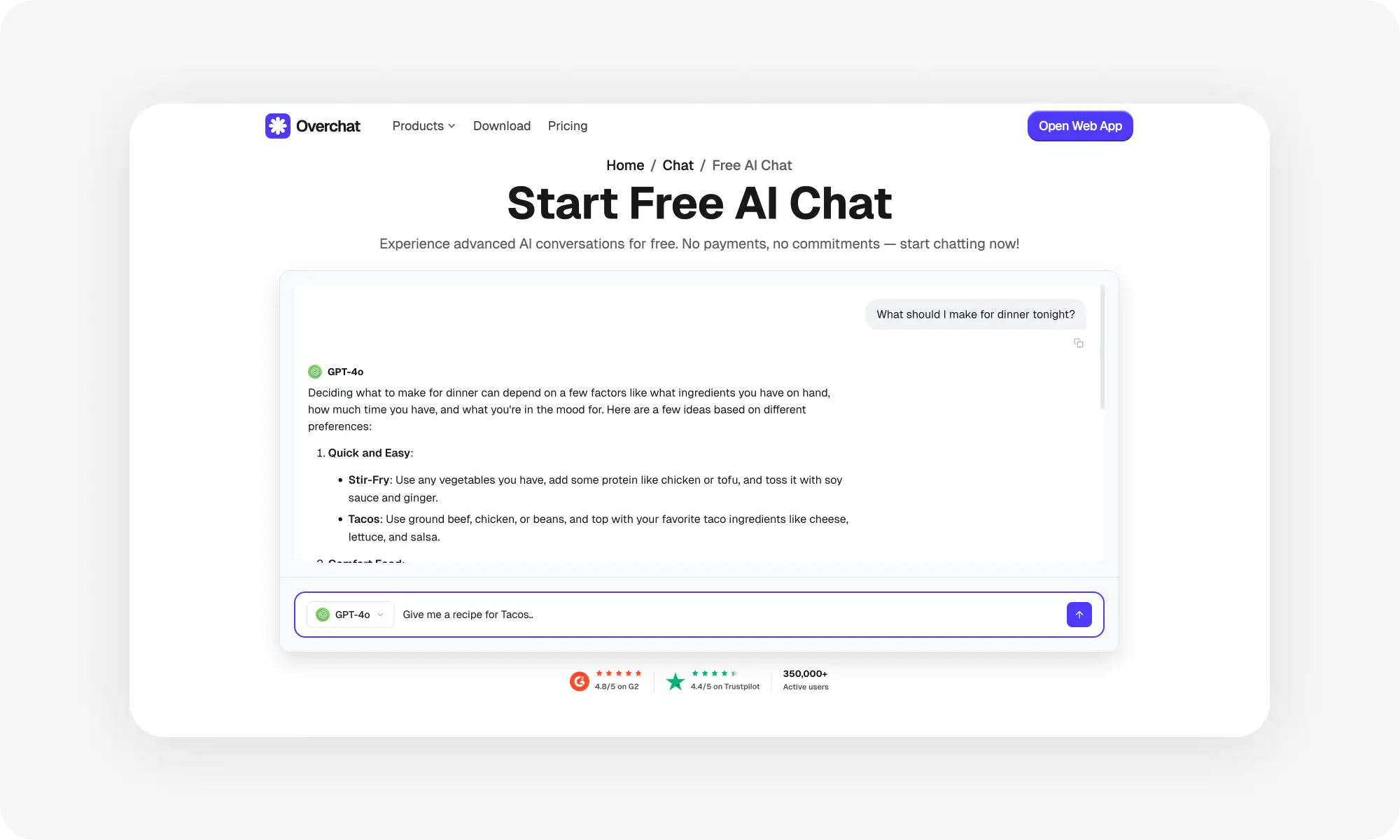
Overchat AI is a great free alternative to ChatGPT. To be clear, Overchat AI is not ChatGPT and isn't affiliated with OpenAI — it's a separate app where you can chat with OpenAI's GPT models alongside Claude, Gemini, DeepSeek, and dozens of others, all in one place.
Creating a free account takes under a minute — all you need is an email address or a Google/Apple login.
With a free account, you can chat with GPT-4o, DeepSeek V3.2, Claude Haiku 4.5, and Qwen 3 at no cost — and you unlock access to hundreds of other tools and models, including GPT-5.2 and Gemini 3.
Claude (by Anthropic)
Claude offers a competitive free tier with access to Claude Sonnet 4.5, which is a very powerful, modern model for writing, coding, and detailed analysis. The free version includes longer context windows than ChatGPT, meaning it can handle larger documents or longer conversations without forgetting earlier parts.
You'll need to create an account, but the signup process is straightforward. Free users get a decent message cap that resets daily, though exact limits vary based on usage patterns.
Google Gemini
Google's Gemini 3 is free-to-use with a Google account. Gemini also integrates directly with Google services like Gmail, Docs, and Drive. This makes it useful if you're already in the Google ecosystem and want AI help with your existing files.
Perplexity AI
Perplexity specializes in research and information gathering. The free tier gives you access to their standard model, which searches the web and provides answers with citations. You also get 5 Pro searches per day on the free plan, which use more advanced AI models and deeper research. Regular searches are unlimited.
3. Use AI Chatbots Built Into Other Apps and Services
You might already have access to AI chatbots through apps and services you use every day, so you can get free access to an AI chat — often based on a GPT model — without needing a separate account.
Here are a few apps you may consider:
Microsoft Edge Sidebar
If you use Microsoft Edge as your browser, you get built-in access to Copilot without visiting a separate website. The sidebar appears on the right side of your browser and can help while you browse. You can ask it to summarize the current page, explain concepts, or draft responses to emails. It has access to what you're viewing, which makes it contextually aware of your current task. The feature is completely free and doesn't count against any message limits. You just need to use Edge browser, which is available on Windows, Mac, iOS, and Android.
Notion AI
Notion users get limited free access to AI features built directly into their workspace. You can use it to summarize notes, improve writing, or generate ideas without leaving your documents.
Snapchat My AI
Snapchat includes a chatbot called My AI that's available to all users for free. It uses ChatGPT technology but is customized for casual conversation and entertainment. You can chat with it about anything, ask for recommendations, or use it for quick information lookups.
Slack AI
Workplaces using Slack can access built-in AI features for free or through their existing subscription. The AI can summarize channel conversations, create thread recaps, or help search through message history. If your company already pays for Slack, you might have AI features available without additional cost.
Discord Bots
Discord has numerous free AI bots you can add to your servers. Popular options include Midjourney for image generation, various ChatGPT bots, and specialized assistants for different tasks. These bots are free to add and use, though some have usage limits or premium tiers.
What to Consider: Free vs. Paid ChatGPT
At some point, you might wonder if upgrading to a paid plan makes sense for your situation. Here’s how to decide:
When the Free Version Is Enough
You're probably fine sticking with free if you:
Use ChatGPT only occasionally
Don't mind waiting a few hours when you hit the message limit
Can work with GPT-5.2 mini for less complex tasks
Have access to alternatives like Overchat AI or Claude when you need backup options
If you're using AI to understand concepts, draft essays, or study for exams, the free version is usually good enough for these tasks. Same goes for working with text: emails, recipe ideas, travel planning, or general questions also don't need paid access. And, there's no reason to pay $20 per month while you're still figuring out how (or if) you'll use these tools regularly.
When You Should Consider Upgrading
Some clear signs indicate you've outgrown the free tier and might benefit from a paid subscription: Consider upgrading if you:
Hit the message limit multiple times per day
Need AI for work tasks where delays cost you time and money
Regularly work with large documents or use AI to write code
Need GPT-5.2 Thinking for complex tasks
Use ChatGPT as a primary tool in your daily workflow
Whether or not to upgrade is a purely mathematical decision. If you're a developer who writes code for hours each day, the Plus plan ($20 per month) could save you hours of time spent on refactoring, finding simple bugs and creating unit tests. So, if you think that saving time is worth the $20, the decision to upgrade should be simple.
At that point, the choice is between ChatGPT Pro and ChatGPT plus.
ChatGPT Plus ($20/month) gives you:
160 messages with GPT-5.2 every 3 hours (16x more than free)
Priority access during high-traffic periods
Ability to create custom GPTs
More daily image generations and video generations with Sora 2
ChatGPT Pro ($200/month) is designed for power users and includes:
Unlimited access to all GPT-5.2 models
GPT-5.2 Pro mode that’s even more powerful than Thinking
Most people won't need Pro unless they are using AI very heavily — launch multiple agents or write with AI full-time.
If ChatGPT saves you more than an hour of work per week, Plus probably pays for itself. If it saves you several hours per day, Pro might make sense.
How to Maximize ChatGPT Free Tier
If you're sticking with free ChatGPT, there’s a way to make the allocated free limit go much further. Here are a few tips to get the most use out of your free ChatGPT account.
Time complex questions Strategically. Save your GPT-5.2 messages for tasks that need advanced reasoning: coding, math, deep research. Don’t use the most expensive model to ask for dinner recipes. This way, you won't waste your limited high-quality messages on tasks that don't require them.
Write better prompts. Prompts are messages you send to AI. How you ask AI questions matters — by being specific and explaining what kind of outcome you want to get from the interaction, you’ll be able to get to the result with fewer messages. Here’s more about how to ask AI better questions to get better answers.
Keep track of your usage. Understand when your free usage is about to refresh to minimize periods of downtime. ChatGPT tells you this in the interface. Remember — there’s a 5-hour rolling window from your 10th message, so if you send your last allowed message at 2 PM, you'll get your limit back at 7 PM.
Use built-in AI tools when you can. Before opening ChatGPT, check if you already have AI available in the apps you're using. For example, your Google workspace may have text editing tools you can use to edit copy, and this way you won’t need to waste ChatGPT messages on this task
Start new chats often. ChatGPT free tier has a smaller context window compared to the paid feature. This means that it can’t remember as much in one conversation. How to get around this? It’s actually very simple — just start new chats and keep them short. There’s no limit to how many chats you can have, even on the free tier.
Batch similar tasks. Instead of asking questions throughout the day and hitting your limit quickly, batch them together. Write down all your questions, then submit them in one session or even as one message. This approach works for simple questions but won’t work for complex ones.
Download or save important answers. Just in case. Copy important code snippets to your editor, save helpful explanations to notes, and export or screenshot valuable information. Context gets lost when you switch services, so don't rely on being able to access previous conversations.
Consider using multiple services.If you use the free tiers of Google Gemini and Claude, and occasionally chat with DeepSeek and Kimi, you can effectively stretch your free usage to the point where it feels unlimited (DeepSeek is actually unlimited on its free tier). The main trade-offs compared to paid plans are access to more capable models and image or video generation. Media generation is expensive, which is why it’s usually excluded from free tiers, tightly limited, or offered at much lower quality than flagship models.
Bottom Line
The free version of ChatGPT gives you access to GPT-5.2, one of the most advanced AI models available, though you only get 10 messages every five hours until it defaults to GPT-5.2 Mini. For most people, though, that's still going to be more than enough to handle everyday tasks.
But if you bump up against the message limits, consider a ChatGPT alternative like Overchat AI — it isn't ChatGPT, but it gives you OpenAI's GPT models (and many others) in one app, with several models free to use after a quick signup.