Generate stunning videos with sound effects using Google's best AI video generator


Google's most advanced video generation model
Turn images into animations with Google's groundbreaking AI model.
Generate realistic videos with sound from text and images.
Up to 1080p Video with Native Sound
Veo 3.1 renders clips in up to 1080p with synchronized dialogue, sound effects and ambient audio. You get a finished scene from a single prompt or image, with no separate voiceover or sound design.
Perfect Continuity Across Every Frame
Veo 3.1 maintains flawless character consistency throughout your entire video—no more changing eye colors, morphing faces, or inconsistent clothing. Your story stays coherent from start to finish.
Create Complex Narratives with Multi-Prompting
Generate multiple scenes from a single image or create sequential shots with different prompts. Build complete visual narratives with seamless transitions between locations, time periods, and camera angles — all within one video generation.
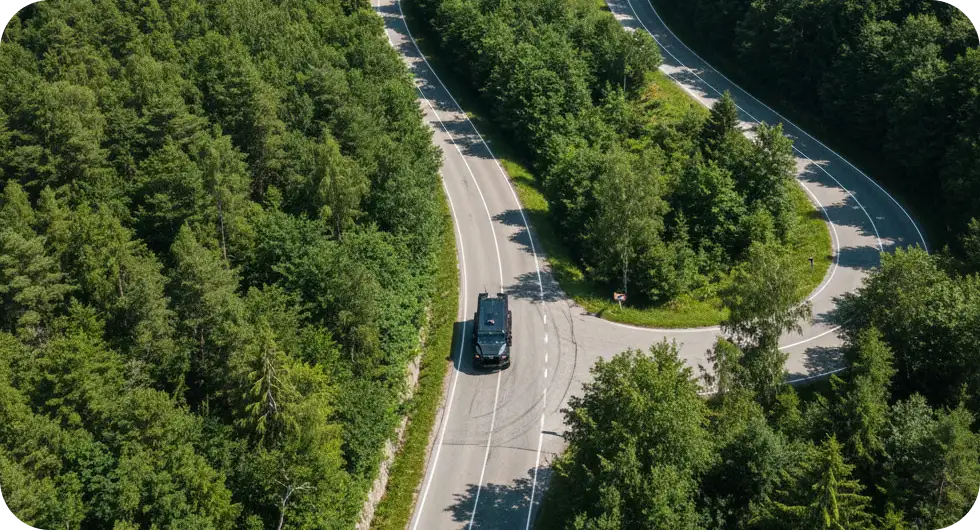
Professional Camera Control at Your Fingertips
Choose from ready-made cinematic presets to instantly add professional camera movements: drone aerials, smooth pans, dramatic zooms, tracking shots, and more. Control lighting, mood, and tone without complex prompting—just select your style and generate.
Get inspired by these prompt-to-animation ideas
Social Media Content
Create short vertical clips with sound for Reels, Shorts and TikTok
AI Films
Become an AI filmmaker with native scene-to-scene consistency
YouTube Videos
Build B-roll footage, concept previews, and storyboards
Make Different Versions
Generate variations of your video with different styles, angles, or elements.
Product Marketing
Showcase products from every angle and in multiple scenes.
Creative Storytelling
Bring your wildest creative visions to life simply by describing what you want to see.
Create AI videos in 3 simple steps
Describe Your Vision
Describe what you want to see in the video in detail, or upload a starting frame
Choose Your Style
Pick from professional camera movements and lighting presets
Download and use
Get your video ready to share, post, or integrate into your projects.
What is Veo 3.1?

Veo 3.1 is Google's latest AI video generation model. It builds on Veo 3 with better prompt adherence, more realistic motion, native audio and 1080p output, and it turns both text prompts and images into video.
How is Veo 3.1 different from Veo 3?
Veo 3.1 follows prompts more closely, keeps characters and objects more consistent between frames, generates richer native audio and supports image-to-video. On Overchat AI you can generate clips in 720p or 1080p.
How long can Veo 3.1 videos be?
On Overchat AI, Veo 3.1 generates clips of 5 to 10 seconds from a text prompt and 6 or 8 seconds from an image. For a longer video, generate several scenes and join them in any video editor.
What resolution does Veo 3.1 support?
On Overchat AI, Veo 3.1 generates video in 720p or native 1080p, so you can choose between faster drafts and full-HD output.
What are Veo 3.1 cinematic presets?
Cinematic presets are pre-configured camera movements and lighting setups (like drone shots, tracking shots, pans, zooms) that you can apply to your video generation without complex prompting. They give you professional production value instantly.
Does Veo 3.1 generate audio?
Yes! Veo 3.1 generates synchronized audio natively, including dialogue with accurate lip-sync, ambient sounds, music, and sound effects that perfectly match the on-screen action.


