Get accurate transcripts from any YouTube video — instantly and for free. Simply paste the video link, and our AI-powered tool extracts the complete transcript automatically. Perfect for research, content creation, note-taking, and accessibility.
Get precise, word-for-word transcriptions of any YouTube video using advanced AI. Our tool captures spoken content with high accuracy, including proper punctuation and formatting. Perfect for studying, content repurposing, or creating written versions of video content.
Transcribe unlimited YouTube videos for free — no sign-up required, no daily limits, no restrictions. Whether you need transcripts for 5 videos or 50, our tool is ready to help you extract text from any video instantly.
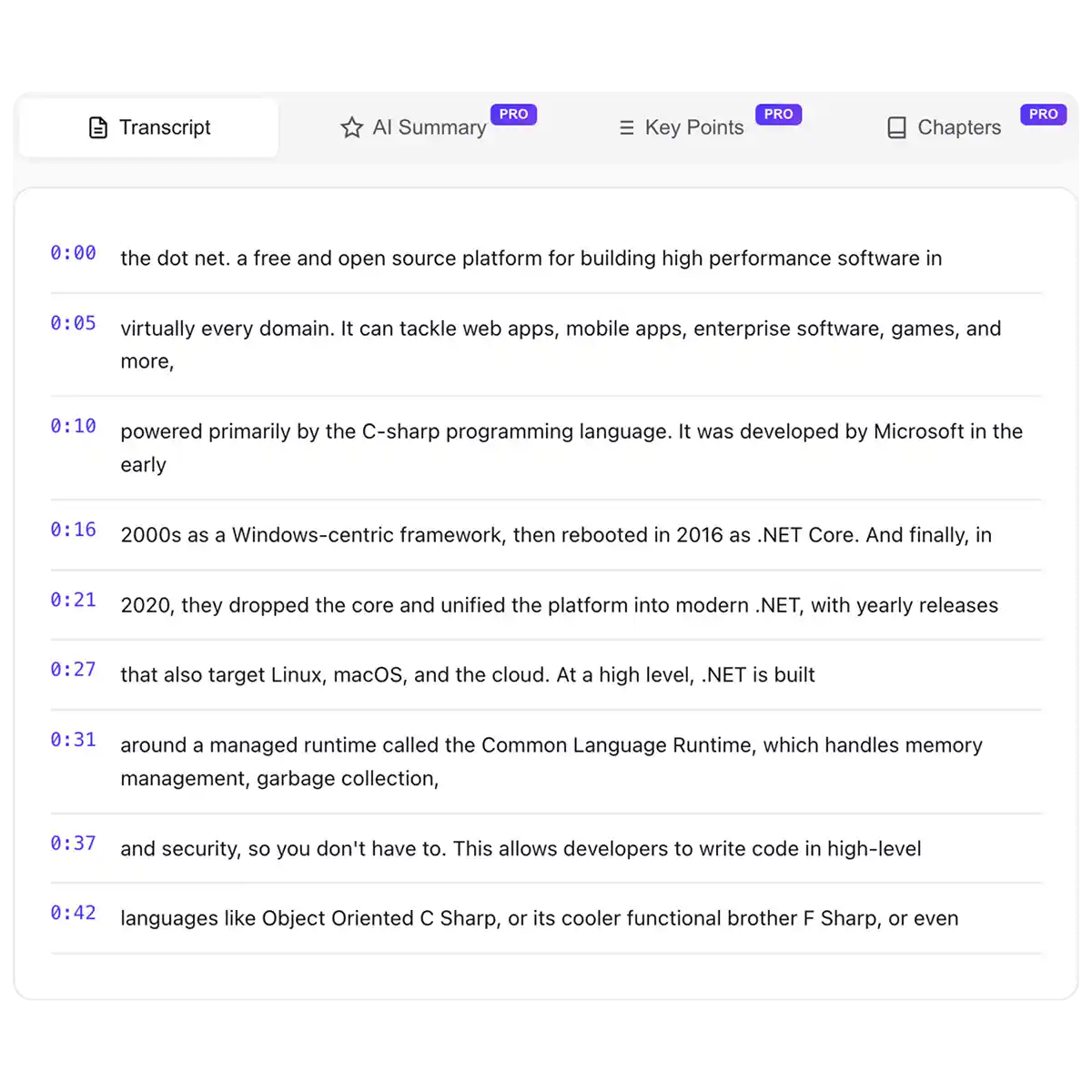
Download your transcripts in the format you need. Copy text directly, export as plain text, or get formatted output with timestamps. Our tool gives you flexibility to use transcripts however works best for your workflow.
Whether it's a short clip, a podcast, a lecture, or a full documentary, our tool handles it all. Get transcripts from any public YouTube video — tutorials, interviews, music videos, vlogs, and more. Just paste the link and get text.
Copy the URL of any YouTube video and paste it into the input field. Our tool accepts any valid YouTube video link — regular videos, shorts, or live streams.
Our AI analyzes the video's audio and extracts the spoken content as text. The system processes the video quickly, generating an accurate transcript with proper formatting.
Copy the transcript directly to your clipboard or download it as a text file. Use your transcript for notes, content creation, translations, accessibility, or any other purpose you need.
USE CASES
Turn YouTube videos into blog posts, social media content, newsletters, or ebooks with accurate transcripts.
Extract key insights from lectures, interviews, and educational videos for easier note-taking and citation.
Create SEO-friendly written content from video transcripts to boost your website's search rankings.
Make video content accessible to deaf and hard-of-hearing audiences with text transcripts.
Follow along with foreign language videos using transcripts to improve comprehension and vocabulary.
Get written records of podcast episodes and interviews for quotes, summaries, and show notes.
Join thousands of creators, students, and researchers already using our free YouTube transcript generator to save time and boost productivity.
Overchat AI brings you the power of the world's top AI models: GPT, Claude, Gemini, Mistral, and more.

Our tool works with all public YouTube videos — tutorials, lectures, podcasts, interviews, vlogs, music videos, documentaries, and more. Any video with a valid YouTube URL can be transcribed, regardless of length or language. We support regular videos, YouTube Shorts, and live stream recordings.
Simply scroll up to the tool on this page and paste the URL of any YouTube video. Click the transcribe button and your complete transcript will be ready in seconds. Copy the text or download it — no sign-up or software installation required.
Our AI-powered transcription delivers highly accurate results with proper punctuation and formatting. Accuracy depends on audio quality — clear speech yields near-perfect transcripts. For videos with background noise or multiple speakers, results are still very good but may need minor edits.
The transcripts you generate are yours to use. However, the underlying video content belongs to its creator. For commercial use, ensure you have rights to the original video content or are using transcripts for fair use purposes like research, education, or commentary.
Yes, our YouTube transcript generator is completely free with no limits. Transcribe as many videos as you need — no sign-up required, no daily caps, and no hidden fees.

Chinese company Baidu has quietly released a model that's just as good as DeepSeek and ChatGPT — ERNIE 4.5 delivers exceptional performance at a fraction of the cost — and most people outside China have never even heard of it.

If you're wondering: what is DeepSeek AI, the answer is quite simple. DeepSeek AI is a Chinese AI research lab that builds large language models. The company released several models in late 2024 and early 2025 that compete directly with OpenAI's GPT-4 and Anthropic's Claude, but at a fraction of the operating cost.

ChatGPT Plus costs $20 per month plus tax, while the Pro plan costs $200 per month plus tax. Understandably, not everyone is willing to pay that much for a chatbot, especially if the premium features aren’t worth it to them. This raises an obvious question: how can I use ChatGPT for free?
Available on Web, iOS, and Android. Access your AI assistant anywhere, anytime.



.svg)
