Paste any article URL or website link and get a structured summary of the main points.

It's free and only takes a few seconds
Read, Chat & Export Structured AI Summaries
Stop skimming, start understanding. Paste any article link and get a clean, structured breakdown of the key points — with tables, highlights, and zero fluff. Then ask follow-up questions like you're chatting with someone who read it cover to cover.
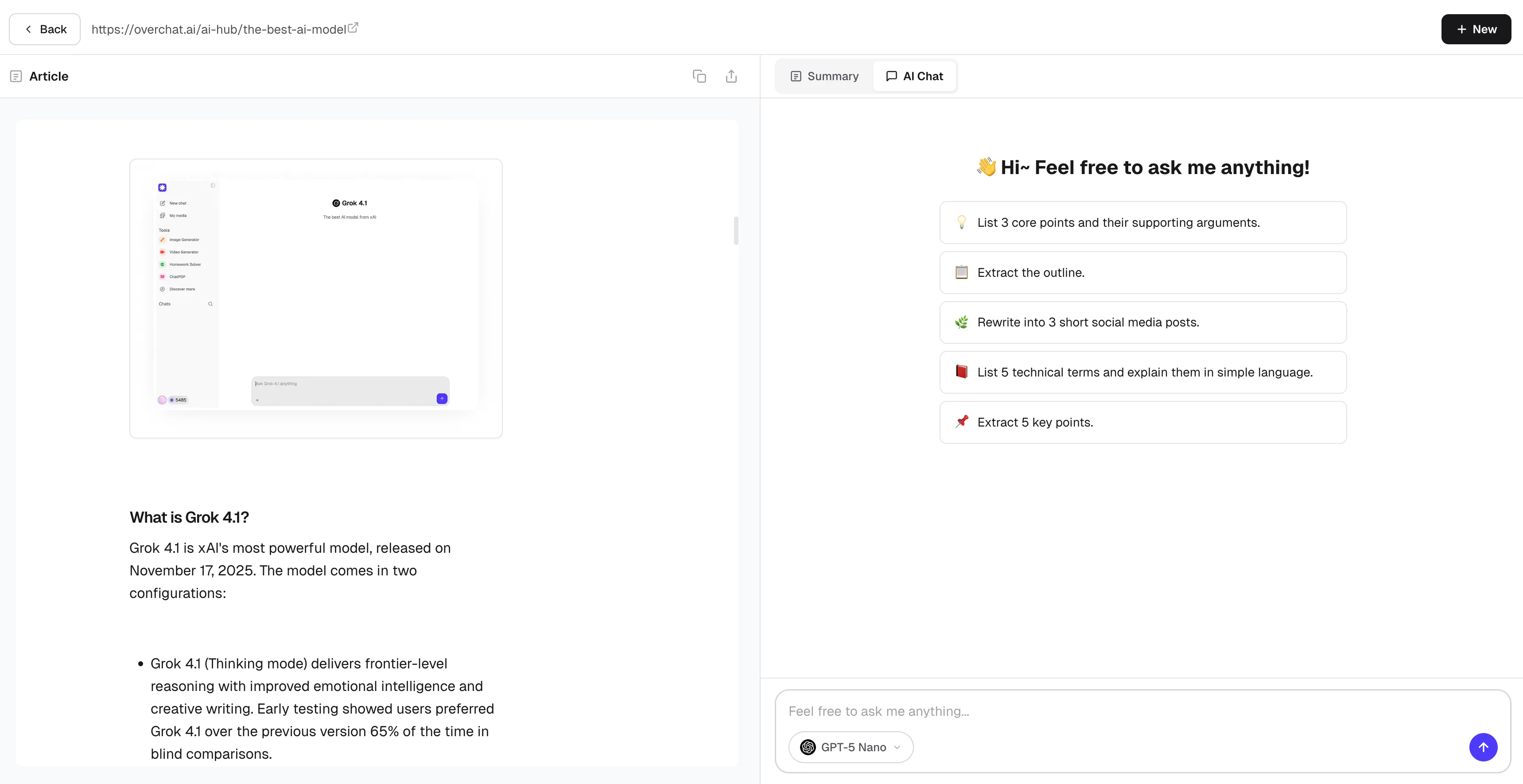
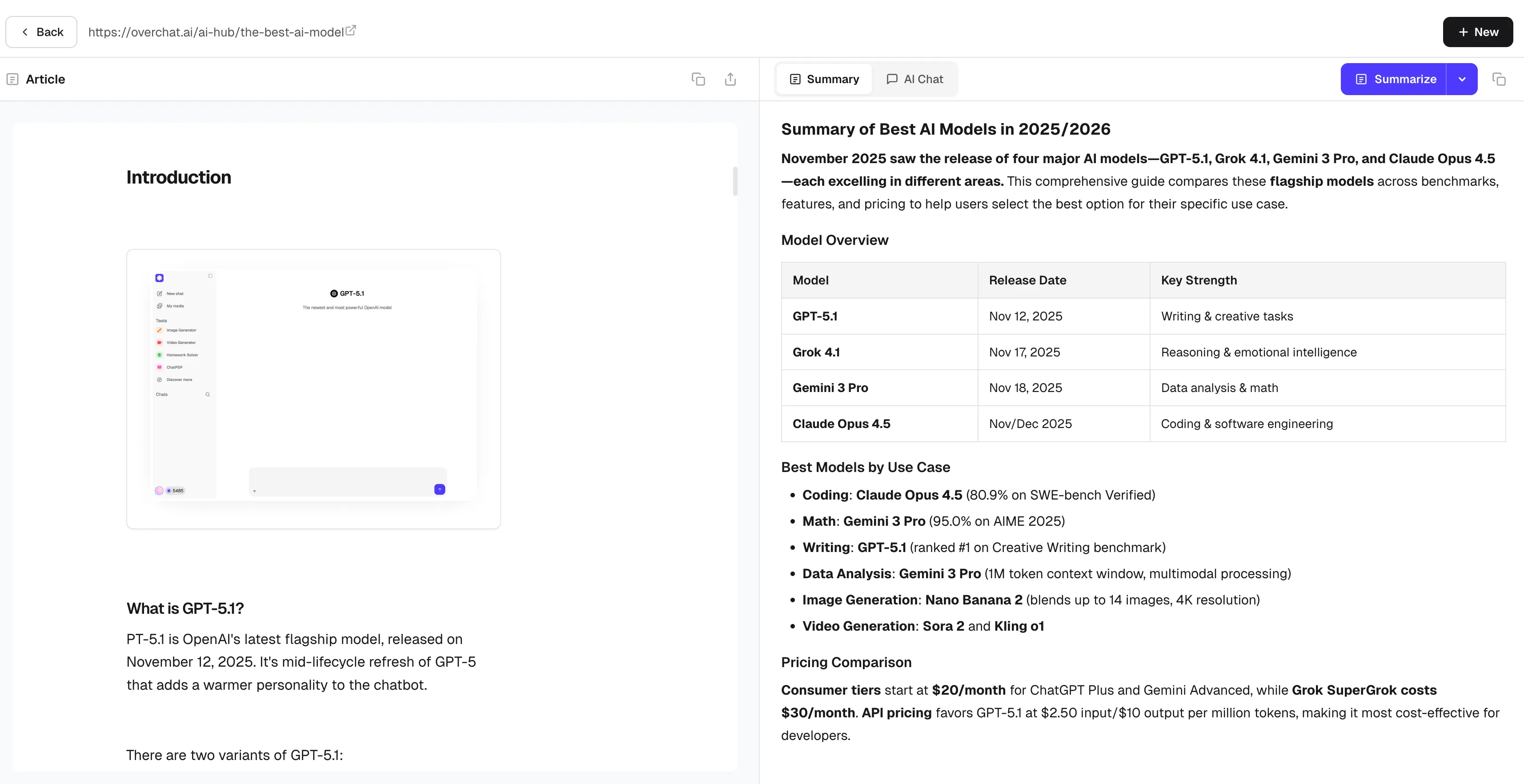
Summarize Articles With Full Article Preview
Paste an article URL and get a beautifully formatted summary with bold key terms, organized sections, and comparison tables where they matter. Complex topics broken down so simply you'll wonder why you ever read full articles.
Chat With Articles: Ask AI Questions About What You Read
Every summary comes with a built-in AI chat. Ask it to explain confusing parts, pull out quotes, rewrite sections for social media, or outline the article's argument. It's like having a research assistant who already read the whole thing.
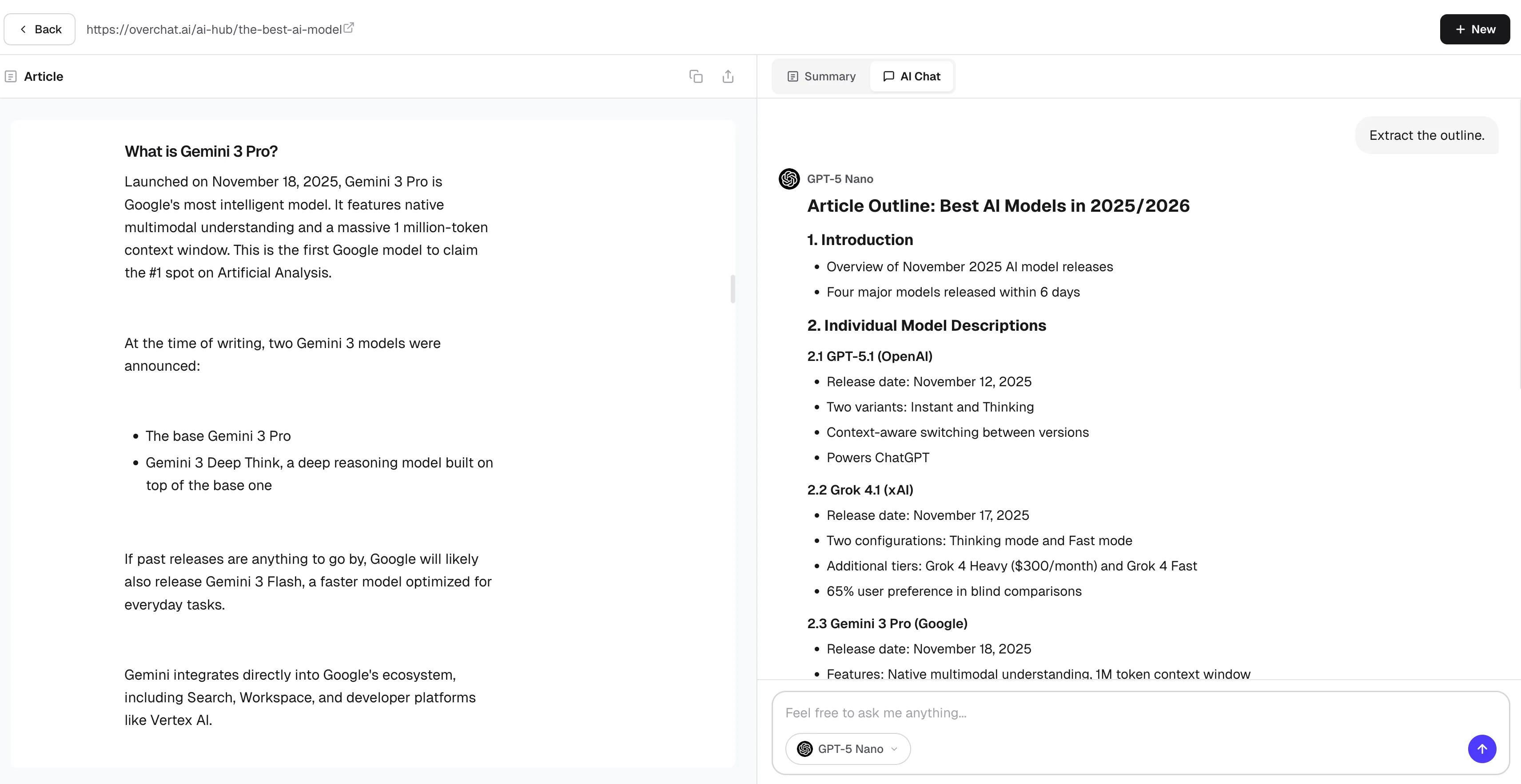
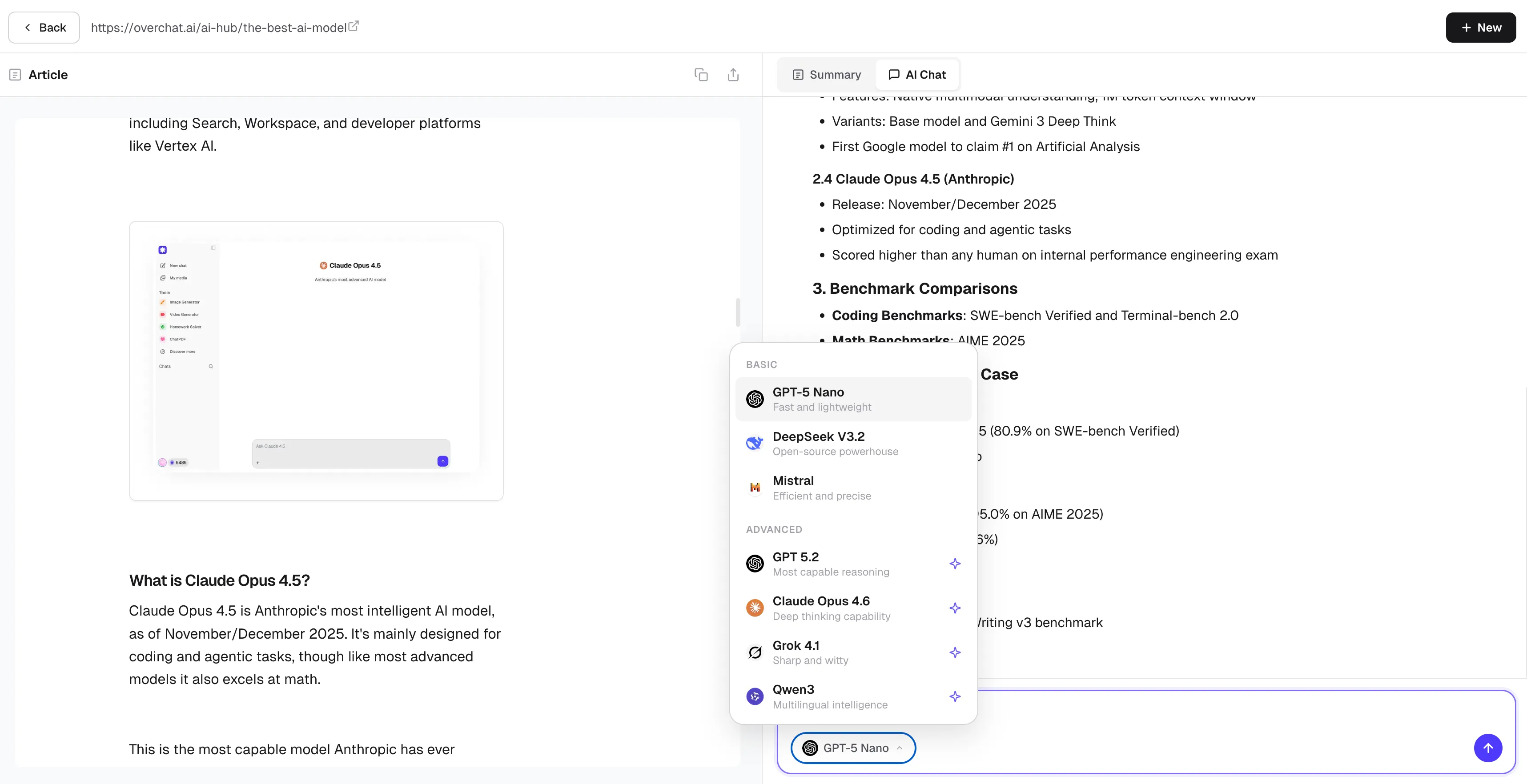
Pick your AI model and get Summaries in 12 Languages
Choose from 7 AI models including GPT-5, Claude, and DeepSeek. Summarize any English article into Chinese, Spanish, Hindi, Arabic, or 8 other languages instantly. Read global content without language barriers.
How people use the AI article summarizer
Morning briefing in 2 min
Drop 10 article links before coffee. Read every key takeaway before your cup is ready.
Ace your lit review
Feed it 30 papers. Get structured summaries of each, then ask the AI to compare their findings side by side.
Curate your newsletter
Summarize source articles, copy the key points, and paste them straight into your next issue. Export as Markdown too.
Win the meeting prep
Boss sent a 40-page report link? Walk in with the key numbers, arguments, and takeaways memorized.
Go deeper on any topic
Read the summary, then ask follow-up questions. "What does this term mean?" "How does this compare to X?" The AI knows the full article.
Read in your language
Article in English? Get the summary in Spanish, Chinese, Arabic, or 9 other languages with one click.
From article link to clear summary in 3 steps
Drop in any URL
News, blogs, research papers, Wikipedia — if it has text, it works
AI extracts what matters
Key arguments, data points, and conclusions — organized into clean sections with bold highlights
Read, chat, or export
Copy the summary, ask the AI follow-up questions, or download as Markdown for your notes
What is the best AI article summarizer?

Overchat's AI article summarizer stands out because it doesn't just give you a plain paragraph. You get structured summaries with headings, bold key terms, and comparison tables. You can also chat with the article to ask follow-up questions, choose from 7 AI models, and summarize in 12 languages. It's free to start with no sign-up required.
How does an AI article summarizer work?
You paste an article URL and the AI extracts the full text from the page, stripping out ads and navigation. Then a large language model analyzes the content and produces a structured summary with the key arguments, data points, and conclusions. The whole process takes just a few seconds.
What is an article summarizer AI?
An article summarizer AI is a tool that uses artificial intelligence to read a full article and create a shorter version with the most important information. Instead of skimming manually, you paste a URL and the AI identifies the main points, key facts, and conclusions for you in seconds.
Is the AI article summarizer free?
Yes — you get free article summaries with three AI models (GPT-5 Nano, DeepSeek, Mistral). No sign-up or credit card needed. Just paste a link and go. For access to advanced models like Claude Opus 4.6 and GPT 5.2, you can upgrade anytime.
Can I summarize articles in different languages?
Yes. The article summarizer supports 12 languages including English, Chinese, Hindi, Spanish, French, Arabic, Bengali, Russian, Portuguese, Urdu, Indonesian, and German. You can summarize an English article and get the summary in any of these languages with one click.
How do I summarize an article from a URL?
Copy the article URL, paste it into the input field above, and click Summarize. The AI will extract the article content and generate a structured summary within seconds. You can then read the summary, chat with the AI about the article, copy the text, or export it as Markdown.


