


Upload a picture and our AI erases any unwanted person from the background in seconds — no editing skills needed.
Overchat AI uses an advanced image-to-image AI model to intelligently erase people from images, even those with extremely complicated backgrounds. Powered by Nano Banana 2, the best AI image model from Google DeepMind.
Our tool can seamlessly remove people from pictures, even in cases when manual editing would fail. This includes entire crowds, busy interiors, and architectural backgrounds that are impossible to recreate by hand. No matter what photo you upload, Overchat AI will cleanly remove all people from it. This ensures that every image you take is a keeper. Here's how it works in 3 easy steps.
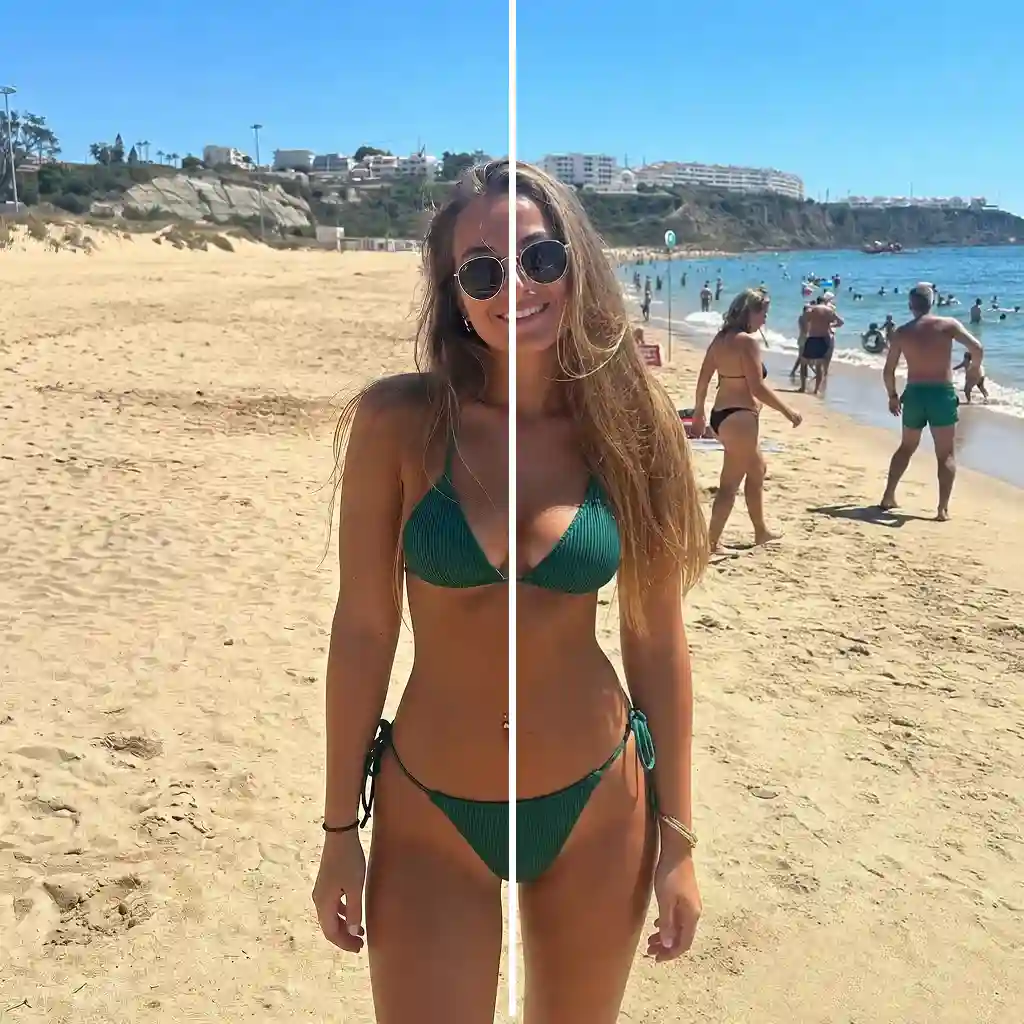
Select a photo from your gallery and drag it into the image upload zone at the top of the page. The tool accepts popular formats, including HEIC, PNG, JPG, WebP, TIFF, and more. Yes, you can also remove people from iPhone photos.
Wait for the AI to process your image and remove people from the background. Our People from Photo Eraser has two modes that switch automatically: if a photo has a main subject, it will remove people from the background. In photos without people in the background, it erases everyone in the frame.
Once the image is ready, you can download it in HD quality, share it directly to social media, or copy it to the clipboard.
USE CASES
Remove tourists and random strangers from your vacation photos to achieve a postcard-like image, even if the environment where you took the photo was crowded.
No matter how many people are in the background, Overchat AI can erase them all and realistically reconstruct parts of the image that are obscured — even if they feature complex architecture or landmarks.
When you upload a picture with a clear main subject, the AI automatically detects it and erases only the people in the background. You don't have to specify this because it works fully automatically. All you need to do is upload your photo.
If you upload an image with people in the background, the tool will intelligently remove them and give you a photo without people. This is useful if you want to isolate the background.
Take distraction-free shots every time, including wide scenes and interior and exterior shots.
Remove unwanted people from photos that were photobombed and save pictures that would otherwise end up in the trash.
Join thousands of people who are already using Overchat AI to edit images, videos, and text.
Overchat AI brings you the power of the world's top AI models: GPT, Claude, Gemini, Mistral, and more.

It’s an online image editing service powered by artificial intelligence that lets you easily erase unwanted people from a photo, similar to what you can do in Photoshop, but online and much easier. Although the end result is similar to Photoshop's Content-Aware Fill, this service works completely differently. It uses AI inpainting to rebuild the background behind the person instead of relying on manual cloning.
Overchat AI uses Nano Banana 2, a cutting-edge image-to-image inpainting model, to selectively edit parts of a photo. To use the tool, simply upload your image. The AI will then erase the objects in the image and regenerate the background behind them. There are two modes, foreground and background erasing, which the tool switches between automatically. If you upload a picture with a clear subject, it will remove everyone in the background. If the background doesn't already have people in it, it will erase the people in the foreground to give you a clean background.
Overchat AI is one of the best tools for removing people from photos. It’s free to try and has a user-friendly interface. It is powered by Nano Banana 2, a cutting-edge inpainting model that seamlessly rebuilds the background.
Yes, Overchat AI's Remove Person from Photo tool is free to use. Enjoy unlimited usage for a limited time!

Chinese company Baidu has quietly released a model that's just as good as DeepSeek and ChatGPT — ERNIE 4.5 delivers exceptional performance at a fraction of the cost — and most people outside China have never even heard of it.

If you're wondering: what is DeepSeek AI, the answer is quite simple. DeepSeek AI is a Chinese AI research lab that builds large language models. The company released several models in late 2024 and early 2025 that compete directly with OpenAI's GPT-4 and Anthropic's Claude, but at a fraction of the operating cost.

ChatGPT Plus costs $20 per month plus tax, while the Pro plan costs $200 per month plus tax. Understandably, not everyone is willing to pay that much for a chatbot, especially if the premium features aren’t worth it to them. This raises an obvious question: how can I use ChatGPT for free?
Available on Web, iOS, and Android. Access your AI assistant anywhere, anytime.



 Runs on GPT Image 2
.svg)
