

Upload photos of up to 5 people — even from different places and times — and our AI puts everyone together in one warm group photo. Pick a setting, hit generate, done in seconds.
Your group photo is ready to generate. Sign in to keep going — your uploaded people and setting are saved.
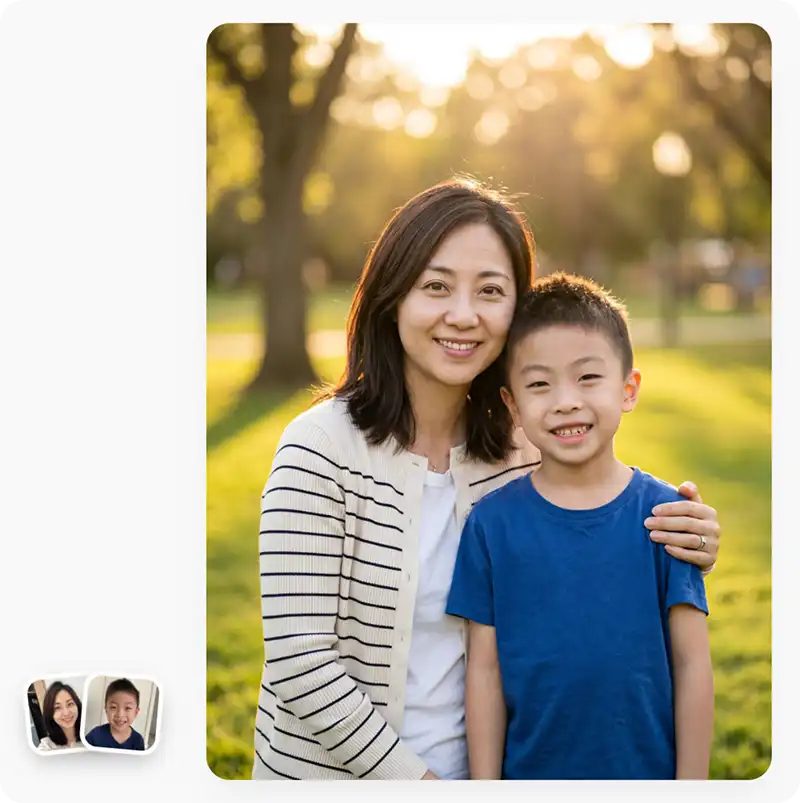
Upload separate photos of each family member, pick the scene, and our AI composes them into a single believable family portrait in about 30 seconds. Perfect for families spread across cities, reunions that never happened, and shots that include people who couldn't be there.
Upload separate images of up to five people whom you would like to pose together as a family. Overchat's AI family photo generator will create a new image of them posing naturally together. Here's how to use it in three simple steps:
Upload up to five images of each family member into the tool. We support PNG, JPG, HEIC, and WebP file formats, including photos from iPhones.
Choose from multiple family photo presets, such as pictures in a cozy living room, outdoor photos, or beach photos. Then, click the Generate button.
Wait about 30 seconds while the AI processes your images and creates a new, professional-quality, photorealistic image of everyone together.
USE CASES
When relatives live in different cities or countries, gathering everyone for a family photo isn't always possible. Family Photo Generator helps create a shared portrait using individual photos.
Keep family albums up to date as children grow and families expand. Family Photo Generator makes it easy to create new family portraits without organizing a professional photoshoot.
Create family photos for Christmas cards, seasonal greetings, invitations, and family updates online.
Use the Family Photo Generator to create photo shoots without bringing everyone together on location.
Use the Overchat AI family photo generator to easily create posters and ads featuring made-up families online.
Create family portraits for birthdays, anniversaries, reunions, graduations, new babies, and other important life events.
Join over 350,000 users who are already generating images, videos, and music on Overchat AI.
Overchat AI brings you the power of the world's top AI models: GPT, Claude, Gemini, Mistral, and more.

A family photo generator is an AI tool that creates family portraits from one or more uploaded photos. Instead of gathering everyone for a traditional photoshoot, users can upload individual pictures and generate a single image that places family members together in the same scene.
An AI Family Photo Generator uses uploaded photos as visual references to create a new family portrait. For example, on Overchat AI this tool is powered by Nano Banana 2 Image-to-Image AI model. To use it, simply upload pictures of the people you want to include, choose the location from a preset gallery, and click the Generate button.
When comparing family photo generators, look for image quality, ease of use, customization options, generation speed, and how well the AI preserves the appearance of each family member. Overchat AI Family Photo Generator combines all of these features in a simple tool that can generate family portraits from separate photos in seconds.
Overchat AI can generate a family photo in as little as 30 seconds. However, the exact generation time varies slightly based on the model load and the complexity of the image.
Yes, as long as you use a reputable platform. For example, Overchat AI automatically deletes the images you upload after processing, and the images are not used for AI model training. As always, it's a good idea to consult the platform's privacy policy before uploading any images you're not comfortable sharing.
Yes! The Overchat AI Family Photo Generator is free and unlimited, but only for a limited time. Use it without signing up while the offer lasts!

Chinese company Baidu has quietly released a model that's just as good as DeepSeek and ChatGPT — ERNIE 4.5 delivers exceptional performance at a fraction of the cost — and most people outside China have never even heard of it.

If you're wondering: what is DeepSeek AI, the answer is quite simple. DeepSeek AI is a Chinese AI research lab that builds large language models. The company released several models in late 2024 and early 2025 that compete directly with OpenAI's GPT-4 and Anthropic's Claude, but at a fraction of the operating cost.

ChatGPT Plus costs $20 per month plus tax, while the Pro plan costs $200 per month plus tax. Understandably, not everyone is willing to pay that much for a chatbot, especially if the premium features aren’t worth it to them. This raises an obvious question: how can I use ChatGPT for free?
Available on Web, iOS, and Android. Access your AI assistant anywhere, anytime.


 Runs on GPT Image 2
.svg)
