
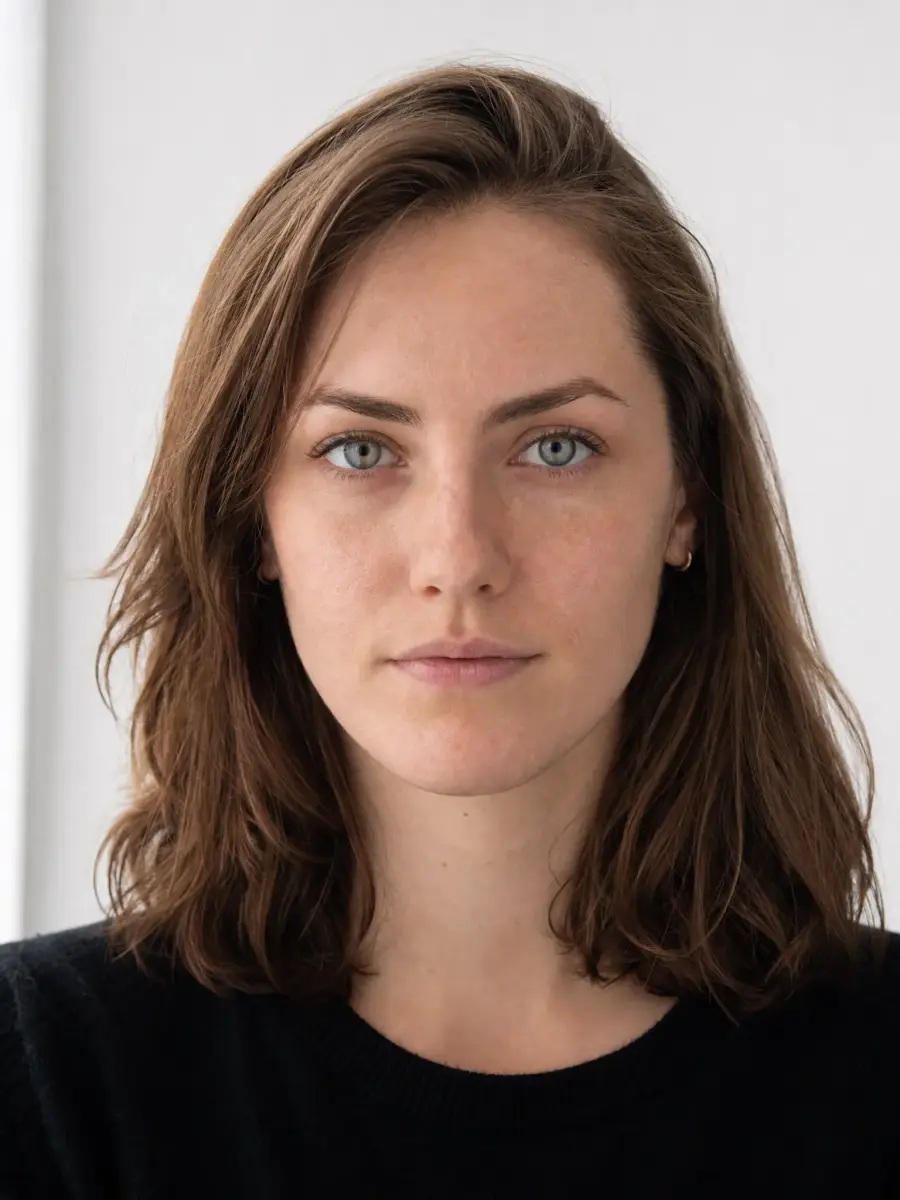
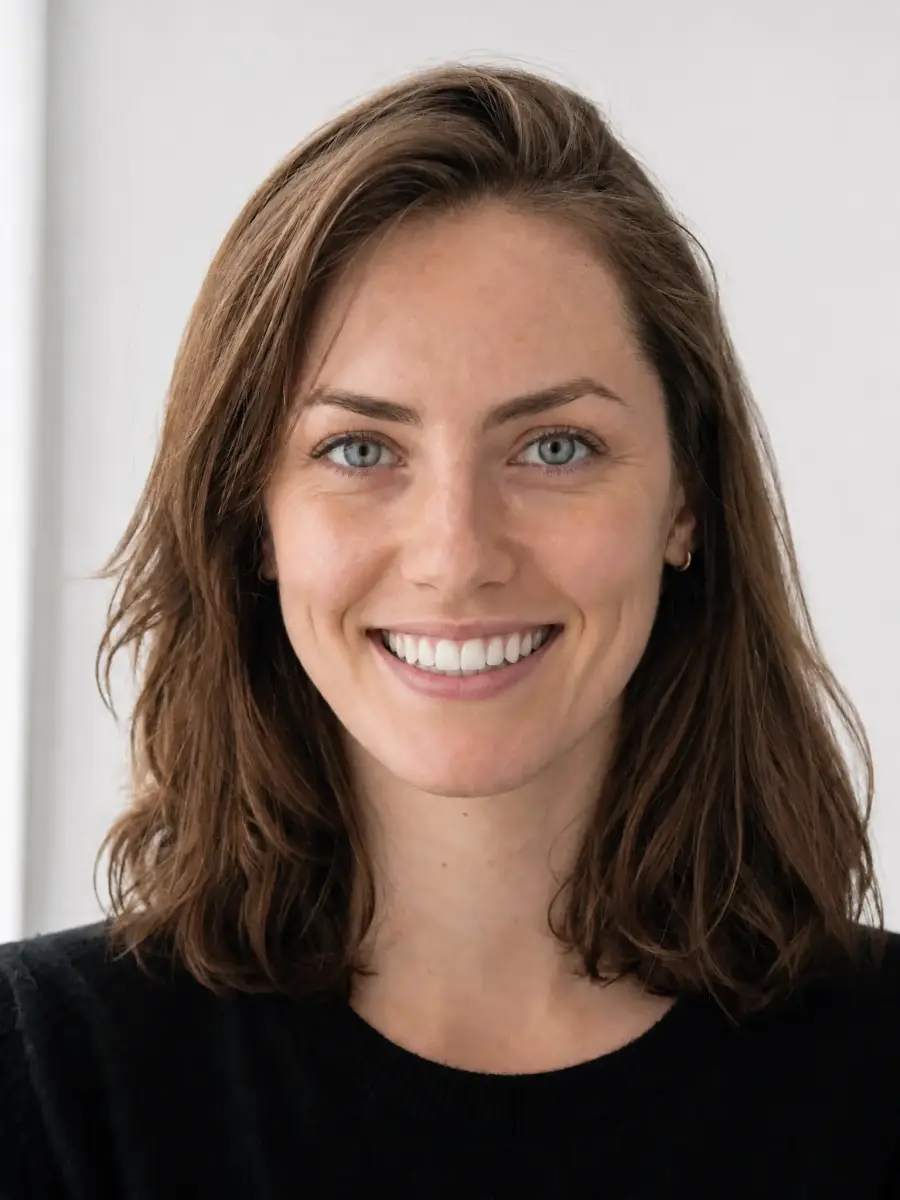
 Before
After
Before
After
Upload your photo and our AI adds a natural smile — pick from a subtle grin, a relaxed teeth smile, or a full beaming smile. Your face stays exactly the same, just happier.
Before
After
With the Overchat AI Smile Generator, users can upload any image, and the AI will generate a new image of them smiling. Three smile levels are supported: subtle, natural with teeth, and beaming. Results are delivered within 30 seconds. The tool is powered by the Nano Banana 2 image generator.
Overchat AI smile generator uses one of the most advanced AI image generation models to selectively modify an image and give the user a realistic smile. It carefully follows human anatomy, adjusting different parts of the face, such as slightly raising the eyebrows and adding subtle smile lines around the eyes, to create a natural-looking result. Here's how it works in 3 steps.
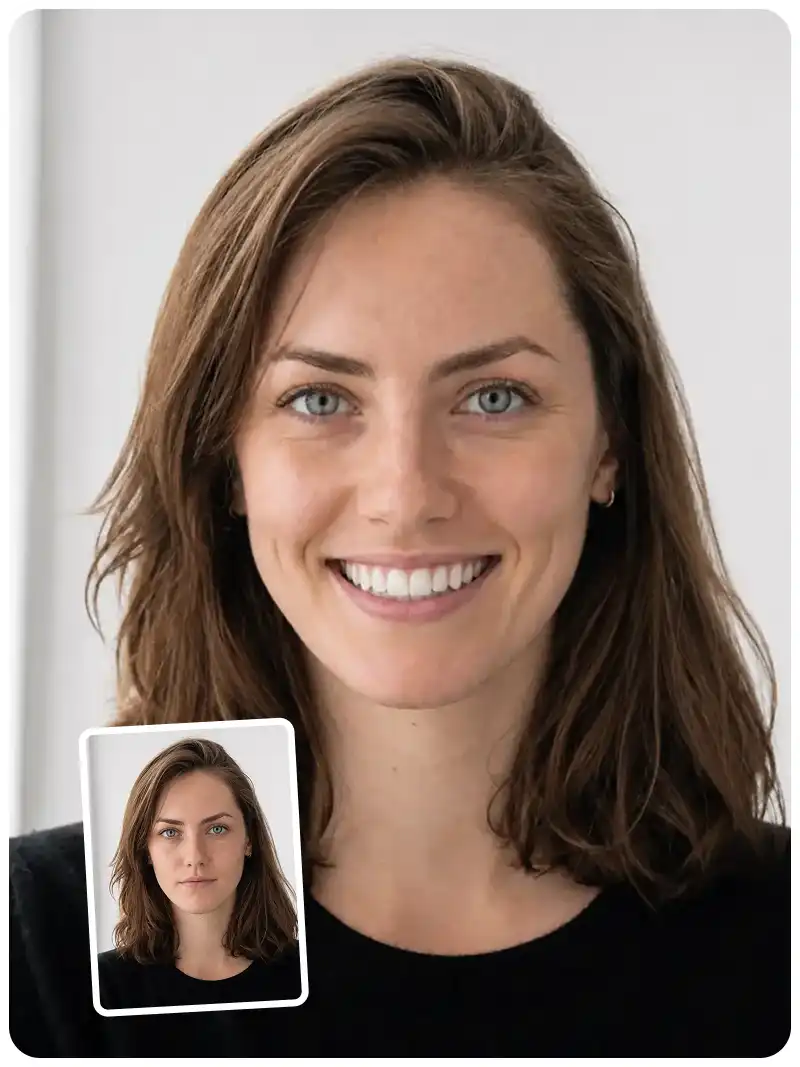
To get started, drag a portrait or selfie into the upload zone, or take a selfie. PNG, JPG, HEIC, and WebP are supported, including iPhone photos.
Choose "Subtle" for a relaxed, closed-mouth smile; "Friendly" for a warm smile with a little bit of teeth showing; or "Big" for a full, open-mouth laugh.
The AI will generate a new image that will make you smile in 30 seconds. You can save it locally or share it online.
USE CASES
For anyone who took a great shot with the wrong expression, Overchat AI Smile Generator allows you to save the photo by adding a perfect smile to it after the fact.
For photographers working with subjects who aren't used to photoshoots and don't look natural on camera, Overchat AI Smile Generator helps improve expressions across the entire photoshoot.
For students and parents who love a photo except for the expression, Overchat AI Smile Generator helps turn serious yearbook, graduation, and school portraits into photos worth keeping.
For travelers who captured the perfect moment but not the perfect expression, Overchat AI Smile Generator helps save good travel photos.
For people taking professional photoshoots, Overchat AI Smile Generator helps add a warmer, professional smile to photos with serious expressions.
In family photos, weddings, or group shots, Overchat AI Smile Generator helps improve individual expressions.
Join over 350,000 people already using Overchat AI to generate images, videos, and music online.
Overchat AI brings you the power of the world's top AI models: GPT, Claude, Gemini, Mistral, and more.

In Overchat AI Smile Generator, users can select from one of the three smile intensity presets.
Subtle. This is a relaxed, closed mouth smile, suitable for business or more formal portraits.
Friendly. This preset adds a slight grin with lips parted slightly, a more casual smile.
Big. This is a full open-mouth laugh with visible teeth and eye crinkles, the most expressive option.
An AI smile generator can add a realistic smile to photos where the subject's initial expression was not ideal, which is a common problem, especially among people who are not used to being photographed. The generator uses AI image generation to selectively recreate parts of an image, modifying the facial expression without altering the likeness. The closest alternative to an AI smile generator is image editing in Photoshop. Both approaches have pros and cons, but Photoshop requires a lot of skill and modifies the original pixels in the image. In contrast, the smile generator works automatically, inpainting new data into the image, which can lead to more seamless results.
Yes. The custom prompt field is right under the three presets. Use it whenever you want something the presets don't cover — a polite half-smile for a passport-style shot, a slight smirk, a wider laugh than Big gives, a closed-mouth smile that hides braces, or a specific reference like "the smile she gives in the wedding photos." Combining a preset with a short custom prompt also works — pick Friendly and add "lips slightly parted, no teeth showing."
Yes! The Overchat AI Smile Generator is free for a limited time. While the offer lasts, you can access it on the Overchat AI website without signing in and use it as much as you want.

Chinese company Baidu has quietly released a model that's just as good as DeepSeek and ChatGPT — ERNIE 4.5 delivers exceptional performance at a fraction of the cost — and most people outside China have never even heard of it.

If you're wondering: what is DeepSeek AI, the answer is quite simple. DeepSeek AI is a Chinese AI research lab that builds large language models. The company released several models in late 2024 and early 2025 that compete directly with OpenAI's GPT-4 and Anthropic's Claude, but at a fraction of the operating cost.

ChatGPT Plus costs $20 per month plus tax, while the Pro plan costs $200 per month plus tax. Understandably, not everyone is willing to pay that much for a chatbot, especially if the premium features aren’t worth it to them. This raises an obvious question: how can I use ChatGPT for free?
Available on Web, iOS, and Android. Access your AI assistant anywhere, anytime.


.svg)
