









Are AI Code Detectors Accurate?
Short answer: yes, but with nuance. Modern AI code detectors — including Overchat's — reach up to 99% accuracy on longer snippets (50+ lines) in well-represented languages like Python, JavaScript, and Java. On shorter code (under 10–20 lines) or less common languages like Rust or Swift, accuracy drops to around 85–90% because short code gives too few distinguishing patterns.
This is why any responsible detector returns a probability score, not a yes/no verdict.
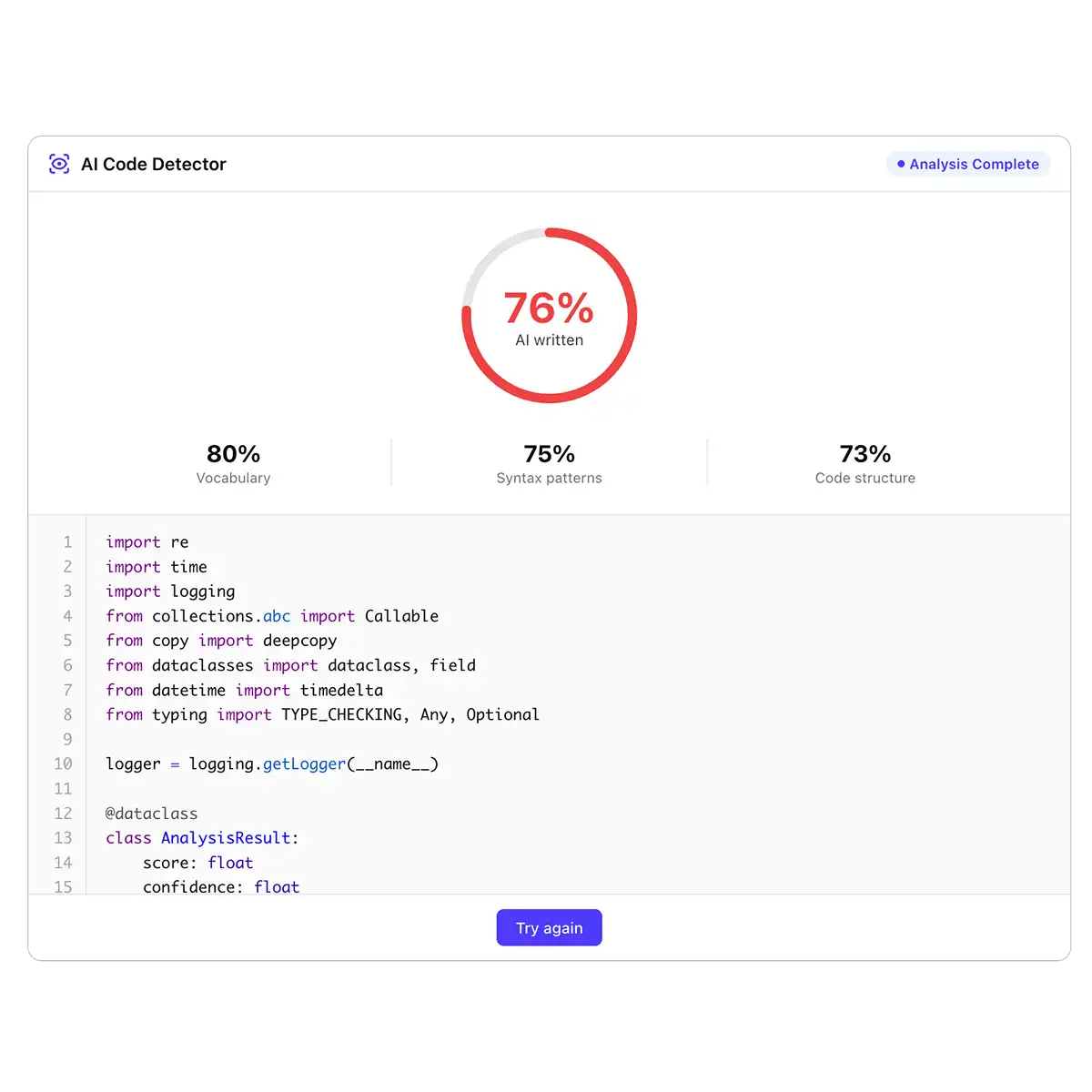
False positives do happen. Clean, well-formatted code written by senior developers — consistent naming, thorough comments, idiomatic patterns — can look statistically similar to AI output. Conversely, skilled prompting can make ChatGPT or Claude produce code that mimics human quirks. No detector, ours included, should be the sole basis for accusing someone of using AI. Overchat addresses this by highlighting the specific segments that triggered the flag — naming conventions, comment density, structural repetition — so you can verify the decision yourself instead of trusting a black-box score.
The right way to use an AI code detector is as a signal, not a verdict.
Treat it like a spam filter or a plagiarism checker: it surfaces candidates for review, and a human makes the final call. For high-stakes decisions — hiring, grading, contractor reviews — combine the detection score with a follow-up conversation: ask the person to explain their logic, walk through a specific decision in the code, or extend a small piece live. A developer who wrote the code can always explain why; a copy-paste user usually can't.
How Does Our AI Code Detector Work?
Overchat's detector combines advanced language models with code-specific pattern analysis to determine whether a snippet was likely generated by ChatGPT, Claude, Copilot, Gemini — or written by a human.
When you paste a snippet and click Check your code, the detection pipeline runs four steps:
1. Language detection and tokenization. The code is parsed using a language-specific tokenizer so variables, comments, strings, and structural elements are classified correctly — not treated as plain text.
2. Semantic analysis. The parsed code is passed through a language model capable of reading source code, which evaluates meaning, style, and structural patterns — not just surface-level formatting.
3. Pattern scoring. Each dimension — naming conventions, comment density, error-handling style, structural repetition, idiomatic clarity — is scored against the fingerprints major AI models leave and typical human code for that language.
4. Probability output. The system returns a probability score with a per-segment breakdown, so you can see exactly which parts of the code triggered the AI signal.
This code-aware approach is why Overchat outperforms general-purpose AI text detectors on programming content — because our tool analyzes the code the same way a human reviewer would.
Can AI Code Detection Be Fooled?
Short answer: yes, but it's harder than most people think — and the common tricks leave traces of their own. Here's what happens when someone tries to bypass an AI code detector.
Minor edits rarely work. Renaming variables, tweaking indentation, or sprinkling in a few comments doesn't remove the structural patterns the detector looks for — control flow, error-handling style, how functions are composed, how data moves between them. These fingerprints survive surface-level edits.
Obfuscation breaks functionality. Heavy renaming, stripping comments, or running code through a minifier can lower an AI score, but it also makes the code harder to read, maintain, or review — which defeats the purpose of submitting "clean" work. In a hiring or code-review context, obfuscated code is itself a red flag.
AI code humanizers have limits. Tools that claim to humanize AI-generated code usually rephrase comments and rename variables. They don't restructure logic, so the underlying patterns still read as AI-generated. Humanizers also tend to introduce subtle bugs, which is its own signal that the submitter didn't write the code themselves.
Mixing AI and human code is the hardest case. When someone generates code with AI and then rewrites parts of it by hand, detection becomes a judgment call. That's why Overchat returns per-segment breakdowns rather than a single verdict — so you can see which specific parts look AI-generated and ask the submitter to walk through them.
In short, no detector is 100% bypass-proof, and we don't claim otherwise. But in real-world hiring, academic, and code-review settings, most bypass attempts either fail outright or produce code that's suspicious for other reasons.
.svg)




