Use the Overchat AI pose generator to easily reposition photographs. Acting as an AI pose changer, it generates a new pose from your photo. Powered by Nano Banana 2, Overchat AI repositions your shots so skilfully that you'll never be able to tell they've been edited.
The Overchat AI pose generator is easy to use. All it takes to change a pose in a photo is three simple steps. Here's how the Overchat AI pose generator can change the poses of people in your photographs:
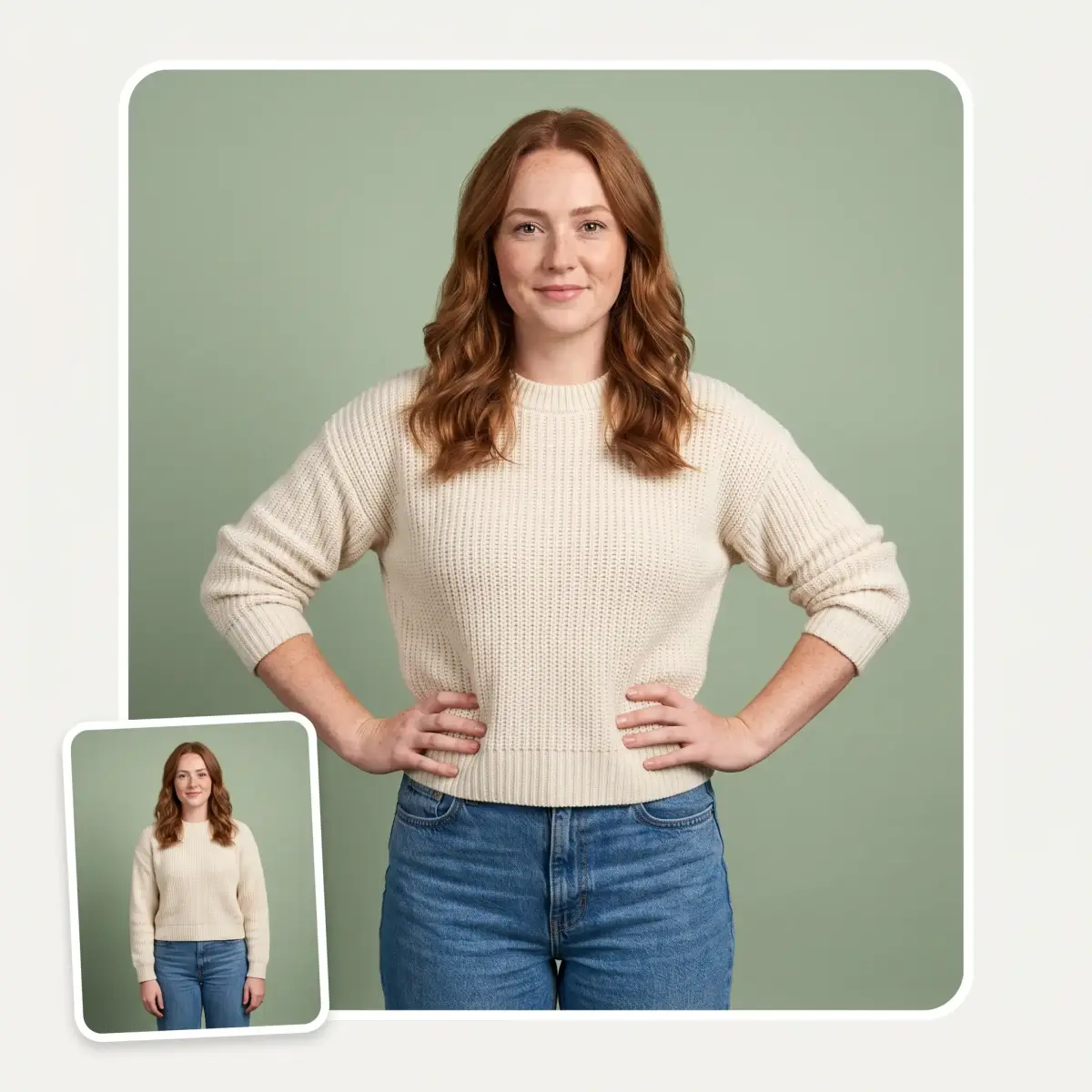
To get started, select a photograph from the file browser or your camera roll. To make the most of the tool, we recommend using full-body or waist-up shots.
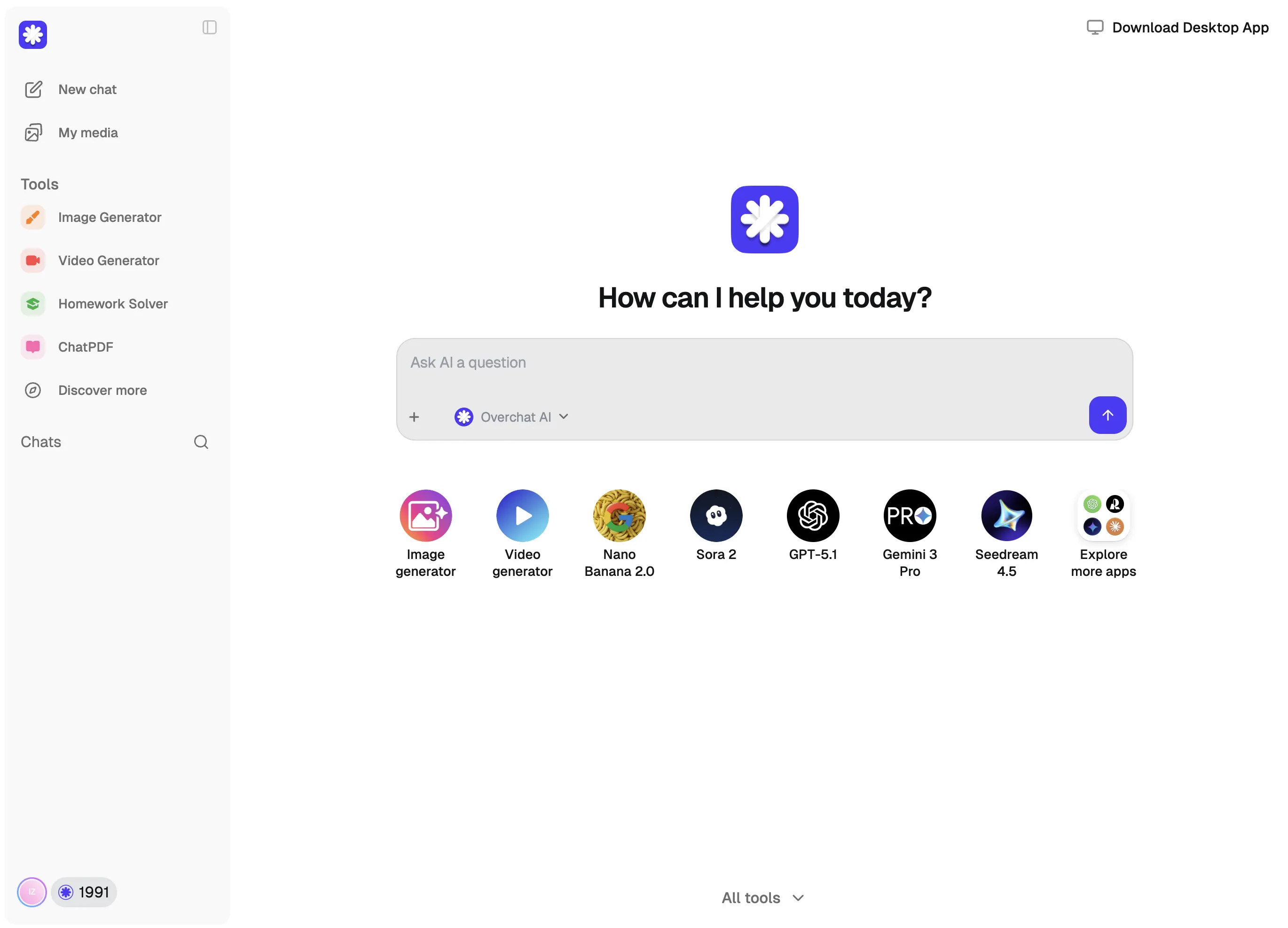
Select a pose from the preset gallery or use the optional prompt box to describe your desired pose. When you're ready, click 'Generate'.
The Overchat AI pose generator processes your image, which usually takes 20–40 seconds. It then outputs a new photo where the main subject is reposed, but nothing else changes.
Powered by Nano Banana 2 — one of the most powerful AI image-to-image editing models — Overchat AI can help you change image poses in a natural and invisible way, all in a couple of clicks and with no Photoshop skills required.
Overchat AI uses inpainting technology to intelligently regenerate only the subject of the image. The AI perfectly masks the subject while leaving the background intact, ensuring perfect continuity.
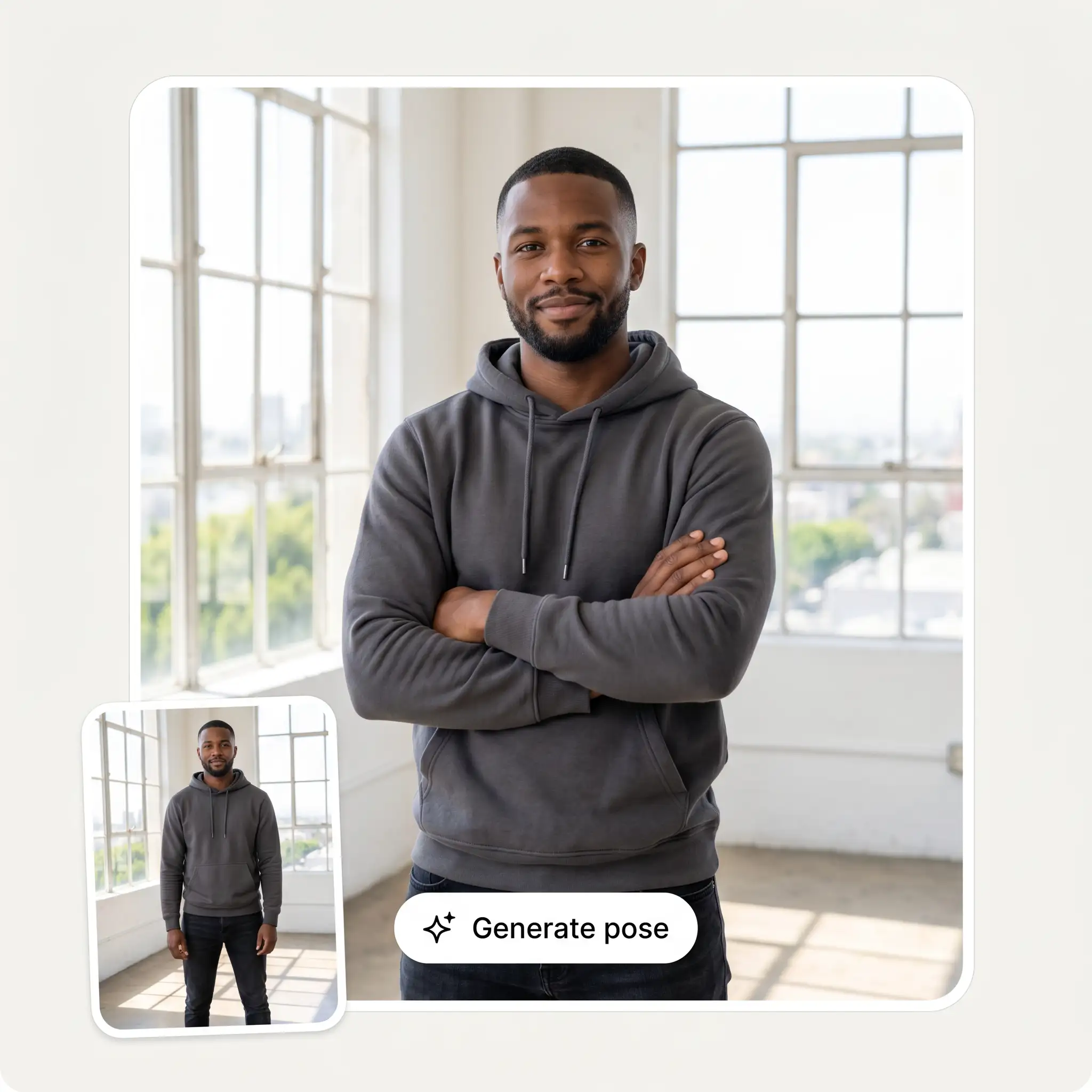
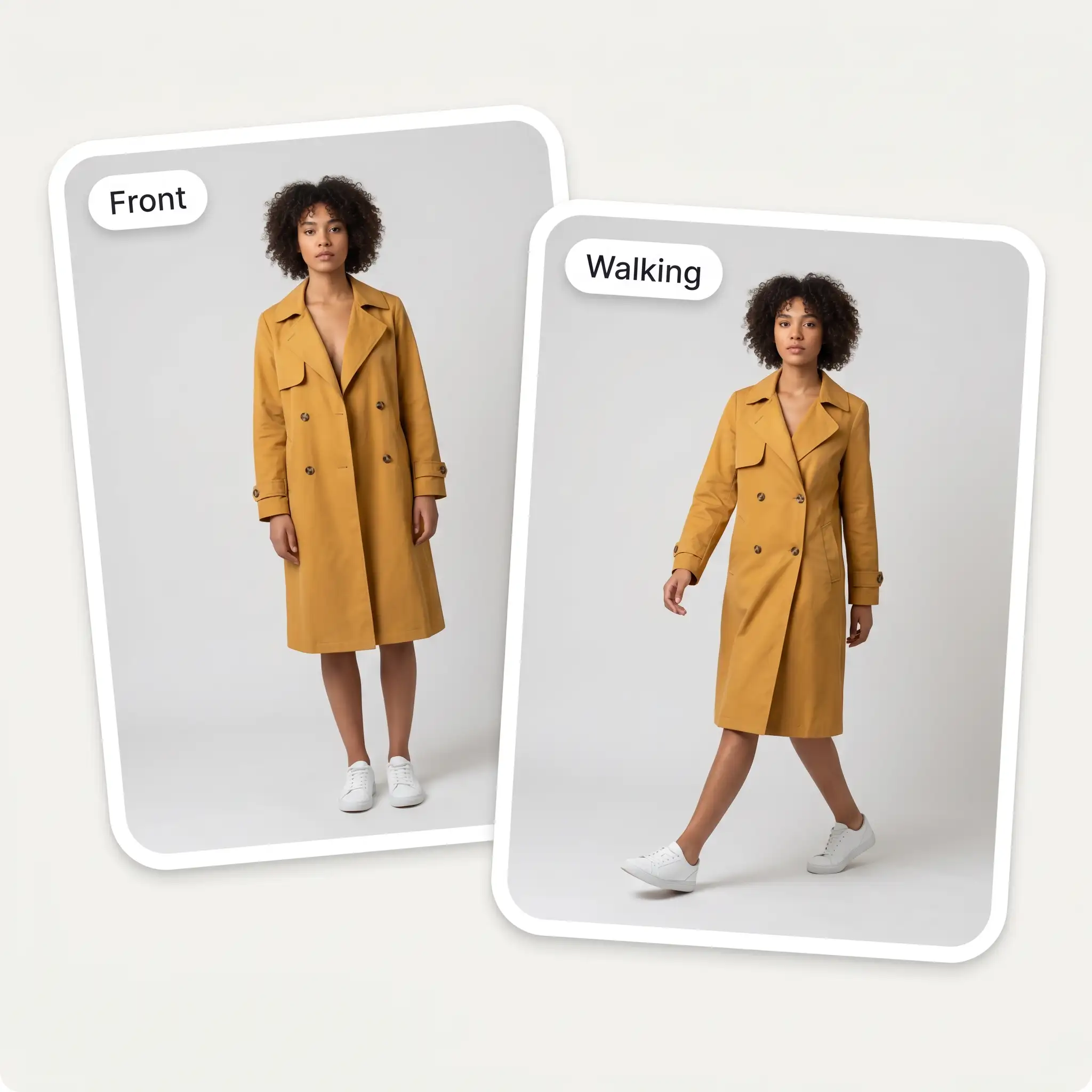
Generate a variety of shots from one photo, such as standing, sitting or walking poses, or a three-quarter turn. It works like a pose maker or pose creator that builds entire photo shoots from a single photo.
No matter what the pose, Overchat AI intelligently integrates the subject into their surroundings, ensuring the final result looks realistic and doesn't appear to be AI-generated.
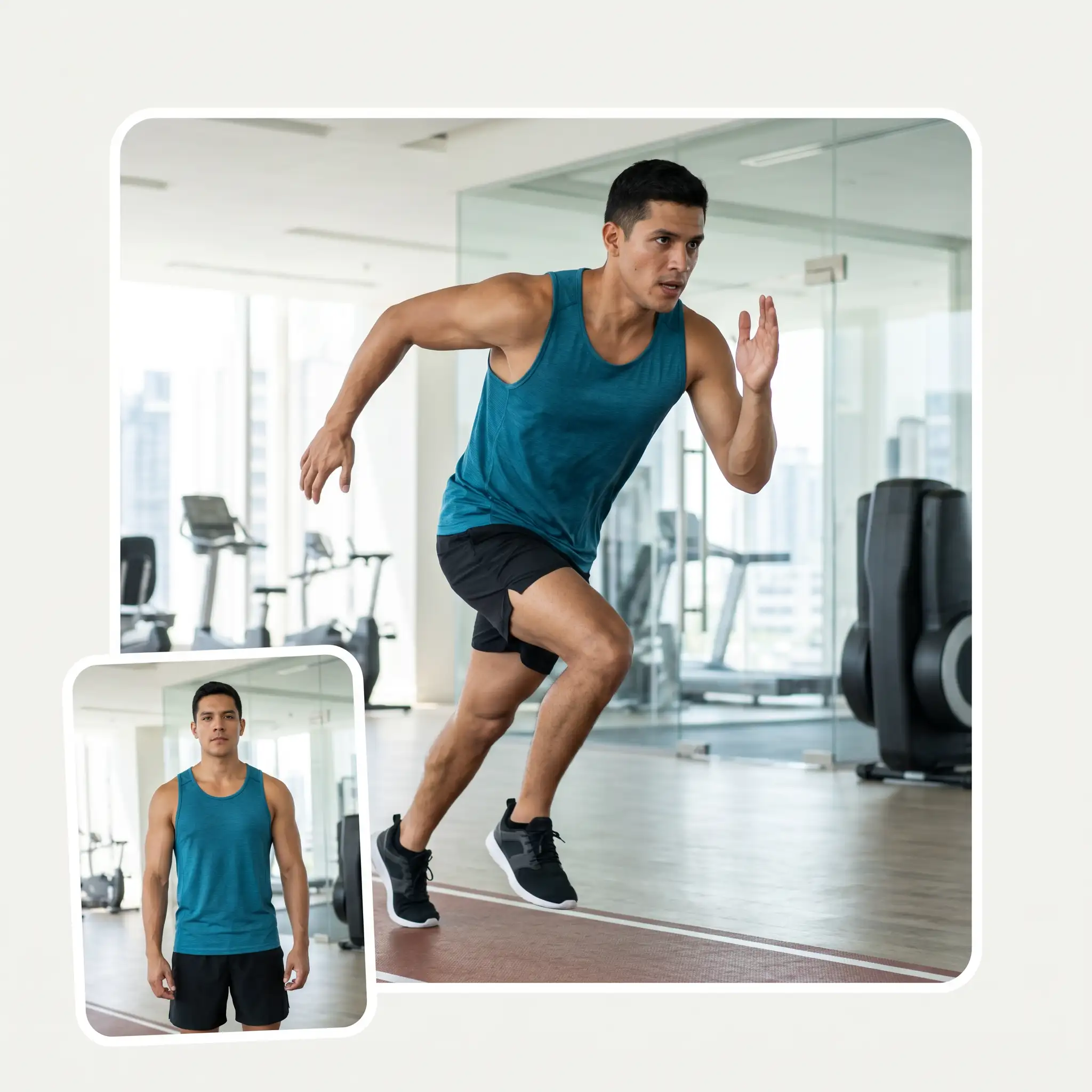
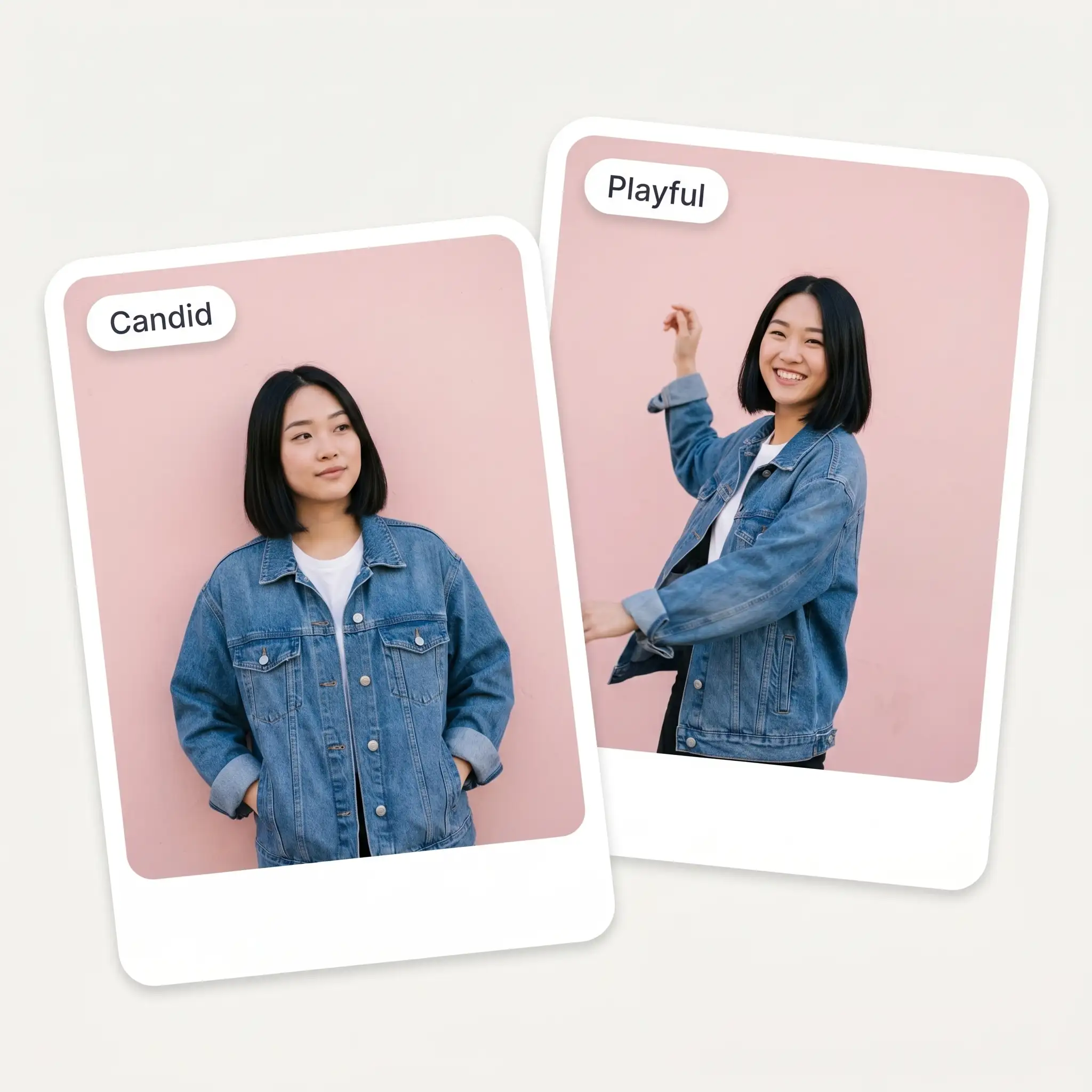
With the Overchat AI pose generator, you can create dozens of different variations in just minutes by choosing pose presets or typing what kind of pose you want into the prompt box, rather than spending hours in the studio.
USE CASES
Show the same garment in several poses like front, side, walking, and seated.
Easily turn one good photo into weeks of posts.
If you're not sure how to pose for a photo, Overchat AI can help you look both professional and relaxed.
Overchat AI supports poses in motion, such as walking towards or away from the camera.
As a character pose generator, the Overchat AI pose generator can also be used with anime, sketches and concept art to build pose reference boards.
Taken a photo where you look stiff but otherwise love the moment? Repose yourself with Overchat AI.
Join over 350,000 people already using Overchat AI to generate images, videos, and music with AI.
Overchat AI brings you the power of the world's top AI models: GPT, Claude, Gemini, Mistral, and more.
An AI pose generator, also called an AI pose changer, is an online tool that changes the pose of a person in a photo without affecting anything else in the image. It takes an image as input and outputs a new image in which the main subject has been reposed, so it doubles as a pose maker for creating pose references from a single photo.
Overchat AI uses the Nano Banana 2 image generation model to reposition the subject in an image via a process called inpainting, whereby the model selectively masks and regenerates only part of the image. In practice, the Overchat AI pose generator is very easy to use. All you need to do is upload the image you want to edit, select a pose preset or describe the desired pose in plain language, and the AI will generate the edited image automatically. This is much easier than editing photos in Photoshop and takes just 20–40 seconds per photo.
The Overchat AI pose generator supports the following static poses: arms crossed, hands on hips, hands in pockets, slight turn, walking, leaning, sitting, candid and thumbs up. It also supports dynamic poses such as walking towards or away from the camera and running.
No, the Overchat AI Pose Generator is a paid tool. To use it, purchase an Overchat AI Pro subscription for $14.99 per month or $49.99 per year. This subscription also gives you full access to over 150 other AI tools and models for text, image and video generation across the wider Overchat AI platform.
Chinese company Baidu has quietly released a model that's just as good as DeepSeek and ChatGPT — ERNIE 4.5 delivers exceptional performance at a fraction of the cost — and most people outside China have never even heard of it.
If you're wondering: what is DeepSeek AI, the answer is quite simple. DeepSeek AI is a Chinese AI research lab that builds large language models. The company released several models in late 2024 and early 2025 that compete directly with OpenAI's GPT-4 and Anthropic's Claude, but at a fraction of the operating cost.
ChatGPT Plus costs $20 per month plus tax, while the Pro plan costs $200 per month plus tax. Understandably, not everyone is willing to pay that much for a chatbot, especially if the premium features aren’t worth it to them. This raises an obvious question: how can I use ChatGPT for free?
Available on Web, iOS, and Android. Access your AI assistant anywhere, anytime.



.svg)
