Upload a picture and let our AI grade it in one click — or fine-tune it yourself with live colour sliders. No editing skills needed.
Overchat AI uses an artificial intelligence model to automatically enhance the colours in any image — get rich, natural and vibrant colours in any photo without having to edit it by hand.
The Overchat AI photo colour corrector uses a specially trained AI image model based on GPT Image 2 to colour-correct your pictures. Here's how to use it in three easy steps:
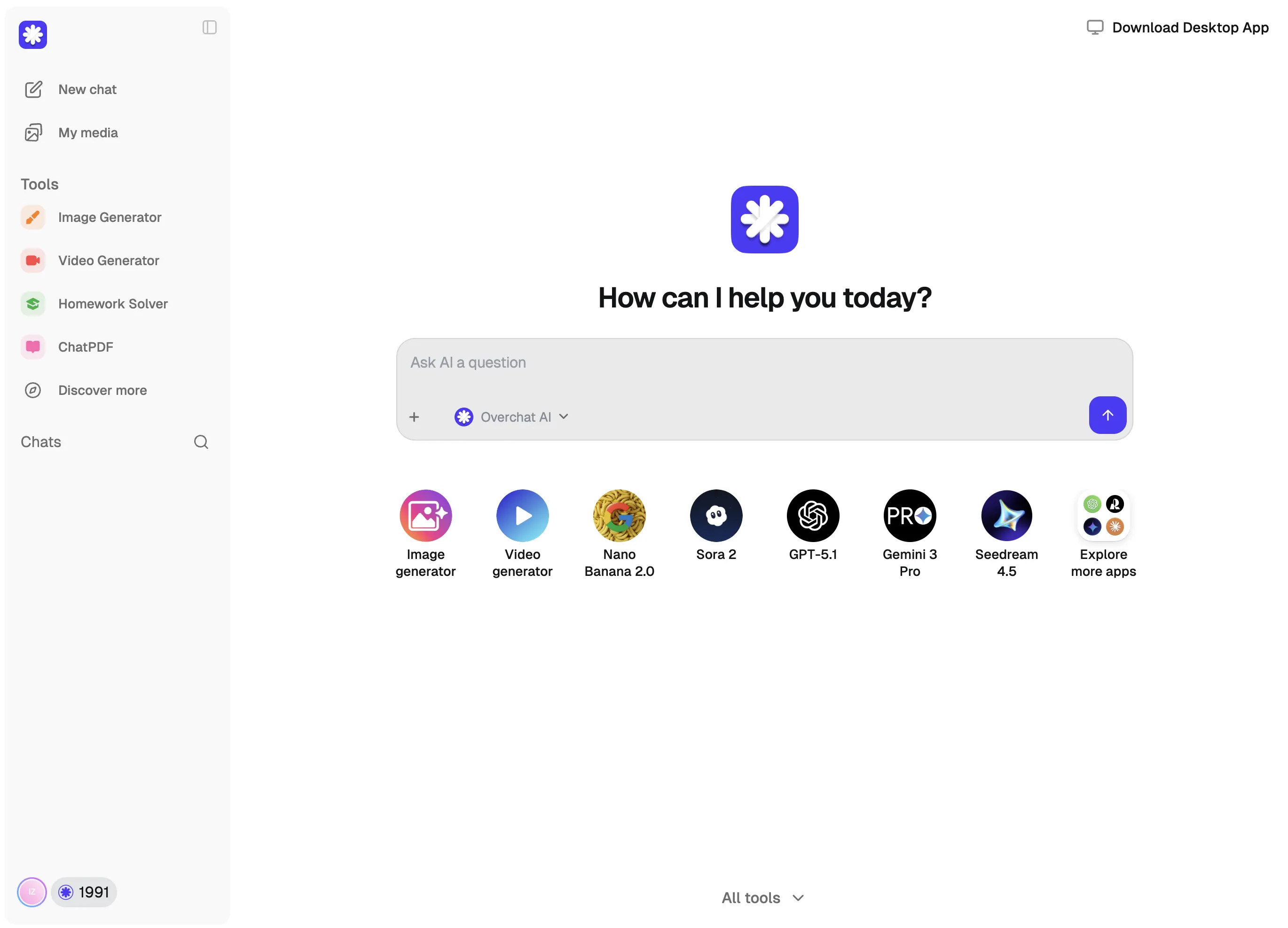
You can upload an image from your disk, take a new image with your phone's camera, or upload images from your camera roll.
Either select a colour preset from the gallery, or describe the desired change in plain English in the custom prompt.
Wait for about 40 seconds while Overchat AI processes your image, then download the result in its original quality.
USE CASES
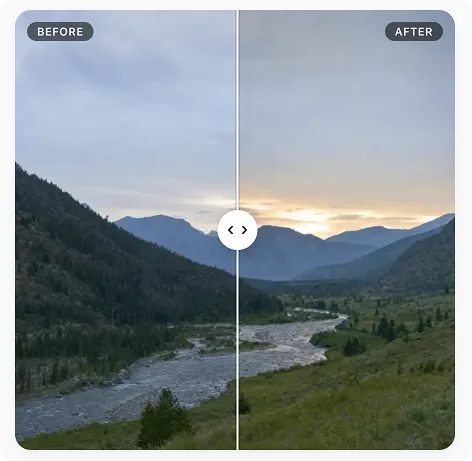
Did you take a photo in flat lighting, or does the image look like a RAW file? Make it come alive by adding saturation and vibrancy with the Overchat AI photo colour correction filter.
Unify the colour grading of a batch of photos by applying a specific filter or the same corrections to multiple images via an identical prompt.
Overchat AI automatically colour corrects your photographs, removing unnatural greenish or magenta hues.
Instead of learning how the Lightroom sliders work, you can simply describe the changes you want to make in English. For example, you could ask to add or remove lightness from a specific colour or shift just one hue.
Restore faded scans and photos with yellow shifts or colour casts to pristine condition, making them look vibrant as if they had just been taken and developed.
Add moody and deliberate colour grading to push the tones together or create beautiful contrasts in your images, giving them a cinematic look.
Join over 350,, thousand creators who use Overchat AI to create and edit images with AI.
Overchat AI brings you the power of the world's top AI models: GPT, Claude, Gemini, Mistral, and more.
An AI photo colour correction app is an online tool that uses artificial intelligence to edit the colours in your images. Traditional tools like Lightroom manipulate existing pixels that were originally captured and saved by the camera as a JPG or RAW image. They can only work with the data, colour and value range that the camera sensor was able to capture. AI colour correction tools like Overchat AI, on the other hand, regenerate a new image based on a reference image, changing only the colour. This enables extremely ambitious or aggressive edits to be made without introducing any banding or artefacts. Furthermore, rather than using sliders to input values, you can describe the desired outcome in words to achieve the final look.
The Overchat AI colour correction app supports both filters, where you select a preset as you would on a phone, and a text prompt that allows you to describe any colour change you want. To use the app, provide an image, select a preset or describe the desired colour correction, then press 'Generate' and wait about 40 seconds for the result to appear. Then download the new image. Since Overchat AI uses a generative model to essentially reconstruct your image with the changes applied, you can edit any image without introducing artefacts, even those with a very limited dynamic and colour range, such as heavily compressed images or photos from old digital cameras or older phones.
The Overchat AI photo colour correction tool supports JPEG, JPG, PNG, WebP, AVIF and HEIC image files of up to 4K resolution and 20 MB in size.
Overchat AI Photo Color Correction is a paid tool, but Overchat AI also includes many free AI tools, including a free AI image generator. Create a free account to get started.
Chinese company Baidu has quietly released a model that's just as good as DeepSeek and ChatGPT — ERNIE 4.5 delivers exceptional performance at a fraction of the cost — and most people outside China have never even heard of it.
If you're wondering: what is DeepSeek AI, the answer is quite simple. DeepSeek AI is a Chinese AI research lab that builds large language models. The company released several models in late 2024 and early 2025 that compete directly with OpenAI's GPT-4 and Anthropic's Claude, but at a fraction of the operating cost.
ChatGPT Plus costs $20 per month plus tax, while the Pro plan costs $200 per month plus tax. Understandably, not everyone is willing to pay that much for a chatbot, especially if the premium features aren’t worth it to them. This raises an obvious question: how can I use ChatGPT for free?
Available on Web, iOS, and Android. Access your AI assistant anywhere, anytime.



 Runs on Seedream 4.5
.svg)
