At the most basic level of wardrobe building lies matching colors to your skin hue: the idea is that depending on whether your skin hue leans cooler, neutral or warmer, certain colors will work for you and others won’t. Get the wrong colors and even if everything else, including fit, silhouette, and texture works, something will still feel off.
But figuring out exactly what color palette is right for you isn’t easy — the old fashioned way involves comparing the color of your veins on the wristbone and judging if they look bluish (cooler skin), greenish (warmer skin) or gray (neutral) — this test is imprecise and very easy to get wrong, especially because colors change depending on the light you view them in.
This is where AI color analysis tools come in — smart apps that can give you the perfect color palette online, from a single photo, at the touch of a button. And in this article we’re going to break down the five best on the market right now.
Depending on your natural skin hue, certain colors will compliment you while others will fight your look.
Figuring out your natural hue (warm, cool, or neutral) is not easy.
Different sets of flattering colors exist in different seasons.
AI color analysis tools give you seasonal palettes (from 4 to 16 seasons) and recommend flattering clothing, makeup, and hair colors based on a photo.
Overchat AI has the best Color Analysis tool on the market right now: it uses GPT Image 2.0, supports multiple genders and works online, giving you a detailed breakdown of what colors suit you in visual form.
What Is AI Color Analysis?
Color analysis is the practice of figuring out which colors complement your natural skin undertone, plus the value of your hair and eyes (light vs. deep), and your overall contrast level.
This is something style consultants are trained to do. Traditionally, your colors are categorized into one of the four seasons (Spring, Summer, Autumn, Winter) and once classified, you'd know which hues to avoid and which to shop for to highlight your best features.
AI color analysis tools do exactly that, but online, for free or at a fraction of the cost. They use computer vision and OCR technology to analyze your skin tone from a photo and suggest the best complimentary colors.
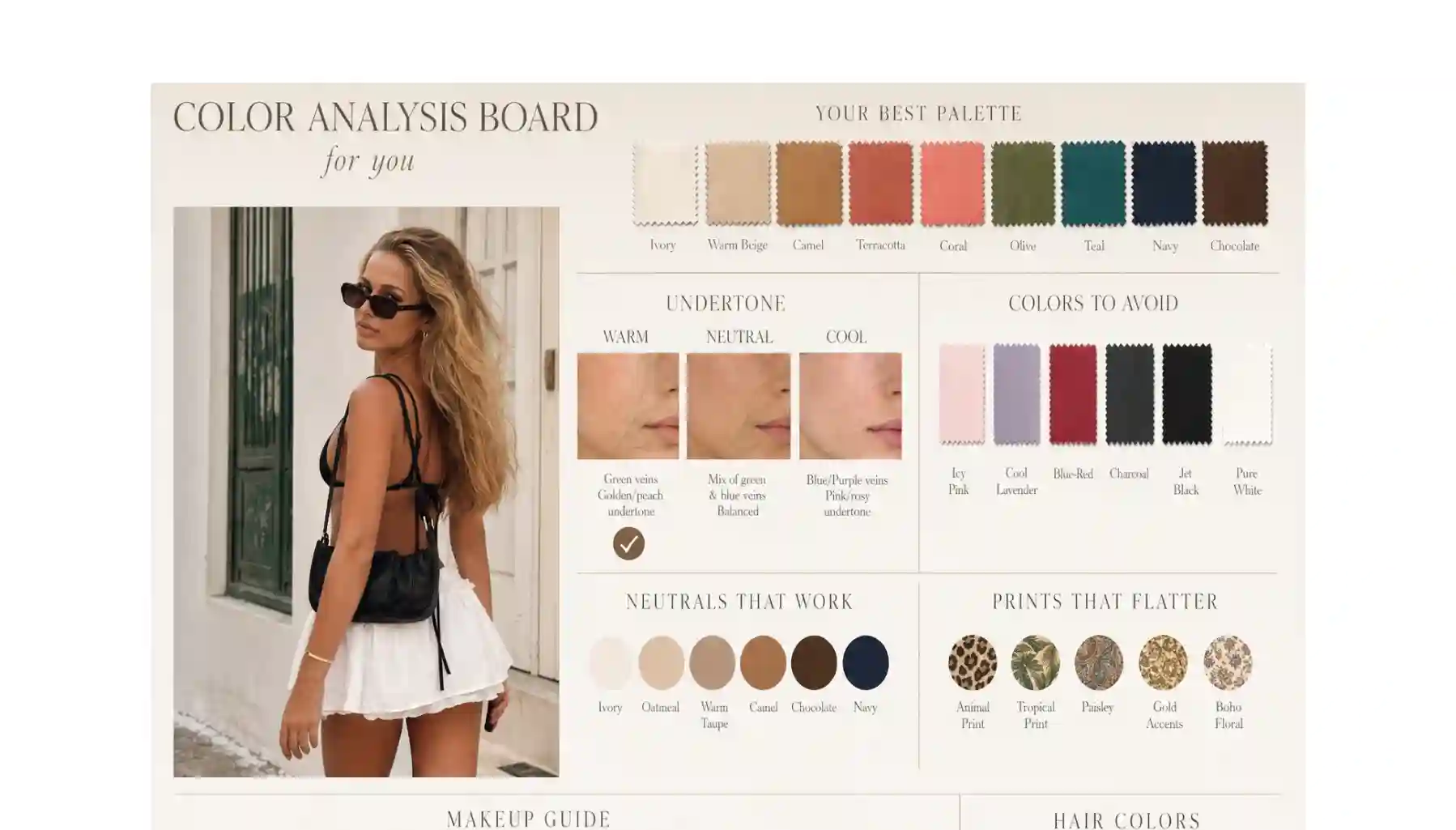
Some tools go a step further and generate a detailed color analysis board which includes an AI photoshoot with you wearing pieces and products that work with your color — and those that don’t, which helps you shop smarter, look better, and save money on purchases that don’t flatter you.
6 of the Best AI Color Analysis Tools Compared
We’ve looked at basically all the tools available on the market today and boiled it down to these six. Here’s how they stack up at a glance.
Platform
Killer feature
Overchat AI
Gives you a detailed visual breakdown of what colors suit you as an infographic. Uses GPT Image 2 and outputs an image you can immediately share online.
ChatGPT — Personal Color Analysis
Conversational follow-ups inside ChatGPT
Manus AI Color Analysis
12-season classification
Colorwise.me
Color Draping Studio for manual palette building
Palette Hunt
AI photoshoots showing you in your palette colors
Poe — AI-Color-Analysis
Supports 12-season+ Light/True/Deep depth
1. Overchat AI Color Analysis
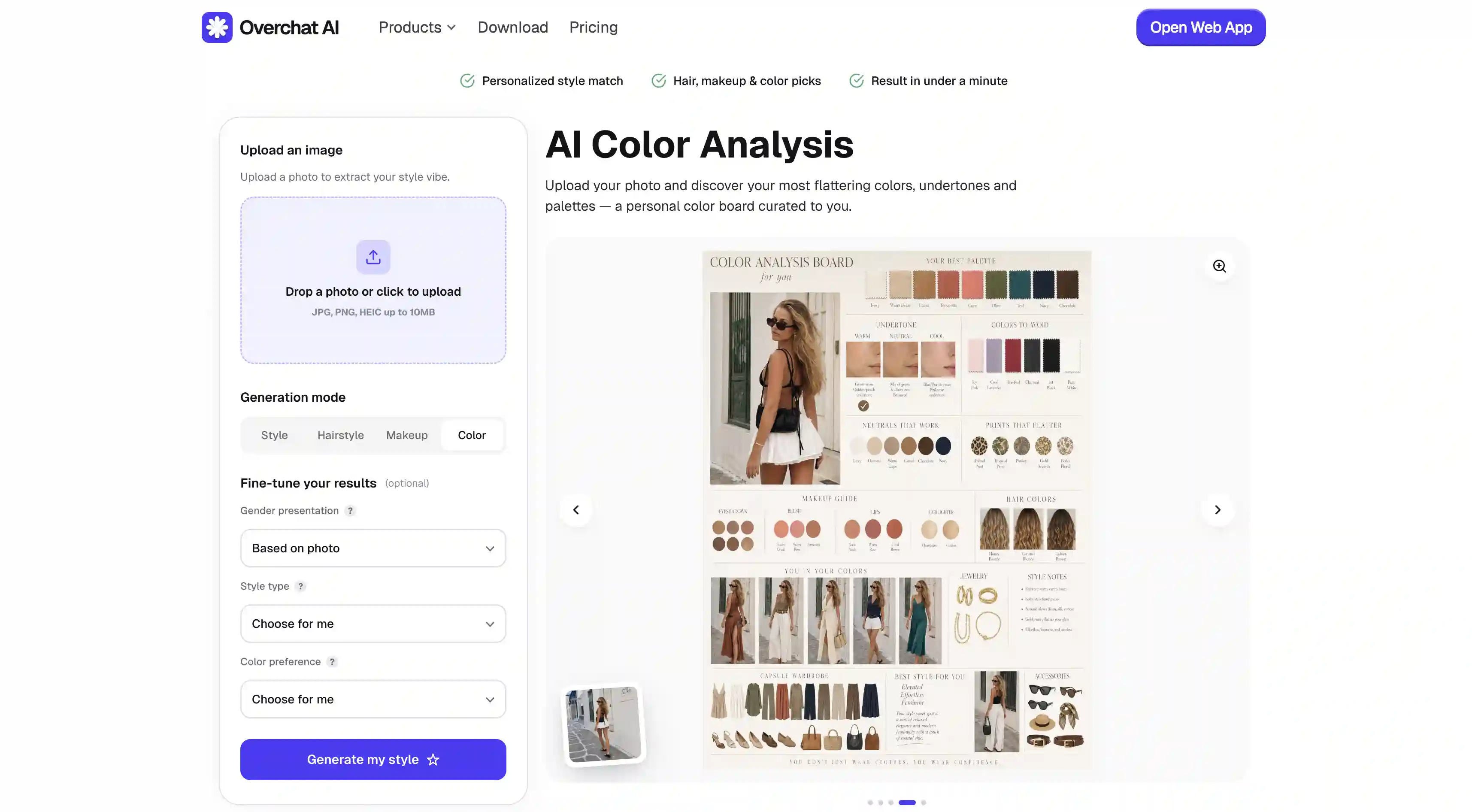
Overchat's color analysis tool is the most advanced one on this list because it uses the most powerful and accurate AI image generation model at the time of writing — GPT Image 2 from OpenAI.
The tool analyzes your skin undertone and contrast from a photo, then returns a seasonal palette plus concrete shade recommendations across four categories: style, hairstyle, makeup, and color — all in a single generation that usually takes 20–40 seconds.
What makes it stand out is how incredibly realistic and accurate the output is. You not only get the palette visualized across clothes, makeup products, and hair shades but also detailed explanations as to why each item works, as well as what to avoid — and this is something no other competitor delivers.
Wait a few seconds for the AI to process undertone, hair, and eye signals
Review your seasonal palette and the shade recommendations across style, makeup, and hair
Save the infographic or use it as a reference next time you shop or visit a salon
Pros:
✅ Free to try with a real, photo-based vision analysis
✅ Returns shade-level recommendations, not just a season label
✅ Supports feminine, masculine, and gender-neutral styling
✅ Works on web, iOS, and Android — nothing to install
✅ Output is a clean infographic that's actually usable
2. ChatGPT — Personal Color Analysis (Custom GPT)
Personal Color Analysis is one of the most-used custom GPTs in the ChatGPT GPT Store under the lifestyle category.
Here’s how it works: paste a photo into the chat, answer a few clarifying questions about your hair, eyes, and undertone, and the GPT walks you through a seasonal classification with reasoning.
Because it lives inside ChatGPT, you can ask follow-ups and get answers in the same thread. The trade-off is that it depends entirely on the underlying GPT-5 vision model and the creator's prompt, so results aren’t as accurate as Overchat AI and it won’t give you those detailed visualizations automatically.
Pros:
✅ Conversational interface — you can discuss your color
✅ Lives inside ChatGPT
✅ Decent quality
✅ You don’t need a new subscription if you already use ChatGPT Plus
Cons:
❌ Requires ChatGPT Plus
❌ Accuracy is only decent
❌ No visual deliverable by default
❌ The analysis is affected by your answers which isn’t ideal for accuracy
3. Manus AI Color Analysis Playbook
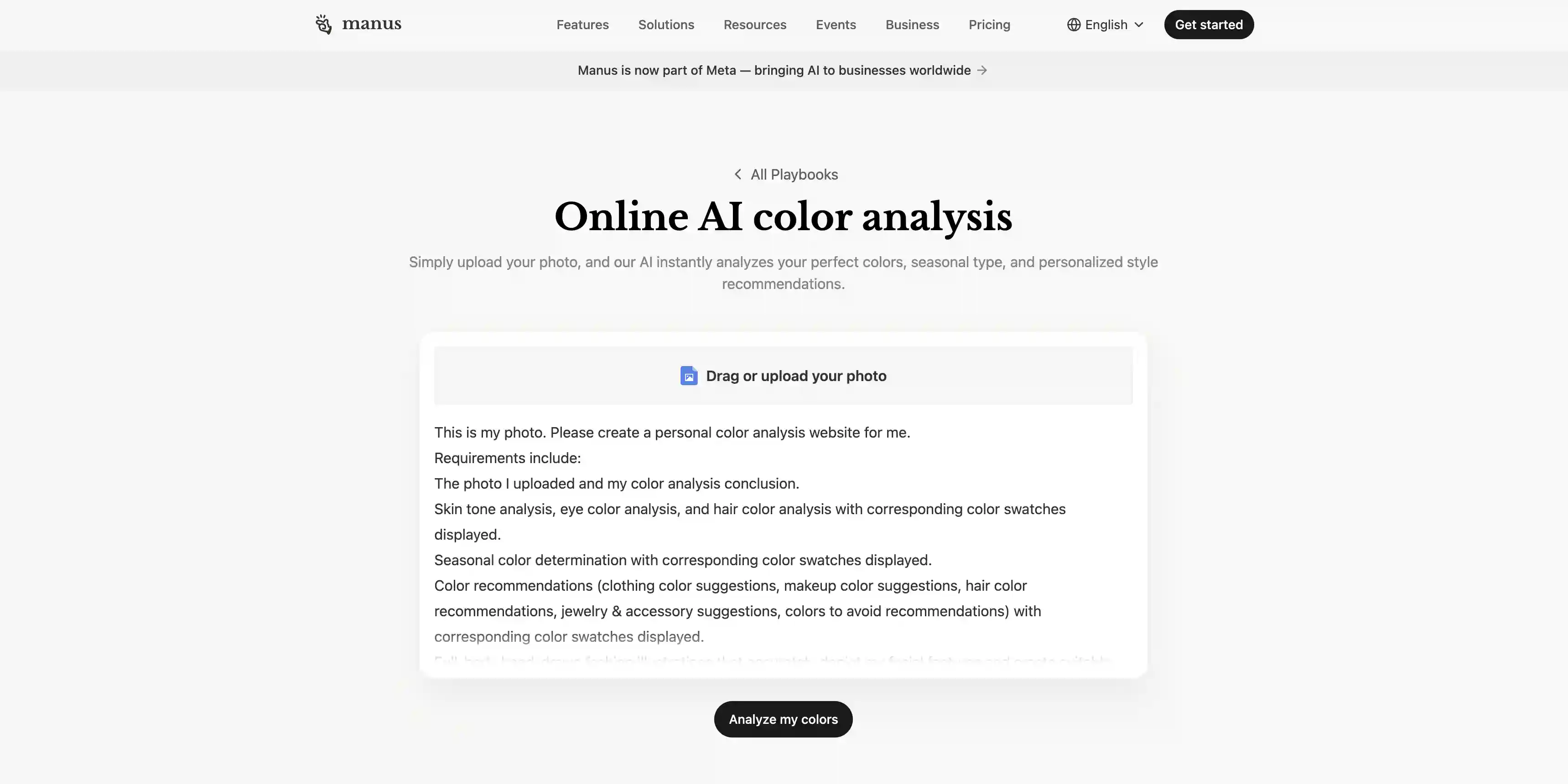
Manus is an agentic AI platform that runs structured, multi-step workflows it calls playbooks. The Color Analysis playbook is one of them.
To use it, upload a selfie, and the agent runs a sequence that will classify you into the 12-season system, then build a personalized palette.
Where it gets interesting is the integration — the playbook hands the result off to Manus's AI Designer, which can generate hand-drawn outfit suggestions and virtual try-ons in your palette colors.
It's a heavier, more workflow-style product than a one-shot tool, but it can work if you want to tweak it. Also worth noting that Manus offers free daily credits to new users, so you can try it out for free.
Pros:
✅ 12-season classification
✅ Integrates with AI Designer
✅ Computer-vision-based
✅ Free daily credits to try it
Cons:
❌Slower than other tools
❌ Burns through free credits fast
❌ Requires creating a Manus account
❌ Can be a bit of an overkill
4. Colorwise.me
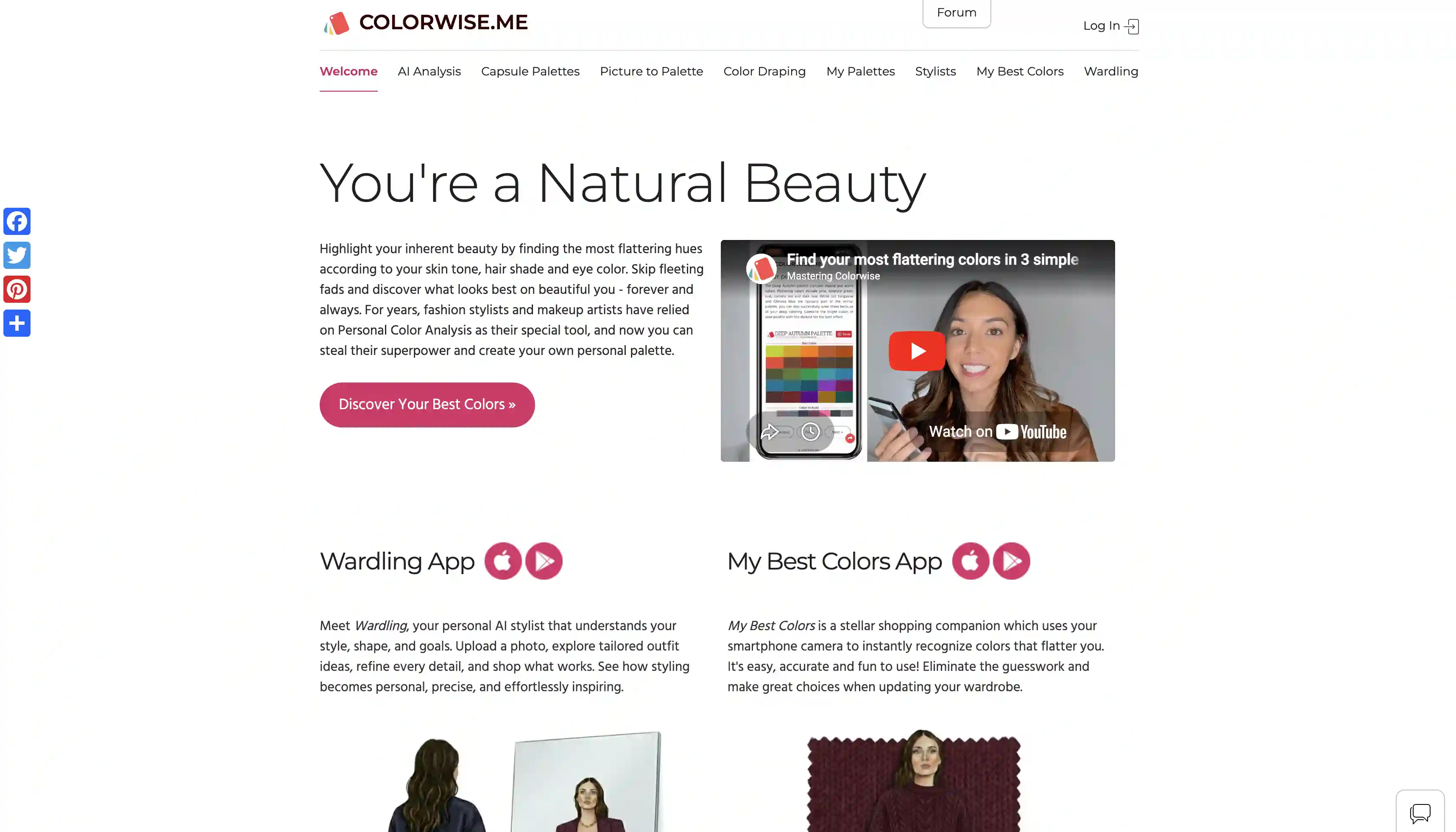
Colorwise.me is the longest-running web-based color analysis platform on this list, and it shows in the depth of features.
The flow has three options: an AI-assisted seasonal analysis from a selfie, a manual Color Draping Studio where you try colors against your photo and tweak the palette yourself, and a Picture-to-Palette tool that extracts dominant colors from your existing wardrobe shots. The AI side supports both the classic 4-season and the 12-season system. It's the best free option if you want to play with palettes.
Studio in particular feels closer to what a stylist actually does — hold a color up, see if it works, swap it out.
Pros:
✅ Free core features, including palette generation and saving
✅ Color Draping Studio is the best manual try-on tool
✅ Supports both 4-season and 12-season systems
Cons:
❌ UX feels dated next to newer AI tools
❌ AI side leans on user-tagged tones
❌ Somefeatures sit behind in-app purchases
❌ No AI-generated photoshoot or outfit visualization
5. Palette Hunt
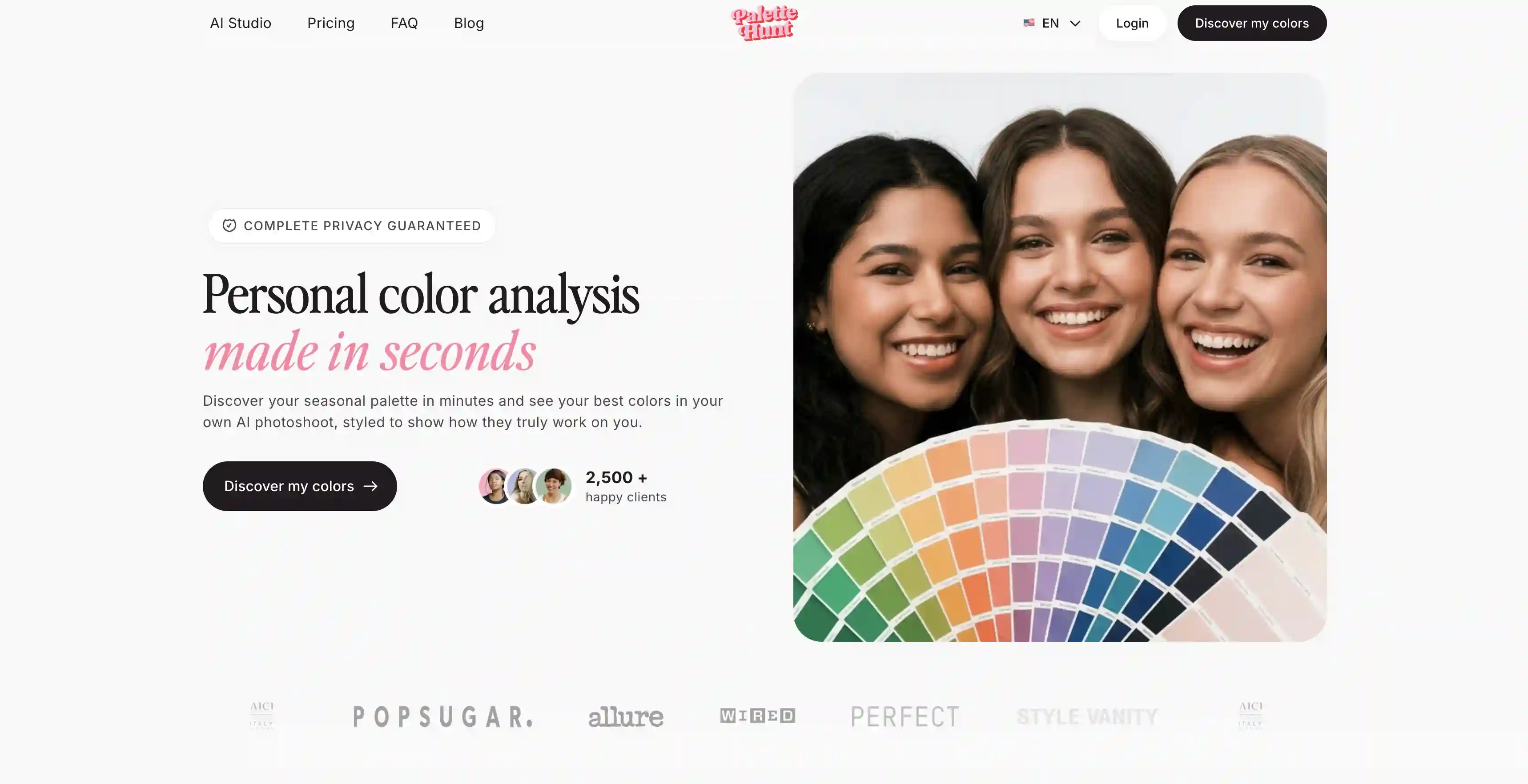
Palette Hunt runs a deep vision analysis on skin undertone, eye color, and hair contrast, then categorizes you into one of 16 seasonal types — an even finer gradient than the standard 12-season model.
The site claims 2,500+ paying users and positions itself as the cheap alternative to in-person analysis, which can cost somewhere in the range of $250–$500. Palette Hunt charges a one-time fee instead of a subscription.
Pros:
✅ AI photoshoots that show you in your colors
✅ 16-season classification
✅ One-time payment
✅ Designed around a single use case
Cons:
❌ Paid only
❌ Marketing leans heavily female, so styling recommendations skew that way
❌ AI photoshoots can occasionally look uncanny on edge-case features
6. Poe — AI-Color-Analysis Bot
AI-Color-Analysis on Poe is a community-built bot by @AINerdy that runs on Claude Sonnet 4.5.
To use it, send a photo of your face and it returns a 12-season classification with an additional Light / True / Deep depth label — so you might come back as Deep Winter or Light Spring.
Recommendations cover clothing, makeup, and hair colors with reasoning, and because it's a chat interface, you can keep iterating on the result.
Claude Sonnet 4.5 is one of the better vision-capable models from the previous generation for this kind of task. The downside is the same one every Poe bot has: there's no structured deliverable, like the infographic on Overchat AI.
How to Get an Accurate Result From Any AI Color Analysis Tool
The single biggest factor in result quality is your photo, because depending on the lighting conditions in which you took it, your skin can look wildly different. Thankfully, there’s an easy 5-step plan to avoid this:
Take the picture in natural daylight near a window, avoid warm indoor bulbs that shift undertone.
Face the camera straight-on with your hair pulled back so the AI can see your hairline and ears.
Skip makeup, filters, and beauty modes, because they hide your natural skin undertone.
Wear a neutral white or light gray top so the AI doesn't pick up reflected color from your top.
Use a recent photo because hair color and tan level can change your palette.
Frequently Asked Questions (FAQ)
Which AI color analysis tool is the best?
Overchat AI. It uses the most advanced AI image generation model and gives you a single deliverable with an ultra realistic AI photoshoot and a color palette across clothes and products on a single canvas that includes both images and text. It’s accurate, shareable and useful.
Do AI color analysis tools work for men?
Yes, for example, Overchat AI explicitly supports masculine and gender-neutral styling, which makes it the best choice for men. It can derive the gender from a photo automatically or you can set it manually. Note that with some tools the analysis leans feminine and they can even output suggestions that are only for women, for instance, lipstick color.
Are the results as good as an in-person consultant?
Yes — that’s because modern vision models are very good at reading undertone and contrast from a clean photo.
How many seasons should I look for in a tool?
The 4-season system (Spring, Summer, Autumn, Winter) is the original framework and in reality it’s enough — once you go into 12-season and 16-season systems you get so many recommendations that it starts to become difficult to retain all that information and apply it during shopping. Stay with the standard 4-season system, you’ll find it more useful in the real world.
Bottom Line
AI color analysis is now genuinely accurate enough to replace $250–$500 in-person consultation for most people.
If you want the best tool, start with Overchat AI Color Analysis — it supports any gender, and the deliverable is shareable and usable.
Whichever tool you pick, photo quality matters a lot. Take a picture in natural daylight, without filters, and wear a neutral top so the color of the shirt doesn’t bounce up and shift your undertone.