About ERNIE 5.5 Flash
ERNIE 5.5 Flash is Baidu's open model for coding, game development, 3D modeling and knowledge work. It has 280 billion parameters, of which 14 billion work on each token, and reads up to 1 million tokens in one conversation
ERNIE 5.5 Flash scores 61.9% on AutomationBench, ahead of Claude Opus 5.5 at 58.0% and GPT-6.1 Sol at 49.3%, and has the best result on SpreadsheetBench V2 and MCP-Atlas among the models it is compared with. It builds games in Unreal Engine, Unity and Godot and writes Blender scripts that model whole 3D scenes
On Overchat AI, ERNIE 5.5 Flash is in the same chat as Claude Opus 5.5, GPT-6 and DeepSeek, so you can compare answers and switch models without starting over
- Modalities
- Parameters?
- 280B total
- Context window?
- 1M tokens
- Released
- Nov 11, 2026
Compare ERNIE 5.5 Flash
ERNIE 5.5 Flash vs Claude Opus 5.5
ERNIE 5.5 Flash scores higher than Claude Opus 5.5 in 4 of 15 benchmarks. The widest lead is in OfficeQA Pro V2: 67.9% against 62.2%. Claude Opus 5.5 is ahead in Terminal-Bench-Science: 63.3% against 21.0%
- Benchmarks won
- ERNIE 5.5 Flash: 4
- Claude Opus 5.5: 11
- Average score
- ERNIE 5.5 Flash: 61.1%
- Claude Opus 5.5: 71.4%
- OfficeQA Pro V2+5.7
- AutomationBench+3.9
- SpreadsheetBench V2+1.3
- MCP-Atlas+0.4
- AA-LCR v1.1−2.7
- DeepSWE v1.1−3.0
- CookieBench−3.3
- BrowseComp−3.4
- Toolathlon-Verified−5.1
- BlenderWorld−7.1
- APEX-Agents 1.1−8.7
- Terminal-Bench 4.0−17.1
- ProgramBench−35.5
- AA-Omniscience−36.8
- Terminal-Bench-Science−42.3
ERNIE 5.5 Flash vs GPT-6.1 Sol
ERNIE 5.5 Flash scores higher than GPT-6.1 Sol in 6 of 14 benchmarks. The widest lead is in AutomationBench: 61.9% against 49.3%. GPT-6.1 Sol is ahead in Terminal-Bench-Science: 57.0% against 21.0%
- Benchmarks won
- ERNIE 5.5 Flash: 6
- GPT-6.1 Sol: 8
- Average score
- ERNIE 5.5 Flash: 63.4%
- GPT-6.1 Sol: 67.2%
- AutomationBench+12.6
- Toolathlon-Verified+7.2
- APEX-Agents 1.1+5.0
- SpreadsheetBench V2+4.4
- MCP-Atlas+3.6
- AA-LCR v1.1+1.0
- BrowseComp−0.1
- CookieBench−1.5
- OfficeQA Pro V2−2.1
- DeepSWE v1.1−4.0
- BlenderWorld−6.3
- Terminal-Bench 4.0−9.6
- AA-Omniscience−27.6
- Terminal-Bench-Science−36.0
- ProgramBench—
ERNIE 5.5 Flash vs DeepSeek V4.1 Flash
ERNIE 5.5 Flash scores higher than DeepSeek V4.1 Flash in 12 of 15 benchmarks. The widest lead is in APEX-Agents 1.1: 64.2% against 43.9%. DeepSeek V4.1 Flash is ahead in DeepSWE v1.1: 77.0% against 71.2%
- Benchmarks won
- ERNIE 5.5 Flash: 12
- DeepSeek V4.1 Flash: 3
- Average score
- ERNIE 5.5 Flash: 61.1%
- DeepSeek V4.1 Flash: 56.5%
- APEX-Agents 1.1+20.3
- AA-Omniscience+13.7
- BrowseComp+7.1
- MCP-Atlas+6.8
- Terminal-Bench-Science+6.7
- Terminal-Bench 4.0+5.6
- AutomationBench+4.7
- OfficeQA Pro V2+4.5
- Toolathlon-Verified+3.8
- ProgramBench+2.0
- SpreadsheetBench V2+1.7
- CookieBench+0.3
- BlenderWorld−0.2
- AA-LCR v1.1−1.7
- DeepSWE v1.1−5.8
ERNIE 5.5 Flash vs GLM 5.3
ERNIE 5.5 Flash scores higher than GLM 5.3 in 15 of 15 benchmarks. The widest lead is in Terminal-Bench-Science: 21.0% against 8.1%
- Benchmarks won
- ERNIE 5.5 Flash: 15
- GLM 5.3: 0
- Average score
- ERNIE 5.5 Flash: 61.1%
- GLM 5.3: 54.4%
- Terminal-Bench-Science+12.9
- AutomationBench+11.2
- ProgramBench+10.5
- BrowseComp+9.6
- BlenderWorld+9.3
- OfficeQA Pro V2+8.6
- CookieBench+7.8
- Terminal-Bench 4.0+7.7
- APEX-Agents 1.1+5.0
- DeepSWE v1.1+4.3
- AA-Omniscience+4.2
- SpreadsheetBench V2+3.7
- Toolathlon-Verified+2.8
- MCP-Atlas+2.2
- AA-LCR v1.1+1.0
ERNIE 5.5 Flash vs Hy4
ERNIE 5.5 Flash scores higher than Hy4 in 10 of 15 benchmarks. The widest lead is in AutomationBench: 61.9% against 55.2%. Hy4 is ahead in APEX-Agents 1.1: 75.0% against 64.2%
- Benchmarks won
- ERNIE 5.5 Flash: 10
- Hy4: 5
- Average score
- ERNIE 5.5 Flash: 61.1%
- Hy4: 60.3%
- AutomationBench+6.7
- AA-Omniscience+5.0
- Terminal-Bench 4.0+4.1
- OfficeQA Pro V2+4.1
- Terminal-Bench-Science+3.9
- BlenderWorld+2.2
- SpreadsheetBench V2+1.9
- Toolathlon-Verified+1.9
- MCP-Atlas+1.6
- ProgramBench+1.0
- CookieBench−0.6
- AA-LCR v1.1−1.0
- DeepSWE v1.1−3.7
- BrowseComp−4.4
- APEX-Agents 1.1−10.8
Best model by use case
Average benchmark scores of ERNIE 5.5 Flash and 5 other models by use case
Coding
?Average of 5 tests- 1Claude Opus 5.575.7%
- 2GPT-6.1 Sol72.7%
- 3ERNIE 5.5 Flash61.2%
- 4Hy460.0%
- 5DeepSeek V4.1 Flash59.9%
- 6GLM 5.352.8%
Knowledge work
?Average of 6 tests- 1Claude Opus 5.562.0%
- 2GPT-6.1 Sol56.9%
- 3ERNIE 5.5 Flash55.8%
- 4Hy454.8%
- 5GLM 5.350.2%
- 6DeepSeek V4.1 Flash48.6%
Agents
?Average of 3 tests- 1Claude Opus 5.585.0%
- 2Hy482.6%
- 3ERNIE 5.5 Flash82.3%
- 4GPT-6.1 Sol78.8%
- 5GLM 5.377.5%
- 6DeepSeek V4.1 Flash76.4%


ERNIE 5.5 Flash benchmarks
Compare ERNIE 5.5 Flash with 5 other models in 15 benchmarks measuring coding, knowledge work and agents
Coding
- Terminal-Bench 4.0?ERNIE 5.5 Flash46.5%Claude Opus 5.563.6%GPT-6.1 Sol56.1%DeepSeek V4.1 Flash40.9%GLM 5.338.8%Hy442.4%46.5%−17.1
- DeepSWE v1.1?ERNIE 5.5 Flash71.2%Claude Opus 5.574.2%GPT-6.1 Sol75.2%DeepSeek V4.1 Flash77.0%GLM 5.366.9%Hy474.9%71.2%−5.8
- ProgramBench?ERNIE 5.5 Flash29.5%Claude Opus 5.565.0%GPT-6.1 Sol—DeepSeek V4.1 Flash27.5%GLM 5.319.0%Hy428.5%29.5%−35.5
- Terminal-Bench-Science?ERNIE 5.5 Flash21.0%Claude Opus 5.563.3%GPT-6.1 Sol57.0%DeepSeek V4.1 Flash14.3%GLM 5.38.1%Hy417.1%21.0%−42.3
- CookieBench?ERNIE 5.5 Flash88.2%Claude Opus 5.591.5%GPT-6.1 Sol89.7%DeepSeek V4.1 Flash87.9%GLM 5.380.4%Hy488.8%88.2%−3.3
- BlenderWorld?ERNIE 5.5 Flash79.0%Claude Opus 5.586.1%GPT-6.1 Sol85.3%DeepSeek V4.1 Flash79.2%GLM 5.369.7%Hy476.8%79.0%−7.1
Knowledge work
- AutomationBench?ERNIE 5.5 Flash61.9%Claude Opus 5.558.0%GPT-6.1 Sol49.3%DeepSeek V4.1 Flash57.2%GLM 5.350.7%Hy455.2%61.9%+3.9
- APEX-Agents 1.1?ERNIE 5.5 Flash64.2%Claude Opus 5.572.9%GPT-6.1 Sol59.2%DeepSeek V4.1 Flash43.9%GLM 5.359.2%Hy475.0%64.2%−10.8
- SpreadsheetBench V2?ERNIE 5.5 Flash36.4%Claude Opus 5.535.1%GPT-6.1 Sol32.0%DeepSeek V4.1 Flash34.7%GLM 5.332.7%Hy434.5%36.4%+1.3
- OfficeQA Pro V2?ERNIE 5.5 Flash67.9%Claude Opus 5.562.2%GPT-6.1 Sol70.0%DeepSeek V4.1 Flash63.4%GLM 5.359.3%Hy463.8%67.9%−2.1
- AA-Omniscience?ERNIE 5.5 Flash25.2%Claude Opus 5.562.0%GPT-6.1 Sol52.8%DeepSeek V4.1 Flash11.5%GLM 5.321.0%Hy420.2%25.2%−36.8
- AA-LCR v1.1?ERNIE 5.5 Flash79.0%Claude Opus 5.581.7%GPT-6.1 Sol78.0%DeepSeek V4.1 Flash80.7%GLM 5.378.0%Hy480.0%79.0%−2.7
Agents
- Toolathlon-Verified?ERNIE 5.5 Flash75.0%Claude Opus 5.580.1%GPT-6.1 Sol67.8%DeepSeek V4.1 Flash71.2%GLM 5.372.2%Hy473.1%75.0%−5.1
- MCP-Atlas?ERNIE 5.5 Flash84.6%Claude Opus 5.584.2%GPT-6.1 Sol81.0%DeepSeek V4.1 Flash77.8%GLM 5.382.4%Hy483.0%84.6%+0.4
- BrowseComp?ERNIE 5.5 Flash87.4%Claude Opus 5.590.8%GPT-6.1 Sol87.5%DeepSeek V4.1 Flash80.3%GLM 5.377.8%Hy491.8%87.4%−4.4
Sources: Baidu, ERNIE 5.5 Flash launch post (Nov 11, 2026), Baidu, Introducing ERNIE 5.5 Flash Base (Nov 5, 2026)
See how ERNIE 5.5 Flash answers
Examples of ERNIE 5.5 Flash answers to 3 prompts: Make a game, Model in Blender and Write a board update. Each answer is the unedited output of the model
Write a Godot 4 GDScript for a 2D platformer player that runs and jumps, with coyote time and a jump buffer. Keep it short, then explain each of the two timers in one sentence.
 ERNIE 5.5 Flash
Attach this to a CharacterBody2D and define the input actions move_left, move_right, and jump in Project Settings.
extends CharacterBody2D

const SPEED := 260.0
const ACCEL := 2400.0
const JUMP_VELOCITY := -520.0
const GRAVITY := 1500.0
const COYOTE_TIME := 0.12
const JUMP_BUFFER := 0.12

var _coyote := 0.0
var _buffer := 0.0

func _physics_process(delta: float) -> void:
    _coyote = maxf(0.0, _coyote - delta)
    _buffer = maxf(0.0, _buffer - delta)

    if is_on_floor():
        _coyote = COYOTE_TIME
    if Input.is_action_just_pressed("jump"):
        _buffer = JUMP_BUFFER

    var dir := Input.get_axis("move_left", "move_right")
    velocity.x = move_toward(velocity.x, dir * SPEED, ACCEL * delta)

    velocity.y += GRAVITY * delta

    if _buffer > 0.0 and _coyote > 0.0:
        velocity.y = JUMP_VELOCITY
        _coyote = 0.0
        _buffer = 0.0
    elif Input.is_action_just_released("jump") and velocity.y < 0.0:
        velocity.y *= 0.45

    move_and_slide()
Coyote time: After you walk off a ledge, _coyote stays above zero for ~0.12 s, so a jump pressed during that window still fires even though is_on_floor() is already false.
Jump buffer: A jump press made up to ~0.12 s before you land is stored in _buffer and executed on the frame you touch the ground, so early presses aren't silently dropped.
Write a Blender Python script that builds a small low-poly wooden cabin: four walls, a pitched roof, a door and two windows, each as its own object with a simple material. Keep the script under 80 lines.
ERNIE 5.5 Flashimport bpy
def make_mat(name, color, rough=0.6):
m = bpy.data.materials.new(name)
m.use_nodes = True
bsdf = m.node_tree.nodes["Principled BSDF"]
bsdf.inputs["Base Color"].default_value = (*color, 1.0)
bsdf.inputs["Roughness"].default_value = rough
return m
def add_box(name, loc, size, mat):
bpy.ops.mesh.primitive_cube_add(location=loc)
obj = bpy.context.object
obj.name = name
obj.scale = (size[0] / 2, size[1] / 2, size[2] / 2)
obj.data.materials.append(mat)
return obj
wood = make_mat("Wood", (0.35, 0.18, 0.08), 0.8)
roof_mat = make_mat("Roof", (0.12, 0.06, 0.03), 0.9)
door_mat = make_mat("Door", (0.25, 0.09, 0.04), 0.7)
window_mat = make_mat("Window", (0.15, 0.35, 0.5), 0.2)
add_box("Wall_Back", (0, 2.5, 1.5), (6, 0.2, 3), wood)
add_box("Wall_Front", (0, -2.5, 1.5), (6, 0.2, 3), wood)
add_box("Wall_Left", (-3, 0, 1.5), (0.2, 5, 3), wood)
add_box("Wall_Right", (3, 0, 1.5), (0.2, 5, 3), wood)
add_box("Door", (0, -2.62, 1.05), (1.0, 0.08, 2.1), door_mat)
add_box("Window_Left", (-1.7, -2.62, 1.7), (1.0, 0.08, 1.0), window_mat)
add_box("Window_Right", (1.7, -2.62, 1.7), (1.0, 0.08, 1.0), window_mat)
verts = [(-3.3, -2.7, 3.0), (3.3, -2.7, 3.0), (3.3, 2.7, 3.0), (-3.3, 2.7, 3.0), (-3.3, 0.0, 4.2), (3.3, 0.0, 4.2)]
faces = [(0, 1, 2, 3), (0, 4, 5, 1), (2, 5, 4, 3), (0, 3, 4), (1, 5, 2)]
roof_mesh = bpy.data.meshes.new("RoofMesh")
roof_mesh.from_pydata(verts, [], faces)
roof_mesh.validate()
roof_mesh.update()
roof_obj = bpy.data.objects.new("Roof", roof_mesh)
bpy.context.collection.objects.link(roof_obj)
roof_obj.data.materials.append(roof_mat)Our Q3 numbers: revenue $1.2M (+18% from Q2), monthly churn 4.1% (up from 3.2%), customer acquisition cost $410 (down from $520), 3 new enterprise deals. Write a five-sentence update for the board: what went well, what to watch and one next step.
ERNIE 5.5 FlashQ3 revenue reached $1.2M, up 18% from Q2, with three new enterprise deals and customer acquisition cost improving to $410 from $520. Those results show stronger enterprise momentum and more efficient go-to-market execution. The key watch item is monthly churn, which rose to 4.1% from 3.2% and could offset growth if the trend continues. We will analyze churn by cohort and product usage to identify the main drivers before Q4 planning. Next step: launch a retention task force with a target of returning monthly churn below 3.2% by the end of Q4.
More prompts to try with ERNIE 5.5 Flash
What ERNIE 5.5 Flash is best for
Game development
ERNIE 5.5 Flash writes gameplay code for Unreal Engine, Unity and Godot, from a player controller to a whole game, and turns bugs found in playtesting into tests it can check
3D modeling in Blender
Describe a scene, and ERNIE 5.5 Flash writes the Blender Python script that builds it: shapes, proportions, materials and cameras. Two ERNIE 5.5 Flash agents built a whole airport and an airliner this way
Spreadsheets and reports
Give ERNIE 5.5 Flash scattered notes, numbers and documents, and it returns a spreadsheet, a report or a slide outline. It scores 36.4% on SpreadsheetBench V2, ahead of Claude Opus 5.5 and GPT-6.1 Sol
Work across apps and tools
ERNIE 5.5 Flash runs business workflows across many apps and tools, with 61.9% on AutomationBench and 84.6% on MCP-Atlas, the top scores among the models it is compared with
How to use ERNIE 5.5 Flash on Overchat AI
Start in the chat at the top of this page or in the Overchat AI app on the web, iOS or Android
- 01
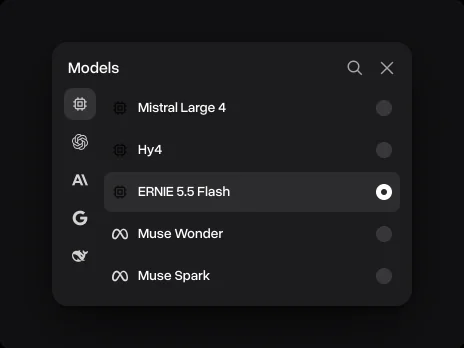
Pick ERNIE 5.5 Flash
It is already picked in the chat on this page. In the Overchat AI app, open the model list next to the message field and pick ERNIE 5.5 Flash
- 02
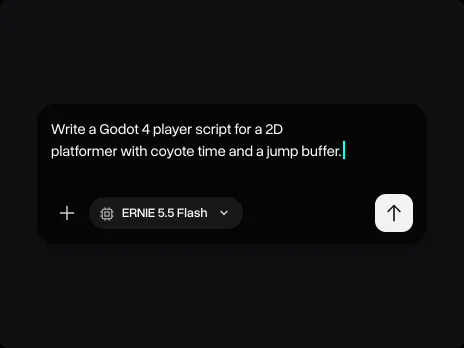
Write your request
Paste your text or code and write what you need: the result, the format and what must stay the same
- 03
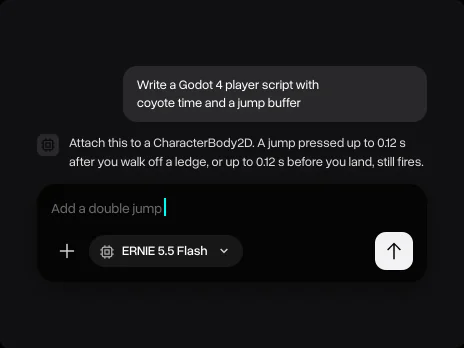
Keep going in the same chat
Ask a follow-up, ask for tests or a shorter version, or switch to another model without losing the conversation
Why use ERNIE 5.5 Flash on Overchat AI
One account for chat, images and video, on every device
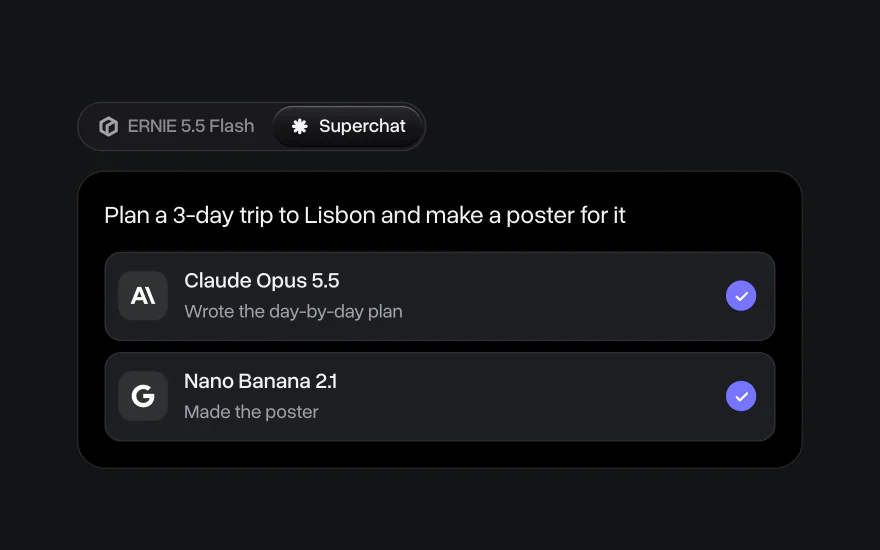
Superchat AI agent
Superchat Agent automatically routes your message to the model best suited for the task. It can generate images and videos, use the AI tools built into Overchat AI, and learn from your interactions to get better over time
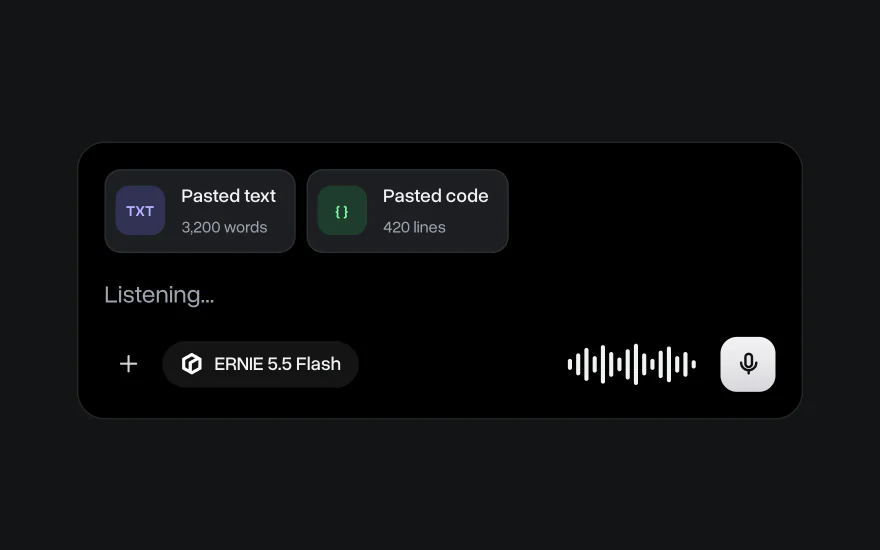
Paste long texts and code
Paste a long document, a log or a whole file of code and ask ERNIE 5.5 Flash about it. You can also dictate a message instead of typing it
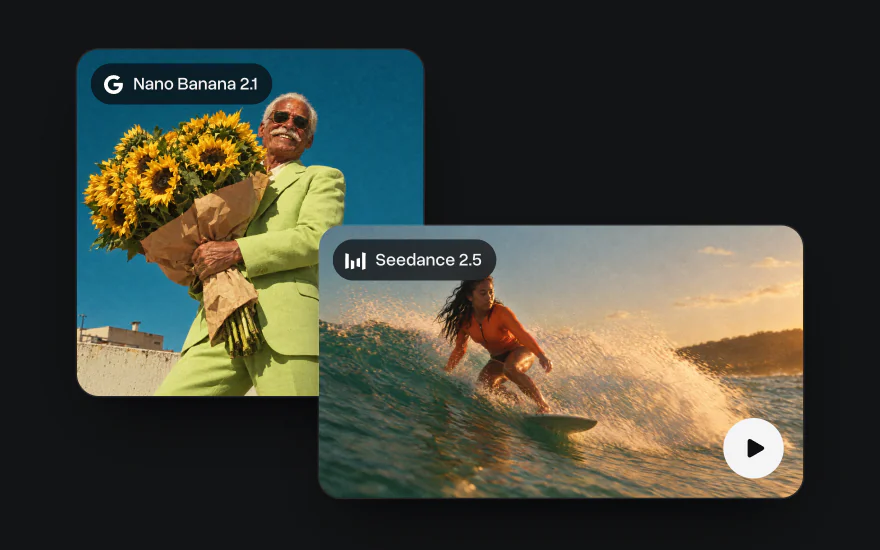
Go beyond text
Generate images with Nano Banana and GPT Image and videos with Seedance and Kling in the same account, with the same credits as chat
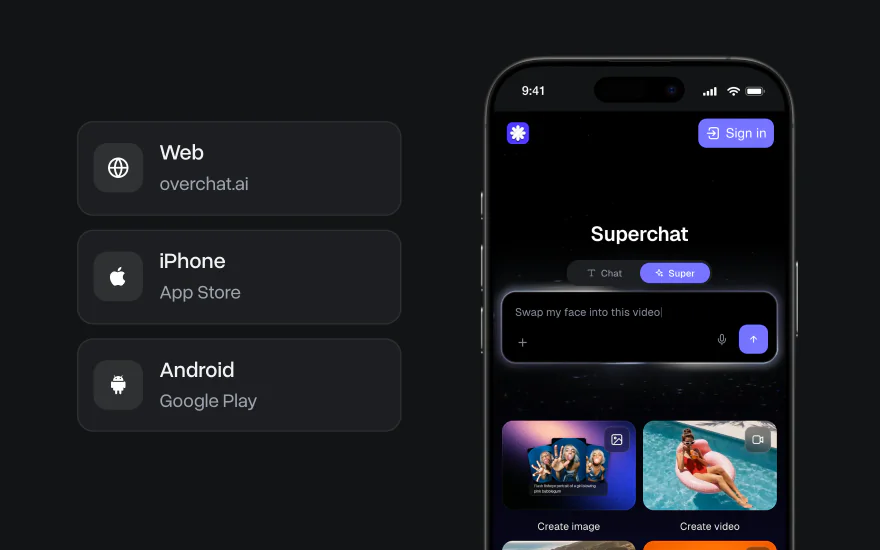
On the web, iPhone and Android
Start a chat on your laptop and finish it on your phone. The Overchat AI app has the same models, and your chats stay in one account on every device

Explore other models
Models marked Soon are coming to Overchat AI; the rest are available now


Learn more about AI models

We tested Gemini 4 Argon against Claude Opus 5.5, GPT-6 Astra and Muse Wonder
We tested Gemini 4 Argon against Claude Opus 5.5, GPT-6 Astra and Muse Wonder on three coding tasks. See benchmarks, speed and how to use it

Muse Wonder vs Muse Spark: Meta's New Model Tested
We tested Muse Wonder against Muse Spark 1.3 on logic, writing and coding tasks. See benchmarks and which Meta model is better

10 Best All-in-One AI Platforms in 2026: Why One AI Subscription Beats Many
Compare the 10 best all-in-one AI platforms in 2026, from Overchat AI to Poe and Magai, with prices, free plans and the newest GPT and Claude models