


About GPT-6.1 Terra
GPT-6.1 Terra is a large language model from OpenAI, released on October 26, 2026. It is the mid-size model of OpenAI's lineup: faster and cheaper than GPT-6.1 Sol and GPT-6 Astra, and more capable than GPT-6 Luna. It follows GPT-5.6 Terra, which came out in July 2026.
OpenAI built it for computer use and everyday work. It understands what is on a screen, reads charts and technical drawings, writes and fixes code and writes in a natural voice. OpenAI says it finishes tasks more than three times faster than GPT-6.1 Sol and GPT-6 Astra and makes far fewer factual errors than GPT-5.6 Terra.
On Overchat AI, GPT-6.1 Terra is in the same chat as GPT-6.1 Sol, Claude, Gemini and other models, so you can switch to another model without starting a new conversation.
- Developer
- OpenAI
- Released
- Oct 26, 2026
- Series
- GPT-6.1, mid-size
- Context window
- 1M tokens
- Input
- Text, images, files
- Output
- Text
See how GPT-6.1 Terra answers
Turn these meeting notes into a short email to the team: what we decided, who does what and by when. Plain and friendly, no fluff. notes: launch moved from nov 4 to nov 11 bc payments not ready. maria - finish stripe webhooks by nov 6. tom - update landing copy + screenshots by nov 7. ana to tell partners about new date this week. pricing stays same. next sync thu 10am
Subject: Launch update
Hi team,
We’re moving the launch from Nov 4 to Nov 11 because payments aren’t ready. Pricing stays the same.
- Maria: Finish Stripe webhooks by Nov 6.
- Tom: Update the landing page copy and screenshots by Nov 7.
- Ana: Tell partners about the new date this week.
Our next sync is Thursday at 10am.
Thanks!
This function counts the nights between check-in and check-out. In New York, nightsBetween("2026-03-07T00:00", "2026-03-09T00:00") returns 1 instead of 2. Find the bug and fix it. function nightsBetween(checkIn, checkOut) { const ms = new Date(checkOut) - new Date(checkIn); return Math.floor(ms / (1000 * 60 * 60 * 24)); }
The code divides elapsed time by 24 hours. In New York, daylight saving time starts on March 8, 2026, so those two calendar nights span only 47 hours.
Count calendar dates instead, using UTC to avoid daylight-saving transitions:
function nightsBetween(checkIn, checkOut) {
  const calendarDay = (value) =>
    Date.parse(`${value.slice(0, 10)}T00:00:00Z`);

  return (calendarDay(checkOut) - calendarDay(checkIn)) / 86_400_000;
}
This treats the YYYY-MM-DD portion of each input as the relevant calendar date, regardless of any time or offset that follows it.
In Google Sheets, column A has dates, column B has a status (Paid or Pending) and column C has amounts. Write one formula that sums column C only for rows from 2026 with the status Paid, and explain how it works in two sentences.
=SUMIFS(C:C, A:A, ">="&DATE(2026,1,1), A:A, "<"&DATE(2027,1,1), B:B, "Paid")SUMIFS adds amounts in column C only when the date in column A is in 2026 and the status in column B is “Paid.” The date conditions include January 1, 2026, and exclude January 1, 2027.
More prompts to try with GPT-6.1 Terra
GPT-6.1 Terra vs other models
The same tests on every model, plus context, output and speed, one rival at a time.
| Spec | GPT-6.1 Terra | GPT-6.1 Sol |
|---|---|---|
| Developer | OpenAI | OpenAI |
| Released | Oct 26, 2026 | Sep 29, 2026 |
| Context window? | 1M tokens | 1M tokens |
| Max output? | 128K tokens | 128K tokens |
| Output speed? | 91 tokens/s | 74 tokens/s |
| Input | Text, images, files | Text, images, files |
| Spec | GPT-6.1 Terra | Claude Sonnet 5.5 |
|---|---|---|
| Developer | OpenAI | Anthropic |
| Released | Oct 26, 2026 | Sep 28, 2026 |
| Context window? | 1M tokens | 1M tokens |
| Max output? | 128K tokens | 128K tokens |
| Output speed? | 91 tokens/s | 141 tokens/s |
| Input | Text, images, files | Text, images, files |
| Spec | GPT-6.1 Terra | Claude Haiku 5.5 |
|---|---|---|
| Developer | OpenAI | Anthropic |
| Released | Oct 26, 2026 | Oct 7, 2026 |
| Context window? | 1M tokens | 1M tokens |
| Max output? | 128K tokens | 128K tokens |
| Output speed? | 91 tokens/s | 234 tokens/s |
| Input | Text, images, files | Text, images, files |
| Spec | GPT-6.1 Terra | Gemini 4 Argon |
|---|---|---|
| Developer | OpenAI | |
| Released | Oct 26, 2026 | Sep 30, 2026 |
| Context window? | 1M tokens | 1M tokens |
| Max output? | 128K tokens | 1M tokens |
| Output speed? | 91 tokens/s | 80 tokens/s |
| Input | Text, images, files | Text, images, audio, video, files |
| Spec | GPT-6.1 Terra | Kimi K3.1 Pro |
|---|---|---|
| Developer | OpenAI | Moonshot AI |
| Released | Oct 26, 2026 | Oct 23, 2026 |
| Context window? | 1M tokens | 1M tokens |
| Max output? | 128K tokens | Up to 1M tokens |
| Output speed? | 91 tokens/s | 43 tokens/s |
| Input | Text, images, files | Text, images, video |
| Spec | GPT-6.1 Terra | DeepSeek V4.1 Flash |
|---|---|---|
| Developer | OpenAI | DeepSeek |
| Released | Oct 26, 2026 | Oct 17, 2026 |
| Context window? | 1M tokens | 1M tokens |
| Max output? | 128K tokens | 384K tokens |
| Output speed? | 91 tokens/s | 169 tokens/s |
| Input | Text, images, files | Text, images |
Sources: Artificial Analysis, GPT-6.1 Terra (Oct 27, 2026), Artificial Analysis, GPT-6.1 Terra pushes the cost efficiency frontier, OpenAI, GPT-6.1 Terra launch post
GPT-6.1 Terra main features
Screenshots and computer use, coding, natural writing and long documents in a 1M-token context.
Screenshots and computer use
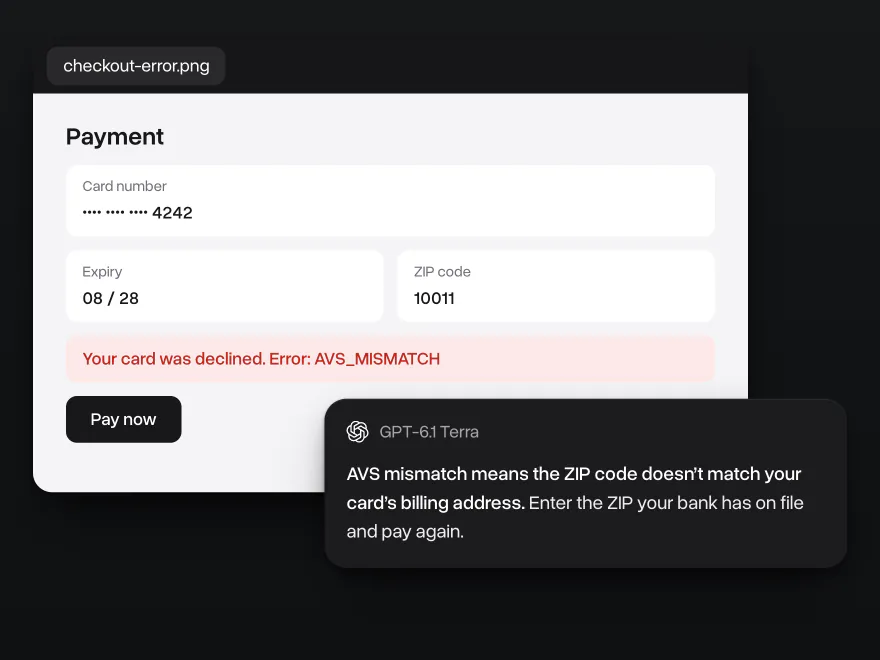
OpenAI built GPT-6.1 Terra for computer use: it understands what is on a screen and works out the next step. In ChatGPT Work and Codex it takes actions across apps. In the Overchat AI chat, send it a screenshot of an app, a form or an error message, and it tells you what you are looking at and what to do next.
Coding close to GPT-6.1 Sol
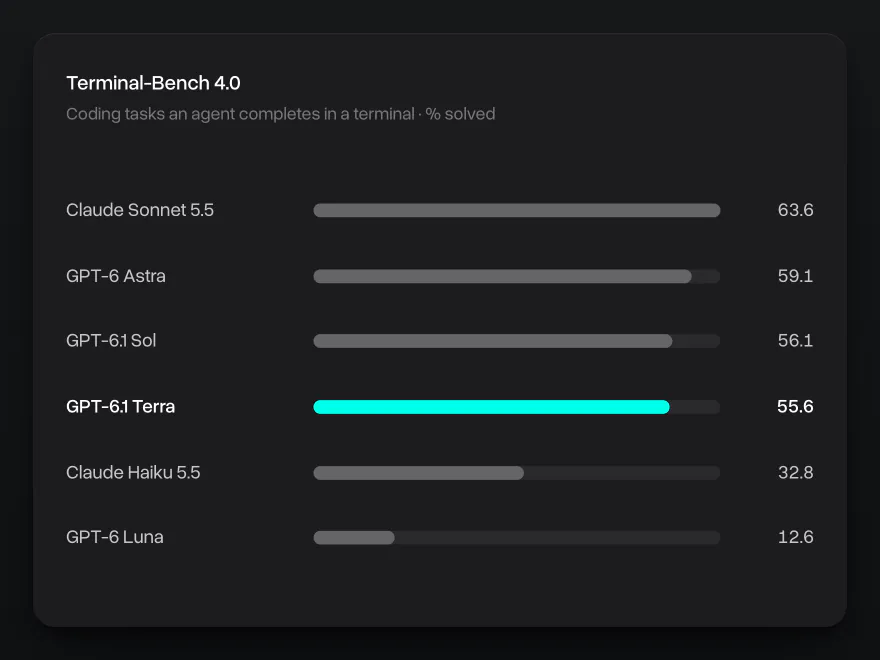
GPT-6.1 Terra writes, reviews and fixes code. On Terminal-Bench 4.0, a test of coding tasks an agent completes in a terminal, it scores 55.6% in Artificial Analysis's runs, half a point behind GPT-6.1 Sol. In OpenAI's own run it scores 50.3%, against 21.5% for GPT-5.6 Terra. For the hardest coding projects, OpenAI still recommends GPT-6.1 Sol or GPT-6 Astra.
Natural writing
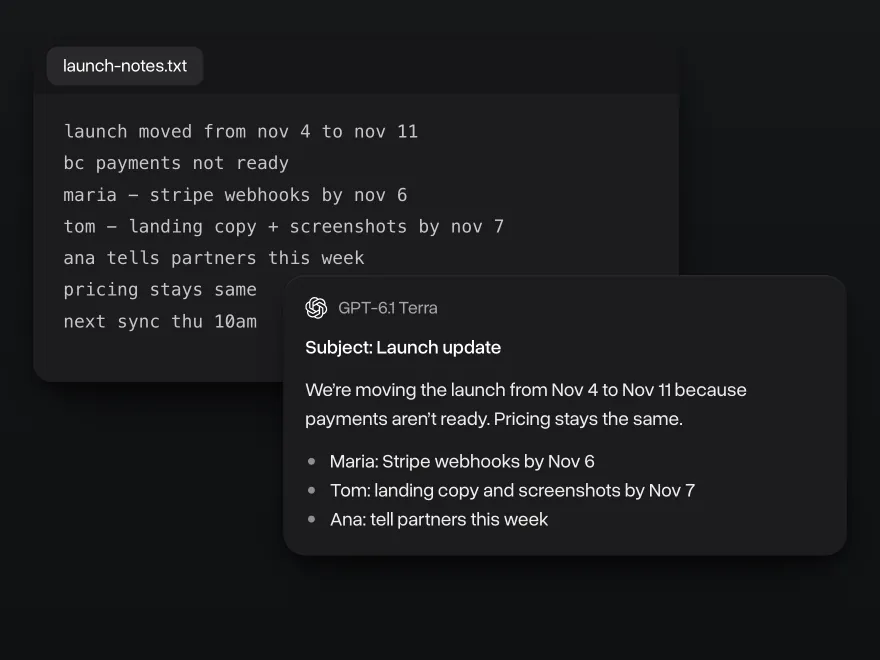
OpenAI says GPT-6.1 Terra writes more naturally than the models before it. Give it rough notes, a stiff draft or a long thread, and it returns an email, a summary or a post in plain words and in the tone you ask for.
Fewer mistakes in long documents
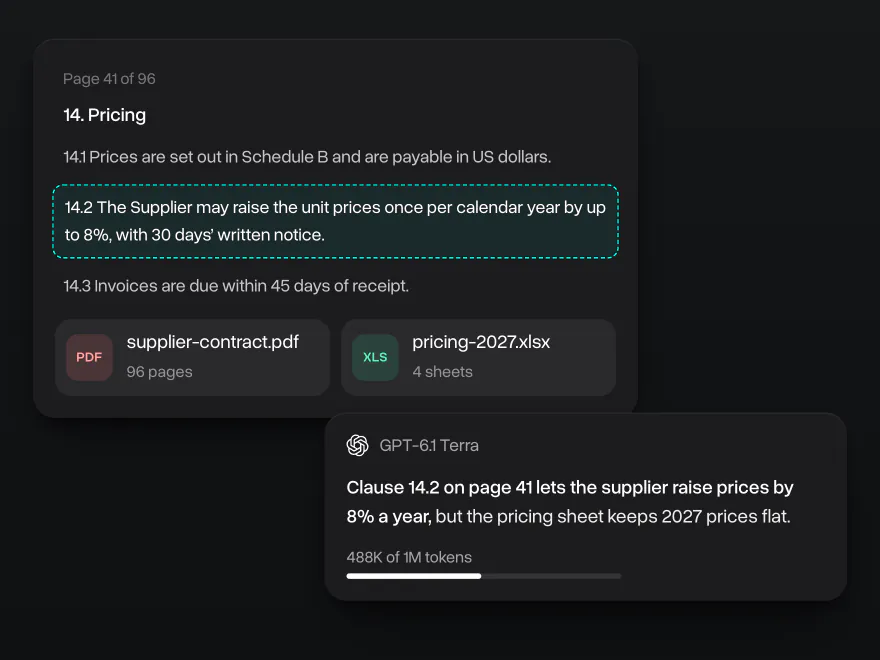
GPT-6.1 Terra makes far fewer factual errors than GPT-5.6 Terra. In OpenAI's internal test the error rate at low reasoning effort fell from 53.6% to 16.7%, and Artificial Analysis measured its hallucination rate at 38%, down from 88%. The context window holds about 1 million tokens, so a long contract, a spreadsheet and the whole chat fit at once. On AA-LCR, a test of questions spread across very long documents, it scores 82.7%.
Why use GPT-6.1 Terra on Overchat AI
One account for chat, images and video, on every device.
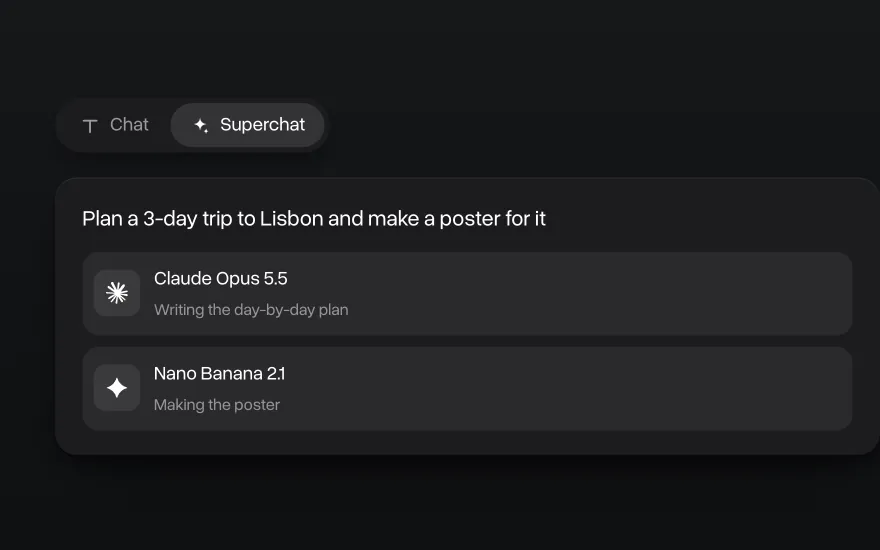
Superchat AI agent
Superchat Agent automatically routes your message to the model best suited for the task. It can generate images and videos, use the AI tools built into Overchat AI, and learn from your interactions to get better over time.
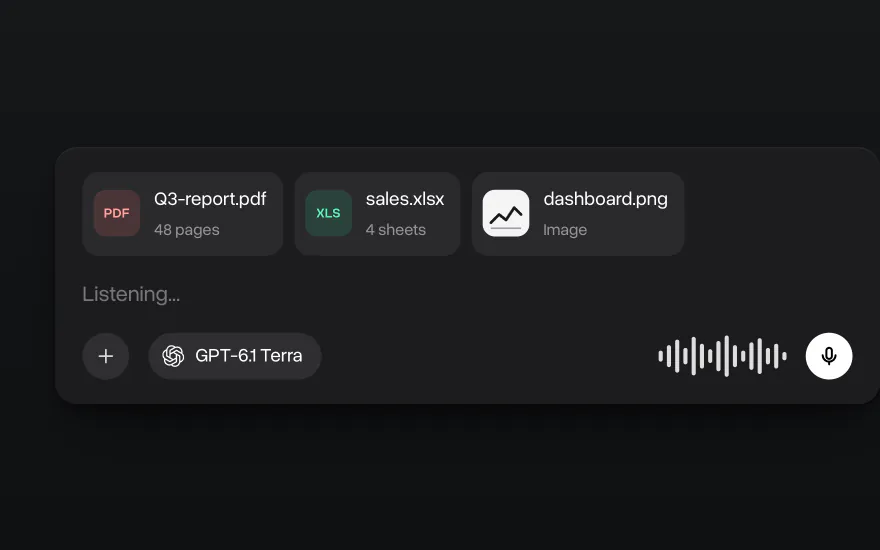
Chat with images and files
Upload PDFs, spreadsheets, code and screenshots and ask GPT-6.1 Terra about them. You can also dictate a message instead of typing it.
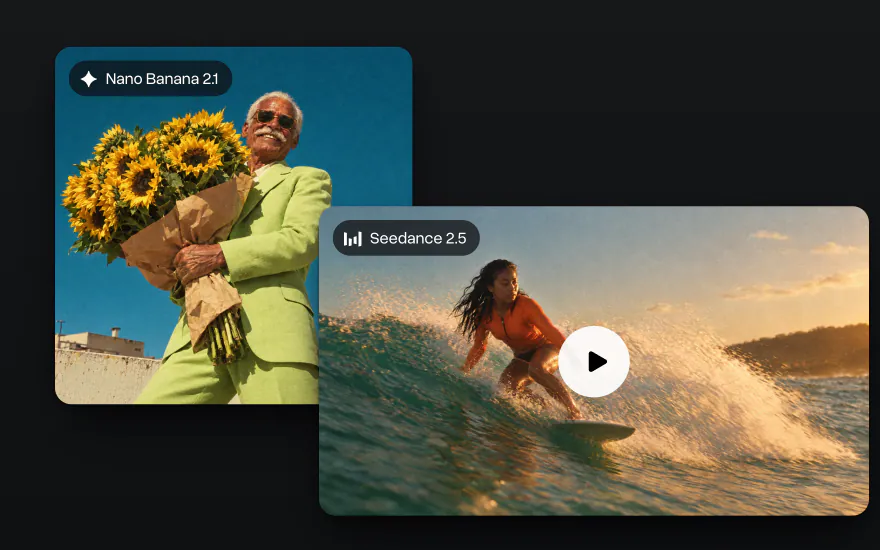
Go beyond text
Generate images with Nano Banana and GPT Image and videos with Seedance and Kling in the same account, with the same credits as chat.
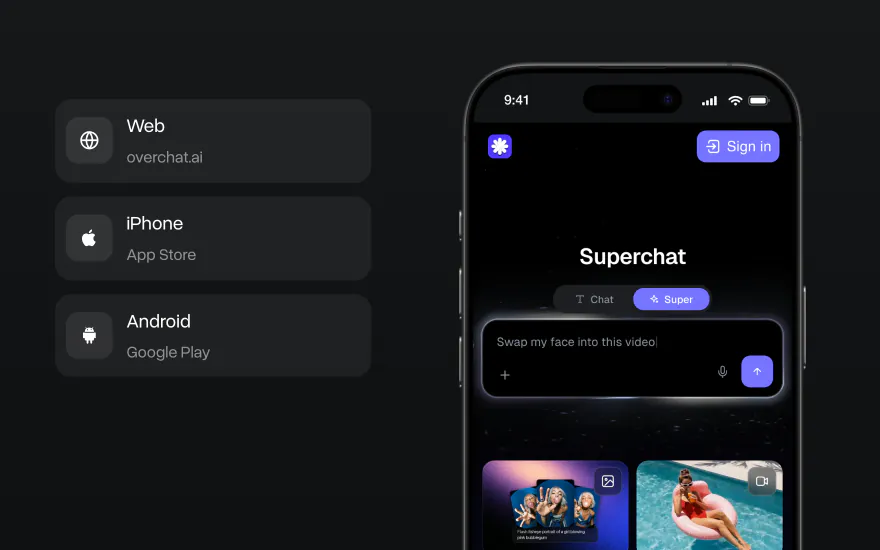
On the web, iPhone and Android
Start a chat on your laptop and finish it on your phone. The Overchat AI app has the same models, and your chats stay in one account on every device.


How to use GPT-6.1 Terra on Overchat AI
Start in the chat at the top of this page or in the Overchat AI app on the web, iOS or Android.
- 1
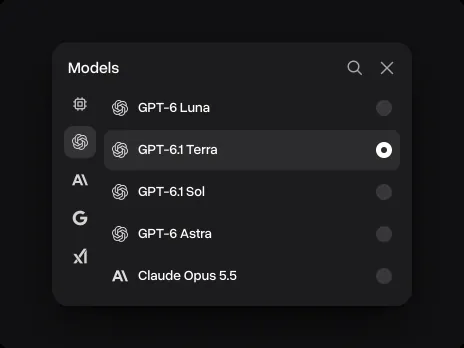
Pick GPT-6.1 Terra
It is already picked in the chat on this page. In the Overchat AI app, open the model list next to the message field and choose GPT-6.1 Terra.
- 2
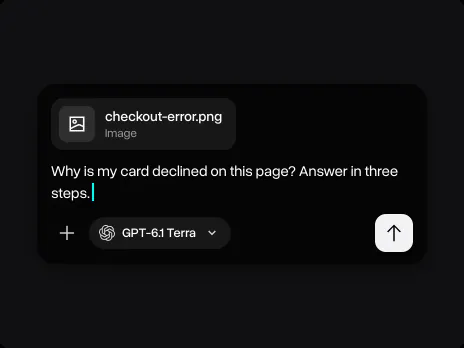
Attach a screenshot or a file
Add a screenshot, a document, a spreadsheet or code and write what you need: the format, the length and what to check first.
- 3
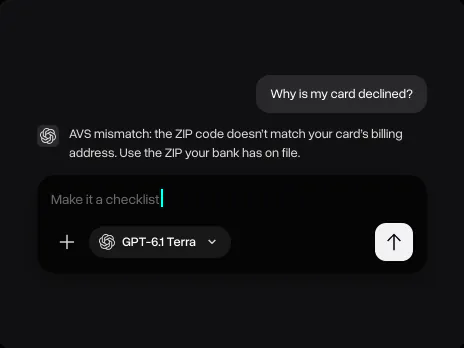
Keep going in the same chat
Ask a follow-up, ask for a checklist or a shorter version, or switch to another model without losing the conversation.
Explore other models
Every model below is in the same Overchat AI chat as GPT-6.1 Terra.


Learn more about AI models

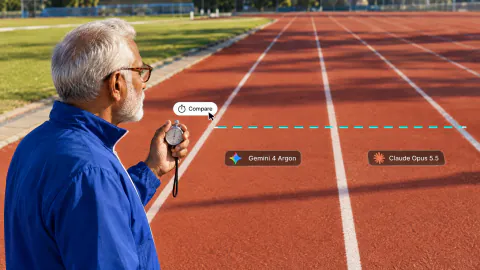
We tested Gemini 4 Argon against Claude Opus 5.5, GPT-6 Astra and Muse Wonder
We tested Gemini 4 Argon against Claude Opus 5.5, GPT-6 Astra and Muse Wonder on three coding tasks. See benchmarks, speed and how to use it.
The 6 Best ChatGPT Alternatives in 2026 (Free and Paid)
Compare the 6 best ChatGPT alternatives in 2026: Claude, Gemini, Perplexity, DeepSeek, Grok and Overchat AI, with prices, free plans and key strengths.
10 Best All-in-One AI Platforms in 2026: Why One AI Subscription Beats Many
Compare the 10 best all-in-one AI platforms in 2026, from Overchat AI to Poe and Magai, with prices, free plans and the newest GPT and Claude models.
GPT-6.1 Terra FAQ
If you have any questions,
reach out to us at hello@overchat.ai
GPT-6.1 Terra is OpenAI's mid-size model, released on October 26, 2026. It sits between GPT-6 Luna and GPT-6.1 Sol and is built for computer use, reading screenshots and images, coding and everyday writing. It takes text, images and files and has a context window of about 1 million tokens.
OpenAI released GPT-6.1 Terra on October 26, 2026, in ChatGPT Work, Codex and the API, where its model ID is gpt-6.1-terra. It follows GPT-5.6 Terra, which came out in July 2026.
Sol is the larger model. On Artificial Analysis, GPT-6.1 Sol scores 51.8 on the Intelligence Index against 48.1 for Terra and leads on Humanity's Last Exam (52.9% against 46.2%). On Terminal-Bench 4.0 they are almost even: 56.1% against 55.6%. OpenAI says Terra finishes tasks more than three times faster than Sol and recommends Sol or GPT-6 Astra for the most complex coding.
It is more accurate and much better at coding. In OpenAI's internal test the error rate at low reasoning effort fell from 53.6% to 16.7%, and its Terminal-Bench 4.0 score rose from 21.5% to 50.3%. Artificial Analysis measured a 6-point gain on its Intelligence Index and a hallucination rate of 38%, down from 88%.
Not on most tests. On Artificial Analysis, Claude Sonnet 5.5 scores higher on the Intelligence Index (56.0 against 48.1) and on Terminal-Bench 4.0 (63.6% against 55.6%). On AA-LCR, a long-document test, both score 82.7%. On Overchat AI both models are in the same chat, so you can ask both and compare the answers.
GPT-6.1 Terra takes about 1 million tokens of context (1,050,000), roughly 750,000 words. Its answers can be up to 128,000 tokens long.
Yes. It takes images and files as input, and OpenAI built it to understand what is on a screen: app windows, forms, charts and technical drawings. On Overchat AI you can attach images, PDFs and other files to your message.
Computer use means the model looks at a screen and acts on it: it clicks, types and moves between apps to finish a task. OpenAI offers it in ChatGPT Work and Codex. In the Overchat AI chat, GPT-6.1 Terra doesn't control your computer, but it reads your screenshots and tells you what to do next.
In ChatGPT, GPT-6.1 Terra is available in ChatGPT Work and Codex on the Plus, Pro, Enterprise and Edu plans. Developers can call it through the OpenAI API as gpt-6.1-terra. On Overchat AI it is in the model list next to GPT-6.1 Sol, Claude and Gemini.
Type your message in the chat at the top of this page, attach a screenshot or a file if you need to and press Send. After you sign in, GPT-6.1 Terra answers in the Overchat AI chat, where you can keep the conversation going on the web, iOS or Android and switch to another model at any time.


