


About Recursive Flint
Recursive Flint is a coding model from Recursive, released on October 21, 2026. It is Recursive's first model. Flint is a mixture-of-experts model with 39.8 billion parameters, of which about 2.5 billion work on each token, so it answers fast and runs on a laptop with 48 GB of memory.
Recursive built Flint for coding agents: it plans a change, calls tools, edits files and runs commands in a terminal. It always reasons before it answers. Recursive says its Eureka Machine, a system for automated AI research, helped build nearly every part of the model, from the training data to the inference kernels.
The weights are open under Apache 2.0, so you can run Flint locally with Ollama, LM Studio or vLLM. On Overchat AI it is in the same chat as GPT-6, Claude, Gemini and other models, with nothing to install.
- Developer
- Recursive
- Released
- Oct 21, 2026
- Parameters
- 39.8B, 2.5B active
- Context window
- 262K tokens
- Input
- Text
- License
- Apache 2.0
See how Recursive Flint answers
Write a Python function that checks whether a string is a valid IPv4 address without using regex, plus five test cases that cover the edge cases.
def is_valid_ipv4(s: str) -> bool:
    if not isinstance(s, str):
        return False

    parts = s.split(".")
    if len(parts) != 4:
        return False

    for part in parts:
        if not part:
            return False
        if not all("0" <= ch <= "9" for ch in part):
            return False
        if len(part) > 1 and part[0] == "0":
            return False  # strict: reject leading zeros
        if len(part) > 3 or int(part) > 255:
            return False

    return True
Five test cases covering edge cases:
assert is_valid_ipv4("192.168.1.1") is True
assert is_valid_ipv4("0.0.0.0") is True
assert is_valid_ipv4("255.255.255.255") is True
assert is_valid_ipv4("256.1.1.1") is False
assert is_valid_ipv4("192.168.01.1") is False
This implementation avoids regex, splits on ., checks for exactly four parts, validates digits only, rejects leading zeros, and ensures each octet is between 0 and 255.
This JavaScript function should return the average of an array of numbers, but it returns NaN for an empty array and wrong results when the array holds strings like "5". Find the bugs and give a fixed version. function avg(xs) { let sum = 0; for (const x of xs) sum += x; return sum / xs.length; }
Bugs in the original:
- Empty array:
sum / xs.lengthbecomes0 / 0, which isNaN. - String values:
sum += xuses JavaScript’s+operator, which concatenates when one side is a string. So adding"5"turns the sum into a string like"05"instead of adding5.
Fixed version:
function avg(xs) {
  const nums = xs.map(Number);

  if (nums.length === 0) return 0;

  const sum = nums.reduce((acc, n) => acc + n, 0);
  return sum / nums.length;
}
This converts string numbers like "5" into actual numbers with Number, and handles empty arrays by returning 0.
Examples:
avg([1, 2, 3, 4]);      // 2.5
avg(["5", "10", "15"]); // 10
avg([]); // 0Write a bash script that finds every .log file over 100 MB under /var/log, compresses each one with gzip, and prints how much disk space was freed.
#!/bin/bash

LOG_DIR="/var/log"
THRESHOLD="+100M"   # over 100 MB

orig_total=0
comp_total=0
count=0

while IFS= read -r -d '' f; do
    orig_size=$(stat -c %s "$f")
    orig_total=$((orig_total + orig_size))

    gzip -9 -f "$f"

    comp_size=$(stat -c %s "${f}.gz")
    comp_total=$((comp_total + comp_size))

    count=$((count + 1))
done < <(find "$LOG_DIR" -type f -name '*.log' -size $THRESHOLD -print0)

if (( count == 0 )); then
    echo "No .log files over 100 MB found under $LOG_DIR."
else
    freed_bytes=$((orig_total - comp_total))
    freed_mb=$(awk "BEGIN { printf \"%.2f\", $freed_bytes / 1048576 }")
    orig_mb=$(awk "BEGIN { printf \"%.2f\", $orig_total / 1048576 }")
    comp_mb=$(awk "BEGIN { printf \"%.2f\", $comp_total / 1048576 }")

    echo "$count log file(s) compressed under $LOG_DIR."
    echo "Original total size: ${orig_mb} MB"
    echo "Compressed total size: ${comp_mb} MB"
    echo "Approx. disk space freed: ${freed_mb} MB"
fi
Run with:
sudo bash script.shNotes:
- Searches recursively under
/var/log. - Targets files ending in
.loglarger than 100 MB. - Uses
gzip -9 -f, which replaces the original with a.gzfile and removes the original. - Prints approximate freed disk space based on original vs. compressed sizes.
More prompts to try with Recursive Flint
Recursive Flint vs other models
Coding and instruction-following tests, size, context window and local speed, one rival at a time.
| Spec | Flint | Qwen3.6 35B A3B |
|---|---|---|
| Developer | Recursive | Alibaba |
| Released | Oct 21, 2026 | Apr 16, 2026 |
| Parameters? | 39.8B, 2.5B active | 36B, 3B active |
| Context window? | 262K | 262K |
| Local speed? | 131 tokens/s | 66 tokens/s |
| License | Apache 2.0 | Apache 2.0 |
| Spec | Flint | Qwen3.8 27B |
|---|---|---|
| Developer | Recursive | Alibaba |
| Released | Oct 21, 2026 | Aug 14, 2026 |
| Parameters? | 39.8B, 2.5B active | 27B dense |
| Context window? | 262K | 256K |
| Local speed? | 131 tokens/s | 13 tokens/s |
| License | Apache 2.0 | Apache 2.0 |
| Spec | Flint | Gemma 4 31B |
|---|---|---|
| Developer | Recursive | |
| Released | Oct 21, 2026 | Apr 2, 2026 |
| Parameters? | 39.8B, 2.5B active | 30.7B dense |
| Context window? | 262K | 256K |
| Local speed? | 131 tokens/s | 12 tokens/s |
| License | Apache 2.0 | Apache 2.0 |
| Spec | Flint | Muse Glimmer 30B |
|---|---|---|
| Developer | Recursive | Meta |
| Released | Oct 21, 2026 | Aug 10, 2026 |
| Parameters? | 39.8B, 2.5B active | 30B dense |
| Context window? | 262K | 131K |
| Local speed? | 131 tokens/s | 15 tokens/s |
| License | Apache 2.0 | Apache 2.0 |
| Spec | Flint | Laguna XS 2.1 |
|---|---|---|
| Developer | Recursive | Poolside |
| Released | Oct 21, 2026 | Jul 2, 2026 |
| Parameters? | 39.8B, 2.5B active | 33B, 3B active |
| Context window? | 262K | 262K |
| Local speed? | 131 tokens/s | 69 tokens/s |
| License | Apache 2.0 | Open weights |
Flint main features
Built for coding agents, fast on a laptop, a 262K context window and open weights.
Built for coding agents
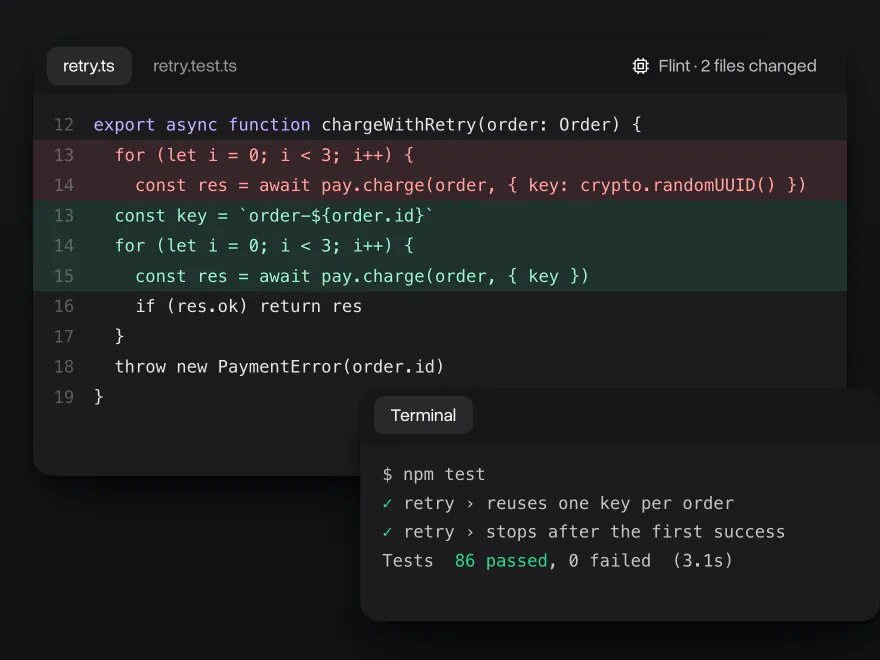
Flint is trained to work like a coding agent: it reads the code, plans a change, calls tools, edits files and runs commands until the tests pass. Recursive reports 74.2% on SWE-bench Verified, a test of fixing real GitHub issues, and 54.9% on Terminal-Bench 2.1, a test of tasks in a terminal. It also follows instructions closely: 89.2% on IFBench, the best score among the models compared on this page.
Fast on a laptop
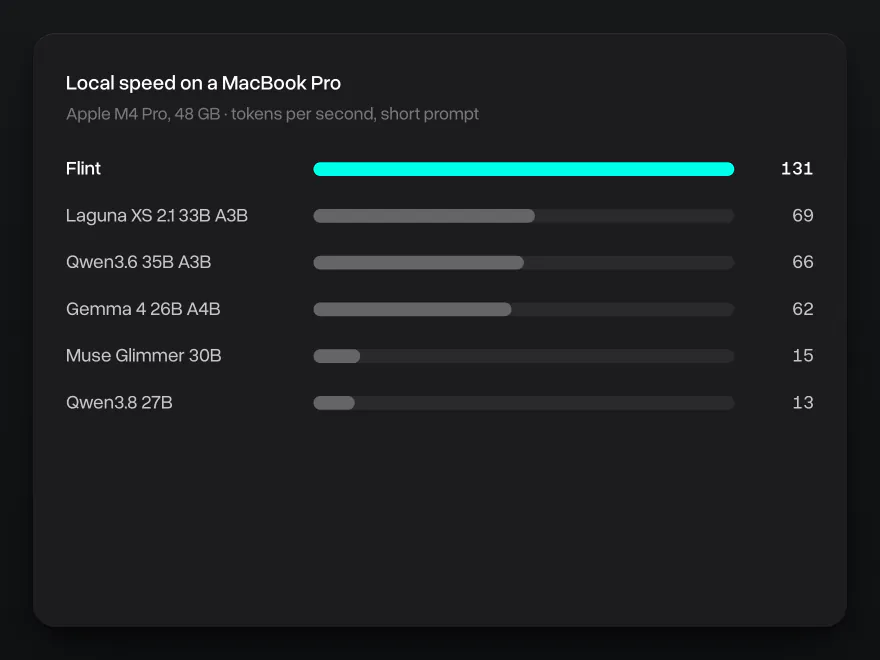
Only about 2.5 billion of Flint's 40 billion parameters work on each token, so it writes fast on ordinary hardware. On a MacBook Pro with an M4 Pro chip and 48 GB of memory, Flint writes about 131 tokens per second on a short prompt. That is twice as fast as Qwen3.6 35B A3B and about ten times faster than dense models of a similar size, such as Qwen3.8 27B and Gemma 4 31B.
262K tokens of context
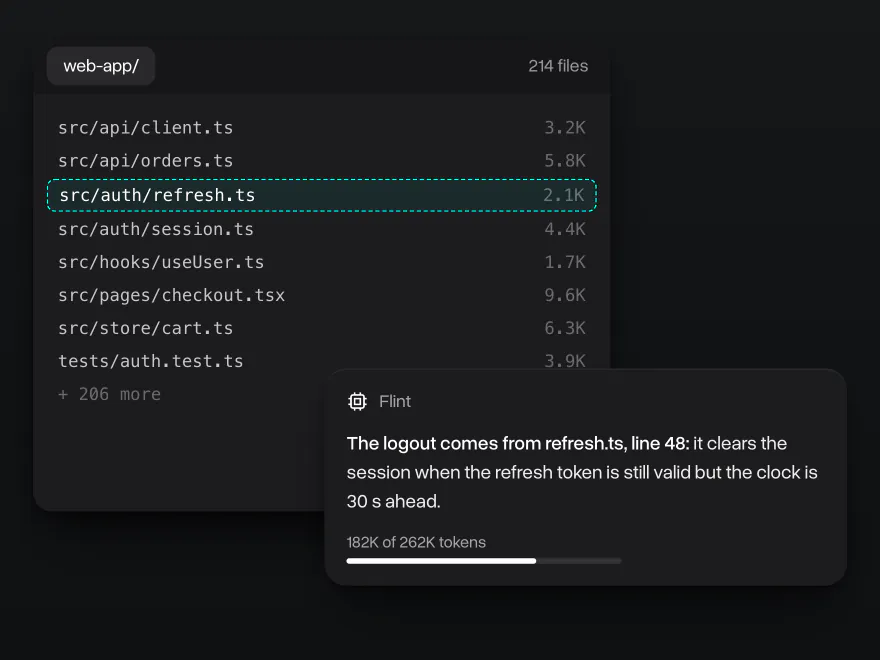
Flint keeps up to 262,144 tokens in view, prompt and answer together: about 200,000 words. In a coding agent that is room for a small repository, long logs and the whole history of the task, so Flint can trace a bug across files and keep earlier steps in mind.
Open weights under Apache 2.0
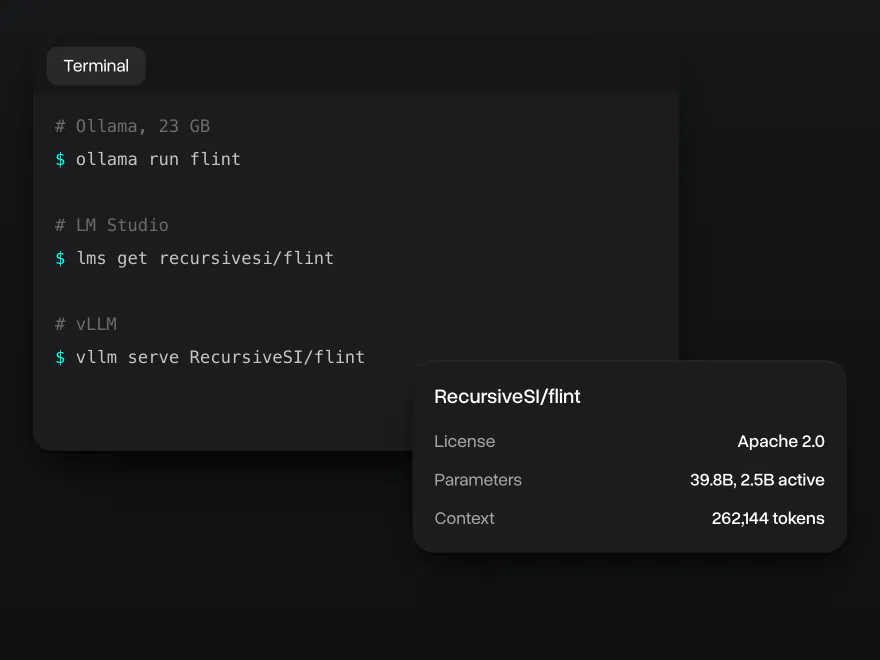
Flint's weights are on Hugging Face under the Apache 2.0 license, which allows commercial use. Run it with Ollama (a 23 GB download), LM Studio or vLLM; Recursive recommends at least 48 GB of unified or GPU memory. Plug it into coding agents such as OpenCode, Cline or Codex CLI, or chat with it on Overchat AI with nothing to install.
Why use Recursive Flint on Overchat AI
One account for chat, images and video, on every device.
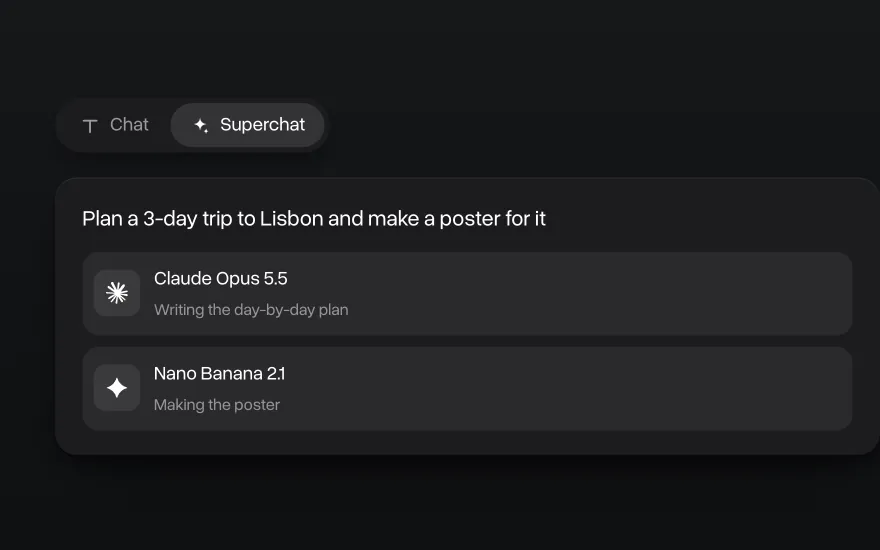
Superchat AI agent
Superchat Agent automatically routes your message to the model best suited for the task. It can generate images and videos, use the AI tools built into Overchat AI, and learn from your interactions to get better over time.
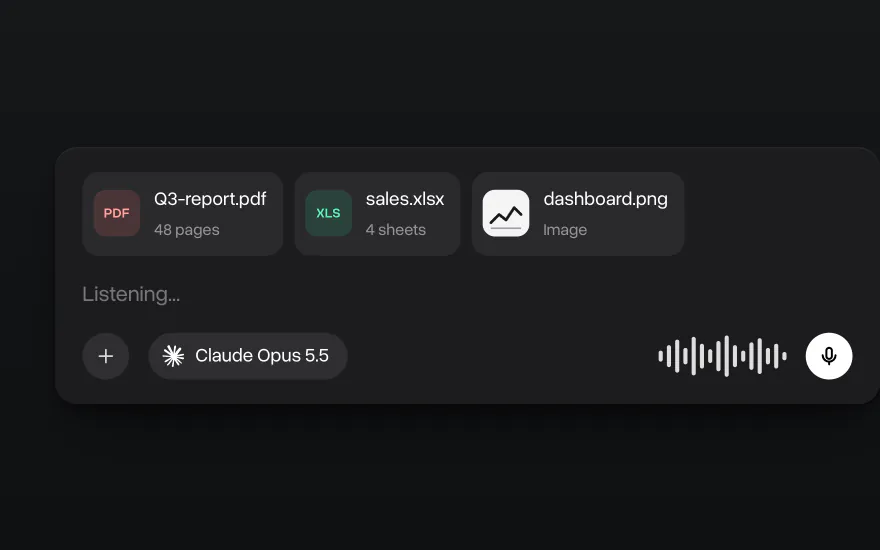
Chat with images and files
Flint reads text only. To ask about a PDF, a spreadsheet or a screenshot, attach it and switch to a model that reads files, such as Claude or GPT-6, in the same chat. You can also dictate a message instead of typing it.
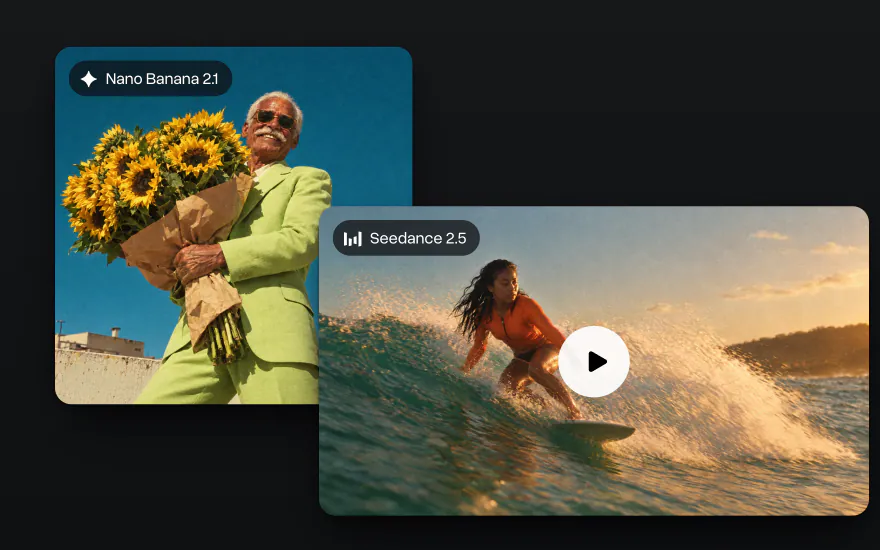
Go beyond text
Generate images with Nano Banana and GPT Image and videos with Seedance and Kling in the same account, with the same credits as chat.
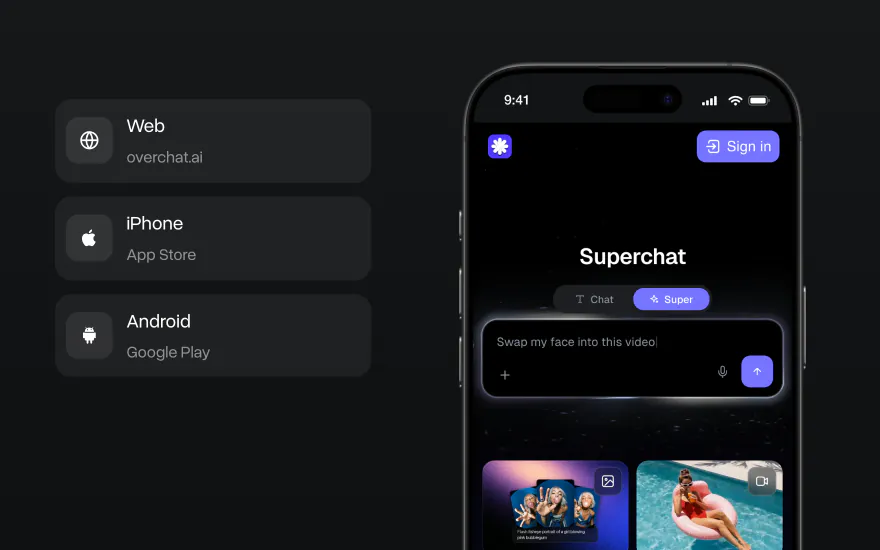
On the web, iPhone and Android
Start a chat on your laptop and finish it on your phone. The Overchat AI app has the same models, and your chats stay in one account on every device.


How to use Recursive Flint on Overchat AI
Start in the chat at the top of this page or in the Overchat AI app on the web, iOS or Android.
- 1
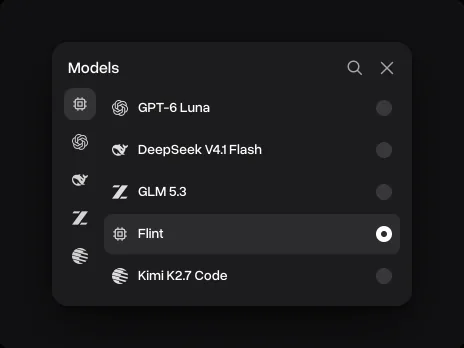
Pick Flint
It is already picked in the chat on this page. In the Overchat AI app, open the model list next to the message field and choose Flint.
- 2
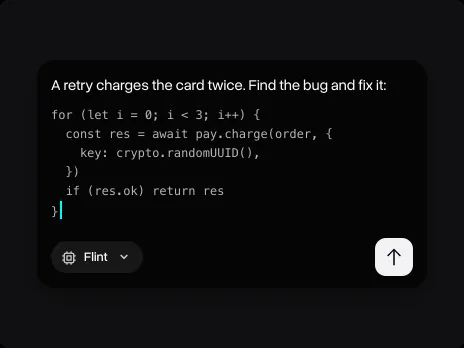
Paste the code and describe the task
Flint reads text, so paste the code, the error or the log into the message and say what you need: a fix, a test, a refactor or an explanation.
- 3
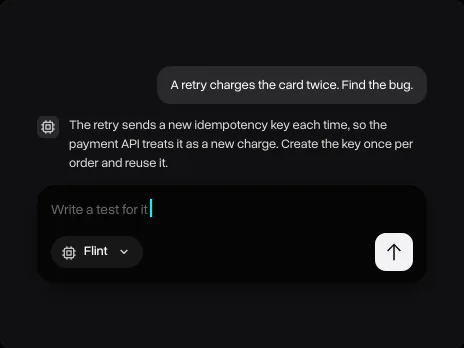
Keep going in the same chat
Ask for a test, a shorter version or another approach, or switch to another model without losing the conversation.
Explore other models
Every model below is in the same Overchat AI chat as Flint.


Learn more about local LLMs

Best Local LLM for Coding in 2026: Developer's Guide
Which local LLM writes the best code in 2026? We rank Qwen3-Coder-Next, DeepSeek V3.2, Llama 4 Scout and more by benchmarks and hardware requirements.
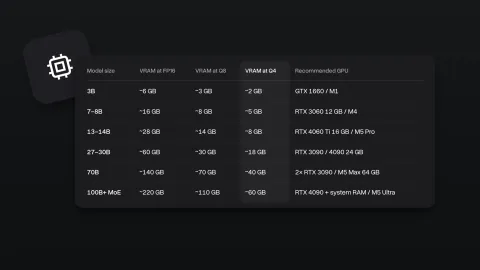
Local LLM Hardware Requirements in 2026
What hardware do you need to run a local LLM in 2026? GPU, VRAM, RAM and CPU requirements for every model size, from 3B to 400B.
Ollama vs LM Studio: Best Local AI App in 2026
We compare Ollama, LM Studio and Atomic Chat to find out which local AI app is the best.

Recursive Flint FAQ
If you have any questions,
reach out to us at hello@overchat.ai
Recursive Flint is an open-weight coding model from Recursive, released on October 21, 2026. It is a mixture-of-experts model with 39.8 billion parameters, about 2.5 billion of them active per token, and a context window of 262,144 tokens. It is built for coding agents and runs on a laptop with 48 GB of memory.
Flint is the first model of Recursive, an AI company led by Richard Socher, who is also the CEO of You.com. Recursive says its Eureka Machine, a system for automated AI research, helped build nearly every part of Flint: the data, the training recipes, the optimizers, the quantization and the inference kernels. A small team of people and agents built the model from scratch in under four months.
Flint has 39.8 billion parameters in total. It is a mixture-of-experts model: each layer has 256 experts, 6 of them plus one shared expert work on each token, so only about 2.5 billion parameters are active at a time. That is why it writes fast on a laptop.
Flint's model card gives 262,144 tokens, shared by the prompt and the answer. Recursive's blog says Flint can go up to 512K tokens but recommends staying within 256K.
Recursive recommends at least 48 GB of memory: a Mac with an M4 Pro, M5 Pro or M5 Max chip and 48 GB of unified memory, or a GPU with 48 GB. The Ollama build is a 23 GB download. LM Studio lists 24 GB of system RAM for the smallest build, but the full context may not fit in it. The full BF16 weights take about 80 GB and run on one H200 or B300 GPU.
You can run Flint with Ollama (ollama run flint), LM Studio, llama.cpp, SGLang and Recursive's own engine rec, and the model card gives a vLLM command. Recursive's docs recommend the Pi agent and also cover OpenCode, Cline, OpenHands and Codex CLI.
No. Reasoning is always on in Flint: it thinks before every answer. For hard problems Recursive recommends leaving room for at least 32,768 output tokens, reasoning included.
Flint's weights are released under the Apache 2.0 license, which allows commercial use, changes and redistribution. Recursive's hosted API has its own terms, separate from the weight license.
No. Flint takes text in and writes text out. Paste code, errors and logs into the message as text. To ask about an image or a PDF on Overchat AI, attach it and switch to a model that reads files, such as Claude or GPT-6, in the same chat.
Type your message in the chat at the top of this page and press Send. After you sign in, Flint answers in the Overchat AI chat, where you can keep the conversation going on the web, iOS or Android and switch to another model at any time.


