Buying glasses online is cheaper and more convenient than visiting a store. However, the main disadvantage is that you can’t always preview the frames you want, especially if they’re part of the online-only stock.
Thankfully, virtual try-on tools solve this problem by using AI to allow you to try on different frames using a photo or your camera as if you were in a virtual try-on room.
In this article, we’re going to talk about the five best virtual try-on software programmes for glasses, so you don’t have to test them all yourself. With that said, let's dive straight into the comparison.
There are two core technologies behind virtual try-on tools: Real-Time AR (live video overlay of a 3D model) and AI Photo Generation (photorealistic composite from a single selfie) — each has distinct strengths.
Real-Time AR lets you see glasses move as you turn your head, but graphics can look plasticky, shadows aren't perfect, and fast movements can cause tracking glitches.
AI Photo Generation produces 100% photorealistic composites indistinguishable from real photographs, with correct lighting and shadows — at the cost of real-time interactivity.
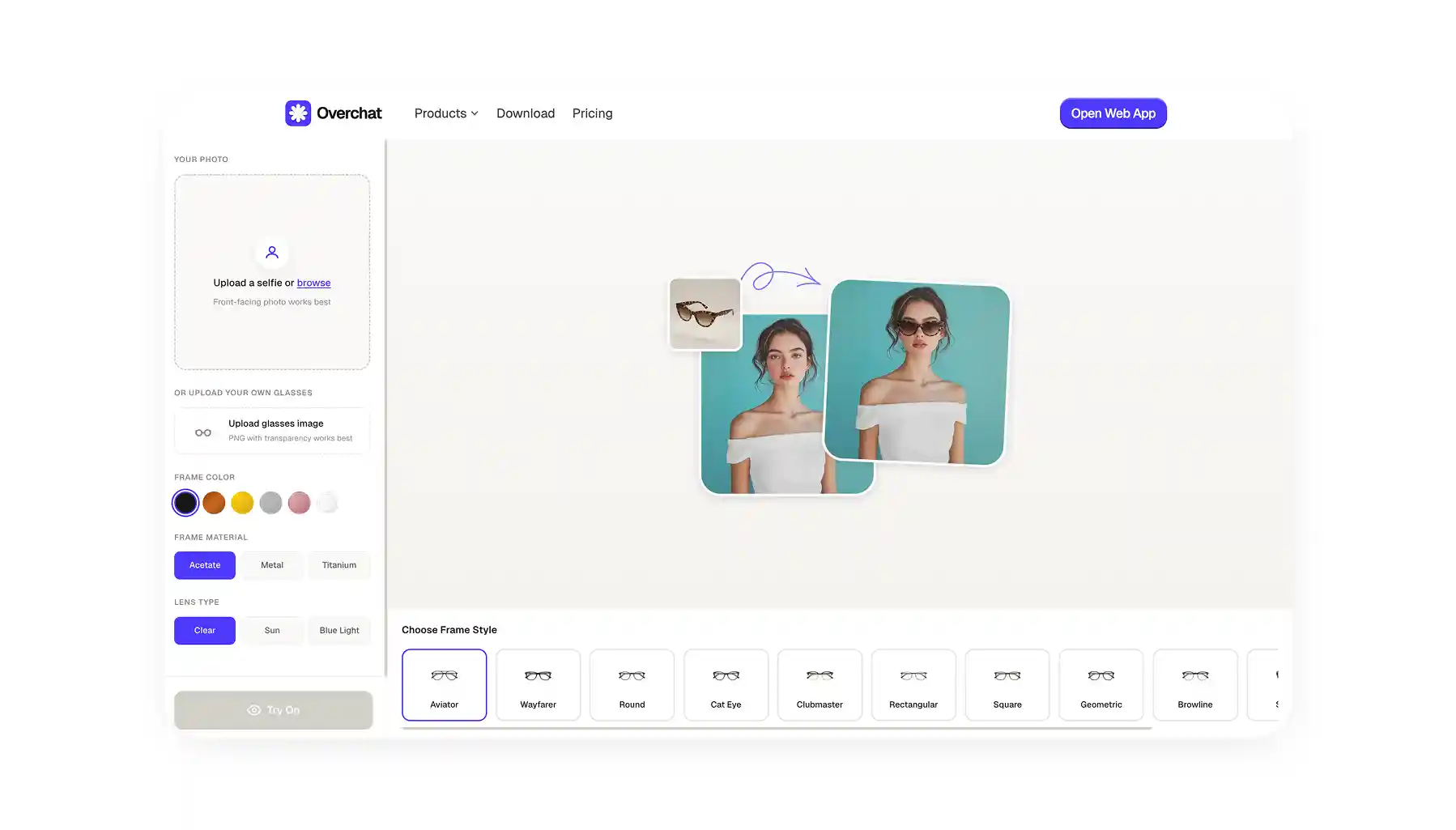
Overchat AI is the most flexible pick — it's not tied to any retailer, so you can upload any glasses you find online or build your own from presets (frame shape, color, material like acetate/metal/titanium, lens type). Works in-browser with no install.
Warby Parker offers an all-in-one try-to-buy flow: real-time AR with TrueDepth face mapping on newer iPhones, frame recommendations by face shape, and free home try-on of up to 5 physical pairs.
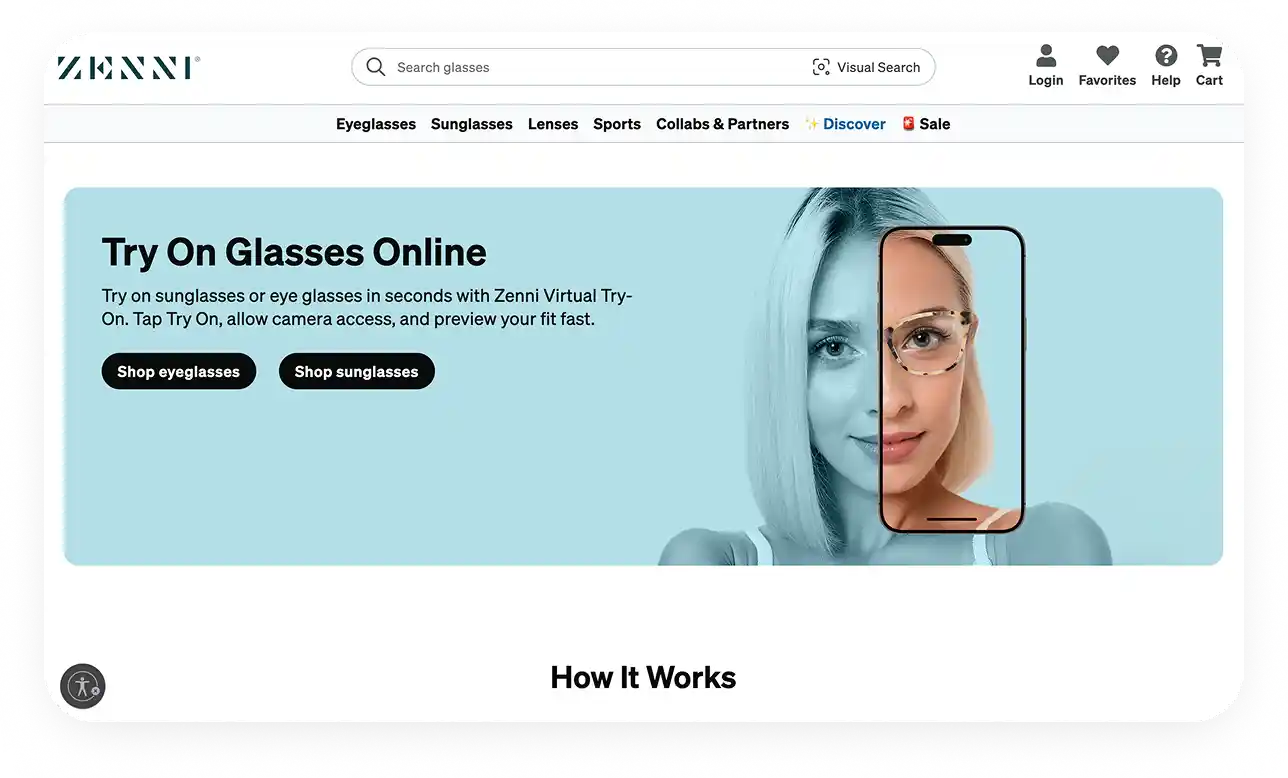
Zenni Optical focuses on its own affordable catalog, with a "search by similar style" feature that finds matches in Zenni's inventory when you upload a reference image.
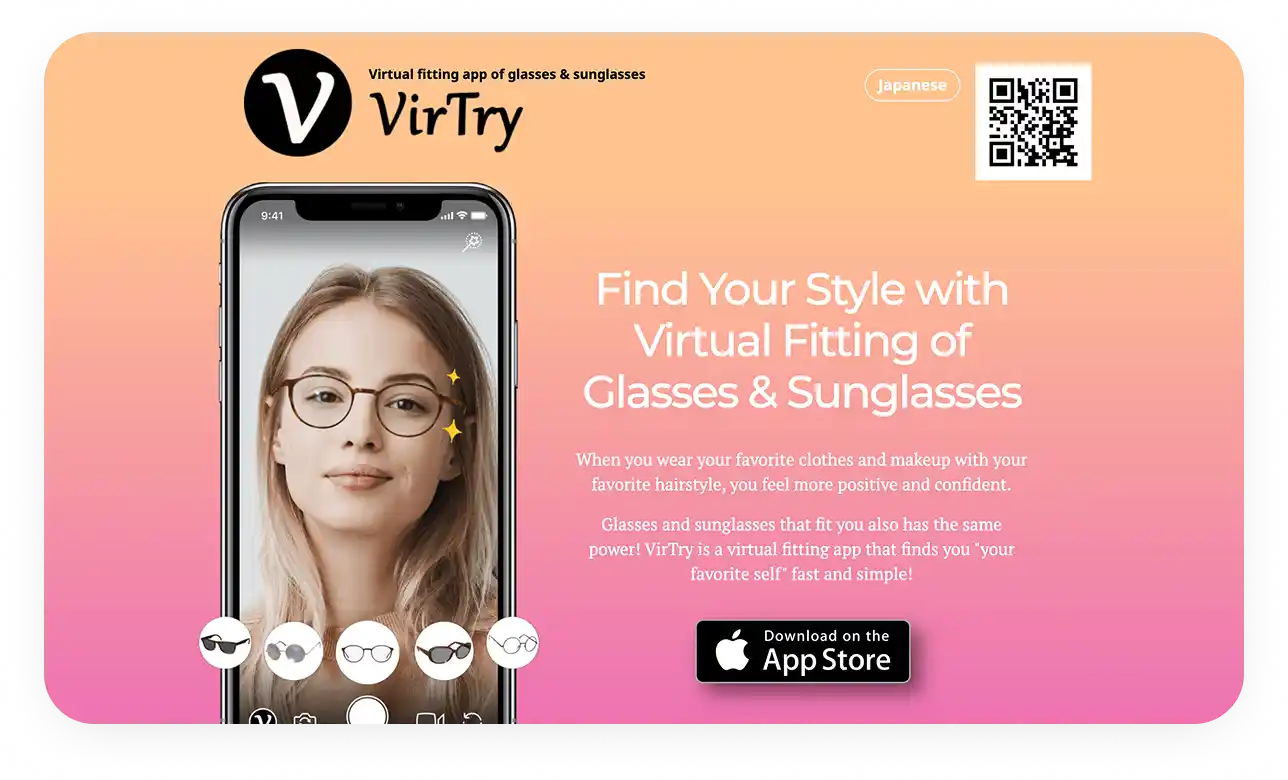
VirTry is an AR-focused fashion studio (iOS + web) with notably lifelike rendering — glasses tilt, shift, and sit naturally — plus a rear-camera feature for group try-on sessions and easy social sharing.
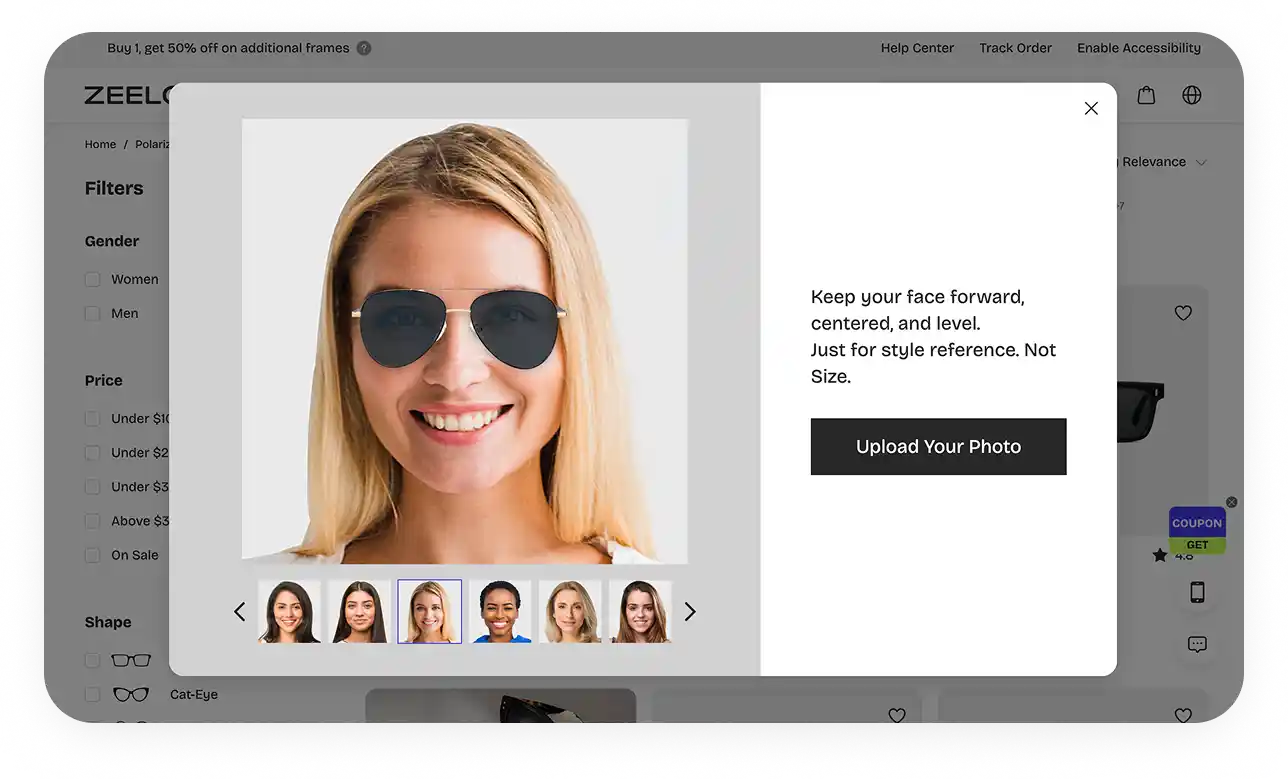
Zeelool specializes in bold, Gen Z / millennial-trend frames with near-instant AR tracking and real user photos displayed alongside your virtual try-on.
How to choose: want to try any glasses from any retailer → Overchat AI. Want to browse and buy directly → a store's AR app. Want a photorealistic result for social media → AI-based tools.
Device matters: older phones or desktop users get better results from web-based AI tools like Overchat AI than from AR apps.
Practical tip: remove your current glasses before using a try-on tool — wearing them confuses the algorithm and degrades results.
What Are The Best Virtual Try-On Tools for Glasses?
We’ve tested over 25 virtual try-on tools and hand-picked the five best ones based on their features, ease of use and results. Here’s how our top five picks compare at a glance:
Feature / Tool
Overchat AI
Warby Parker
Zenni Optical
VirTry
Zeelool
Try-on Method
Photo Upload
Live Camera & Photo
Live Camera & Photo
Live Camera & Photo
Live Camera
Upload Your Own Glasses Image
✓
✗
✗
✗
✗
Large Frame Catalog
✓
✓
✓
✓
✓
Face Shape Analysis
✗
✓
✓
✓
✓
AI Style Recommendations
✗
✓
✓
✓
✓
Direct E-commerce Purchase
✗
✓
✓
✗
✓
Mobile App
iOS & Android
iOS & Android
iOS & Android
iOS (Web)
iOS & Android
Now, let's take a closer look at each tool, starting with the most flexible option for trying on any glasses.
1. Overchat AI
Overchat AI virtual try-on for glasses is the most flexible of the bunch because it offers a unique ability to try on any glasses — not just the ones you see on the storefront. That’s because Overchat AI virtual try-on is not affiliated with any stores or brands, and uses a powerful try-on AI engine.
Its standout feature is the ability to upload an image of any glasses you find online, but you can also build your own frames by choosing from presets and settings.
Additionally, Overchat AI uses a powerful AI image generator that creates highly realistic composites — it naturally adds glasses to your image in a way that cannot be distinguished from reality.
This means you can use the tool not only to see how glasses would look before buying them, but also to create social media images or avatars with cool glasses.
How it Works:
To begin, upload your photo, preferably a clear, front-facing selfie.
Either select from a library of popular frame styles (Aviator, Wayfarer, Round, etc.) or upload your own image of a pair of glasses (a PNG with a transparent background works best).
If you’ve chosen a frame preset, select the frame color, material (Acetate, Metal, Titanium), and lens type (Clear, Sun, Blue Light).
Done! Get a clean, realistic AI composite showing the glasses on your face.
Key Features:
You can upload any glasses or build your own
A user-friendly web app works instantly in your browser — no need to download or install anything
You can fine-tune the glasses inside the product
Best For:
Shoppers who want to try on any glasses from any retailer, or those who want to create cool social media avatars and pictures with awesome frames.
2. Warby Parker
Unlike Overchat AI, Warby Parker’s virtual try-on is part of a direct-to-consumer brand, so it blends virtual try-on service with an easy way to purchase products. If you’re looking for an all-in-one solution where trying on leads directly to buying (or borrowing), this is a top contender.
How it Works:
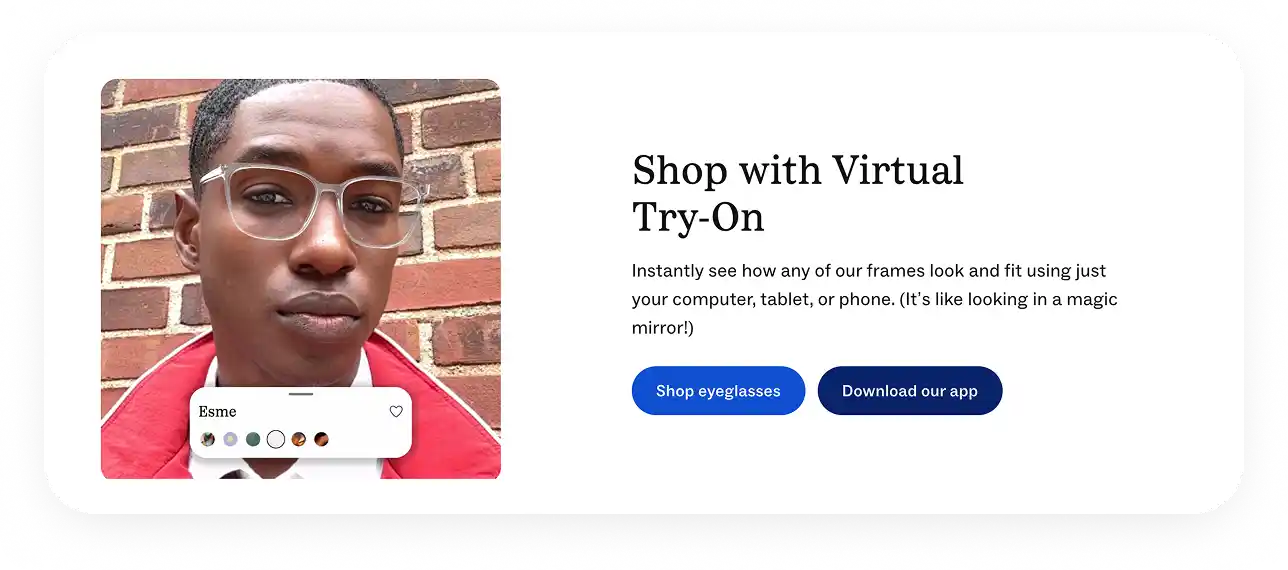
The app uses your smartphone's front camera to map your face in real-time. If you have a newer iPhone with a TrueDepth camera, it creates a precise 3D model for an even more accurate fit.
Frames lock onto your face and track your movements naturally.
You can also use a photo if you prefer not to use the live camera.
Once you’ve found frames you like, you can buy them immediately or order up to five physical pairs to try at home for free.
Key Features:
Choose between live AR or a static photo upload.
Scans your face and recommends frames based on your face shape and style preferences.
Select five frames to be shipped to your door for a real-world try-on at no cost.
Upload your prescription and measure your pupillary distance right in the app.
The try-on experience is directly connected to checkout, prescription lenses, and insurance.
Best For:
Cases when you want to buy glasses and need a virtual try-on room before making a purchase.
3. Zenni Optical
Zenni Optical is a famous designer of affordable eyewear, and its virtual try-on tool is built for one purpose: to help you find the perfect pair from its massive catalog.
How it Works:
Access the tool directly on Zenni’s website or mobile app.
You can use your live camera for real-time try-on or upload a photo.
The tool maps your face and lets you browse thousands of frames, which are realistically superimposed onto your image.
Key Features:
Instantly try on thousands of Zenni’s own frames, known for their affordability and variety.
Upload a photo of glasses you like, and Zenni’s AI will find similar styles in its inventory.
Browse glasses by face shape, frame style, color, and more, with AI-driven personalized suggestions.
Best For:
Budget-conscious shoppers who are specifically looking to pick up Zenni’s glasses.
4. VirTry
VirTry positions itself as an AR fashion studio with a focus on creating realistic virtual try-ons, less so on picking up specific garments. The tool integrates an easy-to-use social sharing feature so you can easily share the looks you create with your friends. So, if you’re looking for a tool to help you build your style, this may be the one to try.
How it Works:
Open the VirTry app (iOS only, with a web version available) and grant camera access.
The app uses advanced AR to instantly map your face, and you can browse partnered frame collections.
The 3D rendering is notably lifelike — glasses tilt, shift, and sit naturally as you move.
A unique party trick is switching to the rear camera to let someone else try on glasses right on your device.
Key Features:
Glasses exhibit realistic weight, reflection, and movement, offering one of the most authentic visual previews available.
Save try-on sessions as photos or videos, create side-by-side comparisons, and share them easily.
Instantly switch between front and rear cameras for group try-on sessions.
Best For:
Anyone exploring different styles and people who want the most realistic real-time try-on experience.
5. Zeelool
Zeelool is a trendy eyewear brand that also features cool virtual try-on software. It’s a great thing that they do, because their glasses are fun and quirky, and definitely not for everyone. But hey, using their virtual showroom you can test if they fit your look without committing to a purchase.
How it Works:
Launch the Zeelool app, and it quickly scans your face.
Tap any frame, and it snaps onto your face in real-time AR with solid tracking.
You can filter searches by face shape, frame style, color, and occasion to quickly find bold cat-eyes, oversized geometric shapes, or colorful acetates.
Each product features real user photos alongside your virtual try-on.
Key Features:
Specializes in unique, statement-making frames that cater to Gen Z and millennial trends.
The AR application is near-instant, making it easy to cycle through dozens of styles quickly.
Easily capture and share your looks as photos or videos directly from the app.
The app gently guides you toward frames that suit your facial structure.
Best For:
This is for people who are interested in purchasing Zeelool eyewear, but are not yet ready to commit and want to see how the unique designs would look on them.
How Do Virtual Try-On Tools Work?
There are two different virtual-try on technologies:
Real-Time AR
AI Photo Generation
They work in different ways and each has their pros and their cons.
1. Real-Time Augmented Reality (AR)
Warby Parker, Zenni, VirTry, and Zeelool use this technology and this is essentially a live video-filter that overlays a 3D model of the glasses on top of your face.
How AR works: Your phone's camera feeds a live video to an app → the AI detects and maps your facial features (eyes, nose bridge, ears) to create a simple 3D model → a digital model of the glasses is then pinned to these points.
As a result, the glasses appear on your face in real-time in the video feed, and as you move, tilt, and rotate your head they move with you.
The limitation of AR is that the entire process has to happen on your phone's processor in milliseconds, so the graphics are not photo-realistic.
The glasses can look somewhat plasticky, may not cast perfect shadows, and can sometimes track or glitch with quick movements.
2. AI Photo Generation
This is the technology behind Overchat AI. Although it works with a static photo, there are advantages to this approach — namely, photorealism and the exceptional quality of the results.
How AI works: You upload a selfie or photo. A generative AI model then analyses the image → you then either provide an image of glasses or select a style → the AI generates the glasses onto your face and creates a new image → you receive an image with realistic lighting and shadows on the lenses and frame. It even mimics how the glasses might slightly alter the light on your skin.
As a result, you get a 100% photorealistic composite that is indistinguishable from a real photograph. To see different angles, you can generate a grid of angles from a single input.
With this approach, you can’t see how the glasses move with you in real time. However, as a professional, you get much better fidelity, and for social sharing, this is unbeatable.
How to Choose the Right Virtual Glasses Try-On Tool
Here’s the most important question to ask:
Would you like to try on the glasses before buying them, or are you looking to create a cool image for Instagram? If you’re buying them, consider how important the interactive element of the experience is to you.
That’s because interactivity is the main differentiating factor.
Real-time AR → you can see how glasses move when you rotate your head.
AI → a much more realistic preview and the ability to add any pair of glasses to any image.
Use this quick guide:
For trying on any glasses: Use Overchat AI, because it doesn't limit you to one brand’s catalog.
For browsing during shopping: Use a real-time AR app from an eyewear store.
For a realistic preview: Use an AI photo tool, like Overchat AI.
For trying glasses from anywhere: Use a tool that lets you upload any image, like Overchat AI.
Check your device.
Modern phones handle AR apps well, but if your phone is older or you're on a computer, a web-based photo tool like Overchat AI will work better.
Frequently Asked Questions (FAQ)
What’s the best app for trying on glasses virtually?
Overchat AI, because it creates the most realistic image and allows you to try on any glasses onto any photograph, or build your own frames by choosing colors, lens types, and materials.
How does virtual try-on work?
AI virtual try-on generators use complex artificial intelligence algorithms to take a selfie and an image of your glasses as inputs and create a new picture of you wearing the glasses.
Are virtual eyeglasses apps safe?
Yes, all reputable virtual try-on platforms — but particularly those covered in this article — use robust privacy features such as encryption and end-to-end data processing. This ensures that nobody other than you can see or access the images you upload, and that this information always stays private.
Can I try on glasses while wearing my current ones?
No, it's better to remove your glasses before trying out the virtual try-on feature, as having an object covering your face will confuse the algorithms and potentially produce inaccurate results.
Bottom Line
Virtual try-on tools for glasses allow you to try on different frames without leaving your home. This is useful if you’re shopping for glasses and your local store doesn’t stock the pair you want, or it's just plain fun. With Overchat AI, for example, you can add any frame to any image of yourself. How would you look sporting a pair of Chopard De Rigo Vision glasses, which retail for 400,000 euros? With virtual try-on tools, you can now try on fun combinations, explore new looks and generate cool photos to surprise your friends!