

Nano Banana 2.1 key features
Nano Banana 2.1 writes clean text in images, combines up to 4 reference photos, keeps a picture the same through several edits and saves images in up to 4K.
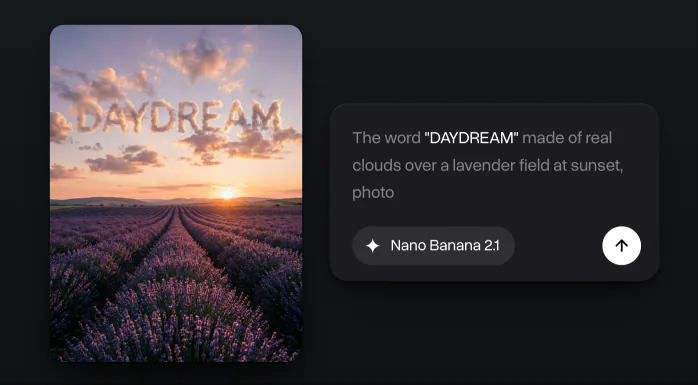
Flawless text in images
Put the words in quotes and Nano Banana 2.1 writes them into the image, on a poster or in the clouds.
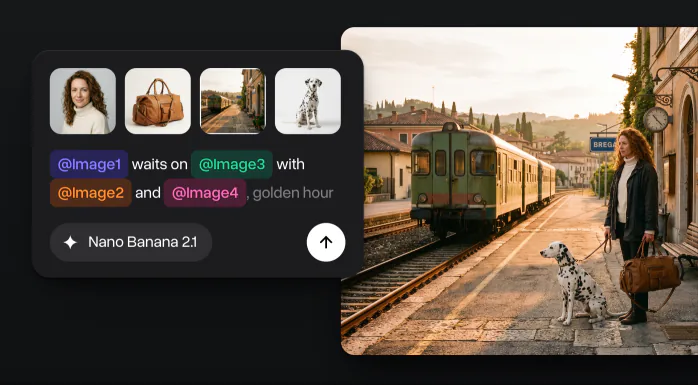
Up to 4 reference photos
Add up to 4 photos to one prompt, such as a person, a product, a place and a pet, and get one image that puts them together.
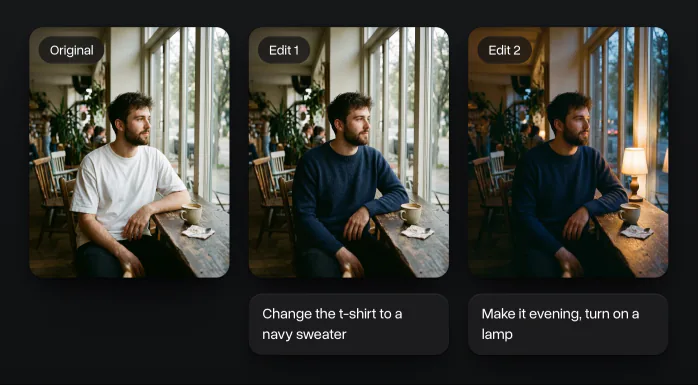
Consistent edits
Edit the same image several times in a row. Only the part you ask about changes, the face, the pose and the background stay as they were.
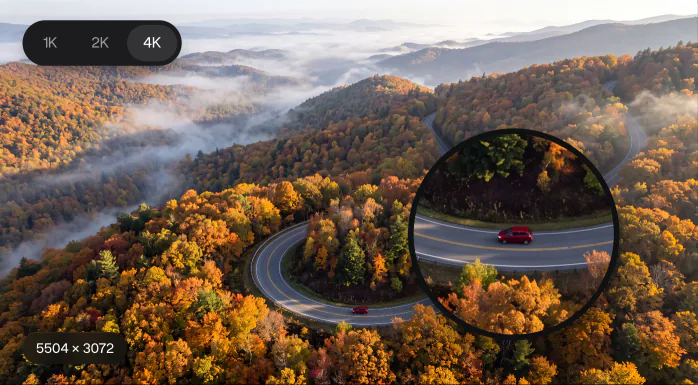
Images up to 4K
Choose 1K, 2K or 4K before you generate. A wide 4K image is 5504 × 3072 pixels, enough for print and large screens.
How to use Nano Banana 2.1 on Overchat AI
Make a Nano Banana 2.1 image in four steps right on this page: write a prompt, add your photos, pick a style and generate.
- 1
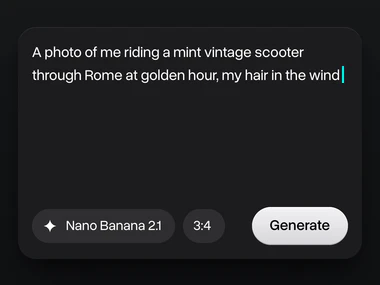
Write a prompt
Describe the image in the box at the top of this page: the subject, the place, the light and the mood. Put any words that should appear in the picture in quotes.
- 2
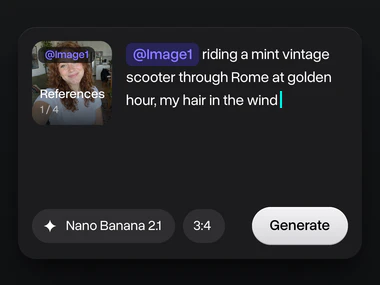
Add your photos
Upload up to 4 reference photos: a face, a pet, a product or a place. Each one gets a tag like @Image1, so you can say in the prompt exactly where it goes.
- 3
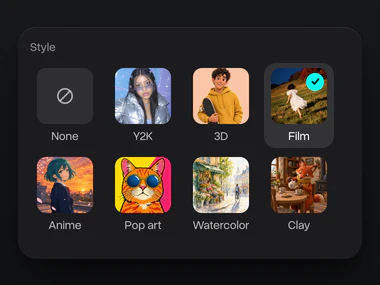
Pick a style
Choose a look such as Film, 3D, Y2K or Watercolor, or leave None. The style goes into your prompt, so you don’t have to describe it.
- 4
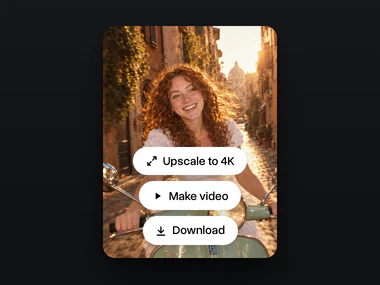
Get your image
Press Generate and get the picture in seconds, in 1K, 2K or 4K. Then change it with a new prompt, upscale it or turn it into a video.
Try Nano Banana 2.1
Write a prompt or add up to 4 reference photos, and Nano Banana 2.1 turns your idea into a finished image in seconds.
Why use Nano Banana 2.1 on Overchat AI
One account for Nano Banana 2.1 and every other top image and video model, with free credits every day.
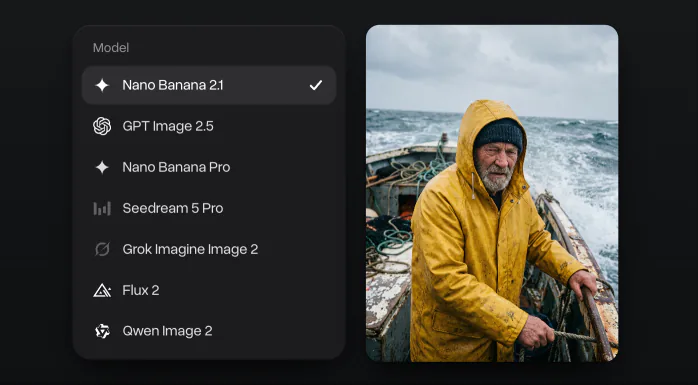
Every top image model in one place
GPT Image 2.5, Nano Banana Pro, Seedream 5 Pro, Flux 2 and Grok Imagine are in the same menu, on one subscription.
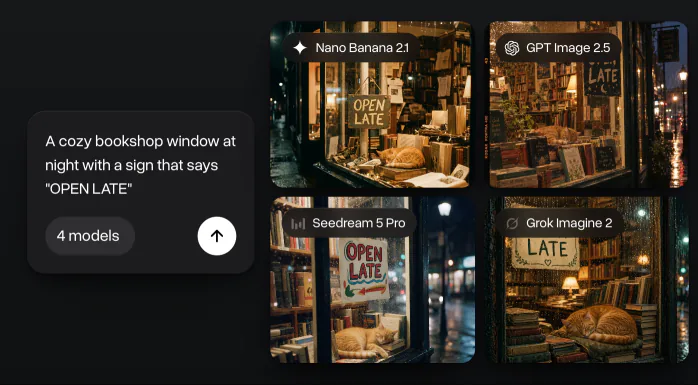
Compare up to 4 models at once
Run one prompt on up to four models and keep the best result.
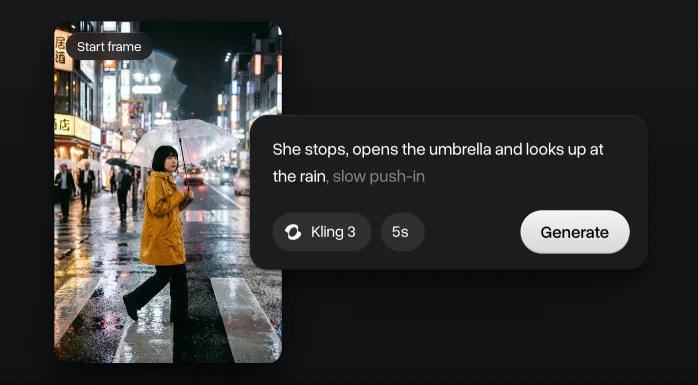
Turn images into video
Send an image to Kling, Seedance or Veo and use it as the first frame of a video.
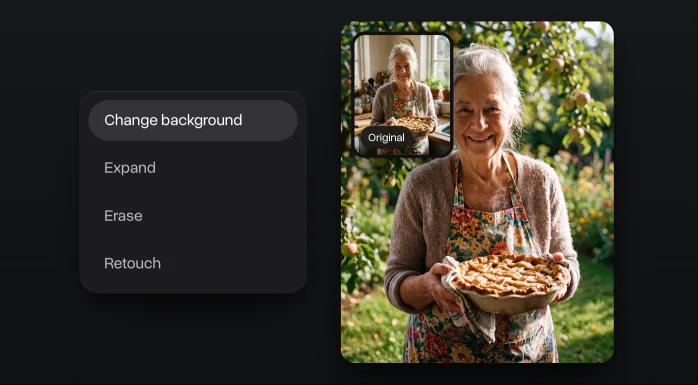
One-tap photo tools
Change the background, expand, erase or retouch a photo without writing a prompt.
What you can make with Nano Banana 2.1
Product photos, posters and flyers, infographics, YouTube thumbnails, headshots and storyboards from a single prompt.
Who is Nano Banana 2.1 for
Nano Banana 2.1 fits any work that needs good pictures fast, from a creator’s feed to a birthday invitation.
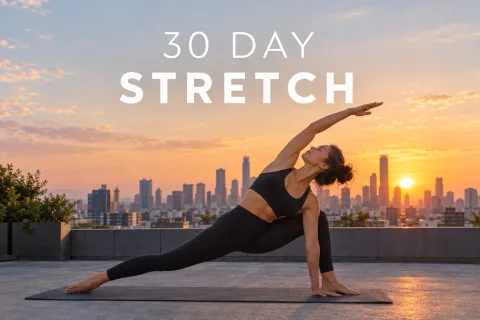
Content creators
Make thumbnails, covers and carousels in one look, with the same face from post to post.
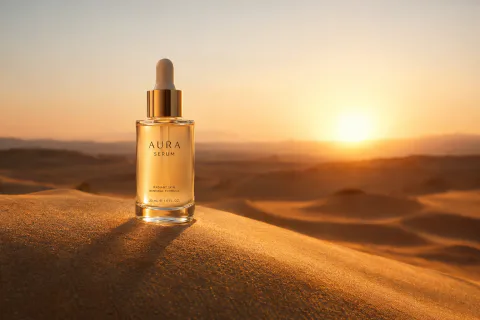
Marketers and brands
Put a product into new scenes and seasons, and add labels and prices as real text.
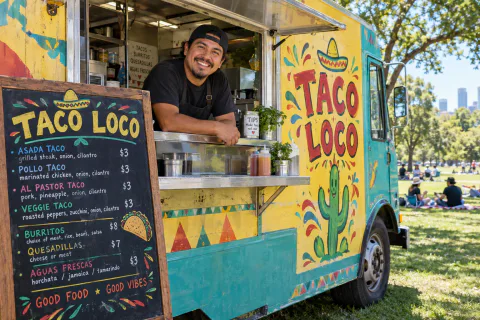
Small businesses
Make a menu, a flyer or a sign for your shop without hiring a designer.
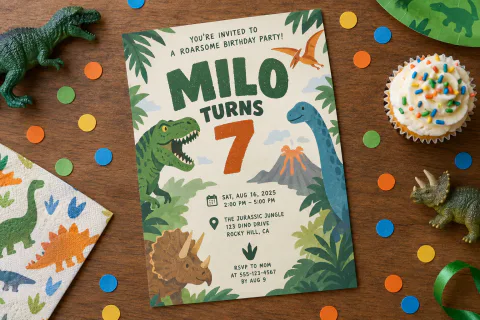
Personal projects
Design invitations, cards and gifts for birthdays, weddings and trips.
Nano Banana 2.1 vs other AI image models
How Nano Banana 2.1 compares with the other image models in Overchat AI: release date, blind-test scores for new images and for edits, reference photos and resolution.
 Nano Banana 2.1Google
 GPT Image 2.5OpenAI
 Grok Imagine Image 2SpaceXAINano Banana 2GoogleNano Banana ProGoogle
 Seedream 5 ProByteDance
Explore other image models
Other new image models in Overchat AI: GPT Image 2.5, Flux 3 Image, Grok Imagine Image 2, Seedream 5 Pro, Nano Banana Pro and Qwen Image 2.


What creators say about Overchat AI
Real reviews from Trustpilot, the App Store and Google Play. People use Overchat AI to make images and videos, compare AI models and keep chat, image and video tools in one subscription.
Saves so much time
Using this gives me opportunity to do insta reels and content for my blog Saves so much time with little effort I get a lot of material to work with
Best app for image and video generation
I really enjoy creating videos with Sora and images with Nano Banano in Overchat! The app is fast, intuitive and very user-friendly
Saves a lot of money
I've started to use overchat last week and it feels very promising. Lots of AI models in one place saves a lot of money in comparison if you buy subscriptions for each one.
All ai in one app
Before I used to pay separately for chat and image generations, now it’s all in one app for me Genuinely saves me money, love it thx guys
I love this app
I love this app, mostly using from web version (NanoBanana) and everything go smoothly everytime…
 Google Play
Lots of new models
Helps a lot! lots of new models
Affordable and simpe to use
Affordable and simpe to use. I like that I don't have to pay for several different services anymore.
One subscription for all models
I like how it keeps everything organized. One subscription is enough for all major AI models, which helps me avoid paying for multiple platforms.
Awesome app
Absolutely love this app
Compare different LLMs
I think I've been using it for around 3 months. it helps me because I can check and compare different LLMs and use it for urgent questions
Great experience
Great experience! It helps me able to do my work and respond to questions quickly trusting that the my responses are grammatically correct.
Nice app
Nice app, everything in one place
Ask and you shall receive
I ask. CHATGP answers. I check on the answer and it's always been correct.
Good and easy to use
Good and easy to use
Nano Banana 2.1 FAQ
If you have any questions,
reach out to us at hello@overchat.ai
Nano Banana 2.1 is Google’s image generation and editing model, released on October 6, 2026. It is built on Gemini 3.6 Flash and updates Nano Banana 2 with better realism, cleaner text and infographics, and steadier characters across edits.
Yes. Nano Banana 2.1 is open on the free plan: you get 100 credits every day, enough for one 1K image. Paid plans give more credits for 2K and 4K images and parallel runs.
Nano Banana 2.1 keeps the speed of Nano Banana 2 and improves the picture: more realistic images at 1K, 2K and 4K, better text rendering and infographic layouts, closer prompt following and more consistent characters over several turns. Google also fixed the tiling seams Nano Banana 2 left on very wide and tall formats.
In Google’s side-by-side tests Nano Banana 2.1 scored higher than Nano Banana Pro in text-to-image, infographics, general editing and character consistency. Nano Banana Pro takes up to 8 reference photos in Overchat AI, Nano Banana 2.1 takes up to 4.
You can generate images in 1K, 2K or 4K. 1K is the default; pick 2K or 4K in the settings for prints, banners and wallpapers.
Add up to 4 reference photos to one run in Overchat AI. Use them to keep a face, a product or a style, or to combine several pictures into one scene.
Yes. Put the words in quotes in your prompt and the model writes them into the picture: titles on posters, labels on packaging, menus and diagrams. Very small text and long paragraphs can still come out wrong, so check them before you publish.
Yes. Upload a photo and describe the change in plain words: replace the background, change the light, remove an object or restyle the whole picture. Everything you don’t mention stays as it was.
Yes. Open the result and send it to a video model such as Kling, Seedance or Veo in the same app. The image becomes the first frame of the clip.
On this page, in the Overchat AI web app and in the iOS and Android apps. Your images and their prompts are saved in your history on every device.


