11 Best Adobe Firefly Alternatives Compared (2026)
Last Updated:
2026-11-09
11 Best Adobe Firefly Alternatives Compared (2026)
Adobe Firefly is Adobe's AI image and video generation platform, with tools for creating and editing visuals and integrations with Photoshop and other Creative Cloud apps. However, you don't need to use Firefly to get access to powerful image and video models, and depending on what you're creating, other platforms may offer better results, more features, or lower prices.
In this article, we've compared 11 of the best Adobe Firefly alternatives, looking at image quality, editing capabilities, available models, and pricing to help you find one that works best for you.
Adobe Firefly has several drawbacks, from overly strict content moderation to subscription cancellation fees. Here are the main reasons you might want to switch.
1. Firefly blocks harmless prompts
Firefly's content filters sometimes reject perfectly ordinary requests. For example, users have reported that a prompt containing the word "inappropriate" gets blocked automatically, even when the context is harmless.
Reddit thread in r/Adobe about Firefly blocking a prompt because it contains the word "inappropriate"
The problem, however, is how aggressively Firefly enforces Adobe's Generative AI User Guidelines, and that accounts can be suspended for violations that never took place in reality.
2. Adobe charges a fee for canceling annual plans
Adobe has an annual plan that it charges monthly. Be careful with this plan because if you cancel more than 14 days after signing up, Adobe will charge you 50% of the remaining contract balance. For example, if you cancel a $20-per-month plan after three months, you'll still have to pay a $90 cancellation fee.
What makes this worse is that Adobe doesn't make this clear at all. This cancellation policy even attracted regulatory scrutiny in March 2026 — the company agreed to a $150 million settlement over allegations that it failed to disclose these fees clearly enough. But the fees themselves haven't disappeared.
I've personally run into this problem. I ended up paying for Photoshop for almost a year despite barely using it, because canceling early would have meant paying the fee anyway.
3. Firefly can fail to generate images or videos
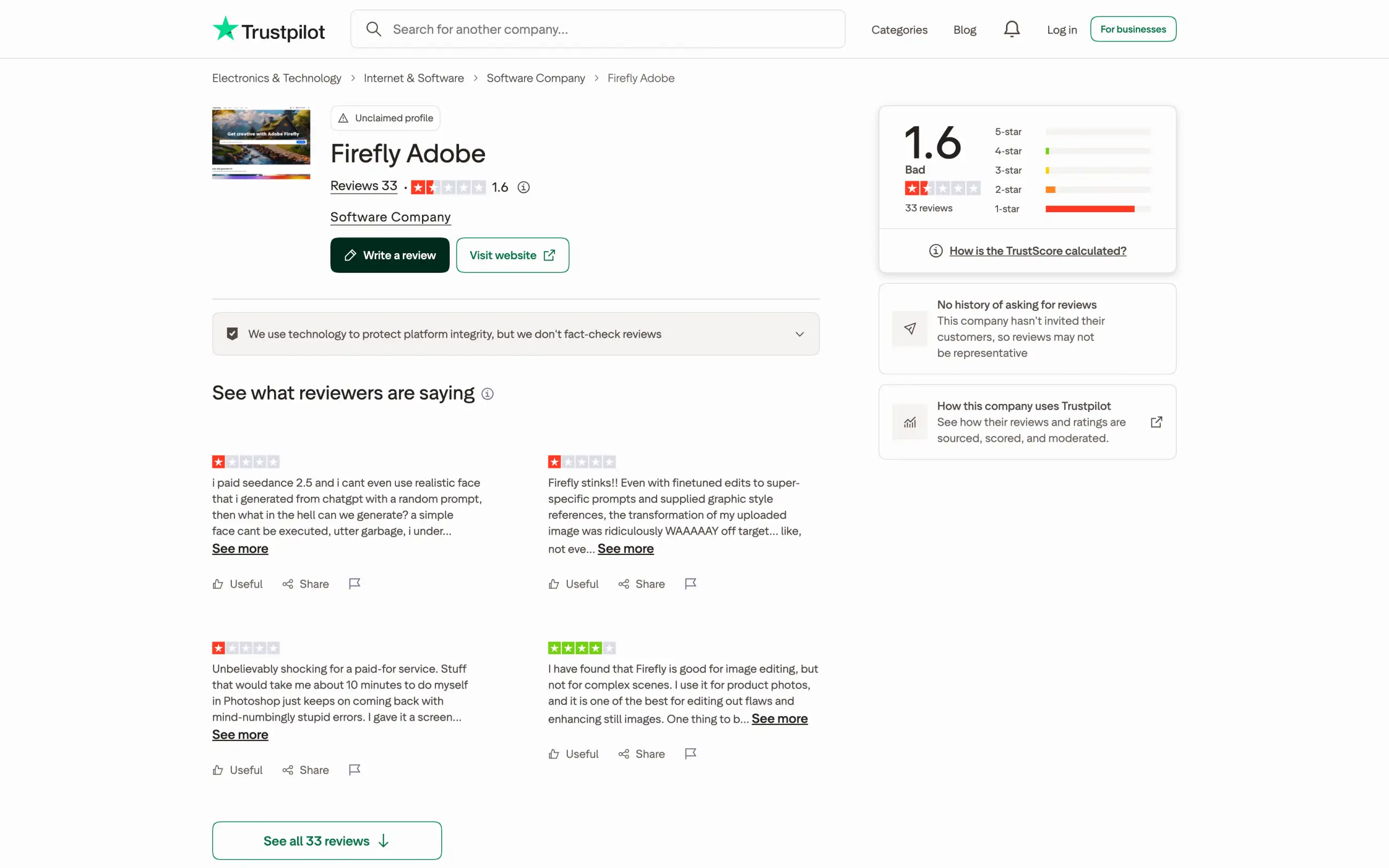
Firefly is pretty buggy. When using it, you'll often encounter the "Something went wrong" error immediately after you click Generate and "slow down" warnings in the iOS app despite having unused credits. This has surely contributed to Firefly's 1.6/5 Trustpilot rating, although that score is based on just 33 reviews.
Firefly's Trustpilot page with a 1.6 out of 5 rating from 33 reviews
4. Generating with partner models can get expensive
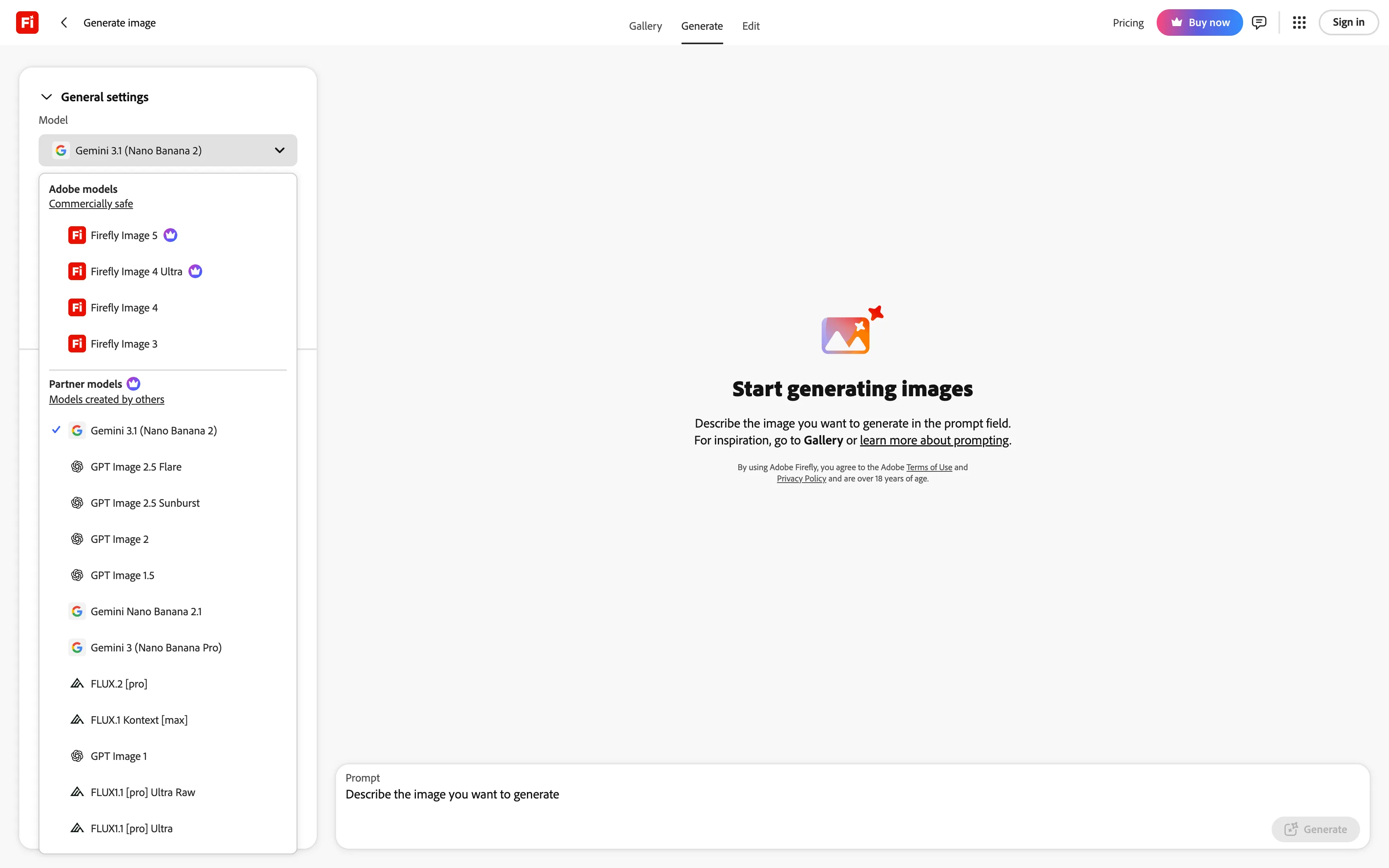
Adobe Firefly offers models from other developers, including Nano Banana, GPT Image, Kling, and Veo. However, these models use premium generative credits, as does Adobe's Firefly Image 5.
Adobe Firefly model list with premium icons next to Firefly Image 5 and the partner models section
The Standard plan includes 2,000 credits a month. That's enough for approximately five 10-second Kling 4.0 videos at 720p or 50 Nano Banana Pro images.
Pro and higher plans offer unlimited generations with selected partner models, but there's a catch: the offer lasts only for your first subscription year. It also applies only to generations made on the Firefly website or mobile app. After the first year, those models go back to consuming credits.
Adobe help page explaining that Firefly's unlimited generations last for the first year, after which users return to consuming credits
Is Adobe Firefly Still Worth Using?
Despite all of the above, Adobe Firefly still might make sense for you, if you can overlook the unethical cancellation policy. The situation where it's worth considering is if you already use Adobe's creative software and work a lot in Photoshop, giving you immediate access to AI tools.
For everyone else, though, we'd recommend considering one of these alternatives, which, outside of Photoshop integration, can do everything that Firefly can — and sometimes more.
Adobe Firefly alternatives at a glance
App
Best for
Paid from
Free plan
Adobe Firefly
Editing in Photoshop and other Adobe apps
$9.99/month
About 3 images a day
Overchat AI
Image and video models from different developers
$7.50/month
100 credits a day
Krea
Custom models and video generation
$5.25/month
100 units a day
Higgsfield
Cinematic videos and fashion portraits
$15/month
Limited models, watermark
OpenArt
Stories with recurring characters
$13/month
Trial credits
Magnific
Stock assets and AI generation
$14.50/month
20 images a day, Auto only
ChatGPT
Editing images in a conversation
$8/month
Limited image creation
Canva
Social media posts, ads, and presentations
$120/year
Limited AI uses
Midjourney
A distinctive artistic style
$8/month
No free plan
Ideogram
Text inside images
$15/month
About 10 images a week
Recraft
Vector graphics and logos
$10/month
Limited credits
ComfyUI
Running models on your own computer
Cloud from $16/month
Free desktop app
Let's take a closer look at each app. To make the list easier to navigate, we've grouped them by functionality.
AI aggregators
AI aggregator apps bring models from several developers into one app, allowing you to generate media and chat with AI in one place.
1. Overchat AI
Overchat AI is an AI aggregator we've built that specializes in image and video generation as well as agentic workflows via Superchat. It features a constantly growing catalogue of the leading AI models, including Nano Banana, GPT Image, Kling, Seedance, and Veo, along with models Firefly doesn't offer, such as Seedream and Grok Imagine.
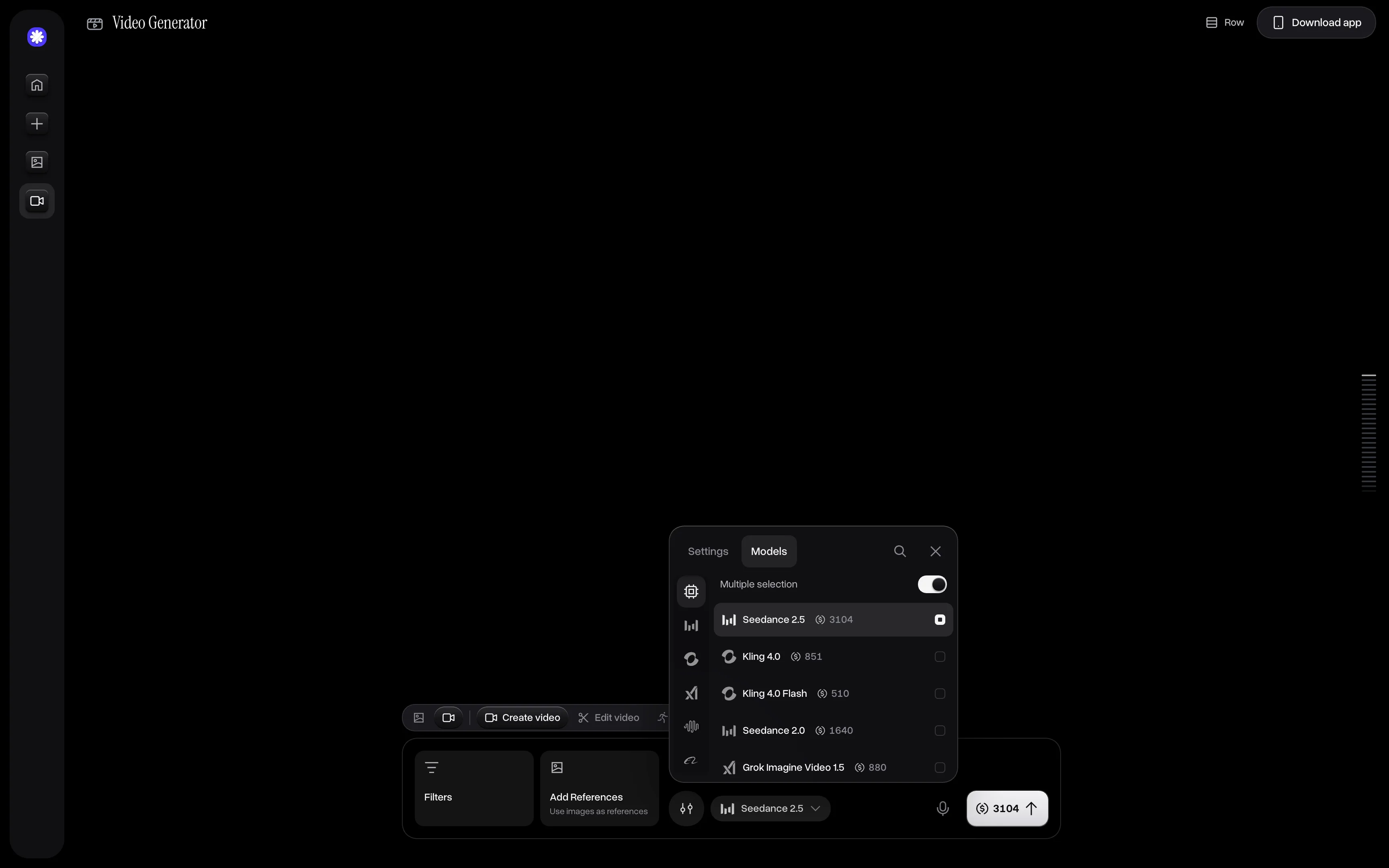
If you use Firefly for video, in our AI video generator you can create and edit AI videos with Kling 4.0, Seedance 2.5, Happy Horse 1.1, Grok Imagine Video, and even more models.
Overchat AI's video generator with the model list open and the price in credits next to each model
You can also use it to edit photos, which covers much of what Generative Fill does in Firefly, with brushes to paint over areas of a photo to edit it selectively and text-based workflows where you describe the change in a text prompt.
Having several models in one place also helps when a model refuses a request or gets it wrong. Models from Google, OpenAI, and xAI follow different content policies, so you can try the same prompt with another model without paying for another service.
You can also send your prompt to multiple models at the same time to compare their results side by side.
Overchat AI is free to try, and if you like it, you can extend the usage via one of our plans:
Also, there's no cancellation fee. If you cancel, your plan stays active until the end of the current billing period, and you can try full access for $1.99 before choosing a plan. Unused subscription credits don't roll over to the next period, but credits from one-time packs never expire.
Best for: People who want Nano Banana, GPT Image, Kling, and other partner models without an Adobe subscription, along with chat models and AI tools in the same app.
Pros:
✅ Image, video, and chat models from different developers in one subscription
✅ Model choice on the free plan, with the price of each model shown before generating
✅ No cancellation fee, and the plan stays active until the end of the billing period
Cons:
❌ 100 free daily credits cover only one image with some models
❌ Unused subscription credits don't roll over
❌ No integration with Photoshop or other desktop design apps
2. Krea
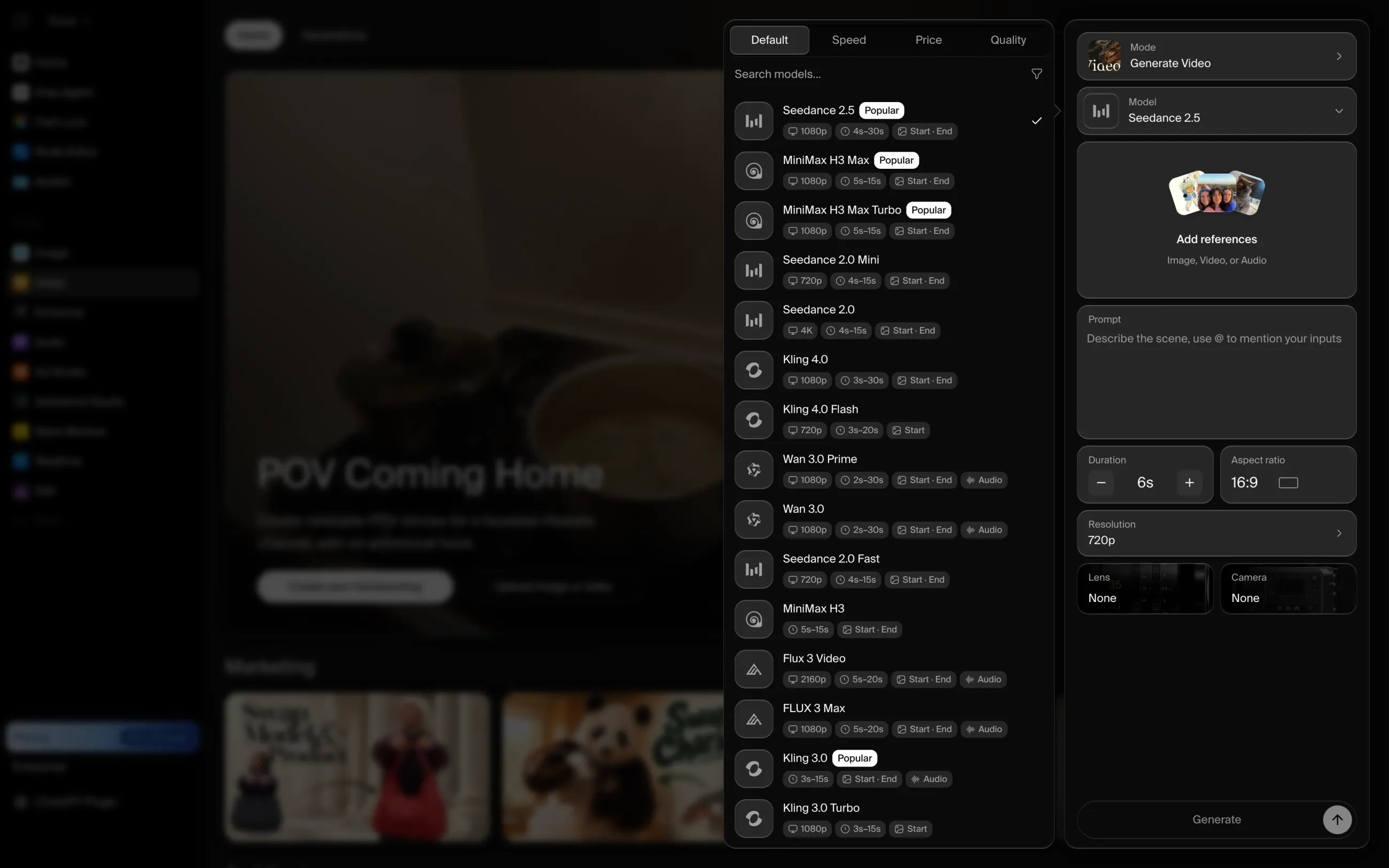
Krea is a good option if video is a big part of your work, since in Krea you can create videos using the latest models, such as Seedance 2.5 and Kling 4.0.
Krea's video tool with the model list open, showing Seedance 2.5, Kling 4.0, Wan 3.0, and other video models
Like Firefly, Krea lets you train a custom model on your own references. This helps when the same product, character, or visual style has to appear across a whole campaign.
If you'd rather sketch than write long prompts, there's also Realtime, which updates the image as you draw. It's a quick way to try out a composition before you describe it in detail.
You can try Krea for free with 100 units a day, and unlike Firefly, the free plan lets you use image models from other developers. However, 100 units cover only about four Nano Banana 2 Lite images, so if you plan to use Krea regularly, you'll need one of the paid plans:
Price:
Plan
Monthly
Yearly, per month
Units a month
Basic
$9
$5.25
5,000
Pro
$35
$21
20,000
Max
$105
$63
60,000
All paid plans include a commercial license, but unused units don't roll over to the next month.
Best for: Designers who need custom models, video generation, and reusable workflows in one place.
Pros:
✅ Video and image models from different developers, with model choice on the free plan
✅ Custom model training, Realtime generation, and a Node Editor
✅ Paid plans from $5.25 a month with yearly billing
Cons:
❌ 100 free units a day cover only a few images
❌ Unused units don't roll over
3. Higgsfield
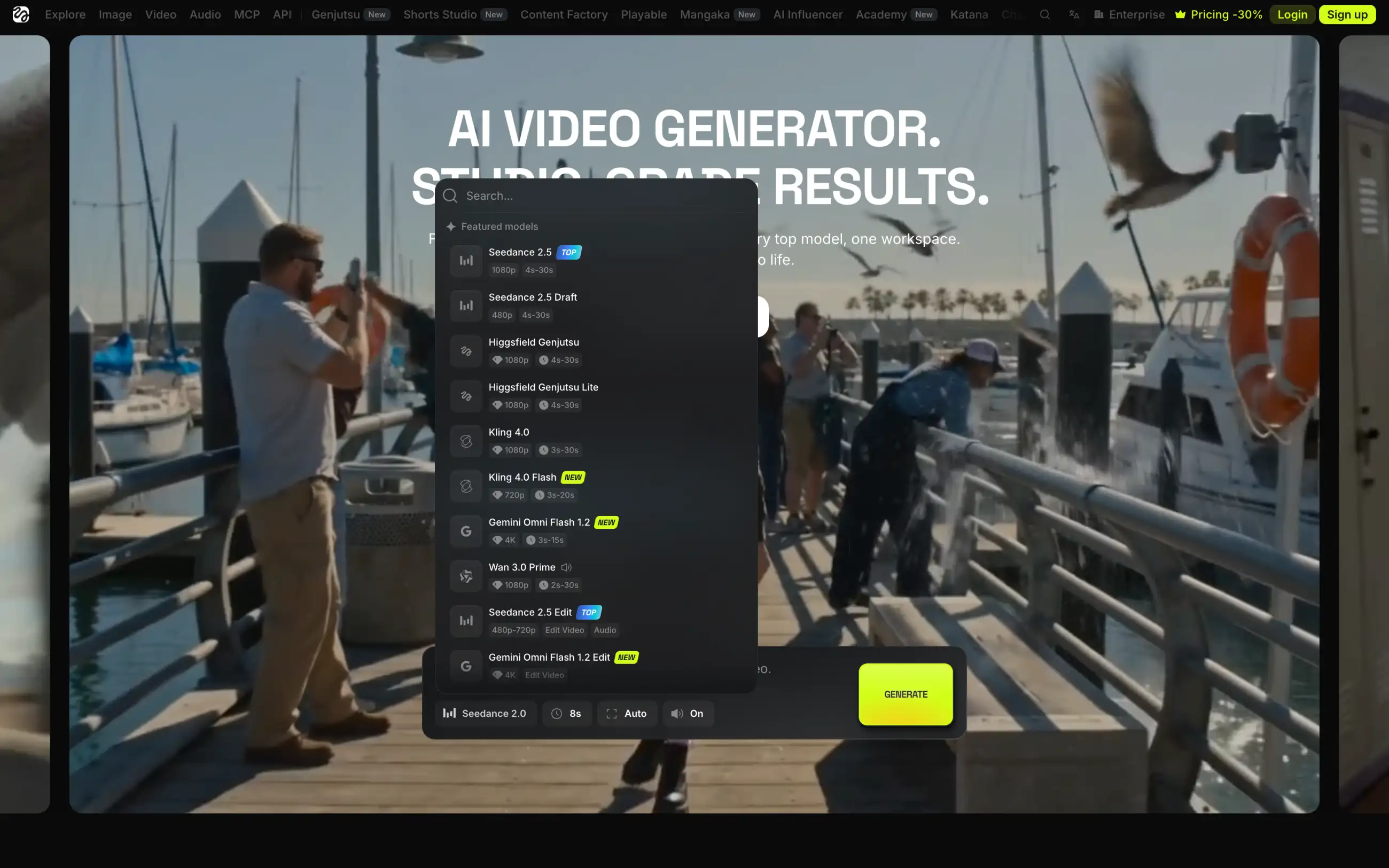
Higgsfield is an AI platform for cinematic videos and fashion photography. It's a better fit than Firefly if you're making music videos, ads, or short films and want more control over how the camera moves. You can animate a still portrait with a cinematic camera movement or apply visual effects to a clip without editing it afterward.
What sets Higgsfield apart is its own models: Soul for fashion and editorial photos, and Genjutsu for video. Higgsfield develops them itself, but you can still switch to Kling or Seedance in the same app when you need a different look.
Higgsfield's video generator with the model list open, showing Seedance 2.5, Higgsfield Genjutsu, Kling 4.0, and other models
Be careful with Higgsfield's unlimited offer, though, because it has a catch similar to Firefly's. The Plus and Ultra plans include unlimited generations with selected models, but only for seven days and only on higgsfield.ai.
You can also try Higgsfield for free, but only with a few models, your generations will have a watermark, and you won't get any monthly credits.
Price:
Plan
Monthly
Yearly, per month
Credits a month
Starter
$15
$15
200
Plus
$49
$39
1,000
Ultra
$129
$99
3,000
Prices may vary by country, and unused subscription credits don't roll over. If video is your main reason for leaving Firefly, you may also want to compare Higgsfield with Dreamina and Kling AI.
Best for: Creators who make cinematic videos, ads, and fashion portraits and want control over camera movement.
Pros:
✅ Soul and Genjutsu models for cinematic images and videos
✅ Camera controls and visual effects for video
✅ Popular video models like Kling and Seedance in the same app
Cons:
❌ Free generations have a watermark, and there are no monthly free credits
❌ Unlimited generations last only seven days on Plus and Ultra
❌ More expensive than most alternatives on this list
4. OpenArt
OpenArt is an AI image and video platform built around storytelling. If you're making a comic, an animated short, or a series of videos with the same characters, OpenArt's character tools keep them consistent from one scene to the next, which is hard to achieve in Firefly.
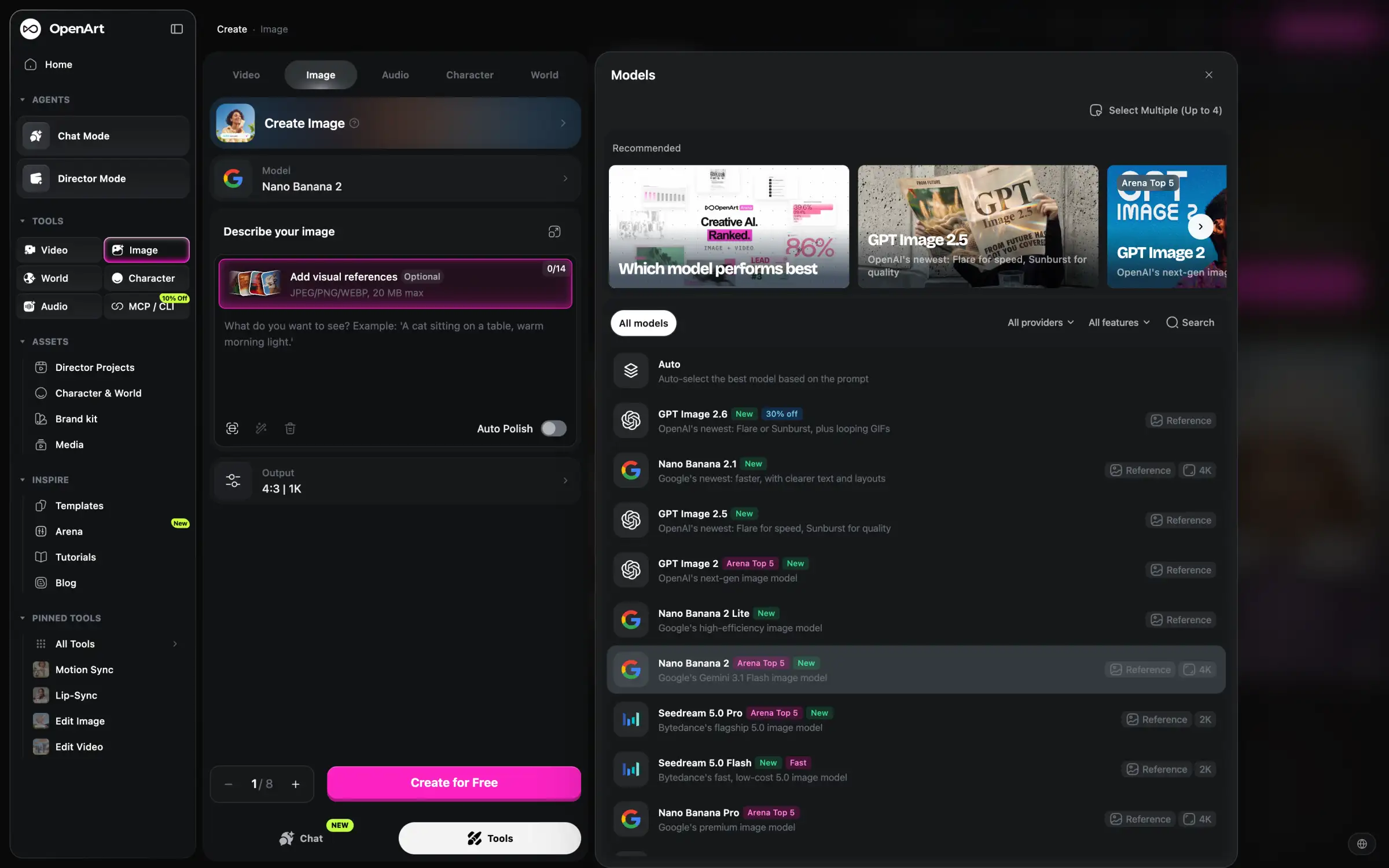
For regular images, OpenArt has most of the popular models, from GPT Image to Nano Banana. Select Multiple lets you run one prompt through up to four of them at once and compare the results.
OpenArt's image generator with the model list open
If Adobe's cancellation policy is what made you look for an alternative, read OpenArt's billing rules carefully too. You have to cancel at least five days before your renewal date to avoid the next charge, and unused subscription credits expire at the end of each month.
The free plan is also quite limited. You only get a few trial credits, your creations are stored for seven days, and you'll need the Plus plan or higher to use your images commercially.
Price:
Plan
Monthly
Yearly, per month
Credits a month
Starter
$14
$13
4,000
Plus
$34
$27
12,000
Pro
$56
$44
24,000
Wonder
$240
$175
106,000
Best for: Comics, animated stories, and video series with recurring characters.
Pros:
✅ Character tools for consistent characters across scenes
✅ Most popular image models in one app
✅ Select Multiple compares up to four models with one prompt
Cons:
❌ You have to cancel at least five days before renewal
❌ Commercial use starts with the $34/month Plus plan
❌ Free creations are stored for only seven days
5. Magnific (formerly Freepik)
Magnific is the closest alternative if you use Adobe Stock together with Firefly. It's the platform previously known as Freepik, which rebranded to Magnific in April 2026, and it combines a library of stock photos, vectors, and templates with AI image, video, and audio generation. If you're preparing a marketing campaign, you can find stock assets, generate the missing images, and download everything from one place.
On paid plans, you can choose between more than 15 groups of image models, including Nano Banana and GPT Image.
Magnific's image generator with the model list open
Another difference from Firefly is how Magnific handles credits. Firefly's credits reset every month, while Magnific's paid plans come with a yearly credit pool. You can spend fewer credits in a quiet month and use the rest on a bigger project later in the year, which suits freelancers and agencies with uneven workloads.
The free plan gives you up to 20 images a day, but you can't pick the model yourself: Magnific chooses it for you in Auto mode. If you use Nano Banana a lot, the Plus plan is worth a look, since it includes unlimited generations with Nano Banana 2 at 1K resolution and Nano Banana Pro.
Price:
Plan
Monthly
Yearly, per month
Credits a year
Premium
$20
$14.50
240,000
Plus
$45
$33.75
600,000
These are US prices. In Europe, Premium costs €15 a month, or €10.50 a month with yearly billing.
Best for: Designers and marketers who need stock assets and AI generation in one subscription.
Pros:
✅ Stock photos, vectors, templates, and AI generation in one platform
✅ Yearly credit pool without monthly resets
✅ Unlimited Nano Banana 2 and Nano Banana Pro generations on Plus
Cons:
❌ Free users can't choose the model
❌ Prices vary by region
Image generators and design tools
If you mainly use Firefly for one type of work, such as editing photos, making social media graphics, or designing logos, a tool built for that task may suit you better than a platform with dozens of models.
6. ChatGPT
ChatGPT is a good Adobe Firefly alternative if you prefer to edit images by describing the changes. You can upload a photo, ask ChatGPT to replace the background or change a detail, and keep refining the result in the same conversation. There's no need to select an area first, as you would with Generative Fill.
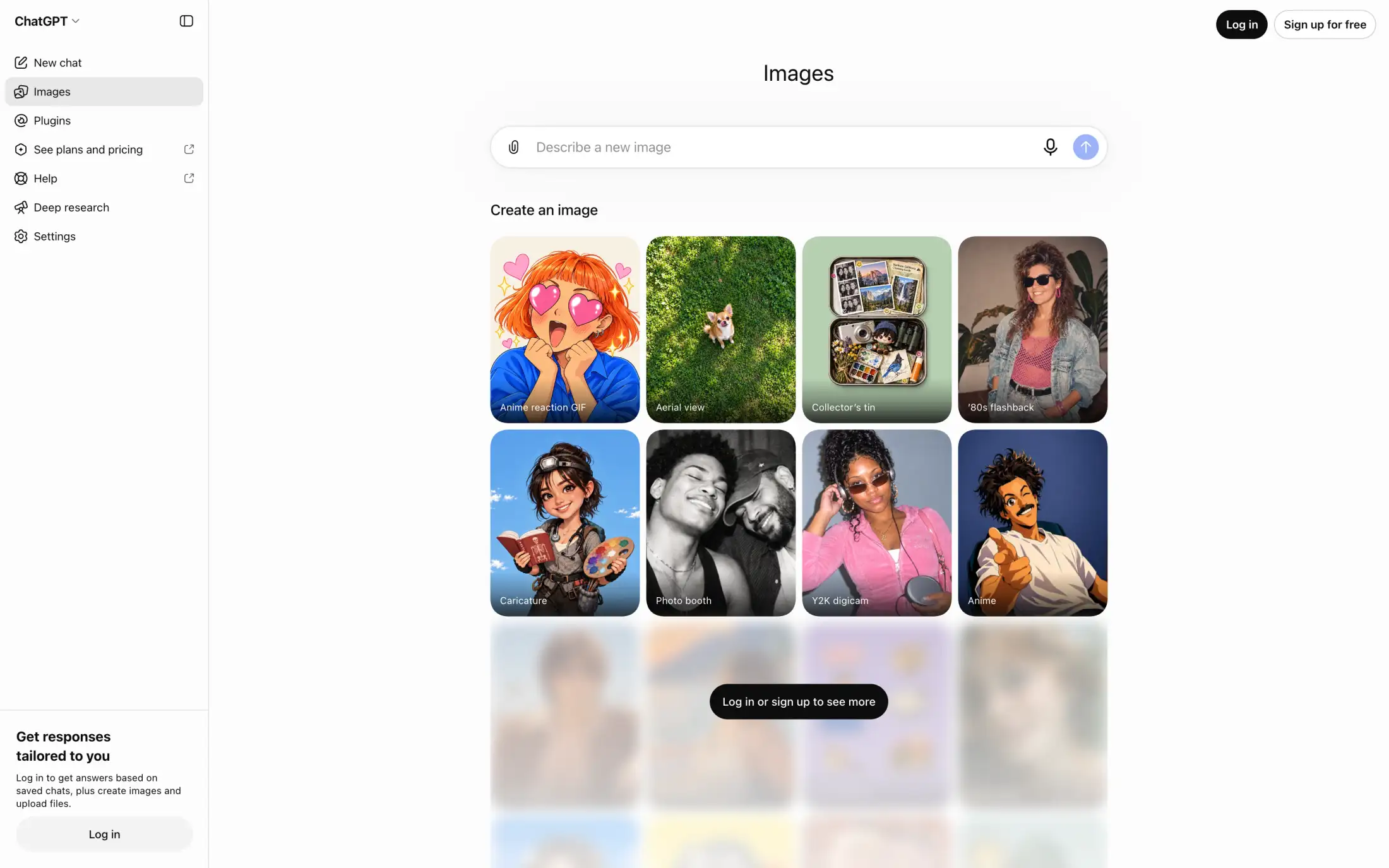
ChatGPT also has a separate Images page with ready-made styles, such as Caricature, Photo booth, and Y2K digicam, which you can use as a starting point for your own images.
ChatGPT's Images page with a prompt box and ready-made image styles
ChatGPT generates images only with OpenAI's models, so you can't switch to Nano Banana or another model if a result doesn't work out. On the other hand, the subscription isn't limited to images. The same plan gives you chat models for writing, research, and coding.
And unlike Adobe's annual plans, ChatGPT's paid plans are monthly subscriptions. If you cancel, you keep access until the end of the billing period and don't pay anything extra.
Price:
Plan
Monthly
Image generation
Free
$0
Limited
Go
$8
More than Free
Plus
$20
More complex and accurate images
The Pro plans add unlimited and faster image creation. You can find more details in our breakdown of ChatGPT's plans.
Best for: People who want to edit images in a conversation and also use AI for writing and other tasks.
Pros:
✅ Image editing by describing changes, without selecting areas
✅ Free plan with limited image creation
✅ Chat models for writing and research in the same subscription
Cons:
❌ Only OpenAI's image models
❌ Image limits on Free and Go aren't specified as a number
7. Canva
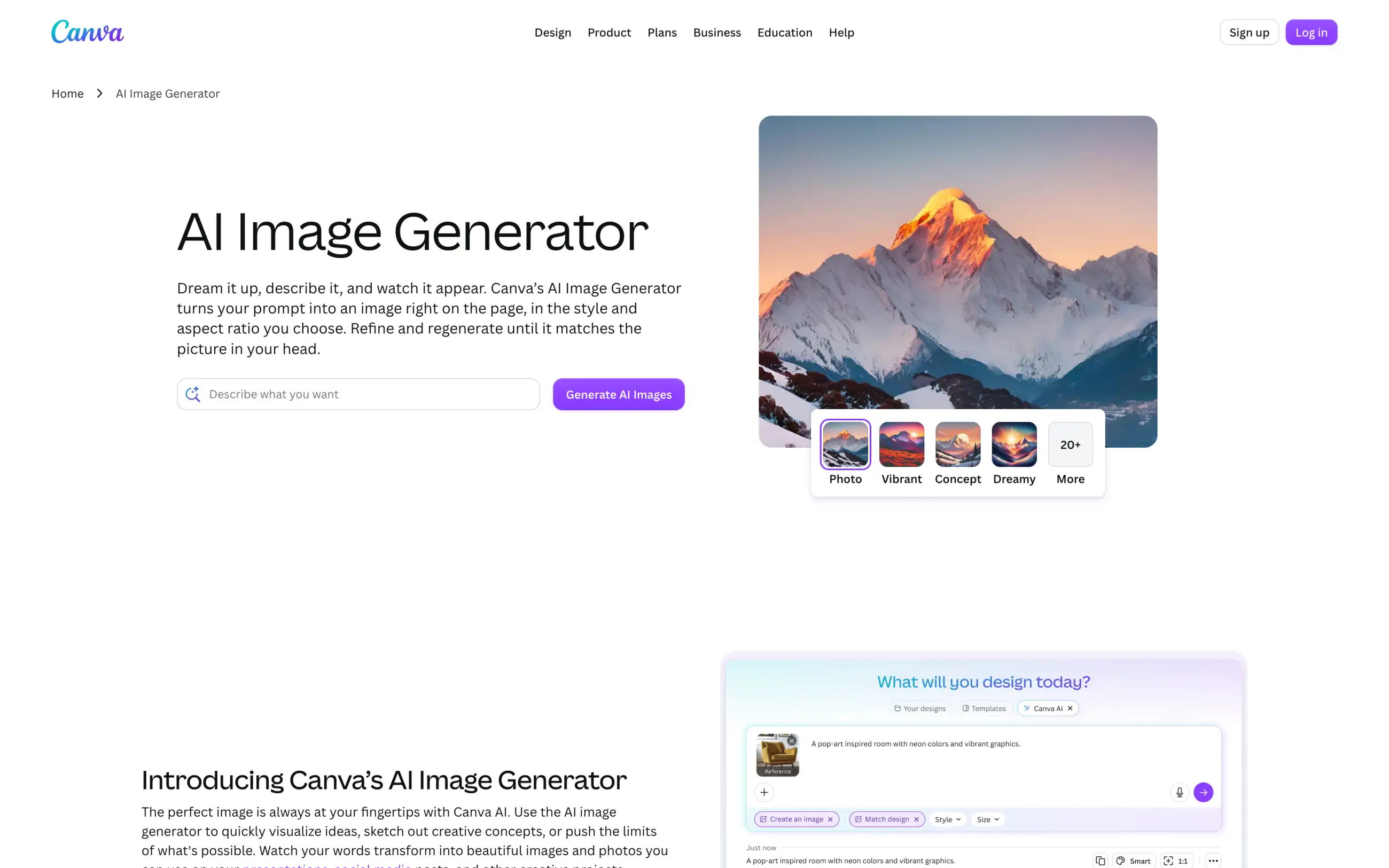
Canva is a better choice than Firefly if you generate images to use them in a finished design, such as a social media post, a presentation, an ad, or a flyer. You can generate an image with Canva's AI tools and place it into a template in the same editor, without exporting it and opening another app.
Canva also owns Affinity, a professional photo editing and design app, and all Canva plans include access to it. If you're leaving Adobe altogether, Affinity can handle many of the tasks you'd otherwise do in Photoshop and Illustrator, and Canva Pro adds AI features to it.
Canva's AI Image Generator page with a prompt box and image styles
When it comes to AI generation, Canva doesn't give you a set number of images. All AI tools share one monthly allowance, and advanced tools use more of it, so how many images you can generate depends on what else you use. Canva Pro gives you ten times more AI than the free plan, Canva Business gives you twenty times more, and if that's not enough, you can buy the AI Pass add-on.
Price:
Plan
Yearly
AI allowance
Free
$0
Limited
Pro
$120
10x more than Free
Business
$210 per person
20x more than Free
Best for: Marketers, small businesses, and content creators who turn AI images into ready-made designs.
Pros:
✅ AI image generation inside a design editor with millions of templates
✅ Access to Affinity on every plan
✅ Free plan with limited AI tools
Cons:
❌ The AI allowance isn't a fixed number of images
❌ Business costs $210 a year per person
8. Midjourney
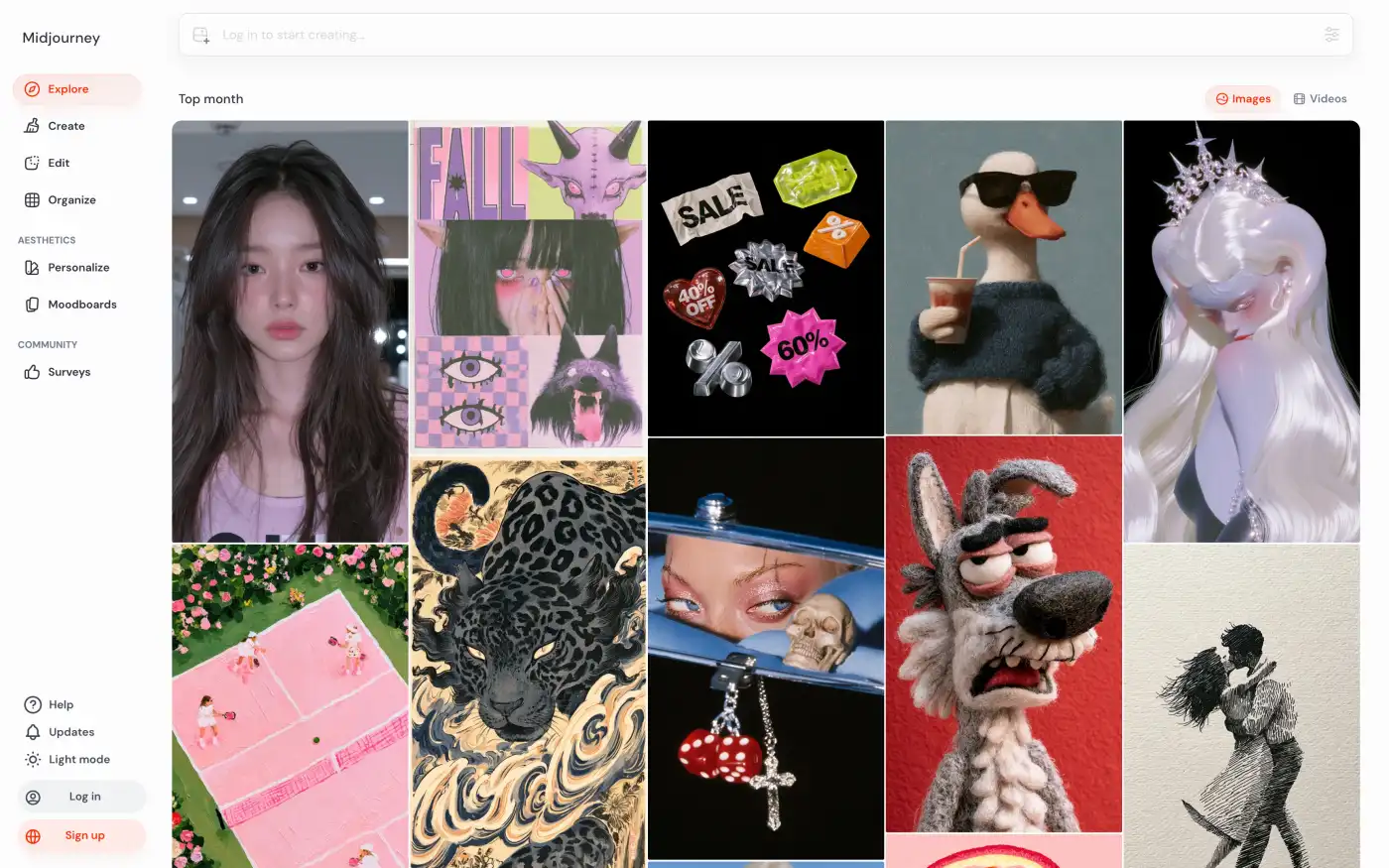
Midjourney is the better choice if you care more about the artistic look of your images than about commercial safety. It develops its own image models, and its results often look more like illustrations, concept art, or editorial photos than Firefly's.
Midjourney also gives you tools for keeping a consistent style. Personalize builds a preference profile from images you like, and Moodboards let you collect references for colors, atmosphere, and composition. If you need to repaint part of an image or extend it, the Edit page does a similar job to Generative Fill and Generative Expand in Firefly.
Midjourney's Explore page with popular images from the community
The main drawback is that Midjourney doesn't have a free plan, so you'll need to subscribe before you can try it. Your images are also public by default, and private generation requires the $60-per-month Pro plan or higher. If your company earns more than $1 million a year, you need the Pro or Mega plan anyway.
From the Standard plan up, you can keep generating in the slower Relax mode after you use up your Fast time. You can also compare Midjourney with other AI art generators.
Best for: Illustrators, artists, and concept designers who want a recognizable visual style.
Pros:
✅ Distinctive artistic results
✅ Personalize and Moodboards for a consistent style
✅ Unlimited Relax generations from the Standard plan
Cons:
❌ No free plan and no models from other developers
❌ Private generation only on the $60 Pro plan or higher
❌ Poor Trustpilot rating
9. Ideogram
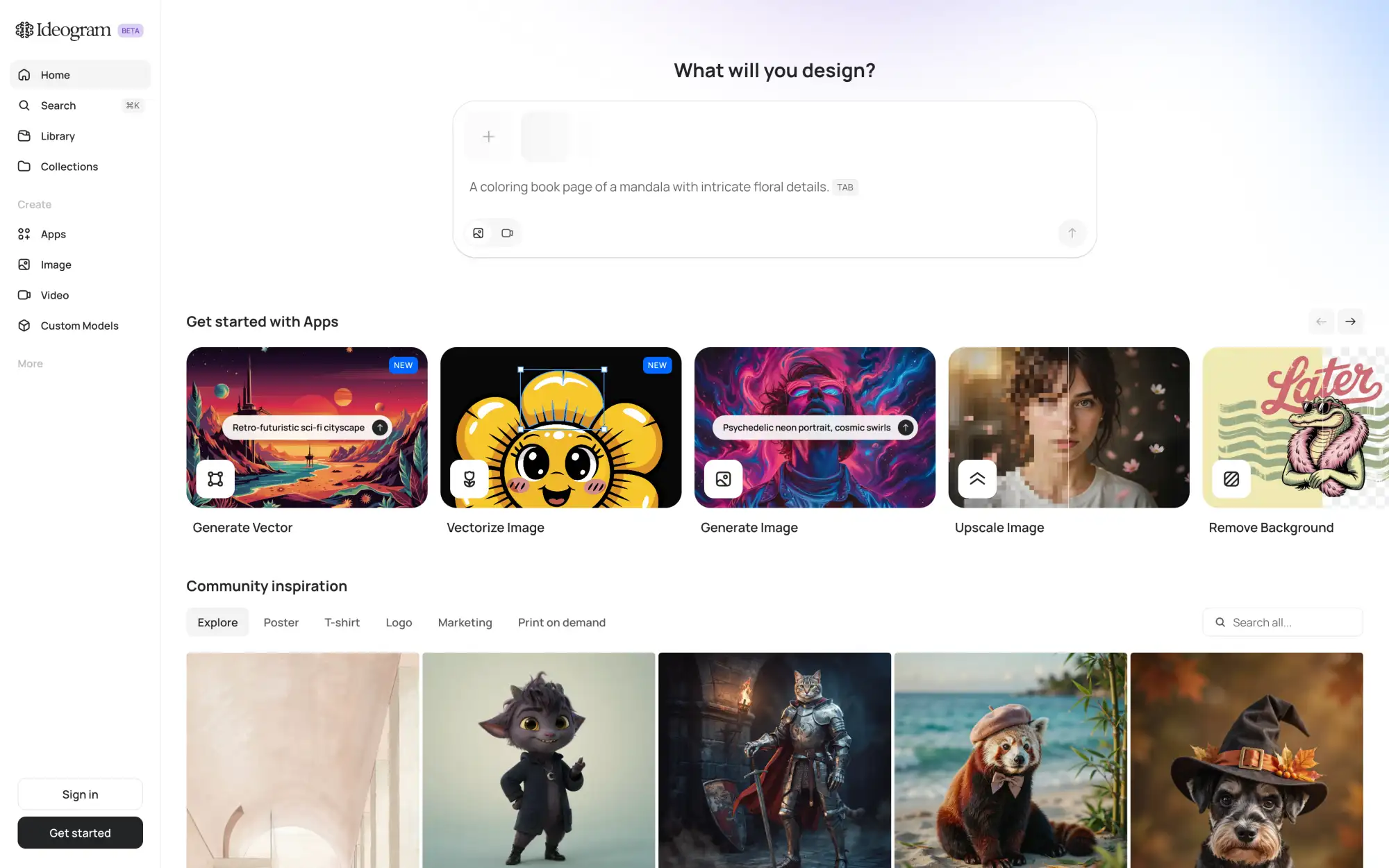
Ideogram is the best choice on this list if your images need to contain text. It's built for posters, ads, logos, and other designs where the text is part of the image, and its own Ideogram models are designed to get the lettering right. Besides them, there are only a few models from other developers, such as GPT Image, so the choice is much smaller than in Firefly.
For simple design tasks, Ideogram has ready-made apps for generating vectors, turning an image into a vector, upscaling, and removing backgrounds. This way, you don't need Illustrator or Photoshop to finish a graphic.
Ideogram's home page with a prompt box and apps for vectors, upscaling, and background removal
Another advantage is that running out of credits on Ideogram doesn't stop your work. Paid plans include monthly priority credits, and after you spend them, you can keep generating with Ideogram's own models in an unlimited slow queue. The slow queue doesn't support AI editing or image references, so it's most useful for creating new images from text.
The free plan gives you enough credits for about ten Ideogram 4.5 images a week at Low quality, and these images are public.
Price:
Plan
Monthly
Yearly, per month
Priority credits a month
Plus
$20
$15
2,400
Pro
$60
$42
7,500
Team
$30
$20
3,600
Team prices are per user. All paid plans include private generations.
Best for: Posters, ads, and logos with readable text.
Pros:
✅ Strong typography in generated images
✅ Unlimited slow generation with Ideogram's models on paid plans
✅ Apps for vectors, upscaling, and background removal
Cons:
❌ Free images are public, and there are only about ten a week
❌ Few models from other developers
10. Recraft
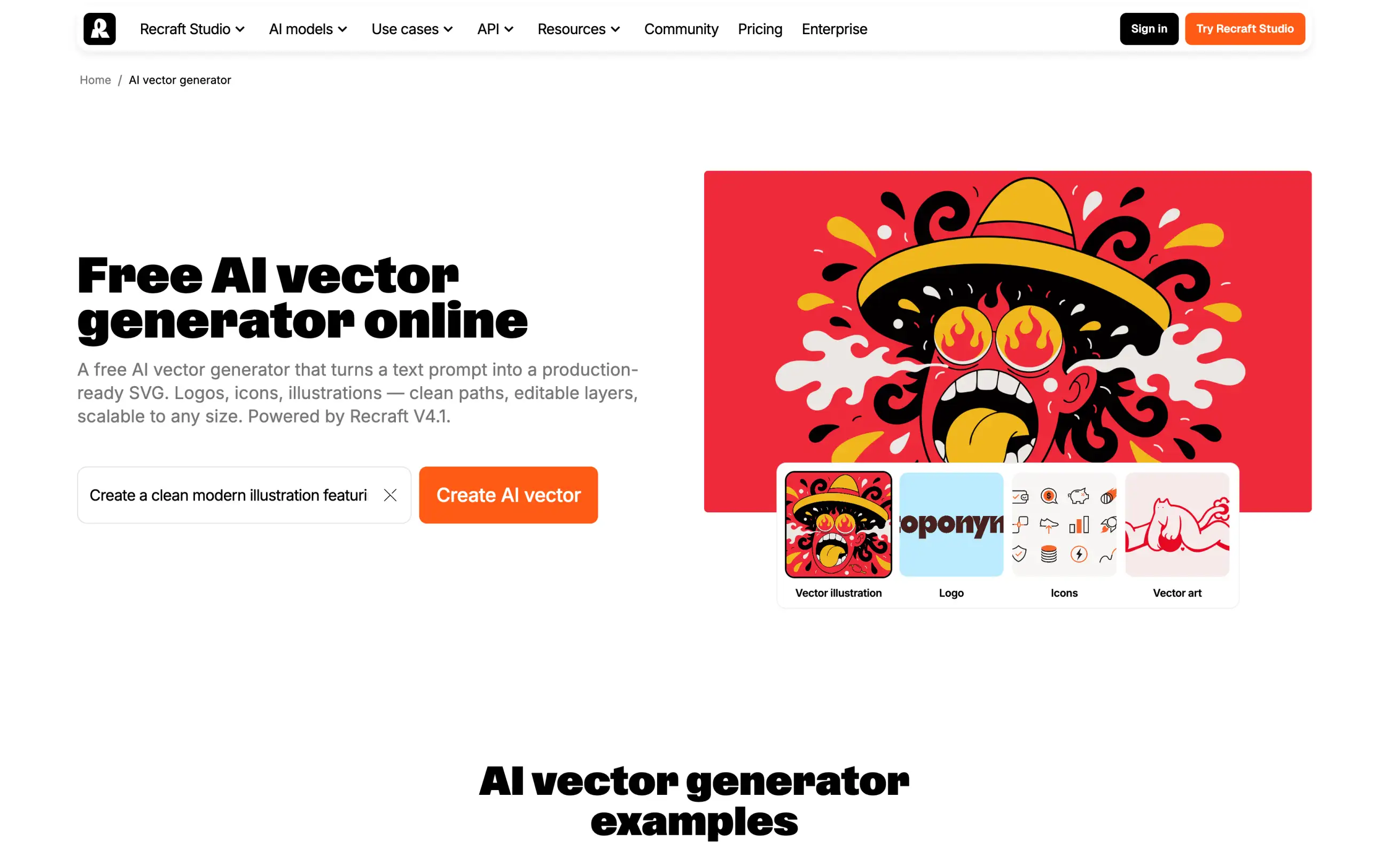
Recraft is a good alternative if you use Firefly in Illustrator to create vector graphics. It generates vector illustrations, icons, and logos in a browser, and you can export them as SVG files and resize them without losing quality.
You aren't limited to vectors, though. Recraft also creates regular images, both with its own models and with GPT Image and Nano Banana, so you can make icons and photo-realistic visuals for the same project in one place.
Recraft's AI vector generator with a prompt box and examples of vector illustrations, logos, and icons
Before you use the free plan for client work, check Recraft's licensing. Images you generate for free are public, belong to Recraft, and can't be used commercially. On a paid plan, your images are private and stay yours even after you cancel.
Price:
Plan
Monthly
Yearly, per month
Credits a month
Basic
$12
$10
1,000
Pro
$20
$16
2,000
Unused subscription credits don't roll over, but top-up packs don't expire.
Best for: Designers who create icons, logos, and illustrations in vector format.
Pros:
✅ Vector generation with SVG export
✅ Paid images stay private and belong to you after cancellation
✅ GPT Image and Nano Banana for regular images
Cons:
❌ Free images are public and can't be used commercially
❌ Unused subscription credits don't roll over
Run it yourself
All the alternatives above generate images on their servers. That's convenient, but it also means subscriptions, credits, and content filters you can't control. If you have a powerful GPU, you can run open image models locally instead.
11. ComfyUI
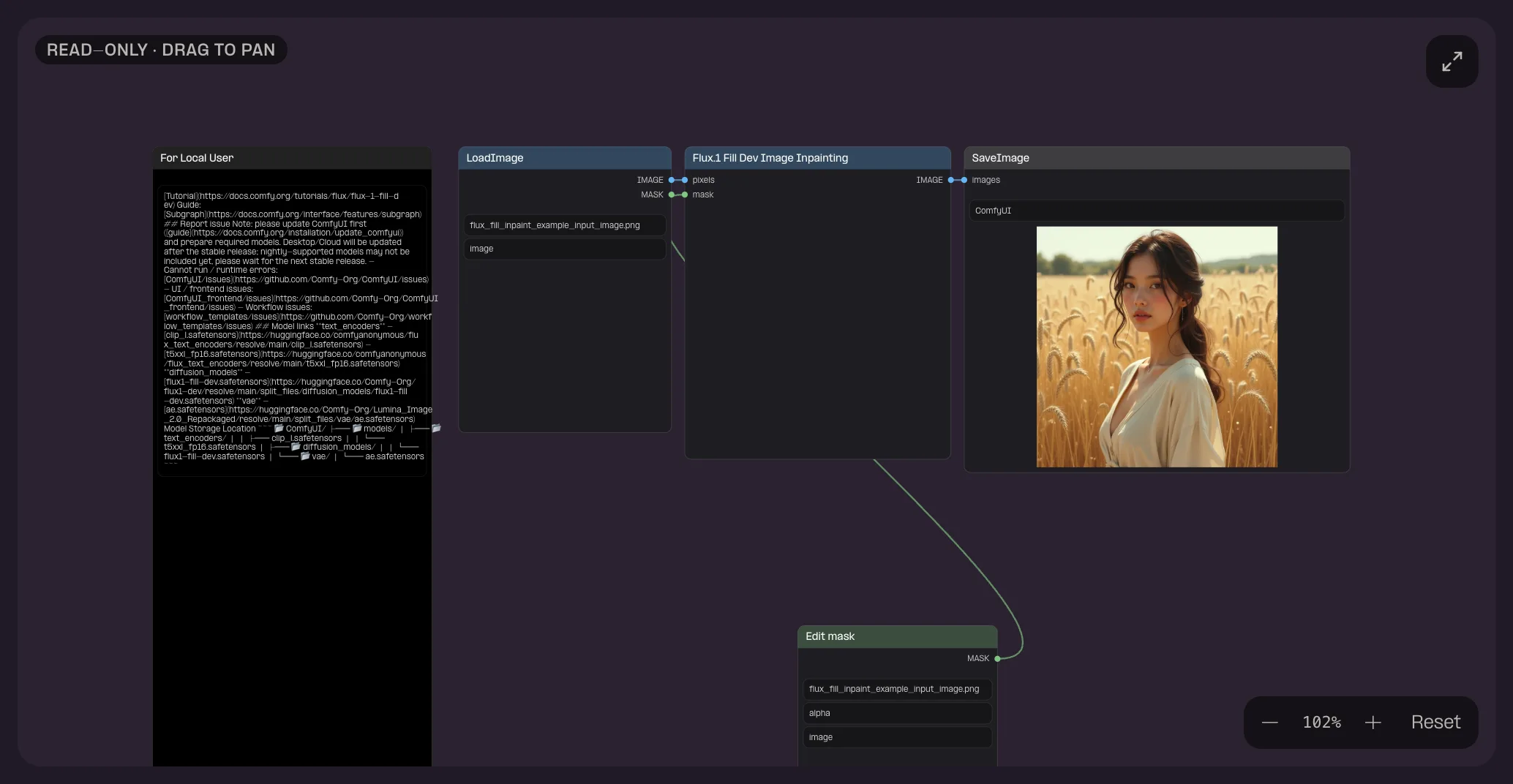
ComfyUI is a free, open-source app for running image and video models on your own computer. Instead of a prompt box with a few settings, it gives you a node editor, where each node is one step of the process, such as loading a model, entering a prompt, or saving the result. You connect the nodes into a workflow and reuse it with different prompts.
This sounds complicated, but it means that with the right workflow, ComfyUI can do much of what Firefly does in Photoshop. For example, you can build a workflow that fills a selected area of a photo, similar to Generative Fill, or extends an image beyond its borders, and then upscales the result in the same run. ComfyUI also supports LoRAs, small files that teach a model a particular character, product, or style.
ComfyUI workflow that edits a selected area of a photo with Load Image, Flux.1 Fill, Edit mask, and Save Image nodes
When you run ComfyUI on your computer, there's no online service that checks your prompts or limits how many images you can make per day. Your images and prompts also stay on your device, which matters if you work with unreleased products or private client material.
The trade-off is the learning curve. You need to understand how models, nodes, and workflows fit together, and larger models need a lot of GPU memory. Ready-made templates help you get started, and if your computer isn't powerful enough, Comfy Cloud runs the same workflows on cloud GPUs in a browser. New Comfy Cloud users get five free runs.
Price:
Plan
Monthly
Yearly, per month
Credits a year
Desktop
$0
$0
—
Standard
$20
$16
50,400
Creator
$35
$28
88,800
Pro
$100
$80
253,200
Best for: Technical users who want full control over image generation and no content filters from a service.
Pros:
✅ Free desktop app without credits or daily limits
✅ Prompts and images stay on your computer
✅ Workflows for filling, extending, and upscaling images
Cons:
❌ Requires a capable GPU for local generation
❌ Harder to learn than Firefly or any app on this list
FAQ
Here are answers to common questions about Adobe Firefly and its alternatives.
What is the best Adobe Firefly alternative?
Overchat AI is the best Adobe Firefly alternative if you want the same partner models as in Firefly without an Adobe subscription. Paid plans start at $7.50 a month with yearly billing, and there's no cancellation fee. If you mostly turn AI images into designs, choose Canva. For an artistic style, choose Midjourney.
What are some free alternatives to Adobe Firefly?
Overchat AI gives you 100 free credits a day and lets you choose the model, and Krea gives you 100 free units a day. Magnific offers 20 free images a day, but it chooses the model for you. ChatGPT and Ideogram also have free plans with limited image generation. If you have a powerful GPU, ComfyUI is free to run on your own computer.
Which is better, Canva or Adobe Firefly?
Canva is better for finished designs, such as social media posts, presentations, and ads, because you generate an image and place it into a template in the same editor. Firefly is better for detailed photo editing, especially if you already use Photoshop, and for commercial work with Adobe's own models.
Which is better, Adobe Firefly or Midjourney?
Midjourney is better for artistic images, illustrations, and concept art. Firefly is better for commercial projects, since Adobe labels its own models as commercially safe, and for editing existing photos. Midjourney also has no free plan, while Firefly lets you generate a few images a day for free.
Which is better, Adobe Firefly or ChatGPT?
ChatGPT is better if you want to edit an image by describing the changes in a conversation. Firefly is better for precise edits in a selected area and for work that continues in Photoshop or Illustrator. ChatGPT's subscription also includes chat models for writing and research.
Is Adobe Firefly worth the money?
Firefly is worth paying for if you use Photoshop or Illustrator every day, since paid plans include unlimited Generative Fill and image generation with Firefly Image 4. If you mainly need partner models, you'll pay for them with credits, and you can get the same models in an AI aggregator without a yearly contract.
Does Adobe Firefly have unlimited generations?
Partly. All paid plans include unlimited use of standard features, such as Generative Fill, Generative Expand, and Firefly Image 4. Pro plans and higher also include unlimited generations with selected partner models, but only for the first year of the subscription and only on the Firefly website and mobile app.
Are images from Firefly partner models safe for commercial use?
Adobe labels only its own Firefly models as commercially safe. For partner models from Google, OpenAI, and other developers, Adobe leaves it to you to decide whether a model is appropriate for your project. IP indemnification is available only to eligible enterprise customers.
Can I cancel Adobe Firefly without a fee?
It depends on your plan. You can cancel a month-to-month plan at any time and keep access until the end of the billing period. On an annual plan paid monthly, you get a full refund only within the first 14 days. After that, you pay a cancellation fee of 50% of the remaining balance.