Top 5 Best AI Poster Generators: Top Tools to Create Professional Posters From Text
Last Updated:
2026-09-08
Top 5 Best AI Poster Generators: Top Tools to Create Professional Posters From Text
Getting a poster professionally designed can cost anywhere from $50–$200, and most designers have a turnaround time of days.
You can also design one yourself, but unless you're really good at Photoshop or Illustrator, it might take you hours. Also, chances are you'll struggle to create something that looks really good — and that's okay, not everyone has developed the skill to draw well.
Which is probably why you're looking for the best AI poster generator.
With these tools, you can describe your vision in plain English, click generate, wait a bit for the AI to do its magic, and get a professional poster — without ever touching a paintbrush, drag-and-drop design interface, or anything else.
But which poster generators deliver the best results consistently? We've tested the most popular options to find the five that produce the cleanest layouts, the most readable typography, and the most professional results — and here's our shortlist.
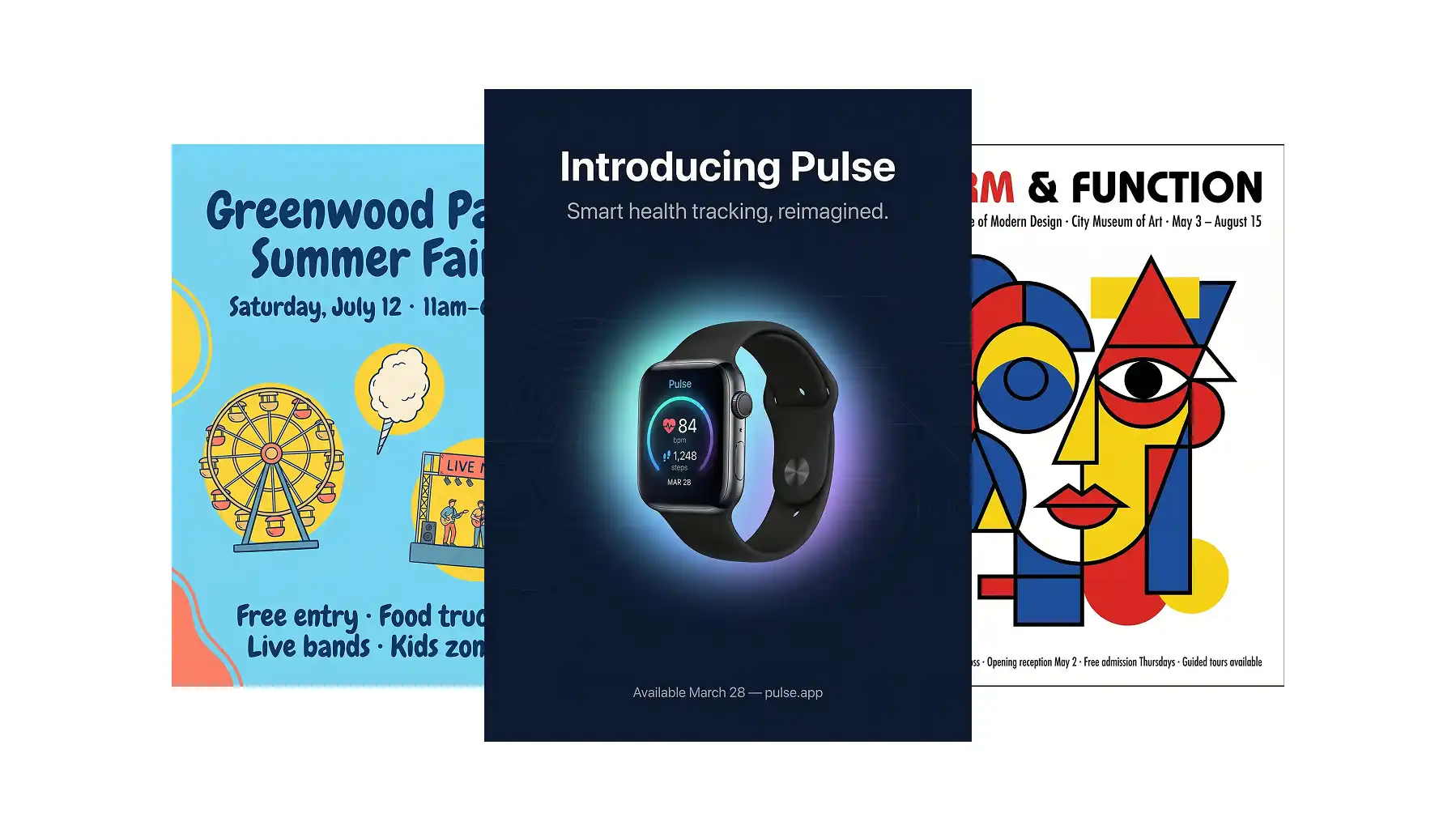
AI poster generators use text-to-image and image-to-image models to create poster designs from written prompts, with optional reference images for style guidance.
The best ones can render legible text, balanced compositions, and bold visuals — a major improvement over older models that struggled with typography.
Overchat AI is the top pick, powered by Seedream, offering reference image support, 20+ style presets, all major aspect ratios, no signup, and no watermarks.
Canva's Magic Media combines AI generation with a full drag-and-drop editor, Magic Eraser, Magic Grab, and direct print ordering — best for those who want manual refinement after generation.
Design com focuses on business branding with automatic name placement and vector exports (SVG, EPS, PDF) — ideal for storefronts and small businesses needing print-ready files.
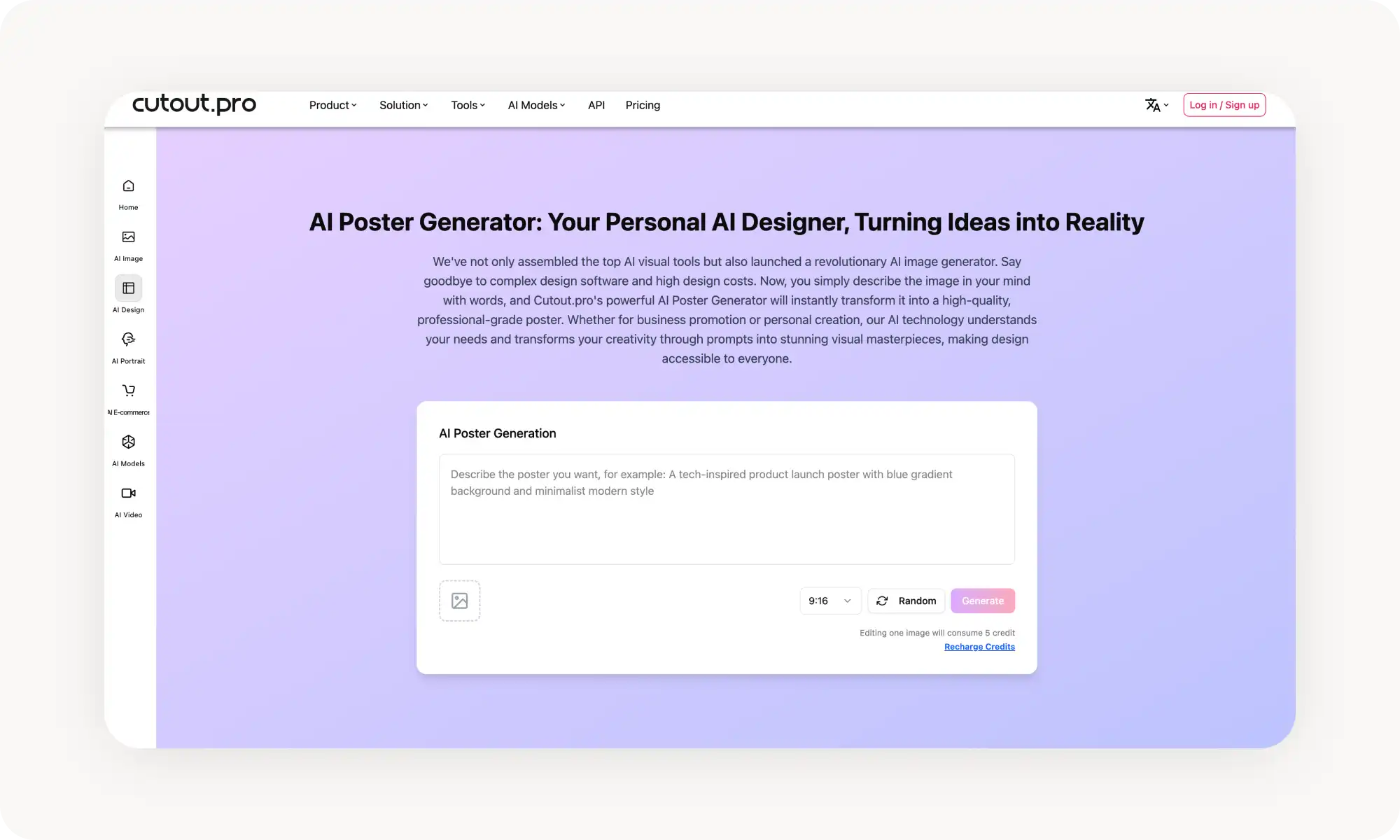
Cutout Pro stands out by letting you upload a product image and having the AI build a poster around it — tailor-made for e-commerce with an API for batch generation.
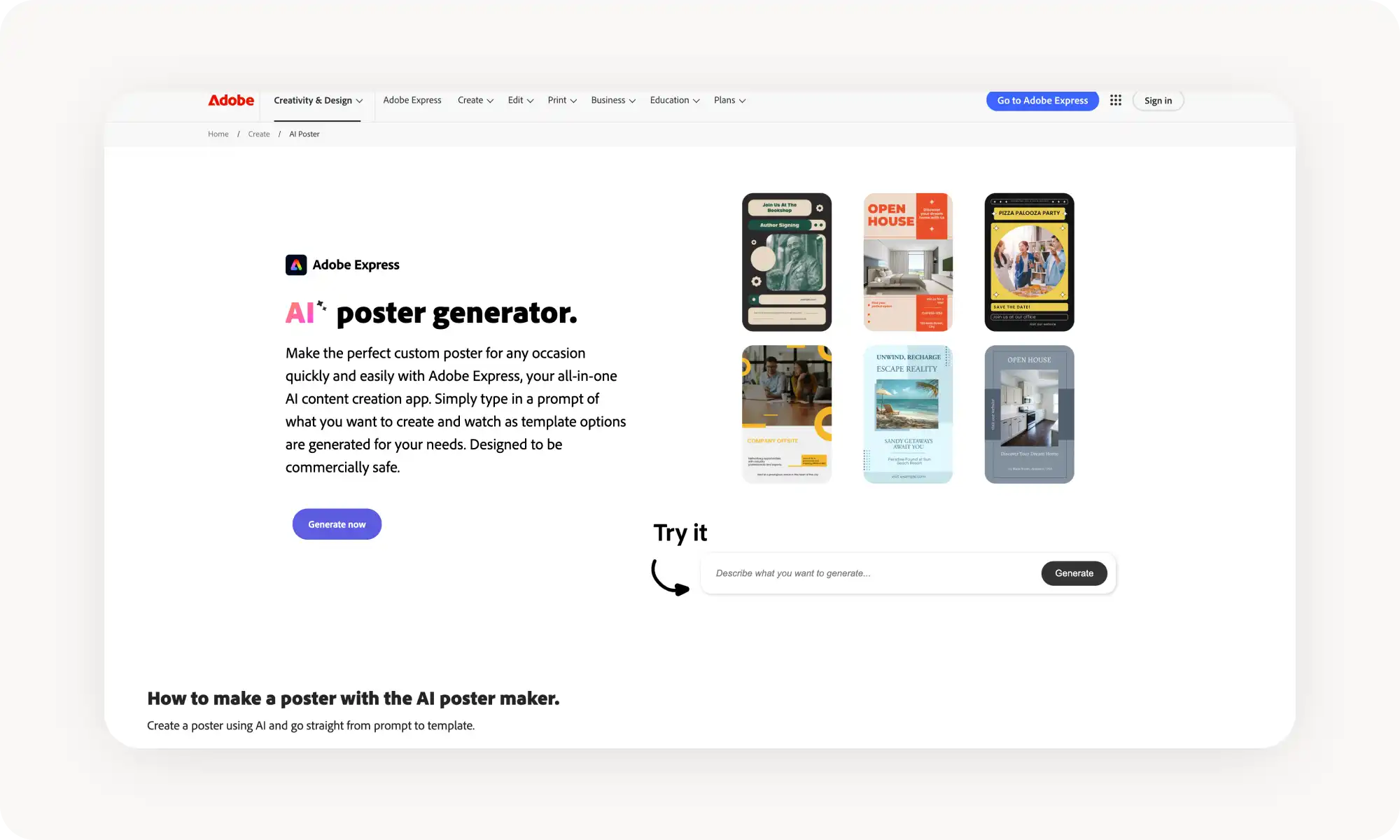
Adobe Express integrates with Creative Cloud and delivers clean, professional output with reliable print quality, though full features require Premium ($9.99/month).
For print-ready files, Design com's vector formats are the clear winner, while Canva solves the same problem by offering direct print ordering within the platform.
What is an AI Poster Generator?
But before we jump into the tools comparison, let's clear up what we mean by "AI poster generator."
An AI poster generator is a tool that uses an artificial intelligence text-to-image or image-to-image generation model to create poster designs from a text description, with an optional reference.
The way these tools work is they give you a text-based prompt where you can describe the poster you'd like — or even just tell the AI what it should be made for — and the image generation model automatically brings your vision to life.
You can also give it text to write on the poster. A good tip is to include any text in quotation marks "like this".
The best AI poster generators produce output with very legible text and create balanced, easy-to-read compositions out of the box, so you can focus on communicating exactly what you want to say instead of designing.
5 of the Best AI Poster Generators Compared
We've tested over 30 AI poster generators, but only 5 made this list — the ones that performed the best on a consistent basis and that we enjoyed using the most.
Platform
Free Plan?
Works Without Sign-up?
Price for Pro
Overchat AI
✓
✓
$14.99/month or $49.99/year
Canva
✓
✗
$15/month+
Design.com
✓
✗
From $3/month
Cutout.pro
✓
✗
From $5.99/month
Adobe Express
✓ (limited)
✗
From $9.99/month
Overchat AI
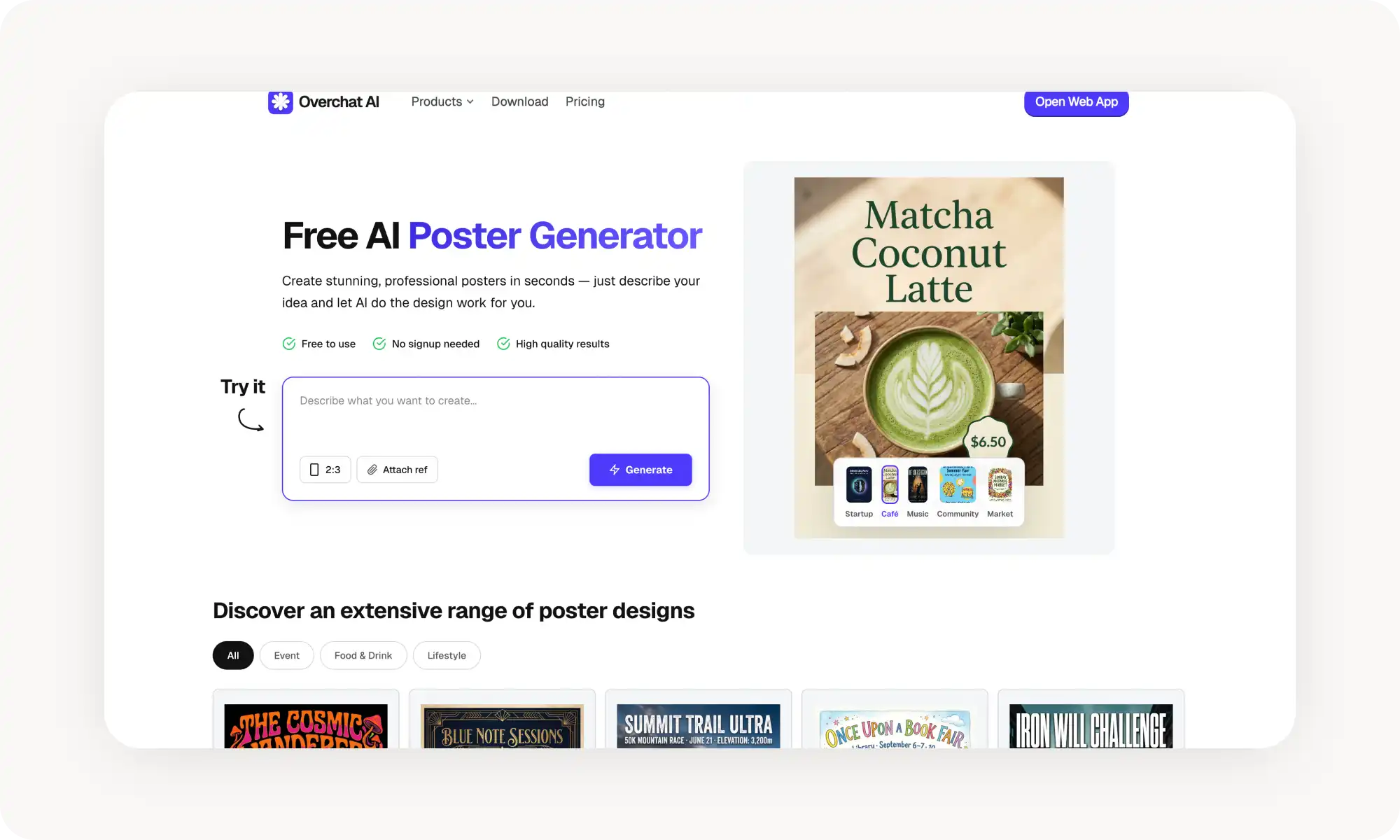
Overchat AI Poster Generator works like this. You describe your poster, optionally upload a reference image for style guidance, choose an aspect ratio (2:3, 1:1, 3:2, 4:3, 16:9, or 9:16), and hit Generate.
The AI — powered by Seedream — then works its magic behind the scenes and gives you the result immediately on a landing page, which you can then download in HD quality and use as you like — no catch.
The reference image feature is really cool and makes the tool super powerful. For example, you can upload a poster you like as a style reference, which gives the AI a concrete visual target to work toward. There's also a gallery with over 20 styles that you can reuse at the click of a button.
Pros:
✅ No sign-up, no watermarks
✅ Style guidance
✅ All aspect ratios covered
✅ Fast generation
Canva
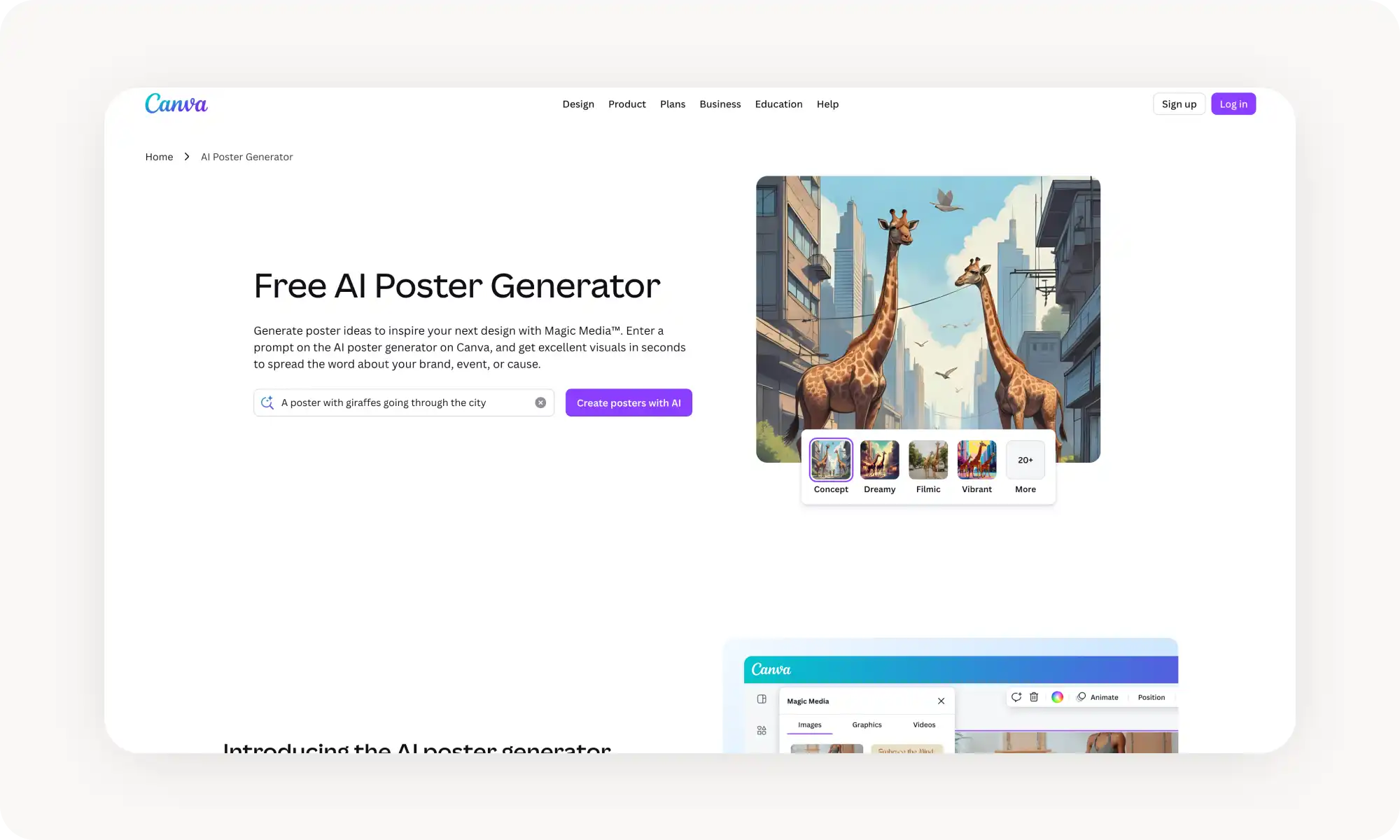
Canva's AI Poster Generator uses Magic Media (powered by Stable Diffusion) to generate posters from text prompts, then drops the result into Canva's design editor.
This two-step approach — AI generation followed by manual refinement — gives you the best of both worlds: speed from AI and precision from a proper editor.
The real power here is what happens after generation. You can swap fonts, adjust colors, add your logo, clean up elements with Magic Eraser, reposition subjects with Magic Grab, and even order printed posters through Canva Print.
Pros:
✅ Full drag-and-drop editor after generation
✅ Order physical prints directly through Canva Print
✅ Massive template and asset library
✅ Style presets (watercolor, filmic, B&W, etc.)
Cons:
❌ Account required
❌ Best AI features need Canva Pro ($15/month)
❌ AI-generated results can feel templated
❌ The AI model isn't as strong as some other options on this list (and it shows)
Design com
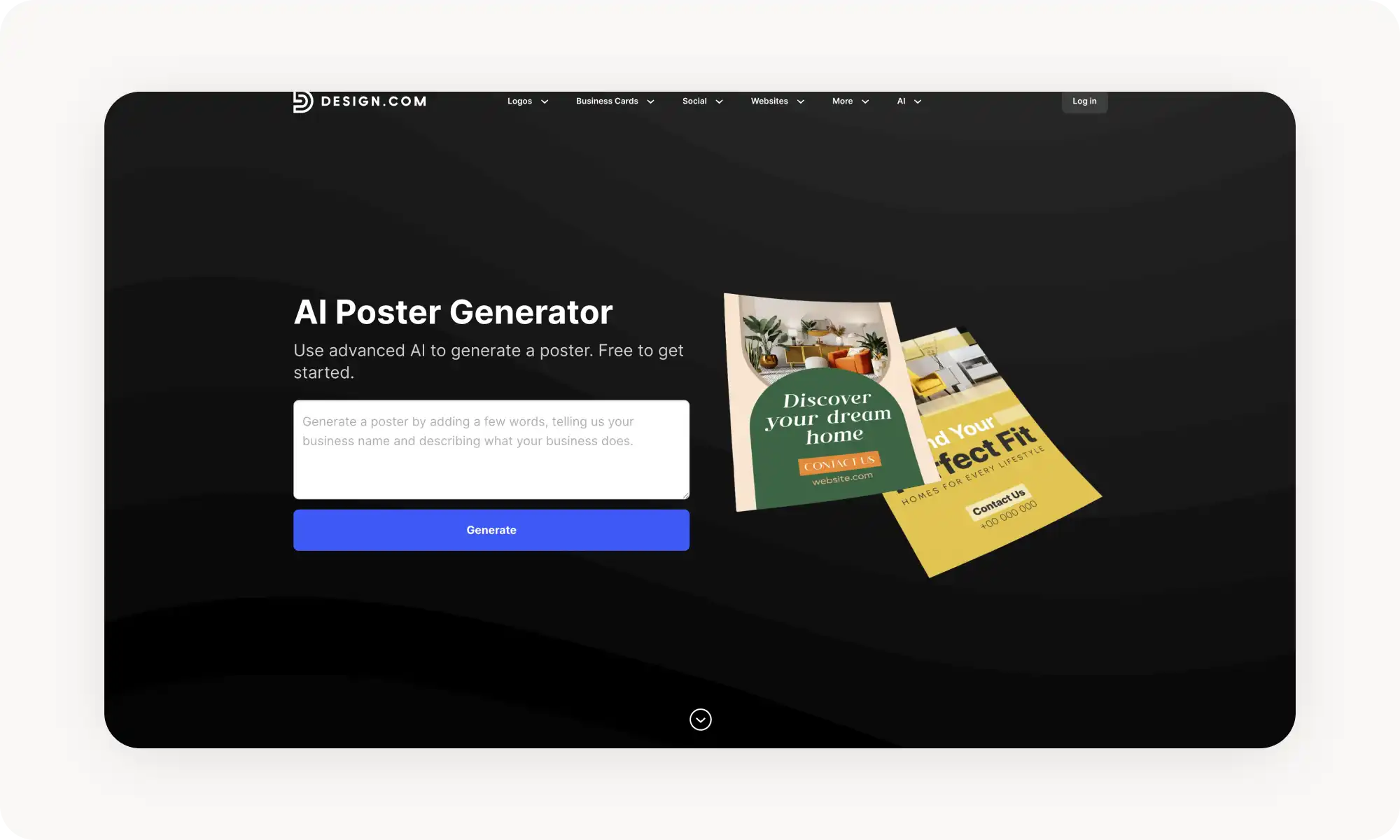
Design com's AI Poster Generator works like this: enter your business name and a description, and the AI generates a range of poster designs trained on thousands of professional layouts.
The emphasis on branding — with automatic business name placement and industry-relevant styling — makes it particularly useful for storefronts, small businesses, and anyone who needs promotional material that looks polished without hiring a designer.
Finished posters can be downloaded in PNG, JPG, SVG, EPS, and PDF — the vector formats being a genuine differentiator for anyone who needs print-ready or scalable files.
Pros:
✅ Vector file exports (SVG, EPS, PDF) for print
✅ Business-focused with automatic name and branding
✅ 750+ fonts including 525 exclusive to the platform
✅ Print ordering with free worldwide delivery
Cons:
❌ Free plan includes watermarks
❌ Account required
❌ Less suited for artistic or non-commercial poster styles
Cutout Pro
Cutout Pro's AI Poster Generator gives you two options for creating posters, one of which is quite standard and the other is quite different from how many other platforms handle this — and pretty brilliant.
The standard one: you can generate from text prompts, which is how most tools on this list handle the initial generation.
The other brilliant one is the fact that you can upload a product image and let the AI build a poster around it. This image-upload workflow is tailor-made for e-commerce.
The platform is trained on millions of design samples and handles style diversity well — retro, minimalist, sci-fi, luxury, illustration, you name it. There's also an API for businesses that need to generate posters at scale.
Pros:
✅ Upload product images for AI scene generation
✅ API for batch/automated generation
✅ Lots of styles
Cons:
❌ Credit-based pricing (from $5.99/month)
❌ Account required
❌ Interface leans heavily toward e-commerce — less intuitive for general poster creation
Adobe Express
Adobe Express's AI Poster Generator brings Adobe's image-processing pedigree to a browser-based poster tool. Describe your poster, choose from style presets, and the AI generates options that you can then refine in Adobe Express's design editor.
The integration with Adobe Creative Cloud means you can pull in assets from Photoshop, Illustrator, or your brand kit seamlessly.
Adobe's strength is consistency. The output looks clean, the editor is polished, and the export quality is reliable for both digital and print. The free tier covers basic poster creation, while Premium ($9.99/month) unlocks the full template library, brand kit tools, and advanced AI features.
Pros:
✅ Clean, professional output
✅ Integrates with Adobe Creative Cloud
✅ Style presets for quick generation
Cons:
❌ Account required
❌ Full features need Premium ($9.99/month)
❌ Can feel overkill for a quick one-off poster
❌ It's Adobe
Frequently Asked Questions (FAQ)
What's the best free AI poster generator?
Overchat AI poster generator — because it works without sign-up, doesn't add watermarks, has reference image support, and covers all the aspect ratios you'll ever need. It's a truly free tool without any catches.
Can AI poster generators add text to posters?
Yes, absolutely. At least, the best ones can. AI-generated text on posters is one of the hardest problems in image generation, and in the past, AI models could struggle with it severely — sometimes even outputting made-up letters. However, the latest generation of models, which power tools like Overchat AI, handle it quite well — not at the level of a font designer, but you won't see any typos or made-up letters, and they can render reasonably long text as well.
What's more, when it comes to Canva and Design com, they layer real text on top of AI-generated imagery, which you can edit, rather than baking it into the image.
Are AI-generated posters print-ready?
All tools on this list produce high-resolution output suitable for printing, but only Design com offers vector formats (SVG, EPS). Canva solves this differently by letting you order professional prints directly.
Bottom Line
AI poster generators can produce professional-quality designs from simple sentences in plain English, and they do it in a matter of seconds, making it possible for anyone to create high-quality posters about anything in under a minute.
Key takeaways:
AI poster generators use artificial intelligence models to create posters from text prompts.
They use text-to-image and image-to-image generation technology, allowing you not only to describe your vision but also to attach reference images.
AI-generated posters, at least those created by the best AI image models, look very professional and are suitable for most small businesses.
AI poster generators can also create movie posters, and you can even insert yourself as the main character — just ask.
Overchat AI is one of the best free AI poster generators — just describe your idea, upload an optional reference, and get a polished, watermark-free poster in seconds.