
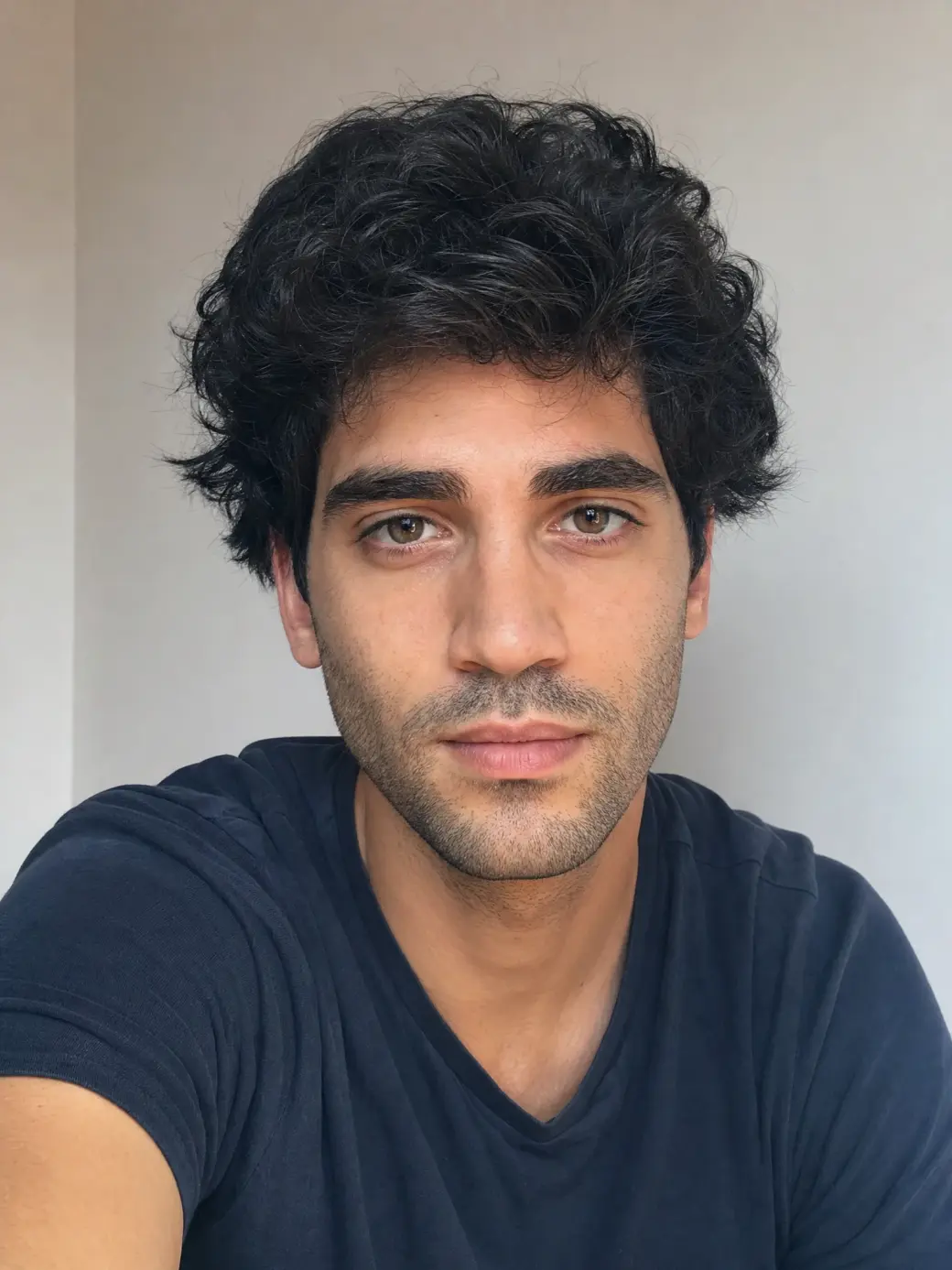
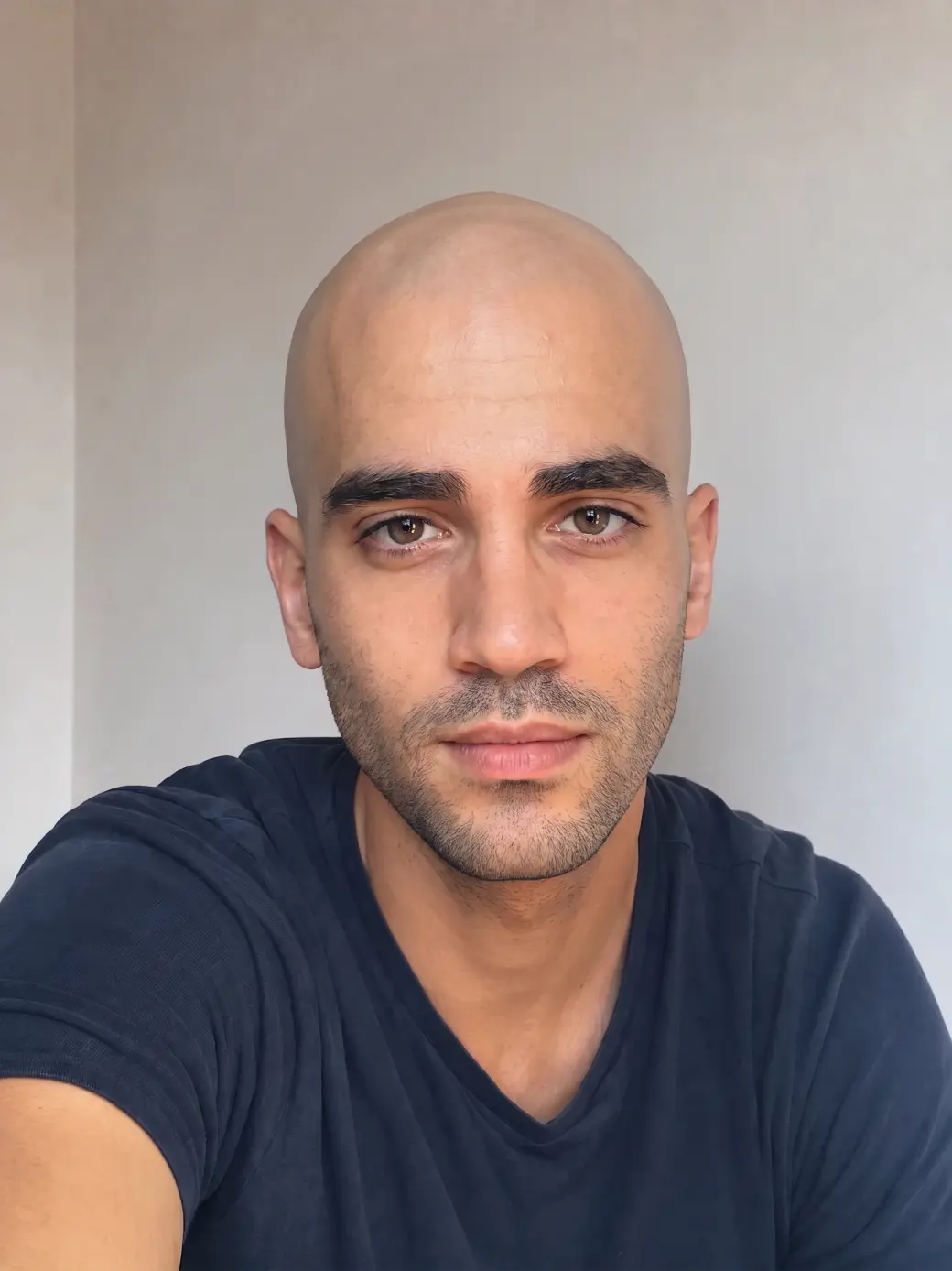
 Before
After
Before
After
See yourself bald before you pick up the razor. Upload a photo, press one button — AI shaves your head clean and keeps your face, outfit and photo exactly the same.
Before
After
Give yourself a bald haircut before picking up that razor to avoid regrets later on. Powered by Nano Banana 2.
Powered by Nano Banana 2, one of the most realistic image-to-image models, the Overchat AI Bald Filter regenerates your photo with a clean-shaven head. All you have to do is upload your photo and press one button. Here's how it works:
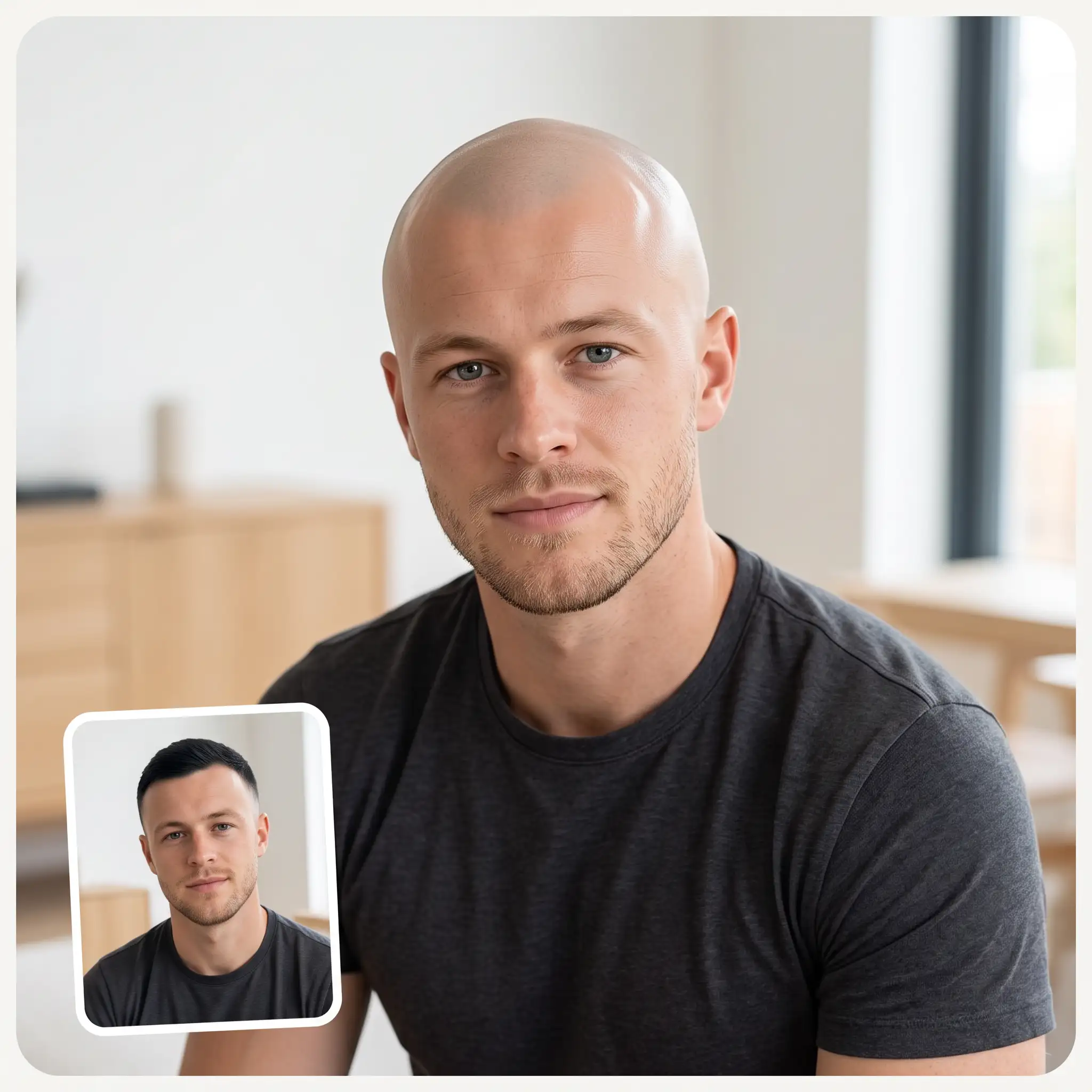
You can browse your files, drag and drop them, or take a selfie on the spot. Photos in HEIC format from an iPhone work too.
Click Try Bald Filter to virtually shave your head. The result will appear in the preview window.
Download the result in HD with no watermark, or copy and share it with one click.
The Overchat AI bald filter is easy to use. Just upload a picture, press the Try Bald Filter button, wait 30 seconds, and receive your image. No Photoshop skills, manual masking, or complex editing are necessary to get a photorealistic bald preview with the Overchat AI online app.
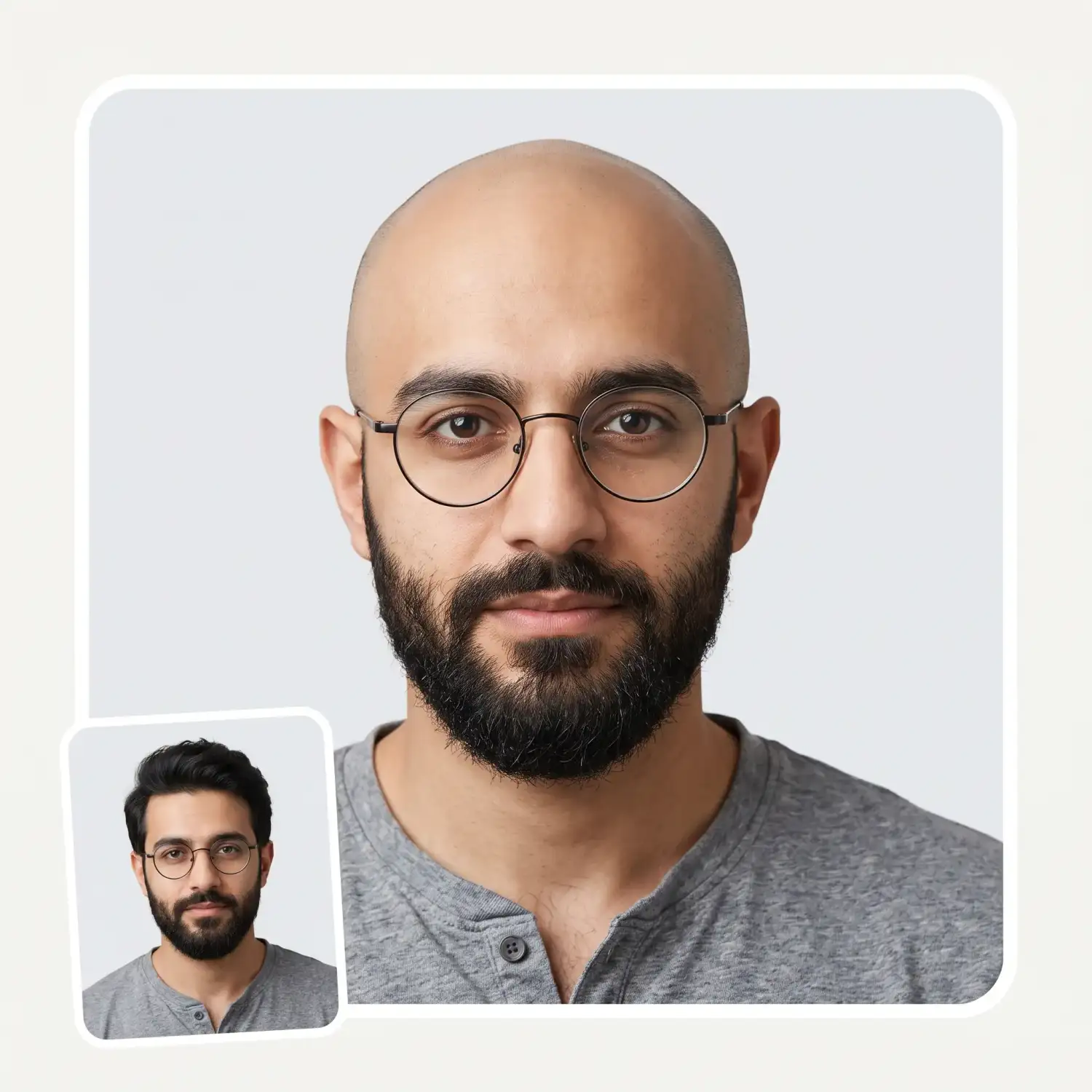
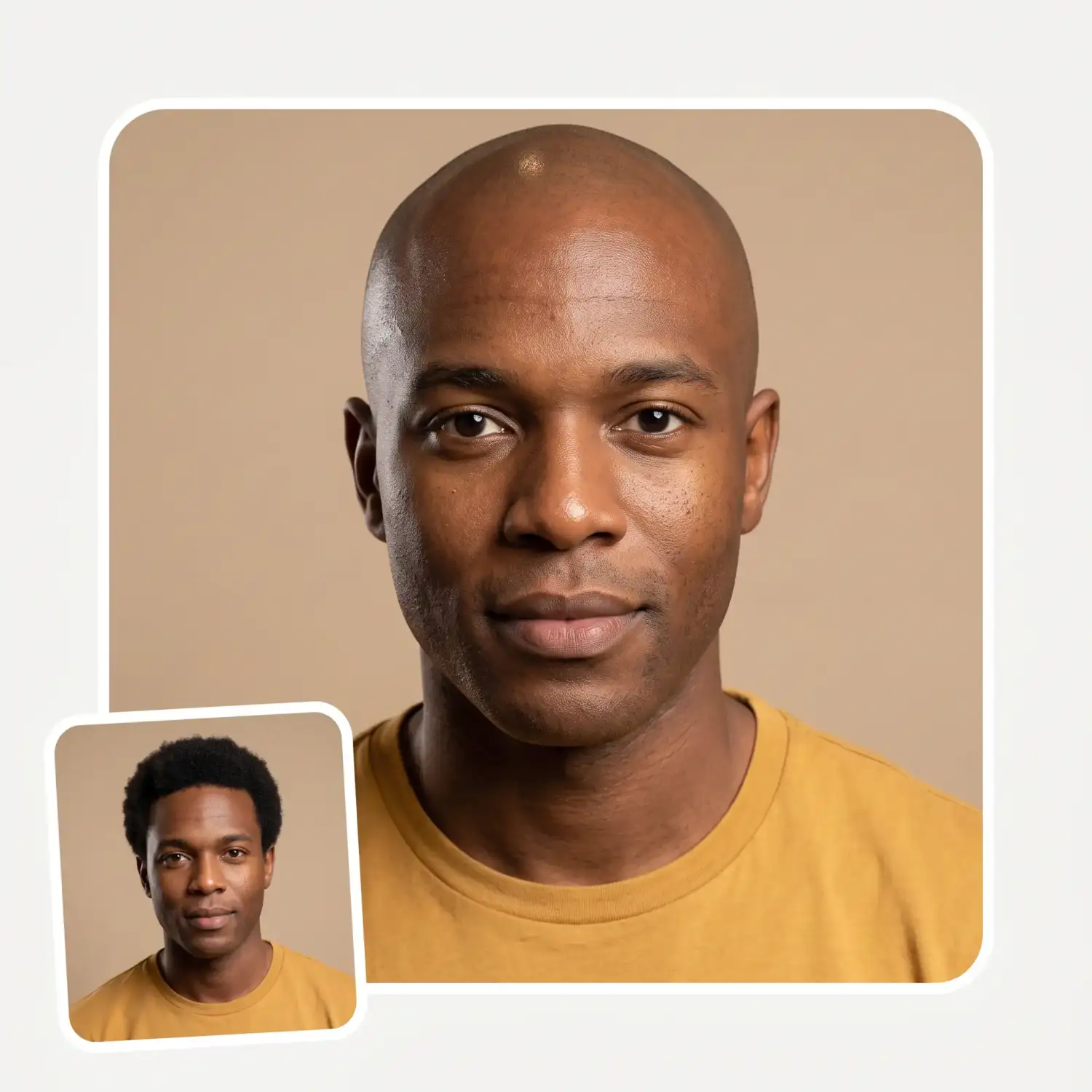
It's difficult to regrow a full head of hair once you've shaved it, and the bald look is polarizing. Some people can pull it off well, but others might prefer different options. With the Overchat Bald Haircut Simulator, you can find out which group you belong to and save yourself from haircut regret.
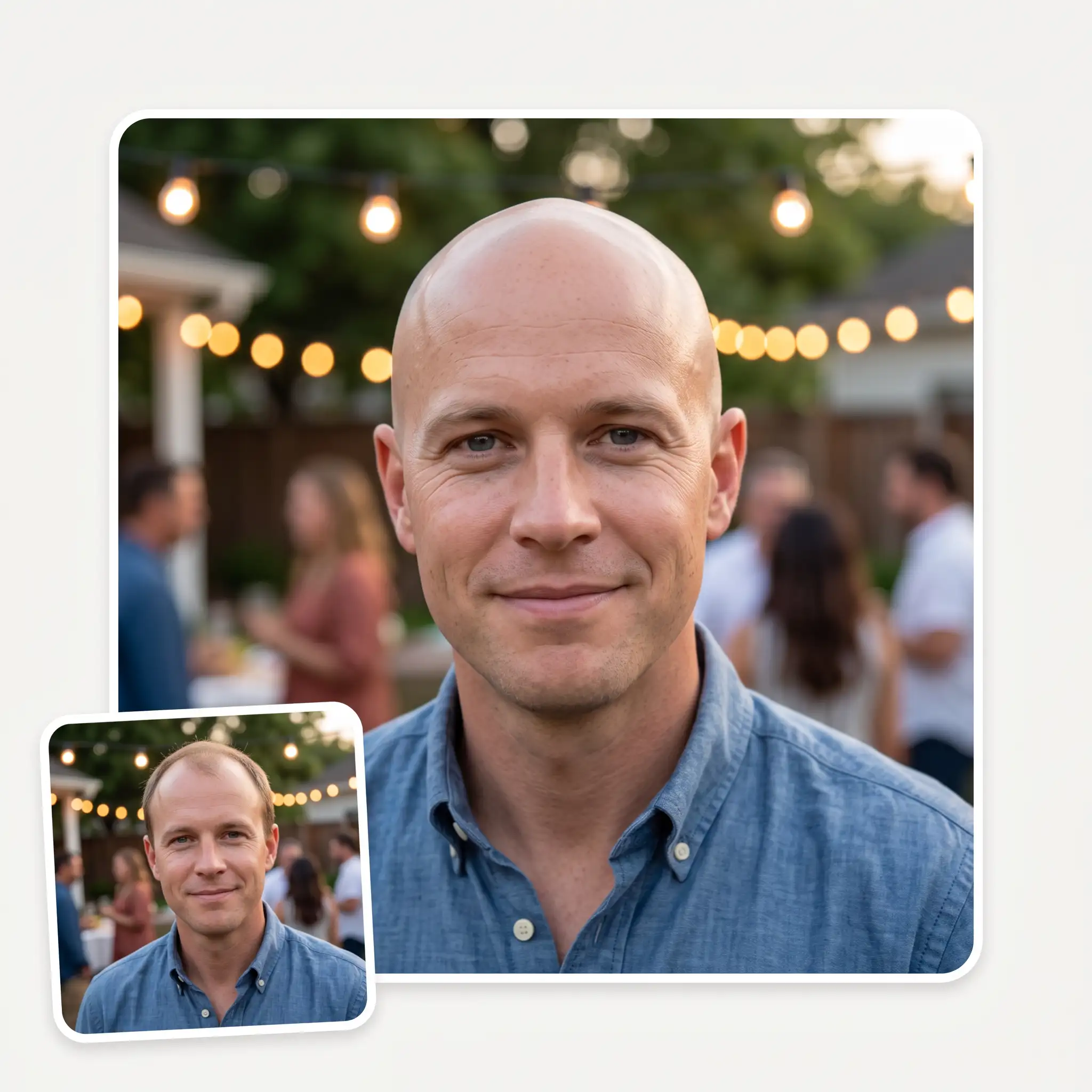
The Overchat AI bald generator uses an advanced image-to-image editing algorithm. It selectively modifies a part of a given image, maintaining realistic skin texture and highlights while adding ultra-photorealistic details to create a highly natural rendition of a bald haircut.
USE CASES
See your head shape, ears, and face without hair before.
See the bald look first and commit with confidence.
See how your crown, temples, and the back of your head look with zero hair.
Preview the bald look in 30 seconds with our online app.
See how your old images would look if you were bald in them.
Create memes featuring bald celebrities in seconds and share them online.
Join over 350,000 people already using Overchat AI to generate images, videos, and music with AI.
Overchat AI brings you the power of the world's top AI models: GPT, Claude, Gemini, Mistral, and more.
An AI bald filter is a digital effect that uses an artificial intelligence image generation model to make a person appear bald or closely shaved. It works by detecting the head, hairline, face, lighting, and skin tone, and then realistically removing or replacing visible hair. The filter modifies only the selected part of the image.
The Overchat AI bald filter uses the Nano Banana 2 generative image-editing model. This model analyzes the image and regenerates relevant parts, replacing the hair with a realistic-looking scalp while maintaining consistency with the face and surrounding scene. The model is preconfigured to produce highly realistic results in a variety of scenarios without the need for a special prompt.
Yes — the Overchat AI bald filter is currently free to use, with no account required to try it. Upload a photo, get your bald preview, and download it in HD without a watermark.
Chinese company Baidu has quietly released a model that's just as good as DeepSeek and ChatGPT — ERNIE 4.5 delivers exceptional performance at a fraction of the cost — and most people outside China have never even heard of it.
If you're wondering: what is DeepSeek AI, the answer is quite simple. DeepSeek AI is a Chinese AI research lab that builds large language models. The company released several models in late 2024 and early 2025 that compete directly with OpenAI's GPT-4 and Anthropic's Claude, but at a fraction of the operating cost.
ChatGPT Plus costs $20 per month plus tax, while the Pro plan costs $200 per month plus tax. Understandably, not everyone is willing to pay that much for a chatbot, especially if the premium features aren’t worth it to them. This raises an obvious question: how can I use ChatGPT for free?
Available on Web, iOS, and Android. Access your AI assistant anywhere, anytime.


.svg)
