
Foto em Personagem do The Sims com IA
Envie uma selfie e nossa IA transforma você em um personagem no estilo clássico do The Sims — com plumbob e tudo. Sem cadastro, seu retrato de Sim fica pronto em segundos.


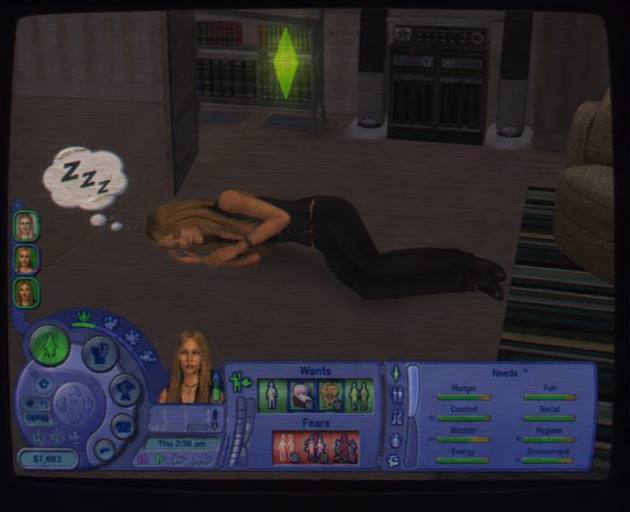

Envie uma selfie e nossa IA transforma você em um personagem no estilo clássico do The Sims — com plumbob e tudo. Sem cadastro, seu retrato de Sim fica pronto em segundos.
Quer o seu próprio retrato de Sim? Envie sua foto e crie um.
Envie uma selfie e entre direto em The Sims 2. A Overchat AI transforma uma foto em um Sim de tirar print — com plumbob e tudo — em segundos.
Com os modelos de imagem mais recentes, nosso gerador coloca o seu rosto em prints que parecem saídos de The Sims 2 — o plumbob icônico, aquele 3D quadradão dos anos 2000 e a luz pastel do subúrbio. Entra uma foto, sai um retrato de Sim pronto para compartilhar, sem precisar do Create-a-Sim.
Rostos low-poly, plumbob sobre a cabeça, céu pastel e aquela iluminação quentinha do motor gráfico de 2004 — o resultado parece um print de verdade tirado de The Sims 2.
Uma selfie já basta. Nossa IA preserva seus traços, então o Sim que aparece na tela é inconfundivelmente você — e não um preset genérico do CAS.
Fica pronto em segundos, pode ser baixado em alta definição e sem marca d'água, já na proporção certa para postar no TikTok, no Instagram e como foto de perfil no Discord.
Experimente o Foto para The Sims
O retrato clássico de Sims 2: seu rosto no icônico estilo do Create-a-Sim, com o plumbob verde girando acima da sua cabeça.
Coloque seu Sim em Pleasantview ou Strangetown — ruas pastel de subúrbio, telhados de telha e aquele céu inconfundível de The Sims 2 ao fundo.
Transforme você e um amigo, seu par ou aquele crush em um casal de The Sims 2 — perfeito para o meme que todo mundo está recriando agora.
Coloque seu Sim dentro da casa dos sonhos — sala aconchegante, piscina, cozinha top de linha — tudo gerado a partir de uma única foto.
Vista seu Sim com a moda do início dos anos 2000, com traje social ou com um mix caótico. Mesmo rosto, infinitas opções de guarda-roupa do Create-a-Sim.
Transforme alguém em Sim para um aniversário, um pedido de namoro ou uma surpresa. Um presente que para o feed e ainda vira meme.
Junte-se a milhares de criadores que já usam a Overchat AI para transformar fotos em Sims, retratos de IA e edições virais.
O Overchat AI traz para você o poder dos melhores modelos de IA do mundo: GPT, Claude, Gemini, Mistral e outros.

O gerador de foto para The Sims da Overchat AI transforma uma foto comum em um retrato no estilo dos prints de The Sims 2. Você envia uma selfie, escolhe o visual que quer — retrato clássico do CAS, cena no bairro, foto de casal ou cena de casa dos sonhos — e a IA compõe um Sim com o seu rosto, completo com o icônico plumbob verde, a luz pastel e o 3D quadradão do início dos anos 2000. Por trás disso há um modelo de imagem de ponta que domina semelhança, materiais e sombreamento de motor gráfico, então o resultado parece mesmo um print de The Sims 2, e não um filtro qualquer.
São bem The Sims 2 — e é exatamente essa a ideia. O modelo respeita seus traços faciais, mas passa tudo pela direção de arte original de The Sims 2: geometria low-poly, luz pastel suave, brilhos discretos na pele e o plumbob característico sobre a cabeça. As pessoas reconhecem você na hora, mas a imagem continua parecendo ter saído do jogo em 2004. Perfeito para memes, foto de perfil e conteúdo viral de criador.
Para criar um retrato de Sims 2 com IA na Overchat AI, siga estes passos:
1. Envie uma foto nítida do seu rosto, de frente.
2. Escolha a cena: retrato clássico do CAS, cena no bairro, foto de casal, casa dos sonhos ou look personalizado do CAS.
3. Clique em Gerar e espere alguns segundos enquanto a IA monta o seu Sim.
4. Baixe seu retrato de Sims 2 em alta definição, sem marca d'água, pronto para postar no TikTok, no Instagram ou no Discord.
Sim. As imagens saem em alta resolução por padrão, com cortes quadrado e vertical disponíveis, então você pode postar direto no TikTok, no Instagram, nos Reels ou no perfil do Discord. Não há marca d'água, o arquivo é otimizado para envio pelo celular e o enquadramento segue a composição clássica dos prints de The Sims 2, que é a que mais funciona na trend.

A empresa chinesa Baidu lançou discretamente um modelo tão bom quanto o DeepSeek e o ChatGPT — o ERNIE 4.5 entrega desempenho excepcional por uma fração do custo — e a maioria das pessoas fora da China nunca nem ouviu falar dele.

Se você está se perguntando o que é o DeepSeek AI, a resposta é bem simples. O DeepSeek AI é um laboratório chinês de pesquisa em IA que desenvolve grandes modelos de linguagem. A empresa lançou vários modelos no fim de 2024 e no início de 2025 que competem diretamente com o GPT-4 da OpenAI e o Claude da Anthropic, mas por uma fração do custo de operação.

O ChatGPT Plus custa US$ 20 por mês mais impostos, e o plano Pro, US$ 200 por mês mais impostos. Compreensivelmente, nem todo mundo está disposto a pagar tudo isso por um chatbot, ainda mais se os recursos premium não fizerem diferença no dia a dia. Daí a pergunta óbvia: como usar o ChatGPT de graça?
Disponível na Web, no iOS e no Android. Acesse seu assistente de IA onde e quando quiser.


.svg)
