
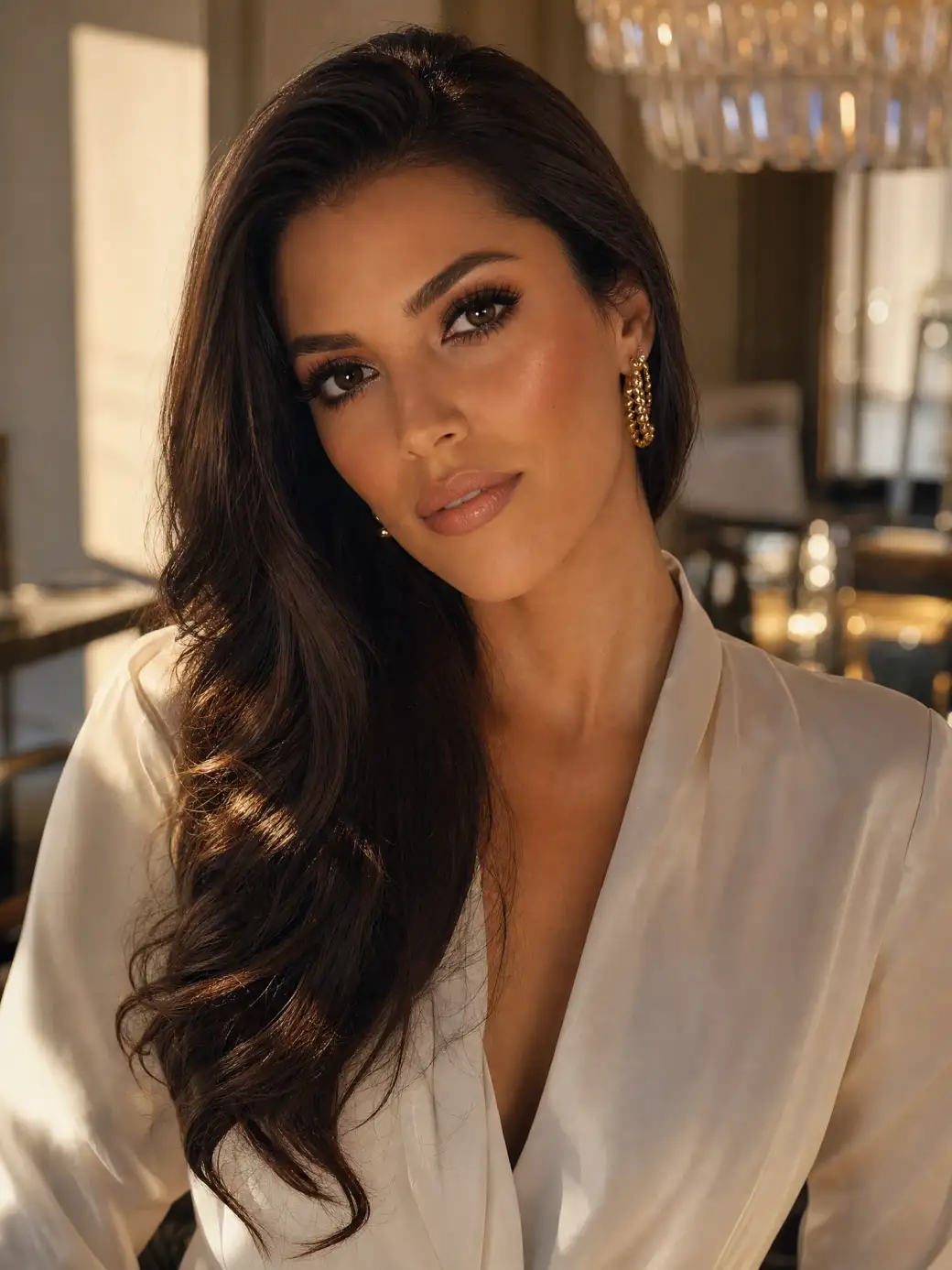
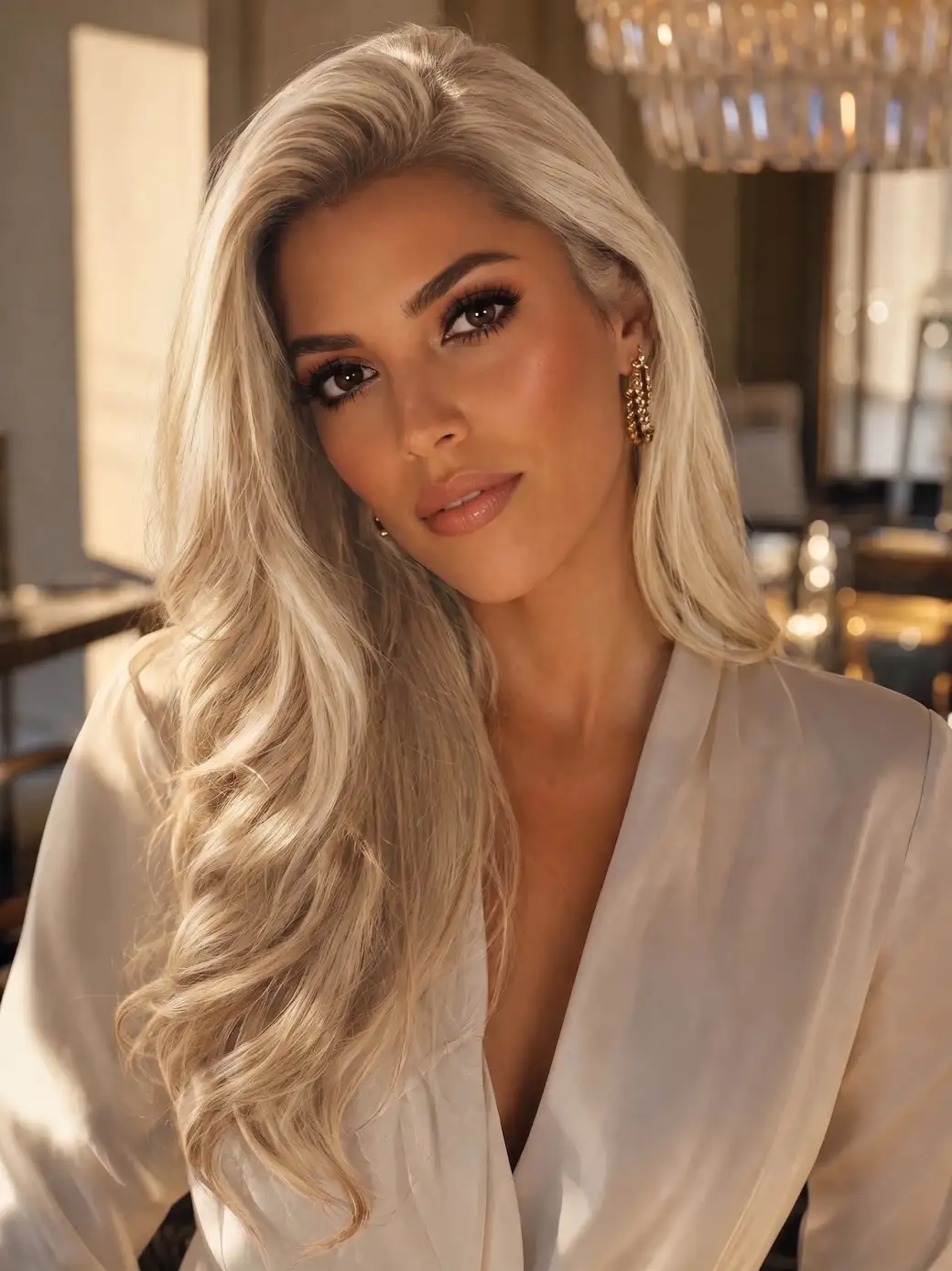
 Before
After
Before
After
See yourself blonde before you touch the bleach. Upload a photo, press one button — AI lightens your hair and keeps your face, outfit and photo exactly the same.
Before
After
The Overchat AI Blonde Filter will virtually bleach your hair with just one tap.
Preview what you would look like with blonde hair and try out different hairstyles with the Overchat AI blonde filter. Powered by Nano Banana 2, our online hair colouring app will change your hair to a natural blonde shade in just one tap and in under 30 seconds. Here's how to use it:
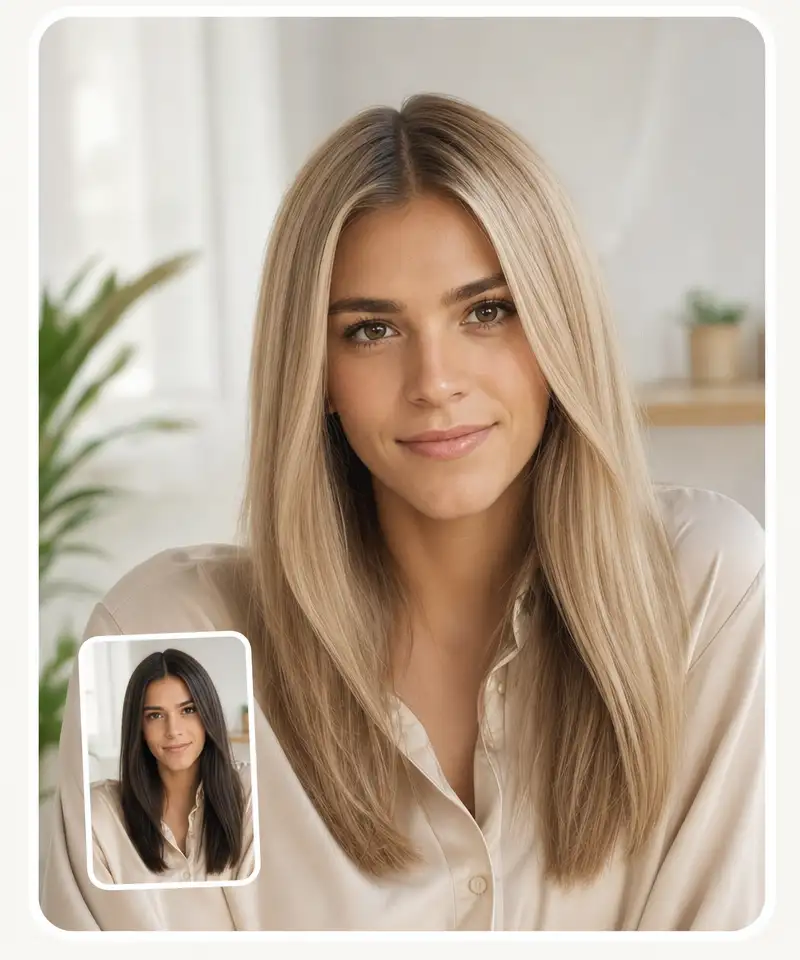
Browse your files, drag and drop them, or take a selfie on the spot.
Tap Try Blonde and wait for the AI to work its magic and turn your hair golden.
Download the HD result without a watermark — or copy and share it in one click.
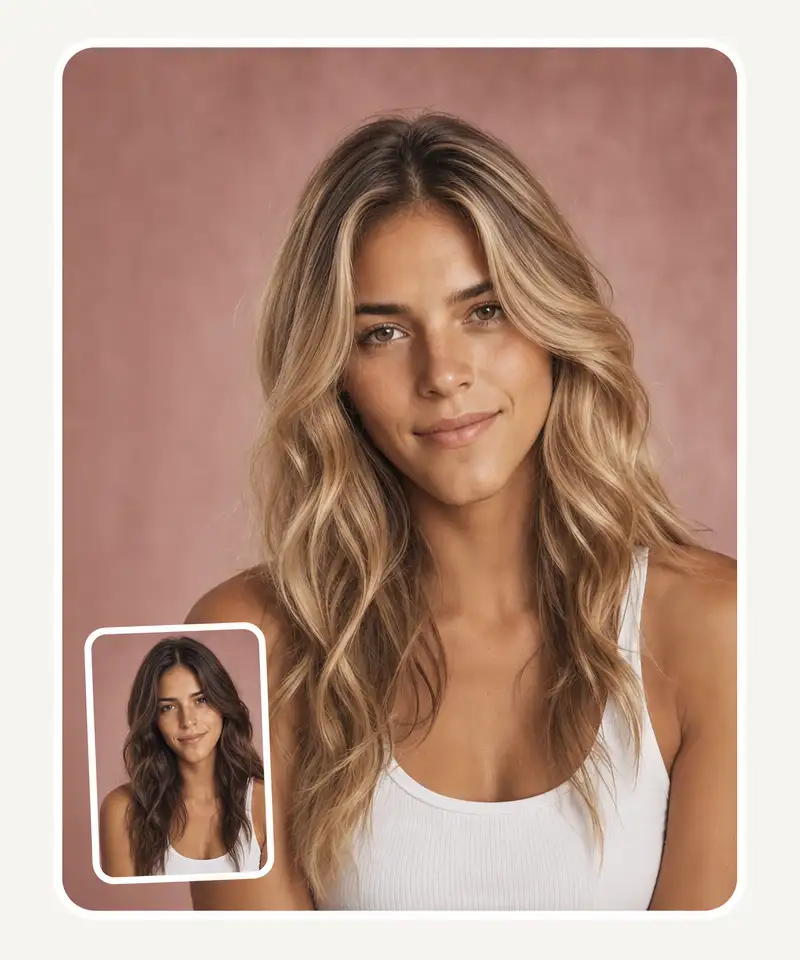
Are you still searching for the most realistic hair colour changer to see what you would look like as a blonde? The Overchat AI blonde filter uses advanced AI image generation technology powered by the Nano Banana 2 image model to provide a photo-realistic preview that is impossible to distinguish from a real photograph.
It's super easy to use! All you need to do to virtually colour your hair blonde with the Overchat AI filter is upload an image from your camera roll, take a selfie with your phone camera or drag and drop an image from your files, then press a single button. The AI will automatically work its magic, isolating your hair and recolouring it realistically.
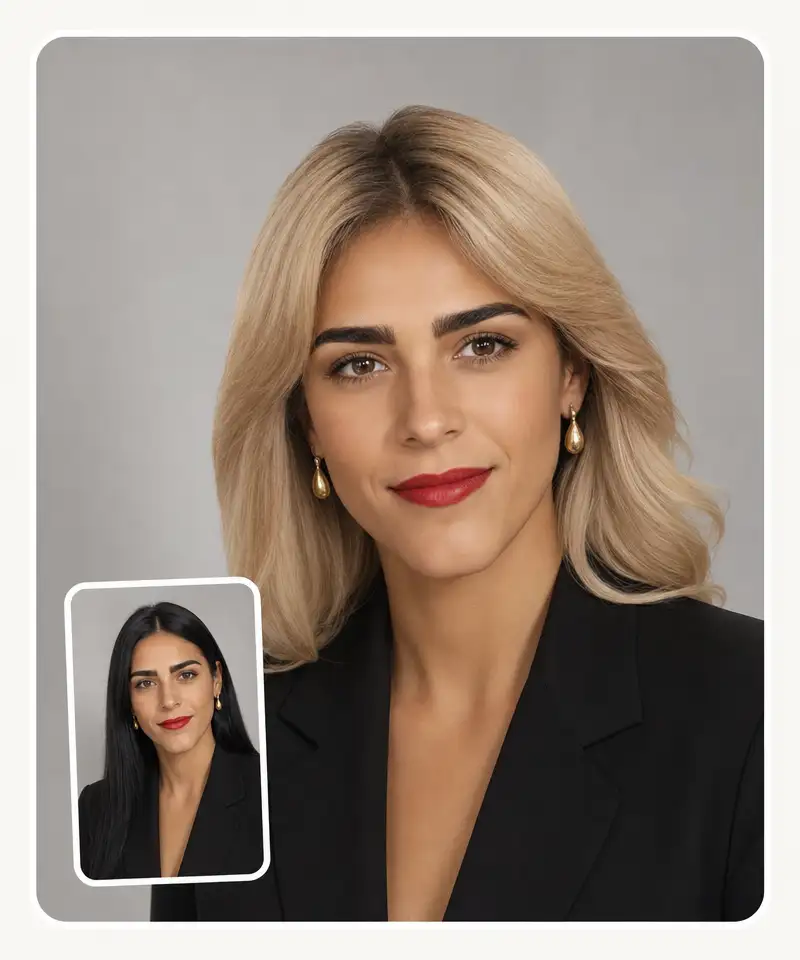
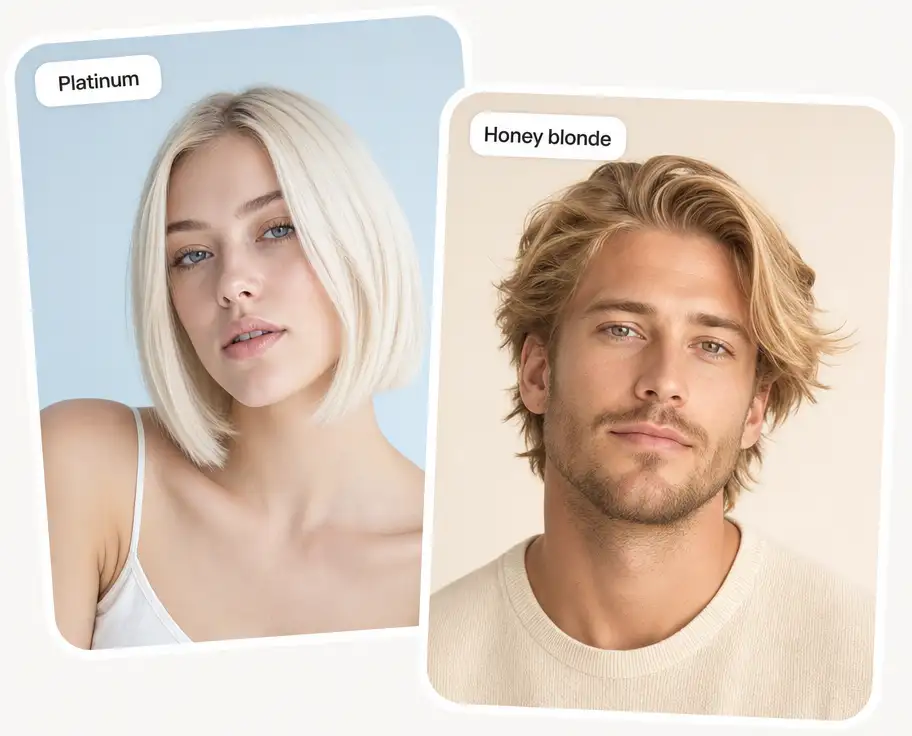
Overchat AI uses advanced computer vision algorithms and generative refilling to automatically mask the hair in your photograph and recolour it blonde, producing perfect edges and zero artefacts. The algorithm takes into account your hair type and the lighting in the image to create the appearance of natural blonde hair.
USE CASES
Blonde is all about how it sits against your skin tone. See it on your own face before you decide.
Bring your colorist a photo of you already blonde instead of a swatch book or someone else's selfie.
Going light from dark means bleach, breakage, and months of repair. Try the look first, damage-free.
A full blonde transformation runs into the hundreds and takes a whole day. See the result in 30 seconds.
Try blonde on your existing photos — makeup, glasses, outfits and all — and see whether it fits the whole look.
Post a picture of yourself blonde and let the group chat vote before you book the appointment.
Join over 350,000 people already using Overchat AI to generate images, videos, and music with AI.
Overchat AI brings you the power of the world's top AI models: GPT, Claude, Gemini, Mistral, and more.
An AI blonde filter is an online tool that uses artificial intelligence (AI) to show what you would look like with blonde hair. To use it, simply upload a photo and the model will regenerate it with lightened hair.
Yes, the Overchat AI Blonde Filter uses the Nano Banana 2 image-editing model.
The following image file formats are supported: JPG, JPEG, PNG, HEIC, Avif, and Webp.
Yes, your photos on Overchat AI are automatically deleted after processing and are never used for model training. The photos you upload are transferred via a secure, encrypted connection and are only used to generate your Blonde filter.
Yes, the Overchat AI image generator automatically detects, masks and regenerates only the hair in your image. There is no need to manually brush or describe the target area in a prompt.
You can absolutely use an image generator designed for general purposes — such as the Overchat AI image-to-image generator — to change the colour of your hair to blonde. However, the quality of the result will depend on your prompt. In the blonde filter, the Overchat AI team has already done the work of selecting and configuring a model, so all you need to do is upload an image and get started.
Yes — the Overchat AI blonde filter is currently free to use, with no account required to try it. Upload a photo, get your blonde preview, and download it in HD without a watermark.
Chinese company Baidu has quietly released a model that's just as good as DeepSeek and ChatGPT — ERNIE 4.5 delivers exceptional performance at a fraction of the cost — and most people outside China have never even heard of it.
If you're wondering: what is DeepSeek AI, the answer is quite simple. DeepSeek AI is a Chinese AI research lab that builds large language models. The company released several models in late 2024 and early 2025 that compete directly with OpenAI's GPT-4 and Anthropic's Claude, but at a fraction of the operating cost.
ChatGPT Plus costs $20 per month plus tax, while the Pro plan costs $200 per month plus tax. Understandably, not everyone is willing to pay that much for a chatbot, especially if the premium features aren’t worth it to them. This raises an obvious question: how can I use ChatGPT for free?
Available on Web, iOS, and Android. Access your AI assistant anywhere, anytime.


.svg)
