Most AI video generators produce clips that are 4–8 seconds long. But what if you need to create an AI TikTok video with a runtime of 20–30 seconds?
For a long time, creating longer AI videos required complicated and expensive workflows or manually taking the last frame and using last-frame-to-video tools. But, this often resulted in abrupt transitions when the motion from the last frame of the old clip didn’t seamlessly carry over to the motion of the new clip's first frame.
Thankfully, there’s a better way: using AI video extender tools. This type of video-to-video software analyses not just the last frame, but the entire motion of the video, and continues it naturally.
AI video extenders can add anywhere from 4 to 30 seconds per extension, and they can be used on AI-generated clips or real footage.
But with so many options, which one should you choose? We’ve tested 15 AI video extension tools, and in this guide we’ll share the ones that we think deliver the best results. We'll break down what each tool does, how much it costs and its strengths.
Runway Gen-4.5 is the top-rated pick for quality — handles physics and motion naturally, extends clips by 5 or 10 seconds (chainable for longer), up to 4K, with optional text-prompt control. Free tier available, paid from $12/month.
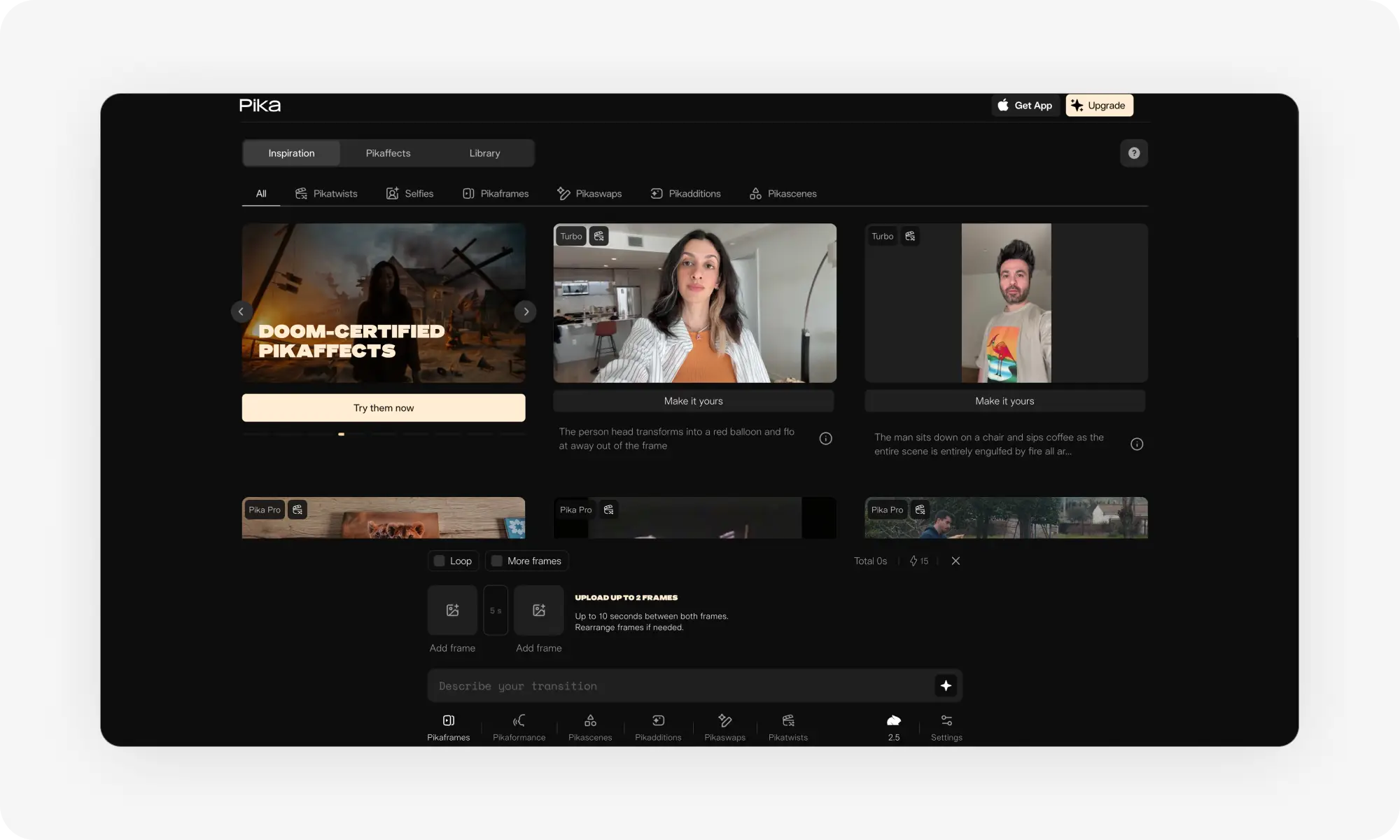
Pika Labs extends up to 10 seconds via Pikaframes motion analysis, with beginner-friendly UI and fast processing. Works best with Pika-generated videos — external footage requires extracting the last frame first. Free tier; paid from $8/month.
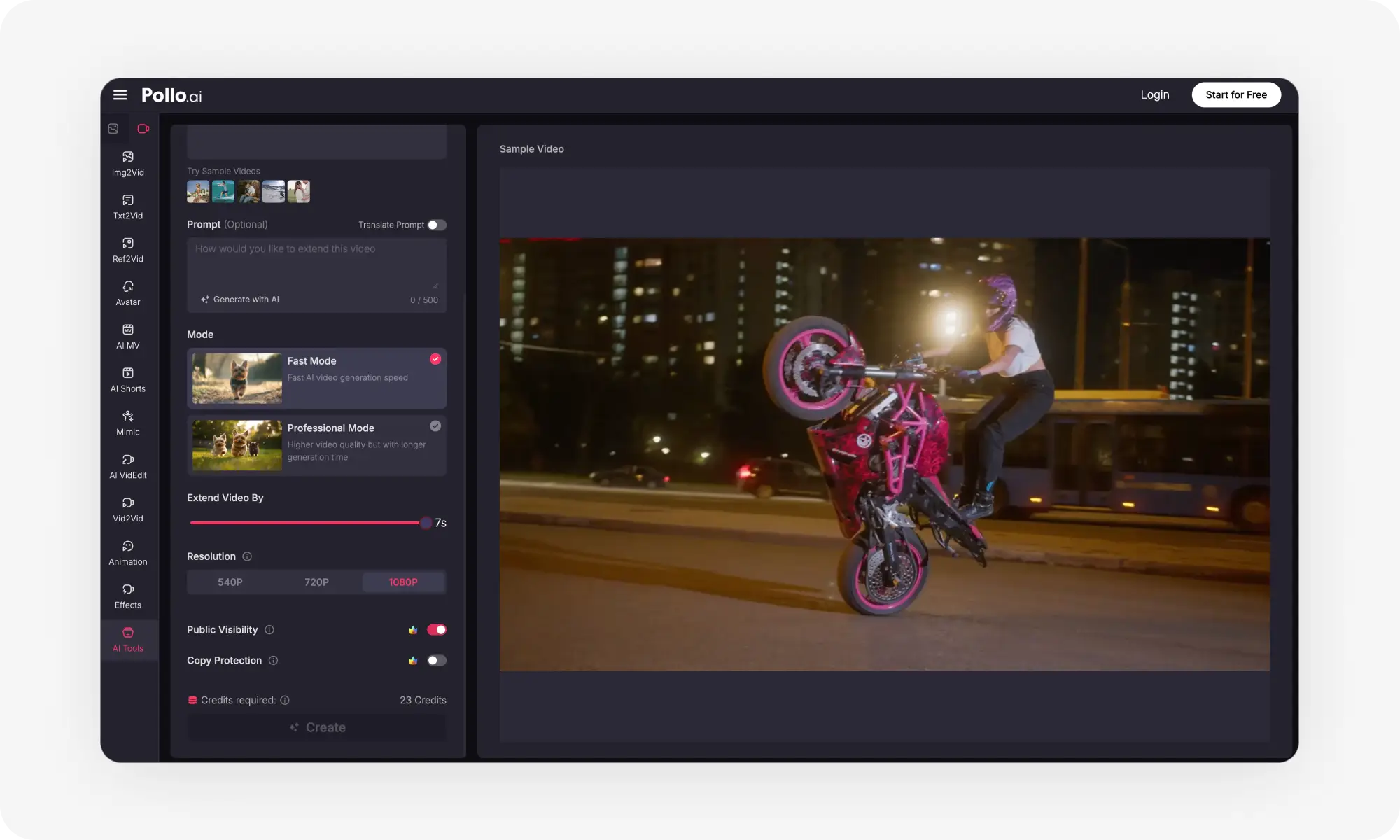
Pollo AI offers up to 7-second extensions at 1080p across multiple models (its own Vidu + Runway Gen 4 Aleph), with Fast and Pro modes. Free tier with watermark; paid from $9/month. Multi-model setup can overwhelm beginners.
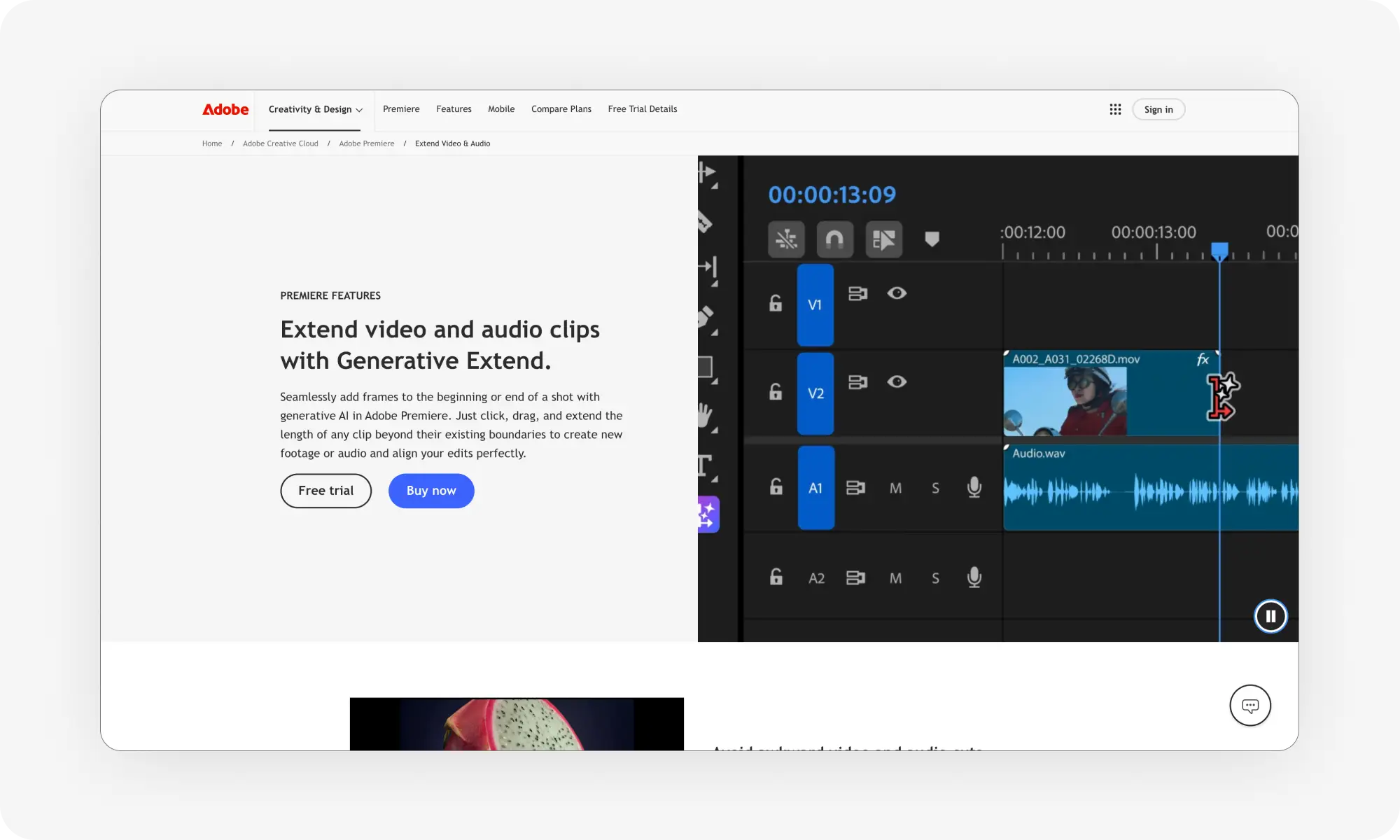
Adobe Premiere Pro's Generative Extend integrates directly into the editing timeline — drag a clip's edge to extend by up to 2 seconds of video or 10 seconds of ambient audio via Firefly Video. Only worth it if you already pay for Creative Cloud ($22.99/month); not a frontier model.
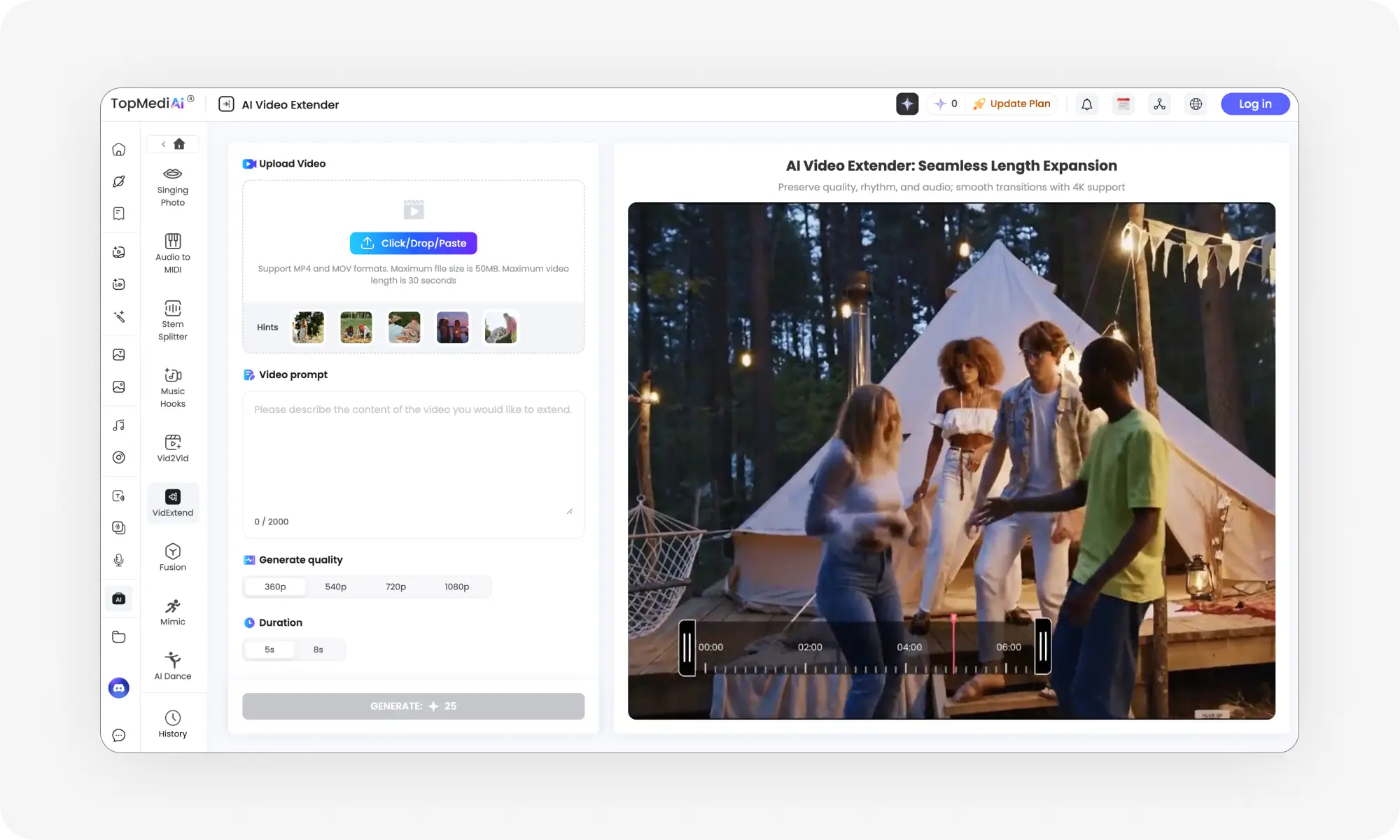
TopMediai is the budget-friendly quick option — upload MP4/MOV (max 50MB, 30 seconds), describe the continuation, get up to 4K output with auto color correction. Paid from $4.99/week.
Pro tips: upscale low-quality footage first, avoid clips that cut right before the end (confuses the AI), and write prompts like you're directing a film (describe camera and subject motion) — short directions dramatically improve extension quality.
Top AI Video Extenders to Try
Before diving into the specific extenders, let’s quickly compare our top picks. The table below highlights the most important details at a glance.
Tool
Extension Length
Resolution Support
Starting Price
Runway Gen-4.5
5-10 seconds per extension
Up to 4K
Free trial, subscription from $12/month
Pika Labs
Up to 10 seconds
Up to Full HD
Free trial, paid plans start at $8/month
Pollo AI
2-4 seconds per extension
Up to Full HD
Free tier with watermark, paid plans start at $9/month
Adobe Premiere Pro
Up to 2 seconds video, 10 seconds audio
Up to 4K
Adobe Creative Cloud subscription ($22.99/month)
TopMediai
Configurable (typically 2-5 seconds)
Up to 4K
Free trial, paid plans start at $4.99/week
Now let's look at each tool in detail.
Runway Gen-4.5
Runway Gen-4.5 is one of the most advanced AI video generators — naturally, it’s extender feature builds on that. It handles physics and motion well, so objects move naturally and lighting stays consistent.
You can extend clips by 5 or 10 seconds at a time. If you need more length, there’s an option to chain multiple extensions together, like a workflow, but easier to set up. You can use videos generated within Runway or import your own footage.
It’s easy to use and there are two principal modes to choose from:
Guide what happens with text prompts.
Generate without prompts — it continues the motion based on the last frame and motion patterns from the original video.
Key Features
5–10 seconds extensions
Up to 4K resolution
Multiple aspect ratios
Text prompts for control
Works with any footage
Pros
✅ Top-rated performance in independent benchmarks
✅ Strong temporal consistency across extended clips
✅ Cinematic quality
Cons
❌ Requires subscription for extensive use
❌ Best results need some prompt experimentation
Pricing: Free tier available for testing, paid plans start at $12/month
Pika Labs
Pika Labs extends videos up to 10 seconds per generation using Pikaframes technology. This analyzes motion patterns and creates keyframe transitions that keep movement looking realistic.
It works best with videos created inside Pika. For external videos, you'll need to extract the last frame and use it as a reference to generate new content. Not ideal, but functional.
Key Features
Extends videos up to 10 seconds with Pikaframes
Analyzes visual style and motion to maintain consistency
Supports text-to-video, image-to-video, and lip-sync
Simple workflow with minimal setup
Multiple creative controls including camera motion
Pros
✅ Beginner-friendly interface
✅ Fast processing speeds
✅ Flexible pricing with free tier
✅ Natural transitions without visible cuts
Cons
❌ Initial generation limited to 3 seconds
❌ Quality varies, may need multiple attempts
❌ Advanced features locked to higher-tier plans
❌ Works best with Pika-created videos
Pricing: Free tier with monthly credits, paid plans start at $8/month
Pollo AI
Pollo AI can add up to seven seconds of footage per extension at a resolution of up to 1080p. You can use Pollo's own Vidu model or Runway Gen 4 Aleph, which is not the latest version of Runway but is still capable. There is a fast mode that uses fewer credits and a pro mode that delivers better quality at a higher cost and takes longer per generation.
Key Features
Extend by up to 7 seconds per extension
Customize duration
Up to Full HD quality
Integrated editing tools for post-processing
Pros
✅ Free tier available for testing
✅ Fast processing times
Cons
❌ Some models produce less sharp visuals
❌ Watermark on free plan
❌ Multi-model environment can overwhelm beginners
Pricing: Free tier with watermark, paid plans start at $9/month
Adobe Premiere Pro
Adobe Premiere Pro added AI video extension through its Generative Extend feature. This integrates directly into the editing timeline. To use it, drag the edge of a clip to extend it, and generate new frames with the Firefly Video Model. It handles up to 2 seconds of video and 10 seconds of ambient audio per extension.
This works well enough for filling small gaps in edits, but Firefly Video isn’t exactly a frontier model. The biggest value here is that it’s part of Adobe Premiere — it’s useful for people who are already using this editing suite and need a quick extension to smooth out B-roll. Anything else — and we’d suggest using another tool from this list.
Key Features
Extends video up to 2 seconds, ambient audio up to 10 seconds
TopMediai is another AI video extensions tool. Upload a video (MP4 or MOV, up to 50MB and 30 seconds), describe how you want the extended video to play out and hit Generate — there’s not much more to it. The interface is easy to use and the tool works well enough for people who want quick results.
Key Features
Up to 4K resolution
Maintains original camera angles and style
Automatic color correction for consistency
Pros
✅ User-friendly interface
✅ Fast rendering times
✅ 100+ video effects for creative flexibility
Cons
❌ Maximum 30-second input video length
❌ 50MB file size limit
Pricing: Free trial available, paid plans start at $4.99/week
Frequently Asked Questions (FAQ)
What is an AI video extender?
An AI video extender is an online tool that uses artificial intelligence to generate new frames and effectively extend the length of a video clip. This works for both AI-generated and real-world footage.
How do AI video extenders work?
AI video extenders use machine learning models that have been trained using large video datasets. This enables them to predict what will happen next and seamlessly integrate new frames into the video, ensuring that there are no jarring transitions between the original and generated content.
Bottom Line
In conclusion, here is some advice on how to use AI video extender tools. The more data they have to work with, the better the results AI video extenders typically produce. If your input video is low quality, consider using an AI video upscaler first to improve the quality.
When choosing the clip, avoid ones that cut right before the end — this confuses the AI and produces less reliable results than long, continuous motion.
Last but not least, if the AI tool supports text prompts, take the time to write them carefully — generative tools don’t always know exactly what you want to create, so adding a prompt is a way to control the randomness of their output and make the workflow more predictable. One useful approach is to describe how the camera and subject should move, as if you were directing a film. For example: The camera continues to pan left, the subject walks forward. Even short instructions like this will tenfold your extension quality.