OpenClaw (previously Moltbot and Clawdbot) is an AI agent that’s taking the world by storm, with some people already calling it the arrival of AGI and comparing it to JARVIS from Iron Man.
The term “AI assistant” gets thrown around a lot, but it’s rare that a tool actually feels like one, as most tools feel like clones of ChatGPT with some extra features. OpenClaw isn’t like that.
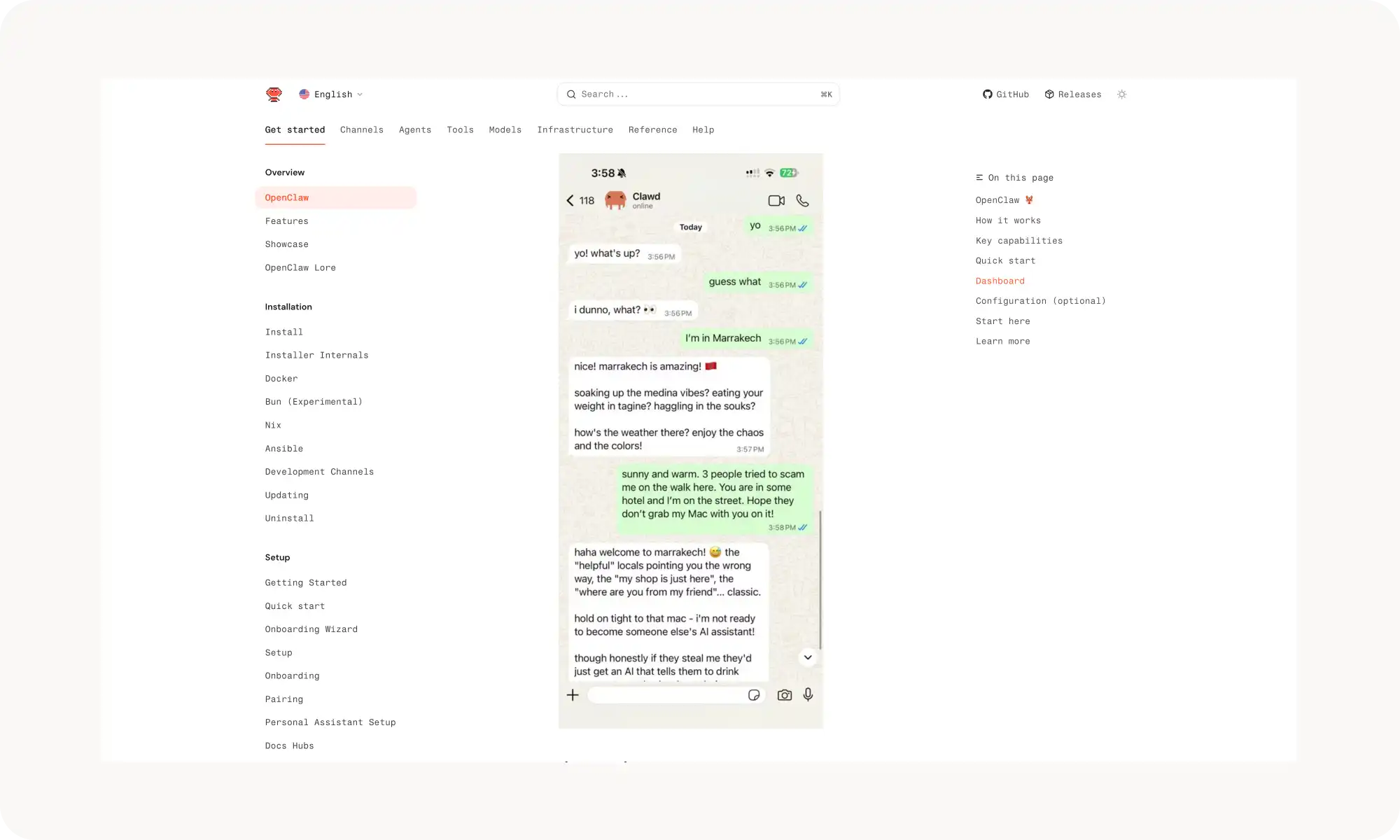
It runs on your machine, let’s you interact with it through WhatsApp, Telegram, and Discord — so you can give it commands just by chatting with it, remembers everything about you and can do virtually anything on your computer, for instance:
Reply to emails
Proactively message you with reminders
Handle system administration tasks
Learn new skills by itself and evolve
In this article, then, we’ll break down what OpenClaw is, why you should definitely be using it if you aren’t already, and how to install it the easiest way possible — because the setup can get pretty complicated.
OpenClaw is the first breakout personal AI agent — an open-source project by solo dev Peter Steinberger that runs locally on Windows, macOS, or Linux and takes real actions instead of just answering questions.
Core capabilities: full browser control (Gmail, Trello, forms, scraping), local system access (scripts, shell commands), persistent memory that actually remembers everything, and a community skills marketplace (ClawHub) with 1,000+ skills.
Install via terminal (curl -fsSL https://openclaw.ai/install.sh | bash), but be cautious — it gets broad system-level access by default, which opens prompt injection risks if misconfigured.
On macOS, Atomic Bot is the easiest path — installs OpenClaw as a regular Mac app with a guided setup, a user-friendly UI, and Google sign-in, skipping the terminal entirely.
Setup flow: pick your AI model provider (Anthropic, OpenAI, Google, or local via Ollama), connect a messaging platform (Telegram, WhatsApp, Discord, iMessage, Slack), and optionally add Skills. Then just chat with it in plain language.
Use cases: inbox management, automated coding and DevOps, browser automation for forms and scraping, and everyday productivity like calendar management and flight check-ins.
Pricing: the project is free, but you pay for API usage — roughly $5–10/day for light use, $30–50+/day heavy.
Skills vs Plugins: Skills are individual Markdown-based extensions OpenClaw auto-engages as needed; Plugins are bigger bundles with multiple skills plus required CLI tools. Skills can even be built on the fly by chatting with the agent.
Naming history: the project went Warelay → Clawdis → Clawdbot → Moltbot (after Anthropic objected to "Clawdbot" sounding like Claude) → OpenClaw. All the same project.
What is OpenClaw?
OpenClaw is the world’s first breakout personal AI agent. It’s an open-source project created by Peter Steinberger, a solo developer.
The core idea is simple but powerful: as the creator put it, “your context and skills should live on your computer, not inside a walled garden.” In other words, an AI agent should be able to do anything you ask it to — and continuously improve over time.
Understanding OpenClaw's Capabilities
Unlike passive chatbots, OpenClaw operates as an autonomous agent and many are already using it to browse the web, summarize PDFs, schedule calendar entries and shop online.
What makes this AI agent different from a regular chatbot is that it doesn't just answer questions — it takes actions on your behalf.
OpenClaw main features
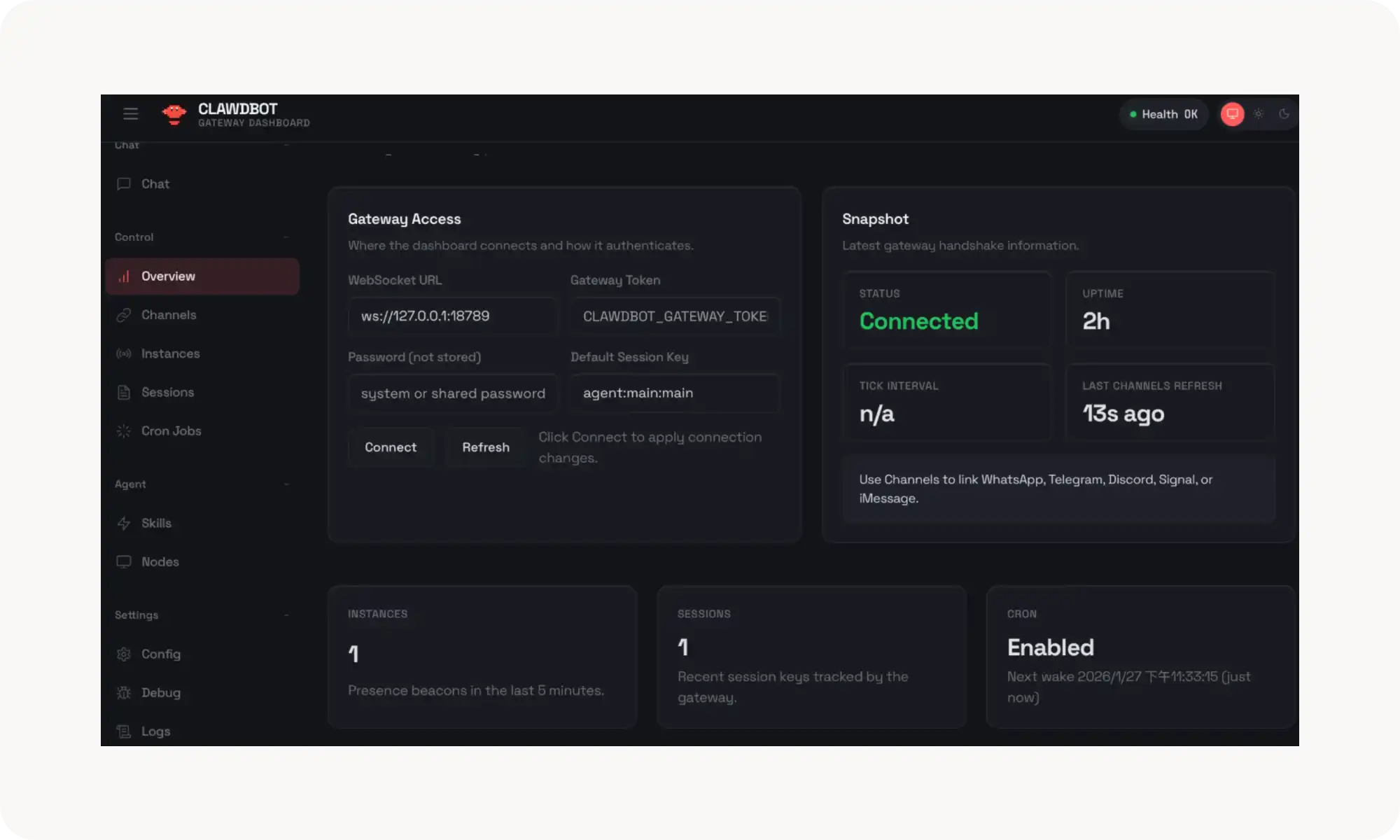
Runs locally. It installs directly on your Windows PC, Mac, or Linux machine. You control it through a dashboard running on localhost and interact with it through your favorite messaging apps.
Has persistent memory. It remembers your preferences and learns from every interaction. This isn’t memory like you see in ChatGPT or Claude — it literally remembers everything.
Can access the browser freely. It can do anything you can do in Chrome, Opera, or Safari: read Gmail, summarize Trello boards, run searches, fill out forms, and more.
Has access to the local system. It can run scripts and execute shell commands, either on your main machine or inside a sandboxed environment.
Evolves with the community. Its capabilities are defined by “skills,” which can be shared through an open marketplace. People are constantly teaching it new things, sharing those skills, and you can install them to make your AI assistant even more powerful.
Taken together, all of this makes OpenClaw incredibly flexible and powerful. That said, the technology is still early-stage and requires a careful installation process to keep things secure — more on that later.
How to Set up OpenClaw
The good news is, while some developers have already started buying new Macs just to run OpenClaw, you don’t need to do this. So here’s how to set up OpenClaw to get started quickly:
Using the terminal
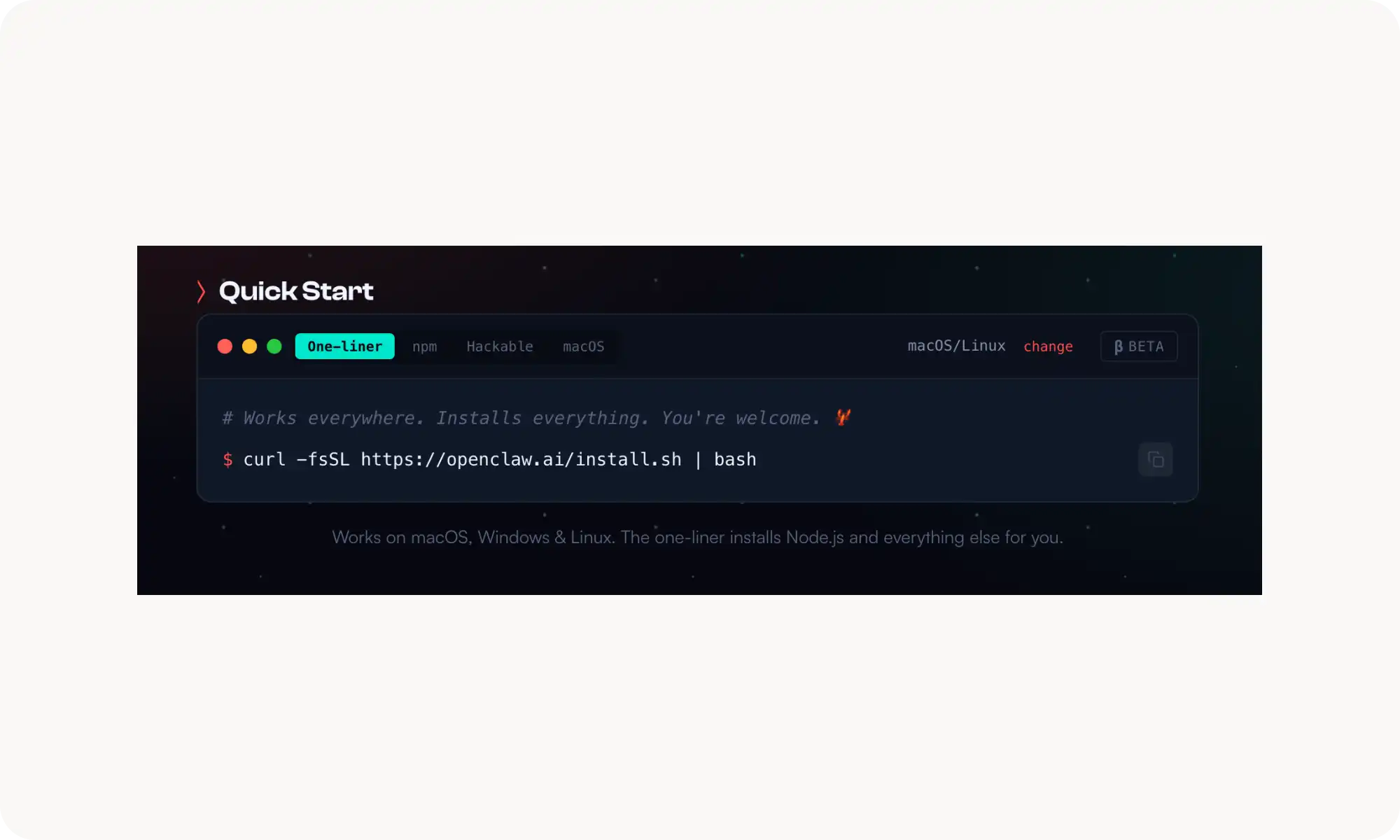
To set up OpenClaw the standard way, run the following command in your terminal — it will install the tool automatically:
curl -fsSL https://openclaw.ai/install.sh | bash
That said, if you go down this route, proceed with caution. By default, OpenClaw is granted broad system-level access, which means it can read, modify, or delete files, and — if misconfigured — potentially give hackers full access to your machine via prompt injection.
White you can install the tool manually, there’s an easier way — an app that installs OpenClaw in one click.
Using the Atomic Bot
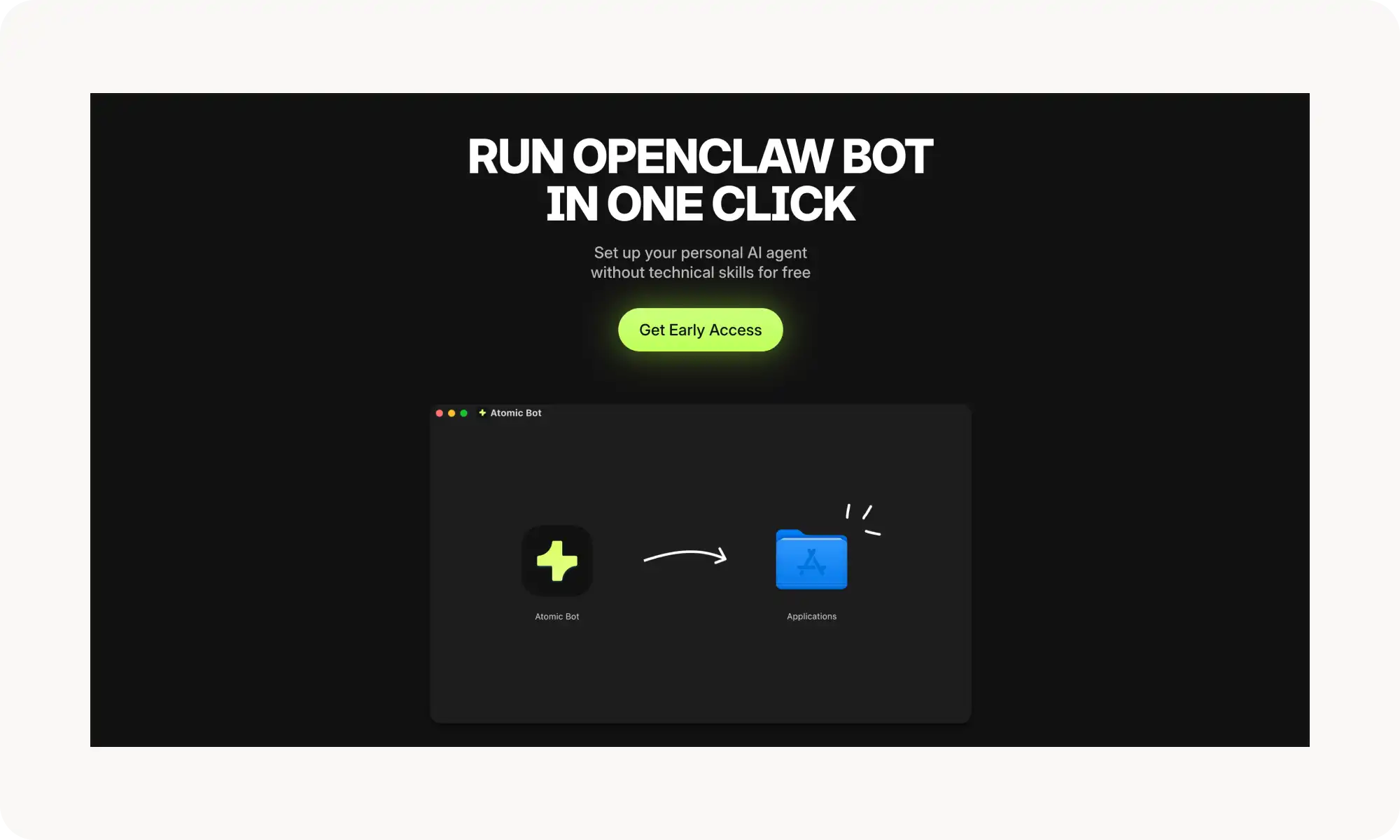
If you’re on macOS and want to skip the Terminal entirely, the easiest way to install Open Claw is with Atomic Bot.
Atomic Bot packages OpenClaw as a standard Mac app. What this means in practical terms, is that instead of running commands, you install OpenClaw the same way you would any other macOS application — just drag it into your Applications folder, and follow the steps in the installation wizard.
Claw Bot allows you to:
Download a regular app
Configure it up using a guided setup process
Get powerful skills by default
Interact with Clawbot via a user friendly interface
Sign-in with Google
Under the hood, you’re still using the same OpenClaw — just in a more user-friendly package. This lets you get up and running with OpenClaw in seconds, without spending hours troubleshooting the Terminal.
You can find detailed, step-by-step tutorials on installing OpenClaw in various ways in their official documentation. Keep in mind, though, that most of the tutorials are geared toward developers or people who are comfortable with the command line.
How to Use OpenClaw?
During onboarding, pick your AI model provider (for example, Anthropic, Google, OpenAI, or a local model via Ollama), authenticate, and choose which model to run.
Next, connect a messaging platform — Telegram, WhatsApp, Discord, iMessage, or Slack — which becomes the interface you use to talk to your assistant from anywhere, including your phone.
You can also optionally set up Skills, which are modular tool bundles that extend what the bot can do — more about this later.
Once running, you interact with your AI agent through a GUI dashboard in your browser, a terminal-based UI, or simply by messaging it in a chat app. Similar to ChatGPT — just ask it to do something in plain language.
OpenClaw Use Cases
So what can you actually do with OpenClaw?
Manage your inbox. OpenClaw can monitor your email, clear out low-priority messages, draft replies, and flag what needs your attention. You just message it on WhatsApp or Telegram and tell it what to prioritize.
Automate coding. You can use OpenClaw to automate debugging, manage your codebase, and handle DevOps tasks through GitHuh, scheduled cron jobs, and webhook triggers — run your projects while you sleep.
Control the browser. OpenClaw can fill out forms, scrape data, and navigate websites on your behalf using its built-in browser integration — a hands-free way to do repetitive web tasks.
Be more productive. Managing your calendar, checking you in for flights, and sending emails — you can easily save multiple hours every day.
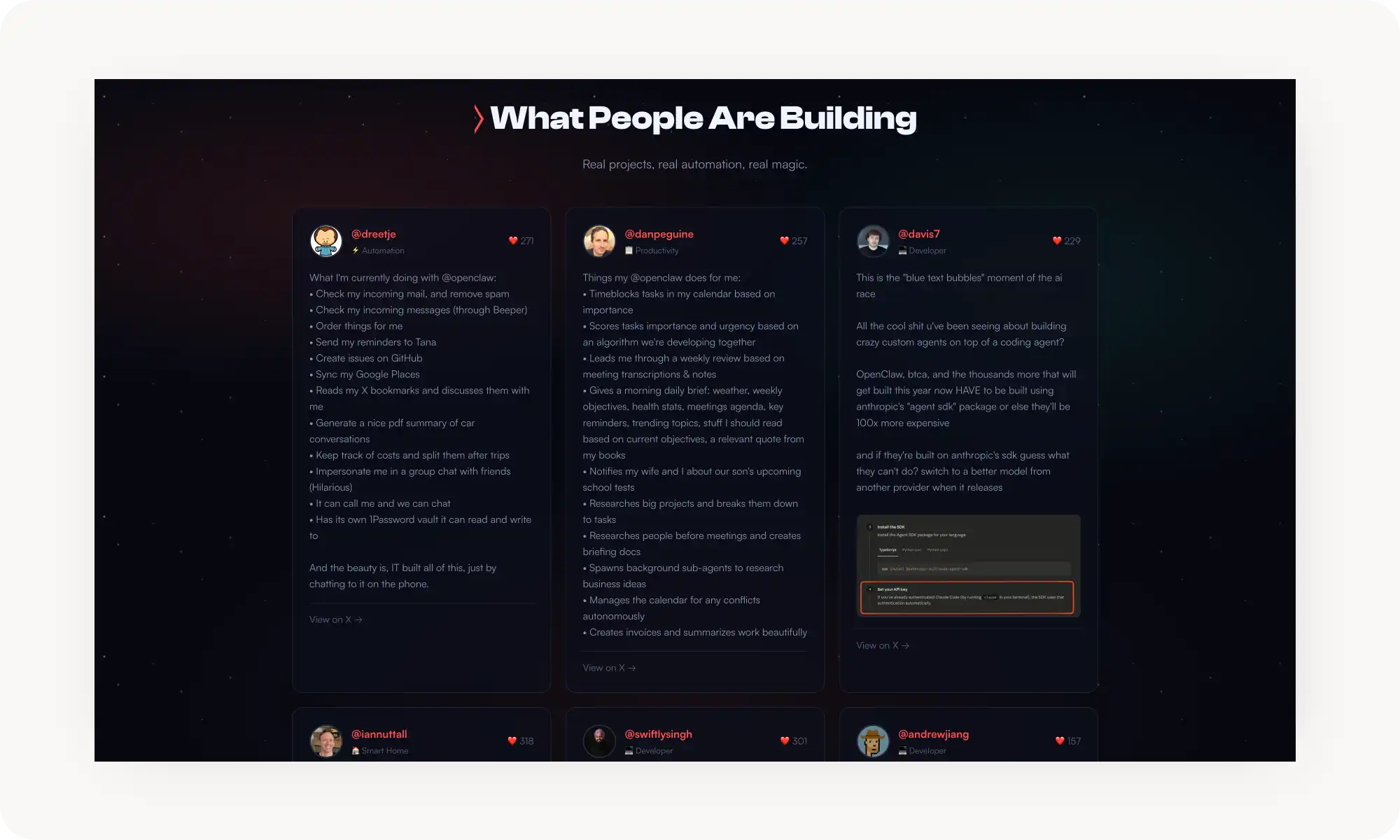
If you’re looking for some inspiration, see what people have already built with OpenClaw in the showcase gallery:
At this point, you’re probably wondering, is OpenClaw free? Well, yes and no.
You pay for API usage — light use runs roughly $5–10/day, heavy use can hit $30–50+. Here’s more OpenClaw price information.
How Much Does OpenClaw Cost?
The project itself is open-source and completely free. The only cost comes from the API pricing of the AI model you choose to connect it to — and that cost scales with how heavily you use OpenClaw.
To give you a rough idea, here’s an estimate you can use:
Task
GPT-5.1 mini
Gemini 3 Flash
GPT-5.2
Claude Haiku 4.5
Gemini 3 Pro
Claude Sonnet 4.5
Claude Opus 4.5
Simple Q&A
~$0.02
~$0.05
~$0.17
~$0.11
~$0.26
~$0.33
~$0.50
Summarization
~$0.07
~$0.16
~$0.52
~$0.33
~$0.78
~$0.98
~$1.50
Coding Assist
~$0.24
~$0.56
~$1.77
~$1.11
~$2.64
~$3.30
~$5.00
Deep Research
~$1.20
~$2.80
~$8.85
~$5.55
~$13.20
~$16.50
~$25.00
Large Document
~$2.40
~$5.60
~$17.70
~$11.10
~$26.40
~$33.00
~$50.00
Understanding OpenClaw Skills and Plugins Ecosystem
This is OpenClaw's extensibility layer, and it's where a lot of the power comes from.
What are skills?
Skills are extensions stored as Markdown files (SKILL.md) in your workspace that add functionality — like new tools, integrations with external services, or automated workflows.
OpenClaw automatically knows which skill to use and engages them as needed to complete its tasks.
You can get new Skills in one of two ways:
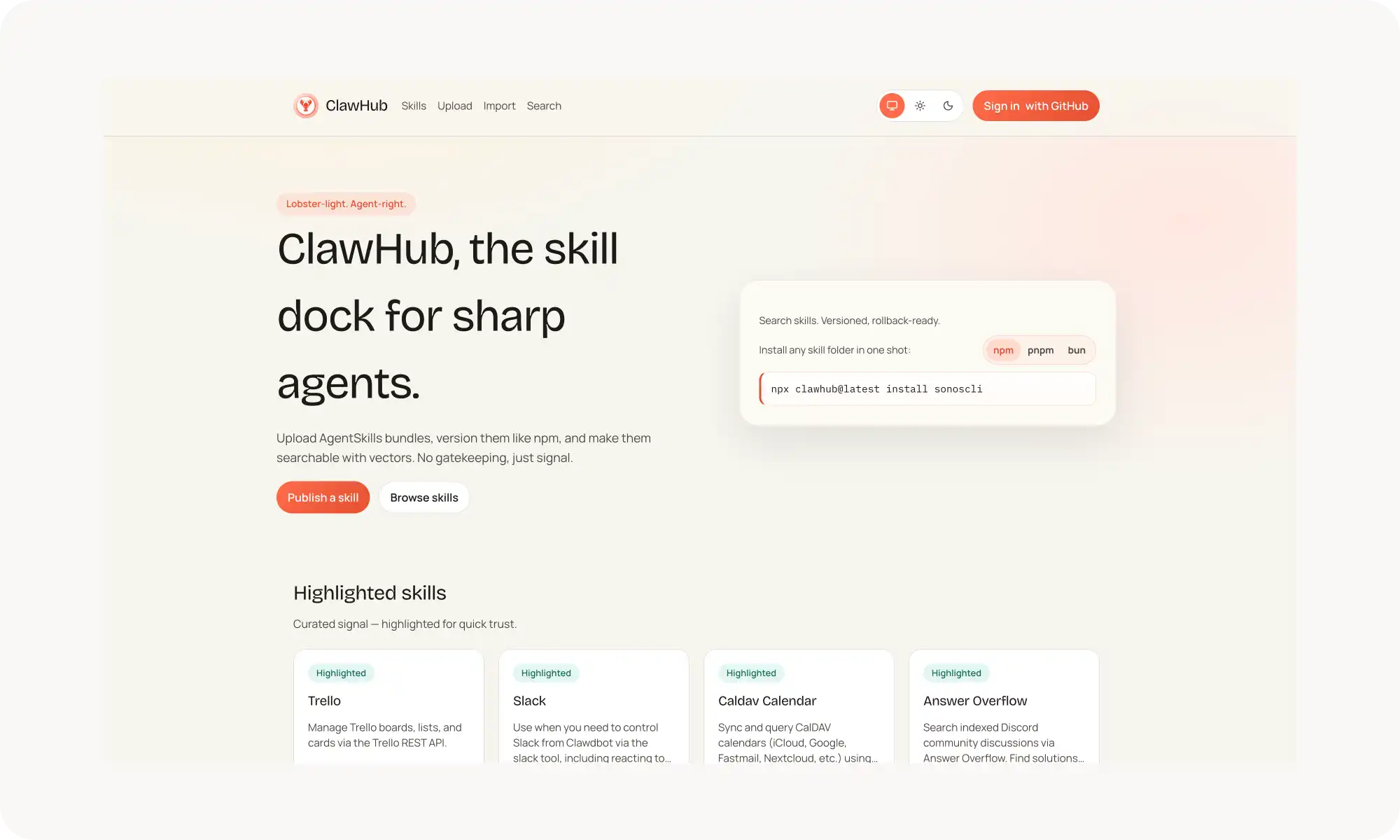
Visit ClawHub, the community marketplace, which hosts over 1,000 skills organized by categories — there are skills for everything from web development to productivity, to solar weather monitoring, to 3D printer control
Build skills by chatting with OpenClaw. Yes, the agent can create skills for itself on the fly.
What are plugins?
Plugins are bigger packages that can contain multiple skills bundled together, along with actual software tools (CLI binaries) needed to make those skills work. So a plugin is like a toolkit, while a skill is a single tool.
OpenClaw, vs Moltbot vs Clawdbot
Just to clear things up — in case this part gets confusing — you might think these are different tools. They’re not. It’s the same project, the same codebase, and the same developer.
In fact, this has been one of the most chaotic and rapid rebrandings in recent IT history, and there’s actually a pretty interesting story behind it.
The project originally launched as Warelay in November 2025. Shortly after, it was briefly renamed Clawdis, before settling on Clawdbot in January 2026.
🦞 BIG NEWS: We've molted!
Clawdbot → Moltbot Clawd → Molty
Same lobster soul, new shell. Anthropic asked us to change our name (trademark stuff), and honestly? "Molt" fits perfectly - it's what lobsters do to grow.
New handle: @moltbot Same mission: AI that actually does…
The problem was that Clawdbot sounded very similar to Claude. Coincidentally, Claude Code is used as part of the underlying SDK, so Anthropic asked (more like demanded) that Peter Steinberger renames the project to avoid trademark issues. He complied, and Clawdbot was renamed to Moltbot following Anthropic’s request. (You can see the original announcement here)
Later on, Steinberger said that Moltbot didn’t really fit the project either, so in late January 2026 it was renamed once again — to OpenClaw.
So, to summarize: whether you hear people talking about OpenClaw, Clawdbot, or Moltbot, they’re all referring to the same AI assistant.
Bottom Line
In the world of AI agents, new releases are coming out constantly, and most of them feel like incremental updates at best. OpenClaw is the rare exception — it’s genuinely shaken things up and gone viral, and for good reason.
This is the most powerful AI assistant ever built, and using it really does feel like you’ve unlocked your own personal JARVIS.
Key takeaways:
OpenClaw is the most autonomous AI agent in the world.
It’s an open-source personal AI assistant that lives on your machine, connects with you via WhatsApp, and performs any tasks on your computer.
To use OpenClaw, you need to bring in your own API key — the platform is not related to any specific model.
You can connect OpenClaw to Claude, GPT, Gemini, and many other AI models.
It can learn new things via Skills and you can extend its capabilities by downloading skills from a marketplace.
If there’s one takeaway here, it’s this: thanks to OpenClaw, the era of passive AI tools is coming to an end. No more systems where you have to prompt every step, or where the tool stalls halfway through a task because it hits a snag.
Instead, we’re moving toward a world where AI actively works alongside you. It’s honestly wild to think about — I remember watching Iron Man, seeing JARVIS, and never imagining something like that would be possible in my lifetime. And yet, here we are.
So enough talk — let’s install OpenClaw and start experimenting. Chances are, this is only the beginning.
By the way, if you want the easiest way to install OpenClaw on macOS, consider using Atomic Bot. It handles the entire installation process for you, so there’s no need to ever open the Terminal.