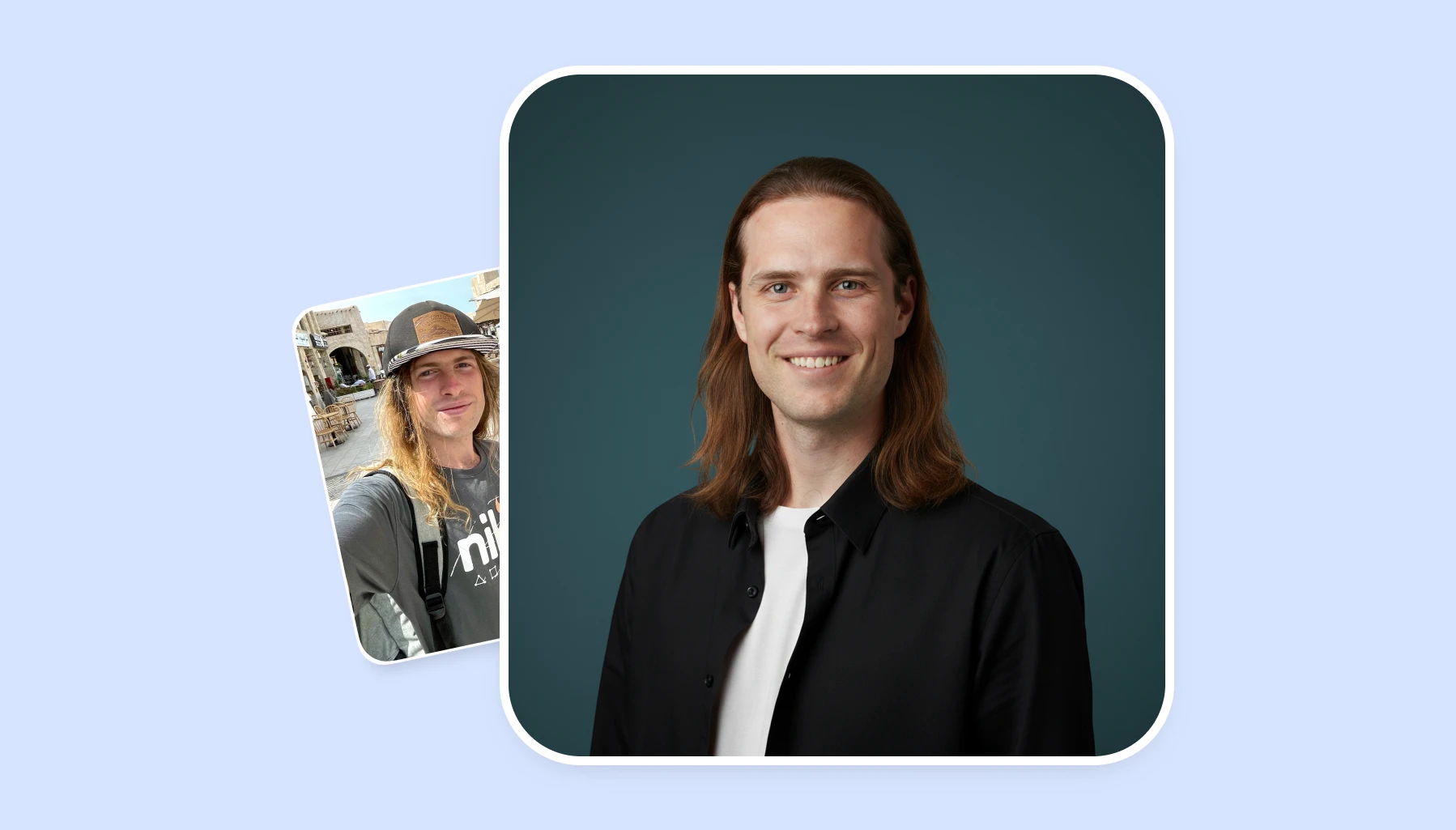
Do you need a professional headshot for linkedin or job resume, but don’t want to spend hundreds of dollars on a professional photoshoot?
Did you know that AI headshot generators can turn your casual selfies into studio-quality portraits in minutes?
So let’s compare the top AI headshot tools available today. After reading this, you’ll know which tools offer the best image quality and value for money.
AI headshot generators use image-to-image AI generators to turn casual pics into professional photos. Here’s how it works:
You upload a selfie
Optionally, describe how you want the headshot to look
The AI will produce a polished headshot for LinkedIn, resumes, and business profiles
When to use them: These tools work best when you need quick professional images without booking a photographer. They're ideal for updating LinkedIn profiles, creating team photos for remote workers, or refreshing your online presence across platforms.
Popular options include Overchat AI, which uses Google's Nano Banana model for photorealistic results, ChatGPT, Gemini, and Canva.
Comparison of the Best AI Headshot Generators
After testing over 15 different tools, we’ve zeroed in on the 7 that consistently perform the best. Here they are, in no particular order:
Tool
Best For
Speed
Free Option
Starting Price
Key Feature
Overchat AI
Most realistic results
10-30 seconds
5 free images
$4.99/week
Nano Banana model, no watermark
AI Headshots
Studio-quality business portraits
~30 minutes
No (paid packages)
$29 one-time
Preserves facial identity, commercial rights
HeadshotPhoto
LinkedIn and team headshots
1 Hr
No
$34 one-time
40 to 100 headshots per order, money-back guarantee
ChatGPT
Quick generation
Under 1 minute
Yes (with account)
$20/month
Integrated with ChatGPT workspace
Gemini AI
Free testing
10-30 seconds
Yes
Free
Same model as Overchat, with watermark
Canva
Design integration
1-2 minutes
Limited
$120/year
Built-in editing tools
Fotor
Budget-conscious users
5-10 minutes
Yes
$8.99/month
Simple interface
Each tool has distinct strengths. Let's examine them in detail.
Overchat AI
Overchat AI headshot generator runs on Google's Nano Banana model (the image generation technology behind Gemini 3 Flash). This produces some of the most photorealistic headshots available today.
How it works: Upload a selfie, describe the look you want, and receive a headshot in seconds. Nano Banana is the perfect model for a headshot generator, because it maintains photorealistic likeness — and Nano Banana 2 (Gemini 3.1 Flash Image) added even stronger character consistency across multiple shots.
Pricing: Five images free, then $4.99 weekly or $59.99 annually. Unlike Gemini, Overchat delivers high-resolution images without watermarks.
✅ Pros:
Photorealistic results using advanced Nano Banana model
No watermarks on images
High-resolution output suitable for print
Affordable pricing compared to photographer sessions
Fast generation times (under 30 seconds)
Best for: Users who want the best quality results without resolution limits or branding.
AI Headshots
AI Headshots is designed for professionals who need studio-quality profile photos without booking a traditional photoshoot. The platform uses AI to transform regular selfies into polished business headshots while preserving facial identity, allowing users to choose different styles, outfits, and backgrounds. It is built around professional photography expertise, combining AI generation with real-world headshot standards to create realistic portraits suitable for LinkedIn profiles, company websites, resumes, executive bios, and marketing materials.
How it works: Upload a set of casual photos (the platform recommends using multiple selfies with different angles, expressions, and lighting), select your preferred style, and let the AI create professional portraits. The service generates multiple variations from the uploaded images, including different professional looks and background options. Results are typically delivered in around 30 minutes, making it a practical alternative for users who need professional photos quickly.
Pricing: AI Headshots uses one-time payment packages rather than subscriptions. Plans start at $29 for 30 headshots, while the Professional package costs $39 for 50 headshots and the Executive package costs $59 for 70 headshots. All packages include commercial usage rights and a 14-day money-back guarantee.
✅ Pros:
Generates realistic, studio-style headshots from simple selfies
No photoshoot, photographer, or studio booking required
Multiple styles, outfits, and background options
Fast turnaround (around 30 minutes)
Includes commercial usage rights
Suitable for individuals and teams needing consistent professional portraits
❌ Cons:
Requires uploading several photos for the best results
Less suitable for users looking for artistic or highly customized AI portraits
Quality depends on the variety and clarity of the uploaded selfies
Best for: Professionals, job seekers, entrepreneurs, and companies that need realistic business headshots quickly and affordably. AI Headshots is especially useful for LinkedIn profiles, employee directories, company websites, and personal branding, offering a faster and more scalable option compared with traditional studio photography.
HeadshotPhoto
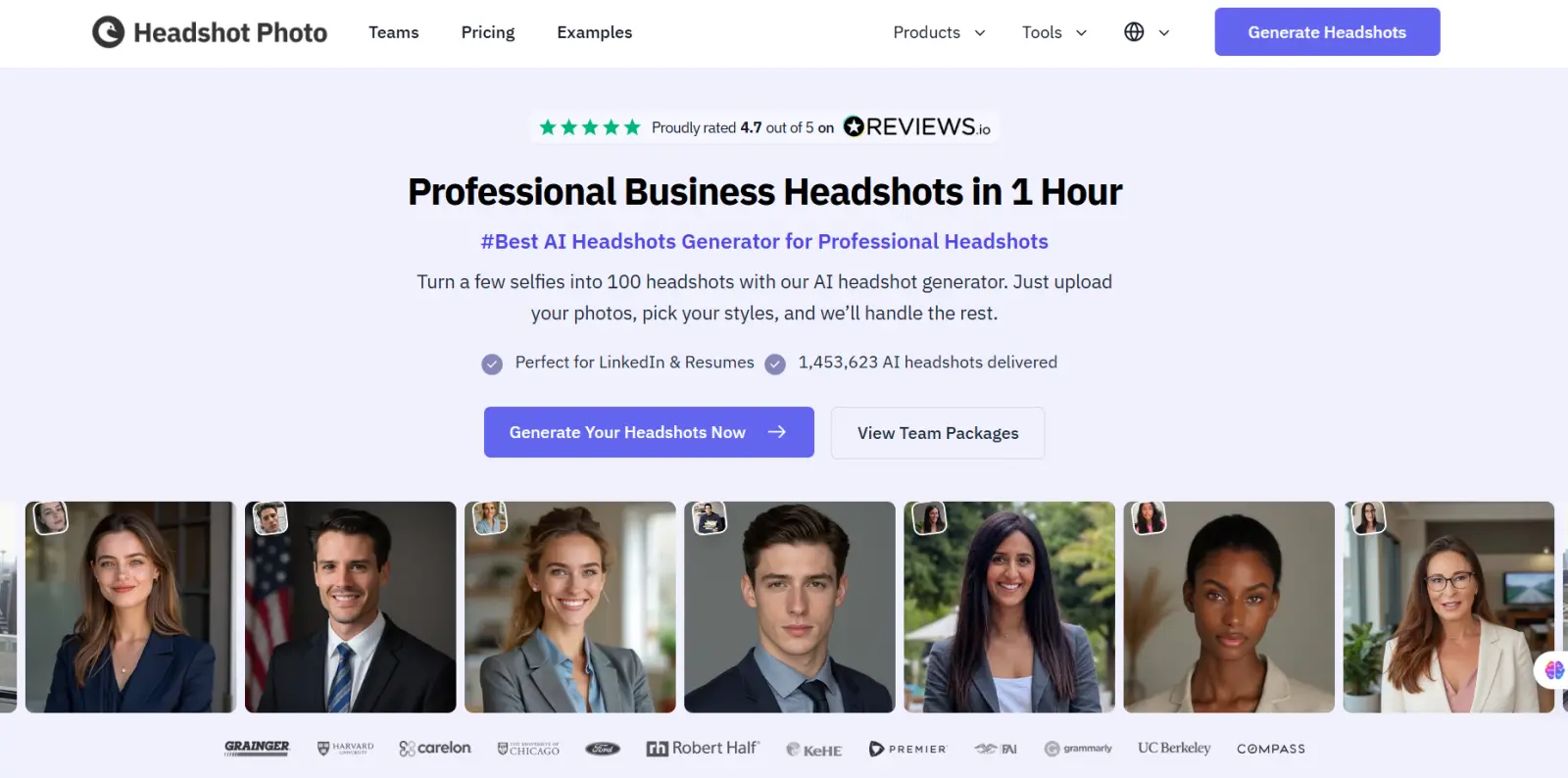
HeadshotPhoto AI headshot generator is built for people who need a professional photo and do not have time to book a studio. You upload a handful of selfies, choose your backgrounds and wardrobe, and the model returns a full gallery of professional headshots ready for LinkedIn, resumes, company bios and speaker pages. It is aimed at job seekers, consultants, founders and distributed teams who want a consistent, polished look without coordinating a shoot. What sets it apart is the range in a single order: one upload produces multiple styles, lighting setups and crops instead of a handful of near identical frames. It is used by professionals at companies including Harvard, Salesforce and Grainger.
HeadshotPhoto turns a few selfies into a full set of business headshots.
Key features:
Turns a handful of everyday selfies into a full gallery of professional headshots
Multiple backgrounds, wardrobe options and lighting styles included in one order
Crops and resolutions ready for LinkedIn, resumes, company pages and press kits
Team orders that keep everyone’s headshots visually consistent across a company
Free profile picture maker for quick social and avatar crops
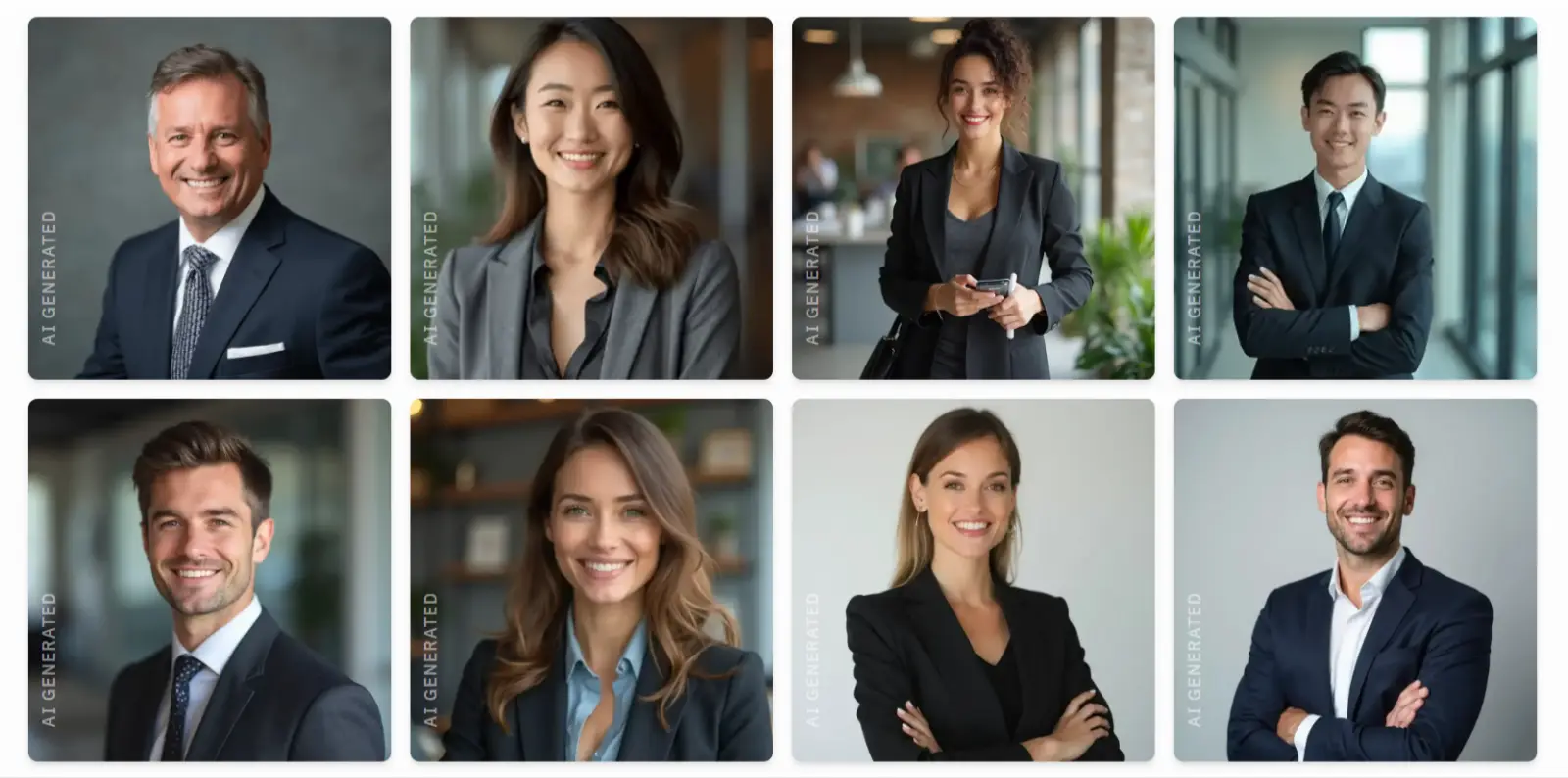
A sample results gallery from a single HeadshotPhoto order.
Pricing: One-time payment, no subscription. Basic $34 (40 headshots), Premium $39 (80 headshots), Enterprise $59 (100 headshots, 1 hour, one free reshoot). All plans come with a 100% money-back guarantee. See headshotphoto.io/pricing for current plans.
✅ Pros:
Delivers a finished gallery in minutes instead of the days a studio shoot takes
Works from standard phone photos, no equipment or booking required
Team ordering keeps a company’s headshots consistent without organising a group session
❌ Cons:
No free tier, so you commit before seeing your own results
Not the right tool if you need a specific creative direction that only a photographer can art direct
Best for: Job seekers, consultants, founders, and remote teams who want a polished, consistent LinkedIn headshot without booking a photographer.
ChatGPT
ChatGPT's image generation uses OpenAI's GPT-Image model, which creates headshots directly within your conversation. This integration makes it convenient if you're already using ChatGPT for other tasks like writing or research. The tool generates images quickly, but the results tend to have a slightly artificial quality compared to specialized headshot generators.
How it works: Describe the headshot you want in the chat, upload a reference photo of yourself, and ChatGPT generates an image based on your prompt. You can refine the result by asking for adjustments.
Pricing: Free users get limited access to image generation. ChatGPT Plus ($20/month) provides faster generation and higher usage limits.
✅ Pros:
Integrated with ChatGPT's full feature set
No separate account needed if you use ChatGPT
Quick generation times
Can iterate through conversation
Includes access to all other ChatGPT features
❌ Cons:
Results look somewhat artificial or overly smoothed
Less photorealistic than Nano Banana
High monthly cost if used only for headshots
Best for: ChatGPT subscribers who want occasional headshots without switching platforms. The convenience factor makes it worthwhile if you're already paying for Plus, but dedicated headshot tools produce more realistic results.
Gemini AI
Gemini AI uses the same Nano Banana family that powers Overchat AI, which means the underlying image quality is identical. Google's model excels at photorealistic generation and maintains facial accuracy better than most competitors. The main limitation is that free access comes with trade-offs that affect professional use.
How it works: Upload a selfie to Gemini, and describe the professional look you want. The interface is straightforward, and you can refine results through follow-up prompts. Gemini can also edit existing images, giving you more flexibility than ChatGPT.
Pricing: Get a few image generations free, then $19.99/month with the paid Gemini Pro tier.
✅ Pros:
Same advanced Nano Banana model as Overchat AI
Can edit and refine images, not just generate new ones
Fast generation (10-30 seconds)
Integrated with Google's ecosystem
❌ Cons:
Watermark appears on bottom right of images
Low resolution output
Less polished interface than dedicated headshot tools
Best for: Testing AI headshots before committing to paid tools, or casual use where watermarks aren't a dealbreaker. The image quality matches premium services, but the watermark limits professional applications like LinkedIn profile photos or business websites.
Canva
Canva's AI headshot generator integrates directly into its broader design platform, making it convenient for users who already create presentations, social media posts, or marketing materials with Canva.
How it works: Access the headshot generator through Canva's AI tools menu. Upload your photo, select from preset styles or customize backgrounds and lighting, and the AI generates professional-looking portraits.
You can immediately drop these images into presentations, resumes, or other Canva projects without switching platforms.
Pricing: Basic features available on free tier. Canva Pro ($120/year) unlocks full AI capabilities and removes limits on generation.
✅ Pros:
Seamlessly integrates with Canva's design tools
Easy to use for non-technical users
Can export directly to presentations and documents
Multiple professional templates available
Background removal and editing included
❌ Cons:
Results can look overly polished or stock photo-like
Less photorealistic than Nano Banana
Requires Pro subscription for full feature access
Higher annual cost if used only for headshots
Best for: Canva users who need headshots as part of larger design projects.
Fotor
Fotor offers a budget-friendly approach to AI headshots with a straightforward generation process. The tool requires minimal input—just 4 to 10 selfies—and produces results quickly. While the output quality doesn't match premium services, Fotor provides decent headshots for users who need professional-looking images without spending heavily.
How it works: Upload your selfies, select your preferred style and background from available options, and wait while the AI processes your images.
Pricing: Free tier available with limited features. Pro+ subscription starts at $8.99/month for full access.
✅ Pros:
Free tier lets you test before subscribing
Simple, beginner-friendly interface
Includes additional photo editing tools
❌ Cons:
Less detailed and accurate than premium tools
Some headshots may look generic or artificial
Best for: internal team pages or casual professional use, but LinkedIn profiles or client-facing materials benefit from higher-quality alternatives like Overchat AI.
FAQs
What is the best AI headshot generator?
Overchat AI delivers the best results for most users. It uses Google's Nano Banana model to produce photorealistic headshots without watermarks or resolution limits. The $4.99 weekly option makes it affordable while maintaining professional quality suitable for LinkedIn and business profiles.
Do AI headshots look realistic?
Quality varies significantly by tool. Nano Banana-based generators (Overchat AI, Gemini) produce highly photorealistic results that pass as professional photography. ChatGPT's output looks slightly artificial with smoothed features. Canva and Fotor create polished images that may appear somewhat templated.
Can I use AI headshots on LinkedIn?
Yes. High-quality AI headshots from tools like Overchat AI, BetterPic, or Aragon AI are appropriate for LinkedIn. Avoid using images with visible watermarks or obviously artificial features, as these undermine professional credibility.
How many photos do I need to upload?
Requirements vary by platform. Overchat AI and Gemini need just one selfie. ChatGPT works with a single reference image. Fotor requests 4-10 photos for better accuracy. More photos generally produce better results, but advanced models achieve strong accuracy with minimal input.
Bottom Line
To sum up, AI headshot generators have gotten good enough that most people won't need a professional photographer for their LinkedIn profile anymore. The technology works fast, costs less, and produces results that look professional in most contexts.