We compared what we believe are five of the best AI beard try-on apps on the market today and explained their pros and cons. Let's get started.
We compared what we believe are five of the best AI beard try-on apps on the market today and explained their pros and cons. Let's get started.
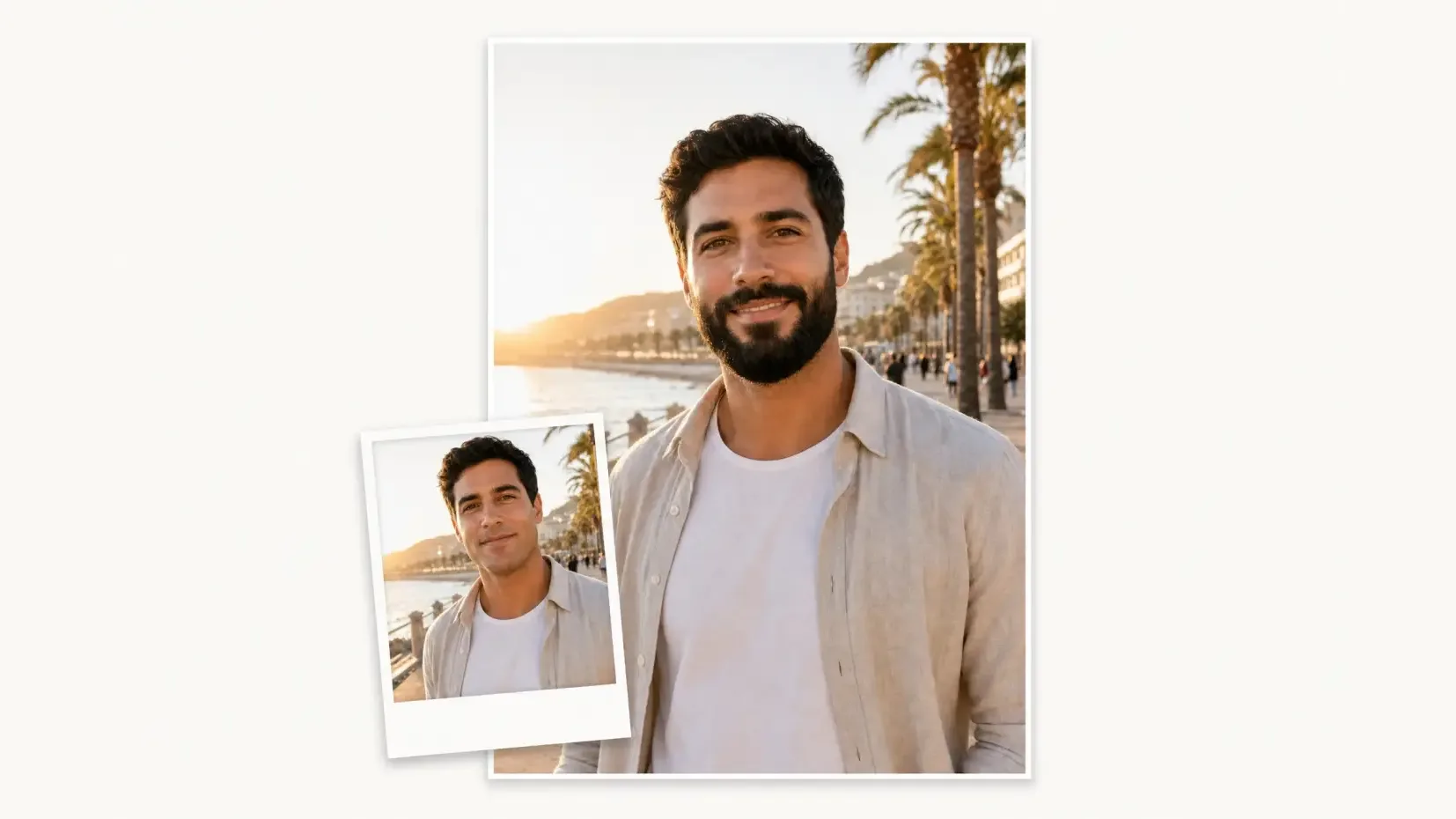
Full disclosure: we built the Overchat AI Beard Style Try-On. We have still tried to keep this comparison practical and to explain the pros and cons of each option.
An AI beard try-on filter is an online tool or mobile app that shows you what you'd look like with a beard or mustache.
There are two main types of beard try-on technology:
The table below compares the 5 best AI beard filters at a glance:
| AI beard filter | Platform | Style control | Free access | Best for |
|---|---|---|---|---|
| Overchat AI | Web | 46 beard and mustache presets | Free at the time of writing | Fast preset-based try-on |
| Fotor | Web | Preset beard styles | Free use advertised | Common beard styles |
| Perfect Corp | Web and live camera | Presets, colors, and no-beard mode | Free online demo | Live AR preview |
| VEED | Web | Text prompt and model selection | Credit-based | Custom styles and video |
| Dreamina | Web | Prompt, brush, and AI Agent | Free access advertised; account required | Detailed manual control |
Let us dive into each option in more detail:
Overchat AI Beard Try-On is a browser-based tool for adding beards and mustaches to a photo.
It uses Nano Banana 2 to generate the facial hair while preserving the face, expression, hairstyle, clothing, and background.
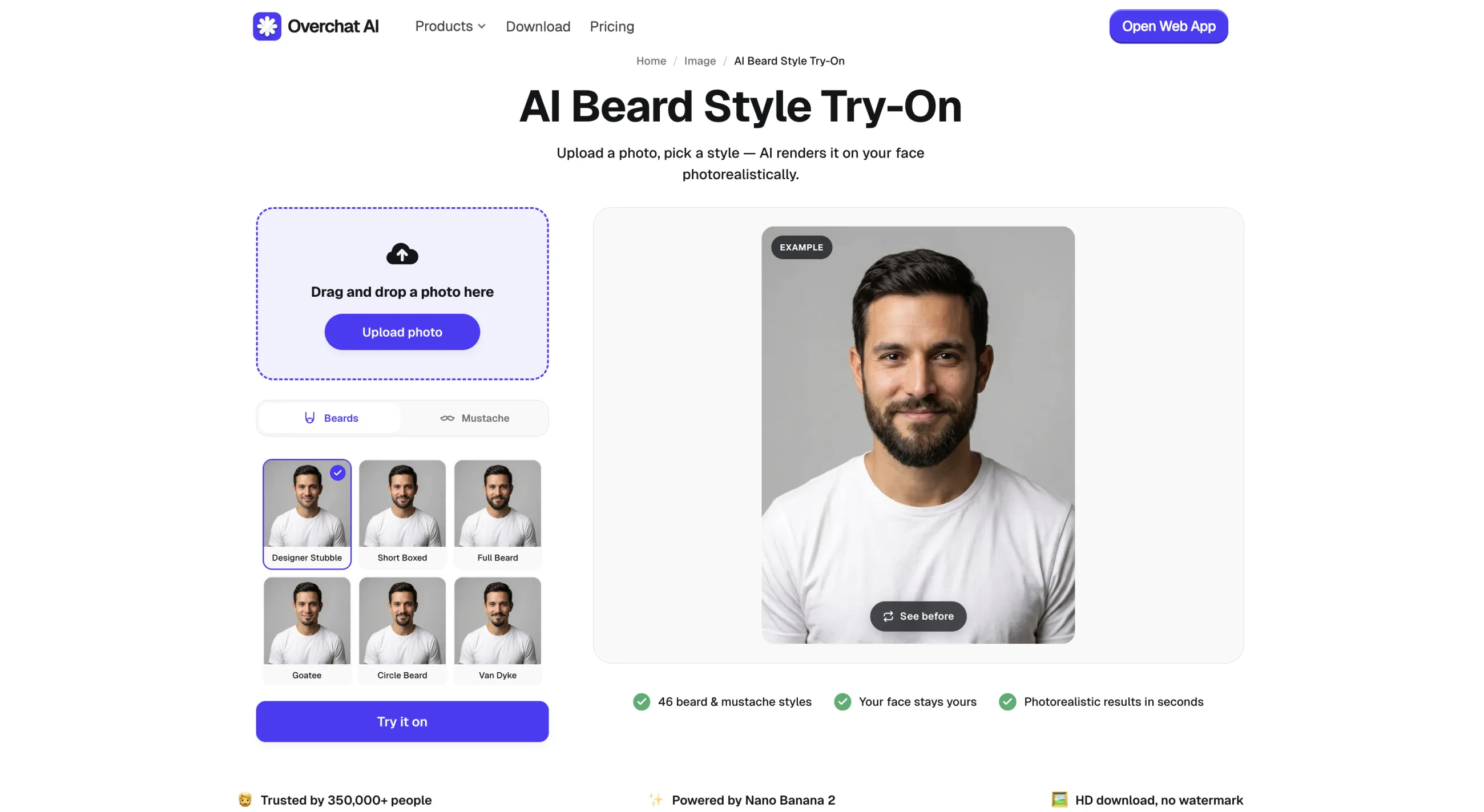
There are 46 beard and mustache styles, ranging from 3-day stubble and a short boxed beard to a Van Dyke, ducktail, Garibaldi, Viking beard, handlebar mustache, and more unusual options such as a French fork or braided beard.
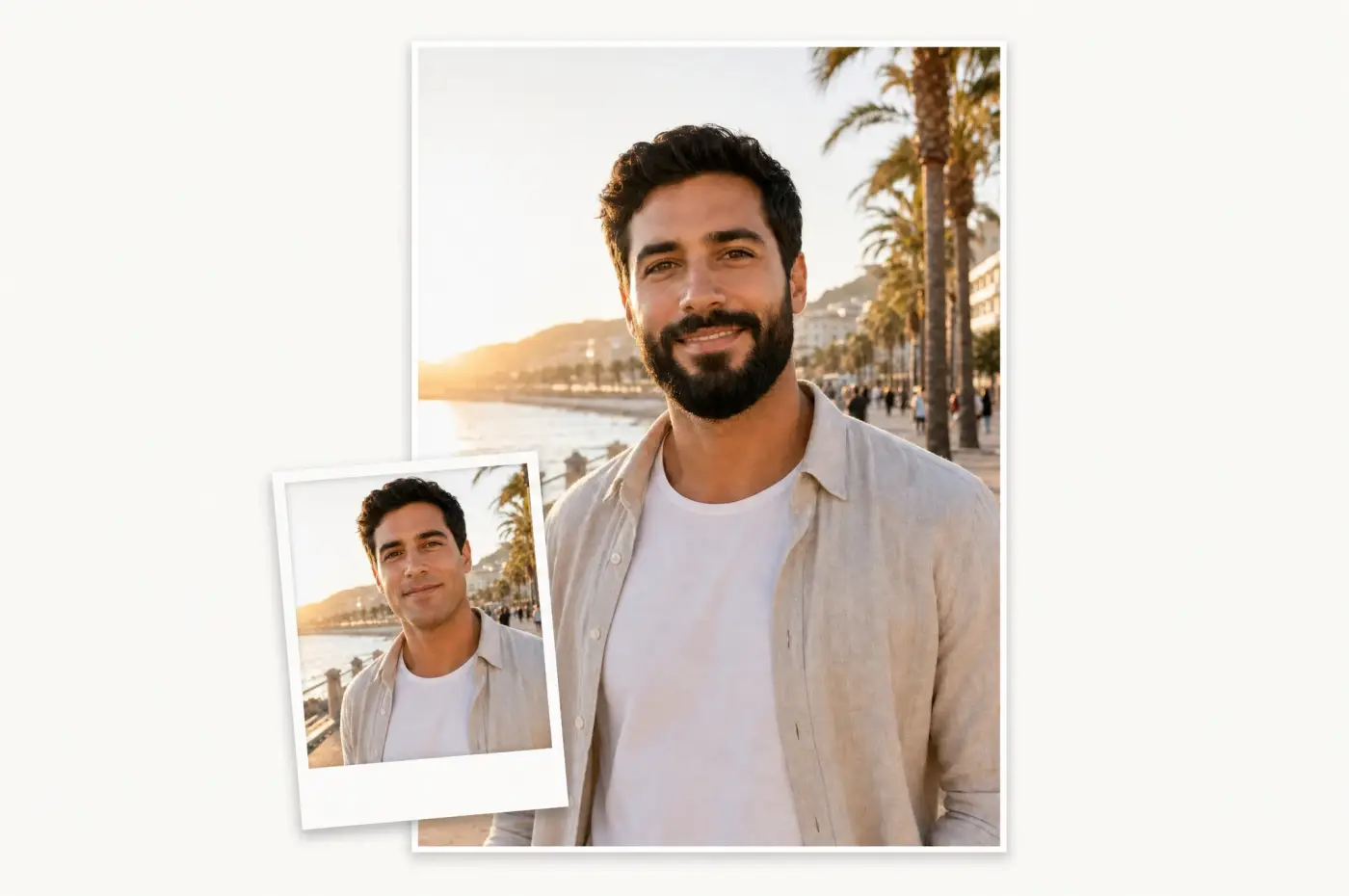
Here is the whole flow, step by step:
Open the AI Beard Style Try-On and upload a photo. You can select a file or drag and drop it into the upload area.
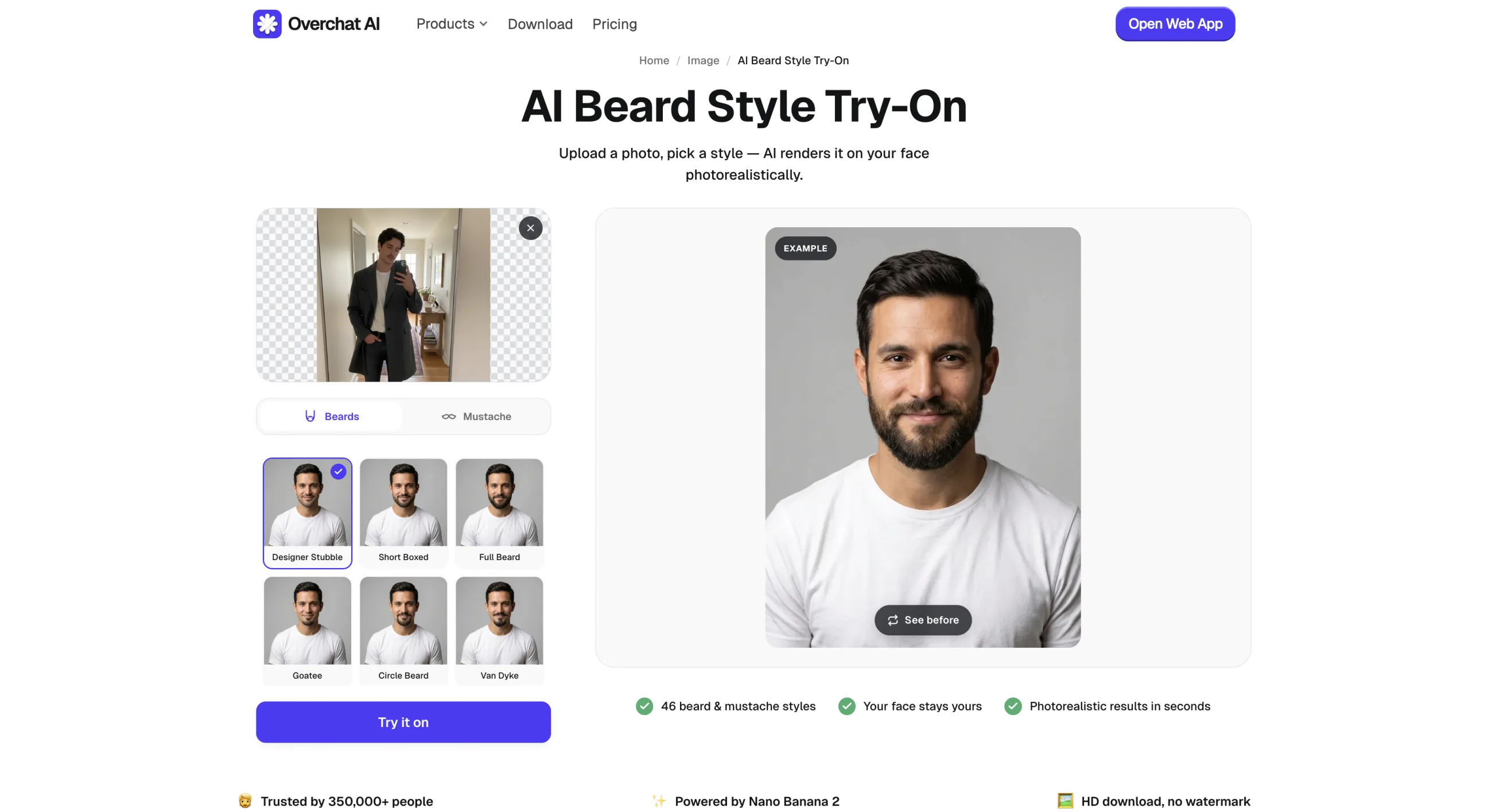
Switch between Beards and Mustache, then browse the gallery.
On desktop, you can hover over a style to see a larger preview before selecting it.
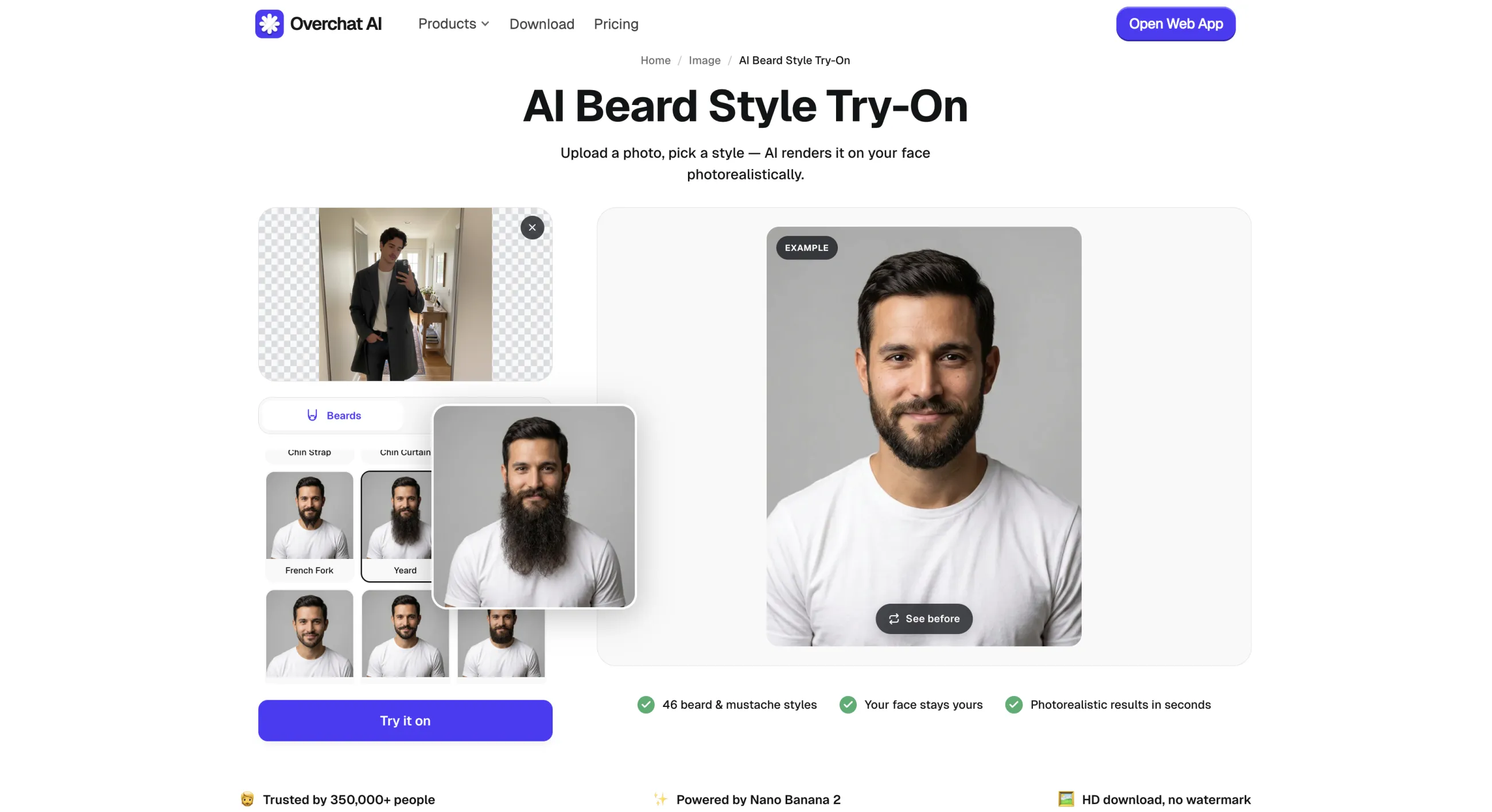
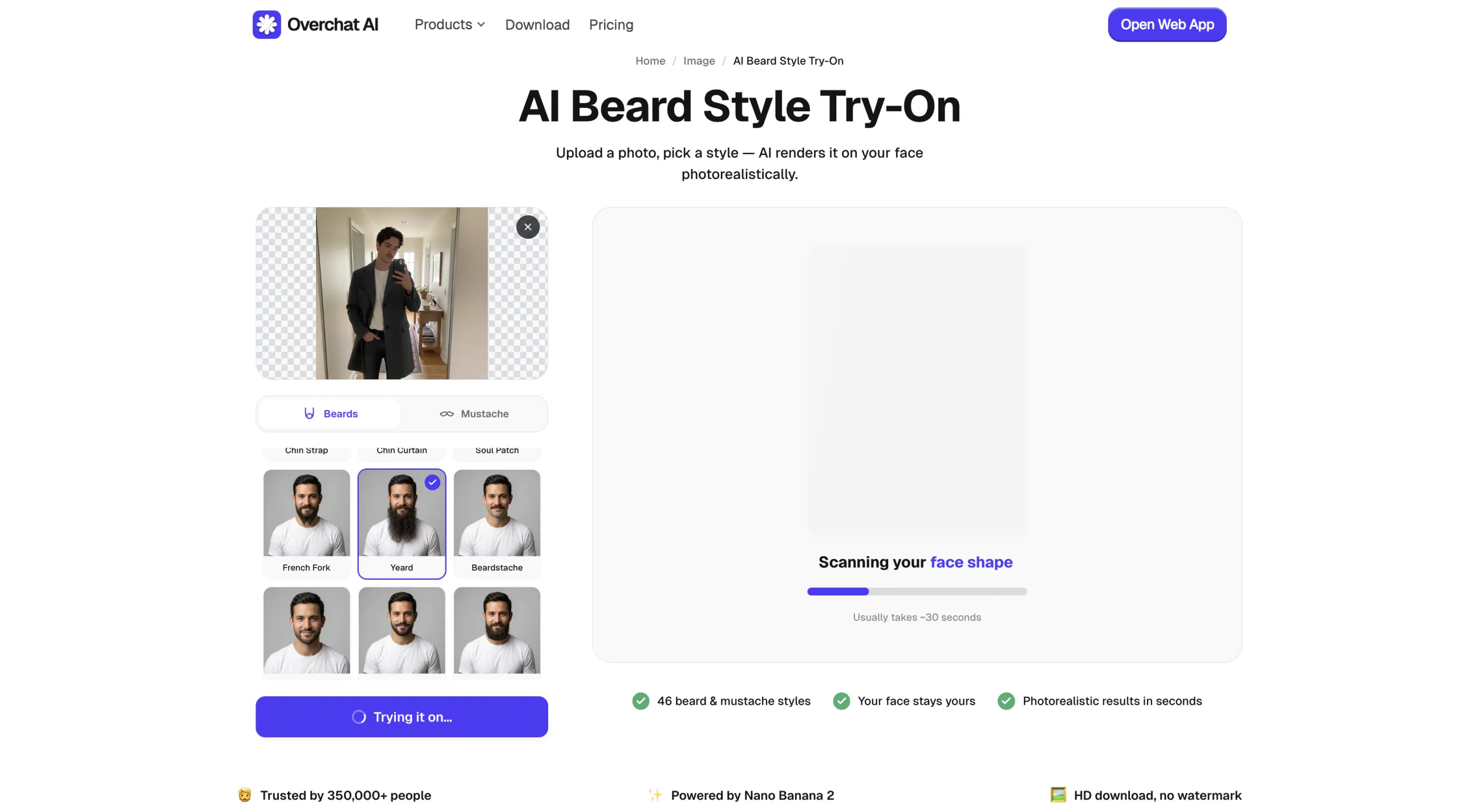
Press Try it on. Processing usually takes about 30 seconds.
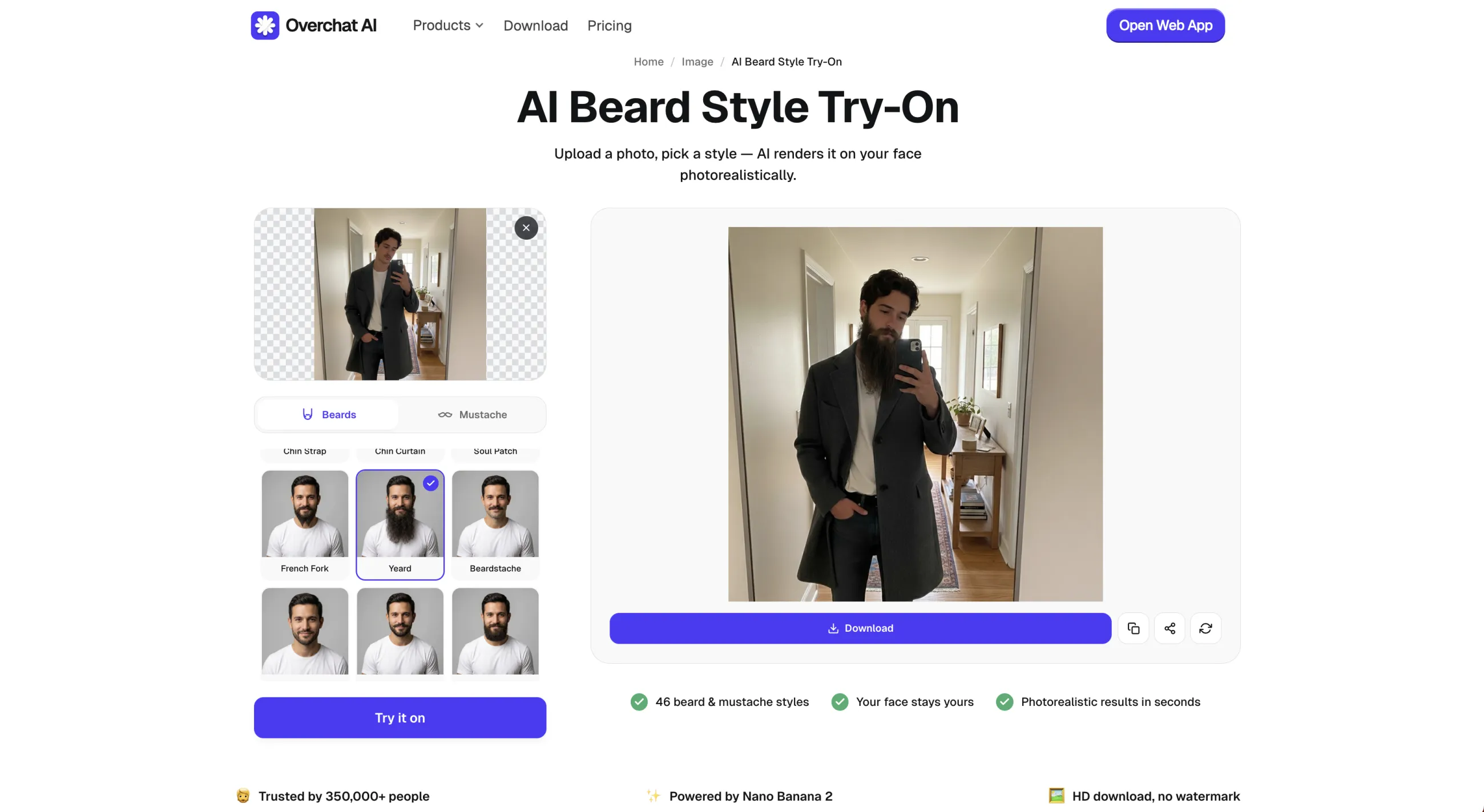
When the result appears, you can download it or try another style.
Price: Free at the time of writing. Overchat AI Pro costs $14.99/month or $49.99/year for access to the broader platform.
Pros:
✅ 46 named beard and mustache styles
✅ Works in a browser with no software to install
✅ No prompt writing required
✅ HD downloads without a watermark
Fotor AI Beard Filter is a beard try-on service from Fotor, a popular image-editing platform.
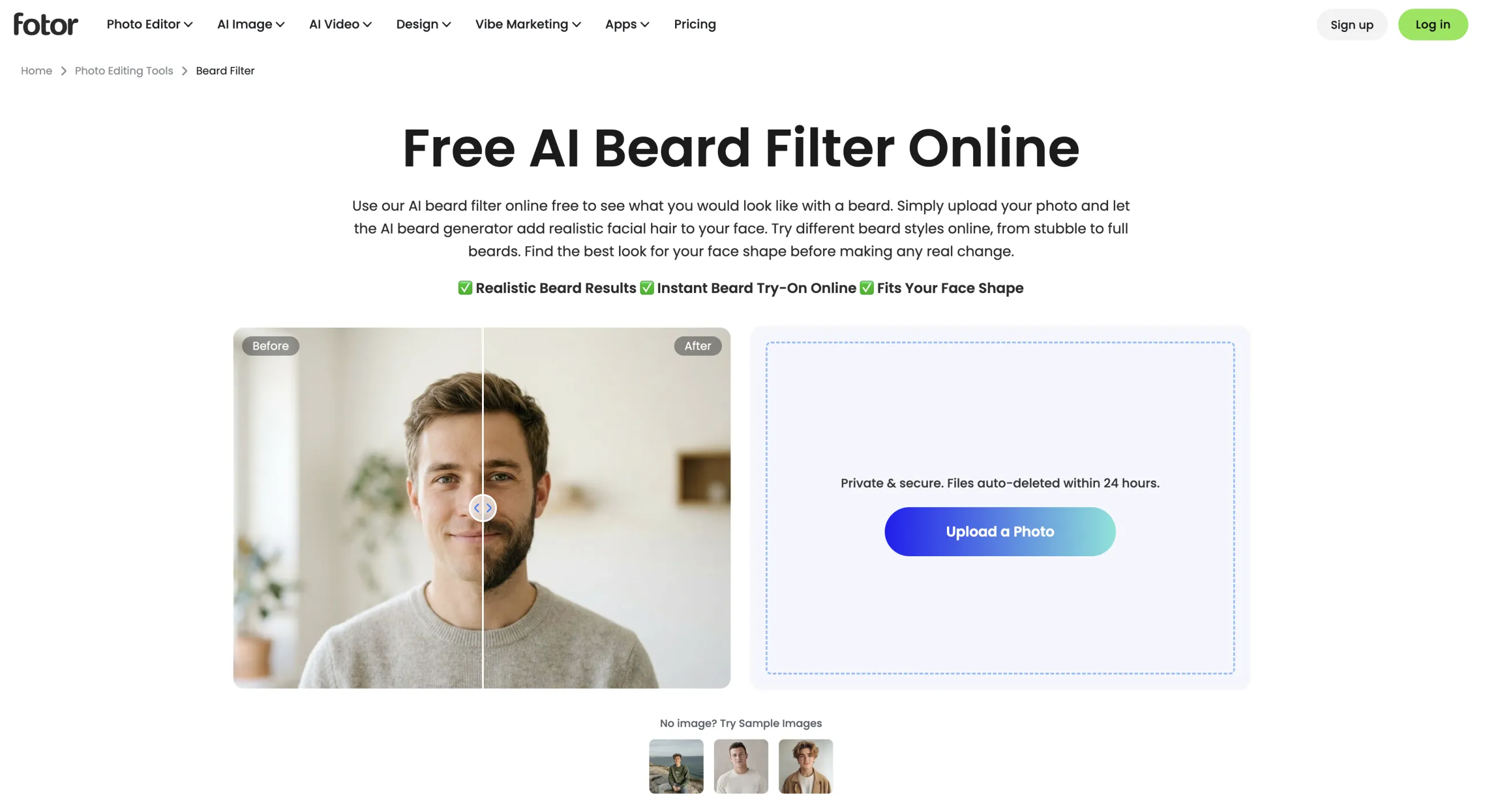
Fotor says its AI analyzes facial features, skin tone, lighting, and face shape. The service also lets you use sample images if you want to inspect the workflow before uploading your own photo.
Fotor is a good fit if you want to test a few conventional beard styles quickly, and it also states that uploaded files are automatically deleted within 24 hours, which is a good thing for a tool where you upload images of your face online.
Price: Fotor advertises the beard filter as free. Some Fotor exports and broader editing features may require a paid plan.
Pros:
✅ Straightforward browser workflow
✅ Covers common styles such as stubble, goatee, and full beards
✅ States that uploaded files are deleted within 24 hours
Cons:
❌ Limited manual control over the shape and density of the beard
❌ The beard tool sits inside a much larger photo-editing platform, which can be overkill
Perfect Corp's Beard Filter focuses on augmented-reality try-on — here, you can either upload a photo or use a live camera preview to try on beards in a video format.
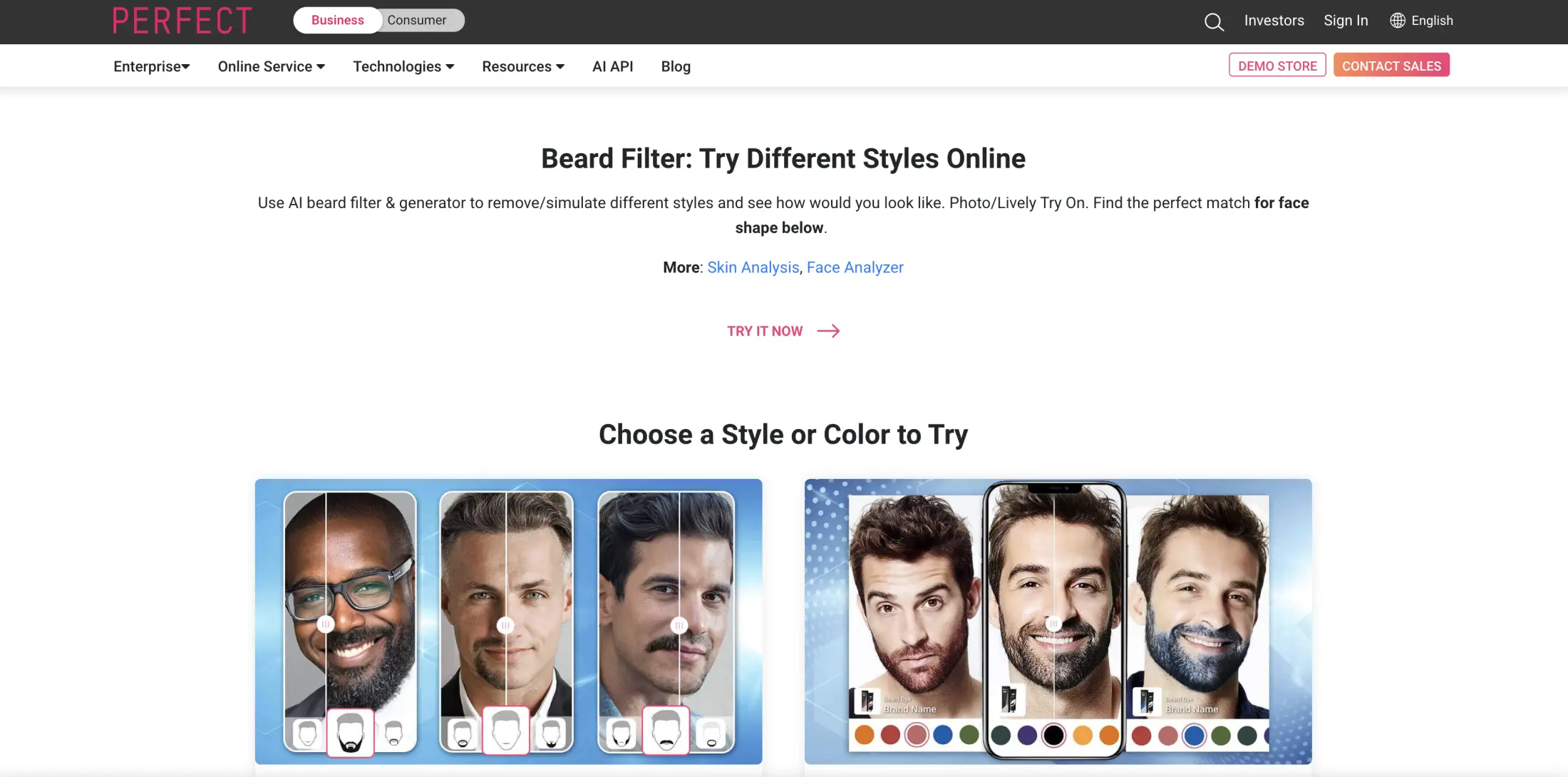
It has a large gallery with options like short and long beards, goatees, Viking, Bandholz, anchor, circle, walrus, and clean-shaven looks. There is also a separate beard-color try-on.
In live preview mode, the beard gets superimposed on your face as you film yourself with the selfie camera. You can thus turn your head and get a quick impression of how the overall silhouette changes before generating or saving anything. However, Perfect Corp's tool is partly aimed at businesses looking for virtual try-on technology. Although the company does run an online demo, using it just to see yourself with a beard is a bit of a hack, so to speak.
Price: A free online try-on is available. Business integration pricing is separate.
Pros:
✅ Supports live-camera and photo try-on
✅ Includes beard-color and clean-shaven options
✅ Fast way to compare the general shape of several styles
Cons:
❌ The public page mixes a consumer demo with Perfect Corp's business product
❌ AR results may look less photographic than a fully generated edit
VEED Beard Filter is more of an AI image editor, where you enter a prompt and choose an AI image-generation model yourself.
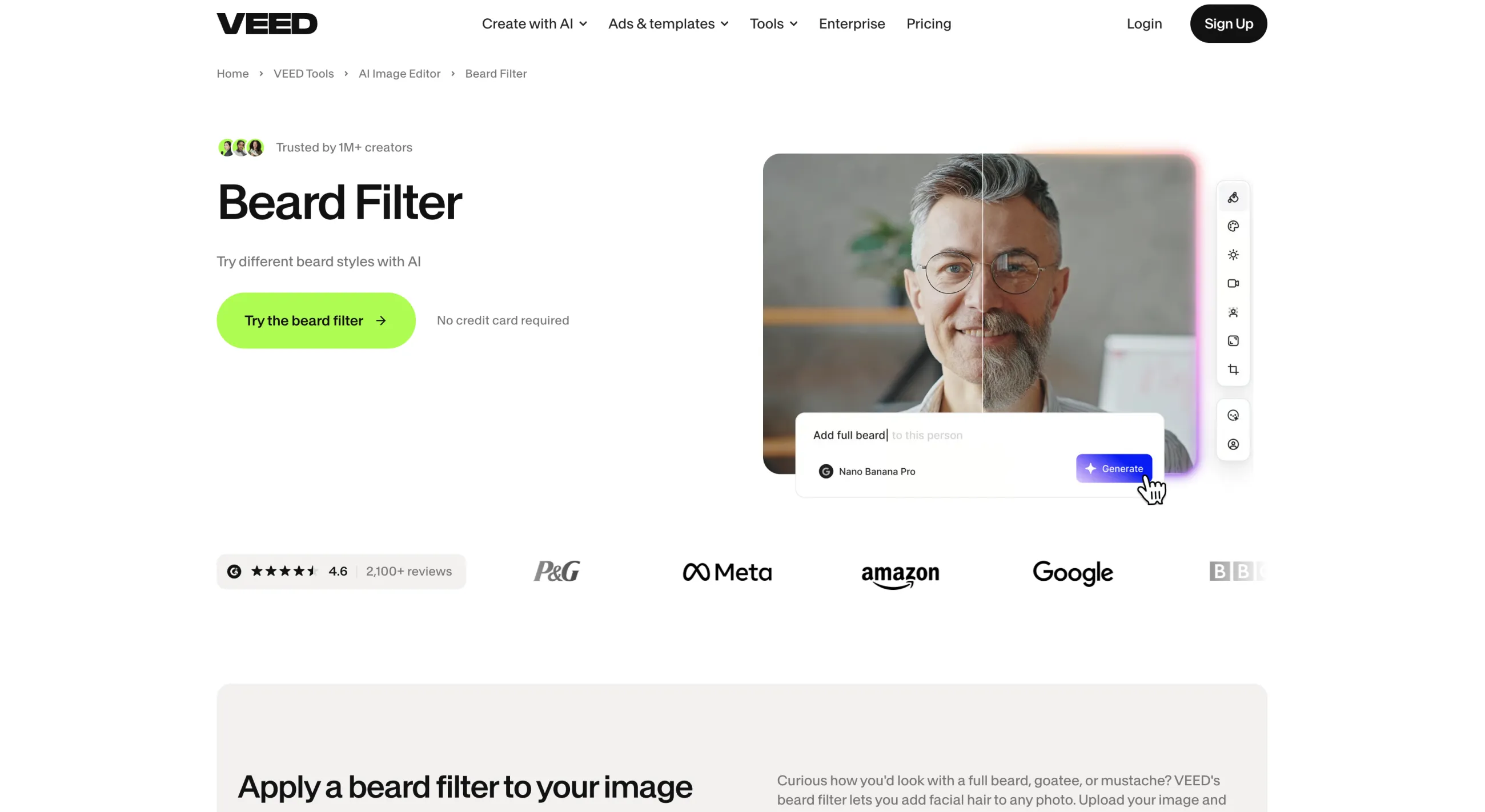
To use it, upload an image, choose an AI model, and describe what kind of beard you want to see yourself with in the prompt box.
Nevertheless, while it requires a bit more manual work, the benefit of this approach is that you're not limited to the options in a preselected gallery: you can describe anything in any way. The downside is that it's going to be somewhat inconsistent if you're not very careful with words.
Also worth noting is that VEED is primarily a content-creation tool — once it generates your image, it can be moved into the platform's video tools to produce a talking character or a before-and-after clip. This is probably overkill if you're just previewing beards as a personal style thing, but you have that option.
Price: A free plan is available. Paid plans start at $9/month when billed annually. VEED uses AI credits, with different models costing different amounts per generation.
Pros:
✅ No fixed limit on the beard styles you can describe
✅ Lets you choose between several AI models
✅ Can also remove existing facial hair
✅ Connects directly to VEED's video tools
Cons:
❌ Requires more prompt writing than a preset-based tool
❌ Each attempt uses credits, and model costs vary
Dreamina AI Beard Online is another prompt-based tool.
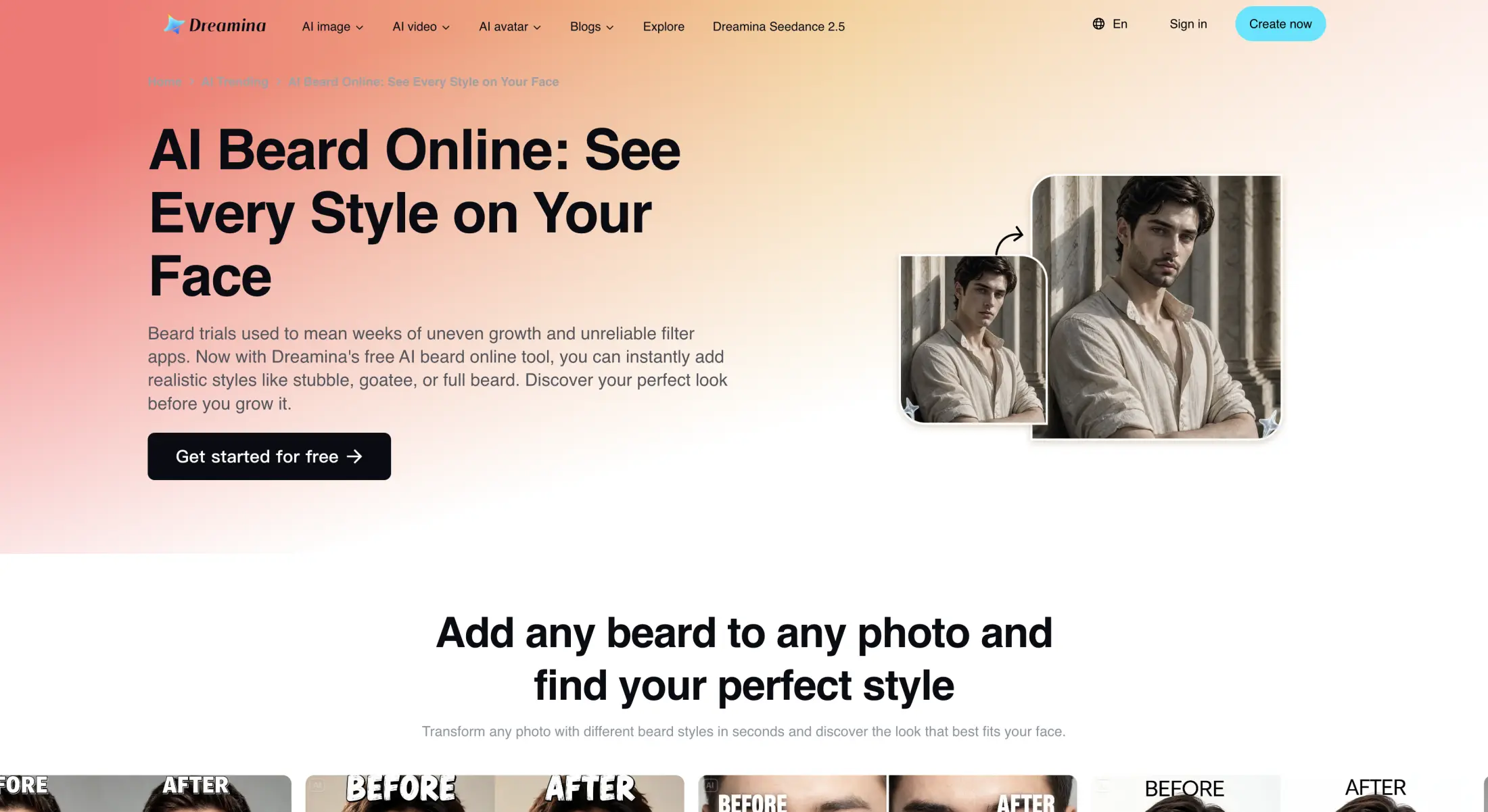
It is powered by multiple image-generation models, including Seedream and GPT Image, and you can choose the engine that generates the beard preview.
What we like the most about Dreamina is its interactive editor, where you can brush over a specific part of the face before applying an instruction, and the AI regenerates just that part of the image.
In Dreamina, you can also generate multiple images per generation, so you can actually get a couple of variants or styles from the same prompt, especially if you keep your description somewhat open to interpretation. This can be a good way to discover unique styles you haven't thought of.
Price: The free plan provides 225 daily credits. Paid plans start at $18/month for 1,010 monthly credits. An account is required.
Pros:
✅ Detailed control over style, color, and density through prompts
✅ Brush-based editing for specific facial regions
✅ Can generate larger sets of variations for comparison
Cons:
❌ Requires an account
❌ More setup and editing knowledge than the dedicated beard filters above
Quick answers to the most common questions about AI beard try-on filters:
The best AI beard try-on tool depends on how you want to experiment with facial hair. Overchat AI Beard Style Try-On is a strong general-purpose option if you want to upload a photo and quickly compare predefined beard and mustache styles without writing prompts.
In this comparison, Overchat AI offers 46 visual presets and works directly in a browser. Perfect Corp is better suited to users who want a live camera or AR-style preview, while Dreamina provides more control through prompts and image editing tools.
For most people, the most useful beard simulator is one that lets you test several styles on the same photo and compare their shape, length, and proportion consistently.
Yes. An AI beard filter can create a visual approximation of how different beard or mustache styles might look on your face.
You typically upload a portrait and select a facial hair style or describe one in a prompt. The AI then analyzes visible facial features and generates beard hair around areas such as the chin, jaw, cheeks, and upper lip.
This can be useful for comparing styles before changing your appearance, but it should not be treated as a prediction of how your beard will actually grow.
An AI beard filter analyzes a face in a photo and generates or overlays facial hair that follows its visible structure.
Depending on the tool, it may detect facial landmarks such as the jawline, mouth, cheeks, and chin before adding a selected beard style. Generative tools can also recreate lighting, hair texture, shadows, and transitions between facial hair and skin.
Some tools use fixed beard presets, while others allow you to describe a style with a text prompt or edit only a selected area of the face.
AI beard filters can produce a convincing visual preview, but they are not biologically accurate predictions of beard growth.
A good-quality portrait can help the AI reproduce the shape and proportions of a beard realistically. However, your real facial hair may differ in:
An AI beard simulator is therefore better for evaluating the appearance of a style than for determining whether you can naturally grow it.
No. An AI beard filter cannot reliably predict your natural beard growth pattern.
The generated result is based mainly on the appearance of your face and the requested beard style. It does not know your genetics, follicle density, growth rate, or how facial hair is distributed beneath clean-shaven skin.
Use the result to judge shape, length, and overall appearance, rather than expected beard coverage.
Yes. Most AI beard try-on tools allow you to test several beard and mustache styles using the same portrait.
Depending on the service, options may include short stubble, full beards, goatees, mustaches, chin beards, longer styles, or stylized facial hair. Using the same source photo for each generation makes it easier to compare how different shapes affect your jawline and facial proportions.
Yes. Some AI beard filters offer free generations, limited free credits, or a free online beard try-on.
In this comparison, Overchat AI, Fotor, Perfect Corp, and Dreamina offer some form of free access, while VEED uses a credit-based workflow. Free allowances, account requirements, export restrictions, and pricing can change over time.
If you only want to compare a few beard styles, check whether the free version allows you to generate and save enough previews before starting.
Yes. Many AI facial hair tools can add mustaches as well as beards.
Some provide individual mustache presets, while generative tools may allow you to request styles such as a handlebar, chevron, pencil, or connected beard-and-mustache combination. Results tend to look more natural when the original photo clearly shows the upper lip and mouth.
Yes, some AI tools can also simulate a clean-shaven appearance by removing facial hair from a photo.
This is more difficult than simply adding a beard because the AI has to reconstruct skin, lips, jaw contours, and other details that may be hidden beneath the original facial hair.
For that reason, beard removal should be treated as an AI-generated approximation rather than an exact reconstruction of what the person looks like clean-shaven.
Yes. A beard try-on can help you compare how different facial hair shapes affect your appearance before committing to a style.
It is particularly useful for evaluating whether you prefer more or less coverage around the cheeks, chin, jawline, and upper lip. However, the tool cannot tell you whether your natural facial hair will grow densely enough to reproduce the generated result.