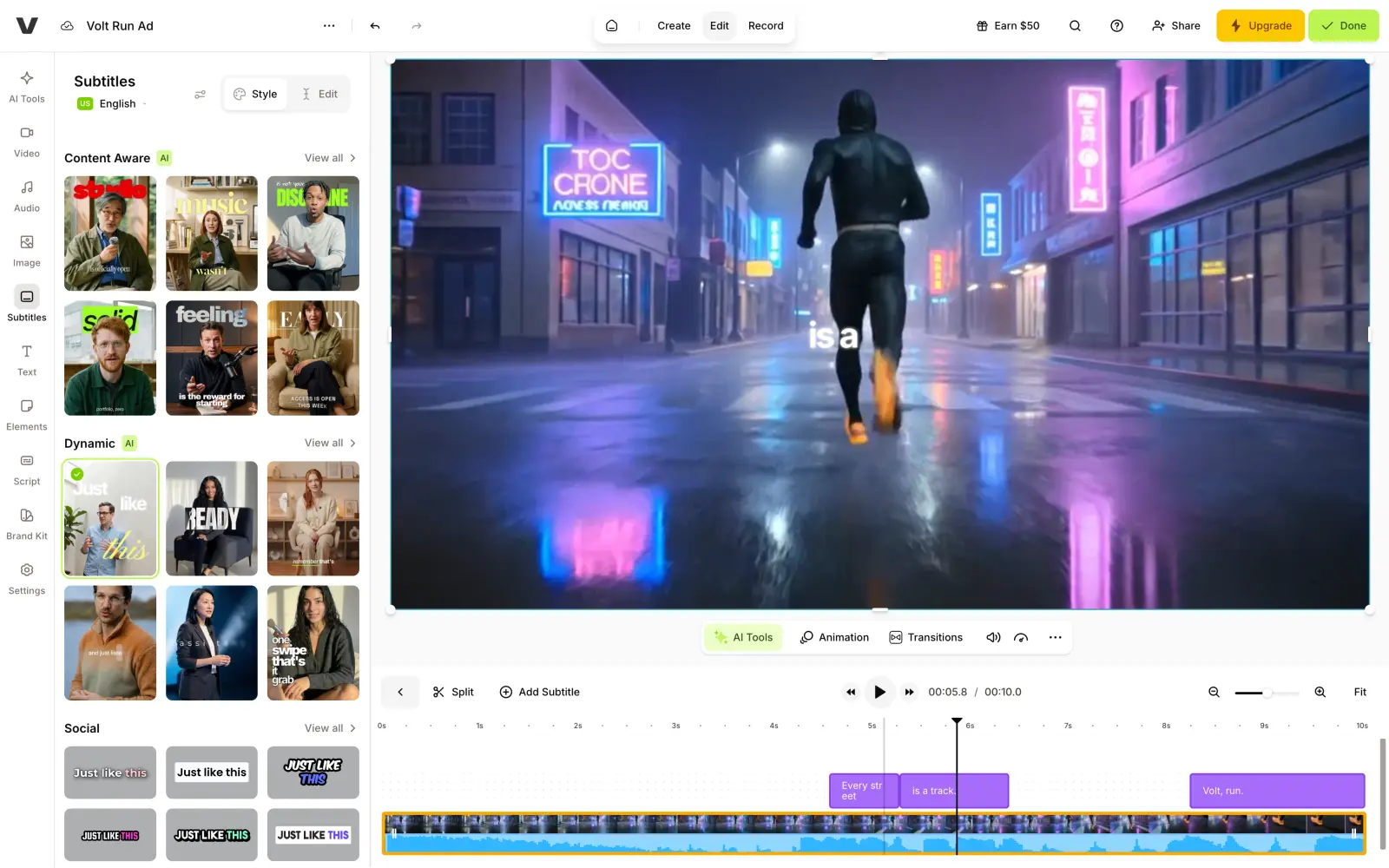
InVideo AI is an agent-driven video generation suite in which you can describe a video in plain words and the app sends an AI agent to orchestrate the rest, from script to input images and finally the video itself.
This workflow is convenient, but it's not the cheapest way to make videos with AI, so depending on your use case, a more specialized tool may be a better and cheaper way to get the job done.
In this article we'll break down ten InVideo AI alternatives, explain their pros and cons, pricing, and when you might consider each. We gave every app the same prompt: a 10-second ad for VOLT RUN running shoes, with an FPV camera chasing a runner through a rainy neon street and a deep male narrator saying "Every street is a track. Volt Run."
Credits run out fast. A $30-a-month plan only gives you about 26 Seedance 2 videos, and potentially even fewer because regenerating failed attempts also costs credits. In fact, paying again to fix the AI's mistakes is one of the most common complaints in InVideo's Trustpilot reviews, where the app has a rating of 1.8 out of 5 from more than 1,000 reviews.
There's no free plan. You can't try InVideo AI before you pay. The cheapest plan, Basic, costs $9 a month and comes with 190 credits.
The best models are on Pro. Basic includes only the Lite version of InVideo's agent and two lighter video models, Seedance 2.0 Fast and Seedance 2.0 Mini. Seedance 2.5, Veo 3.1, Kling and the rest of InVideo's model list require Pro or Ultra.
It does a bit of everything. InVideo's agent can work with scripts, stock footage, AI clips and voiceovers — this can be a good thing, but also a bad thing, because specialized apps often go further in one of these areas. For example, HeyGen and Synthesia are built around AI presenters, VEED and CapCut around editing, and Runway and Higgsfield around cinematic video generation.
InVideo AI alternatives at a glance
App
Best for
Free plan
Paid plan
Overchat AI
Choosing between the top video models
100 credits a day
Pro: $5.99/week or $14.99/month
HeyGen
Ads and explainers made by an AI agent
3 videos a month, up to 1 minute, with a watermark
Creator: $29/month
Synthesia
Avatar videos for training and business
10 minutes of video a month, with a watermark
Starter: $19/month
Pictory
Turning scripts into stock-footage videos
14-day trial with 300 credits
Starter: $29/month
Fliki
Narrated videos from a script or blog post
3 credits a month, 720p with a watermark
Standard: $28/month
VEED
Editing and subtitling videos in the browser
Editor with 10 minutes of auto-subtitles a month
Creator: $20/month
CapCut
Free editing and vertical social videos
100 credits a day
Pro: $14/month
Higgsfield
Cinematic camera moves and VFX presets
No credits, a few basic models
Starter: $19/month
Runway
Generating and editing video with an AI agent
125 credits, one time
Standard: $15/month
OpenArt
Short films and ads with Director Mode
About 40 trial credits for 7 days
Starter: $14/month
1. Overchat AI
Overchat AI is an all-in-one AI platform we've built. It gives you access to the same models and many of the same tools you'll find in InVideo.
In Overchat AI's Video Generator, you'll find Kling 4.0, Seedance 2.5, Grok Imagine Video 1.5, Wan 3.0, and many other models, with new models being added as soon as they come out.
Video models differ a lot in how they handle camera movement, physics and sound, so if one model gets your scene wrong, you can switch to another in the same window. Multiple selection makes this faster: it runs one prompt on several models at once, so you see their versions side by side.
You can also add images as references, edit an existing video, or copy the movement from one clip onto a character with Motion control.
For our ad, we picked Kling 3 at 10 seconds and 1080p, with sound.
Overchat AI Video Generator with a Kling 3 clip of a runner on a rainy neon street at night
Kling 3 followed the camera directions closely. The clip opens behind a runner on a wet street lit by pink and blue neon signs, then the camera drops to pavement level and follows the orange sneakers through the puddles. The narrator reads "Every street is a track. Volt Run." in a deep voice. The weakest moment is the final close-up, where the shoe briefly loses its shape.
Price:
Pro plan
Price
Credits
Weekly
$5.99/week
2,000/week
Monthly
$14.99/month
8,000/month
Yearly
$49.99/year ($4.17/month)
8,000/month
A 5-second Kling 3 clip at 720p costs 910 credits, so 8,000 credits a month cover about eight of them, or 29 five-second clips with Grok Imagine Video.
Best for: People who want to pick the video model for each clip and also need a chatbot and an image generator in the same subscription.
Pros:
✅ Kling, Seedance and Grok video models in one app
✅ Multiple selection runs one prompt on several video models at once
✅ The yearly plan costs $4.17 a month and also covers chat and images
Cons:
❌ No timeline for editing several clips into one video
2. HeyGen
HeyGen is best known for AI avatars: its Creator plan includes more than 700 stock presenters, and you can create a custom avatar of yourself. For a product ad without a presenter, HeyGen has Video Agent, which works much like InVideo AI's agent, allowing you to describe the video and let the agent plan and deliver it.
The agent worked on our ad for about seven minutes and made a 10.5-second video with three scenes.
HeyGen Video Agent with a three-scene VOLT RUN ad showing a runner and orange sneakers on a wet street
The first scene chases the runner from behind, the second is a low shot of orange shoes splashing through a puddle, and the last is a hero shot of one shoe on wet asphalt. A deep male voice reads the line, and the captions end on "Volt Run." The agent also created a brand kit for the ad with its own name, "Neon Velocity", which HeyGen can reuse in your next videos.
Price:
Plan
Monthly
Yearly, per month
Credits a month
Creator
$29
$24
600
Pro
$49
—
1,000
Business
$149
—
1,500
Creator removes the watermark and allows videos up to 30 minutes in 1080p. Pro adds 4K and the Seedance 2.5 and Veo 3.1 video models.
Best for: Marketers who want an agent to turn a short brief into a finished ad, with or without an AI presenter.
Pros:
✅ Video Agent writes, voices and edits the whole video from one prompt
✅ More than 700 stock avatars on Creator
✅ Saves a brand kit for future videos
Cons:
❌ Seedance 2.5 and Veo 3.1 are available only on Pro
❌ The agent took about seven minutes for a 10-second ad
3. Synthesia
Synthesia is an AI video platform for companies, built around avatar presenters. It's used mostly for training videos, onboarding and product explainers, where the same presenter can speak in more than 140 languages. Synthesia also has its own video agent, Syren, which makes videos up to three minutes long from a description.
Synthesia Syren editor with a VOLT RUN ad frame showing an orange sole splashing a puddle and the line Every street is a track
In our test, Syren started with planning. Before rendering anything, it offered three directions for our ad. We picked "Neon Rain Chase". About 15 minutes later, it delivered a 10-second ad with two scenes: in the first scene, the runner sprints toward the camera through a neon alley. The second is a slow-motion shot of an orange sole splashing a puddle, with "EVERY STREET IS A TRACK." on screen and an orange VOLT RUN wordmark. The narrator reads the line with a short pause before "Volt Run." Syren pointed out its own deviations from the brief: the camera flies ahead of the runner instead of following from behind, and one generated still had a black band that it painted over.
Price:
Plan
Monthly
Yearly, per month
Credits a month
Starter
$19
$14
1,250
Pro
$89
$59
6,000
Our 10-second ad used 515 credits, so Starter covers about two ads like this a month. Starter also removes the Synthesia logo and gives you more than 125 avatars, and Pro increases this to more than 180.
Best for: Companies that make training videos and explainers with avatars in several languages.
Pros:
✅ More than 125 avatars that speak over 140 languages
✅ Syren offers several creative directions before it renders anything
✅ The agent reports where the result differs from the brief
Cons:
❌ A 10-second generated ad costs 515 credits
❌ Generation took about 15 minutes
4. Pictory
Pictory turns text into videos with stock footage. It works with clips from Storyblocks and Getty Images, voices from ElevenLabs, and AI video models such as Veo 3.1 and PixVerse. This approach suits explainers, blog summaries and social posts, where the footage only needs to match the topic.
The app also features an agent called Pickford. When you start working on a new project, you'll talk to Pickford and narrow down the details of the video in a conversation. Then it will plan and create it autonomously.
Pictory with a two-scene VOLT RUN video preview made from a stock clip of a runner on a dark street
Price:
Plan
Monthly
Yearly, per month
Credits a month
Starter
$29
$25
2,000
Professional
$59
$35
6,000
Teams
$199
$119
—
Starter allows up to 30 minutes of video a month in 1080p. Professional raises this to 90 minutes and adds a stock library of more than 18 million clips.
Best for: Bloggers and marketers who turn scripts and articles into videos with stock footage.
Pros:
✅ Large stock libraries from Storyblocks and Getty Images
✅ The agent asks about voice, visuals and format before it starts
✅ A stock-footage preview costs only a few credits
Cons:
❌ Stock footage can't match a specific camera move or product
❌ AI-generated visuals require a paid plan
5. Fliki
Fliki is a platform for making narrated videos from text, most well known for natural-sounding voices. There's also a Script to video mode that turns each sentence into a scene, matches it with visuals and reads it aloud.
Since Script to video reads everything you type, we gave Fliki the ad as a two-scene script, with a visual note and a line of narration for each scene. Here's the result:
Fliki editor with a 48-second VOLT RUN video made of AI images of a runner in an orange jacket on a wet street
Fliki kept "Every street is a track." as the first line, but then wrote about 20 lines of its own, such as "Volt Run isn't your average jog". As a result, our two-line script turned into a 48-second video.
Price:
Plan
Monthly
Credits a month
Standard
$28
180
Premium
$88
600
Standard allows videos up to 15 minutes in 1080p. Premium adds more than 2,000 voices, avatars and voice cloning.
Best for: Creators who need narrated videos in many languages from scripts or blog posts.
Pros:
✅ More than 1,000 voices in over 80 languages
✅ Adds music and sound effects automatically
✅ Turns blog posts and presentations into videos
Cons:
❌ Turned our two-line script into 48 seconds with lines we didn't write
❌ Scenes are still images unless you convert them into clips
6. VEED
VEED can auto-subtitle a video, translate it into more than 50 languages on Pro, and generate short talking videos with an AI character from a topic or script. The editor is VEED's strongest tool, so we uploaded the Kling 3 ad from the Overchat AI section and ran Auto-subtitle in English:
VEED editor with the VOLT RUN ad and auto-generated English subtitles on the timeline
The subtitles were ready in about 20 seconds: "Every street / is a track. / Volt, run." VEED split the text into three short lines, and you can restyle them or edit any word on the timeline.
Price:
Plan
Monthly
Yearly, per month
Credits
Creator
$20
$8
500 a month
Pro
$44
$19
1,500 a month
Creator removes the watermark, exports in 1080p and includes 10 hours of auto-subtitles a month. Pro adds 4K, unlimited subtitles and translation.
Best for: Creators who edit and subtitle videos in the browser.
Pros:
✅ Accurate subtitles in about 20 seconds
✅ Full video editor in the browser
✅ Creator costs $8 a month on a yearly plan
Cons:
❌ The AI generator is built for talking-character videos
❌ A 10-second AI video costs 80 credits
7. CapCut
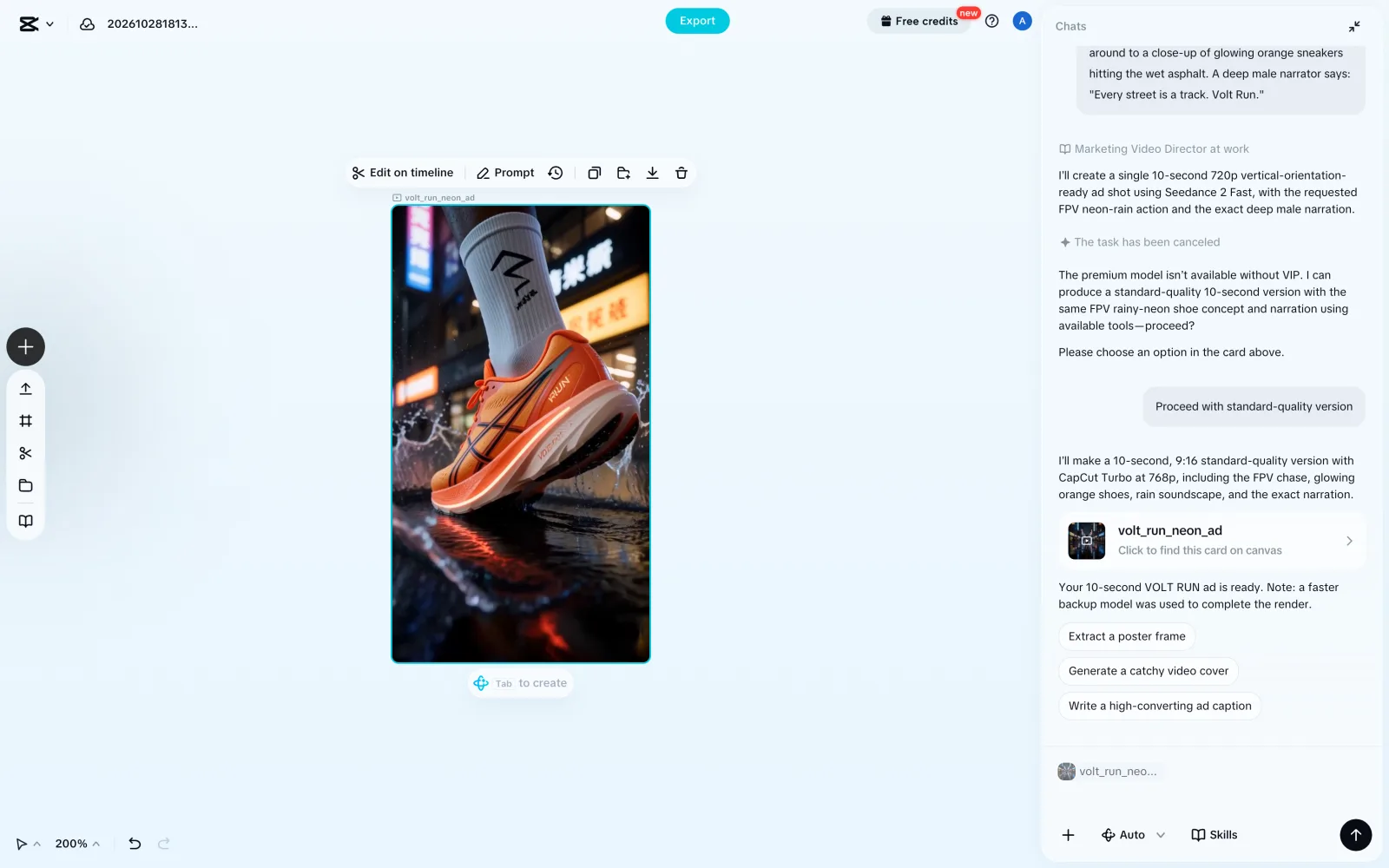
CapCut has tools that TikTok and Reels creators will find particularly useful, especially the Video Studio, which features an agent that plans and generates clips, then offers the next steps, such as a cover image or a caption for the post.
We had CapCut's agent, "Marketing Video Director", plan an ad as one 10-second shot. The generation took about two minutes with CapCut Turbo, CapCut's faster model, which is pretty fast for an agent-driven tool.
CapCut Video Studio with a vertical 10-second VOLT RUN clip of an orange sneaker splashing through a puddle
The agent chose a vertical 9:16 format on its own, which suits TikTok and Reels. The clip starts behind the runner on a neon street, moves low to track the orange shoes, and ends on a close-up of an orange sneaker with "RUN" on it splashing through a puddle. CapCut added the sound of rain and the narration, and the clip came out in 768p.
Price:
Plan
Monthly
Yearly
AI credits a month
Pro
$14
$89.99
1,200
Ultra
$79
$900
8,645
On Pro, Seedance 2.5 starts at $0.12 per second of video.
Best for: Social media creators who edit short vertical videos and want AI clips in the same app.
Pros:
✅ Generated a 10-second clip in about two minutes
✅ The agent suggests a cover image and a caption for the post
✅ Full video editor in the same app
Cons:
❌ Seedance models require Pro
❌ CapCut Turbo renders at 768p
8. Higgsfield
Higgsfield is a video platform built around cinematic camera work and most well known for a particular aesthetic that some people will immensely enjoy, while others may find it not their cup of tea.
Higgsfield has more than 250 presets for camera moves, framing and visual effects, so you can direct shots by choosing presets — this is both easier and more accurate than typing prompts. Higgsfield also has separate studios for ads, marketing, short films and AI influencers.
Higgsfield video page with the VOLT RUN prompt, Seedance 2.0 settings and a frame of a runner on a neon street
Price:
Plan
Monthly
Yearly, per month
Credits a month
Starter
$19
—
270
Plus
$59
$47
1,200
Ultra
$129
—
3,000
An 8-second Seedance 2.0 clip at 720p costs 48 credits, so Plus covers about 25 of them a month. Seedance 2.0 requires Plus or a higher plan.
Best for: Creators who want cinematic camera moves and effects without writing them out in the prompt.
Pros:
✅ More than 250 presets for camera moves and effects
✅ Separate studios for ads and marketing videos
✅ Commercial use is allowed on every plan
Cons:
❌ Seedance 2.0 requires at least the $59 Plus plan
❌ The interface shows a lot of promo pop-ups and upgrade offers
9. Runway
Runway is an AI video company that develops models such as Gen-4.5 for video generation and Aleph 2.0 for editing existing footage. But Runway's platform also includes models from other developers, including Seedance 2.5 and Kling.
Runway is also agentic. With Runway Agent you can describe what you need, and the agent plans the shots, runs the generations and collects them in one session, where you can cut them together on a timeline.
Runway Agent planned our ad as one continuous FPV shot on Seedance 2.5, with the narrator line in the same generation:
Runway Agent session with the VOLT RUN prompt, a Seedance 2.5 Generate Video card and a frame of orange sneakers in a puddle
Price:
Plan
Monthly
Yearly, per month
Credits a month
Standard
$15
$12
625
Pro
$35
$28
2,250
Max
$95
$76
9,500
Gen-4.5 costs 12 credits per second of video, so Standard's 625 credits cover about 50 seconds a month.
Best for: Filmmakers and agencies who generate, edit and assemble clips in one workspace.
Pros:
✅ Own models for both generation and video editing
✅ The agent and the timeline work in the same session
✅ Third-party models such as Seedance 2.5 and Kling
Cons:
❌ Standard's credits cover less than a minute of Gen-4.5 video
❌ Third-party video models require a paid plan
10. OpenArt
OpenArt started as an image platform and has turned into a studio for longer videos. In 2026, the platform underwent a complete redesign to become agent-driven. Unlike other apps, however, OpenArt has two agents: Chat Mode creates single images and clips from a conversation, and Director Mode makes short films and long videos from a story. OpenArt also has templates for product ads, music videos and UGC ads, and more than 100 models, including Veo, Kling 4.0, Seedance and Flux 3.
In our test, Chat Mode started with three questions: where the ad will run, whether we have photos of the real shoe, and whether to finish with a logo end card. We asked for a concept version without photos, and the agent prepared the generation on PixVerse V6, at 16:9, 360p and 10 seconds:
OpenArt Chat Mode with a PixVerse V6 generation card for the VOLT RUN ad and a frame of an orange sneaker splashing a puddle
Price:
Plan
Monthly
Yearly, per month
Credits a month
Starter
$14
$13
4,000
Plus
$34
$27
12,000
Pro
$56
$44
24,000
Wonder
$240
$175
106,000
Starter is enough for about 50 videos a month, and Plus for about 150. Paid plans remove the watermark, and commercial use starts with Plus.
Best for: Creators who make short films, music videos and story-driven ads.
Pros:
✅ Director Mode for short films and long videos
✅ The agent asks about placement, product photos and an end card before it starts
✅ More than 100 image and video models
Cons:
❌ Commercial use requires at least the $34 Plus plan
FAQ
Below are answers to the most common questions about InVideo AI alternatives.
What is the best InVideo AI alternative?
Overchat AI is the best InVideo AI alternative for generating clips with top video models, such as Kling 3, Kling 4.0 and Seedance 2.5, and its Pro plan costs $49.99 a year. HeyGen is the closest to InVideo's own workflow: its Video Agent writes, voices and edits a whole video from one prompt.
Is there a free InVideo AI alternative?
Yes. InVideo AI has no free plan, but most alternatives do. CapCut and Overchat AI give 100 free credits a day, HeyGen allows three watermarked videos a month, and Synthesia gives 10 minutes of video a month with its logo. VEED's editor is free with 10 minutes of auto-subtitles a month.
Is there an InVideo AI alternative without a watermark?
Not on most free plans: HeyGen, Synthesia, Fliki, Pictory and Higgsfield put a watermark on free videos. Paid plans in HeyGen, Synthesia, Higgsfield, VEED, Runway and OpenArt remove it, and VEED Creator is the cheapest of them at $8 a month on a yearly plan.
What is the cheapest InVideo AI alternative?
Overchat AI is the cheapest, at $49.99 a year, or $4.17 a month, for 8,000 credits a month. VEED Creator costs $8 a month on a yearly plan, and CapCut Pro costs $89.99 a year.
What is the best InVideo AI alternative for AI avatars?
HeyGen and Synthesia are the best choices for avatar videos. HeyGen has more than 700 stock avatars on Creator and lets you create a custom avatar even on the free plan. Synthesia's avatars speak more than 140 languages, which suits training videos for international teams.
What is the best InVideo AI alternative for faceless videos?
HeyGen's Video Agent made our ad without a presenter, with a voiceover, captions and three scenes. Fliki and Pictory also make faceless videos: they narrate your script over AI images or stock footage.
Which InVideo AI alternative is best for turning a script into a video?
Fliki is the best for turning a script into a narrated video. Its Script to video mode makes a scene from each sentence and adds visuals, voice, music and sound effects. Give it the full text you want to hear, because it can expand a short script with lines of its own. Pictory's agent asks about the voice, visuals and format before it writes the script.