AI video is everywhere right now, from YouTube Shorts to TikTok, and even short movies — you've probably watched a few without noticing. If you want to make these videos yourself, you'll need a free AI video generator.
At Overchat AI, we work with AI video models every day. Our video generator runs 20 video models, from Veo 3.1 to Kling 3 and Seedance 2.5. We know what features users look for in video generators.
For this article, we used that knowledge to make a list of tools where you can create videos for free, including text-to-video and image-to-video workflows.
Google Flow for the best free AI video generator overall
Kling AI for cinematic clips
PixVerse for text-to-video and image-to-video in one place
Hailuo AI for realistic motion
Meta AI for free videos on your phone
Runway for trying professional AI video tools
Wan 2.2 for unlimited videos on your own GPU
If you need more videos than a free plan gives, Overchat AI is the best all-in-one alternative, with Veo 3.1, Kling 3, Seedance 2.5 and 17 other video models in one Pro plan for $14.99 a month.
How do AI video generators work?
Most AI video generators run on diffusion models, the same type of model that powers AI image generators. A diffusion model learns from a huge number of examples paired with text descriptions. For instance, the model is shown many images of dogs labeled "dog", and over time it learns what a dog looks like. When you then give it the prompt "dog", the model starts from an image made of random digital noise and removes the noise step by step, shaping it into a picture that matches what it learned.
A video model works the same way, but it is trained on video clips with descriptions, so it also learns how things move. It also generates all the frames of a clip at once, which keeps the subject and the background consistent from one frame to the next.
A 5-second clip at 24 frames per second has 120 frames, and generating every frame pixel by pixel would take too much computing power. That is why video models work with a compressed version of the video, called a latent representation. The model removes noise from this compressed video, and a separate decoder then turns it into full-resolution frames. Kling and Wan use a diffusion transformer for this step: an architecture that splits the compressed video into small patches across both space and time and processes all of them together.
Some newer models also generate sound. Veo 3, for example, compresses the audio track in the same way and removes noise from the audio and the video together, so dialogue and sound effects match what happens in the picture.
In image-to-video generation, the model receives your image as the first frame and generates the frames that follow it. Because one clip needs so much more computing power than one image, free plans of AI video generators allow far fewer generations than free image generators.
What makes the best free AI video generator?
Today, the difference in quality between the top models is small. For this reason, we ranked the tools mainly by what users get on the free plan:
Can users generate videos on the free plan? We only included tools where users can generate videos without paying or entering a card. Pika isn't on the list because its free plan has 0 monthly credits.
Which model is available on the free plan? Tools that offer Veo 3.1 or Kling 3.0 for free rank higher than tools with older models.
Do the free credits refresh? Daily credits, as in Google Flow, Kling AI and PixVerse, rank higher than a one-time welcome bonus, as in Runway and Hailuo AI.
What restrictions apply to free videos? Most hosted free plans add a watermark, and some limit the resolution to 540p or block video generation at peak hours.
We also considered how easy each tool is to use and how much the cheapest paid plan costs.
The best free AI video generators at a glance
The table below compares the free plans of all 7 tools.
Tool
Best for
Free allowance
Watermark on free videos
Models on free
Paid plans from
Google Flow
Veo 3.1 for free
50 credits/day
Yes
Veo 3.1 Fast, Veo 3.1 Lite
$4.99/mo
Kling AI
Cinematic clips
66 credits/day
Yes
Kling 3.0
$6.99/mo
PixVerse
Text-to-video and image-to-video in one place
30 credits/day
Yes
PixVerse V6
$10/mo
Hailuo AI
Realistic motion
One-time welcome credits
Yes
—
$9.99/mo
Meta AI
Free videos on your phone
No fixed number
—
—
—
Runway
Trying professional AI video tools
125 credits, one time
Yes
Gen-4 Turbo
$15/mo
Wan 2.2 (local)
Unlimited videos on your own GPU
Unlimited
No
TI2V-5B, T2V-A14B, I2V-A14B
None
What are the best free AI video generators in 2026?
1. Google Flow — best free AI video generator overall
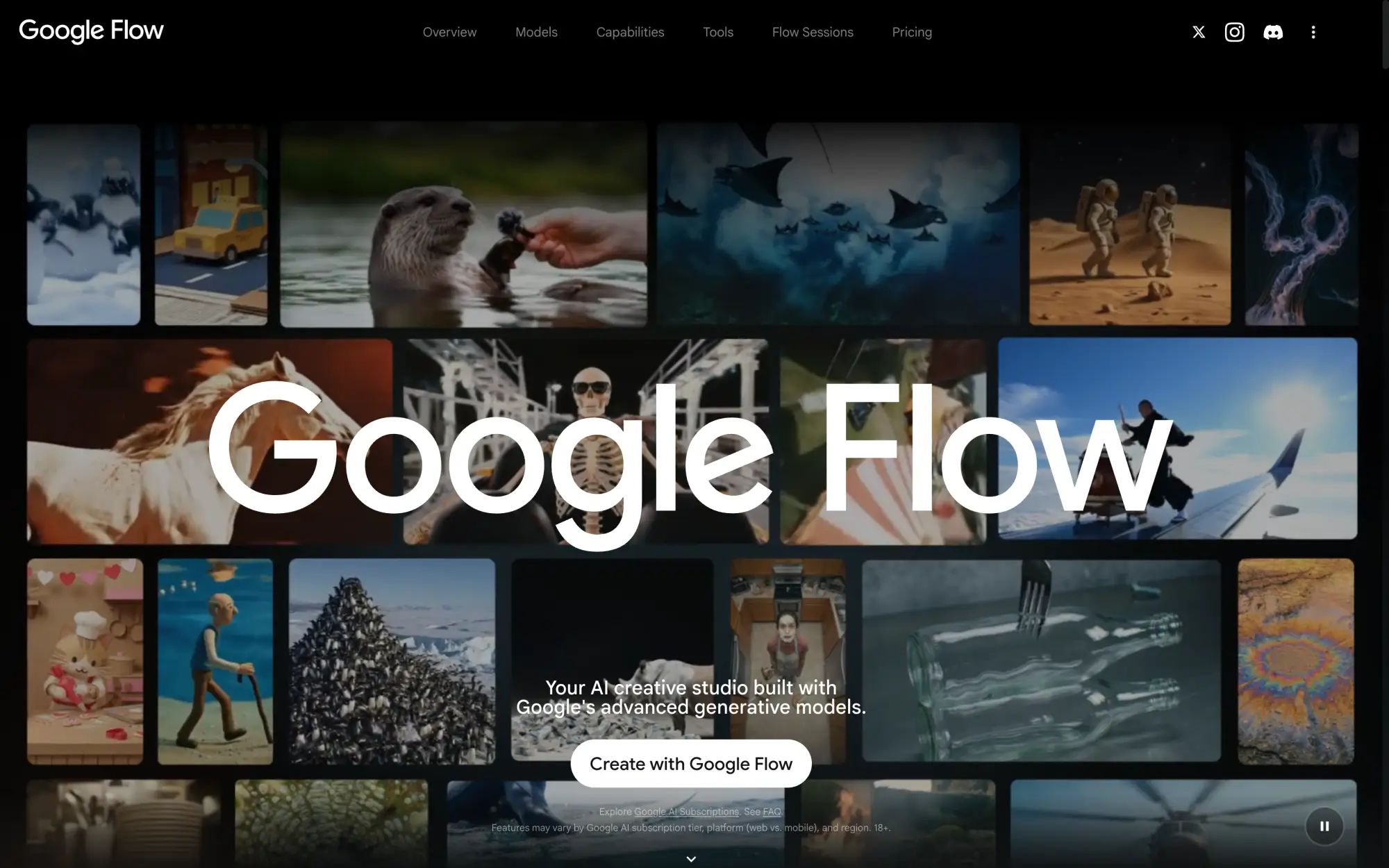
Google Flow is Google's AI video tool, built around the Veo video models. Users aged 18 and older with a Google account get 50 free credits a day, which they can spend on Veo 3.1. Veo 3.1 generates 8-second clips with sound, including dialogue and sound effects.
Until Google released Veo 3 in May 2025, the major AI video models generated video without sound. Today, Veo 3.1 is still one of the best AI video generation models that can generate dialogue and create soundscapes from prompts without using a separate tool.
Google Flow AI video generator
The number of free clips depends on the Veo 3.1 version:
Model
Credits per clip
Free clips a day
Veo 3.1 Lite
10
5
Veo 3.1 Fast
20
2
Veo 3.1 Quality
100
0
This is enough to make 2 clips a day with Veo 3.1 Fast or to test 5 ideas with Veo 3.1 Lite. The main limitation is peak hours: between about 2 PM and 5 PM UTC, users on the free plan often can't generate videos at all.
Flow is designed for building scenes from several clips. In addition to text-to-video, it can:
Generate a clip from your own image
Reuse the same characters and objects across clips
Extend clips and join them into longer scenes in Scenebuilder
Videos generated on the free plan have a visible watermark and Google's invisible SynthID mark.
Price:
Plan
Price
Flow credits
Free
$0
50 a day
Google AI Plus
$4.99/month
50 a day + 200 a month
Google AI Pro
$19.99/month
50 a day + 1,000 a month
Pros:
✅ Veo 3.1 with sound on the free plan
✅ Credits refresh every day
✅ Clips can start from your own image
Cons:
❌ Only 2 Veo 3.1 Fast clips a day
❌ Video generation can be unavailable on the free plan at peak hours
❌ Visible watermark on free videos
2. Kling AI — best for cinematic clips
Kling AI is a video generator developed by Kuaishou, the company behind the Chinese short-video app of the same name. Its current model, Kling 3.0, is known for cinematic camera movement and realistic motion, and it also generates sound.
Kling AI video generation platform
Kling 3.0 is available on the free plan. Users get 66 credits a day, and a 5-second 720p clip without audio costs 30 credits, so the free plan covers 2 clips a day. Free clips are limited to 720p and have a Kling watermark, and at busy times they wait in a slower queue.
Price:
Plan
Price
Credits
Free
$0
66 a day
Standard
From $6.99/month
660 a month
Pros:
✅ Kling 3.0 on the free plan
✅ Cinematic camera movement
✅ Credits refresh every day
Cons:
❌ Watermark on free videos
❌ 1080p and 4K require a paid plan
❌ Slow queue for free generations
3. PixVerse — best for text-to-video and image-to-video in one place
PixVerse is an AI video platform developed by AIsphere, a Beijing startup backed by Alibaba. Its main advantage is convenience: text-to-video, image-to-video, templates, transitions and motion control are all available in one prompt box, so users can switch between them without leaving the page.
PixVerse AI video generator
Users on the free plan get 30 credits a day, but with the default settings, a 5-second PixVerse V6 clip costs 38 credits. To generate a video on the free plan, users need to turn off audio or lower the resolution:
PixVerse V6 clip
Credits
5 seconds, 540p, audio and multi-shot on (default)
38
5 seconds, 360p, no audio
25
Free videos are limited to 540p and have a watermark.
Price:
Plan
Monthly billing
Yearly billing
Credits
Max resolution
Watermark
Free
$0
$0
30 a day
540p
Yes
Standard
$10/month
$8/month
1,200 every 30 days + 60 a day
720p
No
Pros:
✅ Text-to-video, image-to-video, templates and transitions in one prompt box
✅ Credits refresh every day
✅ A large library of ready-made video templates
Cons:
❌ The default settings cost more than the daily allowance
❌ 540p and a watermark on free videos
4. Hailuo AI — best for realistic motion
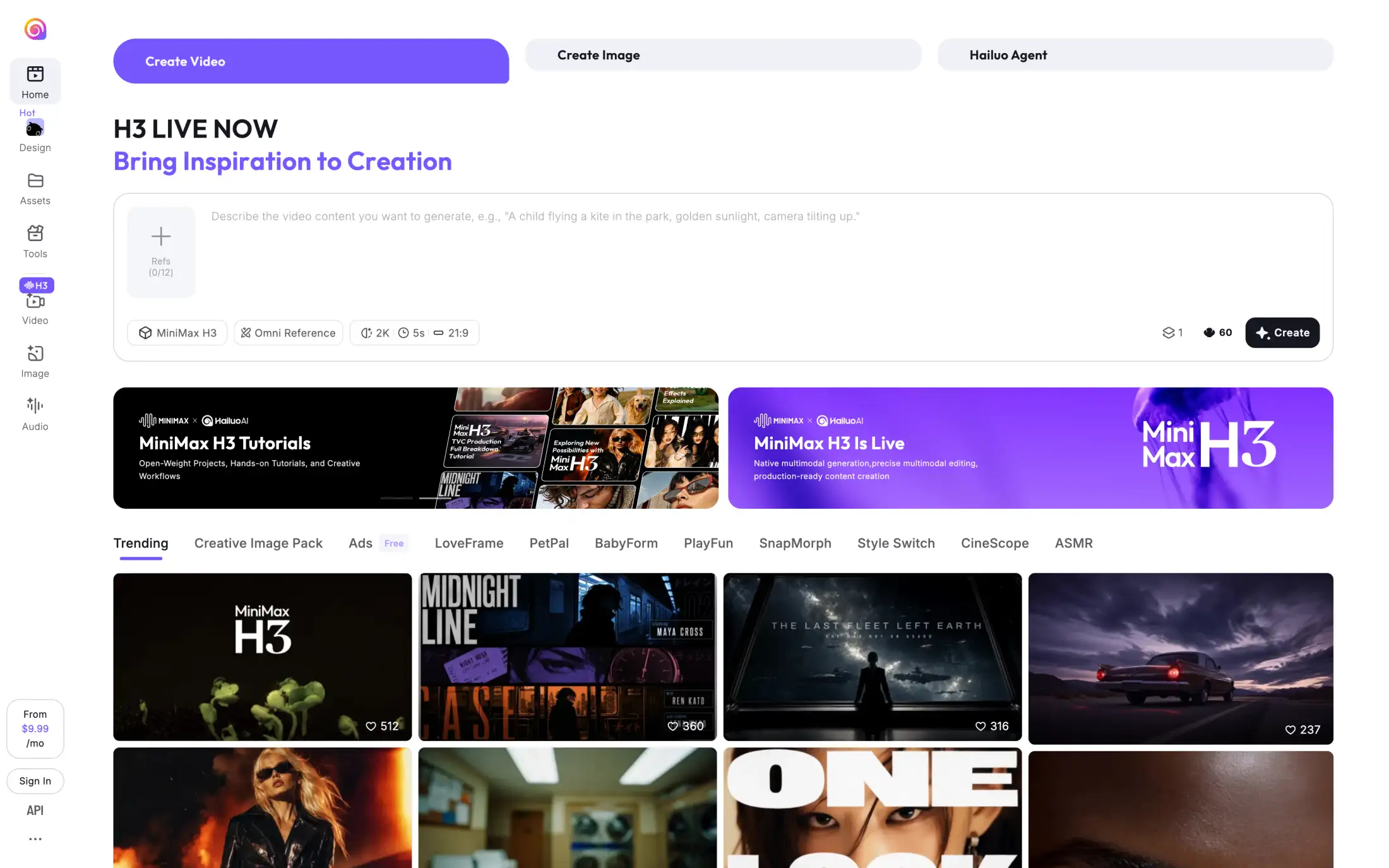
Hailuo AI is the video generation app of MiniMax, a Chinese AI company listed on the Hong Kong Stock Exchange. Hailuo's models are known for realistic body movement and physics. The current model, MiniMax H3, generates 5-second clips at up to 2K resolution and can use up to 12 reference images to keep characters and objects the same across clips.
Hailuo AI video generator
Hailuo AI doesn't give daily free credits. New users get a one-time welcome package of credits that expires after 3 days, and a 5-second 2K MiniMax H3 clip costs 60 of them. After that, the only free option is to wait for a new model release: Hailuo often gives daily trial credits for a new model during its first week. Free videos have a watermark.
Price:
Plan
Price
Credits
Watermark
Free
$0
One-time welcome package, expires after 3 days
Yes
Pay as you go
$1
70
—
Standard
$9.99/month
1,000 a month
No
Pros:
✅ Realistic motion and physics
✅ Up to 12 reference images per clip
✅ Daily trial credits when a new model launches
Cons:
❌ No daily free credits
❌ Welcome credits expire after 3 days
❌ Watermark on free downloads
5. Meta AI — best free AI video generator on your phone
Meta AI is the AI assistant built into Meta's apps. It's the only hosted tool on this list that doesn't use credits: users with a Meta account can generate videos for free in the Meta AI app and on meta.ai in two ways:
Animate a photo or describe a short video in the chat.
Use Vibes, a feed of AI videos, where you can make a video from scratch or remix someone else's, then add music and change the style.
Meta AI image and video generator
Meta doesn't set a fixed number of free videos. It's testing daily and monthly limits on video generation, so the number of videos users can make differs by account and country.
Price: Free; Meta One subscriptions are in testing in some countries
Pros:
✅ No credits to count
✅ Works in the Meta AI app on your phone
✅ You can remix videos from the Vibes feed
Cons:
❌ Requires a Meta account
❌ Limits differ by account and country
6. Runway — best for trying professional AI video tools
Runway is an AI video platform for professional video work. Besides its own video models, Gen-4 Turbo and Gen-4.5, it has a video editor, and paid plans add third-party models such as Kling 3.0 and Nano Banana Pro. Runway's tools were used in the visual effects of Everything Everywhere All at Once. The free plan is a way to try these tools before paying.
Runway AI video generation platform
The free plan includes 125 credits once, and they don't refresh. The only video model on the free plan is Gen-4 Turbo, which generates video from an image. At 6 credits per second, the free credits make about 20 seconds of video. When they run out, users need a paid plan to continue. Free videos have a Runway watermark.
Model
Credits per second of video
Available on the free plan
Seconds of video for 125 credits
Gen-4 Turbo
6
Yes
About 20
Gen-4.5
12
No
—
Price:
Plan
Monthly billing
Yearly billing
Credits
Watermark
Free
$0
$0
125, one time
Yes
Standard
$15/month
$12/month
625 a month
No
Pro
$35/month
$28/month
2,250 a month
No
Pros:
✅ Free credits never expire
✅ Paid plans add Gen-4.5 and Kling 3.0 in one app
✅ Editing tools and up to 3 video editor projects on the free plan
Cons:
❌ Credits don't refresh
❌ Only image-to-video on the free plan
❌ Watermark on free videos
7. Wan 2.2 — best for unlimited videos on your own GPU
Wan 2.2 is a family of open-source video models developed by Alibaba's Tongyi Lab. Users download the models and run them on their own computer, so there is no daily limit and no watermark. The models are released under the Apache 2.0 license, which allows commercial use.
Wan 2.2 open-source AI video model on GitHub
To run Wan 2.2, users need a powerful GPU. The smallest model, TI2V-5B, fits on a consumer graphics card with 24 GB of memory, such as the RTX 4090, and generates a 5-second 720p clip in under 9 minutes. The larger models need 80 GB of GPU memory:
Model
Task
Resolution
Minimum GPU memory
TI2V-5B
Text-to-video and image-to-video
720p
24 GB
T2V-A14B
Text-to-video
480p, 720p
80 GB
I2V-A14B
Image-to-video
480p, 720p
80 GB
The easiest way to run Wan 2.2 is ComfyUI, a free node-based app with built-in Wan 2.2 support. Alibaba's newer Wan models, up to Wan 3.0, are available only through its API, so Wan 2.2 is the latest version that can be run for free.
Price: Free (users pay only for their own GPU or for rented GPU time)
Pros:
✅ No limits and no watermark
✅ The Apache 2.0 license allows commercial use
✅ Runs offline, so your prompts and videos stay on your computer
Cons:
❌ Needs a GPU with at least 24 GB of VRAM for 720p video
❌ Setup takes time
❌ The quality isn't as good as Veo 3.1 or Kling 3.0
Overchat AI — best all-in-one AI video generator alternative
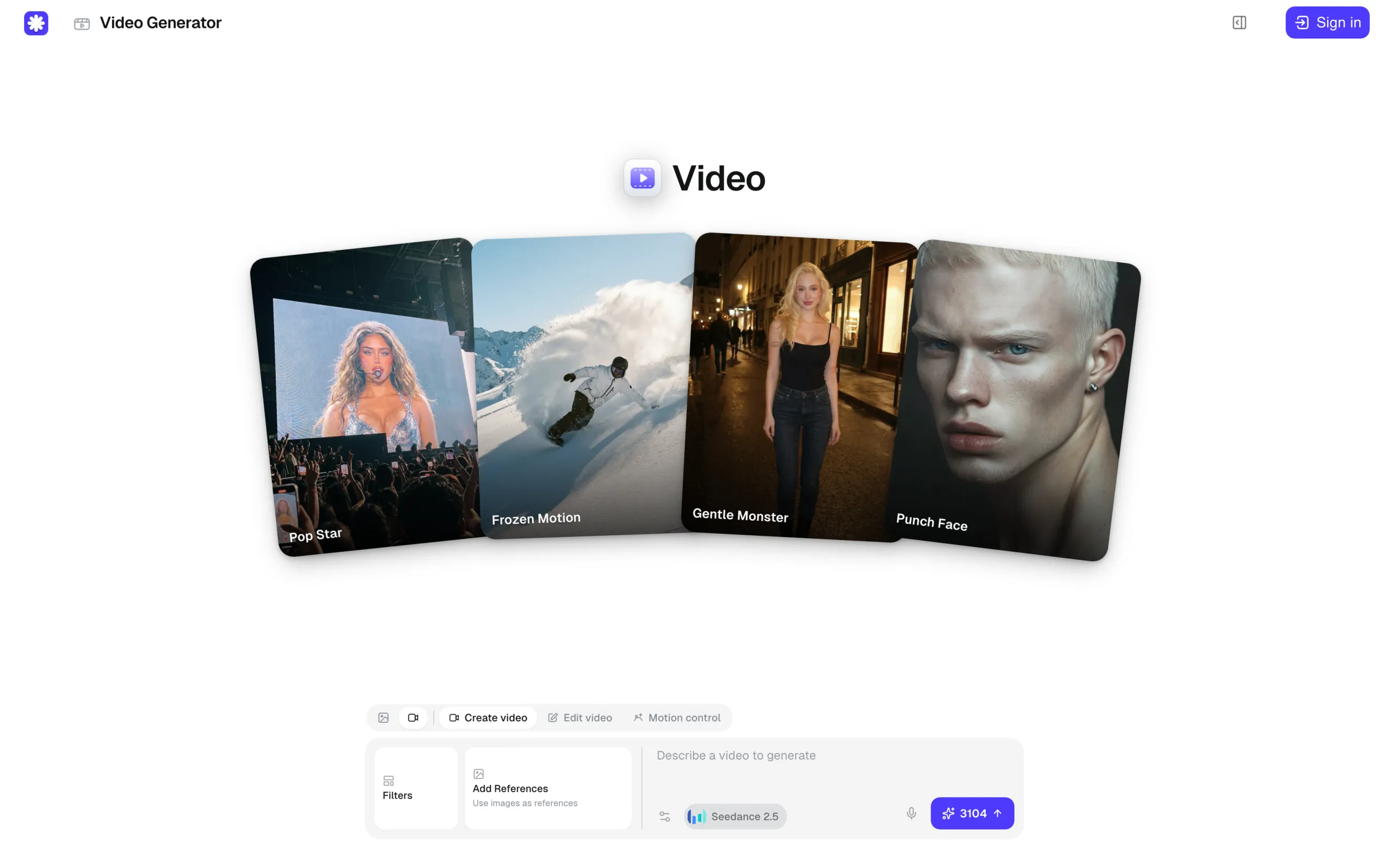
Users on Overchat AI's free plan get 100 credits a day. The cheapest video costs 200 credits, so video generation requires the Pro plan, which includes 8,000 credits a month. The table below shows how many 5-second videos these credits cover for each model:
Model
Credits per video
Videos per month
Price per video, monthly plan
Price per video, yearly plan
Hunyuan Video 1.5
200
40
$0.37
$0.12
Grok Imagine Video
275
29
$0.52
$0.17
Veo 3.1
810
9
$1.52
$0.51
Kling 3
910
8
$1.71
$0.57
MiniMax H3
1,500
5
$2.81
$0.94
Seedance 2.5
3,104
2
$5.82
$1.94
On the Pro plan, users can also generate up to 8 versions of a clip in one run or run one prompt on several models at once to compare the results.
AI video models in Overchat AI
The video generator is connected to Overchat AI's other tools. An image made in the image generator can be turned into a video with Make video, and several clips can be joined into one video in the Overchat AI video combiner. Videos have no watermark and can be used commercially, as long as the user has the rights to everything in them.
Price:
Plan
Monthly billing
Yearly billing
Credits
Free
$0
$0
100 a day
Pro
$14.99/month
$59.99/year
8,000 a month
Pros:
✅ Veo 3.1, Kling 3, Seedance 2.5 and 17 other video models in one subscription
✅ The credit price of each model is shown before you generate
✅ No watermark, and commercial use is allowed
Cons:
❌ No video generation on the free plan
❌ A 10-second 1080p Seedance 2.5 clip costs 13,708 credits, more than Pro gives in a month
FAQ
What is the best free AI video generator in 2026?
Google Flow is the best free AI video generator in 2026. It gives you 50 free credits a day for Veo 3.1, which is enough for 2 Veo 3.1 Fast clips with sound. Kling AI is the second-best option, with 66 free credits a day for Kling 3.0.
Is there a free AI video generator with no watermark?
Wan 2.2 is a free AI video generator with no watermark, because you run it on your own computer. Google Flow, Kling AI, PixVerse, Hailuo AI and Runway add a watermark to free videos and remove it on paid plans. Overchat AI videos have no watermark, but video generation needs the Pro plan.
How long can a free AI video be?
A free AI video is usually 5 to 8 seconds long. Veo 3.1 in Google Flow makes 8-second clips, and Kling AI, PixVerse and Hailuo AI make 5-second clips by default. To make a longer video, generate several clips that continue each other and join them in a video editor or in the Overchat AI video combiner.
Can you use free AI videos commercially?
Some free AI videos can be used commercially. Wan 2.2 uses the Apache 2.0 license, which allows commercial use, and Kling AI allows commercial use of videos made on its free tier. Free videos from most hosted tools carry a watermark, which makes them hard to use in client work even when the license allows it.
Is there an AI video generator that is completely free and unlimited?
A local open-source model is the only AI video generator that is completely free and unlimited. Wan 2.2 runs on your own GPU with no credits or daily limits: its 5B model needs 24 GB of VRAM for 720p video, and the older Wan 2.1 1.3B model runs on about 8 GB of VRAM at 480p. Every hosted tool in this list has a daily or one-time limit.
Can you still make free videos with Sora, Veo or Grok Imagine?
Of the three, only Veo can still be used for free:
Sora: OpenAI shut down the Sora app and website on April 26, 2026, and the Sora API on September 24, 2026.
Veo: Google Flow gives you 50 free credits a day for Veo 3.1. The free Gemini plan has no video generation, apart from short promotions such as 10 free videos until August 4, 2026.
Grok Imagine: Since early 2026, video generation in Grok requires X Premium or SuperGrok.
Are open-source AI video generators really free?
Open-source AI video generators are free to download and use, with no credits or subscription, but you pay for the hardware. Wan 2.2's 720p model needs a GPU with 24 GB of VRAM, such as an RTX 4090, and a 5-second clip takes up to 9 minutes to generate. If you don't have such a GPU, you can rent one in the cloud and pay by the hour.