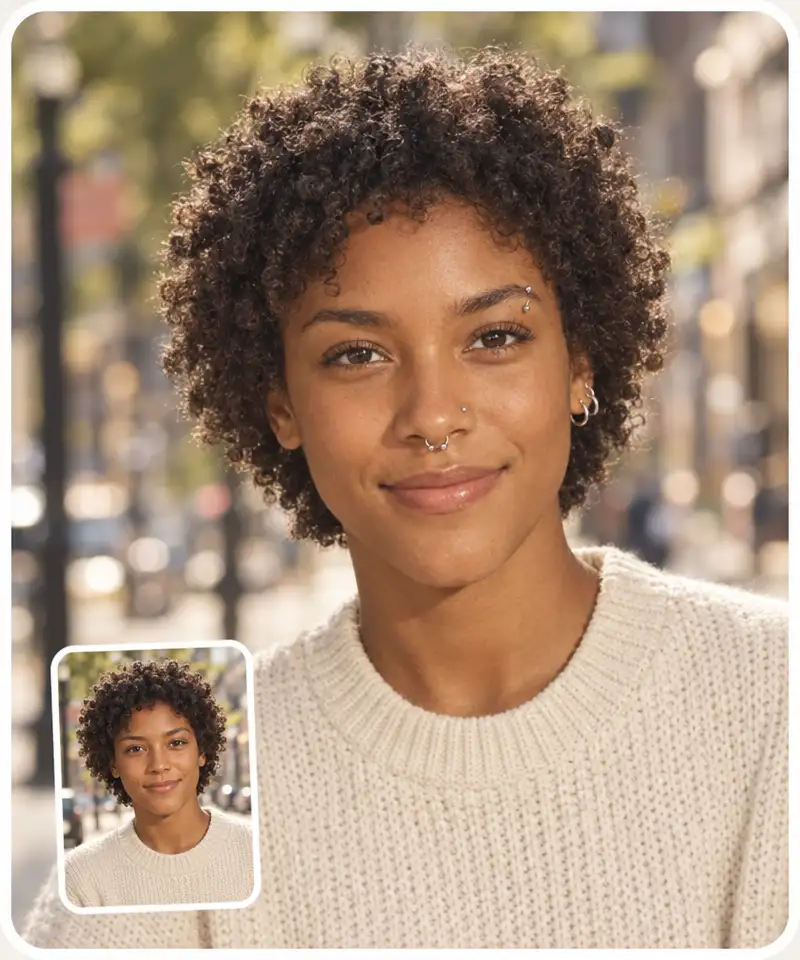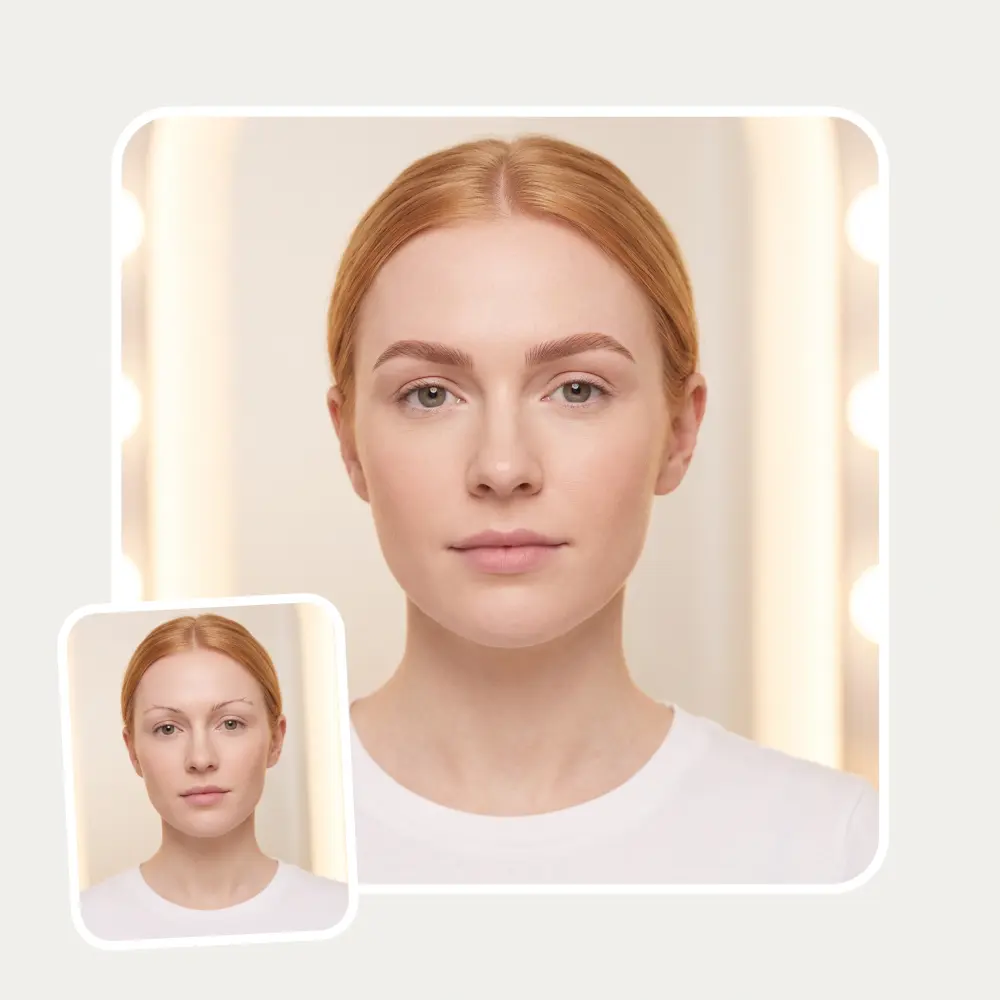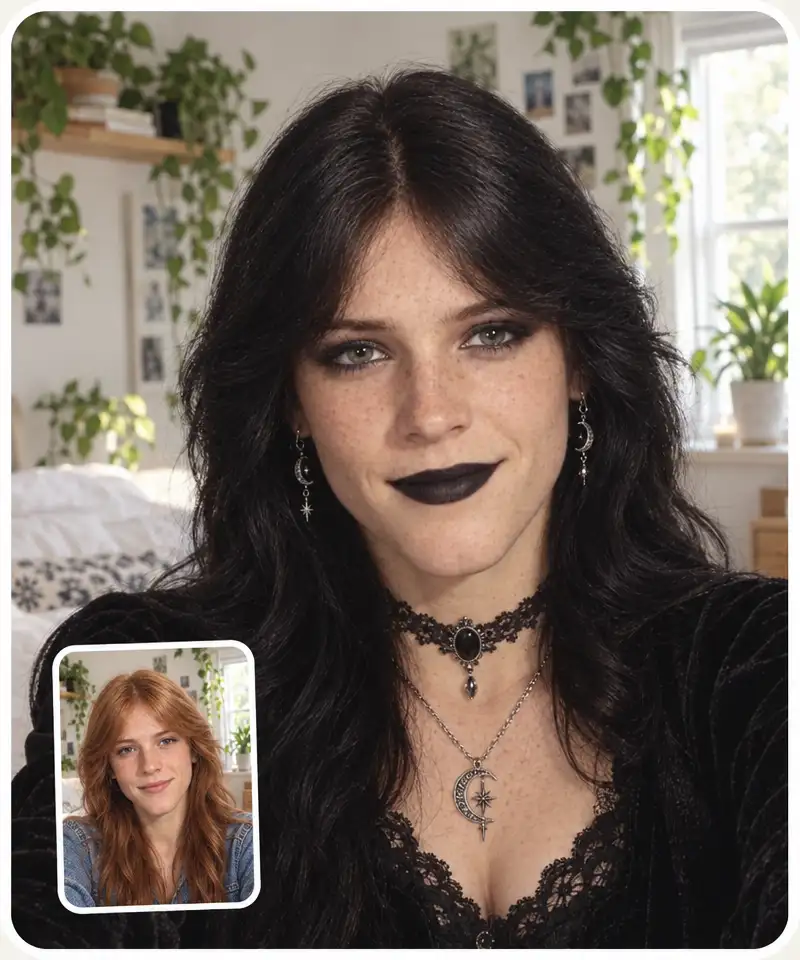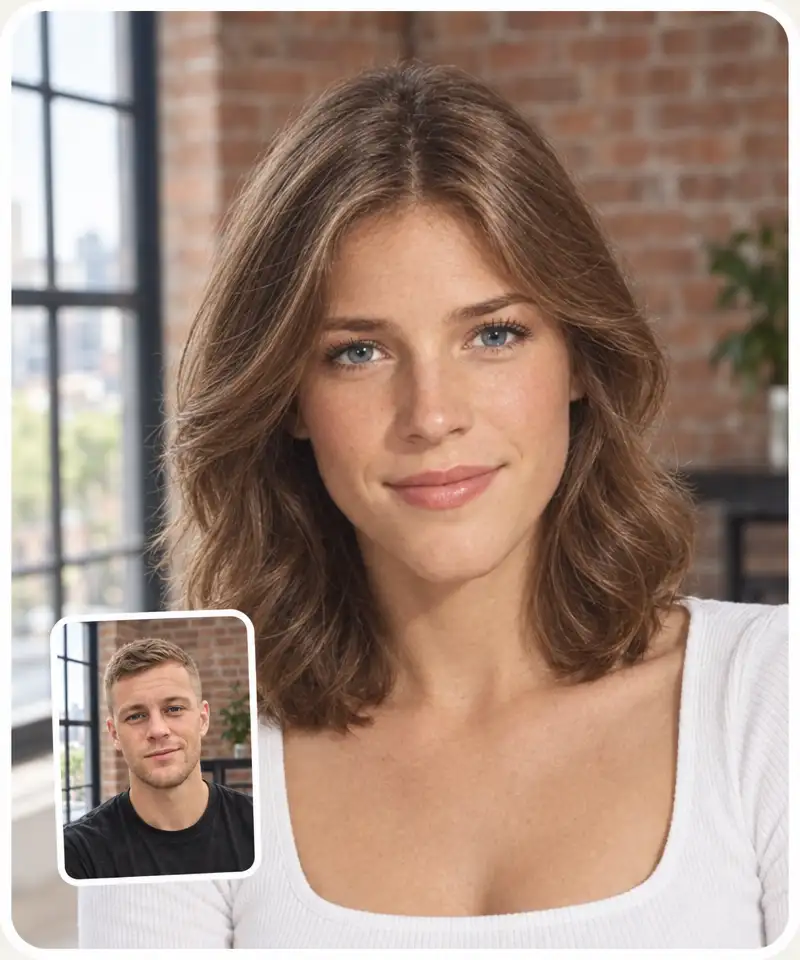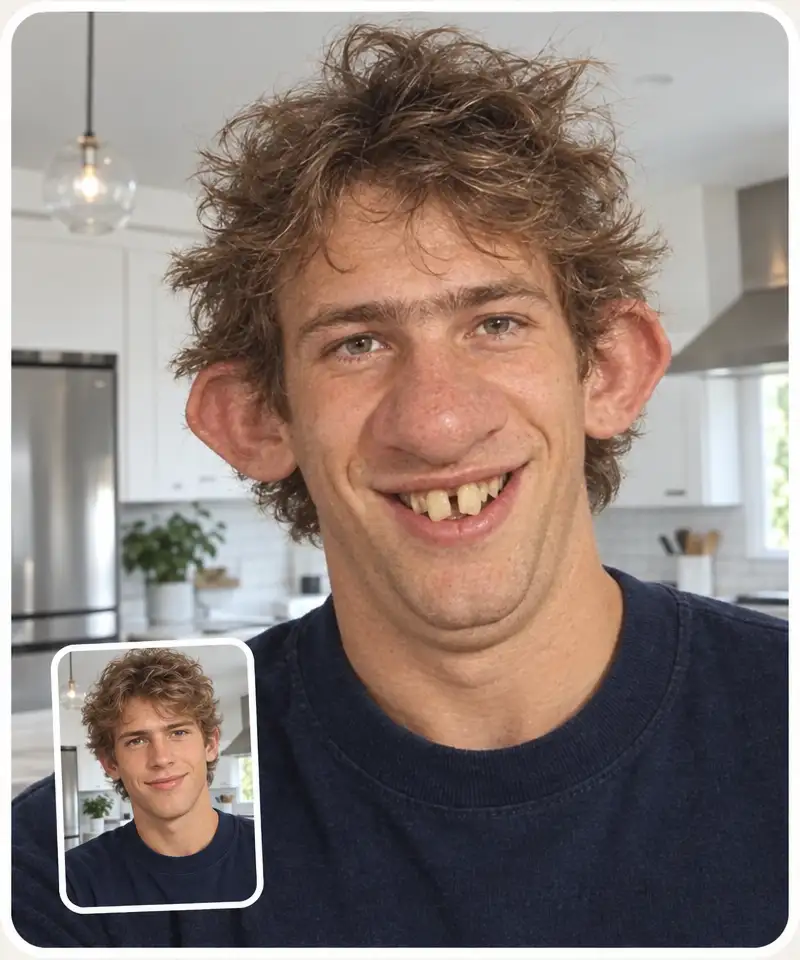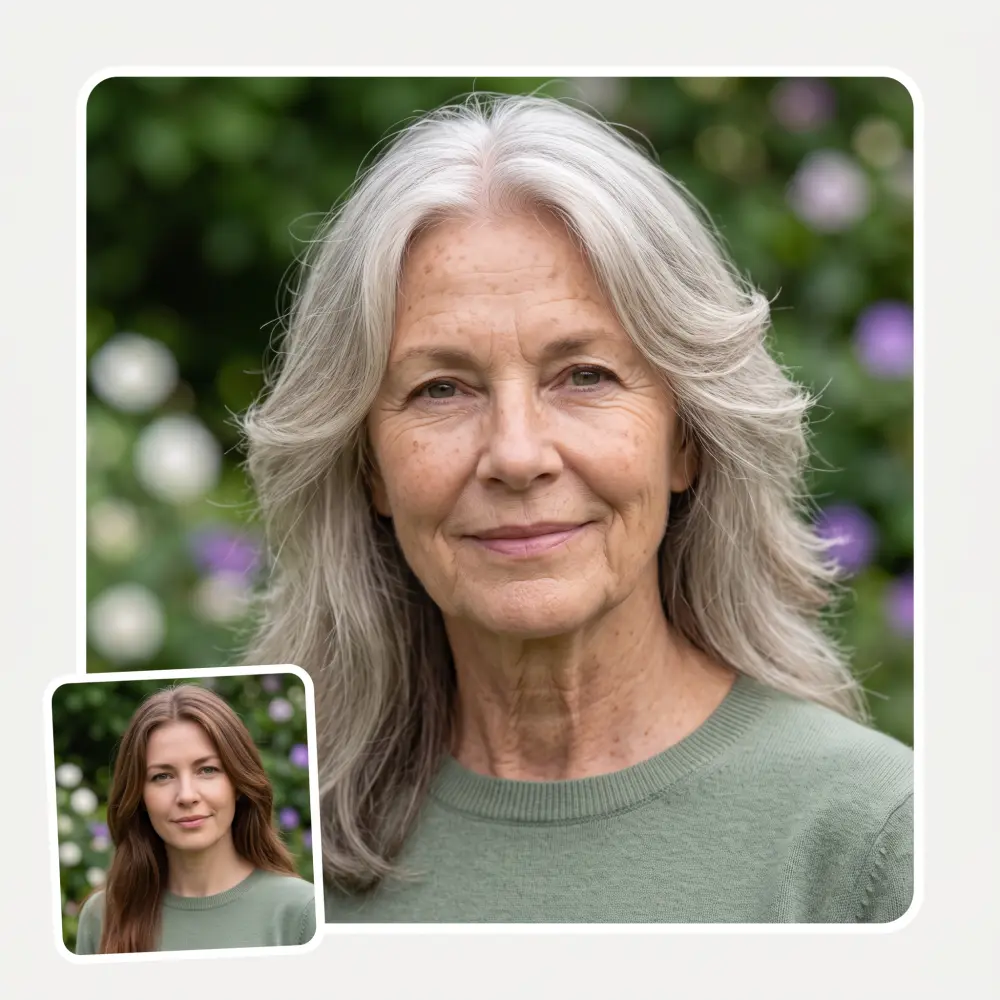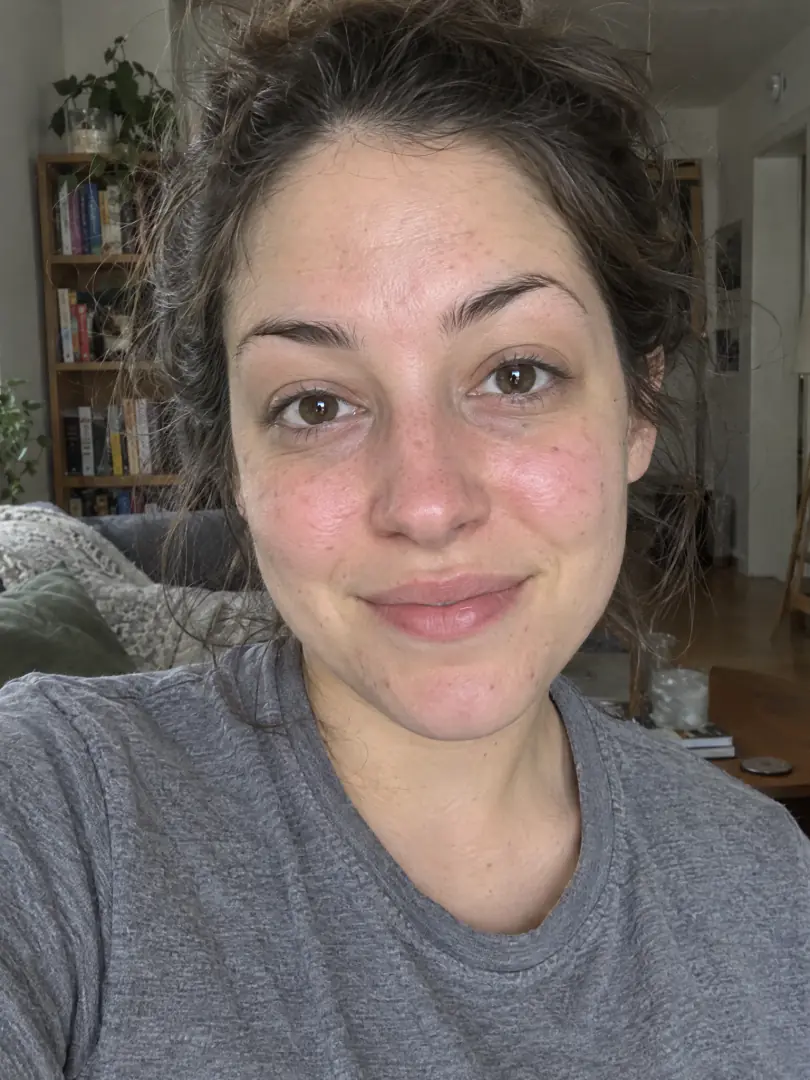
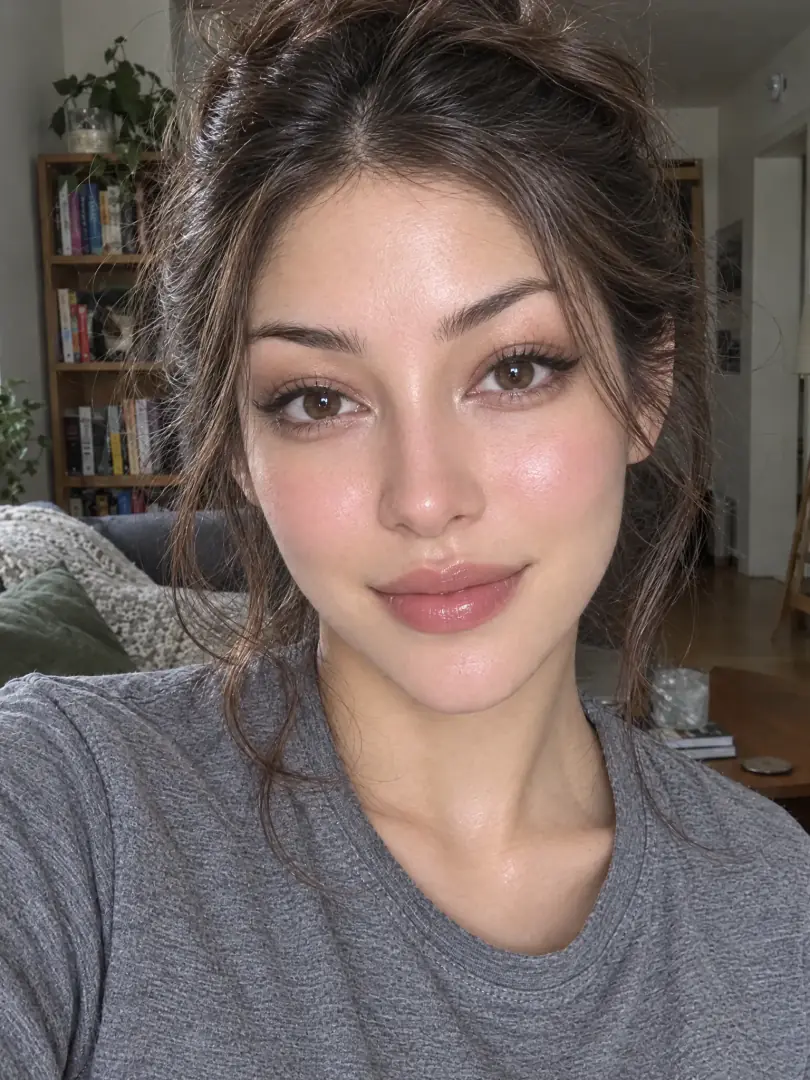
See the top-model version of you: upload a selfie and the AI
gives you glass skin, a slimmer V-line face, sculpted cheekbones
and styled hair — and you still look like you.
Still clearly you
Natural, Glow-up or Top model
Free to try, no sign-up
BeforeAfter
🤳
Trusted by 350,000+ people
⚡
Powered by GPT Image 2.5
✨
Glass skin, V-line face, still you
Three beauty levels
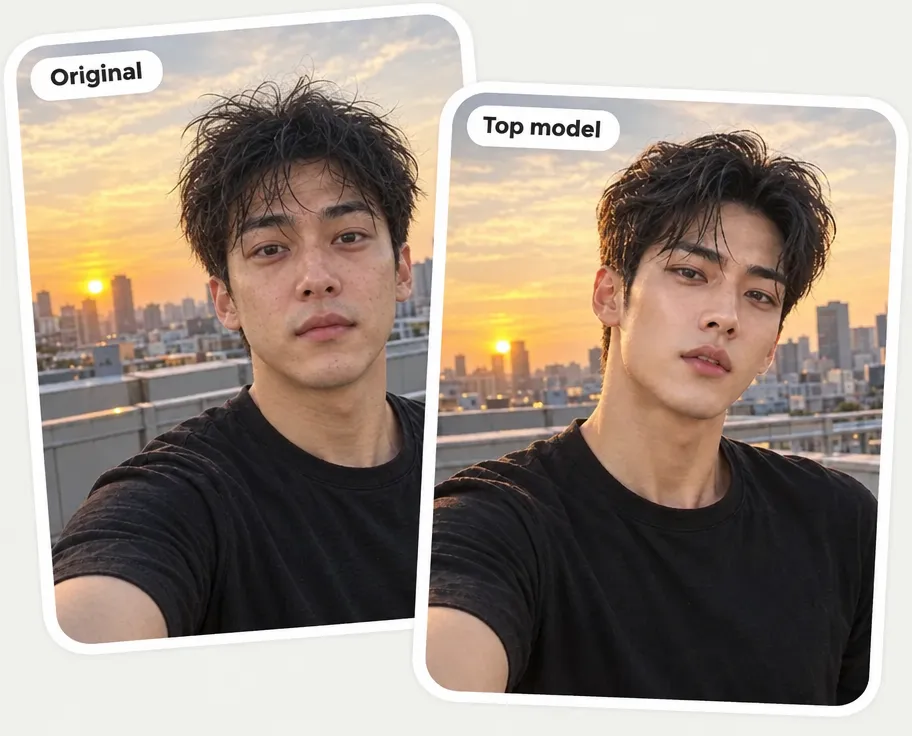
Natural freshens your skin, eyes and hair. Glow-up adds glass skin and defined cheekbones. Top model goes all the way — a slimmer V-line face, sculpted cheekbones, striking eyes and styled hair.
Still clearly you
The filter refines your own features instead of pasting in a new face, and keeps your clothes and background, so the result reads like a real photo of you.
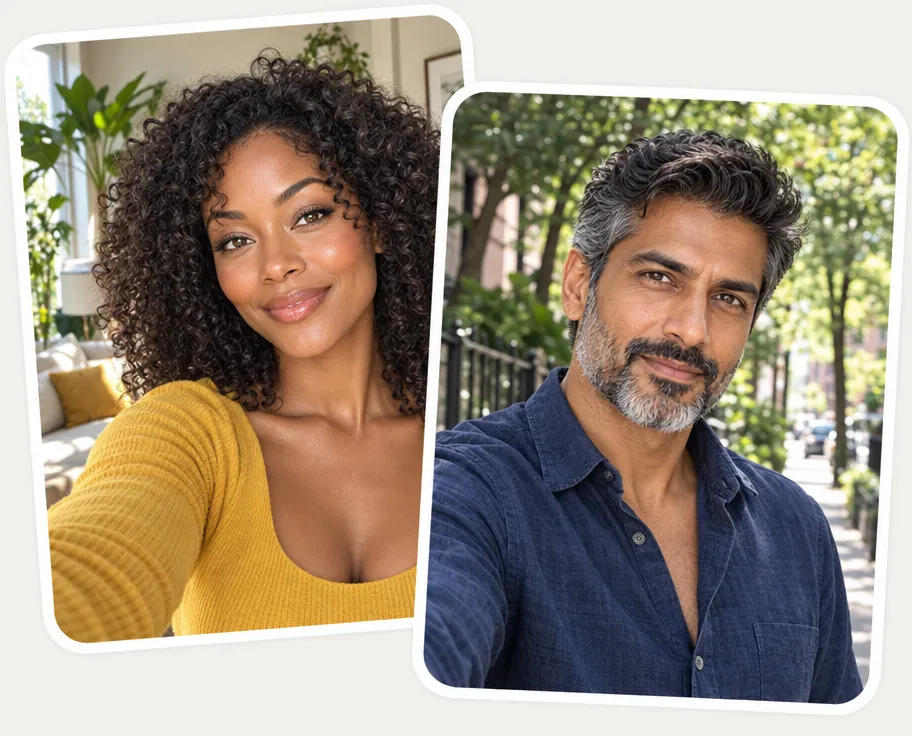
Works on any face
Women and men, any age and skin tone. Women get a supermodel finish; men get a male-model glow-up — clear skin, a chiseled jawline, a groomed beard — instead of makeup.
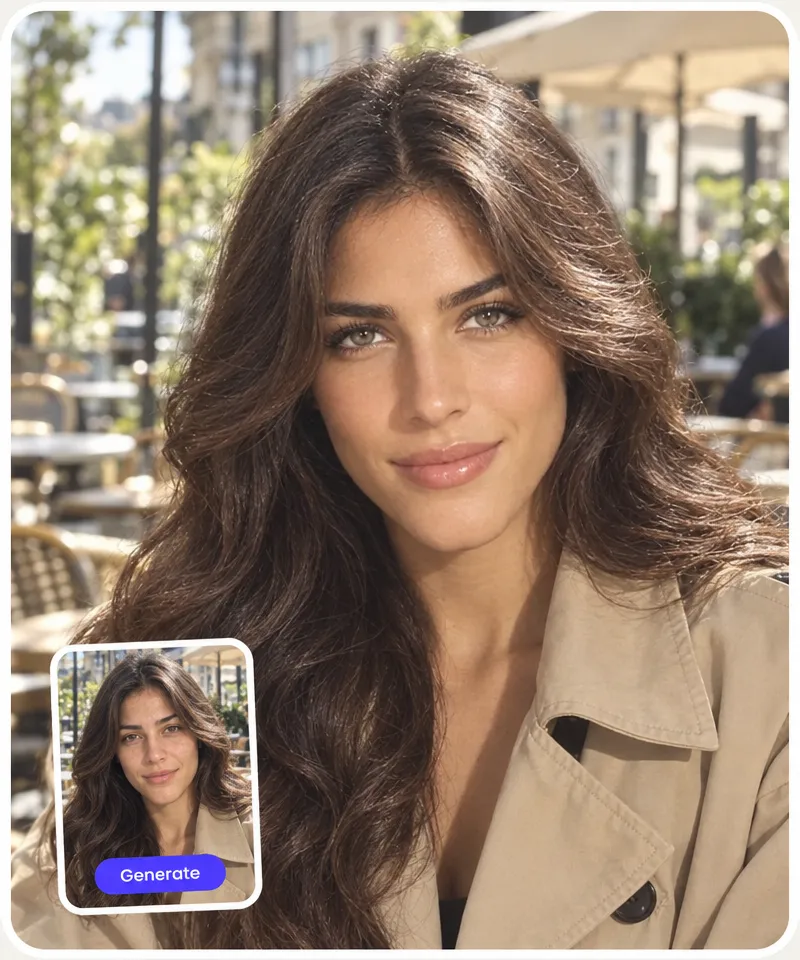
Glass skin and a V-line face
An Asian beauty-standard finish: even, luminous glass skin, a smaller V-line face, sculpted cheekbones and a sharp jawline, without changing your skin tone.
How to use the AI beauty filter
1
Upload a selfie
Add a clear, front-facing photo (JPG, PNG or HEIC), or tap one of the sample faces to try it without your own.
2
Choose a beauty level
Natural for a fresh clean-up, Glow-up for glass skin and defined features, or Top model for the full transformation.
3
Click Generate
The AI rebuilds your photo as your glow-up version in about 30 seconds, keeping your clothes and background.
4
Download and share
Download, copy or share your glow-up. Not quite right? Regenerate it, or switch the level and click Generate again.
Who the AI beauty filter is for
✨
Curious about your glow-up
See what your face looks like at its best before you change your skincare, haircut or makeup routine.
📸
Refreshing a profile photo
Turn a tired everyday selfie into a fresh, polished version of you for socials or a dating profile.
💪
Looksmaxxing
Men too: see your own face with clear skin, a sharp jawline, a groomed beard and styled hair — the looksmax version of you.
🌸
K-beauty fans
Try the Asian beauty-standard finish — glass skin, a V-line face, soft defined features — on your own photo.
💇
Planning a makeover
Show the Top model result to your stylist or makeup artist as a reference for the look you are after.
📱
Creators and group chats
Post a before/after, a "me vs. top-model me" or a friendly dare in the group chat.
What people say about Overchat AI
★★★★★
I've started to use overchat last week and it feels very promising. Lots of AI models in one place saves a lot of money in comparison if you buy subscriptions for each one.
Georgy P
Armenia · Trustpilot, 14 Jul 2026
★★★★★
im really into ai apps and that one is good, helps me with my arts and homework. i draw ai vids for inst and generate images with my characters, many widgets and models! like it
Rita Semenova
Germany · Trustpilot, 14 Aug 2026
★★★★★
I like how it keeps everything organized. One subscription is enough for all major AI models, which helps me avoid paying for multiple platforms.
Staria Quinn
United States · Trustpilot, 16 Nov 2025
★★★★★
Affordable and simple to use. I like that I don't have to pay for several different services anymore.
Dylan Thompson
United States · Trustpilot, 28 Oct 2025
★★★★★
Good and easy to use
Kanan Safarli
United Kingdom · Trustpilot, 23 Jul 2026
★★★★★
It's a nice place to be. I love it
Fabiyi Oluwakemi Phillips
Nigeria · Trustpilot, 23 Jul 2026
Frequently Asked Questions
What is an AI beauty filter?
An AI beauty filter is a photo tool that retouches a face with artificial intelligence: it evens out skin, refines features and styles hair. The Overchat AI beauty filter goes further than skin smoothing — at the Top model level it reshapes the face into a slimmer V-line with sculpted cheekbones and a sharp jawline, while keeping it recognizably you.
How do I apply a beauty filter to my photo?
Upload a selfie, choose Natural, Glow-up or Top model, and click Generate. In about 30 seconds the retouched photo appears next to the controls, ready to download, copy or share.
Is the AI beauty filter free to use online?
Yes. You can use it for free on this page, with no sign-up and no watermark on the downloaded image. There is a daily limit on free generations per visitor.
Will the beauty filter change my face or make me look like someone else?
It changes how you look, not who you are. Natural keeps your proportions and only freshens your skin, eyes and hair. Top model is a strong edit — a slimmer face, sculpted cheekbones, brighter eyes and styled hair — but it is built from your own features, and your clothes and background stay the same. If a result drifts too far, regenerate it or step down to Glow-up.
Does the beauty filter work on men and on dark skin tones?
Yes. Men get a male-model glow-up — clearer skin, a chiseled jawline, a groomed beard and styled hair — instead of makeup. The filter keeps your skin tone and ethnicity: the Asian beauty-standard part is the finish (glass skin, a V-line face), not a change of who you are.
What is the difference between Natural, Glow-up and Top model?
Natural is a light clean-up: clear, healthy skin, a rested face, brighter eyes and neater hair. Glow-up adds glass skin, a slimmer face and defined cheekbones and jawline. Top model is the full transformation into a 10/10 supermodel or male-model version of you. Natural suits profile photos best; Top model is the one people share.
What kind of photos work best?
A clear, front-facing selfie or portrait of one person in decent light, with the face not hidden by hands, hair or sunglasses. Group photos, heavy shadows and very small faces give weaker results. JPG, PNG and HEIC photos are supported. It is not meant for ID or passport photos, which must show you unedited.
Can I use the beauty filter on my iPhone without an app?
Yes. The filter runs in the browser — Safari or Chrome on iPhone and Android, or any desktop browser — with no app to install. HEIC photos from the iPhone camera are converted automatically.
{"@context":"https://schema.org","@graph":[{"@type":"WebApplication","@id":"https://overchat.ai/ai-tools/ai-beauty-filter#app","name":"AI Beauty Filter","url":"https://overchat.ai/ai-tools/ai-beauty-filter","description":"Upload a selfie and get your top-model glow-up: glass skin, a slimmer V-line face, sculpted cheekbones. Three levels, free, no sign-up, still you.","applicationCategory":"MultimediaApplication","operatingSystem":"Web","browserRequirements":"Requires JavaScript","offers":{"@type":"Offer","price":"0","priceCurrency":"USD","availability":"https://schema.org/InStock","url":"https://overchat.ai/ai-tools/ai-beauty-filter"},"publisher":{"@type":"Organization","name":"Overchat AI","url":"https://overchat.ai/"},"image":"https://cdn.prod.website-files.com/673728fe79d73c09073776cb/6acd54058373c9b2c31d2226_ai-beauty-filter-hero-after.webp"},{"@type":"BreadcrumbList","itemListElement":[{"@type":"ListItem","position":1,"name":"Home","item":"https://overchat.ai/"},{"@type":"ListItem","position":2,"name":"AI Tools","item":"https://overchat.ai/tools"},{"@type":"ListItem","position":3,"name":"AI Beauty Filter","item":"https://overchat.ai/ai-tools/ai-beauty-filter"}]},{"@type":"FAQPage","mainEntity":[{"@type":"Question","name":"What is an AI beauty filter?","acceptedAnswer":{"@type":"Answer","text":"An AI beauty filter is a photo tool that retouches a face with artificial intelligence: it evens out skin, refines features and styles hair. The Overchat AI beauty filter goes further than skin smoothing — at the Top model level it reshapes the face into a slimmer V-line with sculpted cheekbones and a sharp jawline, while keeping it recognizably you."}},{"@type":"Question","name":"How do I apply a beauty filter to my photo?","acceptedAnswer":{"@type":"Answer","text":"Upload a selfie, choose Natural, Glow-up or Top model, and click Generate. In about 30 seconds the retouched photo appears next to the controls, ready to download, copy or share."}},{"@type":"Question","name":"Is the AI beauty filter free to use online?","acceptedAnswer":{"@type":"Answer","text":"Yes. You can use it for free on this page, with no sign-up and no watermark on the downloaded image. There is a daily limit on free generations per visitor."}},{"@type":"Question","name":"Will the beauty filter change my face or make me look like someone else?","acceptedAnswer":{"@type":"Answer","text":"It changes how you look, not who you are. Natural keeps your proportions and only freshens your skin, eyes and hair. Top model is a strong edit — a slimmer face, sculpted cheekbones, brighter eyes and styled hair — but it is built from your own features, and your clothes and background stay the same. If a result drifts too far, regenerate it or step down to Glow-up."}},{"@type":"Question","name":"Does the beauty filter work on men and on dark skin tones?","acceptedAnswer":{"@type":"Answer","text":"Yes. Men get a male-model glow-up — clearer skin, a chiseled jawline, a groomed beard and styled hair — instead of makeup. The filter keeps your skin tone and ethnicity: the Asian beauty-standard part is the finish (glass skin, a V-line face), not a change of who you are."}},{"@type":"Question","name":"What is the difference between Natural, Glow-up and Top model?","acceptedAnswer":{"@type":"Answer","text":"Natural is a light clean-up: clear, healthy skin, a rested face, brighter eyes and neater hair. Glow-up adds glass skin, a slimmer face and defined cheekbones and jawline. Top model is the full transformation into a 10/10 supermodel or male-model version of you. Natural suits profile photos best; Top model is the one people share."}},{"@type":"Question","name":"What kind of photos work best?","acceptedAnswer":{"@type":"Answer","text":"A clear, front-facing selfie or portrait of one person in decent light, with the face not hidden by hands, hair or sunglasses. Group photos, heavy shadows and very small faces give weaker results. JPG, PNG and HEIC photos are supported. It is not meant for ID or passport photos, which must show you unedited."}},{"@type":"Question","name":"Can I use the beauty filter on my iPhone without an app?","acceptedAnswer":{"@type":"Answer","text":"Yes. The filter runs in the browser — Safari or Chrome on iPhone and Android, or any desktop browser — with no app to install. HEIC photos from the iPhone camera are converted automatically."}}]}]}