AI family photo generators give remote families a way to bring multiple people together with the power of artificial intelligence image generation. Here's everything you need to know about how these tools work and which ones are worth using.
AI family photo generators give remote families a way to bring multiple people together with the power of artificial intelligence image generation. Here's everything you need to know about how these tools work and which ones are worth using.
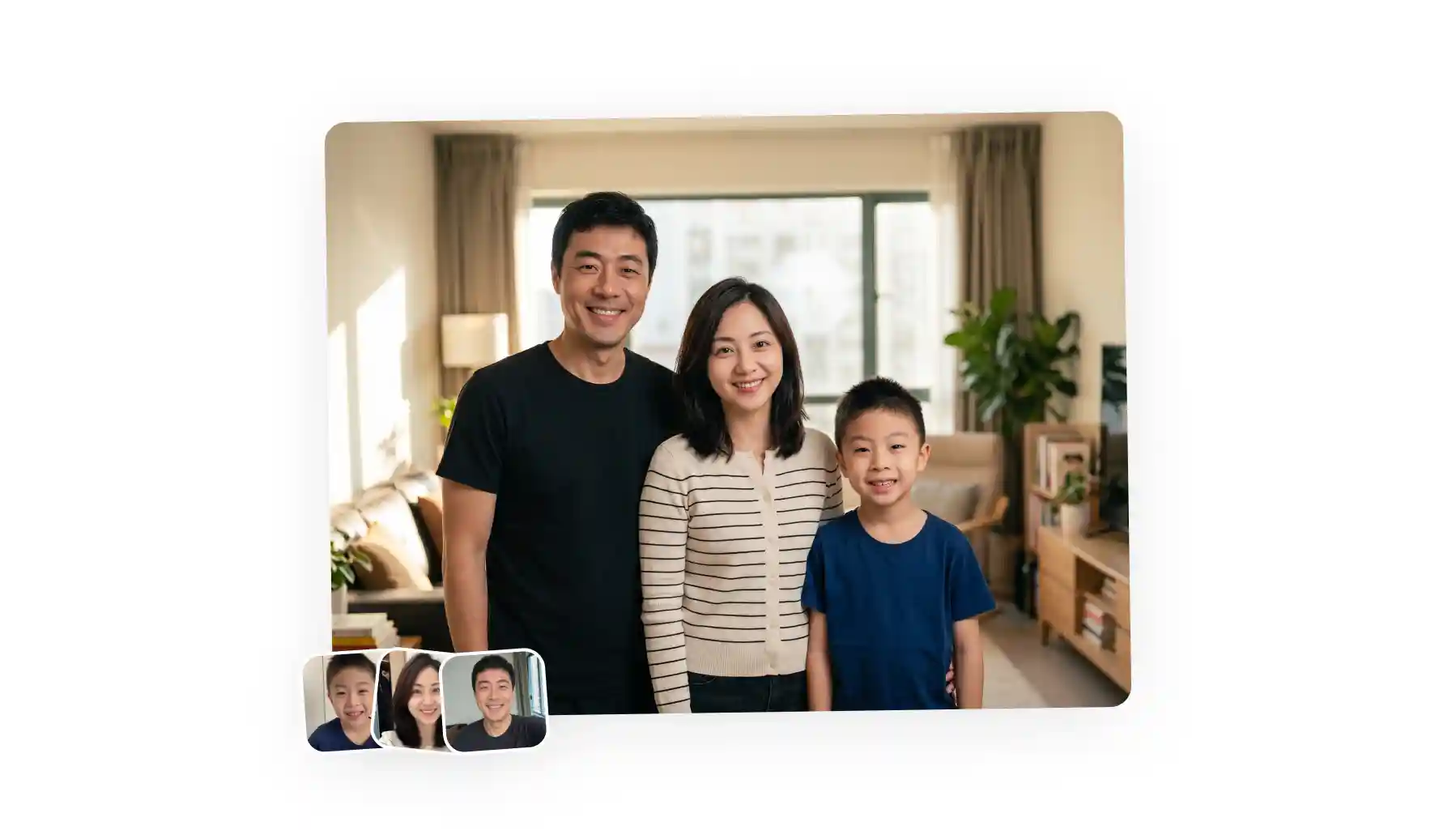
An AI family generator takes multiple images where each family member is shot separately, and uses image to image AI generation models to output a new image with the whole family together in a new location. For example, Overchat AI Family Photo Generator allows users to upload up to five images, select a setting, and merge everyone into one photorealistic image.
An AI family photo is basically a group portrait generated in an AI app, which is done by combining people from separate photos into a single family photoshoot style image. It works by taking separate images of each person (which can be taken in any style and location and even time of day — they don't have to be similar at all for this to work), and outputs a single shot where they're sitting or standing together, hugging naturally and interacting with each other in a candid moment.
AI family photo generators use image-to-image AI models (Nano Banana 2, GPT Image 2, Seedream 5.0 are some examples) — to explain it in a simplified way, the model can "see" each person and "remember" what they look like.
Then, it uses that input to create a new image where everyone is present together. The process is quite a bit different from traditional photo editing, where the editor would cut out each person by hand, paste them into a new image, and then tweak different layer settings to blend them in. AI family photo makers are quite a bit more powerful because they can repose, change perspective, and completely recreate lighting (for instance, you can upload an image of a standing person at night and in the final result they'll be sitting on a living room sofa in golden hour light).
Text-to-family generators create imagined families, for example, you type in a prompt and get an image of an AI generated family — this has nothing to do with photo editing and for the purpose of this article we're excluding these types of tools, since the same result can be achieved in any photo generation app, and you don't need a specialized tool to do it.
For the purpose of this guide, we'll walk you through how to create an AI family photo in the Overchat AI Family Photo Generator:
Go to the Overchat AI Family Photo Generator.
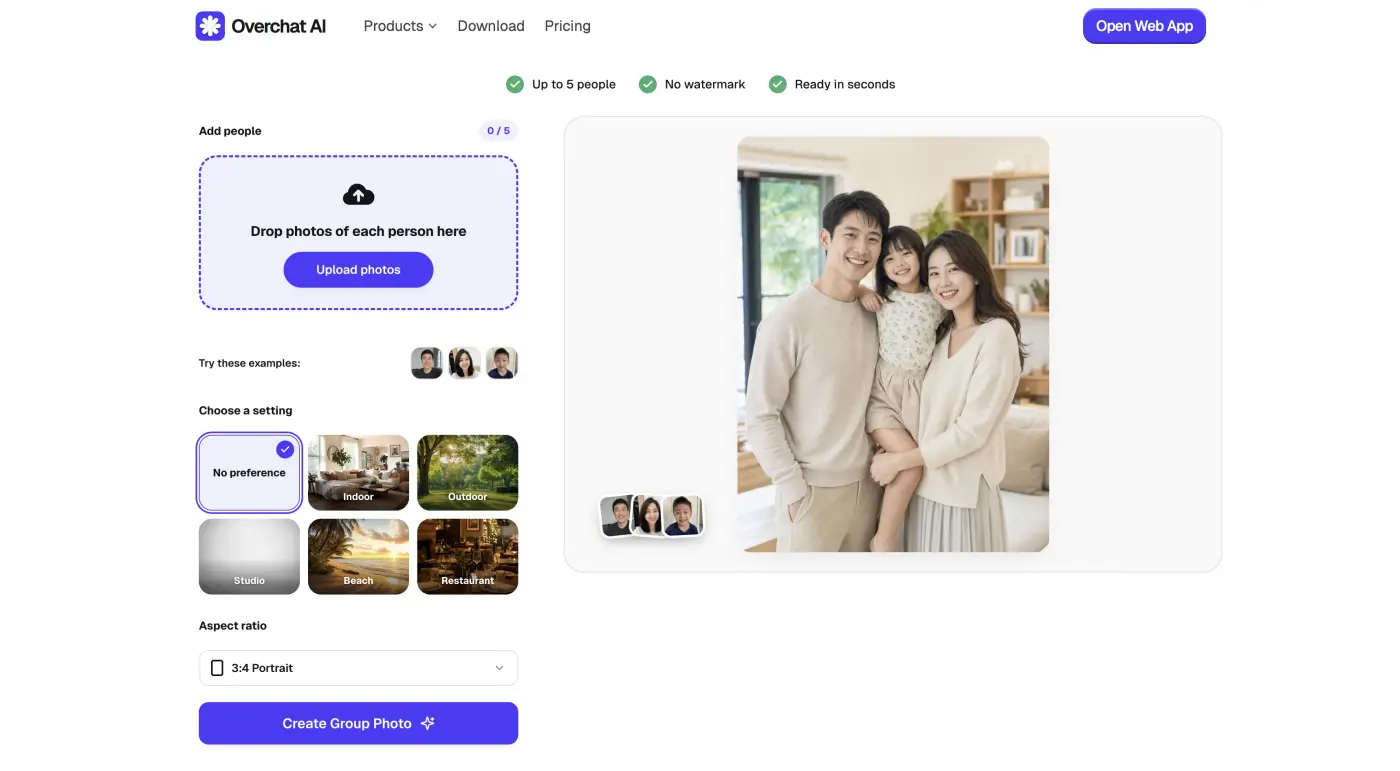
It's an online tool, so you don't need to install anything, and you can access it via the website from desktop or mobile phones, or via Android and iOS apps, if you want a native mobile experience.
You can add up to five separate images, and each image can have any number of people, so you can have 2 people in one image, 5 in the second one, and one in the third one. There's no limit to how many people are in the family.

You can upload PNG, JPG, HEIC, and WebP, so photos straight off an iPhone work without converting anything.
For best results, use simple candid images where the person occupies most of the frame, but any image will work.
In Overchat AI, you can select the following scenes:
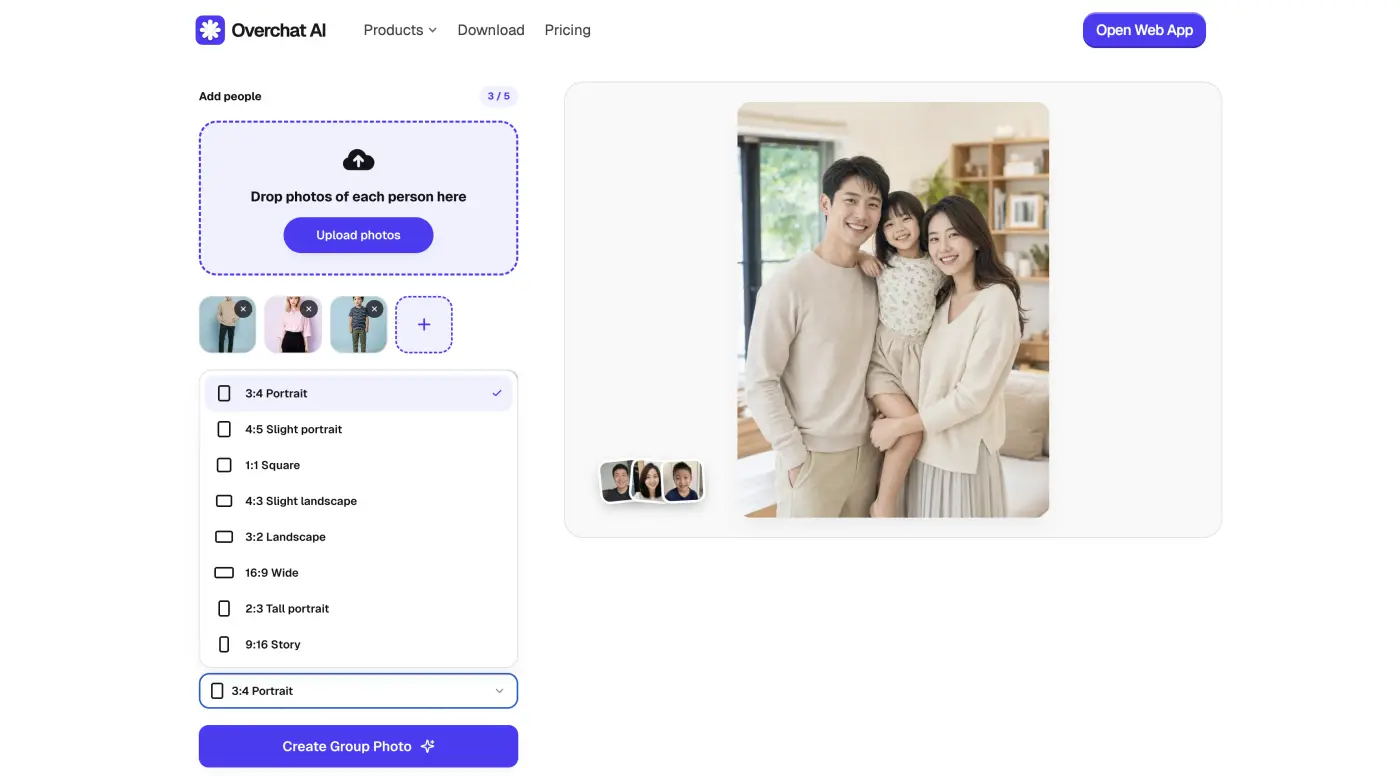
Don't forget to also select an aspect ratio. Overchat AI family photo maker supports:
The No preference option lets Overchat AI decide the setting and it will choose one of the photo backdrops, so the location will be influenced by the images you upload.
Finally, simply press the Generate button and wait about 30 seconds for the result to appear.

From here, you can:
Here are a few examples of what you'll get. Here's the beach preset:

This one shows the family in a restaurant:
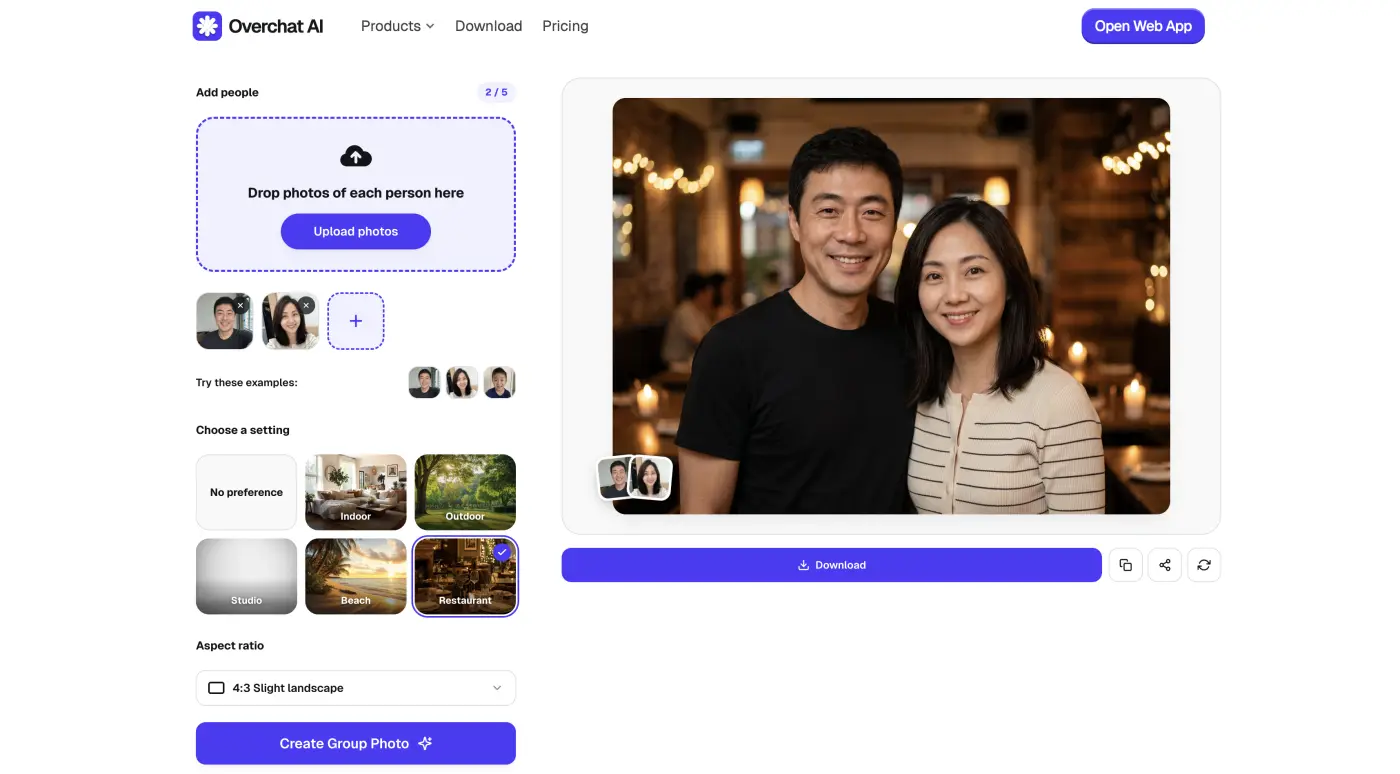
And this is the indoor preset:

All of the above use Overchat AI's preset library, hence the generic locations, but if you leave that setting on No preference the family photo will use the background from one of your uploaded images as a default, ensuring that not only the family photos are real but also the location is.
Now that we understand how family photo makers work, and why you should use them, here's a quick comparison of the best family photo generators you can find in 2026.
| Tool | What it is |
|---|---|
| Overchat AI Family Photo Generator | A web-based generator that merges up to five separate photos into one family portrait, built into an all-in-one AI platform |
| Media.io | A web-based media suite from Wondershare with a dedicated multi-person AI family portrait generator |
| Fotor | A long-running online photo editor with an AI portrait generator that includes a family option |
| CapCut | ByteDance's video and design app, with an AI family portrait generator in its Design Studio |
Below, we break down each one in more detail.
Of all the tools we tested, the Overchat AI Family Photo Generator consistently delivered the most realistic results. That's largely thanks to the work the Overchat team has put into fine-tuning the experience, combined with its use of Nano Banana 2 and GPT Image 2 — two of the industry's most capable and well-regarded image-to-image models.

The tool is also refreshingly easy to use. Controls are clearly labeled and neatly organized in a right-hand sidebar, with support for eight aspect ratios. Generation speeds are impressive as well, with most images being created in under 30 seconds. While timing can vary depending on model demand, we found generation remained consistently quick throughout our testing.
Privacy is another area where Overchat AI family photo generator earns high marks. Uploaded photos are automatically deleted after processing and are not used to train AI models, so you don't have to worry about the photos of your family being stored or reused.
Price: $14.99/month or $49.99/year
The pricing above is for an Overchat AI Pro subscription which unlocks the entire Overchat AI all-in-one AI platform and access to 150+ AI tools and models.
Pros:
✅ Very convincing results
✅ Runs on Nano Banana 2
✅ Easy to use
✅ Part of an all-in-one AI platform with 150+ tools and models
✅ You can upload HEIC photos from iPhone
Media.io from Wondershare is one of the most popular AI platforms in the world — by their own count, Wondershare has over 2 billion total users across its products. Media.io's AI family portrait tool is well designed and easy to use: you upload a group photo or individual pictures of each family member, and it combines them into one image.
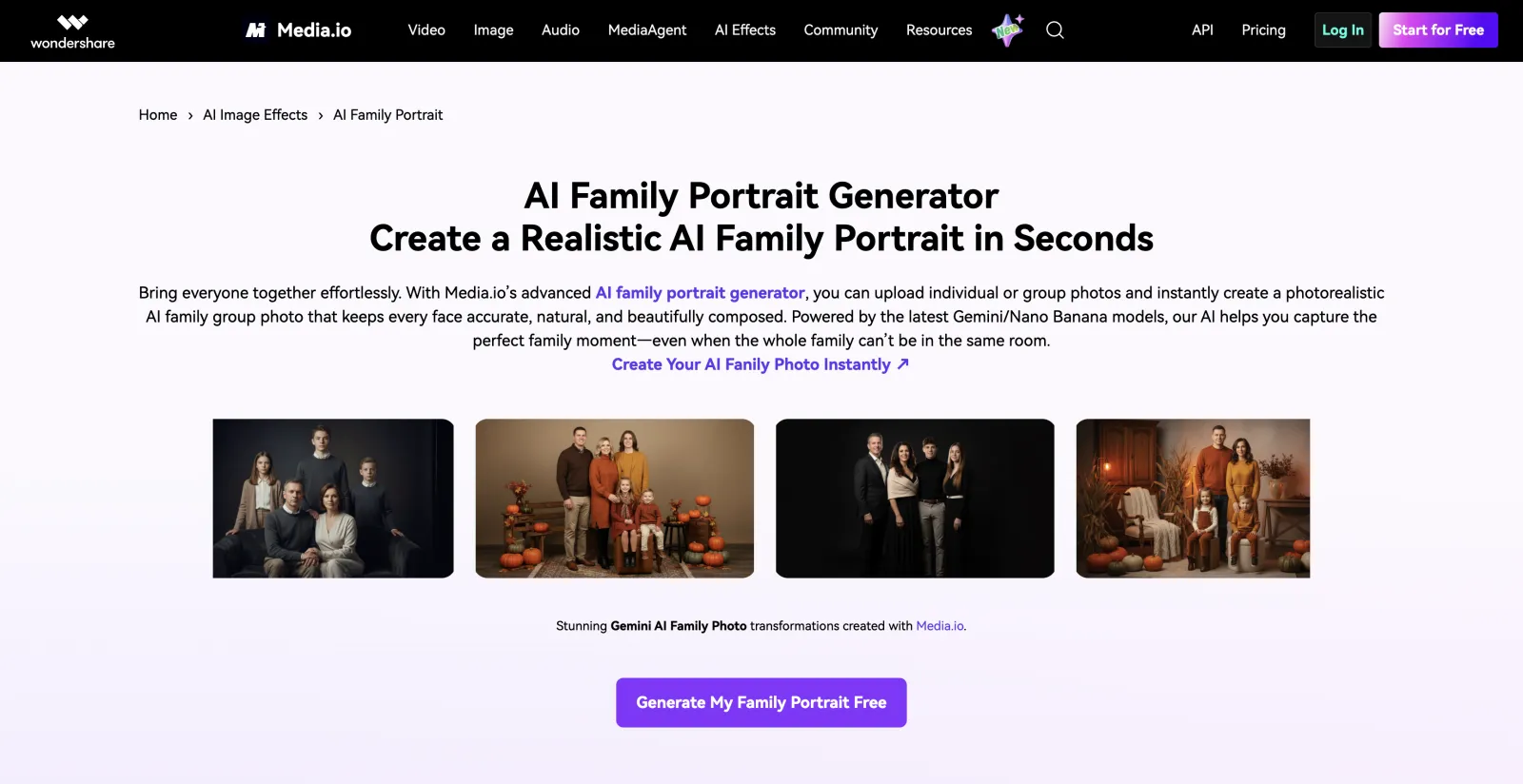
Because the tool lives inside a wider AI suite, subscribing to the Pro plan also unlocks image-to-video, a background remover, an AI upscaler, and other tools. And you do have to subscribe, because the free tier is weak here.
Price:
| Plan | Price |
|---|---|
| Weekly | $6.99/week |
| Yearly | $29.99/year |
Pros:
✅ Backed by Wondershare, the maker of Filmora (2B+ users)
✅ Built for multi-person merges from individual photos
✅ One subscription covers a wider AI suite, not just portraits
Cons:
❌ No meaningful free tier
❌ Weekly billing is a trap if you forget to cancel
Fotor is one of the original online photo editing tools — it was founded in Chengdu in 2012 by Tony Duan, and now it is trusted by over 800 million users from 200+ countries.

Their AI portrait generator is built into Fotor's photo editor, so you can create a family portrait from individual photos or a text prompt, then push it straight into Fotor's retouching, background, and print-layout tools without leaving the app. Fotor runs on a freemium credit system. Here's their pricing:
| Plan | Monthly | Annual |
|---|---|---|
| Basic | Free | Free |
| Pro | $12.99/month | $8.99/month |
| Pro+ | $19.99/month | — |
Pros:
✅ Full photo editor, collage, and print layouts in one place
✅ Does both photo-merge and text-to-family
✅ Established platform with 800M+ users since 2012
Cons:
❌ Free tier is watermarked and credit-starved
❌ Cheapest watermark-free option needs an annual commitment
CapCut is an AI media platform developed by ByteDance, and it's enormous — around 800 million monthly active users as of April 2026, which makes it the second most popular AI app behind ChatGPT. ByteDance is also the team behind the viral Seedance 2.0 video generation model, one of the best in the industry to this day, so they clearly know how to make good AI media products.
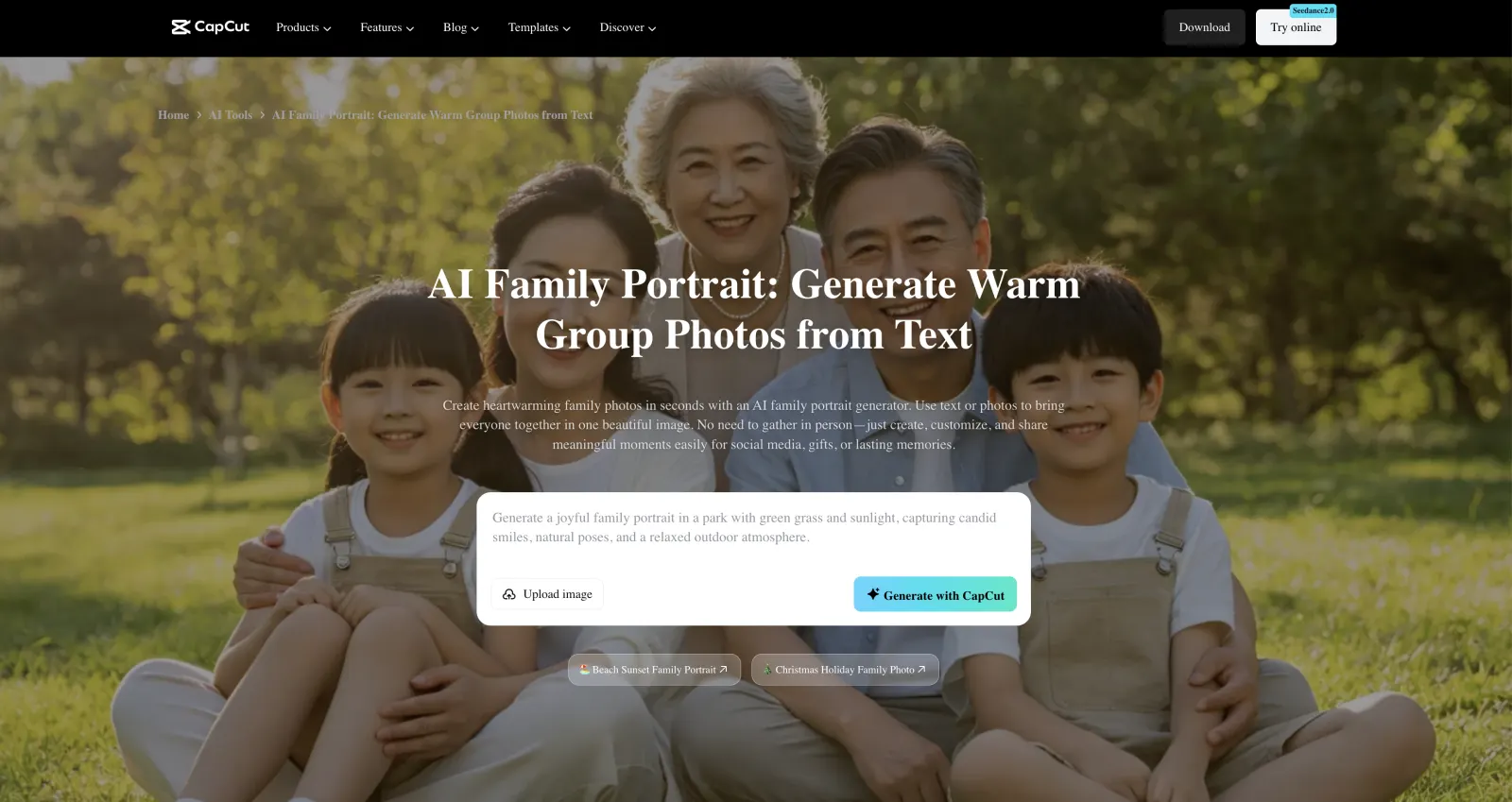
Their AI family portrait generator is part of CapCut's Design Studio, and it uses the company's own AI models to generate images.
In terms of pricing, the free plan gives you the full editing toolkit, but AI output can carry a watermark and 4K export is locked; the higher tiers unlock 4K, the full AI toolkit, and more storage. Team pricing is per user.
| Plan | Monthly | Annual |
|---|---|---|
| Free | Free | Free |
| Standard | $9.99/month | — |
| Pro | $19.99/month | $179.99/year |
| Team | $24.99/month | — |
Pros:
✅ Massive, well-supported app (≈800M monthly users)
✅ Best here for stylized or imagined-family scenes from a prompt
✅ Sits inside a full video editor for turning the photo into a clip
Cons:
❌ Watermark on some free AI output
❌ Pro tier jumped to $19.99/month in the 2026 restructure
❌ Prompt-driven flow is fiddlier than a straight photo merge
Common questions about making AI family photos.
Yes. AI can take separate photos of each family member and merge them into one group image, with matched lighting and a shared background, so everyone appears together even if they were never photographed in the same place. Tools like the Overchat AI Family Photo Generator do this from photo uploads alone, no editing skill required.
Open an AI family photo generator, upload a clear photo of each person, choose a scene, and generate. In the Overchat AI Family Photo Generator that's four steps and about 30 seconds. For the styled, share-ready look that does well on social, pick a scene preset that fits the vibe — a beach or a warm indoor setting — and start from sharp, well-lit source photos so each face stays recognizable.
The Overchat AI Family Photo Generator is free and unlimited for now, with no watermark. CapCut also has a free plan, though its AI output can carry a watermark and the full toolkit is paid. Media.io and Fotor are mostly paid — Fotor gives you 8 starter credits, and Media.io has no real free tier.
Yes, but that's a different tool from a photo merge. A future-family or AI baby generator predicts what a couple's child might look like, or builds an imagined family scene from a text prompt. CapCut and Dreamina handle that prompt-driven case, while a merge tool like Overchat AI's is for putting real people into one photo.
In 2026, it's easier than ever to create professional-quality family photos online using AI-powered image generators. Often called AI family photo makers, these tools can transform existing images into realistic family portraits in just a few seconds. While results vary from tool to tool, the options we've highlighted above are capable of producing images that look remarkably close to real photography.
Better yet, many of them offer free trials or free credits, so you can experiment before committing to a paid plan. If you're interested, try a few of them out and see what kinds of family photos you can create.