Can Claude AI Generate Images? What It Can and Can't Do
Last Updated:
2026-10-11
Can Claude AI Generate Images? What It Can and Can't Do
If you're wondering whether you can create images with Claude, the answer is a little more nuanced than you might think. Here's the spoiler: while Claude can't generate images on its own, you can still use Claude models to create beautiful AI images with the right tools and workflow. In this article, we'll break down what Claude can and can't do when it comes to working with images, and show you how to use it as part of an AI image creation pipeline.
Claude doesn't have a built-in image generation model, and Anthropic doesn't offer its own image generation model either. This means you can't generate images directly in Claude unless you use a third-party integration.
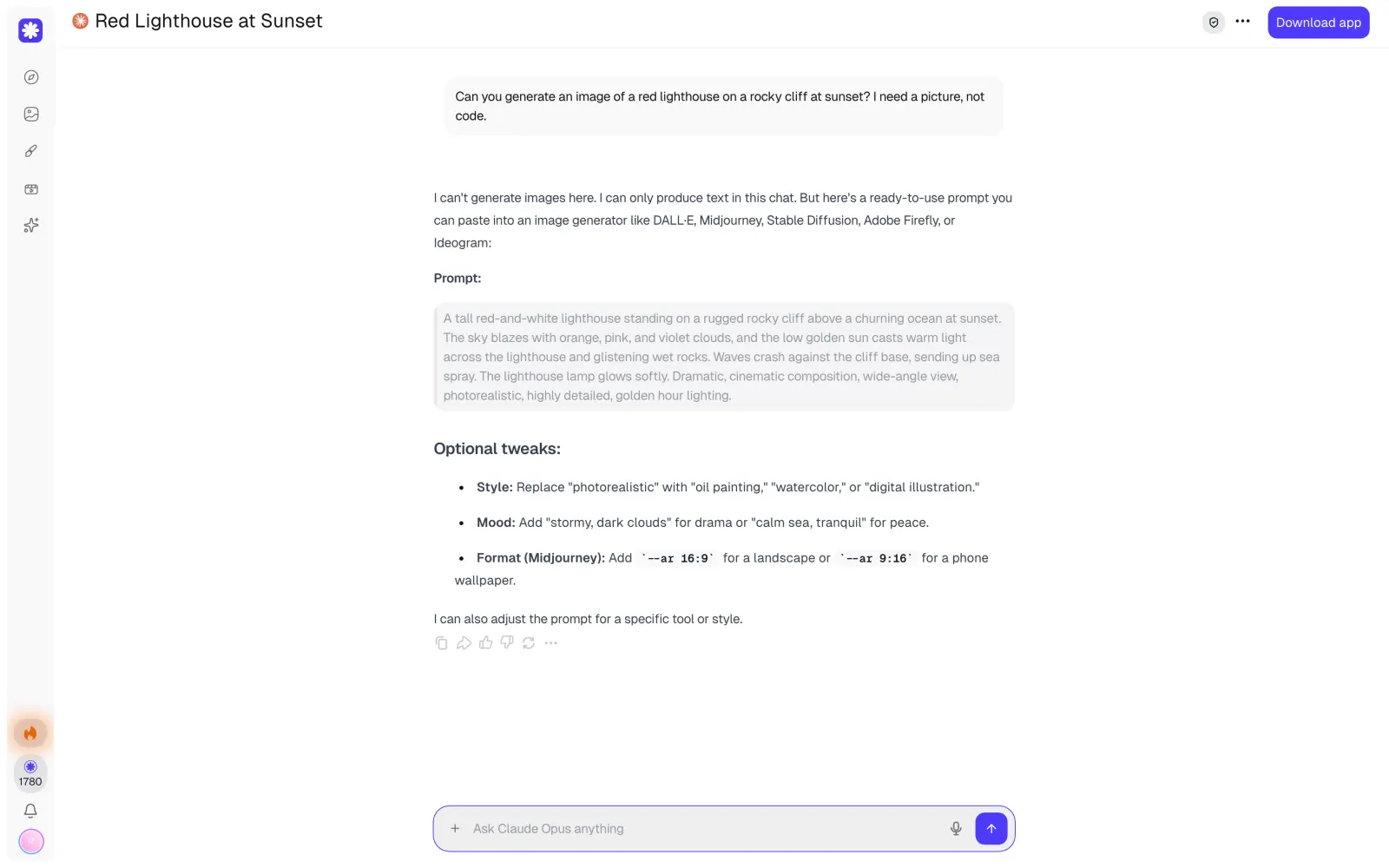
So, what happens when you ask Claude to create an image? Instead of generating one, Claude will typically explain that it can't create images directly and offer to write a prompt you can use with an image generator instead.
What can Claude do with images?
While Claude cannot generate images, it can:
Analyze uploaded images
Create charts and diagrams with code
Create files and designs
Connect to Canva and Adobe and use their image generators
Analyze images you upload
Claude is good at understanding images. You can upload a screenshot and ask it to pull out the text, or share a chart and ask what it shows. On claude.ai, you can attach up to 20 images to one message.
Create charts and diagrams with code
Claude can build simple visuals with code. When you ask for a chart or a diagram, Claude writes it in SVG or HTML, and the result appears right in the reply. Anthropic calls this feature custom visuals. It's still in beta and works on the web and in the desktop app.
This is a good way to get a flowchart, a timeline or a simple icon. But Claude can't make a photo or a detailed illustration this way, since everything it draws is built from basic shapes.
Make files, slides and designs
Claude can also create files in the chat. For example, you can ask it to make a presentation or save a chart as a PNG image. This works on all plans, including the free one.
For mockups, slides and one-pagers, Anthropic has a separate tool called Claude Design. It doesn't have an image model either, and Anthropic says it "isn't built for image generation, so it's a poor fit for logo design."
Connect to Canva and Adobe
Connectors let Claude use other services. With the Canva connector, Claude can generate new Canva designs right from the chat. The Adobe connector gives Claude access to Photoshop, Firefly, Express and other Creative Cloud apps, so it can edit your photos.
In both cases, the image is made by Canva or Adobe tools, and you need an account in that service.
Claude's SVG vs a real image model
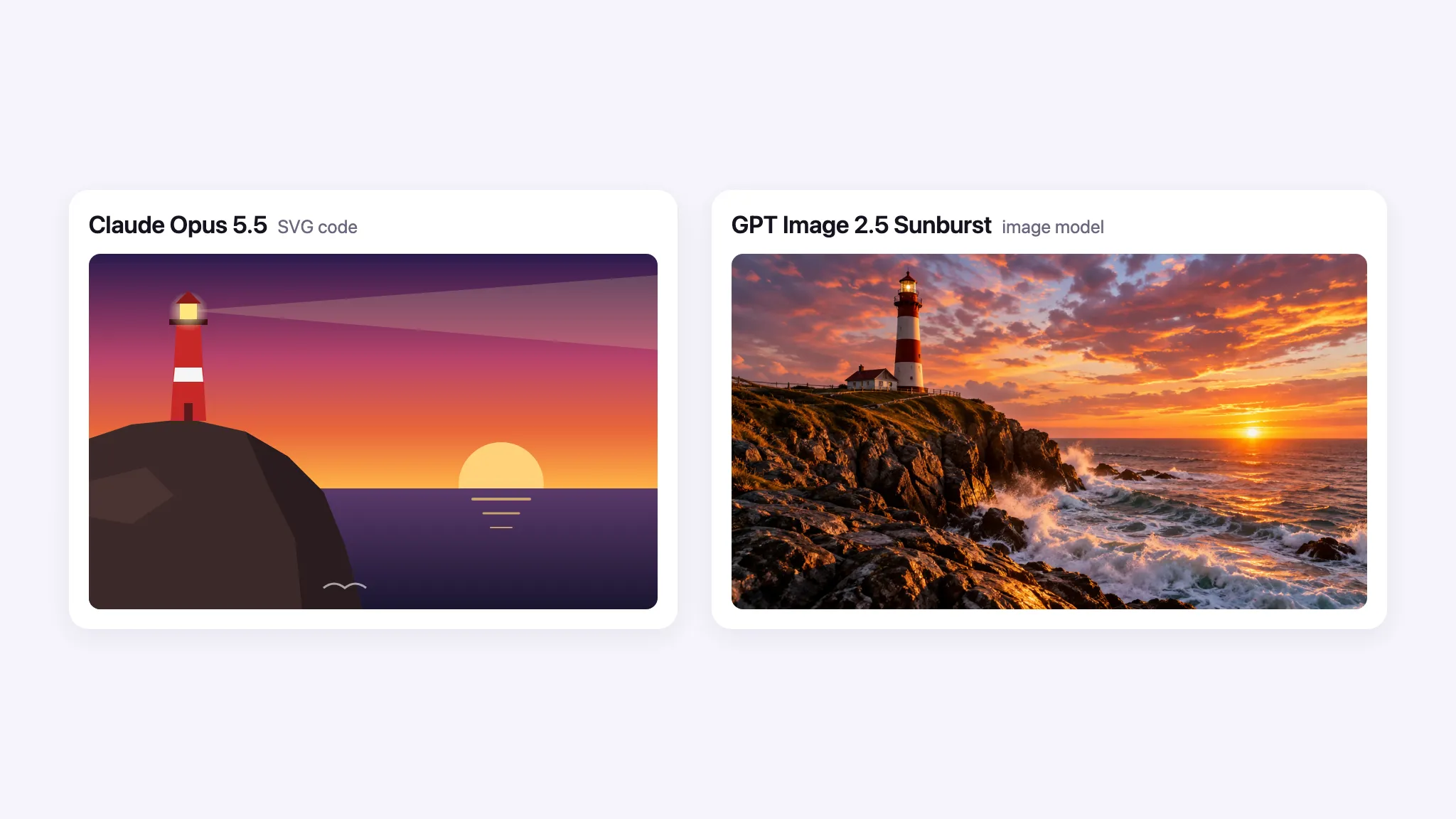
When you ask Claude to draw something, it writes SVG code, a list of shapes with coordinates and colors. To see how this compares to a real image model, we gave the same lighthouse prompt to Claude Opus 5.5 and GPT Image 2.5 Sunburst.
Claude's lighthouse is made of rectangles, triangles and gradients, while GPT Image 2.5 produced a photorealistic picture.
Can ChatGPT and Gemini generate images?
Yes. ChatGPT and Gemini have their own image models, so they can create images right in the chat. ChatGPT uses GPT Image 2.5, and Gemini uses Nano Banana 2.
Generates images
Image model
Understands images
Claude
No
—
Yes
ChatGPT
Yes
GPT Image 2.5
Yes
Gemini
Yes
Nano Banana 2
Yes
Many people still prefer Claude over ChatGPT or Gemini for writing and coding, so they need a separate tool for images.
How to get images if you work with Claude
If you work in Claude and need images, you have three options:
Ask Claude for a prompt and paste it into an image generator. This works with any generator, but you have to switch between two apps and pay for both.
Connect another service to Claude. The Canva and Adobe connectors work right in the chat. In Claude Desktop and Claude Code, you can also connect an image model through MCP, but you'll need an API key and will pay the model provider separately.
Use an app that has both Claude and image models. This way, you can write the prompt with Claude and generate the image in the same place.
We'll show the third option using our own app, Overchat AI.
How to use Claude and generate images in Overchat AI
Overchat AI has Claude and image models in one app, so you can write a prompt and generate an image without switching tabs. As an example, we'll turn a summer photo of a city street into a winter evening.
1. Ask Claude to write the image prompt
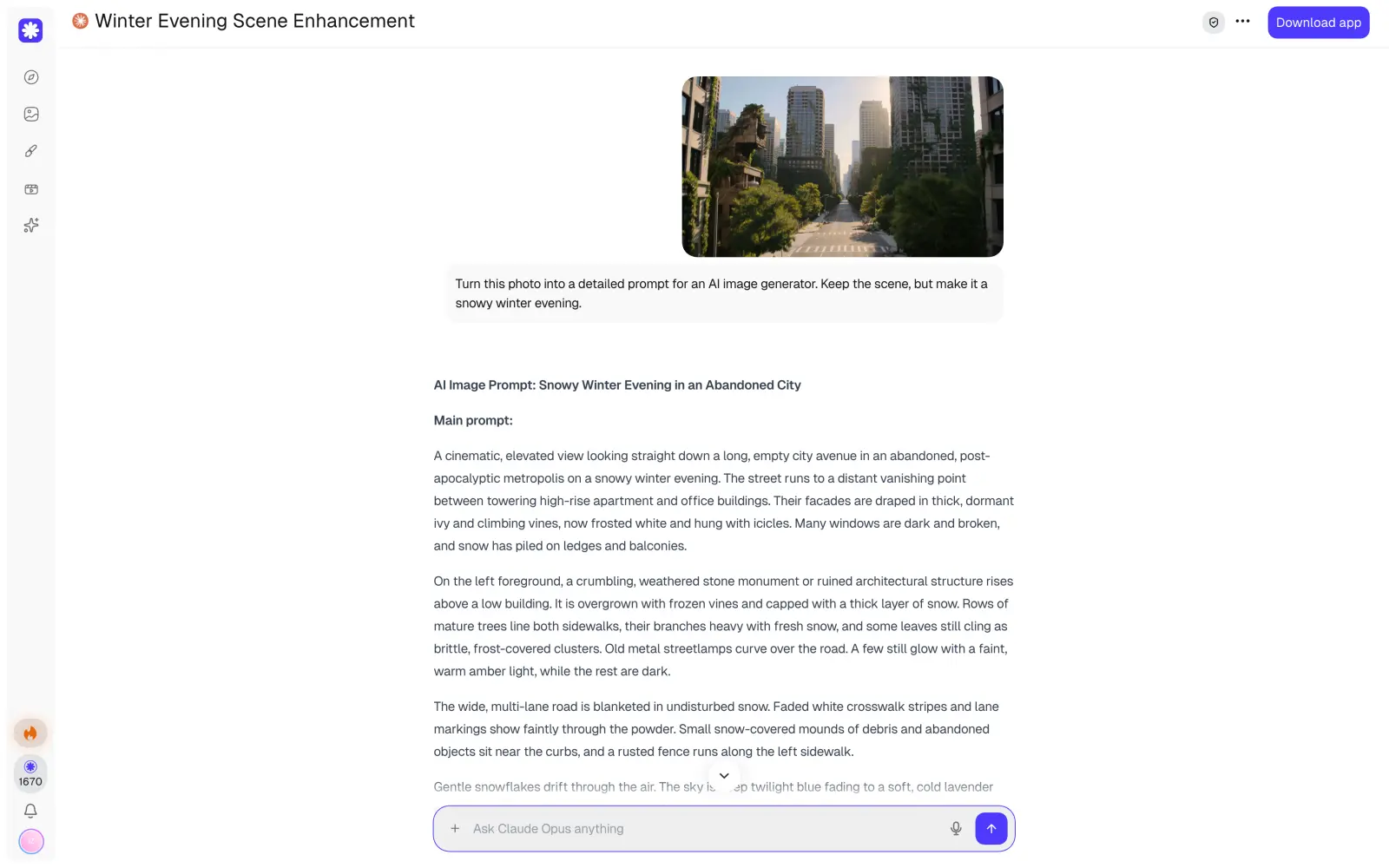
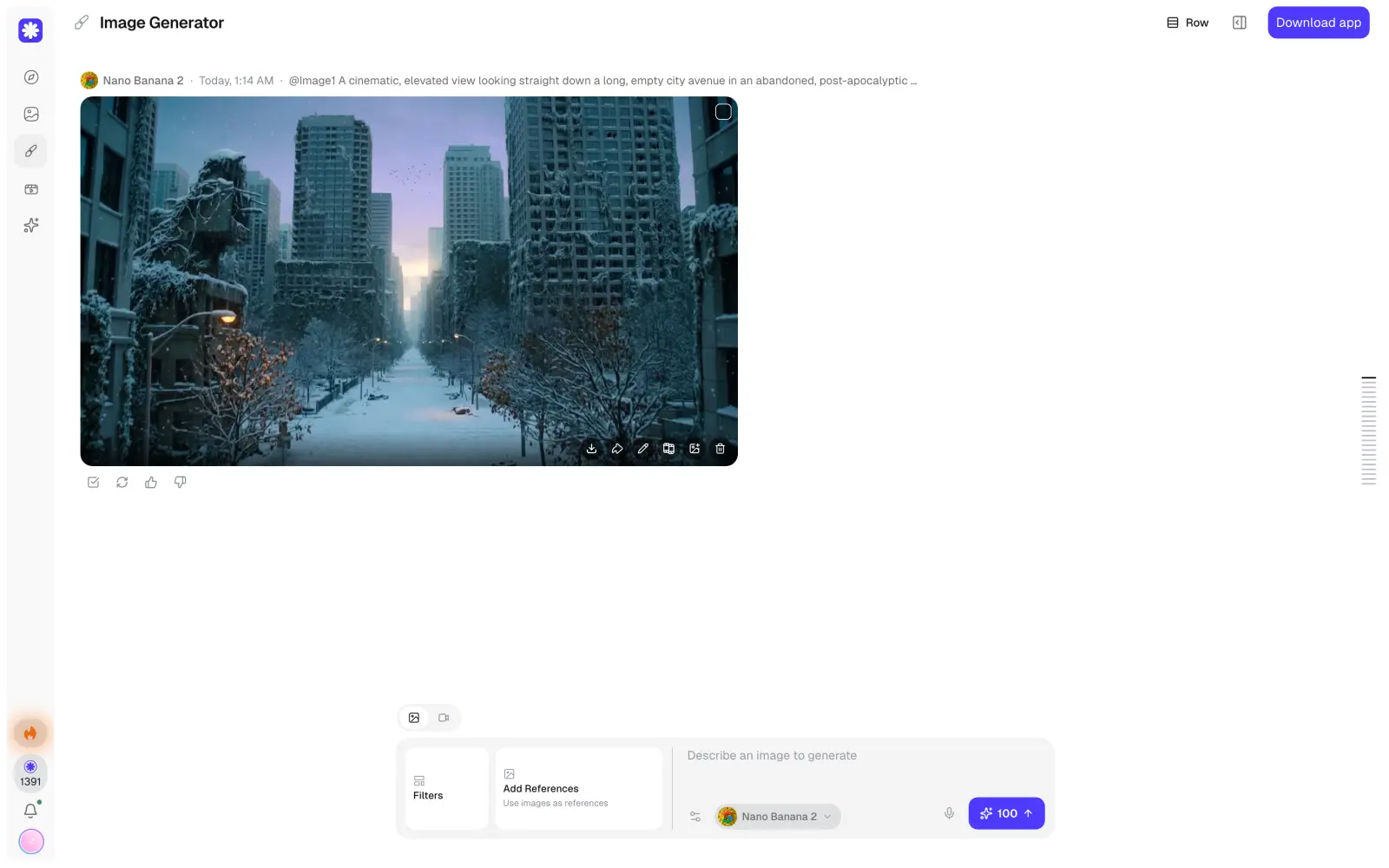
While you can't ask Claude to create a new image directly, you can use it to create a professional image prompt. For example, we asked Claude Opus 5.5 to write a prompt that changes the setting of an attached image to winter.
Claude first described what's in the photo and then rewrote the scene for winter, with snow on the ledges and frozen vines on the buildings.
Copy the prompt from Claude's reply to use it in the next step.
2. Open the image generator and choose a model
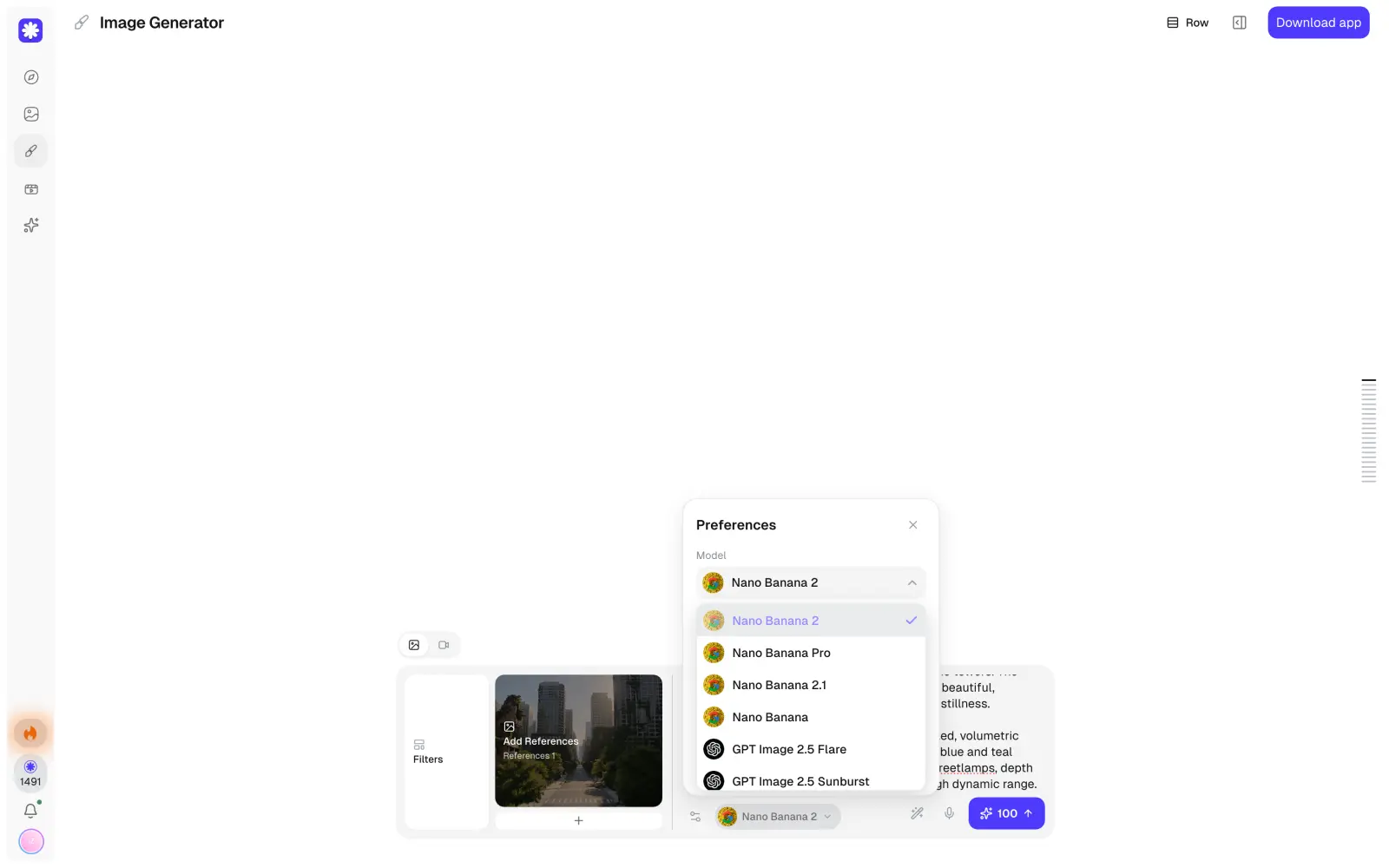
Overchat AI has 15 image models, including Nano Banana 2, GPT Image 2.5, Seedream 5 and Flux 2 Max. Open the image generator and choose a model in the Preferences panel. For this example, we chose Nano Banana 2.
To keep the same street in the result, attach the original photo under Add References. The model will use it as a base and change only what the prompt describes. Then paste Claude's prompt into the text field.
3. Generate the image and refine the prompt
Click Generate to get the image. Nano Banana 2 kept the street and the buildings from the original photo and turned the scene into a winter evening.
If something in the result is off, you can ask Claude to change the prompt, for example to make the sky darker, and generate the image again.
Generate images in Superchat
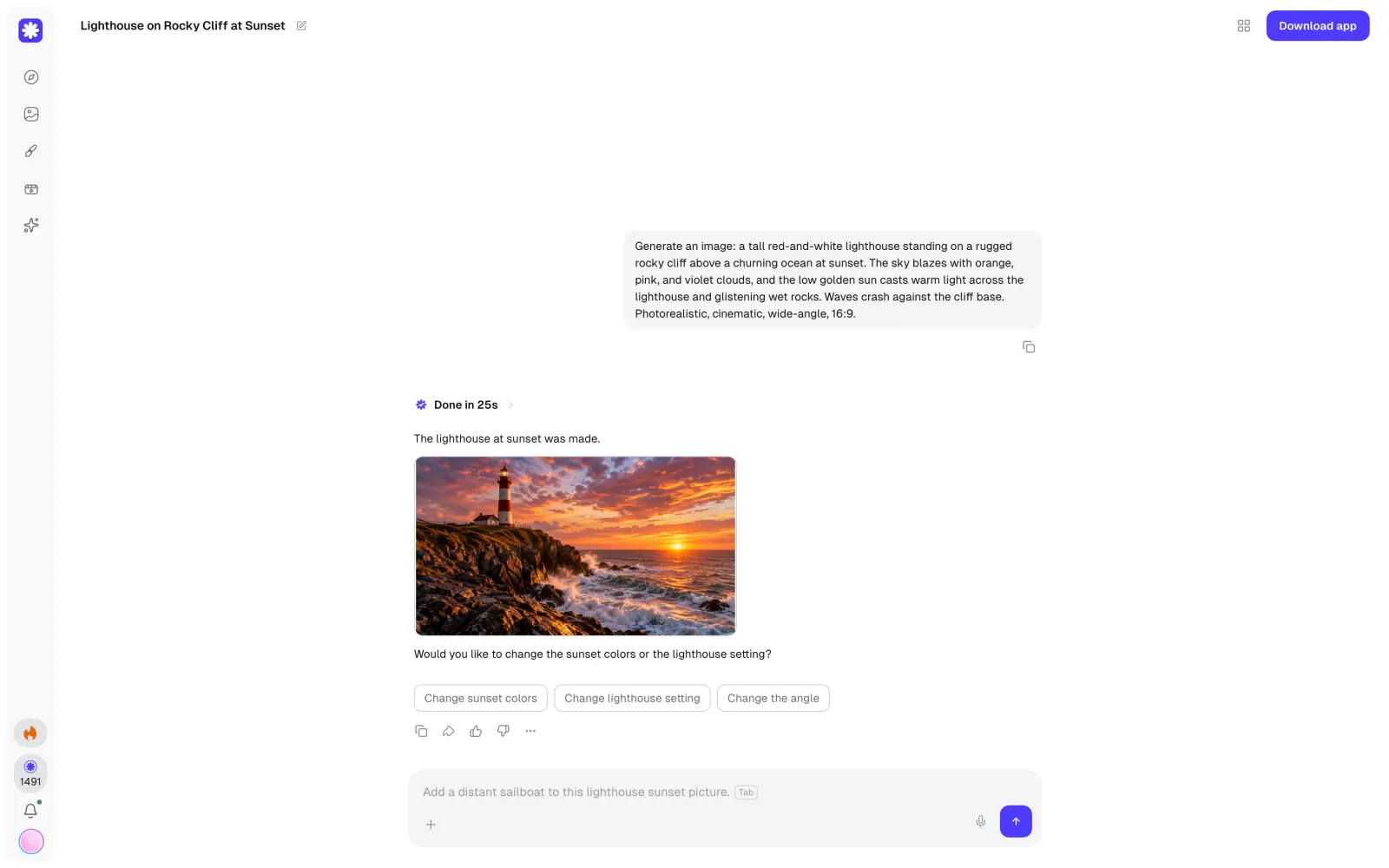
Superchat is a mode in Overchat AI where an AI agent picks the image model for you. You describe the image in the chat, and before generating, the agent shows which model it chose and how much the image will cost.
We sent Superchat the same lighthouse prompt. The agent chose GPT Image 2.5 Sunburst and asked us to approve 25 credits.
The image was ready 25 seconds after we approved it, and the agent offered a few quick edits underneath.
How much does it cost to generate images with Claude?
In Canva or Adobe
Canva and Adobe connect to Claude for free, but to create designs or edit photos through them, you need a plan in that service:
Canva plan
Price
AI uses
Free
$0
up to 20
Pro
$144 per year
up to 200 Premium or 20 Ultra
Business
$250 per year per person
up to 400 Premium or 40 Ultra
Canva also has monthly billing, but the yearly plans are at least 16% cheaper.
Adobe Firefly plan
Price per month
Generative credits per month
Free
$0
a few daily generations
Standard
$9.99
2,000
Pro
$19.99
4,000
Pro Plus
$49.99
10,000
Premium
$199.99
50,000
All paid Firefly plans include unlimited standard image generations, and the credits go to premium features such as video and partner models.
Through an image model API
In Claude Desktop and Claude Code, you can connect an image model through MCP and pay the provider only for the images you generate. Google's prices for Nano Banana models in the Gemini API depend on the resolution:
Resolution
Nano Banana 2
Nano Banana Pro
0.5K
$0.045
—
1K
$0.067
$0.134
2K
$0.101
$0.134
4K
$0.151
$0.24
OpenAI charges for GPT Image 2.5 by tokens, so the price of each image depends on its size and quality.
In Overchat AI
Overchat AI has Claude and image models in one app, and both use credits from the same subscription:
Overchat AI plan
Price
Credits
Pro weekly
$5.99 per week
2,000 per week
Pro monthly
$14.99 per month
8,000 per month
Pro yearly
$59.99 per year
8,000 per month
If you run out of credits, you can buy an extra pack: 4,000 credits for $9.99, 11,000 for $24.99 or 50,000 for $99.99. On the monthly plan, the requests from this article cost:
Request
Credits
Price
Claude Opus 5.5 prompt from the first step
110
about $0.21
Nano Banana 2 image at 1K
100
about $0.19
GPT Image 2.5 Sunburst image at medium quality
25
about $0.05
In total, the winter street example cost 210 credits, or about $0.39. On the yearly plan, credits are cheaper, and a Nano Banana 2 image costs about $0.06.
FAQ
Why can't Claude generate images?
Claude is a language model, so it can read text and images but can only reply with text. As of this writing, Anthropic hasn't added an image model to Claude.
Will Claude ever generate images?
Anthropic hasn't announced plans to add image generation. Its newer tools, Claude Design and Claude Motion, also work without image or video models.
Can Claude edit images?
No. Claude can tell you what to change in a photo, but it can't edit the file. To edit a photo, you can upload it to an image-to-image model with a prompt from Claude, as we did here, for example, or use the Adobe connector.
Can Claude create a logo?
Yes, Claude can draw a simple logo in SVG, although the results can be hit or miss.
Is there a free way to generate images with Claude?
Yes, if you add another tool to the pipeline. On the free plan, Claude can write an image prompt that you then paste into a free image generator.
Does Claude Pro include image generation?
No. Claude Pro and Max give you higher limits and more models, but none of the plans include an image model.