Best Realistic AI Video Generator: 11 Models Tested With One Prompt
Last Updated:
2026-10-12
Best Realistic AI Video Generator: 11 Models Tested With One Prompt
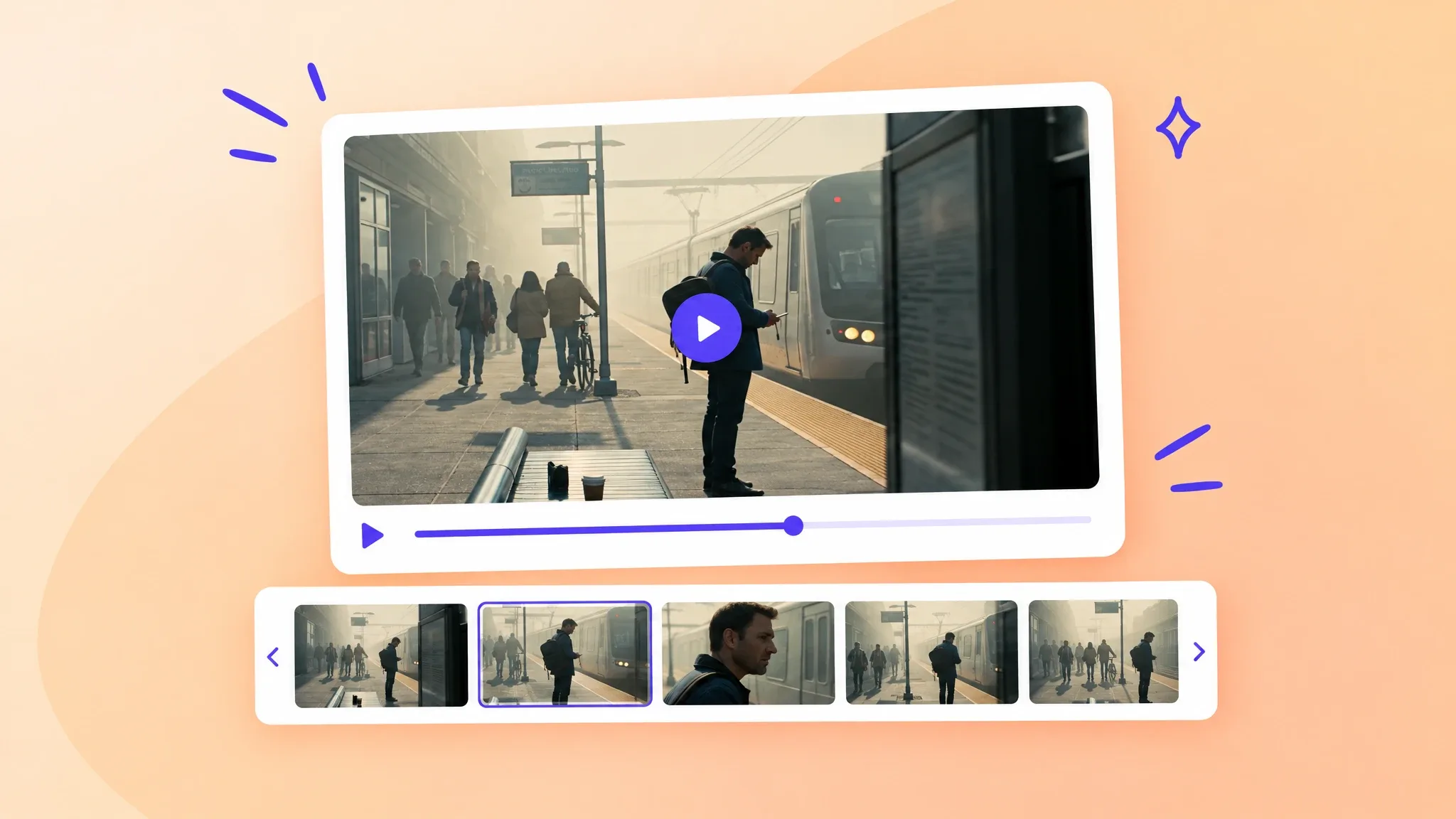
One of the most challenging aspects in AI-generated videos is realism — many things need to align for the video to be realistic, from motion to the level of details, from colors to lighting and the overall world building. AI video generation models have made a lot of progress in recent years, but can they create truly realistic videos and if yes — which models can? To answer this question, we tested 11 AI video models on the same challenging prompt. Here's what we found.
We used the following prompt to compare the models:
Format & Look Duration 4s; 180° shutter; digital capture emulating 65 mm photochemical contrast; fine grain; subtle halation on speculars; no gate weave.
Lenses & Filtration 32 mm / 50 mm spherical primes; Black Pro-Mist 1/4; slight CPL rotation to manage glass reflections on train windows.
Grade / Palette Highlights: clean morning sunlight with amber lift. Mids: balanced neutrals with slight teal cast in shadows. Blacks: soft, neutral with mild lift for haze retention.
Lighting & Atmosphere Natural sunlight from camera left, low angle (07:30 AM). Bounce: 4×4 ultrabounce silver from trackside. Negative fill from opposite wall. Practical: sodium platform lights on dim fade. Atmos: gentle mist; train exhaust drift through light beam.
Location & Framing Urban commuter platform, dawn. Foreground: yellow safety line, coffee cup on bench. Midground: waiting passengers silhouetted in haze. Background: arriving train braking to a stop. Avoid signage or corporate branding.
Wardrobe / Props / Extras Main subject: mid-30s traveler, navy coat, backpack slung on one shoulder, holding phone loosely at side. Extras: commuters in muted tones; one cyclist pushing bike. Props: paper coffee cup, rolling luggage, LED departure board (generic destinations).
Sound Diegetic only: faint rail screech, train brakes hiss, distant announcement muffled (-20 LUFS), low ambient hum. Footsteps and paper rustle; no score or added foley.
Optimized Shot List (2 shots / 4 s total)
0.00–2.40 — "Arrival Drift" (32 mm, shoulder-mounted slow dolly left) Camera slides past platform signage edge; shallow focus reveals traveler mid-frame looking down tracks. Morning light blooms across lens; train headlights flare softly through mist. Purpose: establish setting and tone, hint anticipation.
2.40–4.00 — "Turn and Pause" (50 mm, slow arc in) Cut to tighter over-shoulder arc as train halts; traveler turns slightly toward camera, catching sunlight rim across cheek and phone screen reflection. Eyes flick up toward something unseen. Purpose: create human focal moment with minimal motion.
Camera Notes (Why It Reads) Keep eyeline low and close to lens axis for intimacy. Allow micro flares from train glass as aesthetic texture. Preserve subtle handheld imperfection for realism. Do not break silhouette clarity with overexposed flare; retain skin highlight roll-off.
Finishing Fine-grain overlay with mild chroma noise for realism; restrained halation on practicals; warm-cool LUT for morning split tone. Mix: prioritize train and ambient detail over footstep transients. Poster frame: traveler mid-turn, golden rim light, arriving train soft-focus in background haze.
The prompt is the ultra-detailed example from OpenAI's Sora 2 prompting guide. All clips were generated in 16:9, at 1080p where the model supports it. The prompt was identical for all models, except for Kling 3 and Hailuo 2.3 Pro, which have a cap of 2,500 and 2,000 characters respectively. These two models received a shortened prompt.
Comparison of the most realistic AI video models
We compared the following models, listed from best to worst in the table below:
Rank
Model
Developer
Result
Resolution
1
Kling 3 Turbo Pro
Kuaishou
Hard to tell from real footage
1080p
2
Flux 3
Black Forest Labs
Realistic crowd and camera movement
1080p
3
Kling 3
Kuaishou
Realistic, with artifacts in the crowd
720p
4
Seedance 2.0
ByteDance
Close to Kling 3 Turbo Pro, with less detail
1080p
5
Seedance 2.5
ByteDance
Realistic shots, lighting changes between them
1080p
6
Grok Imagine Video
xAI
Realistic motion, smoothed look
720p
7
Veo 3.1
Google
Plastic textures, unnatural motion
1080p
8
MiniMax H3
MiniMax
Oversaturated, waxy details
2K
9
Hailuo 2.3 Pro
MiniMax
Oversaturated, objects in illogical places
1080p
10
Wan 2.6
Alibaba
Plastic look
1080p
11
Hunyuan Video 1.5
Tencent
Overexposed, simple composition
480p
By the way, all of these models are available in the Overchat AI video generator, our all-in-one AI app, so if you want to test them yourself, you can do so there.
The best realistic AI video generators
1. Kling 3 Turbo Pro — the most realistic overall
Kling 3 Turbo Pro by Kuaishou produced the most realistic clip in the test.
The clip has a high level of detail and natural motion, and the image stays stable from start to finish. On a quick viewing, nothing in it indicates AI generation. Kling 3 Turbo Pro also followed the prompt most closely. The clip includes the cyclist, the coffee cup on the bench, the yellow safety line and the phone in the traveler's hand, and the cut to the close-up happens at 2.96 seconds, close to the 2.40 seconds in the shot list.
2. Flux 3 — best for crowds and camera movement
The clip has a dense crowd, detailed surroundings and atmospheric perspective created by the haze.
The model isn't as accurate at instruction following, perhaps — the cut to the close-up happens at about 4 seconds, later than the shot list specifies.
3. Kling 3 — realistic, with artifacts in the crowd
Kling 3 by Kuaishou produced a clip close in realism to Kling 3 Turbo Pro, if not for some obvious AI artifacts.
Watch the man moving away from the camera — halfway through he dissolves into nothingness and morphs into a man moving towards the camera. Also, the clip is a single shot without the cut from the shot list, and this model maxes out resolution at 720p.
4. Seedance 2.0 — realistic, with less detail than Kling
Seedance 2.0 by ByteDance produced a clip similar to the one from Kling 3 Turbo Pro.
The clip has less detail and less natural motion than the Kling 3 Turbo Pro clip. It also contains a sign with unreadable text, although the prompt says to avoid signage.
5. Seedance 2.5 — best for single shots
Seedance 2.5 by ByteDance produced one of the most realistic images in the test, with dense fog and a close-up of the traveler's face.
After the cut at 2.71 seconds, the lighting changes, so the two shots don't match. For this reason, Seedance 2.5 is better suited for generating one shot at a time.
6. Grok Imagine Video — realistic motion, smoothed look
Grok Imagine Video by xAI produced realistic motion of the traveler and the passengers.
The image looks smoother and has fewer details than the Flux 3 clip, so the overall result is less realistic. The departure board on the train shows unreadable text. The maximum resolution of the model is 720p.
7. Veo 3.1 — plastic textures and unnatural motion
Veo 3.1 by Google produced a clip with warm light and lens flares.
The textures look plastic and the movements look unnatural. The clip is a single 4-second shot without a cut, and large green flares cover part of the frame.
8. MiniMax H3 — good camera work, waxy details
MiniMax H3 produced a clip with good camera work.
However, the colors are oversaturated, the platform is nearly empty, and blurred, waxy details, especially in the skin, indicate AI generation.
9. Hailuo 2.3 Pro — stylized and oversaturated
Hailuo 2.3 Pro by MiniMax produced the most stylized clip in the test.
The colors are oversaturated, the crowd is sparse and contains artifacts, and some objects are placed illogically. The yellow safety line appears as yellow tape stretched across the platform, and the train moves to the other side of the frame within one continuous shot.
10. Wan 2.6 — plastic look
Wan 2.6 by Alibaba produced a clip with a plastic look, which is not suitable for realistic video.
The cut to the second shot happens at 2.30 seconds, the closest to the shot list in the test. In the second shot, the traveler drinks coffee while looking at the camera, an action that the prompt doesn't describe, and the platform has maps and boards with text.
11. Hunyuan Video 1.5 — the least realistic
Hunyuan Video 1.5 by Tencent produced the least realistic clip in the test.
The image is overexposed, the composition is the simplest of all the clips, and the dawn atmosphere is missing. The traveler holds the phone to his ear, although the prompt describes the phone held at his side. The clip is 480p and has no sound.
FAQ
What is the most realistic AI video generator?
In our test, Kling 3 Turbo Pro produced the most realistic video, with a high level of detail, a stable image and natural motion. Flux 3 and Kling 3 took second and third place.
Why do AI-generated videos look fake?
In our test, the most common signs of AI generation were plastic or waxy textures (Wan 2.6, Veo 3.1, MiniMax H3), oversaturated colors (MiniMax H3, Hailuo 2.3 Pro), unreadable text on signs (Seedance 2.0, Grok Imagine Video, Wan 2.6), lighting that changes between shots (Seedance 2.5) and distorted people in the background (Kling 3, Hailuo 2.3 Pro).
Which AI video model follows prompts most accurately?
Kling 3 Turbo Pro followed the test prompt most accurately: the clip includes every requested element, and the cut between the two shots happens close to the requested time. Wan 2.6 matched the cut timing most precisely but added an action that the prompt doesn't describe.
How long can a realistic AI video be?
In Overchat AI, video models generate clips of 5 or 10 seconds. Longer videos are assembled from several clips or made longer with an AI video extender.