Choosing a new makeup look is harder than it seems. Traditionally, the only way to figure out what suits your face was through trial and error, which is expensive and time-consuming.
In 2026, though, there’s a new and much more practical option. We’re talking about AI makeup generators — online tools that can recommend looks based on your selfie or image.
Since early 2025, the AI image space has exploded, and makeup tools in particular have taken off thanks to increasingly powerful models that deliver more realistic, detailed results.
In this article, then, we’ll walk you through five of the best AI makeup generators and explain what makes each one worth trying.
AI makeup generators take your selfie and regenerate it with the makeup applied — the result reads as a real photo of you wearing the look and is highly realistic.
There are two types of makeup generators: AR-based try-ons that project effects onto a face mesh in real time, and diffusion-based generators that re-render the entire image. AR is faster, diffusion is more photorealistic.
The most useful applications are previewing specific products before buying them, planning a look for an event with something concrete to show your MUA, and producing beauty content without a full shoot.
Overchat AI makeup generator is the best — it’s powered by GPT Image 2.0 and generates an entire board of highly realistic looks picked specifically to match your face, skin tone, and natural features. It's also bundled with 100+ other AI tools in a single subscription that also covers chat, video, and document work.
What is an AI Makeup Generator?
An AI makeup generator takes a photo you upload and renders a new makeup look onto your face through AI image generation technology and a process called inpainting, where parts of the original image are selectively reconstructed with an advanced image generation algorithm.
The idea of projecting a virtual image onto a photo or video isn’t new, and it was traditionally done via virtual try-ons — the kind you've seen in Sephora's app or Snapchat filters, which work by mapping a 3D mesh to your face and projecting cosmetic effects onto it. This approach is very fast, giving a practically real-time preview, but they tend to look like exactly what they are: a digital overlay sitting on top of a real photo.
When trying on makeup, this can give you a very approximate or even just plain wrong representation of what the makeup would look like on you, because the real-time projection isn’t high enough fidelity to realistically render the color, texture, or light interplay of different beauty products and your skin.
AI makeup generators, on the other hand, generate a brand new image of you wearing the makeup, with lighting, skin texture, and the underlying photo all staying consistent and applying the makeup in a realistic way that respects the laws of physics with subtle transparencies and textures in the material.
Generation isn't instant, though. Depending on the model, you might have to wait anywhere from 10 seconds to a minute per look, so keep that in mind — AR is still the better choice for real-time try-on.
Why Use an AI Makeup Generator?
There are three main reasons AI makeup generators are most useful:
If you're shopping for products, you can preview exactly how a specific shade or finish lands on your skin tone before paying for it.
You can test dozens of looks in a single session without applying the products in real life and taking them off, which not only saves time but is also better for your skin.
If you’re a beauty creator, you can make realistic content without applying the makeup in the real world — if you plan to do that, we’d suggest disclosing the fact that the makeup was applied by AI.
An important note: this obviously isn't replacing the actual job of applying makeup — that's still a skill, and the tool can only help you plan what to aim for before you pick up a brush.
5 of the Best AI Makeup Generators Compared
After testing more than a dozen tools, these five gave the best balance of realism, speed, and useful features. We judged them on how natural the rendered makeup looked, whether the rest of the photo (skin texture, lighting, hair) survived the generation intact, and how easy each was to use:
Platform
Killer Feature
Free Plan?
Overchat AI
Most realistic output that suggests looks based on your specific features
✅
YouCam (YCE)
3D AR with per-product control
✅
VisualGPT
No-signup access with 12+ preset styles
✅
Fotor
AI + manual brush editing + reference upload
✅
Media.io
Up to 4K output
✅
Now let's look at each one in detail.
Overchat AI
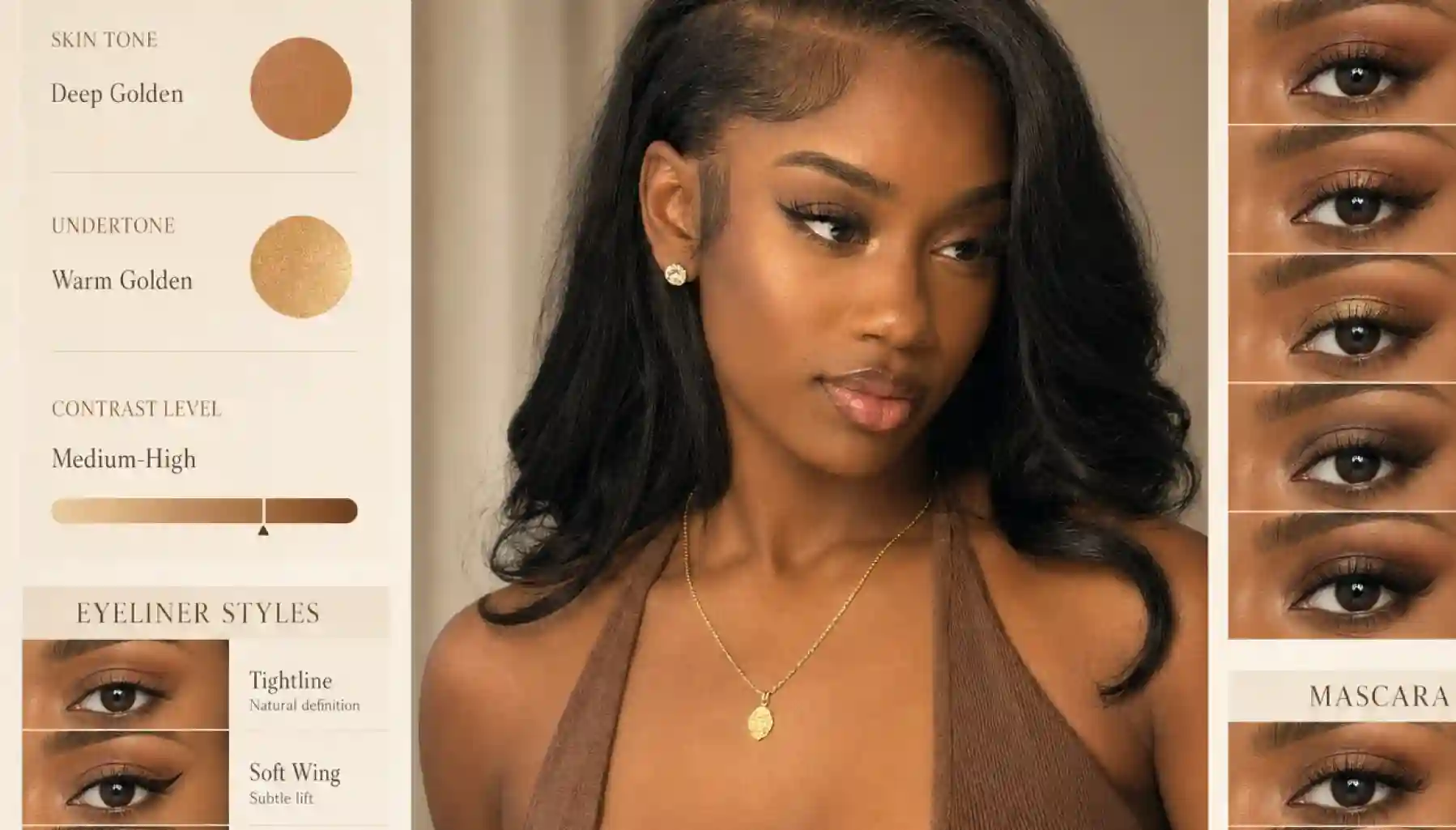
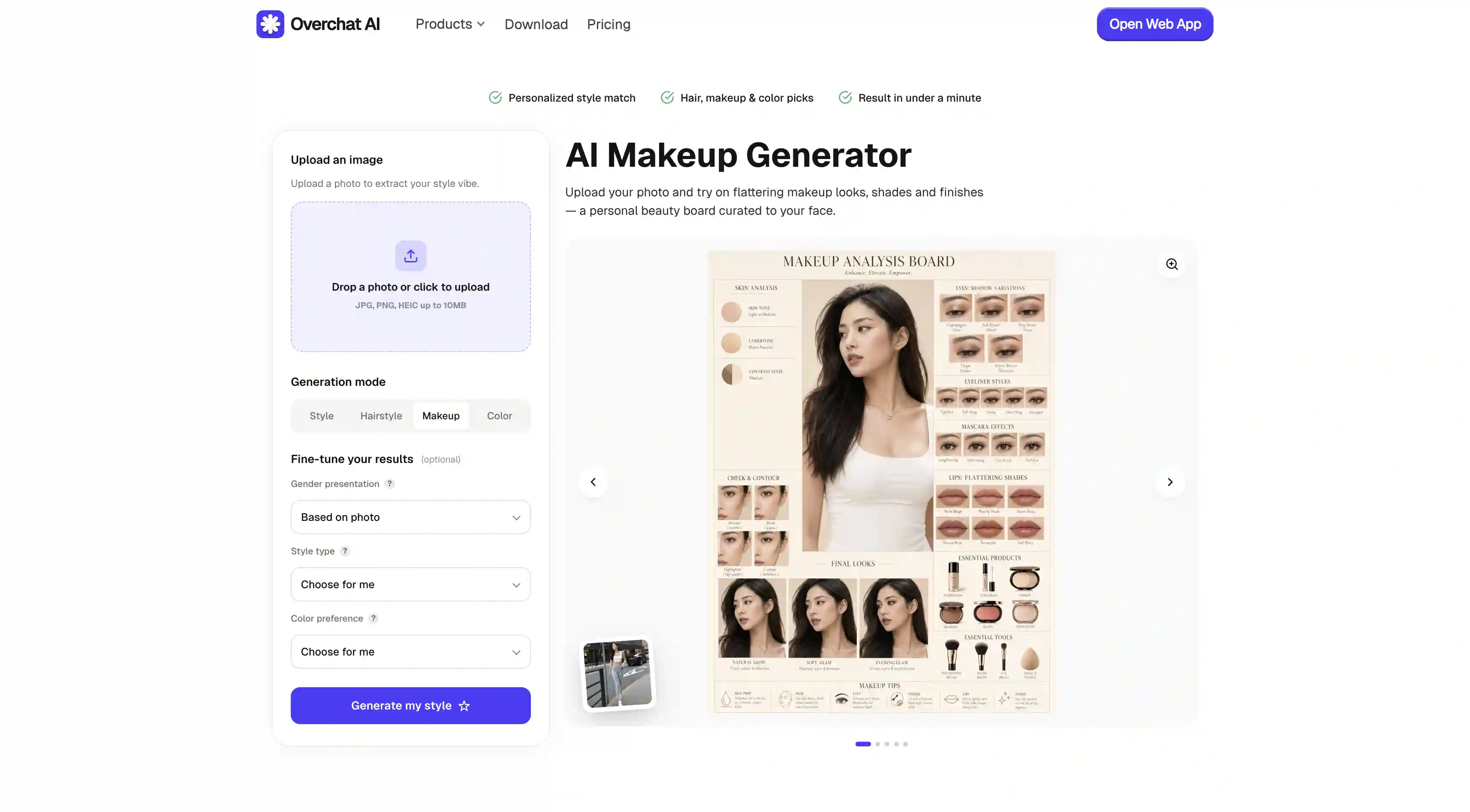
Overchat AI Makeup Generator creates a makeup style board based on a single uploaded photo — that’s a detailed analysis of makeup products and applications that suit your specific features and skin.
The tool is very easy to use. All you need to do is:
Upload a clear, front-facing photo
Switch to Makeup mode and (optionally) set style/color preferences
Generate and download
You can see an example of what the result looks like in the figure above, and what makes it possible is that Overchat AI uses the best AI image generation model at the time of writing — GPT Image 2. It has incredible fidelity and accuracy, able to create actual personalized makeup suggestions, not just visualize prompts.
Another area where Overchat AI is particularly strong is the fact that it’s an all-in-one AI tool — one subscription gives you image generation across Seedream 5.0, Nano Banana Pro, GPT Image 2, Flux 2, and Qwen Image 2, plus Claude, GPT, Gemini, and Grok for chat, plus video generation, document tools, and 100+ other specialized utilities.
Another advantage: the makeup generator works for both feminine and masculine looks, where the tool automatically switches to grooming mode and suggests how to style facial hair.
Pros:
✅ Powered by GPT Image 2, the best AI image generator
✅ Works for both women's and men's looks
✅ Bundled with 100+ other AI tools in one subscription
✅ Multiple Pro models
Cons:
❌ Generation takes longer than AR-based competitors
YouCam (YCE Perfect Corp)
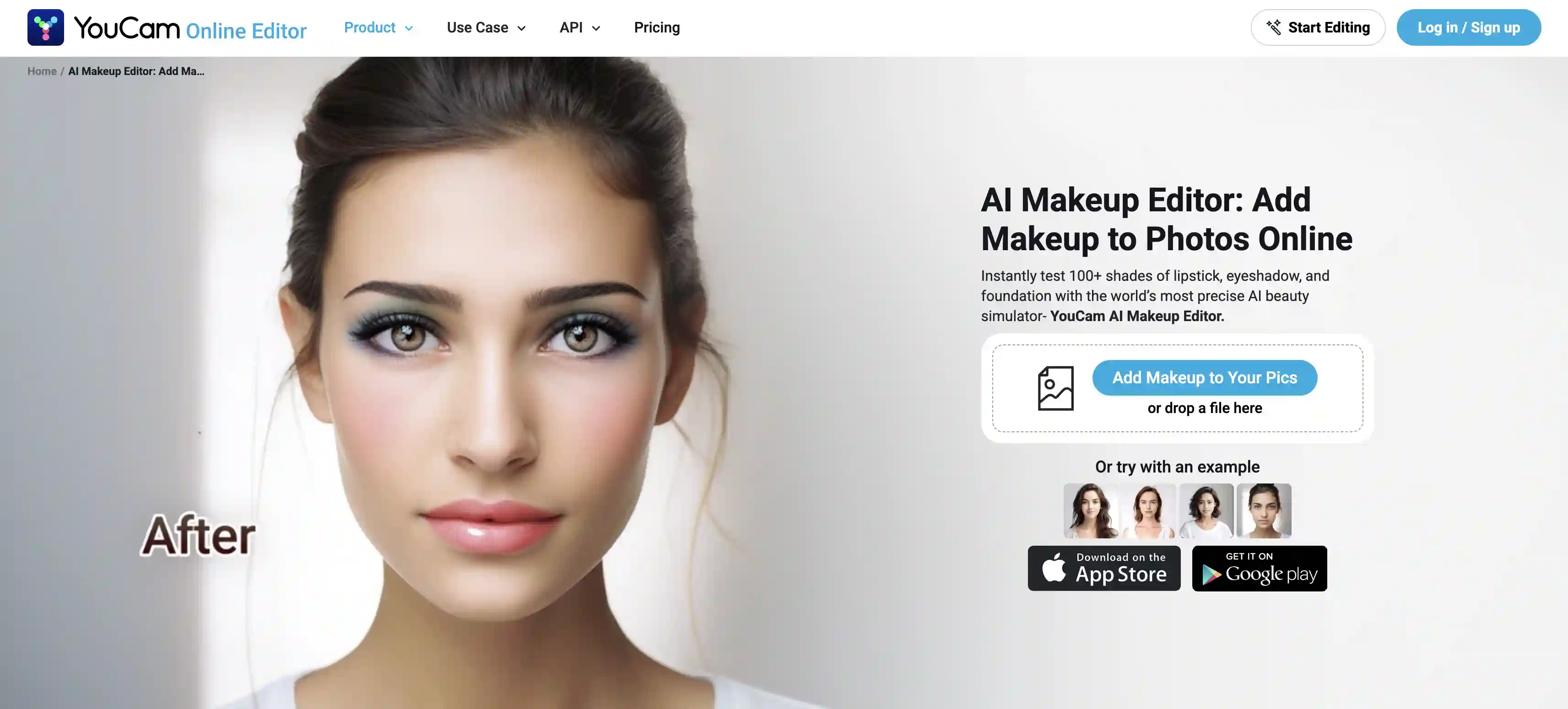
YouCam's AI Makeup Editor is built on Perfect Corp's patented 3D AR facial tracking — the same technology powering virtual try-ons for major beauty retailers. Precision is what makes the tool useful: you can apply a specific eyeshadow, lipstick, eyeliner, blush, or foundation as discrete elements rather than as a single packaged "look."
To use it:
Sign up to claim 5 free credits
Upload a photo
Choose a feature (lipstick, eyeshadow, blush, etc.) and select a shade
Layer additional products until you have the full look
The approach here mirrors how real makeup application works. However, AR-style rendering does mean the results sometimes look more like a filter sitting on top of a photo than a rendered photo of you, especially in close-ups.
Pros:
✅ Per-product application with real beauty brand shades
✅ Real-time AR rendering, very fast
✅ Strong mobile app ecosystem
✅ Decades of facial tracking R&D behind it
Cons:
❌ Sign-up required even to try
❌ Free tier capped at 5 credits
❌ AR-style results can look less photorealistic than diffusion-based tools
❌ Pricing transparency has been a recurring complaint in user reviews
VisualGPT
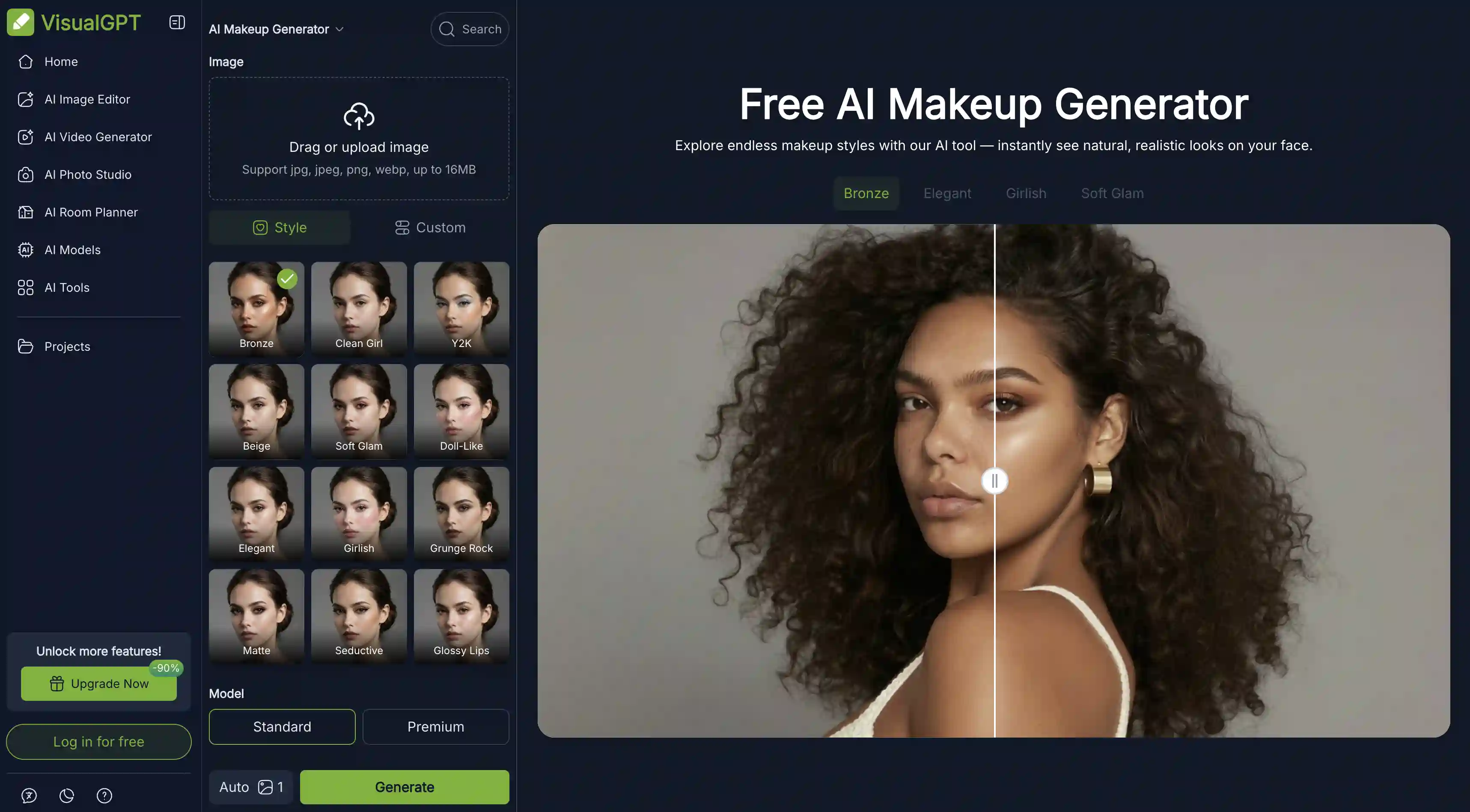
VisualGPT is an AI-powered tool built around makeup presets: Bronze, Clean Girl, Y2K, Beige, Soft Glam, Doll-Like, Elegant, Girlish, Grunge Rock, Matte, Seductive, or Glossy Lips.
The 12 presets are well-chosen and cover popular looks, although it’s important to note that they’re somewhat limited and it’s harder to mix and match looks here, and the tool doesn’t suggest makeup for you like a stylist or Overchat AI does.
Most standard AI visualization tools come bundled with a VisualGPT account: AI Eye Color Changer, Wrinkle Remover, Hairstyle Changer, Headshot Generator, and more.
Pros:
✅ No account required to start
✅ A preset library covering popular looks
✅ Part of a broader AI photo studio
Cons:
❌ Custom prompting feels less developed than competitors
❌ Free tier has generation limits
❌ Fewer per-product controls than YouCam
Fotor
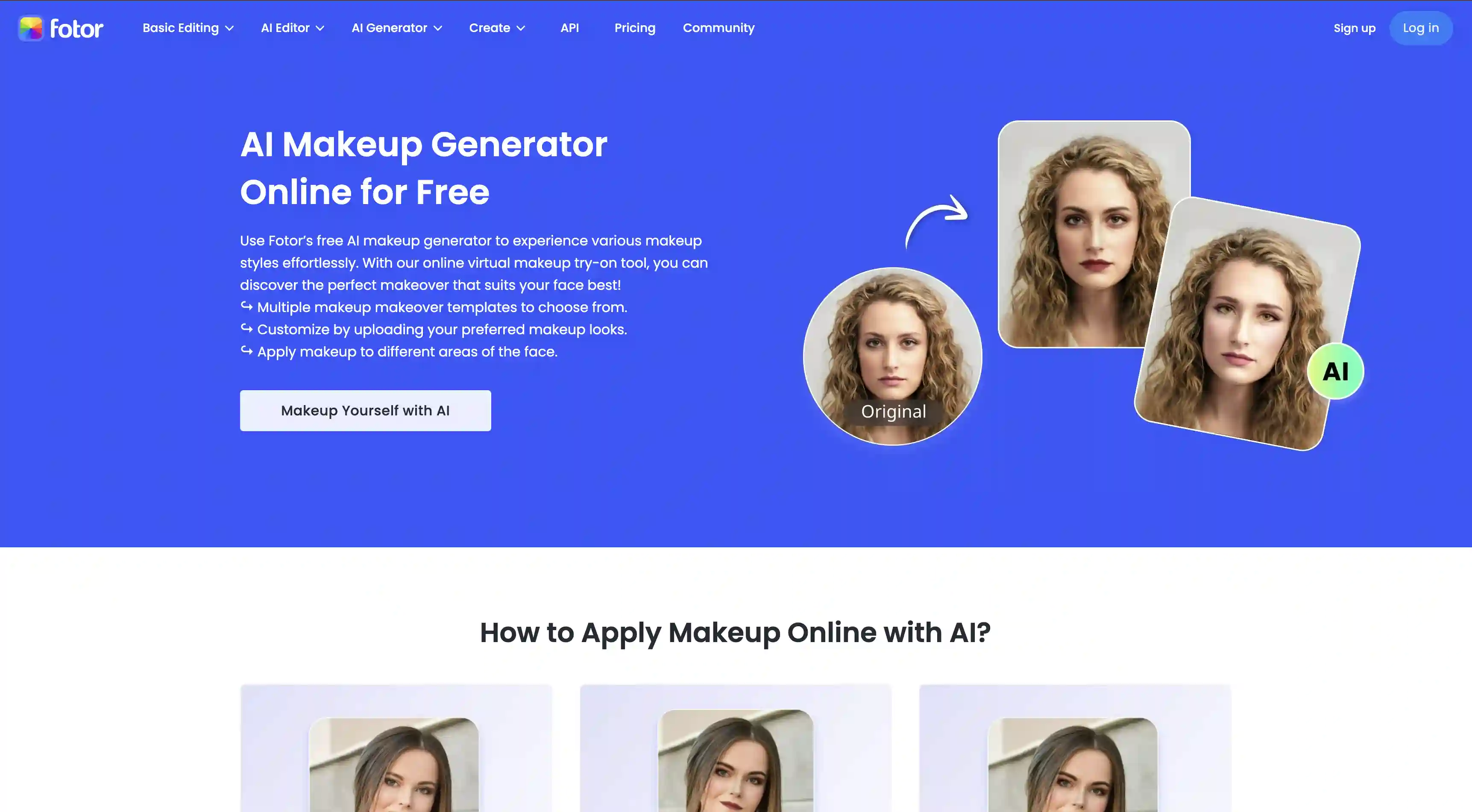
Fotor combines an AI virtual makeup generator with a manual brush-based editor in the same interface.
In addition to choosing presets, you also get controls for eyeshadow, eyeliner, lip color, blush, contour, and skin smoothing which is useful for creating customized looks.
Fotor sits inside a much larger photo editing suite, which means once you've applied makeup you can keep going — crop, color-grade, add text, export in specific dimensions — all in the same tab. Do note, however, that some makeup features are gated behind Fotor Pro.
Pros:
✅ Reference-image upload (copy any look from a photo)
✅ Both AI and manual editing in one place
✅ Full photo editing suite for follow-up edits
✅ Granular per-area controls (eyes, lips, skin)
Cons:
❌ Account required for most features
❌ Best features behind Fotor Pro
❌ Interface can feel cluttered if all you want is makeup
Media.io
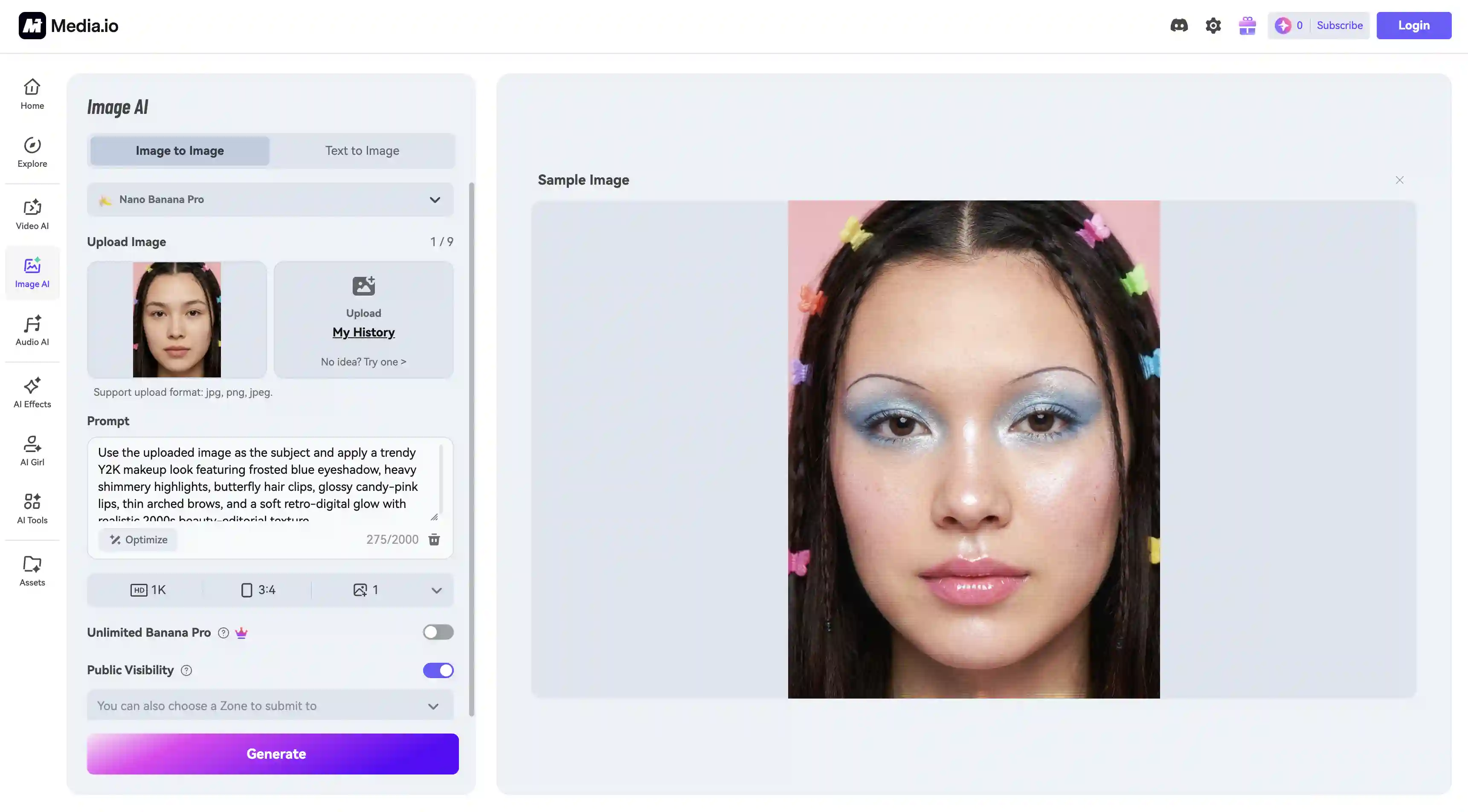
Media.io allows you to describe the look you want in natural language and the model interprets it, in addition to choosing from a curated prompt library to start from — this way of working is sometimes called text-to-makeup in the space.
The tool supports 1K, 2K, and 4K output and multiple aspect ratios (1:1, 9:16, 16:9, and others). Free users get 3 credits per day. Paid plans unlock higher-resolution downloads and remove watermarks.
Pros:
✅ Text-to-makeup workflow
✅ Up to 4K output
✅ 3 free credits daily
Cons:
❌ Watermarks on free outputs
❌ Account required
❌ If you're not used to writing prompts, you might struggle to get good looks
Frequently Asked Questions (FAQ)
What is the best AI makeup generator?
Overchat AI is the best AI makeup generator because it uses GPT Image 2 — a model that not only very accurately visualizes makeup but can also suggest looks based on your photo, and it does so incredibly accurately. Coincidentally, it’s also the only tool here that delivers an entire lookbook with suggestions on what makeup to use and how to apply it — and these are customized for every user.
Can men use AI makeup generators?
Yes, absolutely. For example, Overchat AI explicitly supports both feminine and masculine looks — and based on the uploaded image the generation switches from makeup mode to grooming mode with a heavy focus on facial hair styling for men.
Are AI makeup images realistic?
This depends on the model used. If the makeup generator uses one of the newer generation AI image models (Nano Banana 1 through 2, Seedream 4.5, or GPT Image 1.5 or later) then the results are highly realistic, even indistinguishable from real photographs. However, some tools use older models and that’s when you might run into issues like plasticky skin or a look that reads more like a 3D image than a photograph.
Bottom Line
With the development of AI image generation technology, AI makeup generators have become genuinely useful — and while the notion of applying makeup virtually isn’t exactly new, thanks to AI the accuracy at which the tool can render it has become exceptionally high. Here’s what’s important to take away.
Key takeaways:
Modern diffusion-based AI makeup generators like Overchat AI produce photorealistic images.
AR-based virtual try-ons like YouCam are fast and structured around per-product swaps, which makes them the right approach if you're comparing specific shades or shopping for individual products.
Overchat AI is the strongest all-around pick because it bundles a high-quality makeup generator with 100+ other AI tools, all in one subscription with no separate beauty-app pricing. You can try it here.
Using an AI makeup generator can save you thousands of dollars, especially if you’re just getting started with makeup or grooming, because instead of buying random products you’ll be buying something specific that you already know works well with your skin and aesthetic. As far as practical applications of image AI go, that's hard to beat.