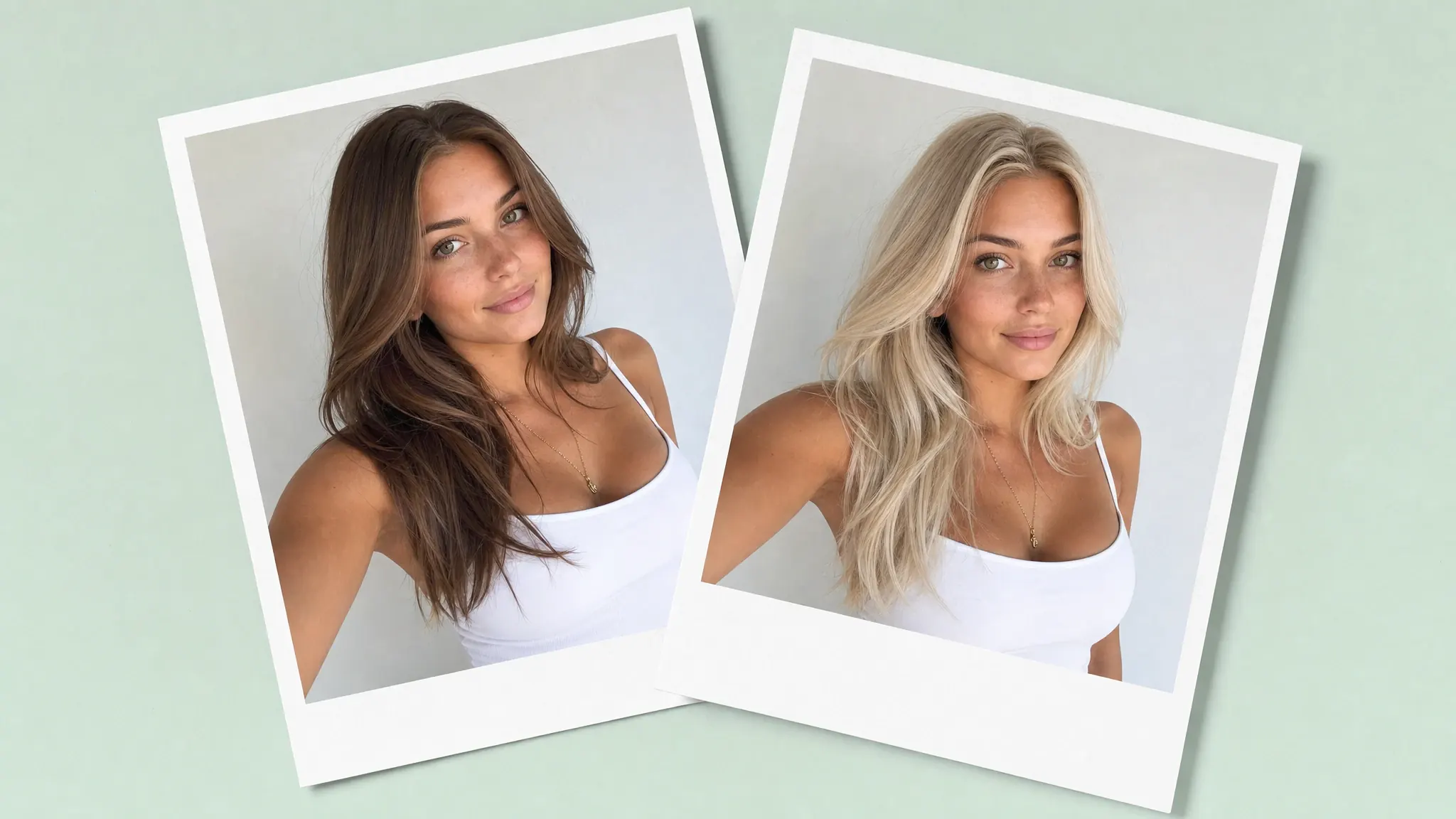
Have you ever wondered if blonde hair suits you? While undeniably beautiful, blonde doesn't equally suit all skin undertones, and with bleaching being impossible to undo, it makes a lot of sense to try and see how blonde appears on you before you commit to the salon visit.
There are of course many ways to do just that: temporary coloring, wigs, photoshop. And as of recently — AI blonde filters, online tools that give you an accurate preview of what you look like blonde by recoloring the hair in your photograph.
There are many options in the market, and in this article we've made a list of our top picks.
How an AI blonde filter changes hair color in a photo
We say recolor hair in a photo, but that's not exactly what AI blonde filters do — these apps are powered by artificial intelligence image generation models. They do selectively modify an area of a photograph (your hair), however, instead of modifying existing pixels, they reconstruct that part of the image from scratch.
This way AI blonde filters can accurately simulate how bleached hair interacts with lighting, or how your specific hair would look if it were blonde, how light travels through it, taking into account your hair thickness and volume. All of that to say — it's a very accurate digital preview.
And, since AI blonde filters alter only the hair in any given image, they don't introduce any artifacts to the adjusted photo — like magic, only the hair color changes.
Blonde shades you can try with an AI filter
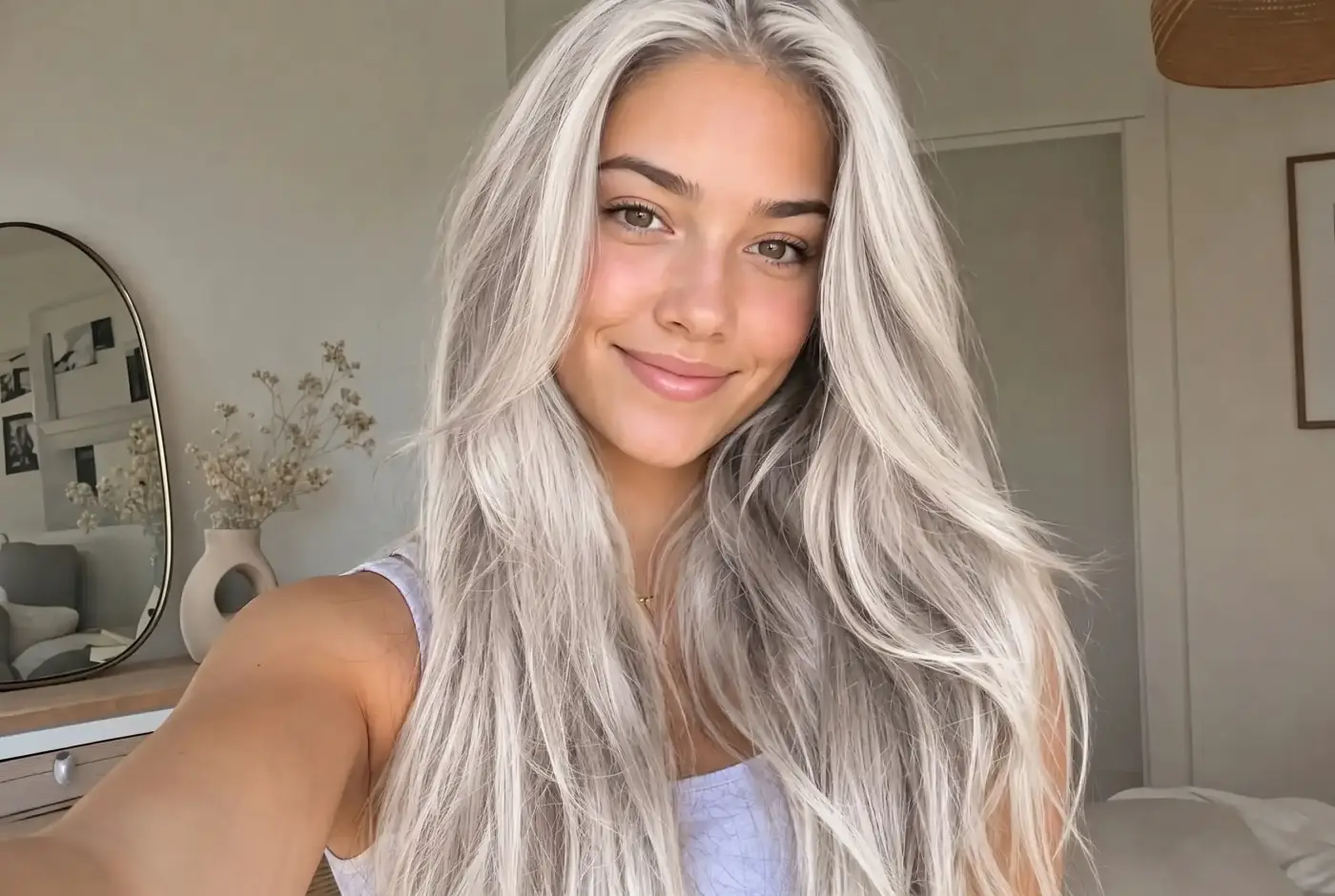
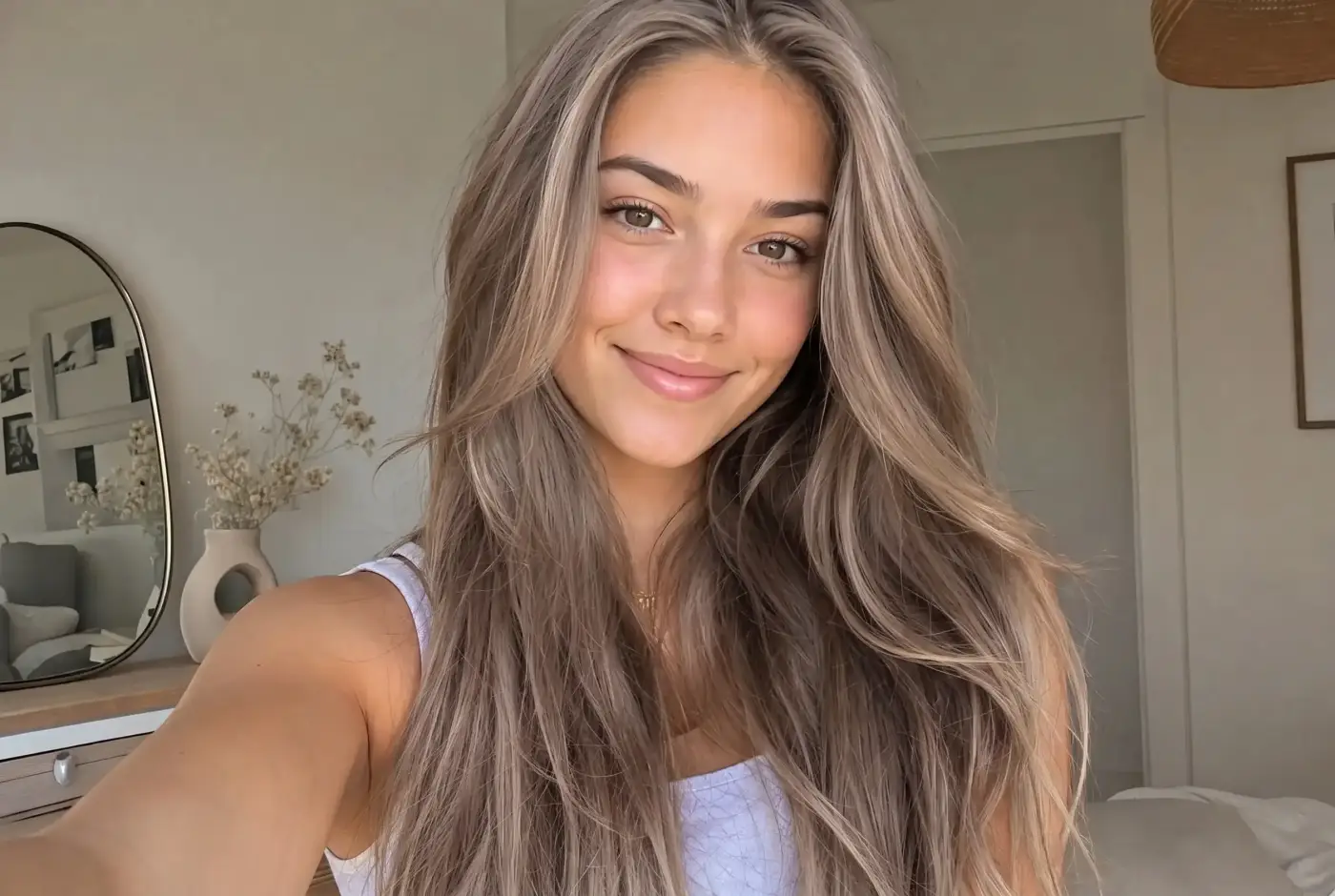
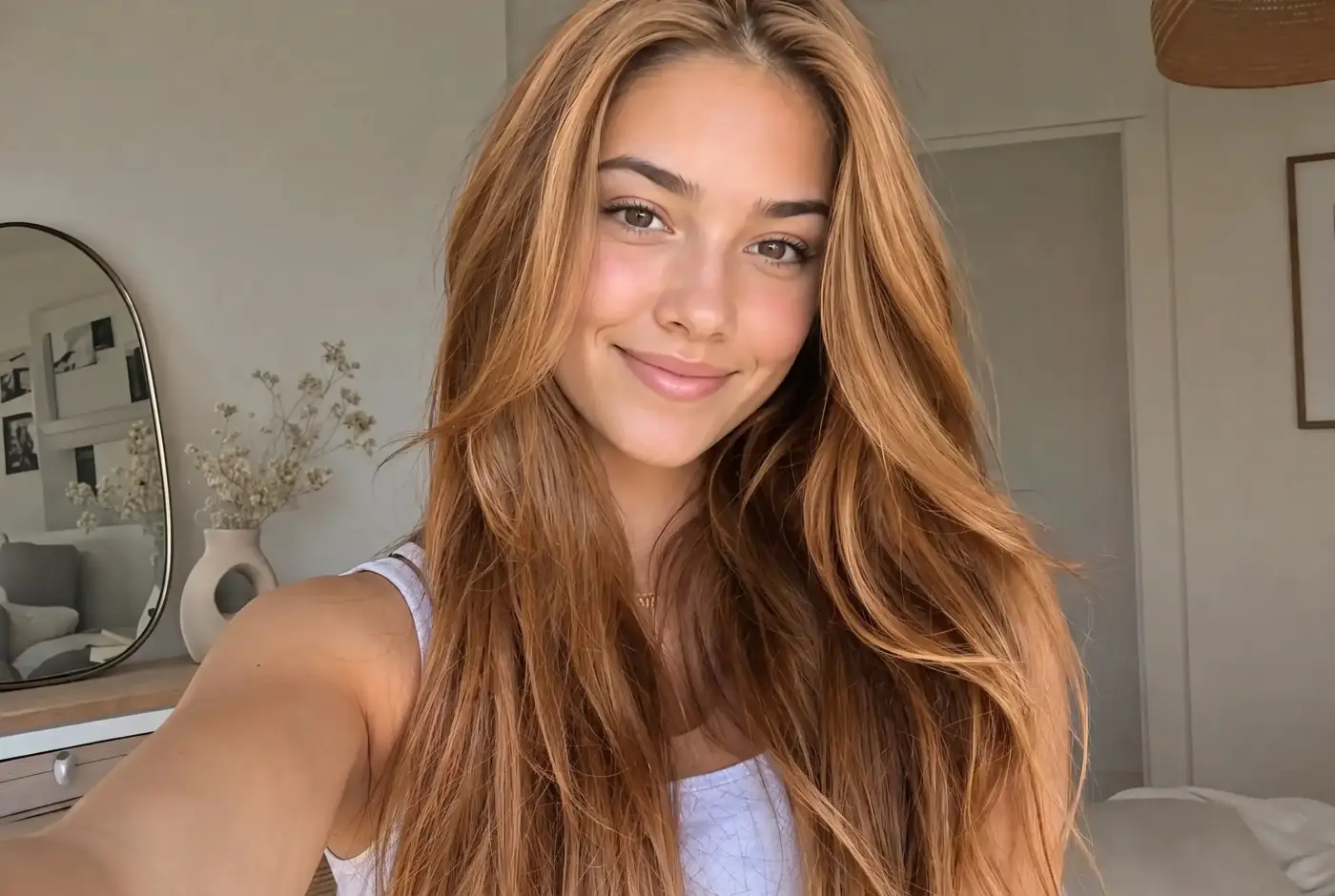
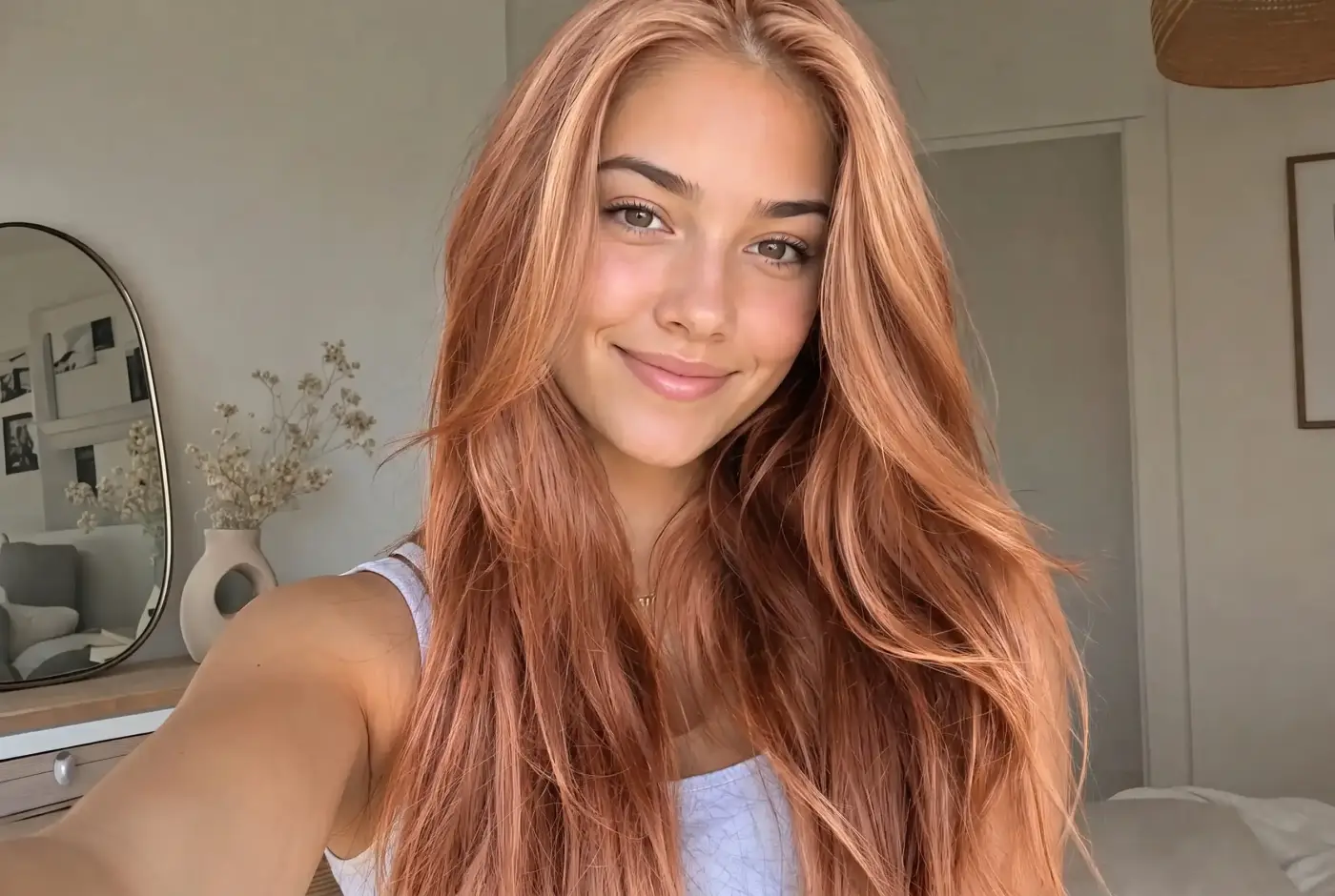
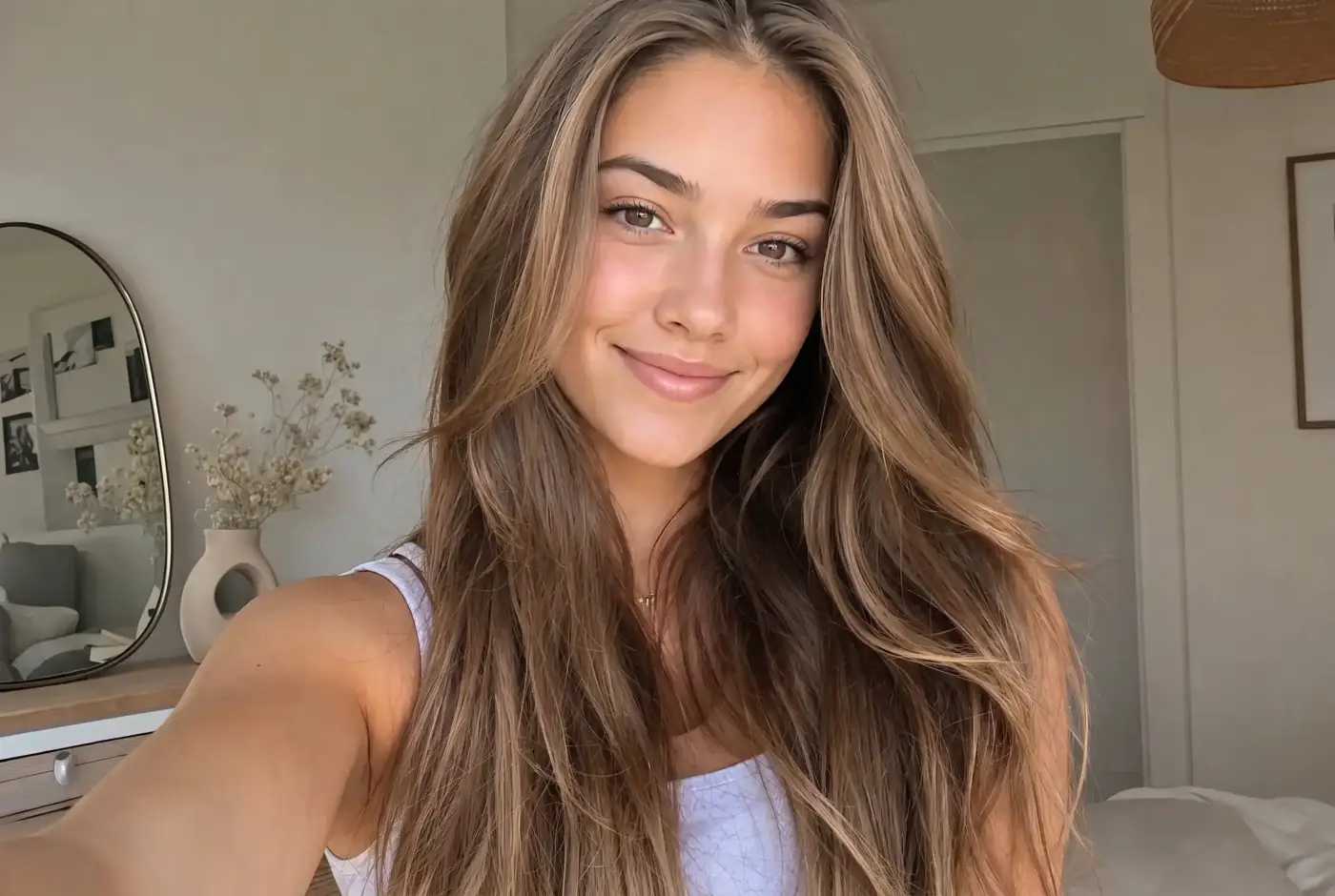
Blonde is not one color. The five shades below differ mainly in how warm or cool they are, and the photos in this section are all the same selfie run through a filter — so you can compare the shades on one face instead of across five different models.
Platinum blonde
Platinum blonde is an extremely light, cool-toned shade of blonde that appears almost white or silvery. Compared with golden, honey, or beige blonde, it has very little warmth. It adds wonderful contrast against darker eyebrows, eyelashes, or skin tones.
Ash blonde
Ash blonde is a cool-toned blonde shade with subtle gray, silver, beige, or smoky undertones. It minimizes yellow and orange warmth, creating a softer, more muted appearance. Ash blonde often works especially well with cool or neutral skin undertones.
Honey blonde
Honey blonde is a warm, multidimensional blonde shade that combines golden, amber, and light caramel tones. It complements warm and neutral complexions because its golden undertones echo peach, olive, or bronze tones in the skin.
Strawberry blonde
Strawberry blonde sits between blonde and light red. The shade complements fair to medium skin with warm or neutral undertones.
Dark blonde
Dark blonde sits between medium blonde and light brown. It usually combines muted gold, beige, caramel, or ash tones with a darker base. A dark blonde setting may leave the roots slightly deeper and brighten the mid-lengths and ends, producing the dimensional look of naturally blonde hair or a professional balayage.
Best AI blonde filters
The table below compares our top Blonde filter picks at a glance:
Tool
Where it runs
How you pick the shade
Free tier
Paid from
Overchat AI Blonde Filter
Browser
One button, no settings
Unlimited, no account, HD download without a watermark
Free
YouCam Online Editor
Browser (+ YouCam Makeup app)
Preset hair-color looks
5 credits at sign-up; saved images are watermarked
$3.33/mo (Plus, billed yearly)
Pixelbin
Browser
Preset blonde shades
3 free actions, HD, no watermark
$15/mo (Creator, 250 credits)
Kaze AI
Browser
Text prompt or preset
4 credits, one-time
$4.95/mo (Pro, billed yearly)
BeautyPlus
Browser + iOS/Android
Shade templates, brush, text prompt
Yes; exports carry a watermark
$12/mo (Pro; $10 first month)
LightX
Browser + iOS/Android
Text prompt
5 AI credits/day, 512 px JPG exports
$4.99/mo billed yearly ($59.99/yr)
HitPaw FotorPea
Desktop app (Windows, Mac)
Text prompt
7-day trial on the yearly plan
$27.99/mo or $112.99/yr
Fotor
Browser + iOS/Android
Preset shade library
Yes; exports are watermarked
$39.99/yr (Pro)
Facetune
iOS/Android
Preset shades + custom prompt
7-day trial
$25/mo, $40/quarter or $77.99/yr
FaceApp
iOS/Android
One-tap Dyed filter presets
Yes, with Pro features locked
FaceApp Pro, priced in-app
L’Oréal Paris Virtual Try On Hair
Browser, live camera or upload
200+ named dye shades
Full tool, free
Free
Matrix Virtual Hair Color Try On
Browser, live camera or upload
Dozens of salon shades
Full tool, free
Free
Overchat AI Blonde Filter
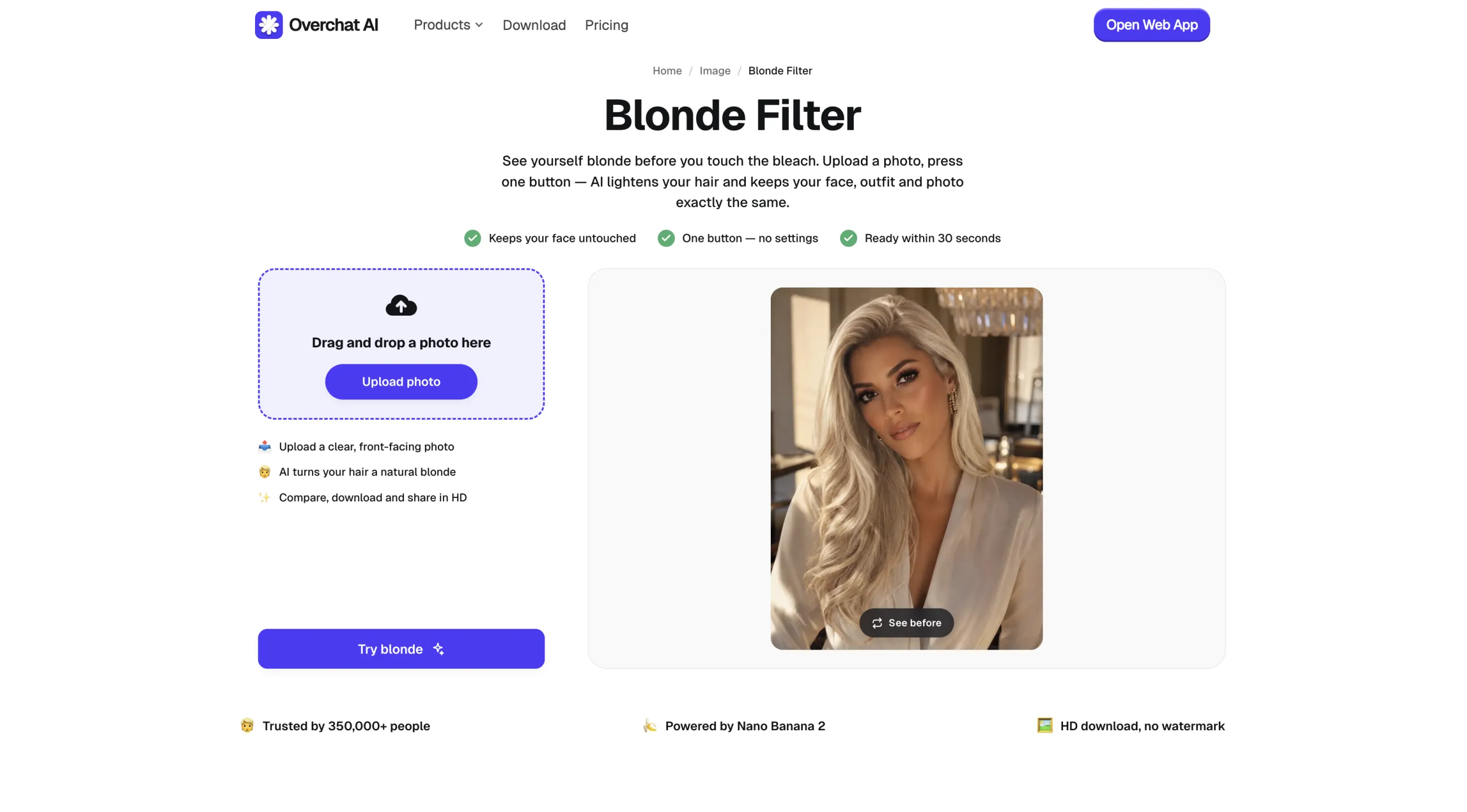
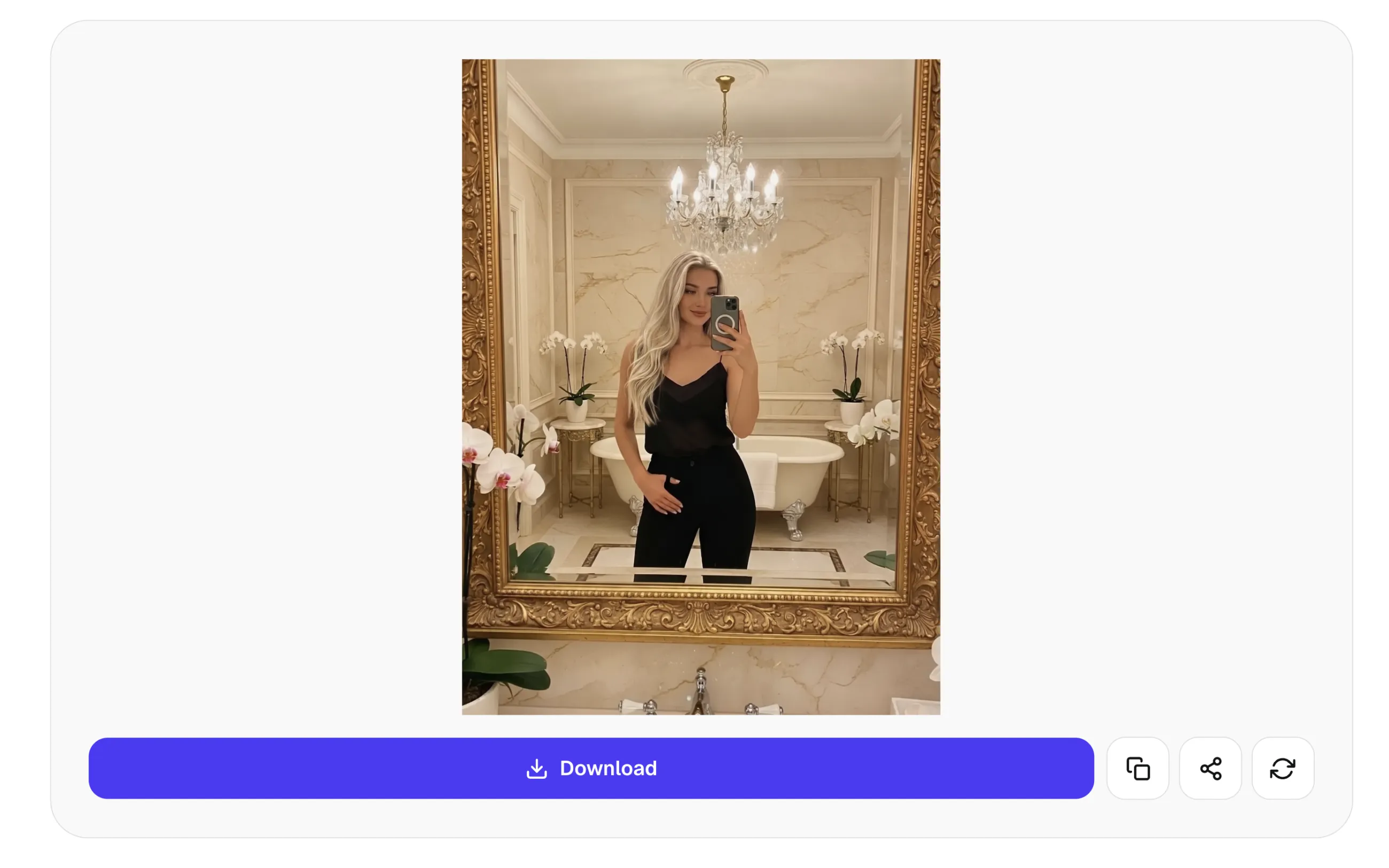
Overchat AI Blonde Filter is an online AI photo-editing tool we've built that shows how a person might look with blonde hair.
Overchat AI uses Nano Banana 2 image editing model to interpret the photograph and recreate the hair with blonde tones, highlights, shadows, and reflections that fit the original lighting naturally. This produces a realistic preview.
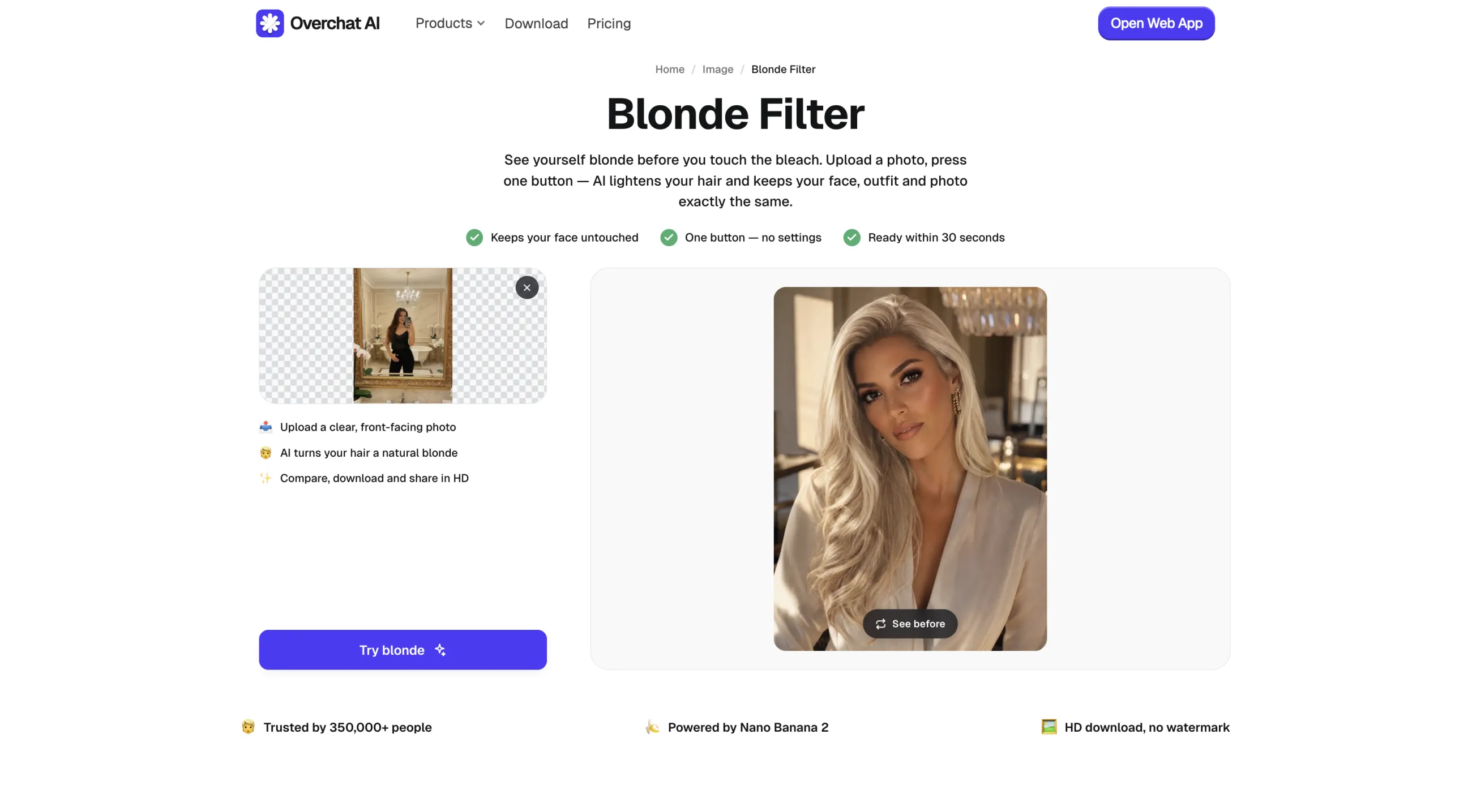
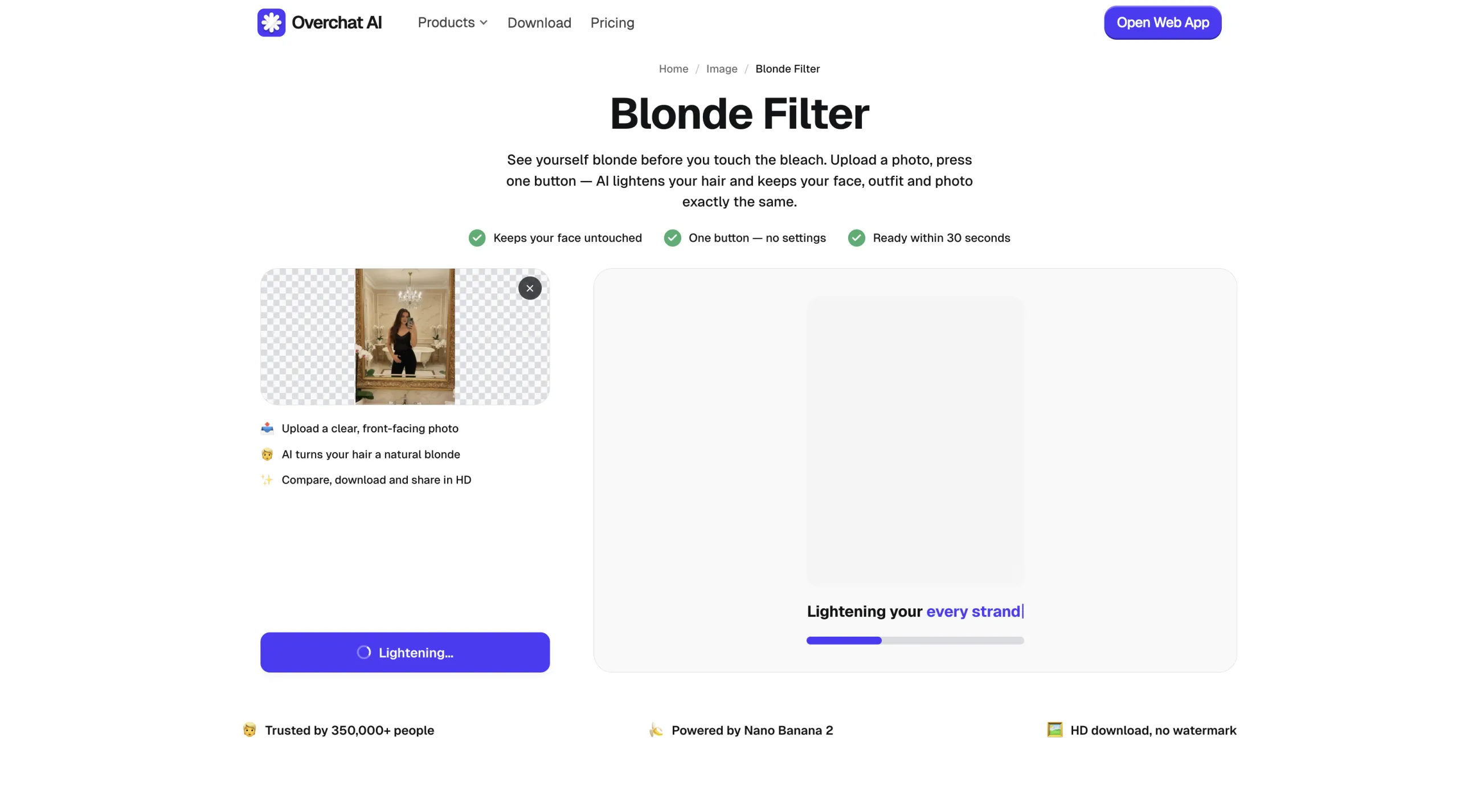
2. Drag a file into the dashed box, click Upload photo to browse your device, or take a selfie on the spot.
3. Press the Try blonde button — it will change to “Lightening…” and you'll see a progress bar running. Processing takes roughly 30 seconds.
4. That's it — check out the result on the preview and download your high-resolution image. If you're unhappy with how it turned out, simply regenerate.
As of this writing, we made Overchat AI blonde filter free to use and you don't even have to sign up — this is part of a limited-time promotion and may change at any time.
YouCam Online Editor
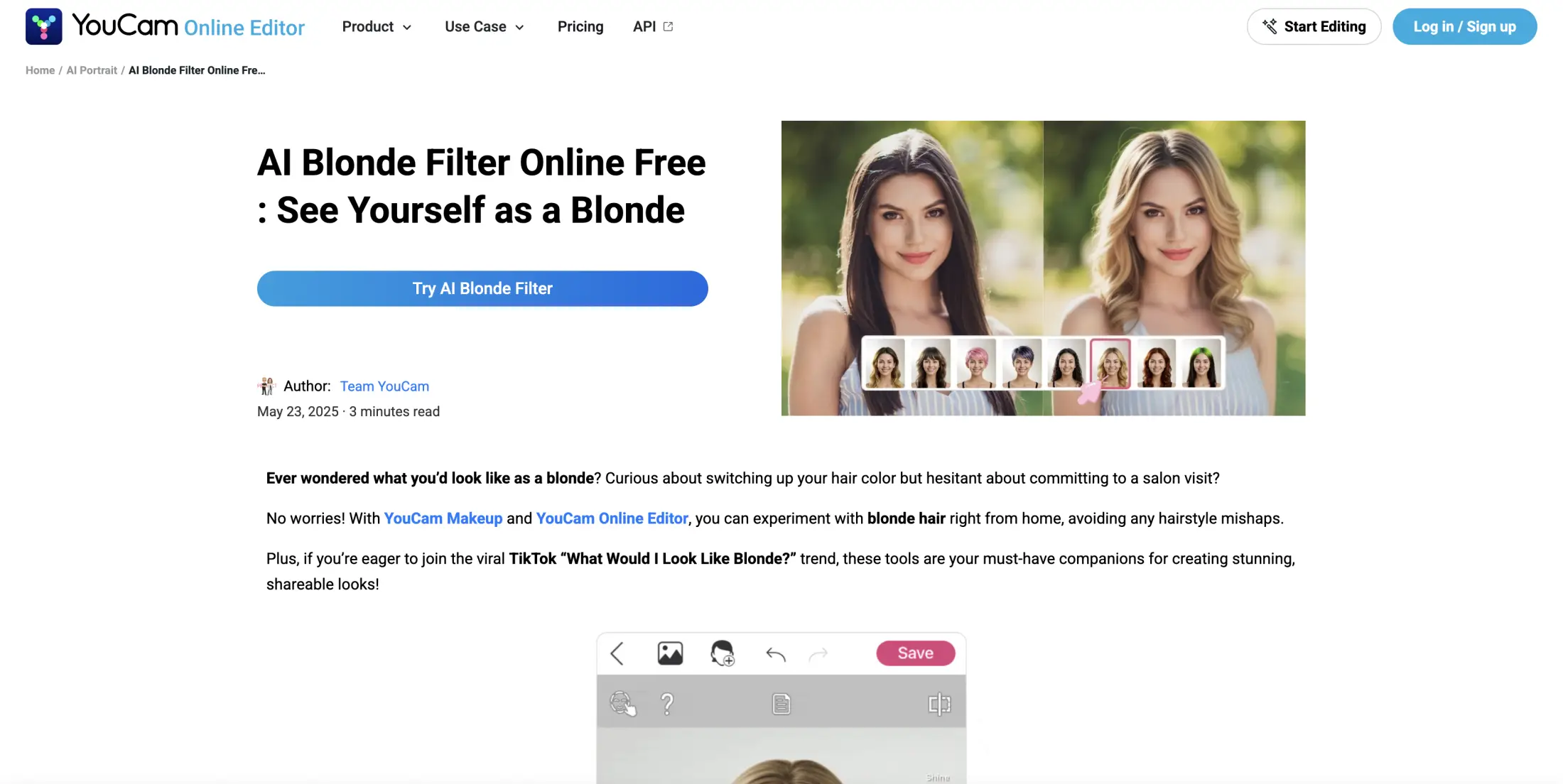
YouCam Online Editor is a browser-based photo-editing tool from Perfect Corp. Its AI blonde filter lets users preview blonde hair on a portrait without manually selecting or painting over the hair.
You can choose the shades from a gallery of preset hair looks, and the same effect is available in Perfect Corp’s YouCam Makeup mobile app. The filter is useful as a virtual hair-color try-on: compare blonde shades before choosing a salon color, prepare a reference image, or make content for social media.
Pricing: free tier with a watermark, paid from $3.33/month. Signing up gives you 5 credits and saves images with a YouCam watermark. Plus is $3.33/month billed annually for 100 credits a month and watermark-free exports; Pro is $5.83/month billed annually for 300 credits a month plus commercial-use rights.
Pixelbin blonde hair AI filter
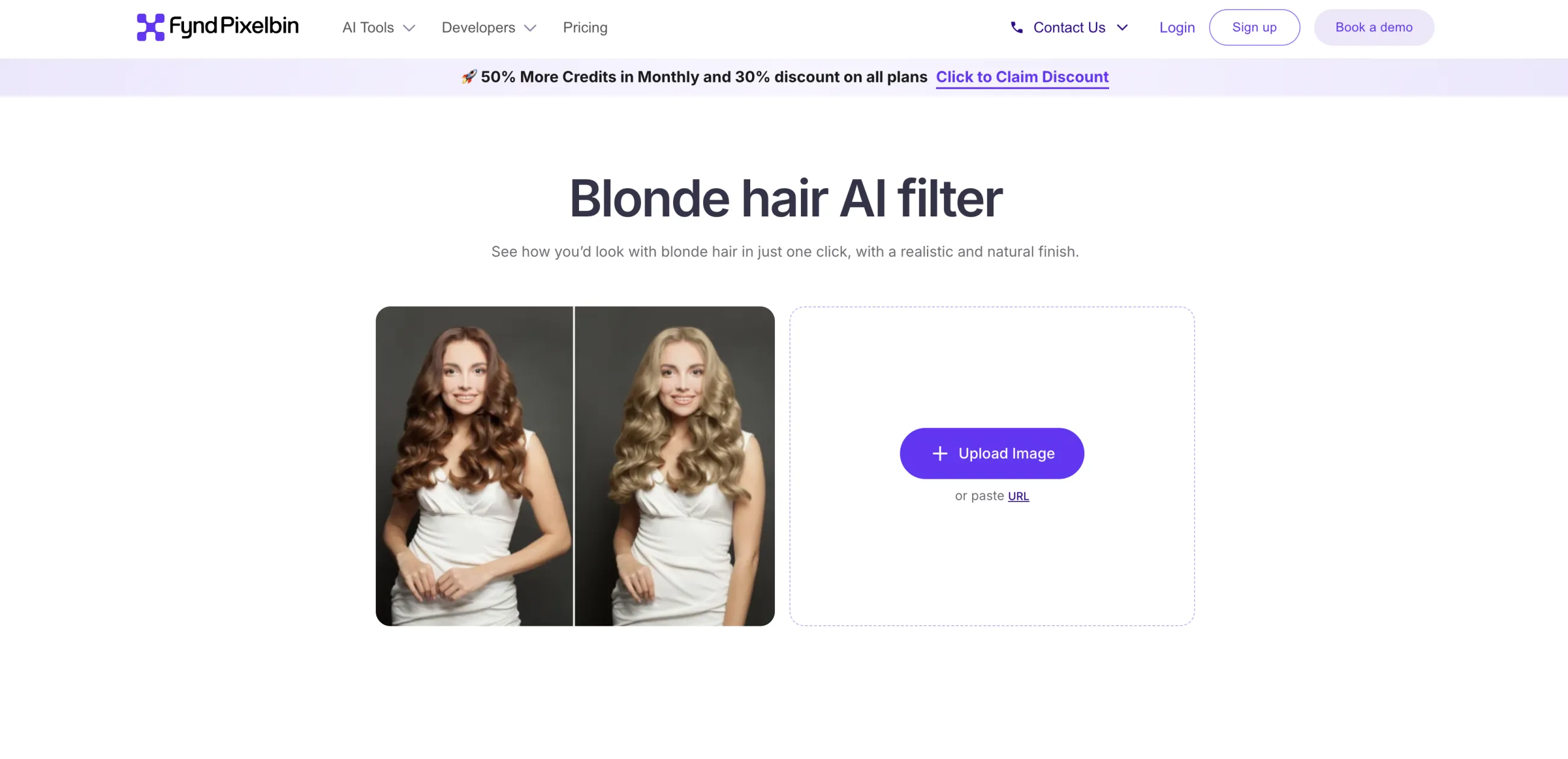
Pixelbin’s blonde hair AI filter is a virtual hair-color preview — upload a portrait, select a blonde treatment, and receive an edited image without manually masking or recoloring the hair.
You can paste an image URL or upload a JPEG, JPG, PNG or WEBP file, and the tool offers ash, platinum, honey and golden blonde. Pixelbin says it “automatically matches the blonde shade to your hair and face,” and the finished image saves in HD with no watermark, logo or added text.
Pricing: 3 free actions, then paid credits from $15/month. New users get 3 free credits to try the filter; after that you create an account and either buy credits pay-as-you-go or subscribe — Creator is $15/month for 250 credits, Lite $35/month for 600, Pro $60/month for 1,500. A single image edit such as this one costs 1 credit.
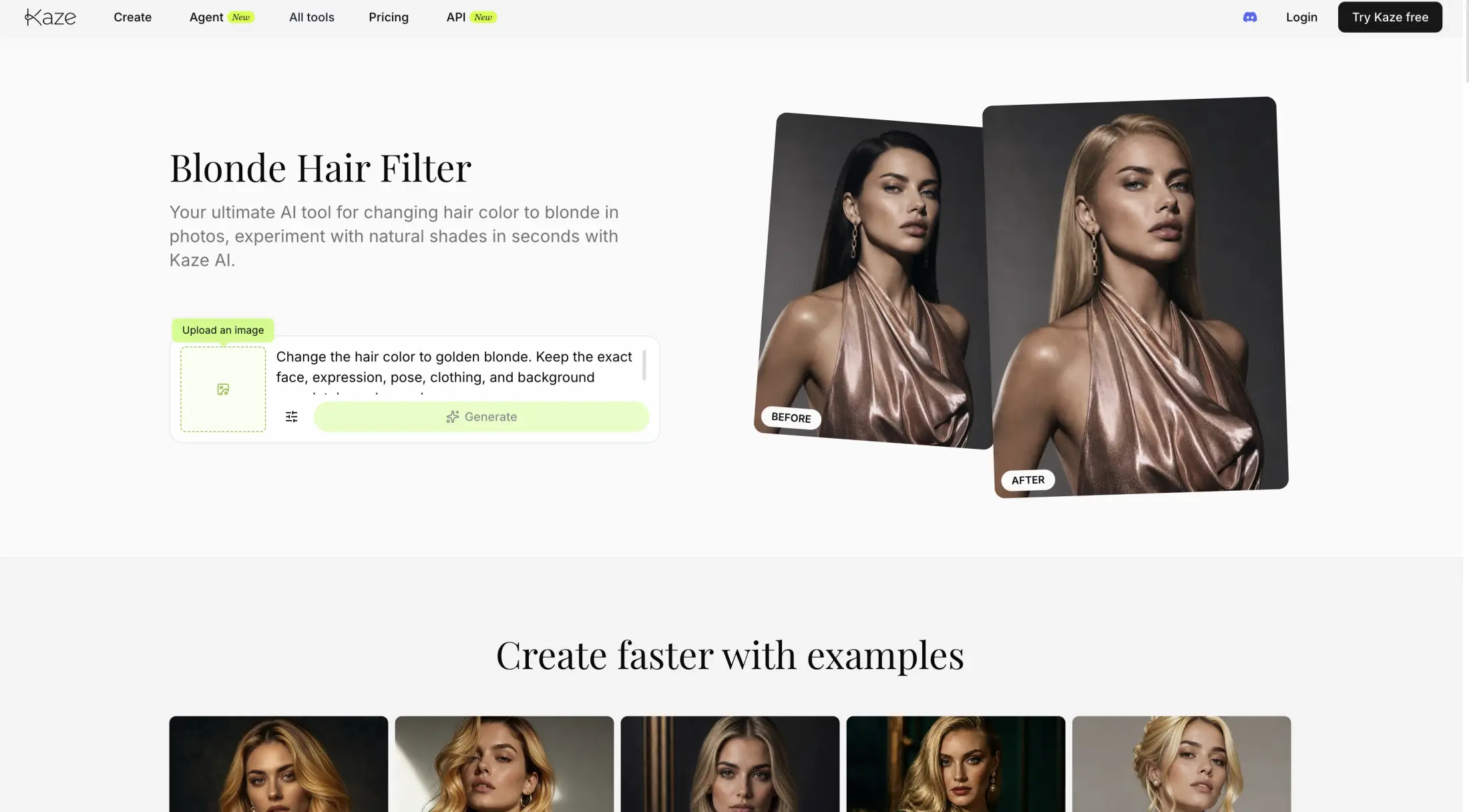
Kaze AI blonde hair filter
Kaze AI’s blonde hair filter is an AI-powered photo effect. The model analyzes the hair’s shape, texture, lighting, shadows, and position, then generates a blonde version.
You can either pick a preset or type the shade in plain language — to make over 100 blonde variations, from icy platinum to sun-kissed golden and strawberry blonde, plus highlights and balayage.
Pricing: 4 free credits, then from $4.95/month. New accounts get a fixed 4 credits. Paid plans are billed yearly: Pro at $4.95/month for 120 credits a month, Pro+ at $9.95/month for 300, Max at $29.95/month for 1,000, and Ultra at $89.95/month for 2,700. Credits are shared across Kaze’s other tools, so image edits, upscaling and background removal draw from the same pool.
BeautyPlus blonde hair filter
BeautyPlus is designed primarily for quick, consumer-friendly photo editing. It lets users preview how blonde hair might suit their complexion before dyeing it, create a temporary makeover for social media, or experiment with different looks without salon costs or commitment.
To use the tool, upload a photo and let the AI detect the hair area automatically, pick a shade from the templates, and download the result — a brush lets you correct the selection by hand if the detection misses, and a text prompt is available for colors and styles the templates don’t cover.
The templates include options that range from light shades such as platinum and gray blonde to darker ones such as strawberry and dirty blonde.
Pricing: free with a watermark, paid from $12/month. The free plan gives limited AI access and exports with a watermark. Pro is $12/month ($10 for the first month) with 200 credits a month and watermark-free HD exports; Max is $17/month with 500 credits and watermark-free 4K exports. A yearly option is offered at a discount.
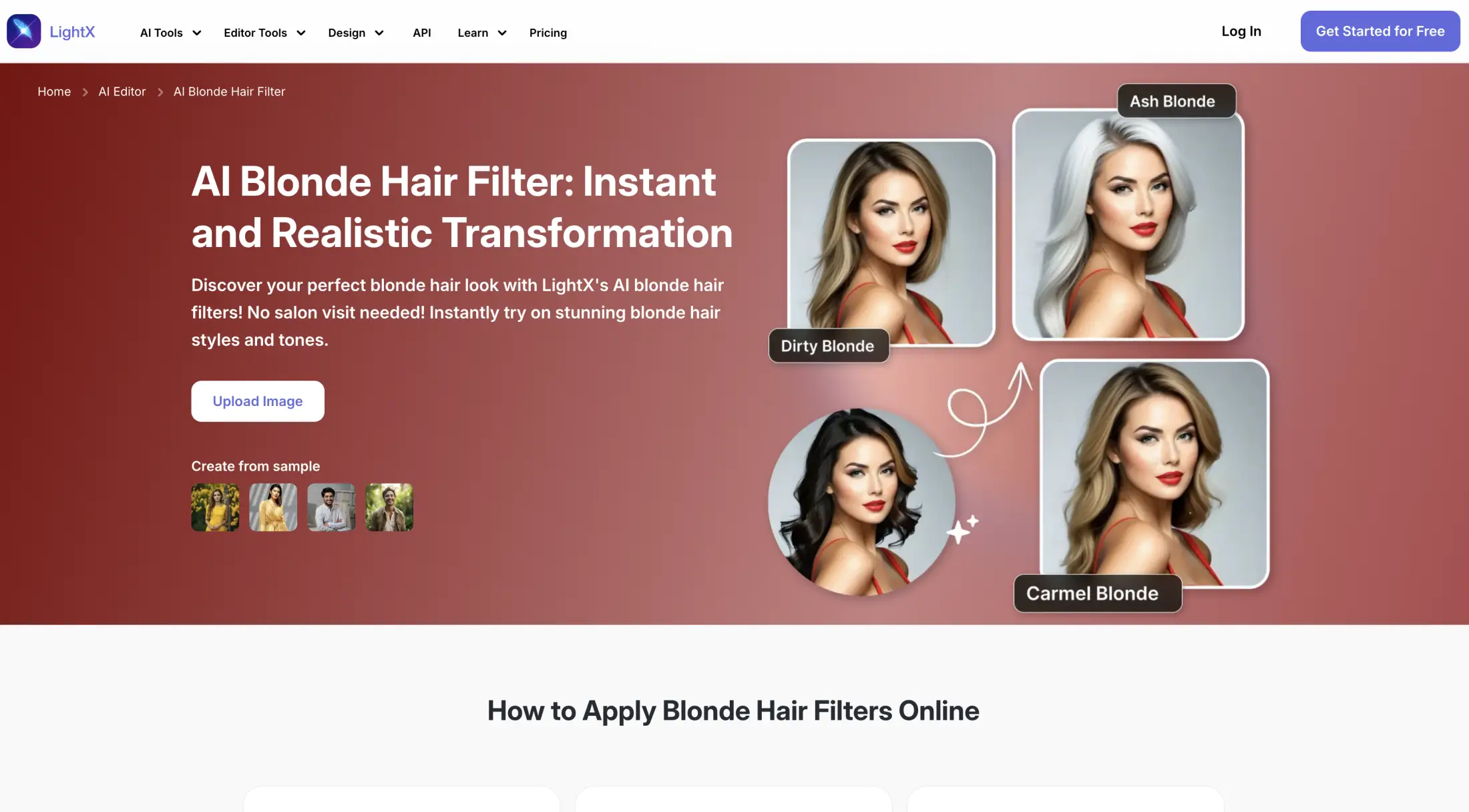
LightX AI blonde hair filter
LightX is prompt-driven, meaning that after you upload a portrait, you need to describe the look you want by typing it into the prompt box. This allows for greater personalization, but introduces more potential for mistakes.
LightX is useful for testing whether blonde hair suits a person before dyeing it, creating social-media portraits, or exploring different looks without permanent changes.
Pricing: 5 free credits a day, Pro from $4.99/month. The free Starter plan allows up to five generations a day and exports at 512 px in JPG. Pro is $4.99/month billed yearly ($59.99/year, listed against $9.99/month) and adds 1,000 credits a month, 4,096 px PNG exports and no watermark, with a 7-day free trial. A one-off pack of 1,000 credits with lifetime validity costs $9.99.
HitPaw FotorPea
HitPaw FotorPea is an AI-powered photo editor for enhancing portraits and changing visual attributes, including hair color. In the context of an AI blonde filter, it can transform a person’s existing hair into shades such as platinum, ash, honey, golden, or strawberry blonde while attempting to preserve the face, hairstyle, lighting, and background.
Unlike the other tools here, FotorPea is desktop software: you download and install it on Windows or Mac, open the AI Generator, upload a front-facing photo, type a prompt such as “blonde hair filter” with the shade you want, and export the result, with output up to 4K.
FotorPea also includes enhancement and retouching features — 4K/8K upscaling, object removal, face unblur, batch editing — that can sharpen the finished image or reduce artifacts after the color change.
Pricing: paid software, from $27.99/month. The Windows plans list at $27.99 for one month (discounted to $22.39 at the time of writing) and $112.99 for a year (discounted to $90.39), with a perpetual license around $129.99. The yearly plan includes a 7-day free trial, and each tier bundles credits for the AI features — 100 with the monthly plan, 500 with the yearly one.
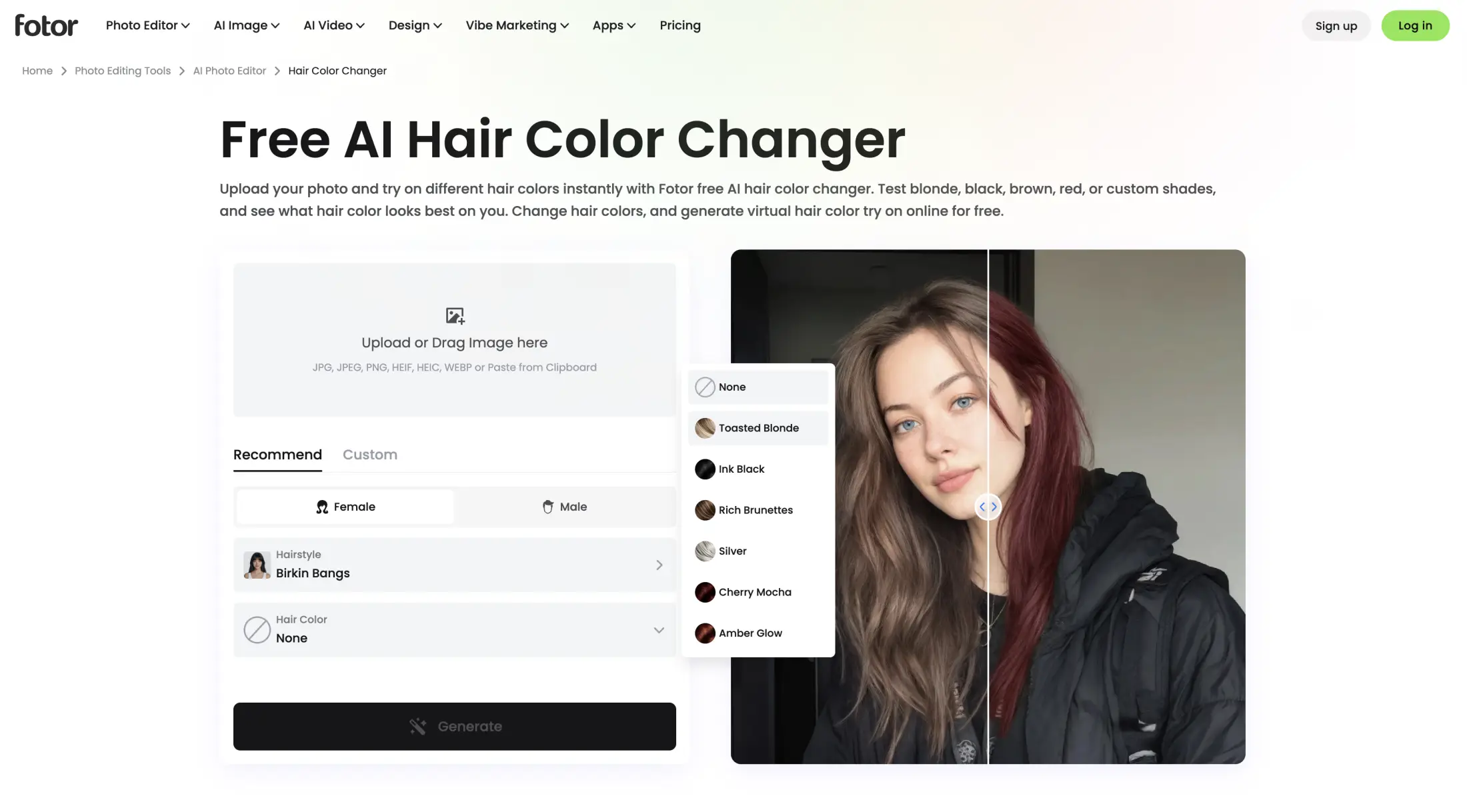
Fotor online hair color changer
You can use Fotor’s online hair color changer to digitally dye your hair blonde and preview how blonde hair might look before committing to it in real life.
It's based on presets. In Fotor, upload a photo (JPG, JPEG, PNG, HEIF, HEIC, WEBP or pasted from the clipboard), pick a hairstyle and a hair color from the Recommend tab, and press Generate. Blonde colors include Toasted Blonde, honey, golden, pearl, platinum, ash and beige.
Pricing: free with a watermark, Pro from $39.99/year. Fotor Basic costs nothing but gives limited credits and exports watermarked JPG, PNG and PDF files. Fotor Pro is $39.99 billed yearly for 1,200 credits a year and watermark-free HD and transparent-PNG exports; Pro+ is $62.99/year for 3,600 credits, and Fotor Max is $134.32/year for 1,000 credits a month. Unused credits roll over for up to five months while the subscription is active.
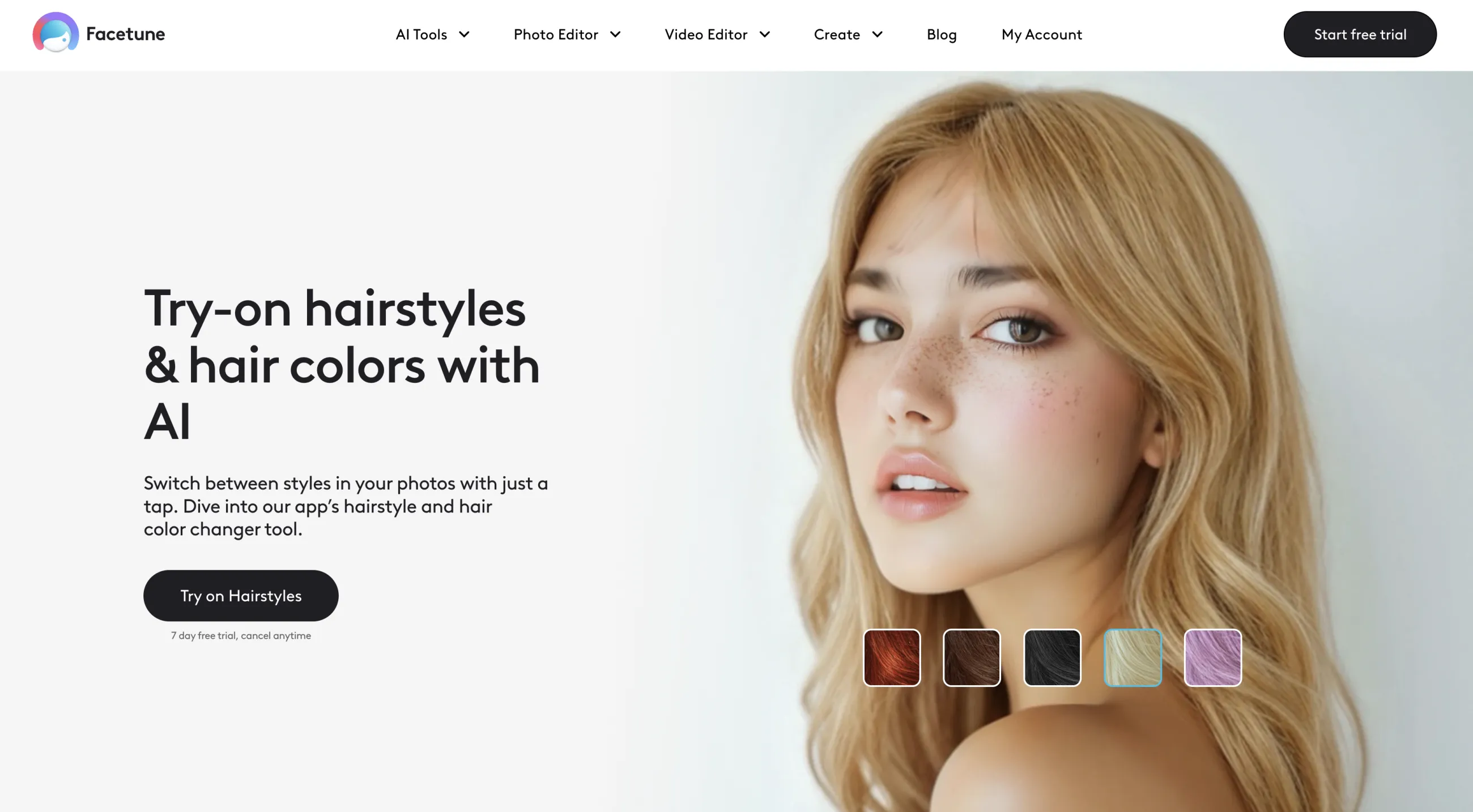
Facetune
Facetune is a popular mobile photo-editing app for iOS and Android that uses AI to simulate appearance changes, including blonde hair, in selfies and portraits.
The hair color lives under the Hairstyle feature: open it, tap Colors, and either choose from the preset shades or write a custom prompt for a blonde the presets don’t include. Facetune also provides complementary retouching controls for adjusting brightness, skin tone, makeup, and background after applying the blonde effect.
Pricing: free to download, subscription from $25/month. Facetune sells the full toolset as a subscription: $25 a month, $40 every three months, or $77.99 a year, which the company presents as a 50% saving. A 7-day free trial is offered, and final prices can vary by region and store.
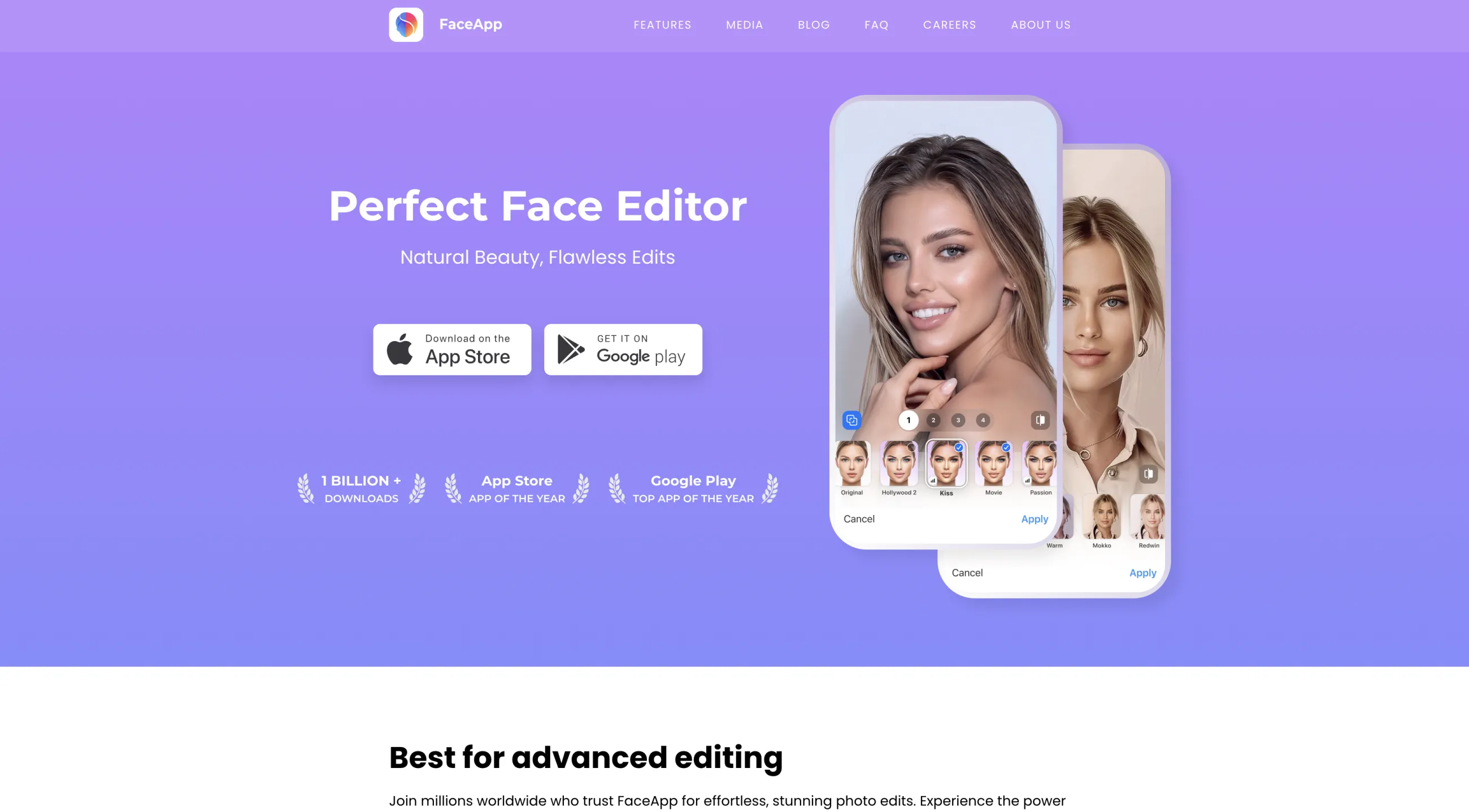
FaceApp
FaceApp uses artificial intelligence to apply realistic changes to faces, including hairstyle and hair-color transformations.
FaceApp is another mobile app for iOS and Android. After installing it, look for the Dyed filter, which they say works like a salon color in one tap. What's cool here is that you can also change thickness with a separate Hair Volume control.
Pricing: free to download, FaceApp Pro priced in-app. Around $10 a month or $60 a year.
L’Oréal Paris Virtual Try On Hair
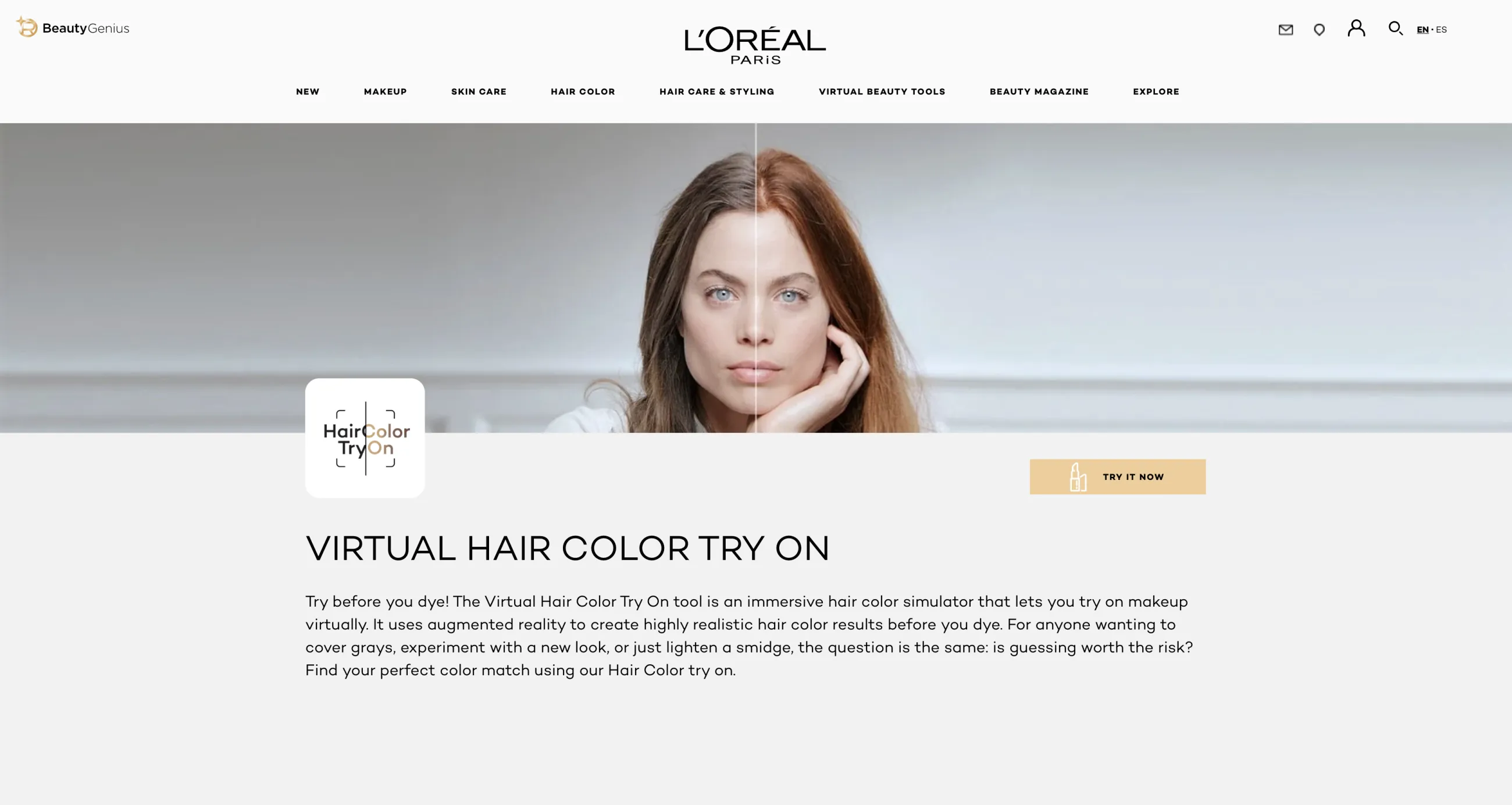
L’Oréal Paris Virtual Try On Hair is an augmented-reality hair-color simulator that lets you virtually try on shades live on your camera.
The tool detects your current hair tone, suggests shades based on it, and offers a compare feature for a before-and-after view. L’Oréal puts the catalog at more than 200 hair colors and states that renderings have “an average accuracy of 88%.” Users can preview blonde shades ranging from platinum and ash to beige, honey, and golden tones before choosing a corresponding L’Oréal Paris dye.
Compared with a typical social-media blonde filter, the tool is more closely connected to an actual purchasing decision. An entertainment filter may simply place a generic yellow or pale overlay on the hair. L’Oréal’s experience instead presents named shades associated with specific products, helping users compare warmer and cooler blondes and estimate how each might complement their complexion.
Final color depends on the starting shade, previous treatments, hair condition, lighting, camera accuracy, and whether bleaching is required. Dark or previously colored hair may need several steps to resemble the simulated blonde.
In this context, “AI blonde filter” is a useful consumer-facing description, but “virtual hair-color try-on” is more precise. The system combines hair segmentation and color rendering with L’Oréal’s shade catalog, turning a playful appearance filter into a product-discovery and pre-purchase tool.
Pricing: free. The try-on is a free feature of the L’Oréal Paris site with no account or subscription; the money is in the dye it points you toward. The site advises a patch test 48 hours before using any hair colorant.
Matrix Virtual Hair Color Try On
Matrix Virtual Hair Color Try On is a digital preview tool that applies simulated hair-color shades to a live camera image or uploaded photo. It serves as a more salon-focused version of the same concept: instead of adding a generic yellow or platinum overlay, it lets users visualize specific blonde tones from Matrix’s professional color range.
You upload a selfie or use your phone’s camera, then try on dozens of shades that run from buttery blondes through warm reds and coppers to brunette and black, with new trending colors added over time. Matrix is explicit about the method in its FAQ: “Our technology places the desired color on top of your current hair color,” so results vary with lighting, camera quality, existing hair color, and how much hair is visible.
Unlike a casual social-media blonde filter, the Matrix experience is designed to support an actual color decision — once you find a look you like, you save it and take it to a colorist, and the site’s salon finder locates one near you. A preview can help clarify which tone suits someone’s complexion and provide a visual reference for a stylist. It does not, however, predict the chemical process or guarantee the final result. Reaching the chosen blonde may require bleaching, toning, multiple appointments, or adjustments based on the hair’s condition and color history.
Pricing: free. The try-on is a free feature of the Matrix site with no account or subscription; it exists to route you to a salon that uses Matrix color.
Blonde filters on TikTok, Instagram and Snapchat
As a bonus section: TikTok and Snapchat both ship AR blonde effects that recolor your hair in a live selfie or a recorded video. And Instagram has an integrated AI image editor for stories.
Where
Name
How to open it
TikTok
Blonde Hair
Effects button in the camera → search “blonde hair”, or tap the effect name on a video that uses it
Instagram
Restyle, powered by Meta AI
Stories editor → Restyle, then type the shade you want (“platinum blonde”)
Snapchat
Blonde Hair, Blonde Hairstyle, Blonde is My Color, Hair Color
Explore (magnifying glass) → search “blonde hair”, or swipe up on a Snap that uses the Lens
TikTok’s version is a built-in generative effect called Blonde Hair, available to effect creators in Effect House. To use it, open the camera, tap Effects, and search “blonde hair”.
On Instagram, you can use the Restyle feature in the Stories editor, where you describe the change in words — “make my hair platinum blonde” — and Meta AI regenerates the shot.
Snapchat has filters like Blonde Hair, Blonde Hairstyle, Blonde is My Color, Blonde Hair Buns and a general Hair Color Lens. Find them by tapping the magnifying glass to open Lens Explorer and searching by name or tag, or by swiping up on a Snap that uses a Lens to open its Context Card and try it yourself.
FAQ
The questions that come up most often before someone commits to going blonde.
How do I tell if blonde hair would look good on me?
Identify your skin’s undertone — cool undertones often suit ash, pearl, beige, or icy blondes. Warm undertones tend to harmonize with honey, golden, caramel, or strawberry blonde. Also, if your hair, brows, eyes, and skin have strong contrast, an extremely pale blonde can look striking but may require darker roots or defined brows to keep your features balanced. If your coloring is softer, blended shades such as dark blonde or dimensional balayage may feel more natural.
How do I see what I would look like with blonde highlights?
Use a virtual hair-color app or an AI photo editor that supports selective hair editing. Upload the photo, mask only the strands you want changed, and request blonde highlights.
What skin tone looks best with blonde hair?
Blonde hair can suit every skin tone; the key is matching the blonde’s undertone and depth to the complexion rather than looking for one “best” skin tone.
Fair skin with cool or rosy undertones often pairs well with platinum, ash, pearl, icy, or beige blonde. Fair skin with warm undertones tends to glow beside honey, champagne, strawberry, or light golden blonde. Very pale complexions may benefit from a slightly deeper root or lowlights so the hair does not wash out the face.
Medium and olive skin usually looks especially harmonious with dimensional shades such as caramel, honey, bronde, beige, and dark golden blonde. Cool olive complexions can also wear mushroom or sandy blonde, while overly yellow shades may sometimes emphasize sallowness.
Tan and deep skin tones can look striking with warm honey, amber, caramel, toffee, and golden blonde. Dark roots, balayage, and blended highlights often create flattering contrast and make the result feel intentional. Cool deep complexions can also carry dramatic platinum or creamy blonde beautifully, particularly when the color is kept clean rather than brassy.
To summarize, an AI blonde filter is a useful way to preview whether lighter hair might suit you, compare shades, or create a playful social-media image.