5 Best AI Skinny Filters in 2026. Make Yourself Skinny With AI
Last Updated:
2026-09-26
5 Best AI Skinny Filters in 2026. Make Yourself Skinny With AI
How would one look if they were skinny? With an AI skinny filter, you can find that out simply by uploading an image of a person and getting their slimmer version. In this article we're breaking down 5 of the best AI skinny filters you should try in 2026.
An AI skinny filter is an artificial intelligence-powered tool that makes a person skinny in any photograph through image to image editing and inpainting technologies. Overchat AI skinny filter is one of the best options as it uses Nano Banana 2 — one of the most advanced image editing models in 2026.
The best AI skinny filters are powered by image to image models which means that instead of simply skewing a photo, which distorts proportions, they regenerate the image or parts of the image to modify it via creating entirely new pixels that didn't exist before.
Look for AI skinny filters that are powered by Nano Banana 2, GPT Image 2, or Seedream 5 Pro — as of this article these are the most photorealistic models. See our review of Seedream 5 Pro.
Overchat AI is the best AI skinny filter, because it is powered by Nano Banana 2, an advanced image editing model created by Google DeepMind. This allows it to produce extremely realistic results that respect anatomy and preserve likeness. Also, because it uses inpainting it doesn't affect the background at all, as some tools may.
What is an AI skinny filter?
People have always had fun with modifying proportions and looking back in the past they'd use distorting mirrors to achieve that — remember those funhouse mirror mazes with mirrors that made you fat or skinny? Well, the latest craze is doing the same but with AI-powered image filters. An AI skinny filter, then, is an online tool that makes a person look, well, skinny in a photo using AI.
Here's how it works:
Upload a picture
Click Generate
Wait about 30 seconds for AI processing
Receive the result online
The best AI skinny filters in 2026 use image-to-image models that support inpainting — Nano Banana 2, GPT Image 2, and Seedream 5 Pro, for example. These models can, essentially, mask out part of the image and regenerate only that part, which ensures that the background doesn't change at all. Also, they happen to be some of the most photorealistic models, which is important when the goal is portrait generation.
In Overchat AI skinny filter, for example, you can select 3 levels of the effect, from slight slimming to a very aggressive one that gives anyone runway model proportions, essentially. We've tested the tool on over 2,000 AI-generated images of people with different body types to make sure that it works flawlessly.
What's more, Overchat AI skinny filter is designed to respect anatomical accuracy. It reimagines what a person would look like with a very low body fat percentage, preserving their bone structure and proportions. The result can still be hilarious, but it's also much more realistic than any sort of mirror could achieve.
Note: Given the nature of this subject, skinny filters can become a sensitive thing, so don't use them on people who are self-conscious about their body, or on images you don't have permission to use. Be responsible with AI image generation.
AI skinny filters vs traditional skinny filters
Skinny filters as a category are nothing new, these tools have existed probably as long as digital image editing itself, but there's a reason why the category became popular again with the rise of AI image editing, and that comes down to how AI skinny filters work:
AI skinny filters generate new content — they use diffusion models to create something that wasn't originally there. The closest analogy would be hiring a digital painter to mask out an area of a photo and then draw something new in that area. They do this photorealistically, so that you'll never be able to tell that the image's been modified.
Old-school skinny filters manipulate existing pixels — usually by skewing. You can think about it like taking a piece of paper, pinching it in the middle and bringing the sides closer in. As you can imagine, this creates a lot of artifacts, warps the background, and so on.
All of that is to say, AI skinny filters are a lot more advanced than traditional ones, can make a lot more drastic transformations, and the results just come out much more realistic.
What are the 5 best AI skinny filters in 2026?
We've selected 5 specialized skinny filters and broke each one down below. Full disclosure, we've developed Overchat AI skinny filter, but we review each tool objectively based on the features and pricing.
Tool
Free option
Paid from
Best for
Overchat AI
No
$14.99/month
Overall quality and control
Magic Hour
Yes
$10/month
A free tool with no sign-up
OpenArt
Yes
$14/month
Prompt-driven fine-tuning
PixelBin
Trial only
$15/month
Transparent per-model credit costs
Media.io
Trial only
$7.99/month
An all-in-one media editor
The 5 best AI skinny filters
Let's take a deeper dive into each of the best AI skinny filters individually:
1. Overchat AI
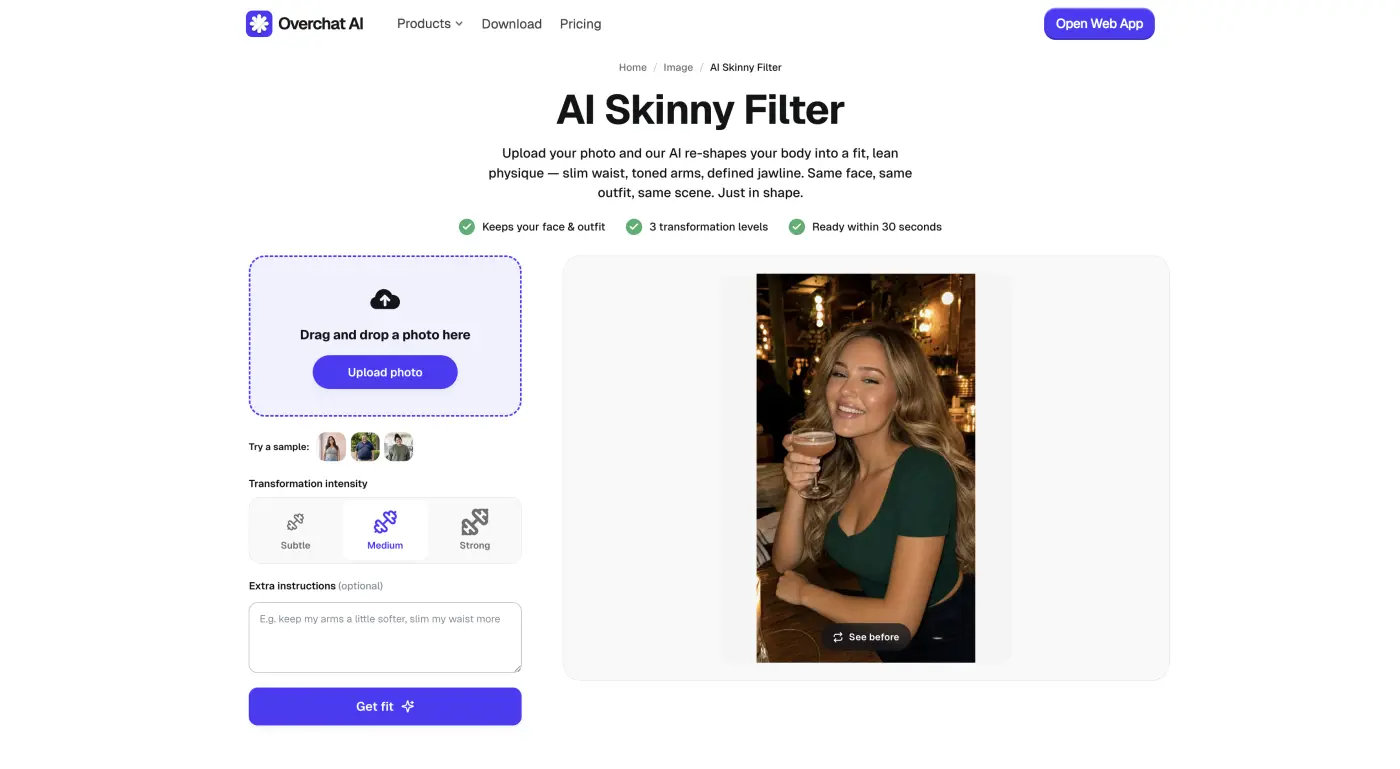
The Overchat AI Skinny Filter is an online skinny filter we created — it's powered by Nano Banana 2 and we specifically made sure that it not only preserves likeness and background perfectly, but also makes the person skinny while respecting anatomical accuracy.
The Overchat AI Skinny Filter, powered by Nano Banana 2
There are three levels of the skinny effect: Subtle / Medium / Strong.
You can use Subtle to edit images, for example, for your Instagram — it's a beauty effect. If you set the intensity to Strong, it works better as a prank or joke.
Overchat AI is an all-in-one AI platform, and we specialize in creating image and video editing tools, from our viral Image Combiner that allows you to easily merge multiple images into one, to Looksmaxing and Rate My Face widgets. The entire platform has over 150 specialized AI tools, so by using it you access a broader swath of applications, ranging from fun filters to serious image and video editing mini-apps, like the AI image editor that allows you to perform Photoshop-level edits with natural language commands.
Price: $14.99/month or $49.99/year.
Pros:
✅ Three intensity levels plus a free-text box for fine control
✅ Keeps the face, outfit, and background consistent
✅ Ready in about 30 seconds
✅ Results feed into hundreds of other tools on the platform
2. Magic Hour
Magic Hour was founded in 2023 by Runbo Li (ex-Meta data scientist) and David Hu (ex-Skillz engineer), and it's a Y Combinator startup. They're based in San Francisco today and are used by over 3.5M creators.
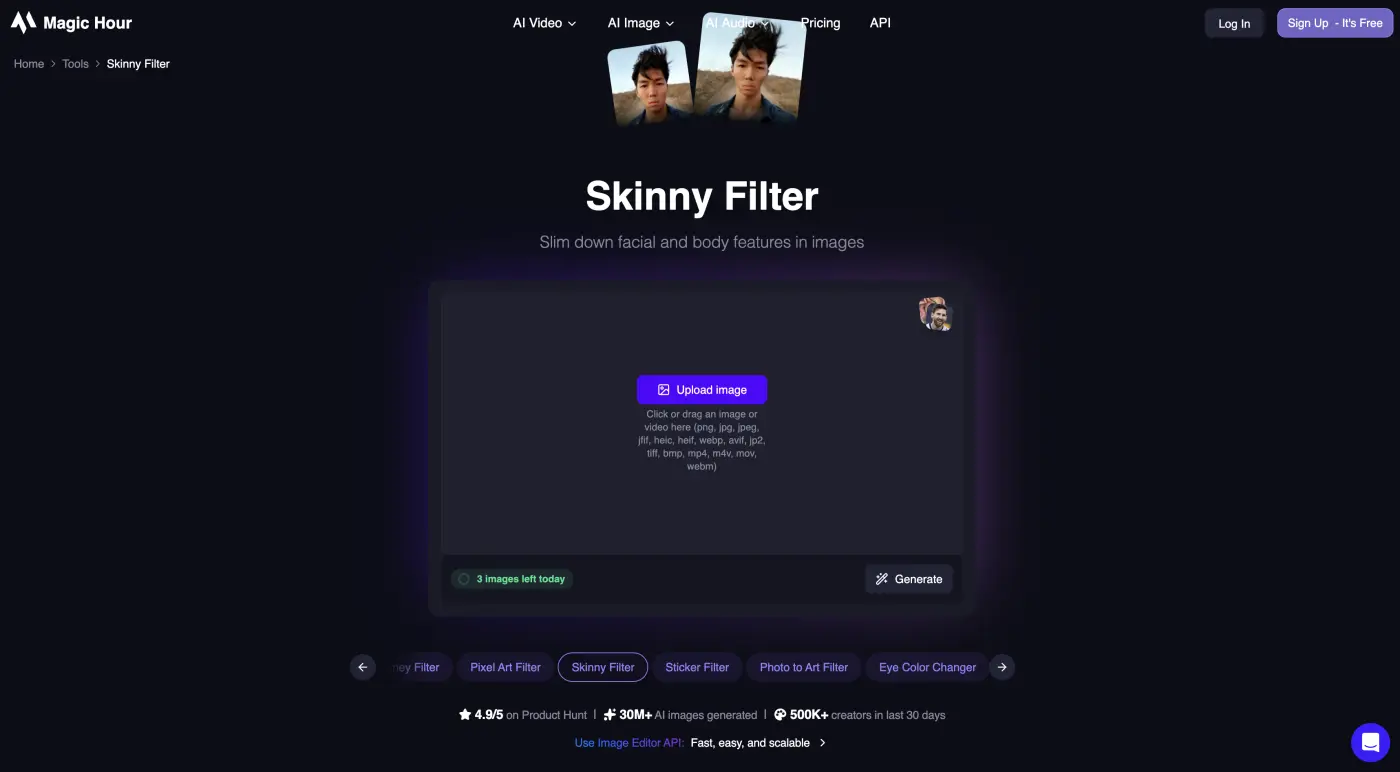
Magic Hour Skinny Filter
Fundamentally, Magic Hour is an AI image and video tools aggregator — they provide access to frontier models through a single interface, and the AI skinny filter is one of the tools on the platform. The tool gives you 3 free images a day, after which the subscriptions below apply.
Price:
Plan
Price
Credits
Free
$0
400 one-time
Creator
$10/month
120,000/year
Pro
$25/month
300,000/year
Business
$66/month
840,000/year
Pros:
✅ Free to start
✅ Very simple to use
✅ Credits never expire on paid plans
Cons:
❌ Free tier is limited to 3 images a day
❌ Little control over how much it slims
❌ High resolution and commercial rights are paid-only
3. OpenArt
OpenArt was founded by two ex-Google engineers, Coco Mao and John Qiao, and the platform has been around since 2022. Today, they have 8 million users.
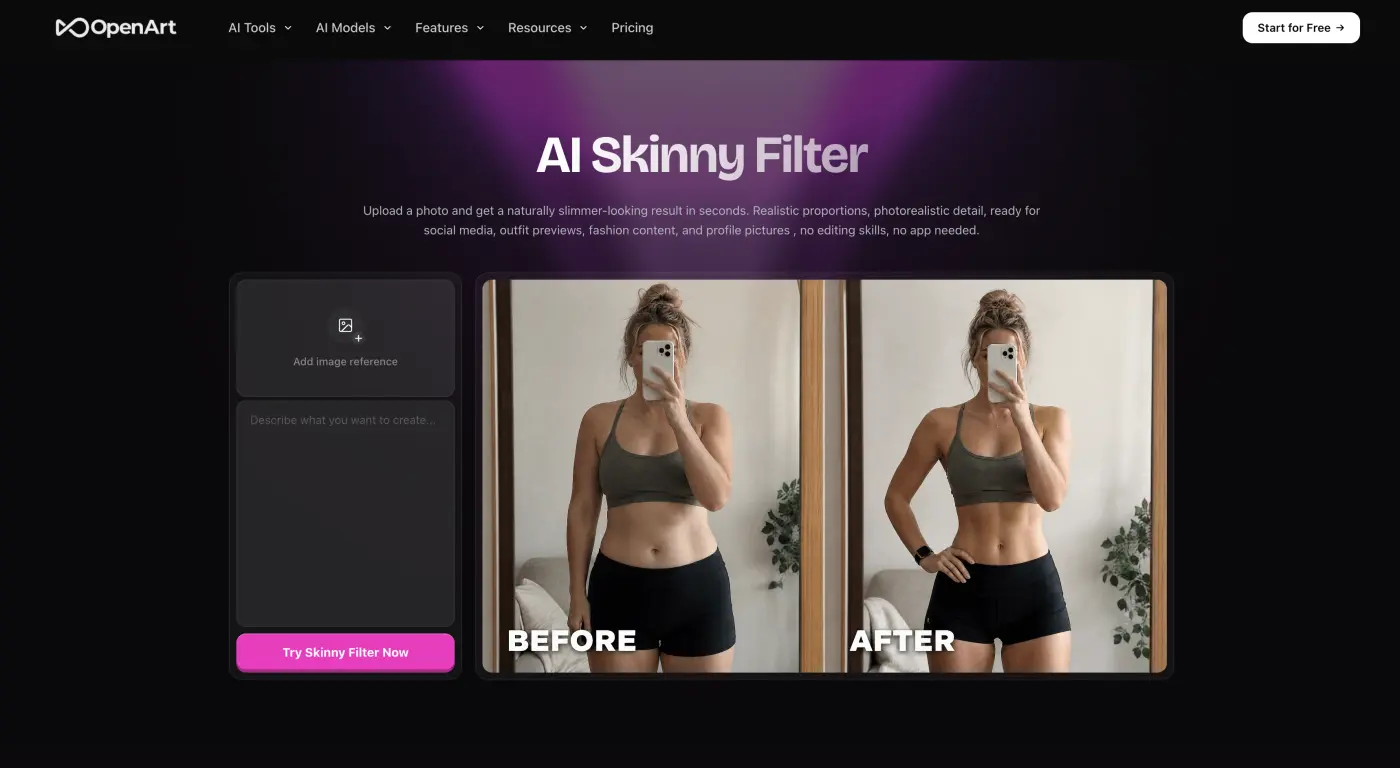
OpenArt AI Skinny Filter
They also offer their own Skinny Filter, although we should note that it is prompt-based — the way it works is, you upload a photo and they'll have a slimming prompt pre-populated in the text box. You can modify it to control the effect. This is easier than using a standard AI photo editor that doesn't give you any controls, but, arguably, a step back compared to preset-based tools that obscure this layer behind user-friendly controls. After all, prompting is its own art form, and ideally you shouldn't have to be a good prompt engineer to use a tool like this.
Price:
Plan
Monthly
Annual
Credits
Essential
$14/month
$12.60/month
4,000/month
Advanced
$29/month
$23.20/month
12,000/month
Infinite
$56/month
$43.70/month
24,000/month
Wonder
$240/month
$175.20/month
106,000/month
Pros:
✅ Text prompts allow precise control — if you know what you're doing
✅ Photorealistic results
✅ Free monthly credits to test it
Cons:
❌ Prompt-driven
❌ Credit costs add up on the cheaper tiers
❌ Learning curve if you've never written image prompts
4. PixelBin
PixelBin didn't start as an AI company but they've added AI image tools when artificial-intelligence-based image generation became popular. They're a highly trusted, established platform that's been operating since 2012. They're primarily known for their developer tools, with an emphasis on an image editing API and real-time image transformations.
PixelBin online AI skinny filter, powered by Nano Banana
However, PixelBin also features their own version of a skinny filter powered by Nano Banana, with some neat features like a Male/Female toggle and an aspect-ratio setting. They use a credit-based system, and a Nano Banana image costs 1 credit, Nano Banana Pro is 2 credits. After sign up you get 10 free credits, so you can test the tool before paying anything. Otherwise, the pricing is as follows: Creator at $15/month (150 credits), Lite at $35/month (300), or Pro at $60/month (1,000). Unused monthly credits don't roll over.
Price:
Plan
Price
Credits
Creator
$15/month
150/month
Lite
$35/month
300/month
Pro
$60/month
1,000/month
Pros:
✅ Transparent per-model credit costs, so you know what a slim costs
✅ Male/Female toggle and aspect-ratio control
✅ Runs on Nano Banana for natural results
Cons:
❌ Only 10 free credits before a paid plan
❌ Monthly credits expire each cycle
❌ No flat unlimited plan — everything is metered by credit
5. Media.io
Media.io comes from the same parent company that created Filmora, PDFelement, and Dr.Fone (Wondershare), and they've reached a staggering 2 billion-plus people. Media.io is their browser-based media suite, which includes their AI Skinny Filter along with other image and video editing tools. It's an especially great pick if you're already part of that ecosystem, which, given their scale, chances are you've at least heard about them before.
Media.io AI Skinny Filter by Wondershare
Media.io runs on a freemium model. What it means is that their free plan gives you 3 daily check-in credits but caps exports at 720p with a watermark. Paid plans are Standard at $7.99/month (200 credits, 1080p, no watermark) and Premium at $13.99/month (600 credits, turbo speed, 50 GB storage).
Price:
Plan
Monthly
Credits
Free Trial
$0
3 daily
Standard
$7.99/month
200/month
Premium
$13.99/month
600/month
Pros:
✅ Sits inside a full video, image, and audio editing suite
✅ Accepts many file formats up to 50 MB
✅ One subscription covers far more than slimming
Cons:
❌ No permanent free plan — free exports are watermarked
❌ Overkill if all you want is a skinny filter
❌ HD and watermark-free output require Premium
Frequently asked questions
Here are the most common questions about AI skinny filters.
Can I use AI to make myself look skinnier in photos?
Yes, an AI skinny filter makes you look skinnier in a photo by re-shaping the body and face while keeping your identity the same. You upload a picture and the AI redraws a leaner version — a trimmer waist, a sharper jawline — without touching your face or clothes. Overchat AI does this with three intensity levels so you control how much it slims, from a subtle nudge to a bigger change.
Is there a free filter that makes you look skinny?
Several AI skinny filters are free to try. Magic Hour gives you three free slims a day with no sign-up, OpenArt includes free monthly credits, and PixelBin hands you 10 free credits to start. These free versions usually add a watermark or limit how many photos you can process before a paid plan kicks in; Overchat AI skips the free tier and costs $14.99/month, but gives you the most control over the result.
How do I edit a photo to look skinny with AI?
To edit a photo to look skinny with AI, upload it to a skinny filter, choose how strong the slimming should be, and download the result. The whole process takes seconds and needs no editing skill — the AI handles the reshaping. For the most natural result, start with a clear, well-lit photo and a subtle setting, then increase the intensity only if you want a bigger change.
Do AI skinny filters look realistic?
A good AI skinny filter looks realistic when the slimming stays proportional and the background holds together. The result gives itself away when it's pushed too far — a warped doorway behind the shoulder, or an unnaturally tiny waist. Tools that let you control the intensity, like Overchat AI's Subtle / Medium / Strong switch, make it easier to stop at a believable result instead of an obvious edit.
Bottom line
While artificial intelligence is quietly changing the world, some people are using it for pure fun and entertainment, and that's especially true for tools like the best AI skinny filters that we've reviewed here. Nevertheless, despite a lighthearted nature, the technology behind AI skinny filters is actually incredibly complex, and even in 2026, as of the time of writing, only the best AI image editors can render the effect convincingly and reliably, edit after edit — which is what the tools on this list offer.