AI hairstyle changers let you preview how you’d look in a new haircut online simply by uploading a single image. Changing your look is a big decision so you only want to trust it to the best tools — and in this article we’ll break down our top 5 picks, out of over 23 different tools we’ve tested.
AI hairstyle changers use generative AI models to preview how you would look in a new haircut.
Some tools use presets where you pick a haircut from a list, while others generate different haircuts on a moodboard.
Hairstyle changers work online so you don’t have to download or install anything.
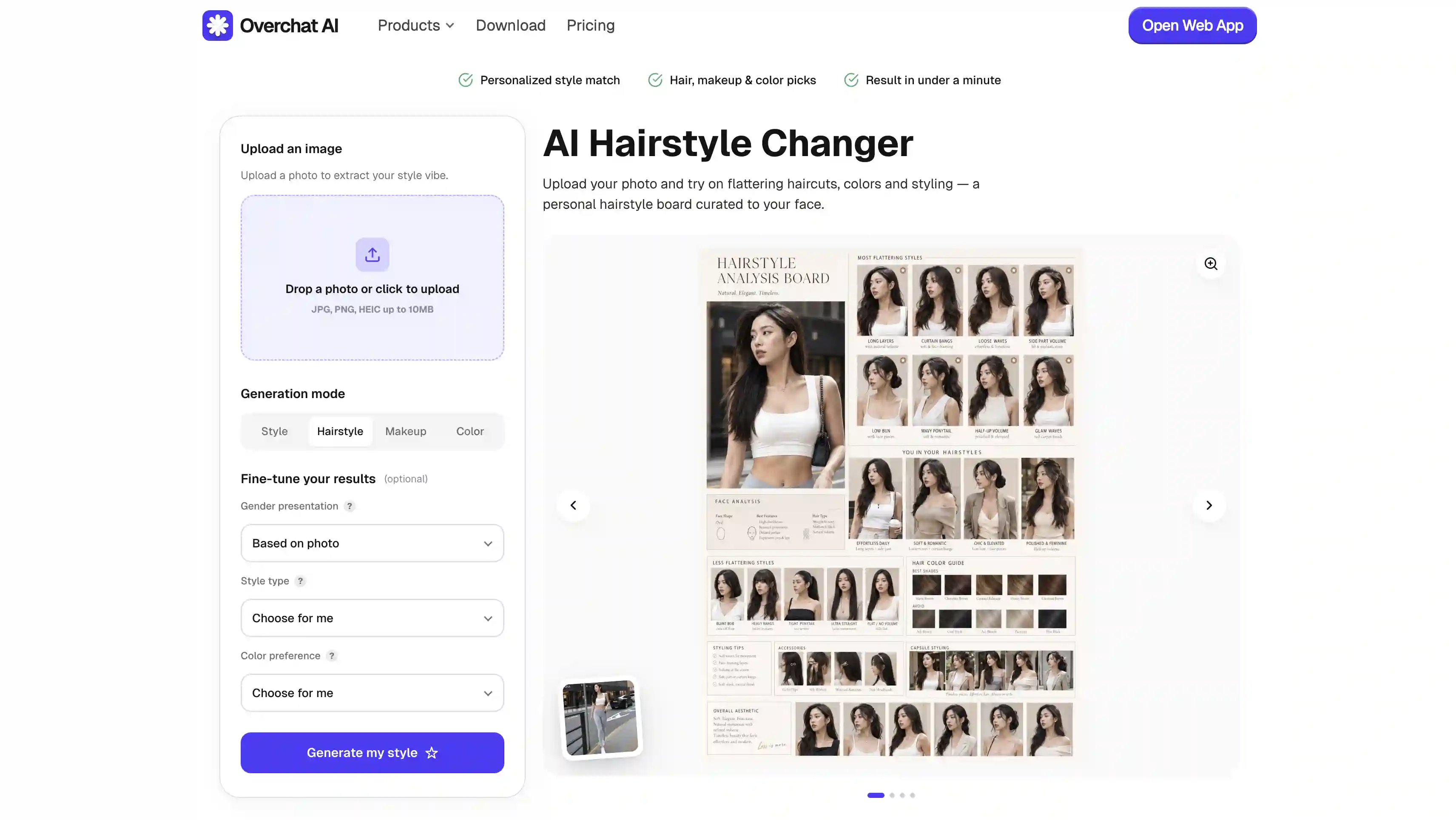
Overchat AI is the best AI hairstyle changer of 2026 — it generates a personalised mood board across hairstyle, color, makeup, and overall style, all from a single upload.
What Is an AI Hairstyle Changer?
Before we get into the tools, let's quickly talk about what AI hairstyle changers are.
An AI hairstyle changer is an online tool that takes a photo of you and shows what you'd look like with a different haircut — this is done using image to image technology, and AI generation models like Nano Banana, Nano Banana 2 or GPT Image 2.
The quality is generally very good and in the best tools it’s even photorealistic, although this depends heavily on the model being used. Cheaper models produce plasticky looking results (some Flux variants are not good at rendering skin, for example) while better models like Nano Banana 2 are photorealistic.
When choosing an AI hairstyle generator pay attention to the AI model used — this is the most important part of the tool. A better model not only creates better looking visuals but also better understands what different hairstyles look like.
Yes, modern AI image generation models have their own knowledge about the world, though their accuracy varies. Nano Banana variants from Google are generally very good, but the best AI model at the time of writing this is GPT Image 2.
Finally, when it comes to use cases, people typically use AI hairstyle changers to:
Preview a dramatic cut before a salon appointment
Test new hair colors without dyeing
Show a stylist exactly what they want
Plan a glow-up or content reel
5 of the Best AI Hairstyle Changers Compared
We tested over 12 AI hairstyle changers; here's how the top five compare at a glance.
This AI model not only generates images but has an internal reasoning mechanism, so it can suggest the best fitting hairstyles for you all while the generation is happening, and output a detailed style analysis board with different hairstyles, images, and explanations of why it suggested a specific look.
To use the tool is very simple — all you need to do is upload a selfie or photograph of yourself.
You can also fine-tune your ideal style type and color preference, or hand the choices off to the AI based on what your photo suggests. Generation takes under a minute.
Pros:
✅ Generates a full style board
✅ Fine-tune controls or fully automated mode
✅ Private by default
✅ Available on web, iOS, and Android
VisualGPT
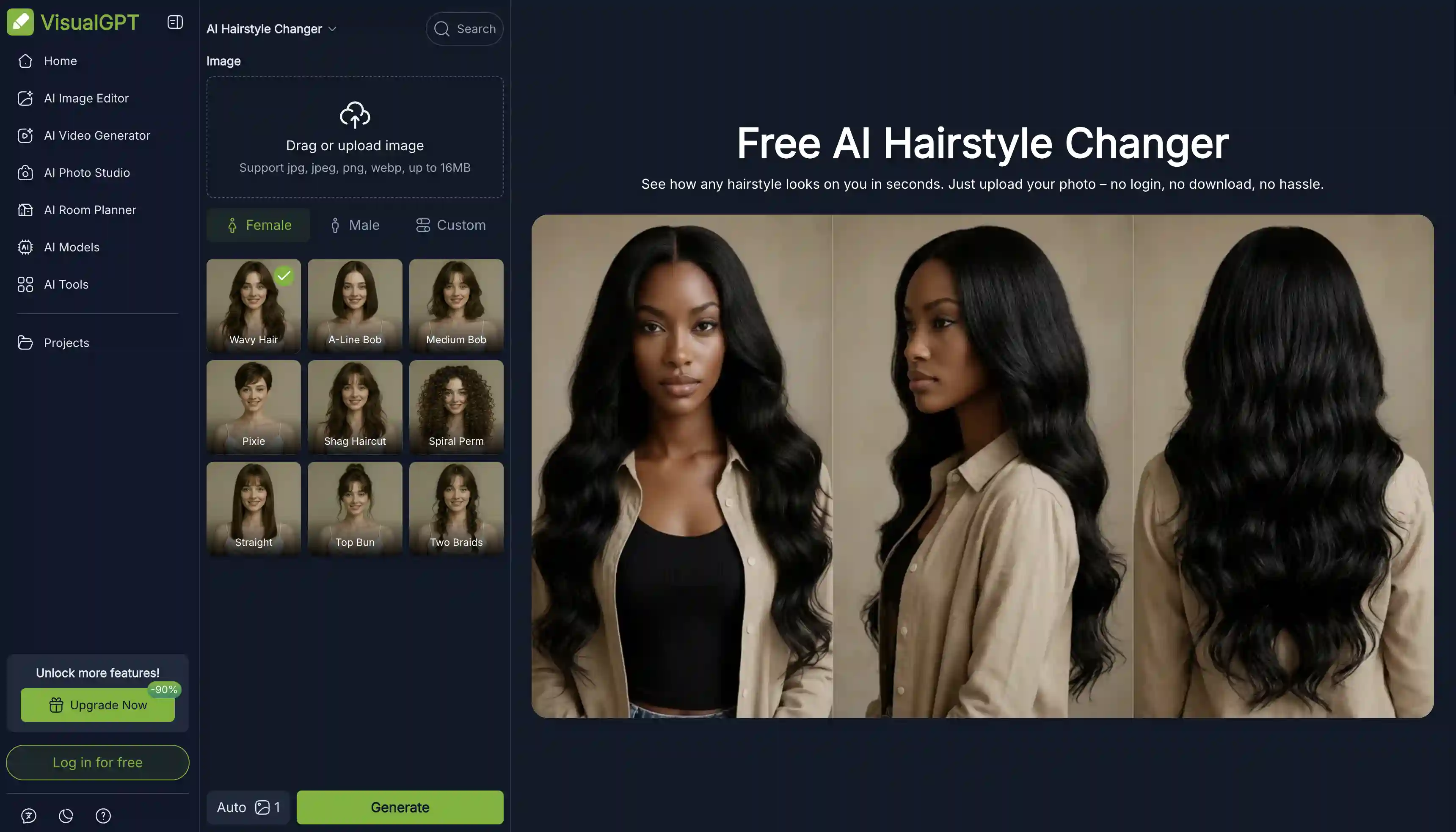
VisualGPT's AI hairstyle offers a small library of hairstyles you can try which includes Wavy Hair, A-Line Bob, Medium Bob, Pixie, Shag Haircut, Spiral Perm, Straight, Top Bun, and Two Braids.
You can switch between Female, Male, and Custom modes, and upload up to four photos at once for batch processing.
VisualGPT sits inside a broader image and video generation platform, so if you want to extend the experiment beyond hairstyles — try a new outfit, change the background, age your photo — those tools are one click away on the same account.
Pros:
✅ No signup required
✅ Up to 4 photos per session
✅ 16MB upload limit (generous compared to most)
Cons:
❌ Only 9 preset styles, no custom prompt option
❌ Photos may be processed alongside other AI tools on the platform
ImagineArt
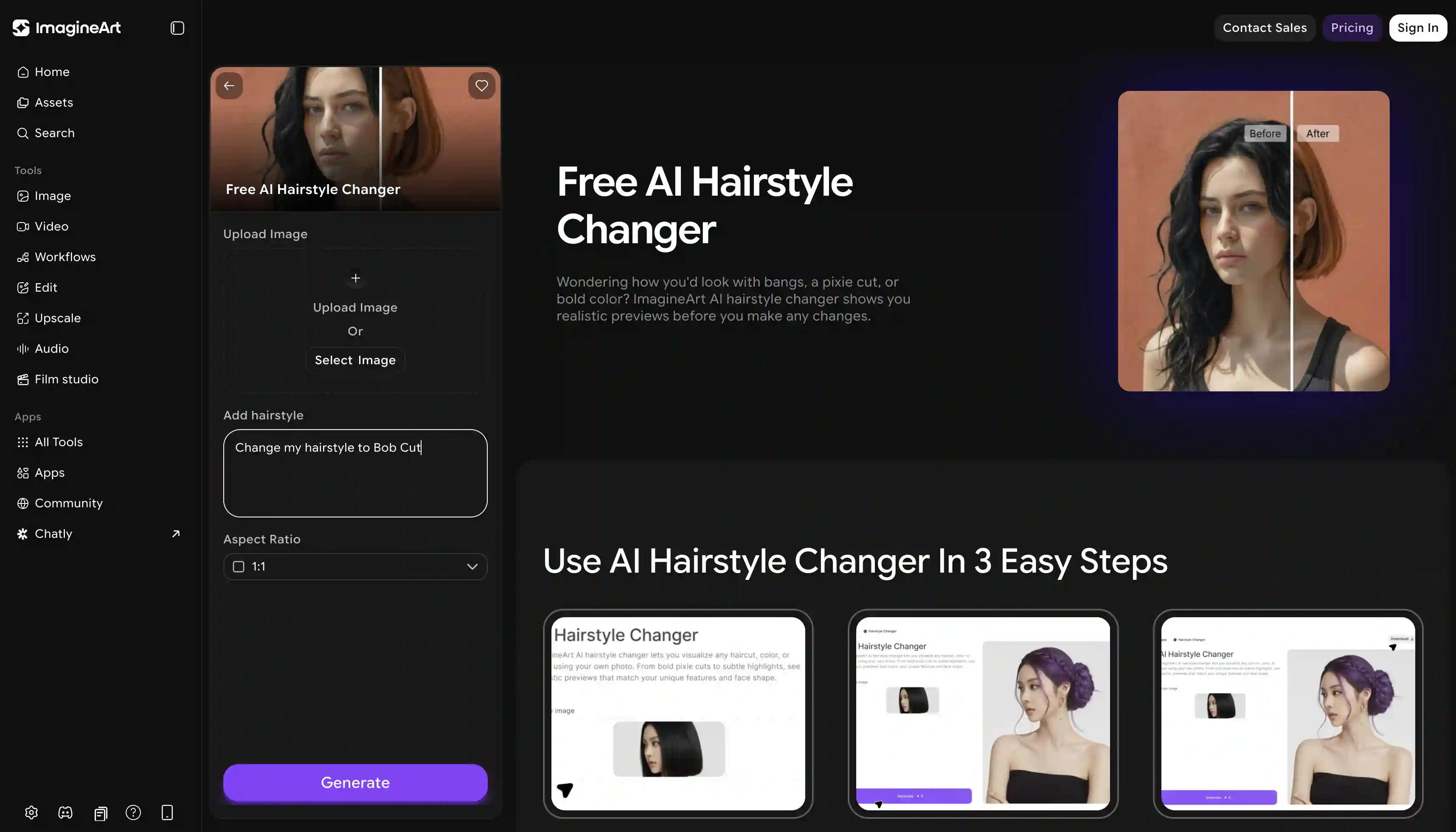
ImagineArt’s hairstyle changer is fully prompt-based, meaning that instead of picking a pre-defined hairstyle look you need to describe the haircut you want in natural language, and the AI generates it.
On the plus side this means that you can generate virtually any hairstyle — but it’s certainly more labour intensive and error prone — it’s easy to confuse the model and get a subpar result if your instructions aren’t clear. Also, the more detailed the prompt, the closer the result tracks what you imagined, but writing detailed AI prompts is an art in and of itself.
You get a small number of generations to test it; unlimited use is on the subscription plan, which also opens up the rest of the platform — image generation, video, AI editing, upscaling, and over a dozen other apps.
Pros:
✅ You can preview any hairstyle
✅ Hyper-realistic output
✅ Strong at men's haircuts (fades, crops, tapered styles)
Cons:
❌ Free tier is limited; full access requires a subscription
❌ It would be nice if the preset library was still included
PixelBin
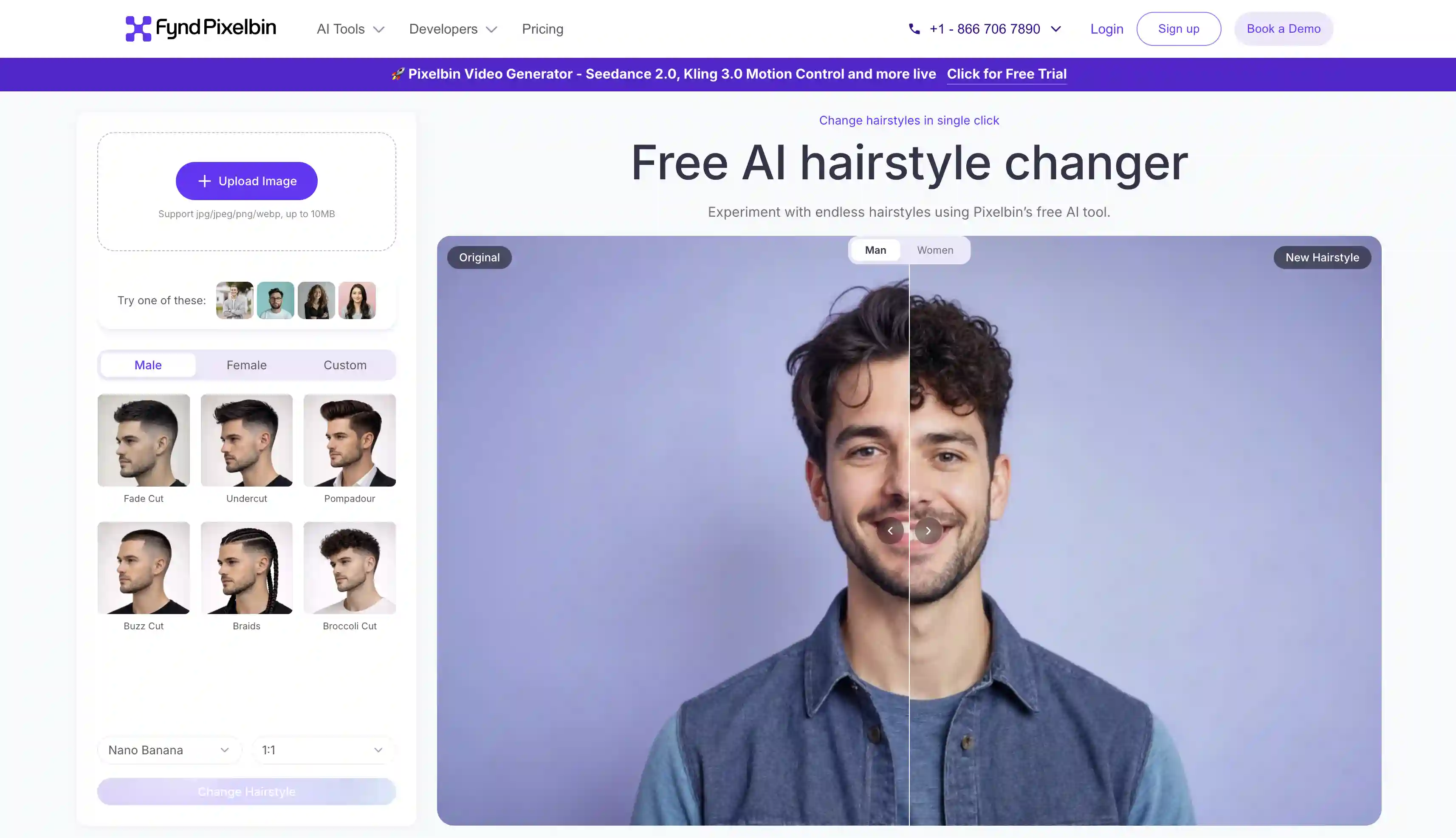
PixelBin's AI hairstyle changer uses the Nano Banana family of models — these are AI image generation models from Google DeepMind and they’re widely considered the best in the world.
Your free trial includes limited generations with the original Nano Banana — still a very competent model. Upgrade to Nano Banana Pro or Nano Banana 2 as part of a paid subscription — these, until the release of GPT Image 2, were the gold standard in AI imaging. On the free tier, you can get three generations without signing up, and three more per month after creating a free account.
However, do note that the original Nano Banana does have limitations, particularly around world knowledge and current trends — in our testing it sometimes replicated hairstyles very approximately, or sometimes got them wrong altogether — once we asked it to create a buzz cut and it generated something closer to a cropped fade, likely because the longer hair of the model confused it.
Pros:
✅ Three free generations without signup
✅ High-resolution, watermark-free output
Cons:
❌ Only 3 free uses per month after the initial trial
❌ Nano Banana is not the latest and greatest image model anymore
Fotor
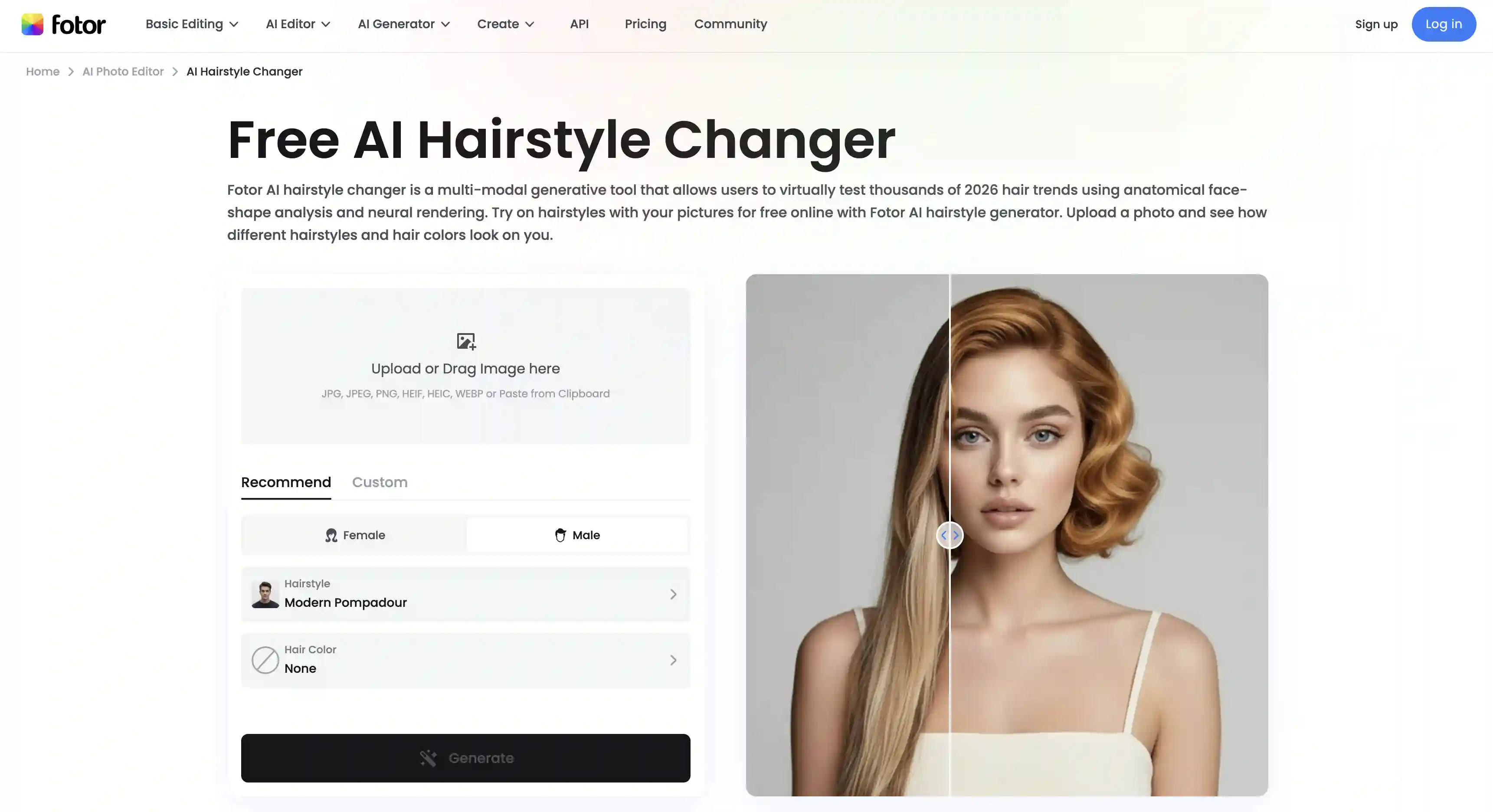
Fotor's AI hairstyle combines preset templates with prompt-based input, but its main differentiator is that it includes a library of 2026's hair trends — broccoli haircuts, low taper fades, modern mullets, curtain bangs.
To use this tool, you can either pick from trending 2026 templates or write your own prompt and the tool will visualize the look. In terms of being modern and on trend it shares the same strengths as Overchat AI, but Overchat AI still beats it due to using a more advanced image generation model — the GPT Image 2.5.
Pros:
✅ Knows about current 2026 hair trends
✅ Includes a skin undertone analysis for color recommendations
✅ Both preset and prompt-based input
✅ HD output
Cons:
❌ Limited free generations
❌ Sits inside a wider Fotor editor, which can feel dense if you only want hair changes
Frequently Asked Questions (FAQ)
What's the best AI hairstyle changer?
Overchat AI is the best AI hairstyle changer, because it knows about the latest hair trends and generates a detailed style analysis board with hairstyle recommendations. To do this, it uses the most advanced AI model available at the time of writing this article — the GPT Image 2.5.
Can AI show what a haircut will look like on me?
Yes, absolutely. For the best result, give the AI a front-facing, well-lit picture of yourself, and make sure the AI generator used in the tool is a higher quality model such as one of the Nano Banana variants, preferably Nano Banana 2 or Pro, or GPT Image 1.5 or later.
Is it safe to upload my photo to an AI hairstyle changer?
With reputable providers, yes — but read the privacy policy. Overchat AI is private by default and doesn't use your photos for training, for example. Some smaller tools may quietly recycle uploads as training data, so check before you upload sensitive photos.
Do these tools work for men?
Yes — every tool on this list supports men's hairstyles, from fades and crops to longer styles.
Bottom Line
We’ve looked at 5 of the best AI hairstyle changers currently on the market today. Here’s what to take away from this article.
Key takeaways:
AI hairstyle changers preview a new haircut on your photo using vision and generative AI, so you can decide before you cut.
The latest trend in AI style analysis is generating full-fledged mood boards with different options — only Overchat AI does this out of the tools we’ve reviewed here.
Most tools either have a preset library where you can pick a hairstyle from a limited number of options, a prompt-based dialogue box where you can ask to preview a specific hairstyle, or both.
Overchat AI is the strongest option in 2026 because it generates a complete personalised style board across hair, color, makeup, and style — not just a single haircut on your photo.