Visualize how different AI models solve the same coding task.
Task
Models
0/60
Format
Stats
ExampleRunning 0:00Done 0:00
Compare GPT, Claude, Gemini and Grok side by side
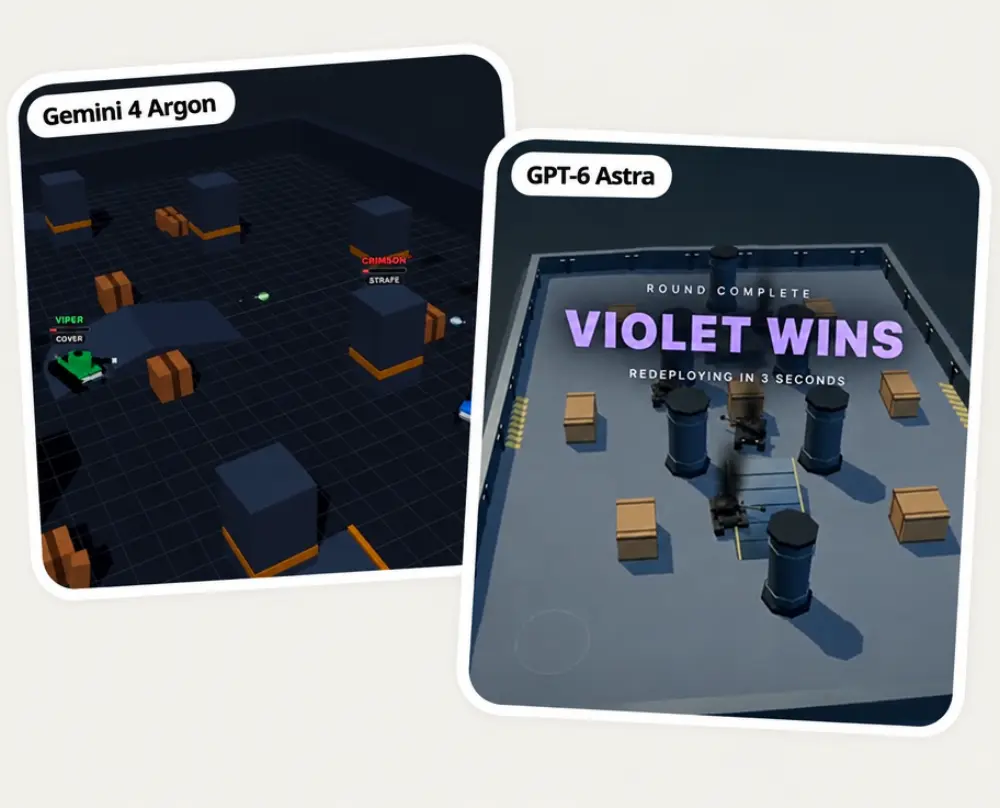
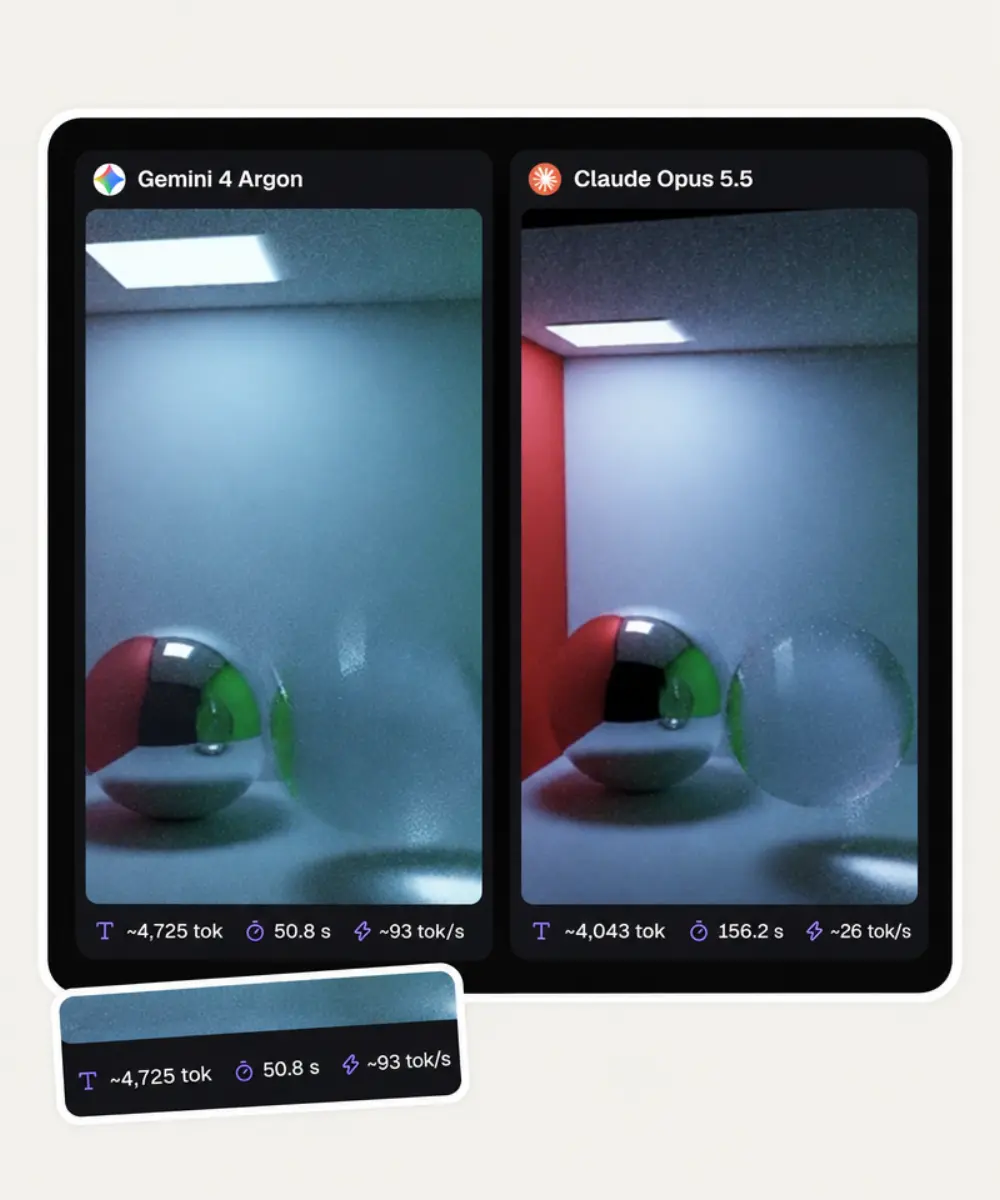
Choose two, three or four of the 20+ models in Overchat AI. Every model gets the same prompt, and the pages they build run next to each other.
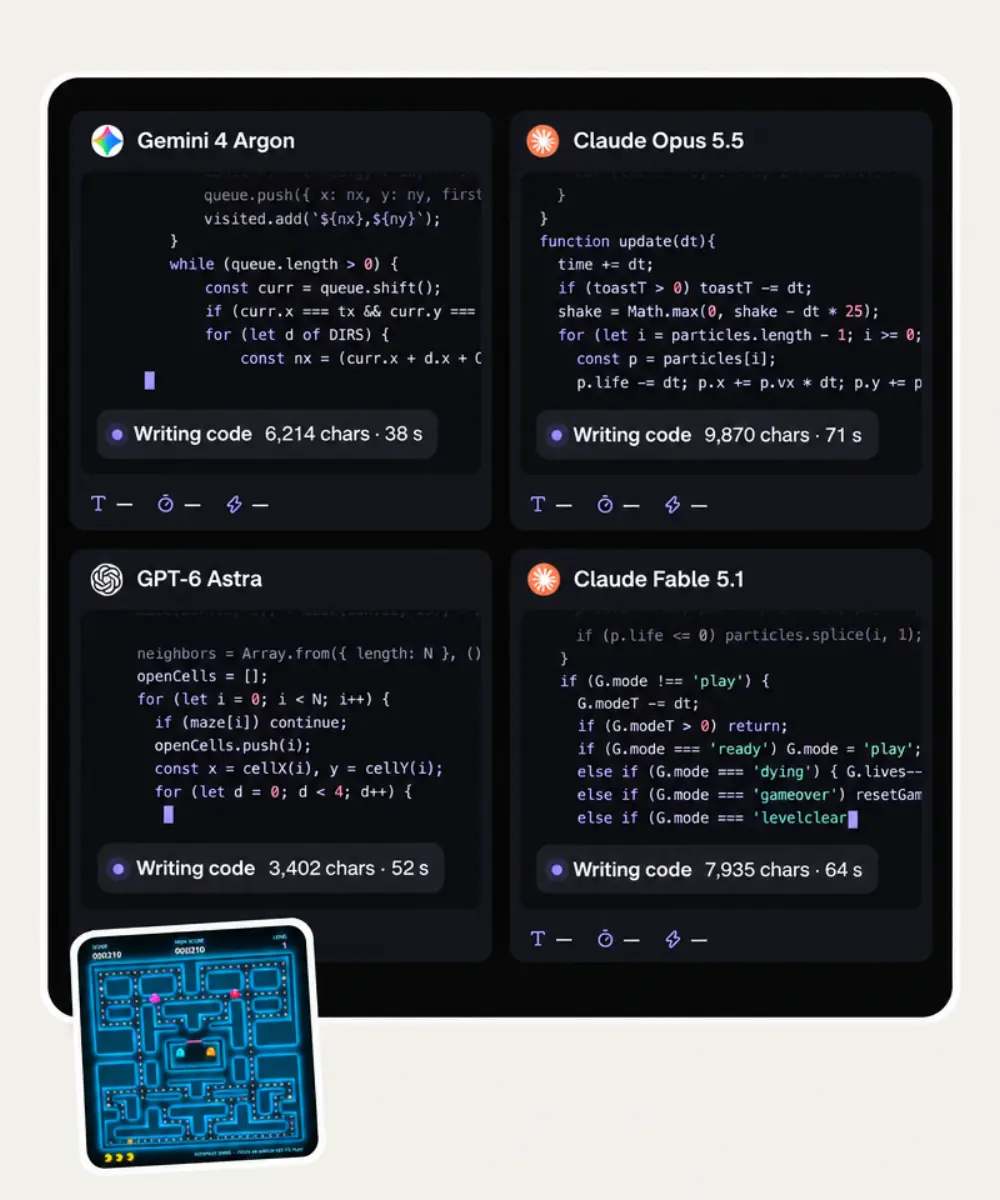
Watch each AI model write its code live
While the models work, every panel streams its code with a character count and a timer. When the code is finished, the page launches in the same panel.
Record in 1:1, 16:9 or 9:16
Choose a square, wide or vertical frame and add a title of up to 60 characters. Fullscreen shows only the arena on black, ready for your screen recorder.
Tokens, time and speed for every model
Under each result you see how many tokens the model used, how long it took and how many tokens per second it produced. Turn any of the three off before you record.
How to compare AI models side by side
1
Pick a task
Choose one of nine ready tasks, from Black hole flyby to Racing game, or pick Custom task and describe the page you want.
2
Choose the models
Set the count to 2, 3 or 4, then pick a model for each slot from the list.
3
Set the title, format and stats
Add a title if you want one, choose 1:1, 16:9 or 9:16 and keep the stats you want on screen: tokens, time and tokens per second.
4
Click Compare models
GPT-6 Luna and Gemini 3.8 Flash write their pages right here, and each page starts in its panel. Other models open in Overchat AI chat with your task after you sign in. Click Fullscreen to record your screen.
Who uses the AI model arena
🎬
Make AI comparison videos
Put four models on one task, open Fullscreen and record a split-screen clip for TikTok, Reels or YouTube Shorts.
💻
Pick a coding model before you pay for it
See which model writes code that runs on the first try and which one breaks on the same prompt.
🧪
Test a new model on release day
When a new version comes out, run it against the model you already use on a task you know well.
🎓
Show students how language models differ
Run one prompt live in class and let the four results show how each model reads the same instruction.
📰
Illustrate a post about AI models
Capture real outputs for a review, a newsletter or a launch post about a new model.
🤝
Settle a team debate about AI tools
A side-by-side run on your own task gives everyone on the team the same evidence before you choose an assistant.
What people say about Overchat AI
★★★★★
I've started to use overchat last week and it feels very promising. Lots of AI models in one place saves a lot of money in comparison if you buy subscriptions for each one.
Georgy P
Armenia · Trustpilot, 14 Jul 2026
★★★★★
im really into ai apps and that one is good, helps me with my arts and homework. i draw ai vids for inst and generate images with my characters, many widgets and models! like it
Rita Semenova
Germany · Trustpilot, 14 Aug 2026
★★★★★
I like how it keeps everything organized. One subscription is enough for all major AI models, which helps me avoid paying for multiple platforms.
Staria Quinn
United States · Trustpilot, 16 Nov 2025
★★★★★
Affordable and simple to use. I like that I don't have to pay for several different services anymore.
Dylan Thompson
United States · Trustpilot, 28 Oct 2025
★★★★★
Good and easy to use
Kanan Safarli
United Kingdom · Trustpilot, 23 Jul 2026
★★★★★
It's a nice place to be. I love it
Fabiyi Oluwakemi Phillips
Nigeria · Trustpilot, 23 Jul 2026
FAQ
What is an AI model arena?
An AI model arena gives several AI models the same task and shows their results next to each other. In Overchat AI, the task is a self-contained web page, so you compare working results: animations, games and simulations that each model coded on its own.
How is this different from LMArena?
Arena (formerly LMArena and Chatbot Arena) shows answers from two anonymous models, asks you to vote for the better one and ranks models on a public leaderboard. The Overchat AI arena shows model names from the start, runs the pages each model built and keeps no leaderboard. It is made for watching and recording a comparison on a task you choose.
How do I compare AI models side by side?
Pick a task, choose two to four models and click Compare models. Give every model the same prompt, and run more than one task before you decide, because a model that wins one task can lose the next.
Which AI model is best for coding web pages?
The answer changes with every release, and leaderboards disagree. In September 2026, LLM Stats ranked GPT-6 Astra first for web development, while OpenAI and Anthropic models traded the top spot on the Arena web development leaderboard. Run your own task in the arena to see which model handles it best.
Which AI models can I compare?
More than 20 models from OpenAI, Anthropic, Google, xAI, Meta, Qwen, DeepSeek, Moonshot, Z.ai and MiniMax, including GPT-6 Sol, GPT-6 Astra, Claude Opus 5.5, Claude Fable 5.1, Gemini 4 Argon, Grok 4.7, DeepSeek V4 Pro, Qwen 3.8 Max, Kimi K3 and GLM 5.3.
Is the AI Model Arena free?
Yes, for two models. GPT-6 Luna and Gemini 3.8 Flash run on this page for free, without signing in. The other models, such as Claude Opus 5.5 or Gemini 4 Argon, open in Overchat AI chat with your task after you sign in with Google or Apple, and they need a paid plan.
Can I download the comparison as a video?
The arena does not export video files. Click Fullscreen, which leaves only the arena on a black screen, and record it with your screen recorder, such as Screenshot on a Mac, the Snipping Tool on Windows or the built-in screen recorder on your phone.
Why does a model show Task failed?
A panel shows Task failed when the model returns no complete HTML code, or when its page throws an error or does not load within 20 seconds. Run the same task again or pick another model for that slot.
{
"@context": "https://schema.org",
"@graph": [
{
"@type": "WebApplication",
"@id": "https://overchat.ai/ai-tools/ai-model-arena#app",
"name": "AI Model Arena",
"url": "https://overchat.ai/ai-tools/ai-model-arena",
"description": "Compare AI models side by side on one coding task. Pick 2 to 4 models, watch each one build a working web page and record the result for your video.",
"applicationCategory": "DeveloperApplication",
"operatingSystem": "Web",
"browserRequirements": "Requires JavaScript",
"offers": {
"@type": "Offer",
"price": "0",
"priceCurrency": "USD",
"availability": "https://schema.org/InStock",
"url": "https://overchat.ai/ai-tools/ai-model-arena"
},
"publisher": {
"@type": "Organization",
"name": "Overchat AI",
"url": "https://overchat.ai/"
},
"image": "https://cdn.prod.website-files.com/673728fe79d73c09073776cb/6ad7c557e46d3d35ff5622b3_ai-model-arena-hero.webp"
},
{
"@type": "BreadcrumbList",
"itemListElement": [
{
"@type": "ListItem",
"position": 1,
"name": "Home",
"item": "https://overchat.ai/"
},
{
"@type": "ListItem",
"position": 2,
"name": "Chat",
"item": "https://overchat.ai/chat"
},
{
"@type": "ListItem",
"position": 3,
"name": "AI Model Arena",
"item": "https://overchat.ai/ai-tools/ai-model-arena"
}
]
},
{
"@type": "FAQPage",
"mainEntity": [
{
"@type": "Question",
"name": "What is an AI model arena?",
"acceptedAnswer": {
"@type": "Answer",
"text": "An AI model arena gives several AI models the same task and shows their results next to each other. In Overchat AI, the task is a self-contained web page, so you compare working results: animations, games and simulations that each model coded on its own."
}
},
{
"@type": "Question",
"name": "How is this different from LMArena?",
"acceptedAnswer": {
"@type": "Answer",
"text": "Arena (formerly LMArena and Chatbot Arena) shows answers from two anonymous models, asks you to vote for the better one and ranks models on a public leaderboard. The Overchat AI arena shows model names from the start, runs the pages each model built and keeps no leaderboard. It is made for watching and recording a comparison on a task you choose."
}
},
{
"@type": "Question",
"name": "How do I compare AI models side by side?",
"acceptedAnswer": {
"@type": "Answer",
"text": "Pick a task, choose two to four models and click Compare models. Give every model the same prompt, and run more than one task before you decide, because a model that wins one task can lose the next."
}
},
{
"@type": "Question",
"name": "Which AI model is best for coding web pages?",
"acceptedAnswer": {
"@type": "Answer",
"text": "The answer changes with every release, and leaderboards disagree. In September 2026, LLM Stats ranked GPT-6 Astra first for web development, while OpenAI and Anthropic models traded the top spot on the Arena web development leaderboard. Run your own task in the arena to see which model handles it best."
}
},
{
"@type": "Question",
"name": "Which AI models can I compare?",
"acceptedAnswer": {
"@type": "Answer",
"text": "More than 20 models from OpenAI, Anthropic, Google, xAI, Meta, Qwen, DeepSeek, Moonshot, Z.ai and MiniMax, including GPT-6 Sol, GPT-6 Astra, Claude Opus 5.5, Claude Fable 5.1, Gemini 4 Argon, Grok 4.7, DeepSeek V4 Pro, Qwen 3.8 Max, Kimi K3 and GLM 5.3."
}
},
{
"@type": "Question",
"name": "Is the AI Model Arena free?",
"acceptedAnswer": {
"@type": "Answer",
"text": "Yes, for two models. GPT-6 Luna and Gemini 3.8 Flash run on this page for free, without signing in. The other models, such as Claude Opus 5.5 or Gemini 4 Argon, open in Overchat AI chat with your task after you sign in with Google or Apple, and they need a paid plan."
}
},
{
"@type": "Question",
"name": "Can I download the comparison as a video?",
"acceptedAnswer": {
"@type": "Answer",
"text": "The arena does not export video files. Click Fullscreen, which leaves only the arena on a black screen, and record it with your screen recorder, such as Screenshot on a Mac, the Snipping Tool on Windows or the built-in screen recorder on your phone."
}
},
{
"@type": "Question",
"name": "Why does a model show Task failed?",
"acceptedAnswer": {
"@type": "Answer",
"text": "A panel shows Task failed when the model returns no complete HTML code, or when its page throws an error or does not load within 20 seconds. Run the same task again or pick another model for that slot."
}
}
]
}
]
}



.webp)