We test GPT Image 2.5 against GPT Image 2 on 15 side-by-side tests that cover identity preservation, multi-reference composition, sequential editing, style control, typography, diagrams, UI mockups, website design, and concept art. GPT Image 2.5 showed a noticeable improvement in artistry, composition, and ability to generate complex dense compositions, as well as generation speed as GPT Image 2 took 160 seconds per generation on average, while GPT 2.5 Flare only took 30 seconds.
Both models received the same prompt, the same input images where applicable, the same target aspect ratio, and the same high-quality setting. We used GPT Image 2.5 Flare, which we will call GPT Image 2.5 for simplicity.
Photo editing
Dressing a corgi as an astronaut
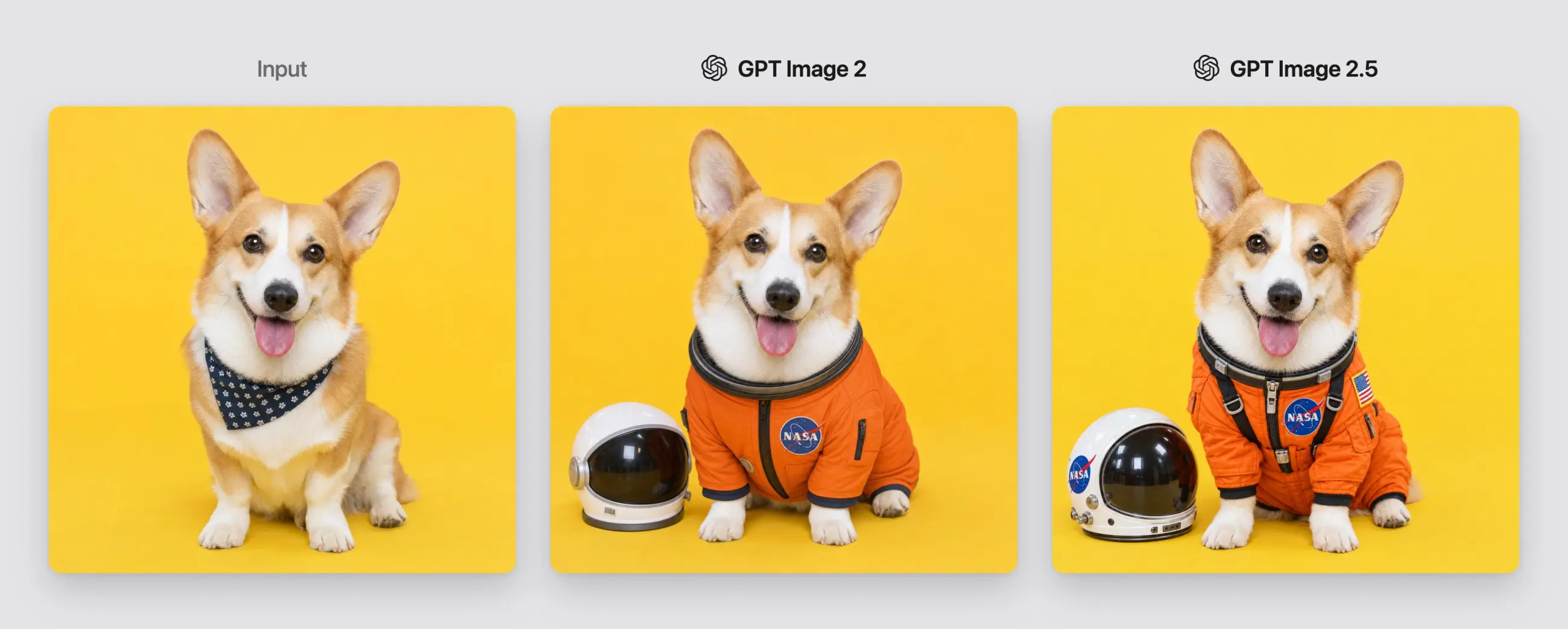
Given an input picture of a corgi, we asked the model to dress the corgi in an orange astronaut suit, place a white helmet beside it, and preserve the dog, pose, expression, yellow background, and lighting.
Corgi astronaut edit: GPT Image 2 vs GPT Image 2.5
Neither model had trouble with prompt following or likeness preservation; however, looking at the details, the GPT Image 2.5 image exhibits more interesting contextual secondary and tertiary details (the straps, the NASA logo on the helmet, a more detailed reflection in the helmet visor), making it much more interesting to look at.
Winner: GPT Image 2.5
Turning a casual selfie into a corporate headshot
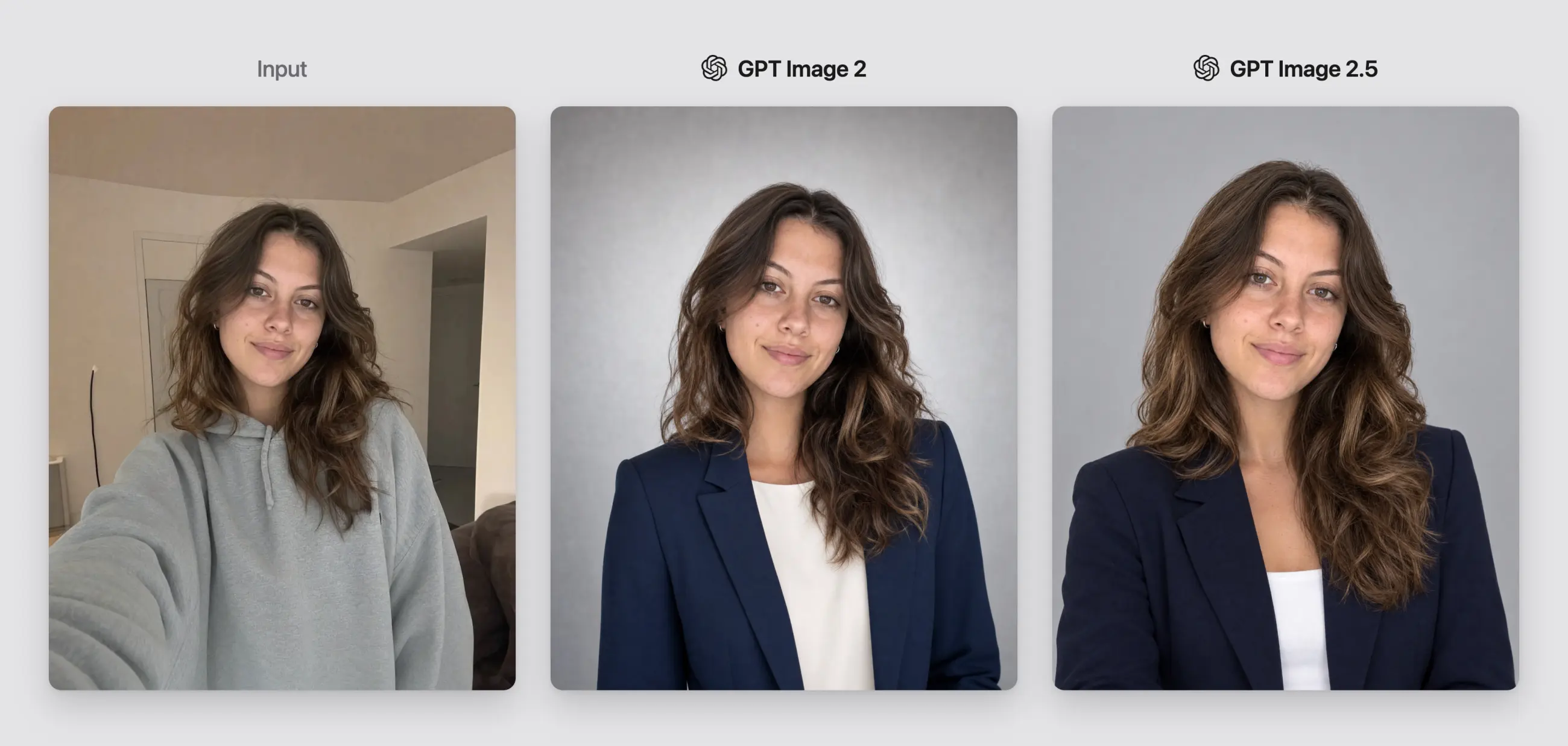
We asked both models to turn a casual selfie into a professional headshot without changing the subject. Neither model struggled here, so this test is a tie.
Casual selfie turned into a corporate headshot
Winner: tie
Combining three people into one party photo
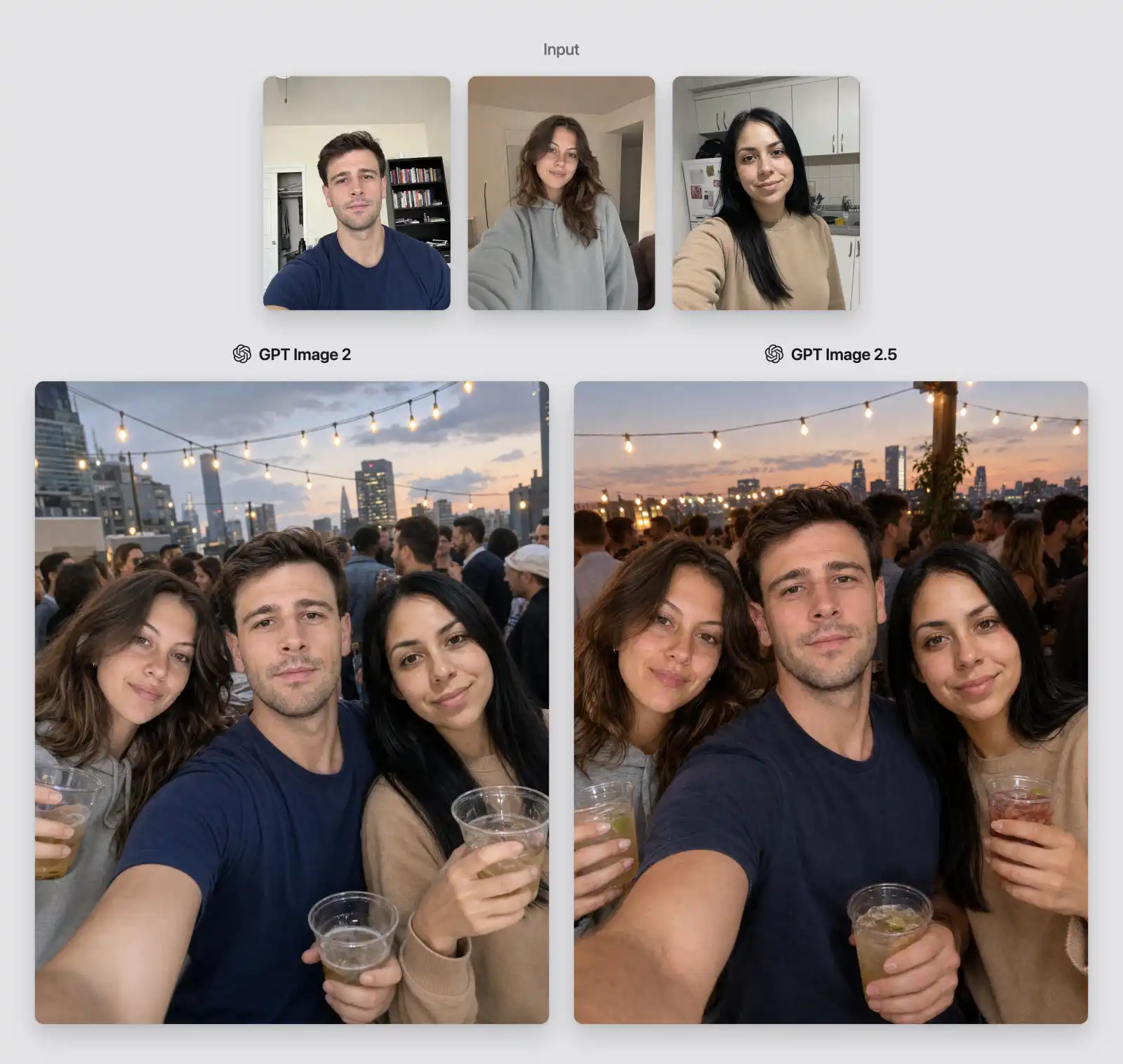
The multi-reference test asked the models to combine three people from separate selfies into a single candid rooftop birthday photograph.
Three separate selfies combined into one rooftop party photo
Both models completed the task without details, but the GPT Image 2.5 added more micro details that make the scene believable — notice the ice in the drinks, and the warmer lighting.
Winner: GPT Image 2.5
Multi-step editing
Changing an outfit, then moving the subject to Paris
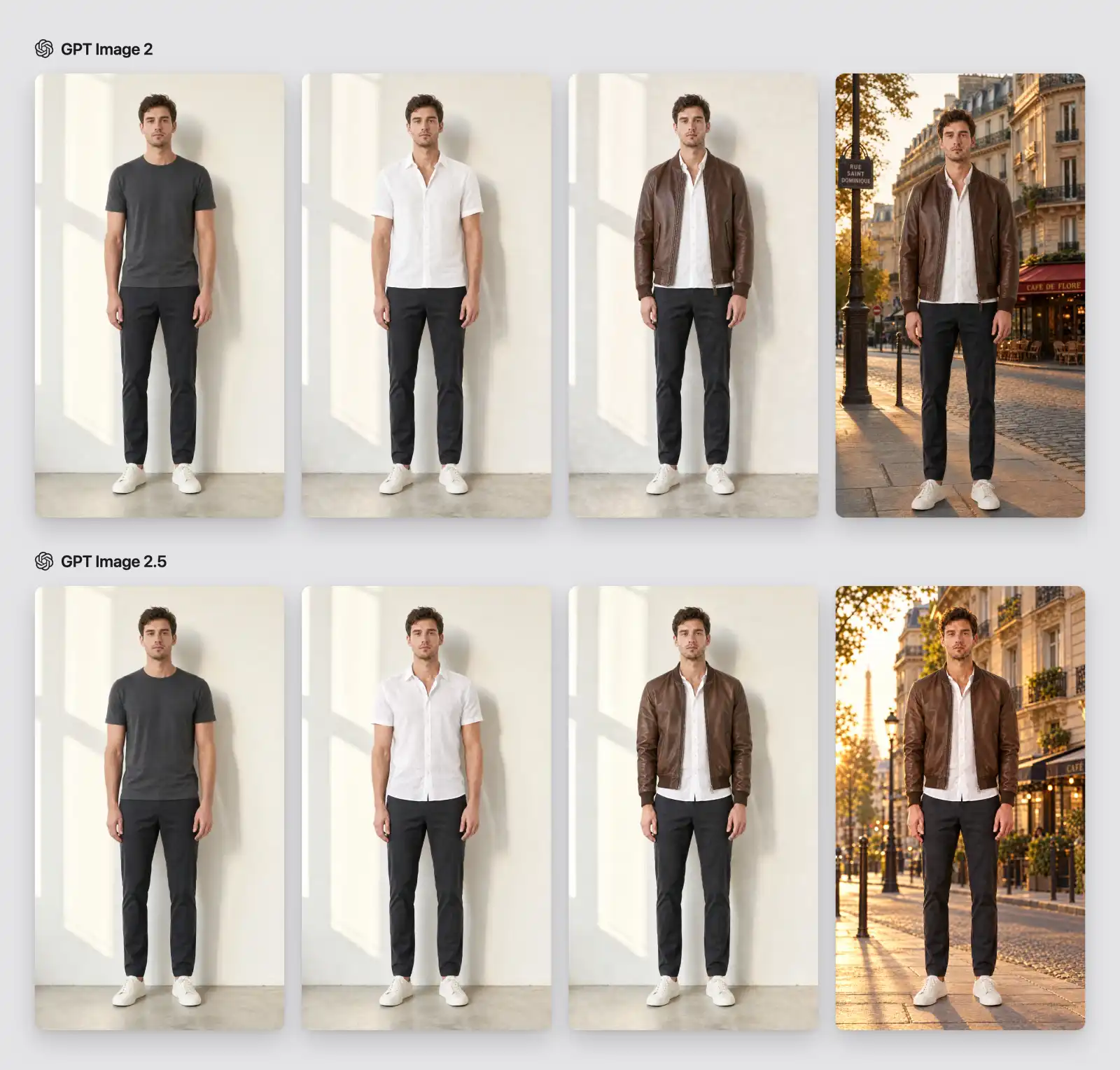
Our first edit chain began with a full-body studio photograph.
A three-step outfit and background edit chain
Step one replaced a dark T-shirt with a white linen shirt.
Step two added an unzipped brown leather bomber jacket.
Step three replaced the studio with a Paris street at golden hour.
At every stage, the face, hair, pose, trousers, and sneakers were supposed to remain unchanged.
Both models complete all three edits without any issues, no visible improvement here.
Winner: Tie
Changing three candles to seven, then adding exact text
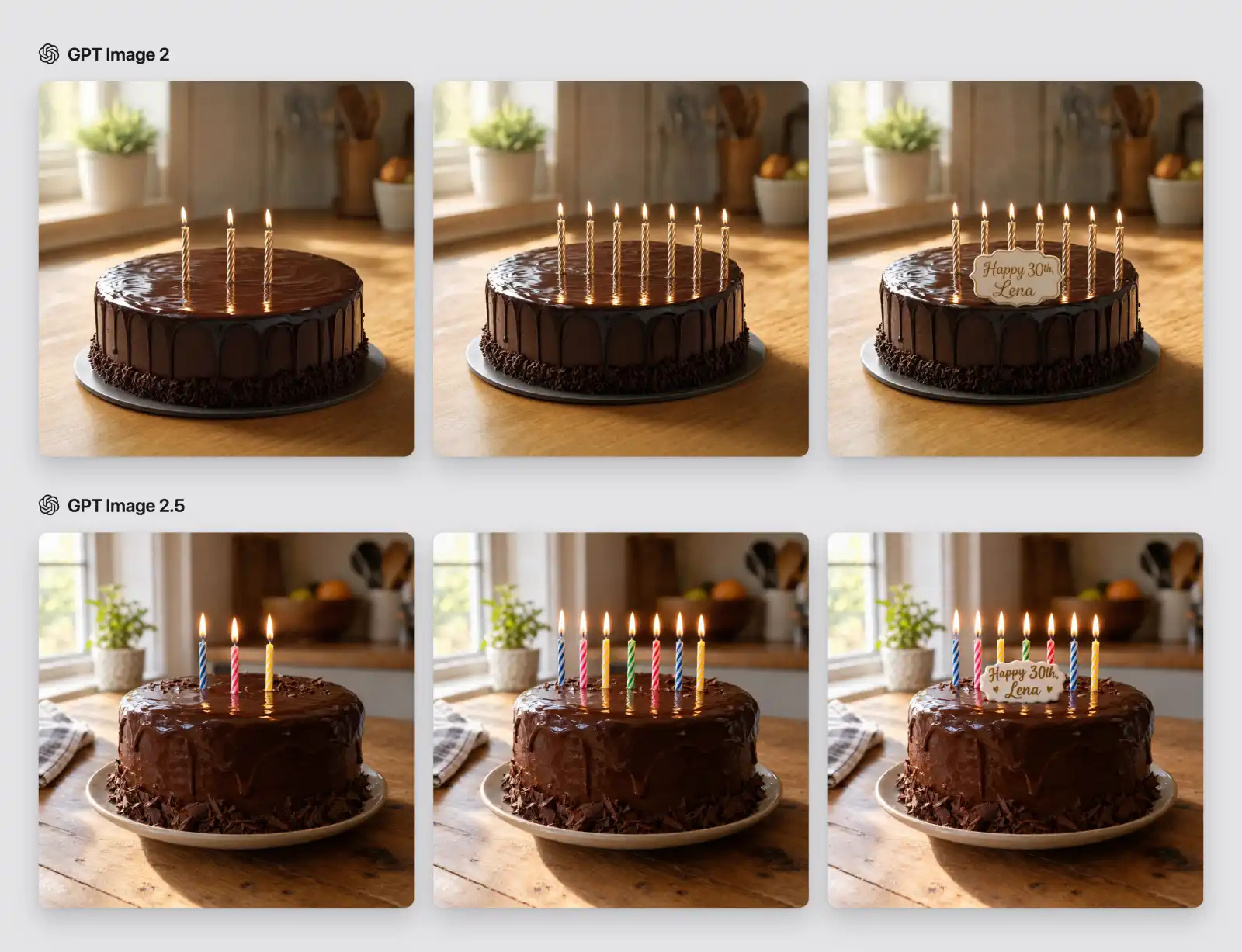
The birthday-cake chain isolates two classic failure points: counting and localized edits. Both models first generated a chocolate cake with exactly three lit candles. We then asked for exactly seven candles with nothing else changed, followed by a small white topper reading “Happy 30th, Lena” in gold script.
Three candles to seven, then an exact-text cake topper
Both models completed the test without fail and didn't miscount. Artistically, the GPT Image 2.5 version looks more detailed and interesting, in our opinions, but judging strictly on accuracy, this is a tie.
Winner: Tie
Style control
One rainy café in four styles
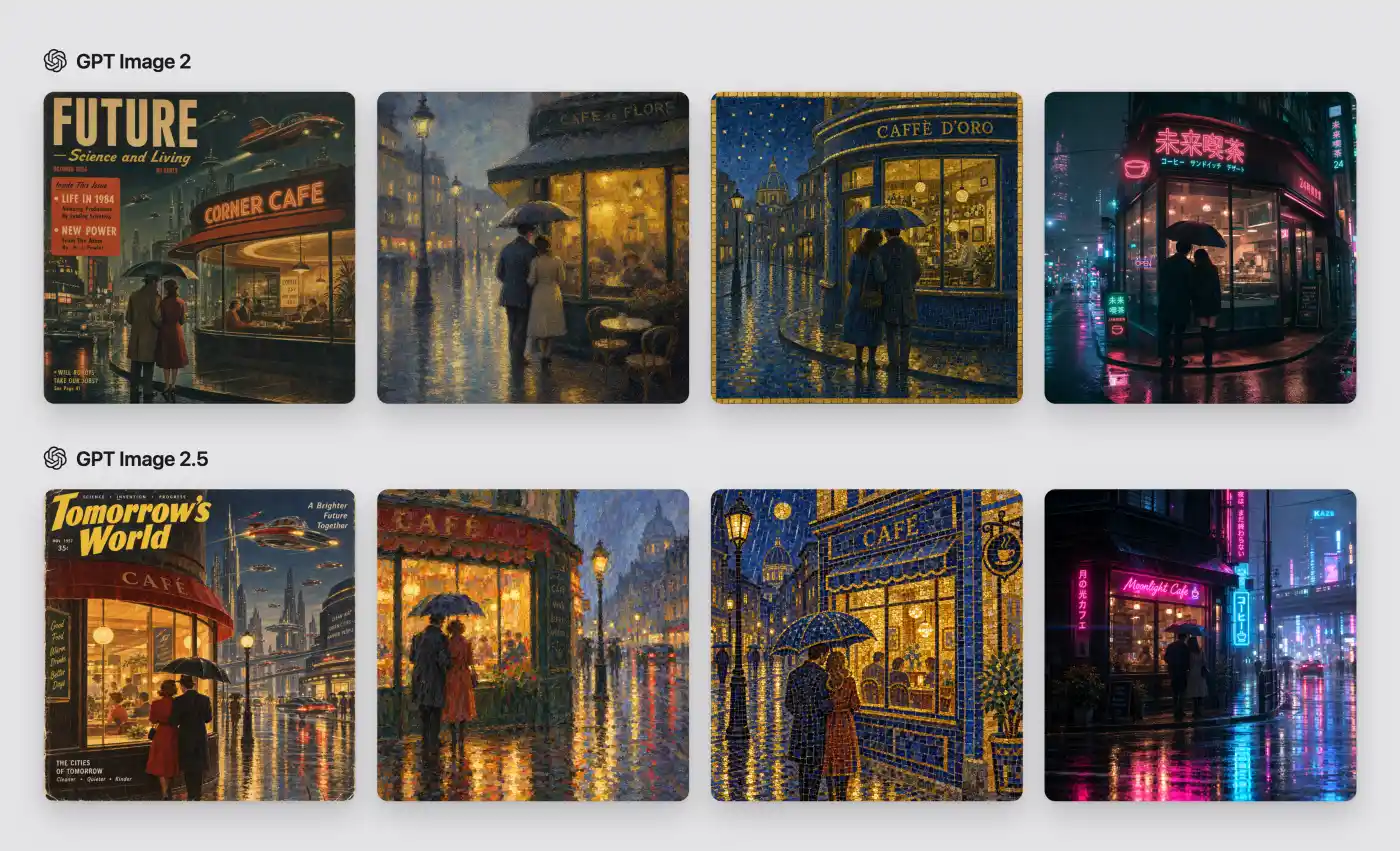
We gave both models the same scene — a corner café on a rainy city street at night — and requested to render it in four styles:
The same rainy corner cafe rendered in four styles
A 1950s retro-futurist magazine cover
An impressionist oil painting
A blue-and-gold tile mosaic
A cinematic cyberpunk photograph.
This is where we see GPT Image 2.5 pull ahead significantly — its artistic interpretation of each style is much more faithful, and each style looks more distinct. In the hand painted version you can clearly see brushstrokes, while the mosaic reads like an actual mosaic. The colors are more vivid and poppy. Also, the model chose more interesting fonts for typography.
Winner: GPT Image 2.5
Interpreting four famous artistic traditions
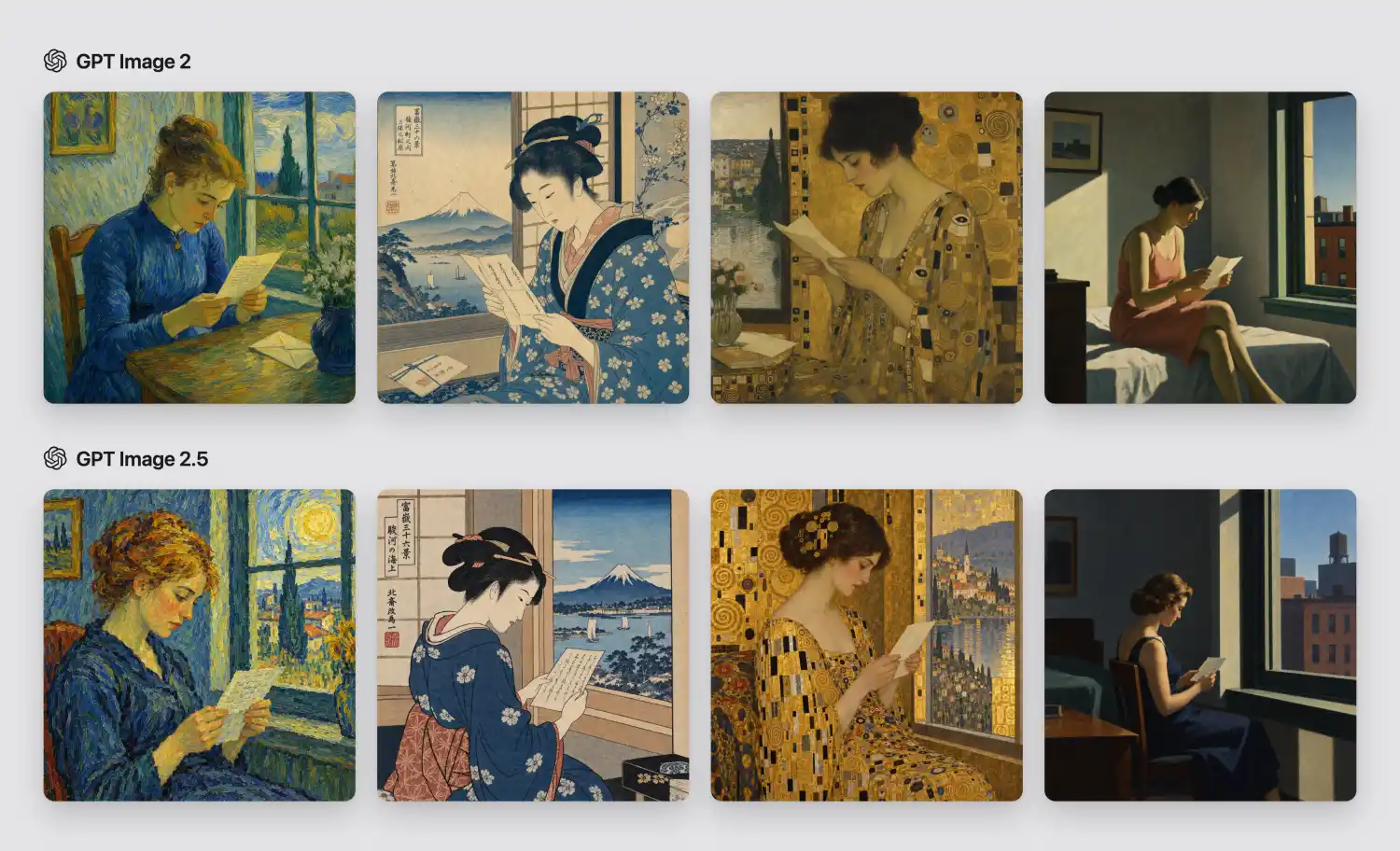
The next board asked for the same subject, a young woman reading a letter by a window, through four well-known visual traditions associated with Vincent van Gogh, Katsushika Hokusai, Gustav Klimt, and Edward Hopper.
A woman reading a letter in four famous artistic traditions
In GPT Image 2 attempts, you can guess the painter's style, but parts of the image, especially faces, read as generic AI generated style. GPT 2.5, however, almost looks like a real artwork by that painter.
Winner: GPT Image 2.5
One product scene in four rendering techniques
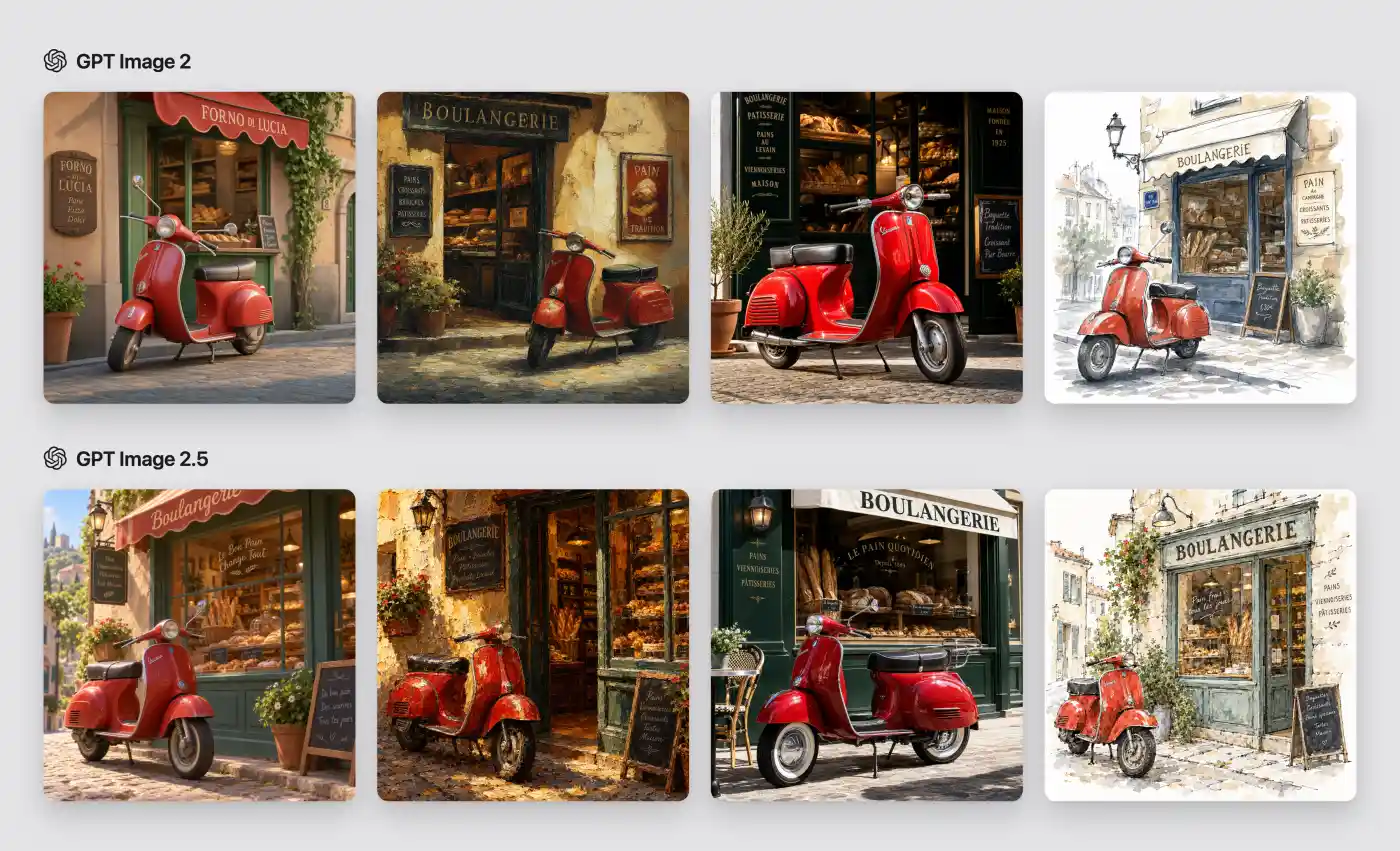
To separate style knowledge from scene complexity, we also used a simple red scooter outside a bakery and supplied only compact technique cues: stylized 3D, thick impasto, glossy editorial product photography, and watercolor with ink.
One red scooter scene in four rendering techniques
Again, GPT Image 2.5 creates the clearer spread. Materials change more decisively from frame to frame: lacquer and chrome look engineered in the editorial image, the oil version carries visible physical paint, and the watercolor leaves convincing paper and loose edges.
Winner: GPT Image 2.5
Text and layout
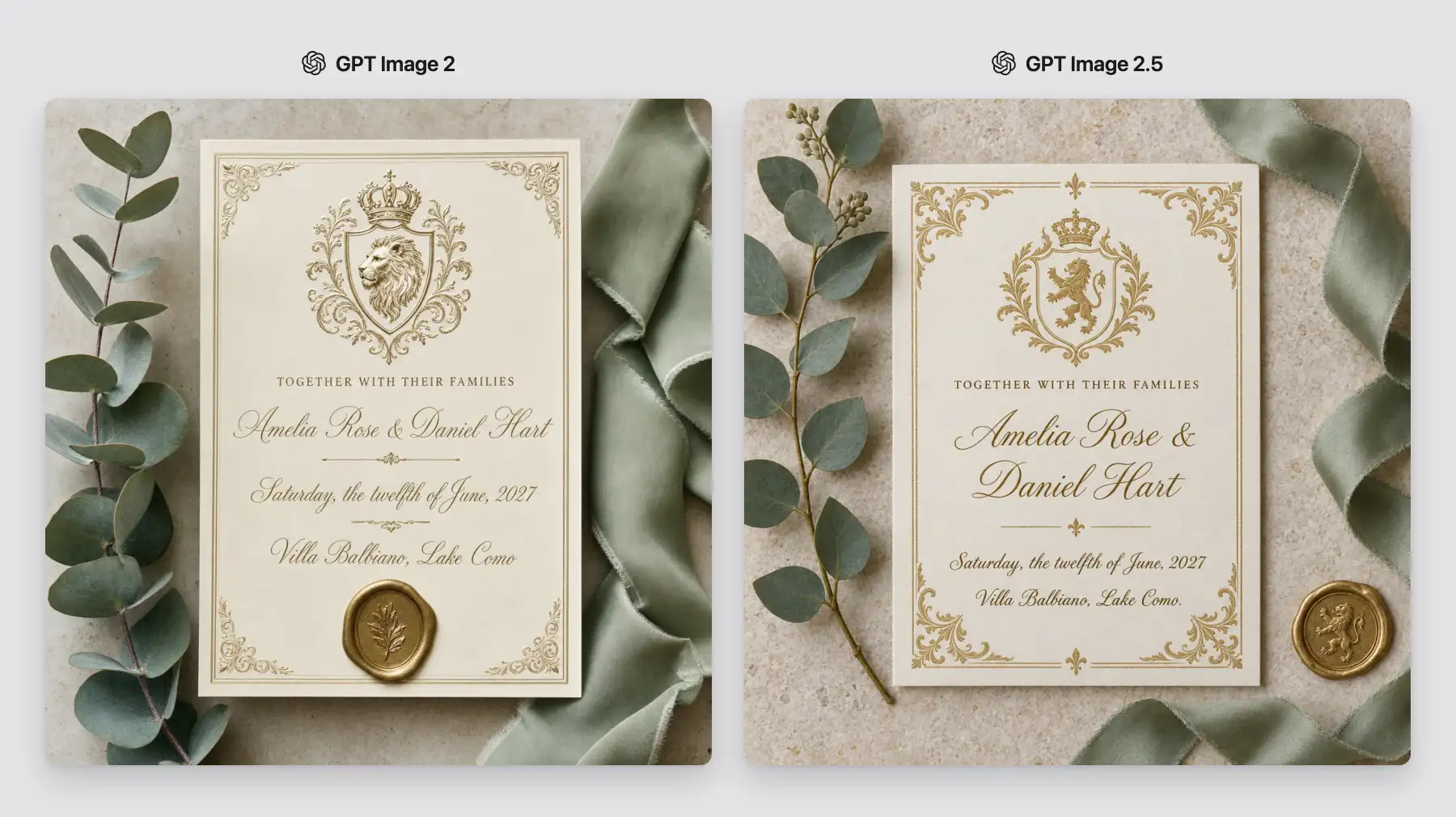
A wedding invitation
Neither model had any trouble with text, but GPT Image 2.5 uses a slightly airier composition and the overall image looks more polished and pleasing to look at. But as far as text rendering accuracy goes, this is a tie.
A cream-and-gold wedding invitation with exact names and dates
Winner: Tie
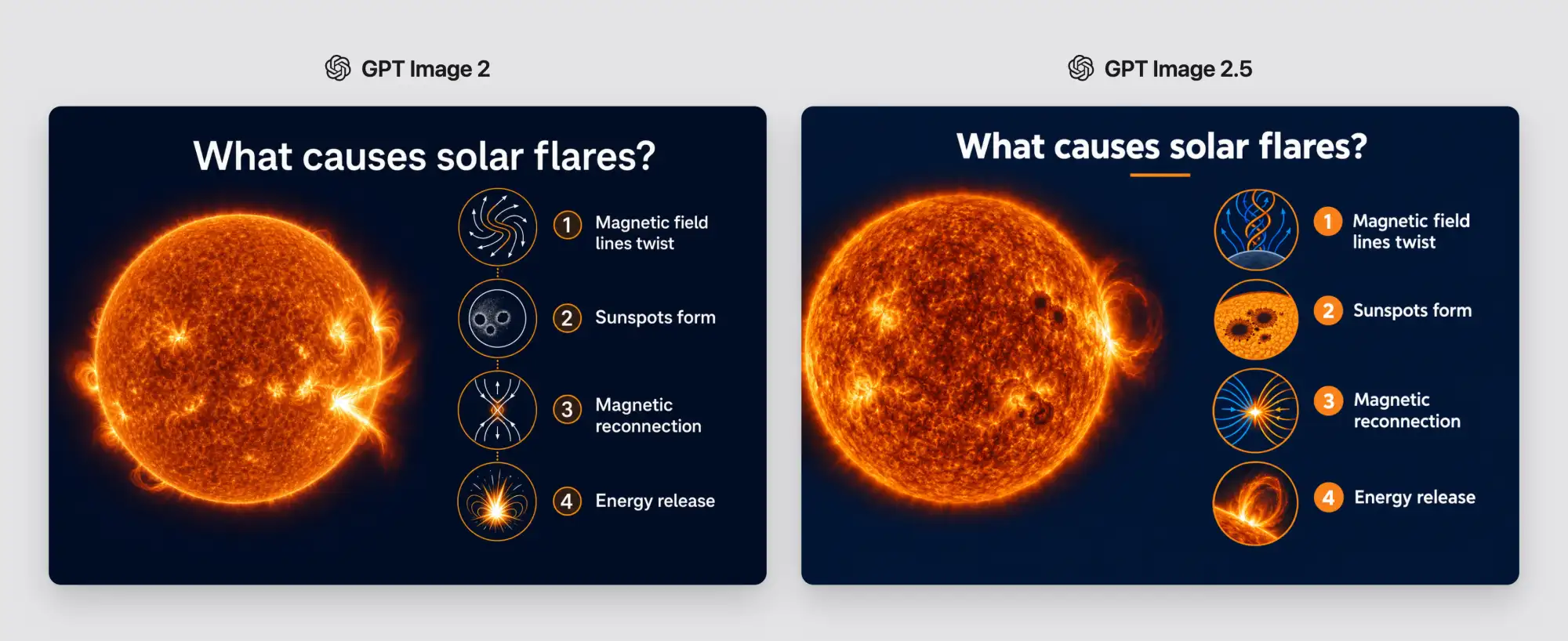
A four-step explainer slide about solar flares
The presentation test combined world knowledge with layout. The slide needed a title, a large image of the Sun, and four ordered steps: magnetic field lines twist, sunspots form, magnetic reconnection, and energy release.
A four-step explainer slide about solar flares
Both outputs get the sequence, spelling, numbering, and overall scientific story right. GPT Image 2.5 has more accurate infographics, giving it a slight edge.
Winner: GPT Image 2.5
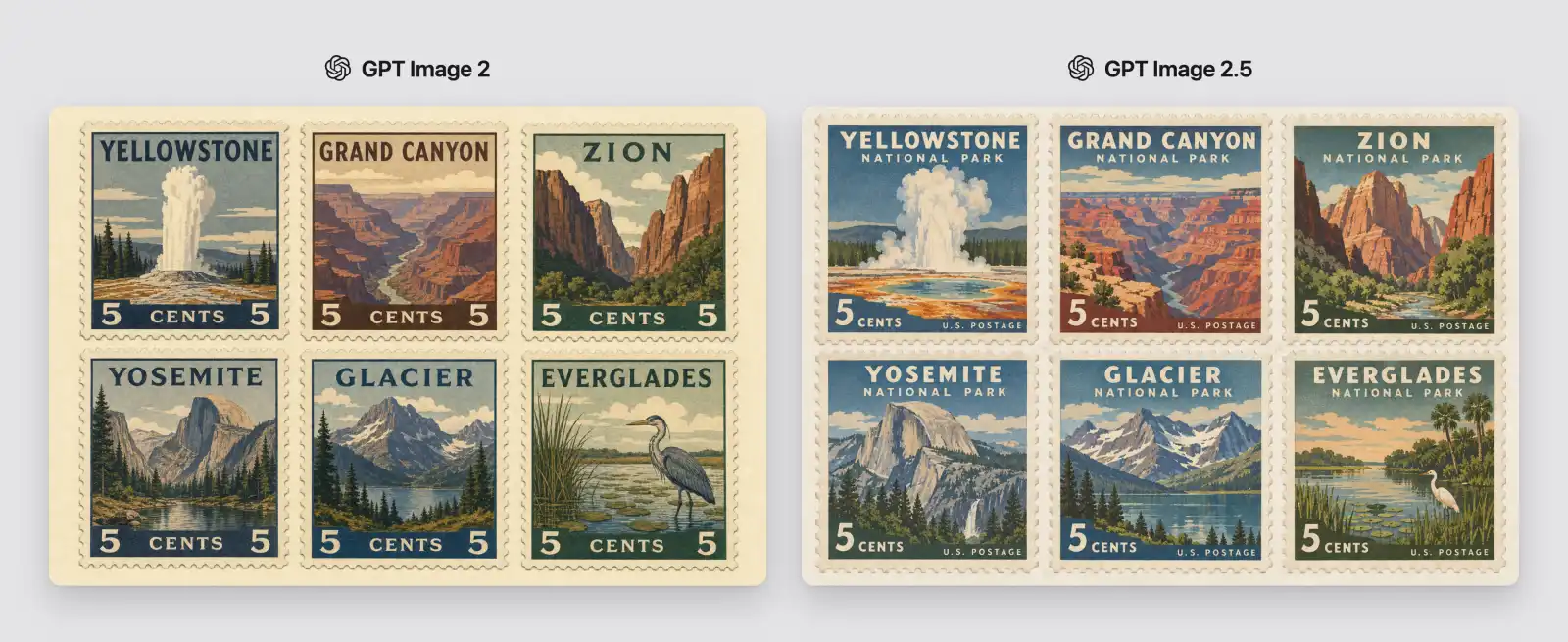
Six labeled national-park stamps
We asked both models to create a 3 x 2 grid of stamps. Once again, GPT Image 2.5 delivers more vivid and artistic imagery that looks much less like generic AI generated visuals, as compared to GPT 2.
Six labeled vintage national-park stamps
Winner: GPT Image 2.5
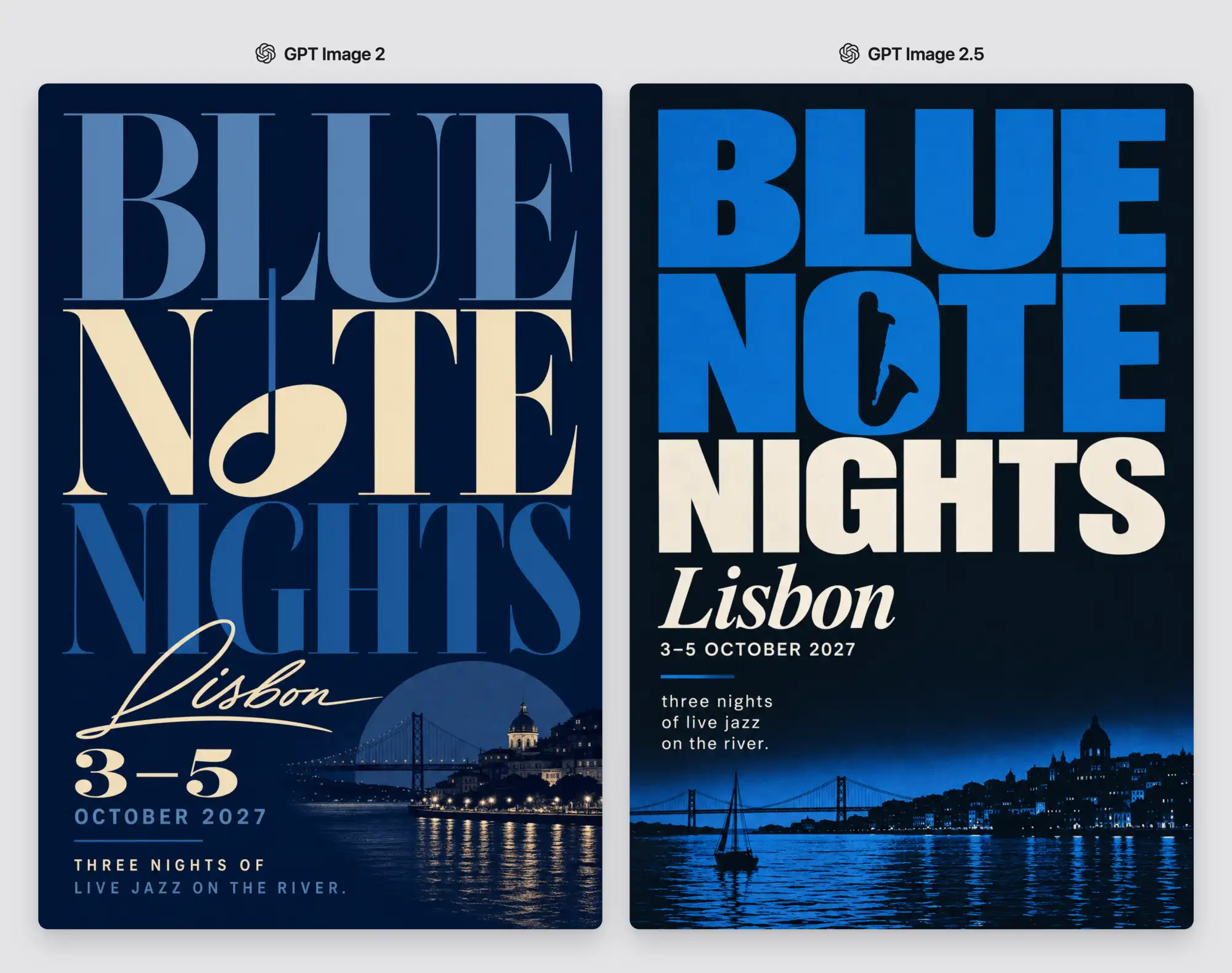
A typographic jazz-festival poster
For the poster, we supplied the event text but left composition, type pairing, hierarchy, and color to the model.
A typographic jazz-festival poster
GPT Image 2.5 made a version with a cleaner graphical design, and chose a more interesting font. For typographically heavy designs, it definitely shows a noticeable improvement over GPT Image 2.
Design
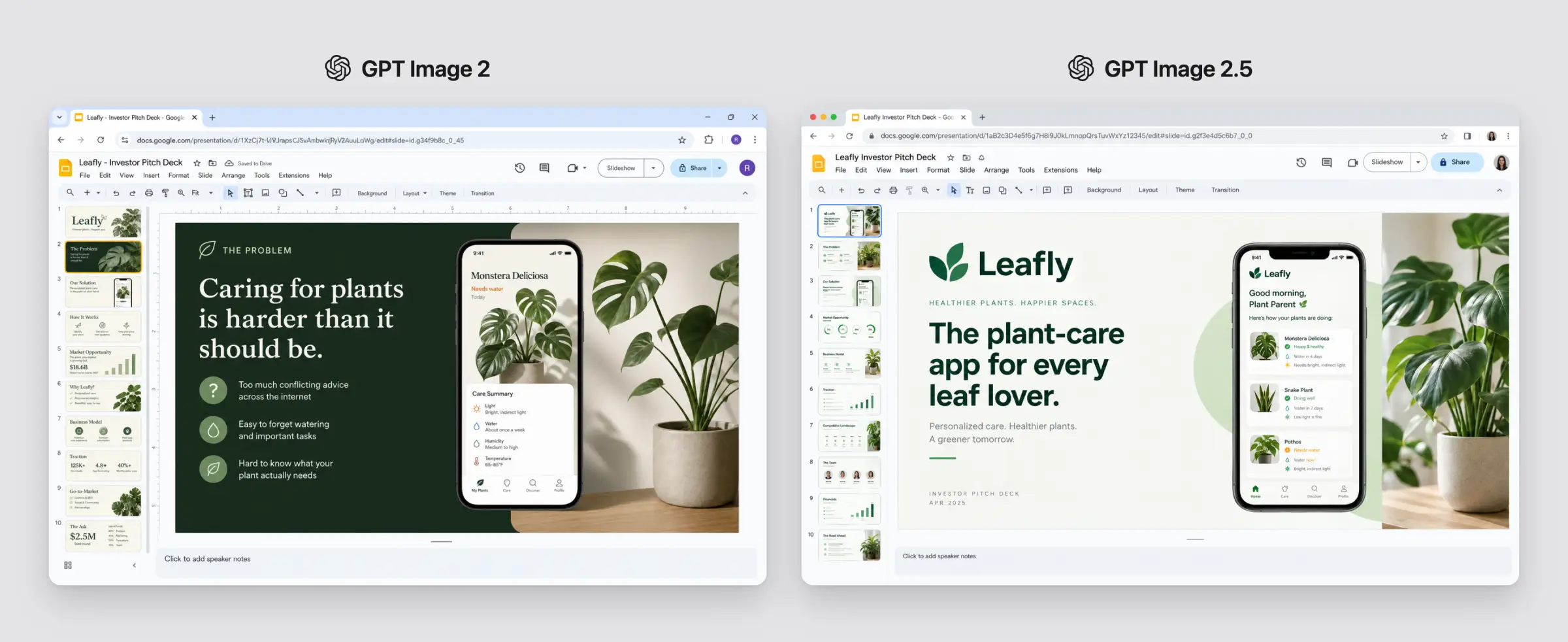
A Google Slides investor deck
We asked both models to generate a believable screenshot of a ten-slide deck inside Google Slides. The models had to generate the browser chrome, menus, toolbars, a filmstrip, a selected slide, and enough variation across the thumbnails to imply a complete story.
A ten-slide investor deck inside the Google Slides interface
Interestingly, both models produced a plausible plant-care pitch deck called Leafly and we're hard pressed to find anything that would indicate an improvement in the GPT Image 2.5 version.
Winner: Tie
A specialty-coffee website homepage
We asked the models to design a website for a specialty coffee brand complete with a navigation bar, hero section, product cards, testimonials, and a footer for a fictional coffee subscription called Morrow.
A specialty-coffee website homepage concept
This test showed that GPT Image 2.5 is a better model for UI design or quick iterating, it created a layout with more polish and more deliberate use of negative space that looks more professional, pleasing to the eye, and more realistic as a website that could actually exist.
A concept-art spread for a Mars research outpost
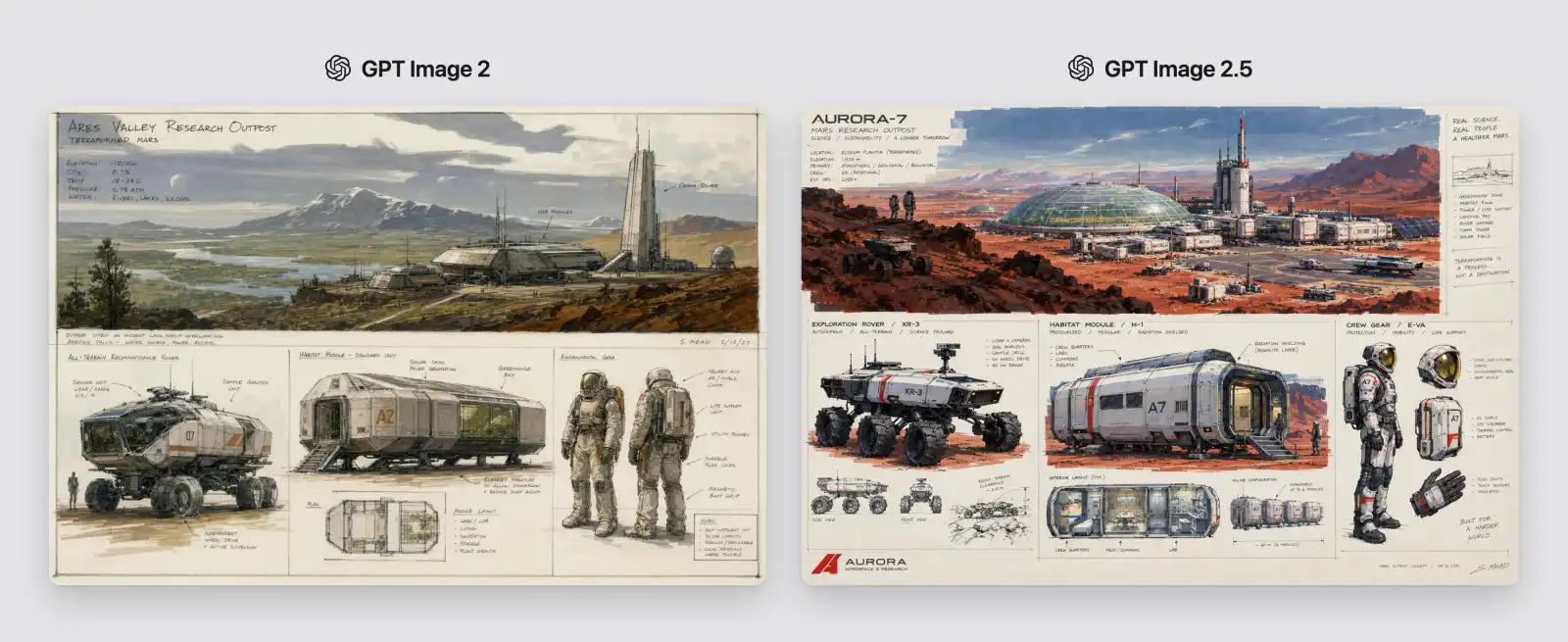
Finally, we asked both models to create an industrial-design sheet featuring one large establishing view of a research outpost on a terraformed Mars, plus smaller studies of a rover, habitat module, and crew gear, all with loose annotations.
A concept-art spread for a Mars research outpost
Concept art is an area where most models struggled, and you can see this in the version created by GPT Image 2 — it looks cool from a distance, but zoom in and you can see that designs aren't functional, and many lines when viewed closely are merely there to occupy space, they're basically scribbles. Also note the overall greenish hue and muted color palette.
Looking at the GPT Image 2.5 version, you immediately notice the more vibrant colors and a more detailed concept art, but the biggest improvement is in the details: there are actual side and front view thumbnails for the rover, the astronaut's gear details are shown separately, and the living pod, if you zoom in, has actual room designs — they don't quite make sense (you need to pass through the toilet to get between the living quarters and the lab, as it stands) but they are included in great detail where GPT Image 2 added what essentially is cross hatching and random lines to indicate detail. For concept art and design, GPT Image 2.5 is a generational improvement.
Winner: GPT Image 2.5
Final Thoughts
Across 15 tests, GPT Image 2.5 was the clear winner: it won 10 rounds, while the remaining five ended in ties. GPT Image 2 did not win a round outright, but it stayed competitive in simpler edits, text accuracy, and UI recreation.
The biggest difference was in creative judgment. GPT Image 2.5 consistently produced stronger composition, richer detail, better style fidelity, and more convincing results when a prompt involved several people, dense layouts, typography, or concept art.
Speed made the upgrade even more noticeable. In our tests, GPT Image 2 took around 160 seconds per generation on average, while GPT Image 2.5 Flare usually finished in about 30 seconds. That makes iteration far more practical, especially when you need to explore several visual directions.
For straightforward image edits, GPT Image 2 is still capable, and the difference may not always be dramatic. But for design work, visual storytelling, complex compositions, and rapid creative iteration, GPT Image 2.5 is a meaningful generational improvement.