
We tested the best free and paid PNG makers, reviewed their current pricing and restrictions, and ran the same difficult product photo through every tool.
We tested the best free and paid PNG makers, reviewed their current pricing and restrictions, and ran the same difficult product photo through every tool.
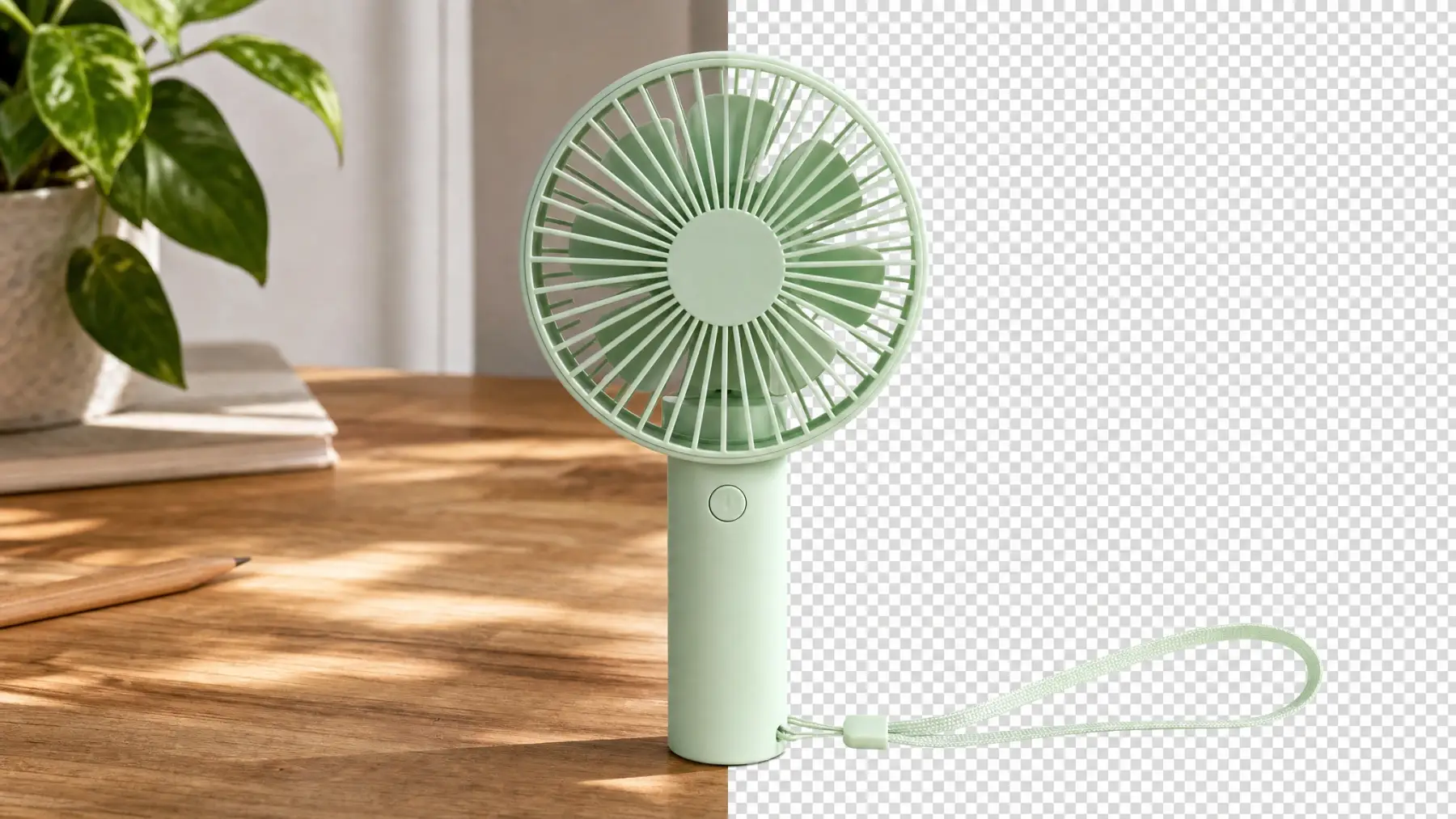
Pixelcut is the best PNG maker overall — it produced the cleanest cutout with automatic subject detection. Another strong choice is Canva, which features multiple graphic design tools along with the background removal tool. Finally, we'd like to highlight our own tool, Overchat AI PNG maker, which offers background removal as part of a useful all-in-one AI platform with over 150 AI models and tools.
| Rank | PNG maker | Best for | Free access | Main limitation |
|---|---|---|---|---|
| 1 | Pixelcut | The best automatic product cutout | Free plan; export without a watermark | Free background removal is limited |
| 2 | Canva | Turning a cutout into a finished design | One transparent PNG download free | Unlimited background removal requires Pro |
| 3 | Overchat AI | One subscription for PNGs and many other AI tasks | Free PNG maker, no sign-up or watermark | Our hard test exposed a subject-detection error |
| 4 | Fotor | Manual edge repair after automatic removal | Free editor and limited credits | Basic exports may be watermarked |
| 5 | Adobe Firefly | An Adobe-centered creative workflow | Free daily generations | Adobe account required |
| 6 | PNGmaker.com | Private, browser-based batch work | Free and unlimited for personal use | Slower locally; our test needed substantial cleanup |
Every tool received the same 1086 × 1448 JPEG. The photo contains a mint-green handheld fan on a cluttered desk. Its thin grille spokes, holes between the blades, translucent wrist strap, low-contrast green plant, pencil, shadows, and foreground leaves make it a hard case for background removal.
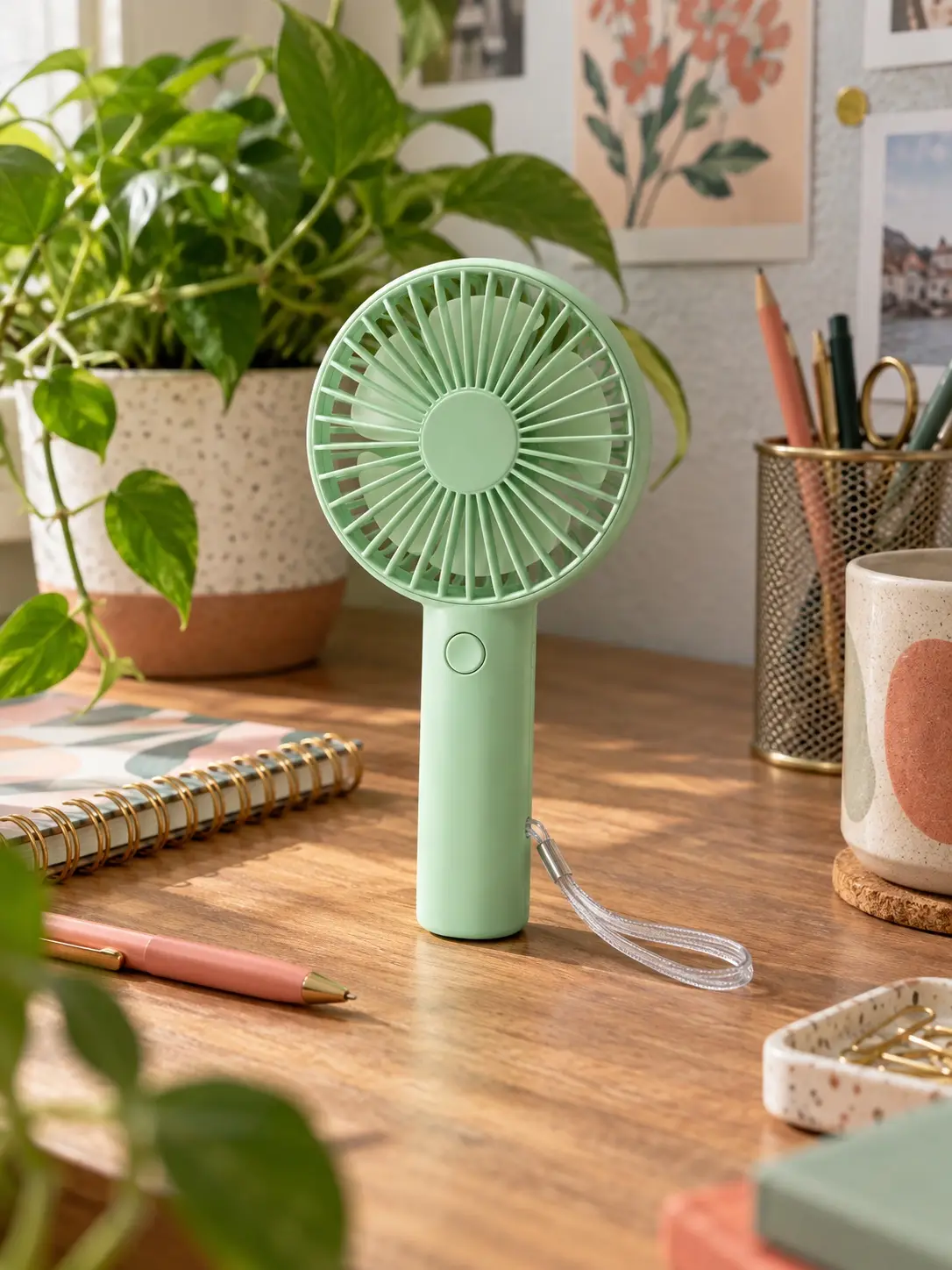
We looked at subject selection, fine-edge retention, unwanted background remnants, speed, editing controls, sign-up friction, free-export restrictions, and what the product lets you do after the cutout, as well as how quickly the tool processed our image.
Pixelcut delivered the best automatic result on our difficult photo. It isolated the entire fan, retained the narrow wrist strap, kept the radial grille legible, and rejected the nearby pencil. The result appeared in roughly 11 seconds in our run.
The Compare view makes the quality difference easy to inspect, and the editor immediately offers background colors, AI backgrounds, shadows, blur, retouching, expansion, upscaling, and enhancement. This is a more complete product-image workflow than a downloader wrapped around a single background-removal model.
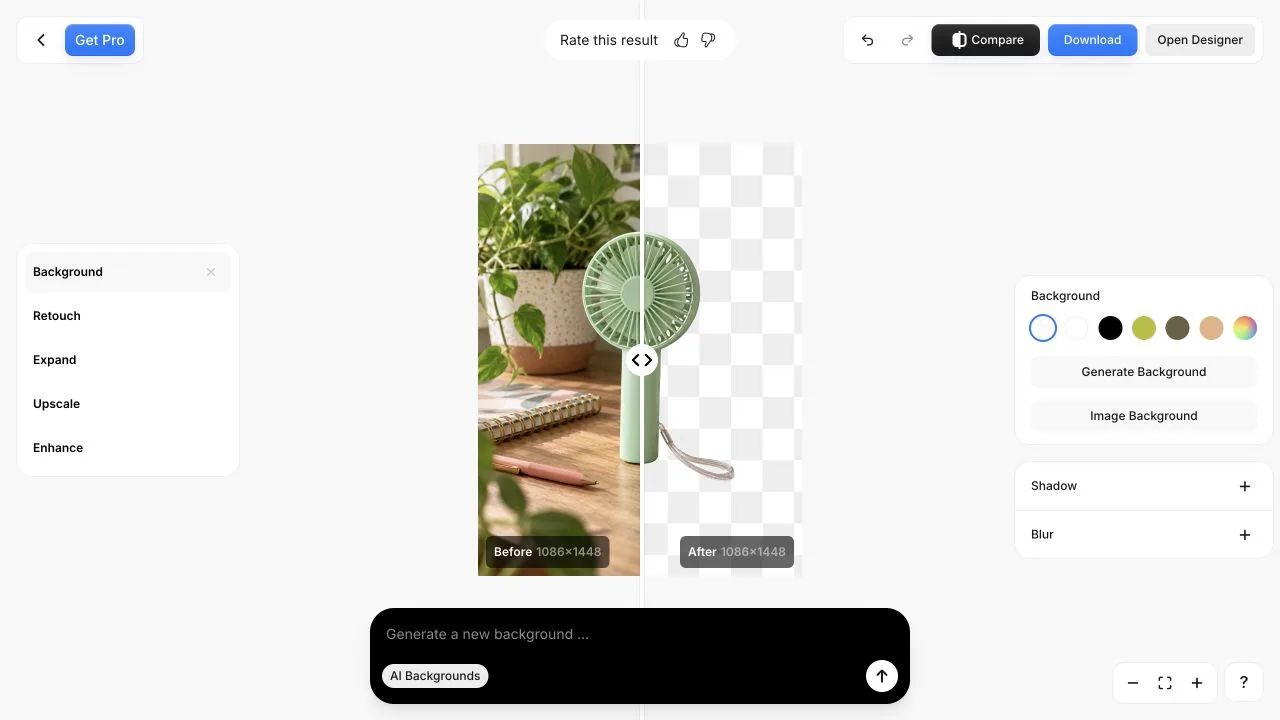
Pixelcut is especially good for ecommerce sellers, marketplace listings, ads, and social posts. Its controls are clearly organized around product presentation rather than general graphic design.
There is a free plan with limited background removal and upscaling plus watermark-free exports. Pro is $10 per month on monthly billing or $8 per month when billed yearly; it adds unlimited background removal and upscaling, 600 monthly AI credits, three team seats, a commercial license, and up to 1,000 batch exports per month.
Choose Pixelcut if: cutout quality matters most and your next step is a product photo, ad, or marketplace listing.
Canva's PNG maker is the better choice when background removal is only the first step. An isolated subject can move directly into a presentation, social post, flyer, video, website, or one of Canva's many templates without another download-and-upload cycle.
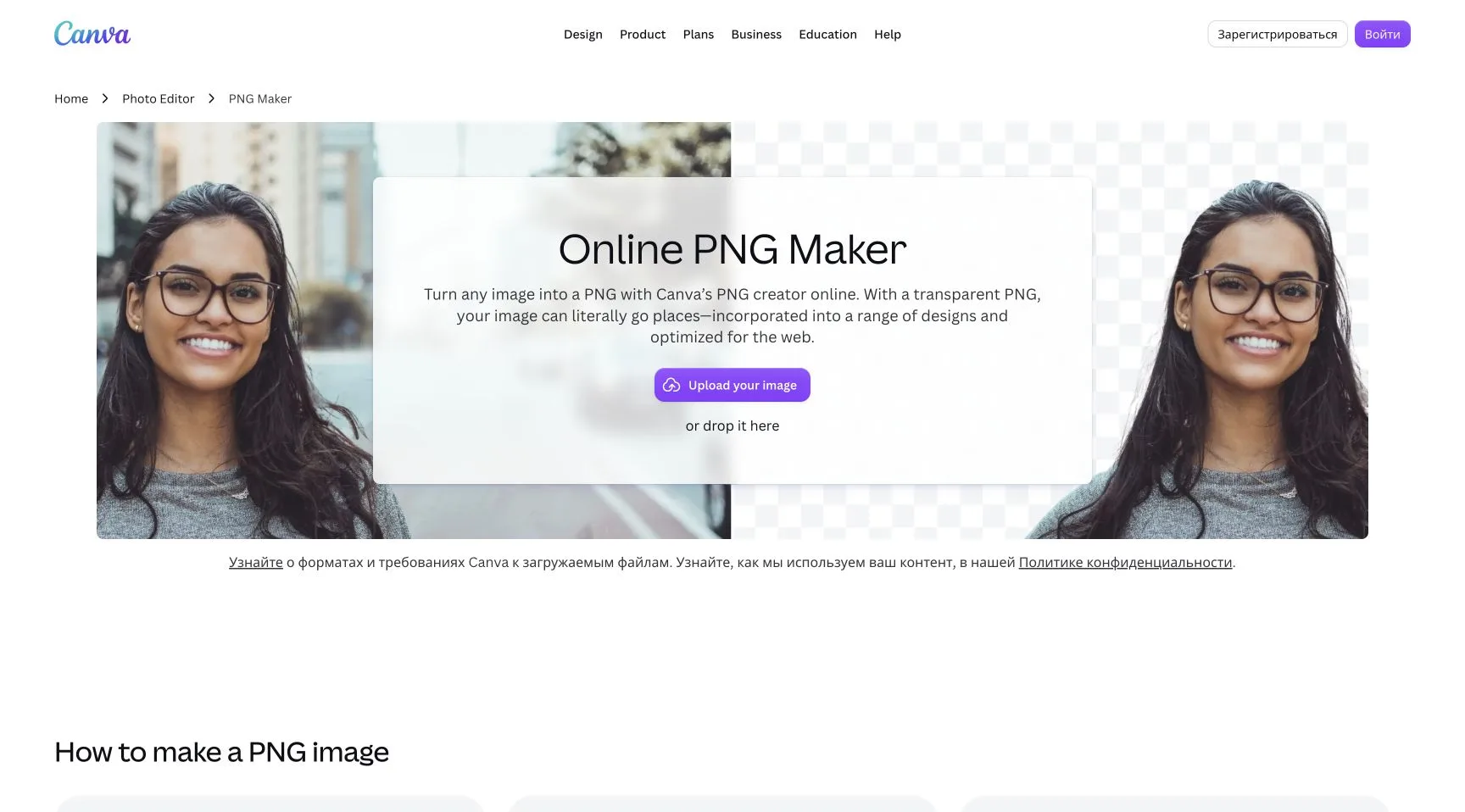
The strongest reason to choose Canva is the integrated design tools such as layout, text, templates, stock assets, brand kits, collaboration, scheduling, and exports for multiple channels.
Free is $0 and Pro is $144 per year for one person. Pro includes background removal and other AI design tools, premium templates and assets, five brand kits, social scheduling, and 100 GB of storage.
Choose Canva if: the transparent image is going into a design rather than straight into a product catalog or codebase.
Overchat AI's PNG maker is our own tool. To use it, all you need to do is upload the image, keep Transparent selected, click Make PNG, and see the result in about five seconds. No account is required to try it at the time of writing, though this might change in the future.
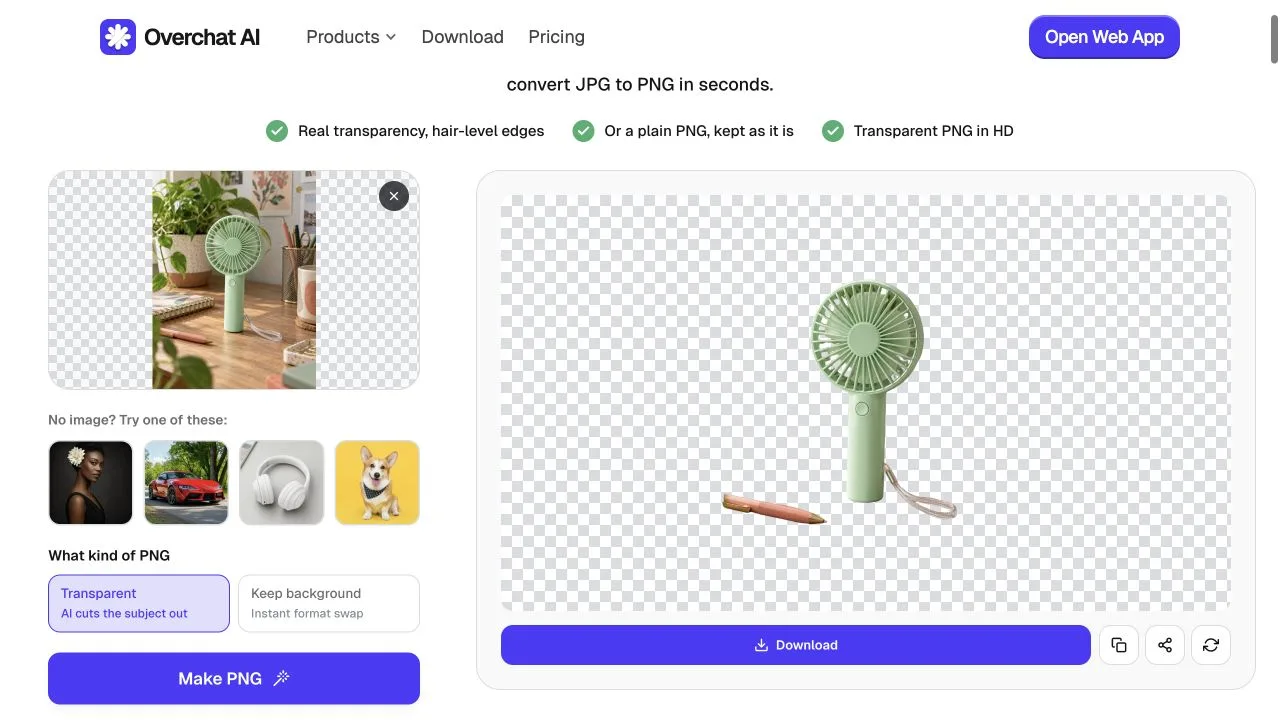
Also, Overchat AI isn't just a PNG maker — it's an all-in-one AI tool that brings GPT, Claude, Gemini, DeepSeek, Grok, image and video models, and more than 150 specialized tools into one service. Plans are $14.99 per month or $89.99 per year. The standalone PNG maker remains free without login.
Choose Overchat AI if: you make PNGs occasionally and would rather pay for one broad AI toolkit than several narrow subscriptions.
Fotor's PNG maker produced a solid automatic cutout of the fan in roughly nine seconds. It kept the overall silhouette and wrist strap, although some of the desk tone remained visible through the narrow grille area.
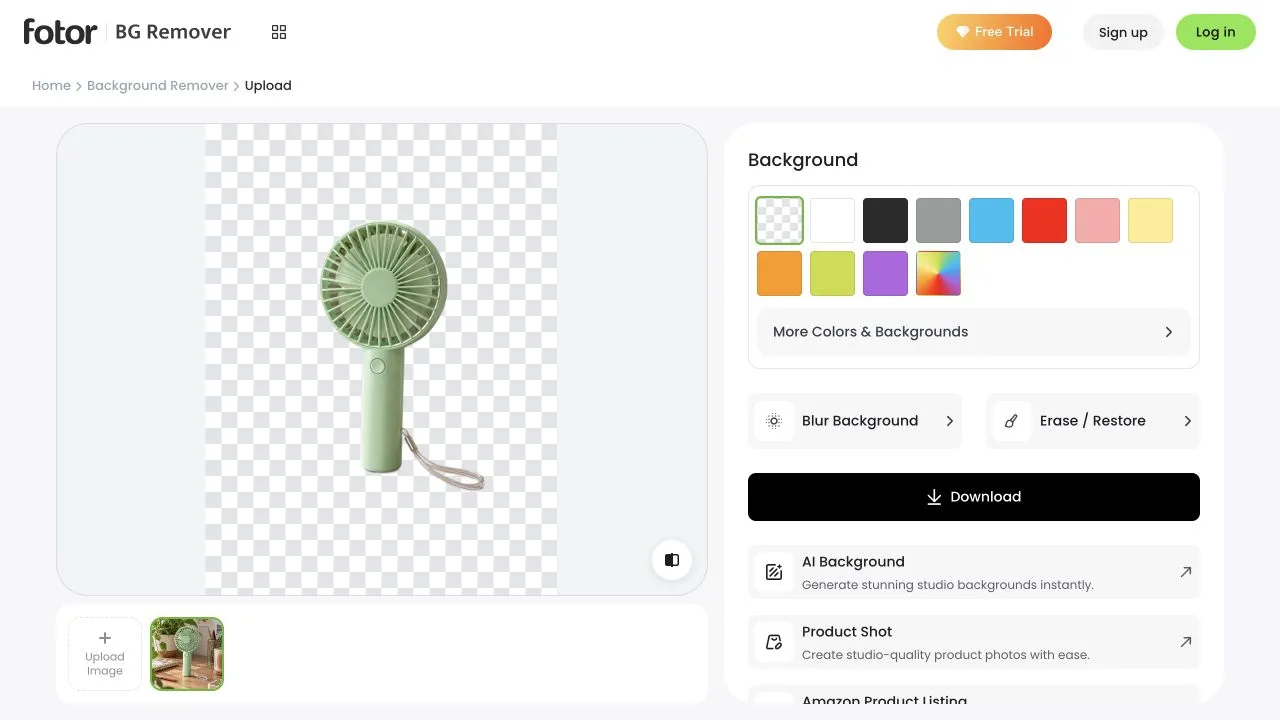
Fotor's advantage is the immediate Erase / Restore workspace. A brush-size slider and preview mode make it possible to fix missed background or recover a part of the subject. This matters because automatic removal often fails on hair, translucent materials, shadows, spokes, and objects with similar colors.
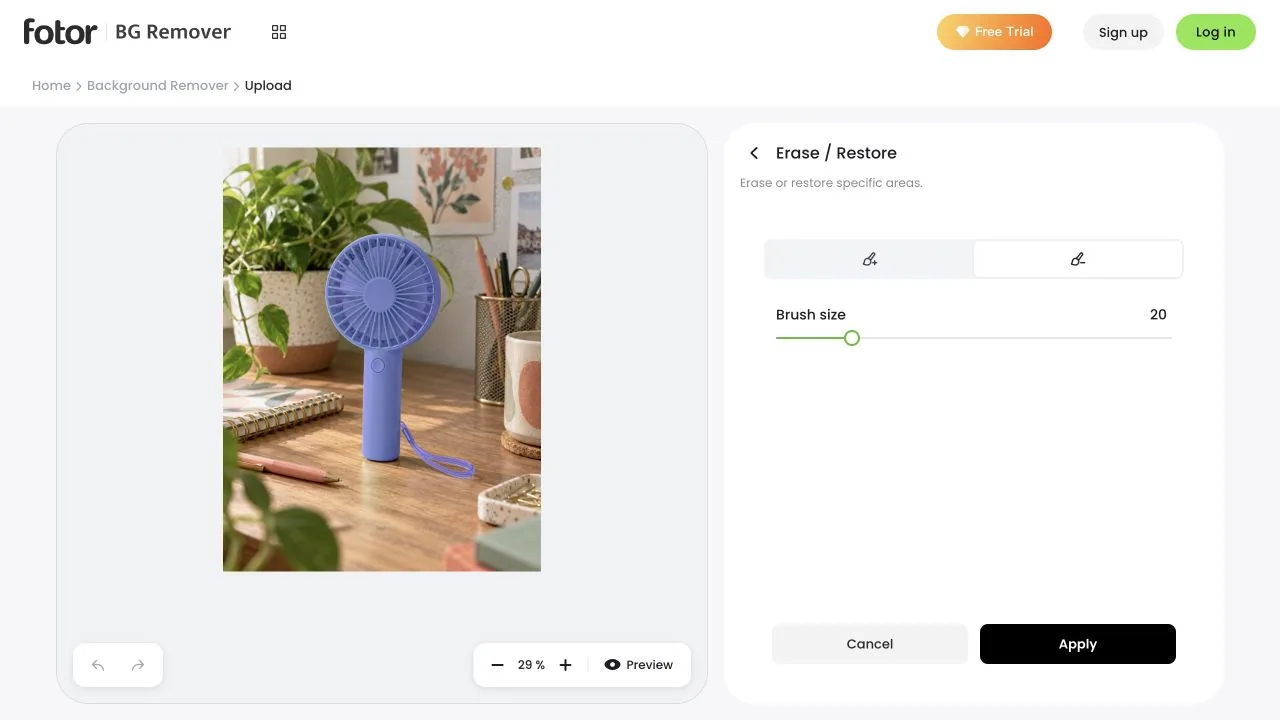
The right panel also offers solid-color and image backgrounds, background blur, AI backgrounds, product-shot tools, and Amazon-listing workflows. It sits between a one-click remover and a full design suite.
There is an important pricing caveat. Fotor's landing page promotes free HD removal, but Fotor Basic exports JPG, PNG, and PDF files with a watermark. Transparent HD, watermark-free PNG export is listed under paid plans. Check the export screen before committing to a batch.
Choose Fotor if: you want an automatic start but expect to repair edges by hand before downloading.
Adobe now routes its transparent-background workflow through Adobe Firefly. It accepts JPEG, PNG, and WebP files up to 40 MB, removes the background, exports a transparent PNG, and can continue into background generation, lighting, upscaling, and other Firefly edits.
The process is more editor-like — open Firefly, sign in with an Adobe ID, choose Edit image, upload, select Remove background, then download from the top-right corner.
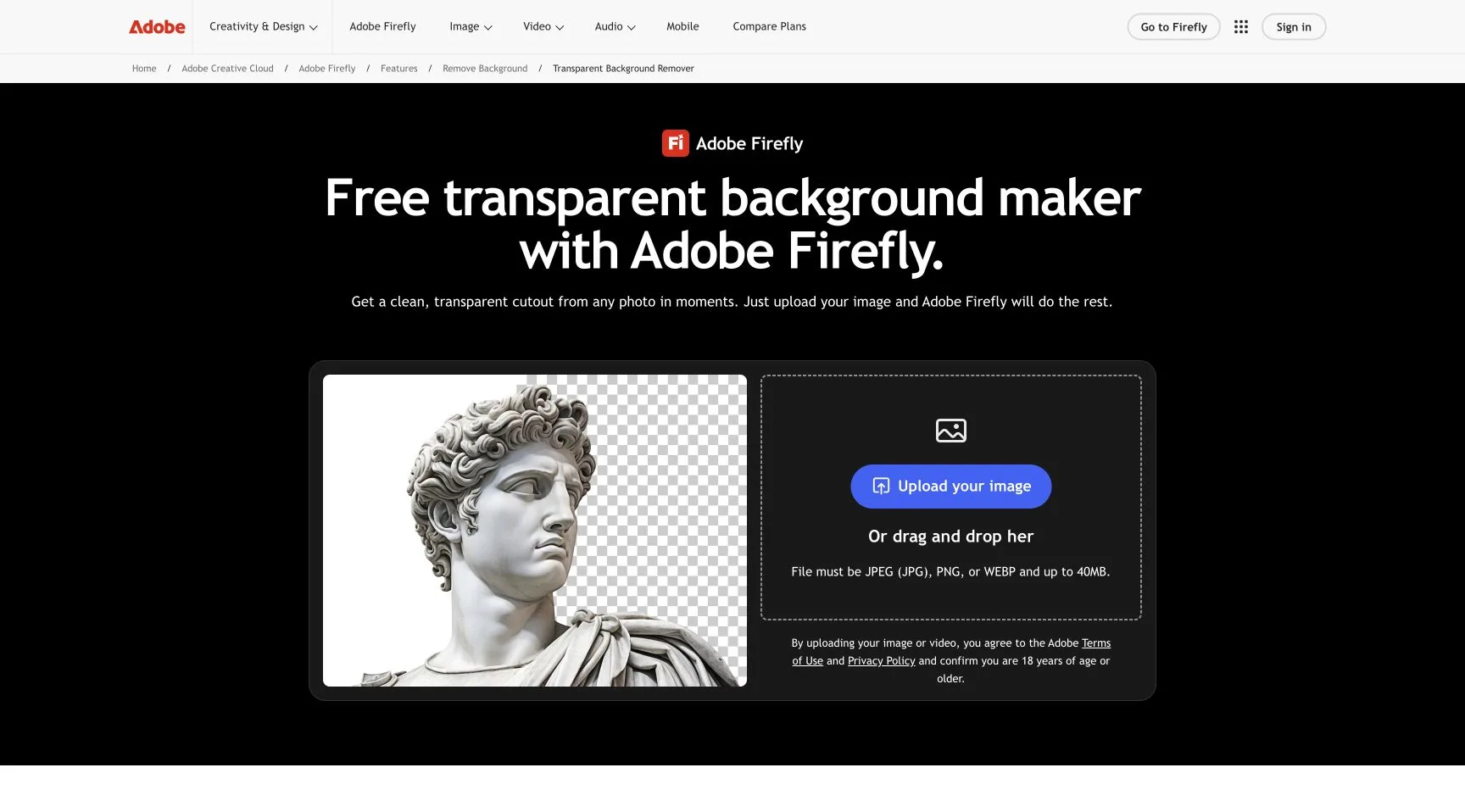
The Adobe remover is free with an Adobe account. Firefly makes the most sense for an existing Adobe user.
Choose Adobe Firefly if: you already use Adobe products or want background removal beside generative editing and professional finishing tools.
PNGmaker.com runs its background-removal model locally in the browser. The site says images never leave the device, personal use is free and unlimited, no sign-up is required, and batch jobs can contain up to 50 files. It also includes compression, resizing, format conversion, sticker creation, color replacement, metadata removal, and an API.
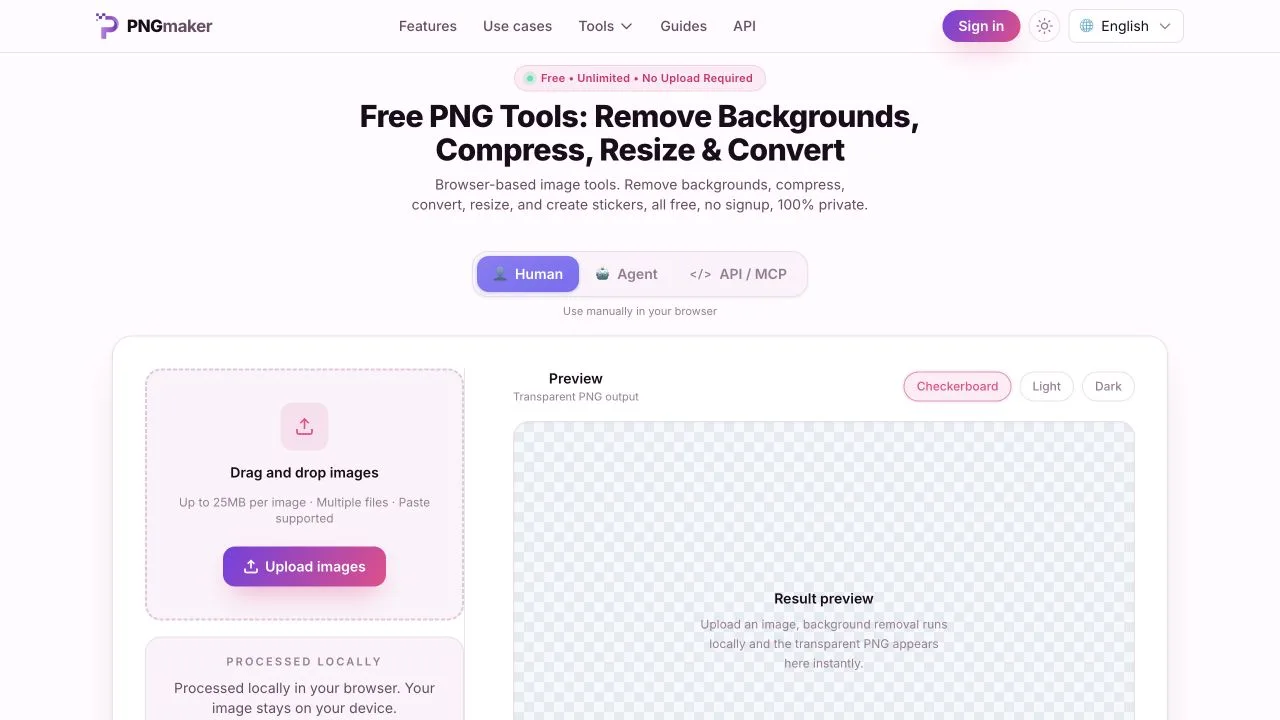
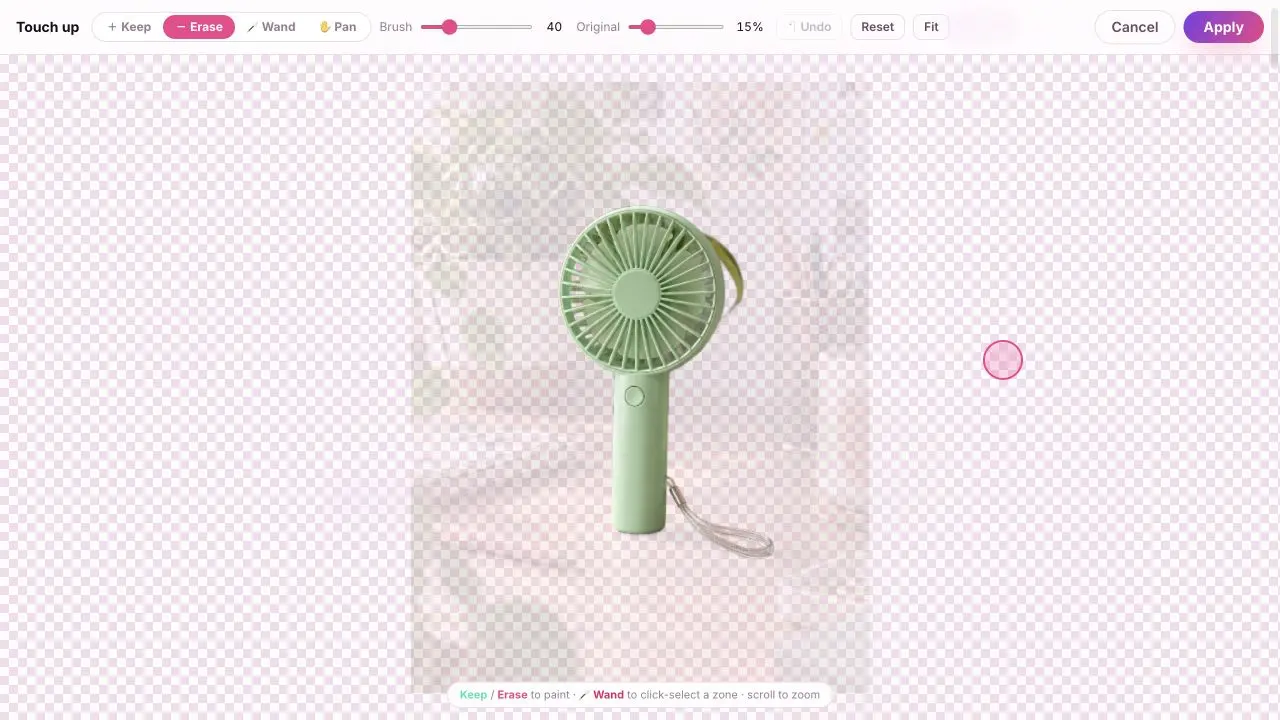
However, performance and quality depend more heavily on the device. Our 409 KB test file took roughly 25 seconds to finish. The tool kept the fan, but also left a large translucent halo from the plant and desk around it.
The built-in Touch up editor offers Keep, Erase, Wand, Pan, brush size, an Original-opacity control, undo, reset, and fit. Those controls are useful, but our result would need much more manual cleanup than Pixelcut or Fotor.
PNGmaker.com is still compelling for confidential documents, unreleased product photos, signatures, or teams that cannot upload source images to a cloud processor. Just budget time for local model loading and edge repair on difficult scenes.
Choose PNGmaker.com if: privacy, no sign-up, local processing, or free batch work matters more than first-pass masking quality.
Each tool wins a different job — here is the short version by use case.
Honorable mentions include MakePNG, which produces a respectable local cutout with no sign-up, ads, limits, or uploads, but it is held back by its 44 MB Standard model that takes about 90 seconds to load and process a single image, and Wixel, which offers a polished editor and 120 free monthly AI credits.
There are many tools that can make the background of a photo transparent, and in 2026 you can easily cut out an object online, in a matter of seconds, without doing any manual editing. Just choose any tool from this list and upload your photo. From there — it's a one click or tap process.


