In this article, we compare seven of the best AI smile generators available in 2026 to help you decide which is worth your time. Let's get started.
In this article, we compare seven of the best AI smile generators available in 2026 to help you decide which is worth your time. Let's get started.
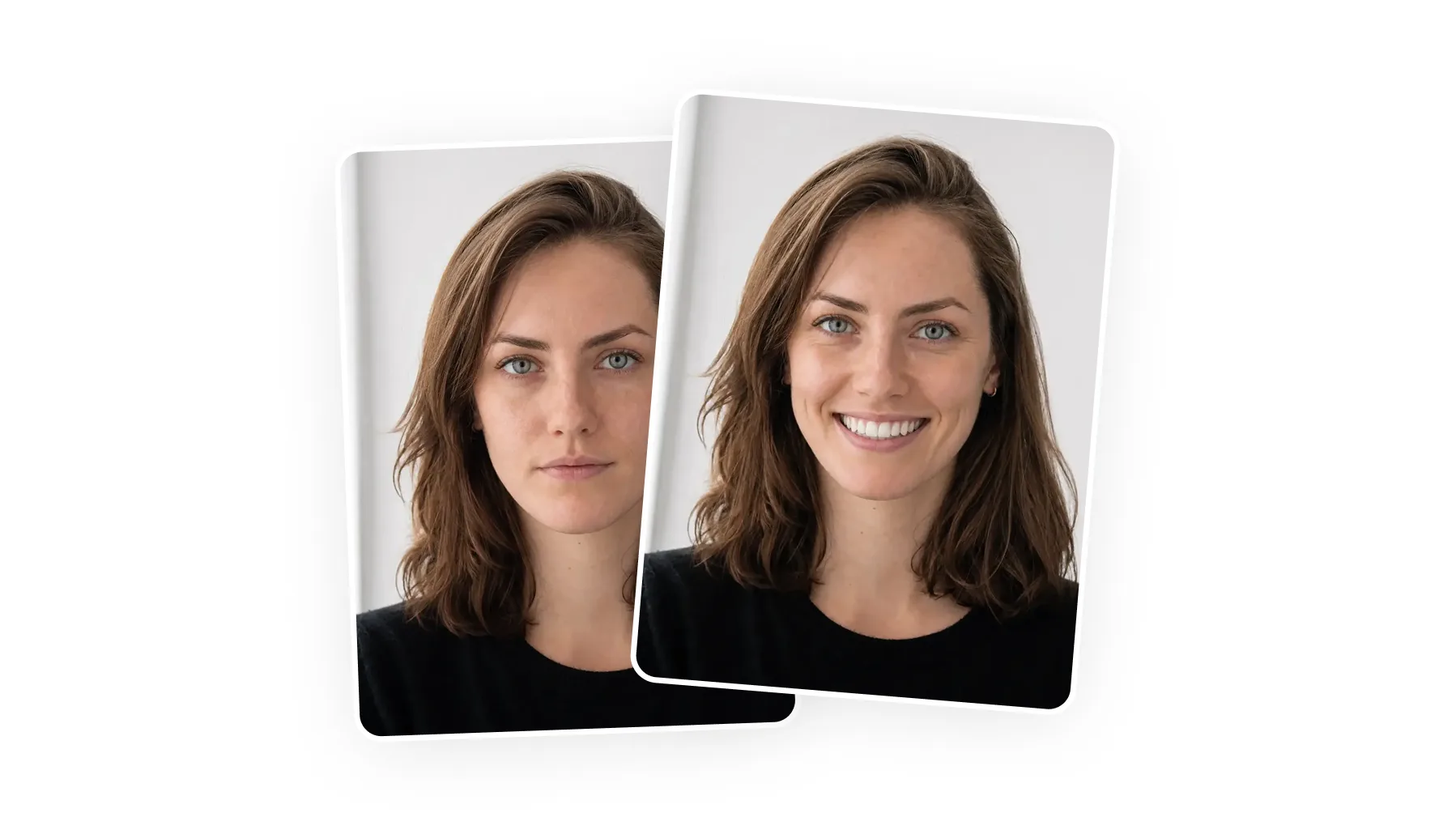
An AI smile generator is an online app which can add a natural smile to your photos using AI image generation and inpainting. Smile generators are powered by image-to-image models like Nano Banana 2 and GPT Image 2. Overchat AI is one of the best AI smile generators — it uses Nano Banana 2, one of the most powerful image models in 2026, and delivers highly realistic results.
An AI smile generator is an online tool that adds a smile to a photo of someone who isn't smiling.
To use it, the user uploads a picture, selects the smile intensity, and the AI modifies their facial expression — the mouth itself, plus facial muscles, such as adding smile wrinkles under the eyes for a completely natural effect.
Under the hood, these tools use image-to-image models that detect the face, isolate the mouth and jaw region, and redraw only that part.
Good smile generators can change the facial expression while keeping the rest of the image exactly the same — the result is so realistic no one will be able to tell the image was altered.
An AI smile generator is used to adjust facial expression in existing photos, mainly to improve portraits where the image is otherwise usable but the expression looks too neutral or stiff.
People usually apply AI smiles to profile images (LinkedIn, dating profiles, team pages).
AI smile generators are mainly used by people improving existing photos where everything is fine except the facial expression.
The most common use case is professional profile photos, such as LinkedIn headshots, where a small adjustment to the expression can make the image look more approachable.
They're also used for dating profile photos, where a natural-looking smile can make a photo feel more engaging.
Another common use is event and group photography, where one person in an otherwise good photo may not be smiling or may have blinked at the wrong moment.
For photographers and content creators, it can also be a quick way to refine batches of images where minor expression issues would otherwise require manual retouching.
Now that we understand how smile generators work, here are the seven tools we rate most highly, starting with our top pick. The table below lines them up, with the cheapest paid plan for reference.
| Tool | What it is | Best for | Paid from |
|---|---|---|---|
| Overchat AI | An all-in-one AI platform with 150+ image and video tools | Natural smiles that feed into a full editing suite | $14.99/mo |
| HeyPhoto | A browser-based AI face editor | Adjustable smile intensity | $19/mo (free, watermarked) |
| Evoto | A professional photo-retouching app | High-volume gallery retouching | $9.99/mo |
| Media.io | A free online media toolkit | A quick no-install fix | $6.99/mo (free tier) |
| Pixelbin | An image API with free web tools | Free HD output, no watermark | $7.37/mo (free tier) |
| Magic Hour | A free AI image and video tool site | No-sign-up edits | $10/mo |
| Fotor | An all-purpose online photo editor | Smiles alongside general editing | $8.99/mo |
Overchat AI AI Smile Generator is the best AI smile generator in 2026.
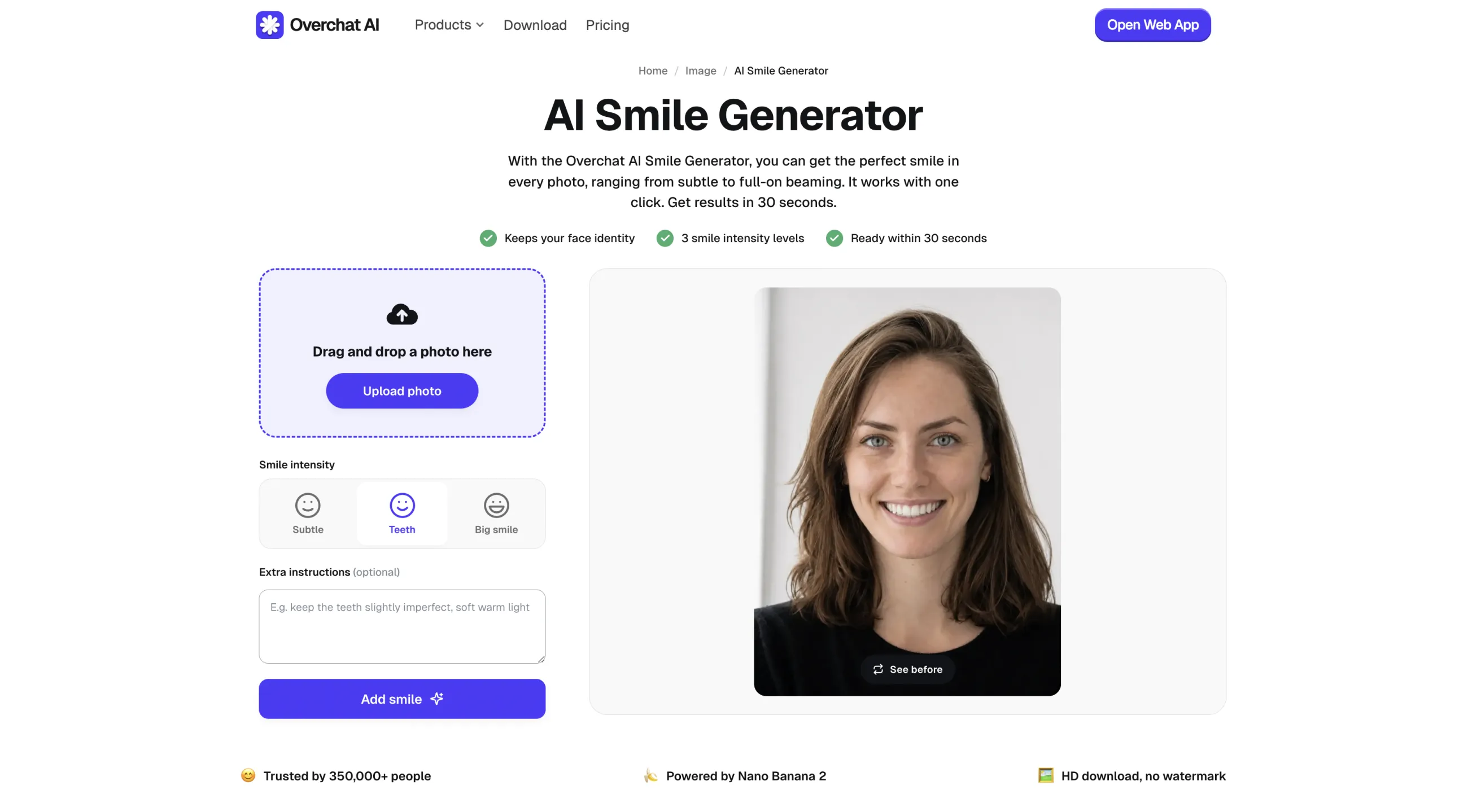
It's powered by Nano Banana 2, one of the most accurate image-editing models, which is what lets it add a smile in an incredibly realistic way — it not only modifies the mouth itself and the area around it but also the subtle facial cues, taking into account how the face changes when you smile.
As an all-in-one AI platform, Overchat AI also has over 150+ other tools inside it. When you add a smile, the result is saved to your My Media section, from where you can take it into any of the other image and video tools to retouch the photo further, upscale it, swap the background, or animate it into a short video.
Price:
| Plan | Monthly | Yearly |
|---|---|---|
| Pro | $14.99/mo | $49.99/yr |
Pros:
✅ Runs on Nano Banana 2, one of the most accurate image-editing models
✅ Keeps the likeness — the result still looks like the same person
✅ Output feeds into hundreds of other tools on the platform
✅ Free to try
Cons:
❌ Not a single-feature smile slider — it's a full platform
❌ Best results need a clear, front-facing photo
HeyPhoto is a browser-based AI photo editor focused on faces. It runs entirely online with no software to install, and detects the faces in a photo automatically before applying whatever edit you select.
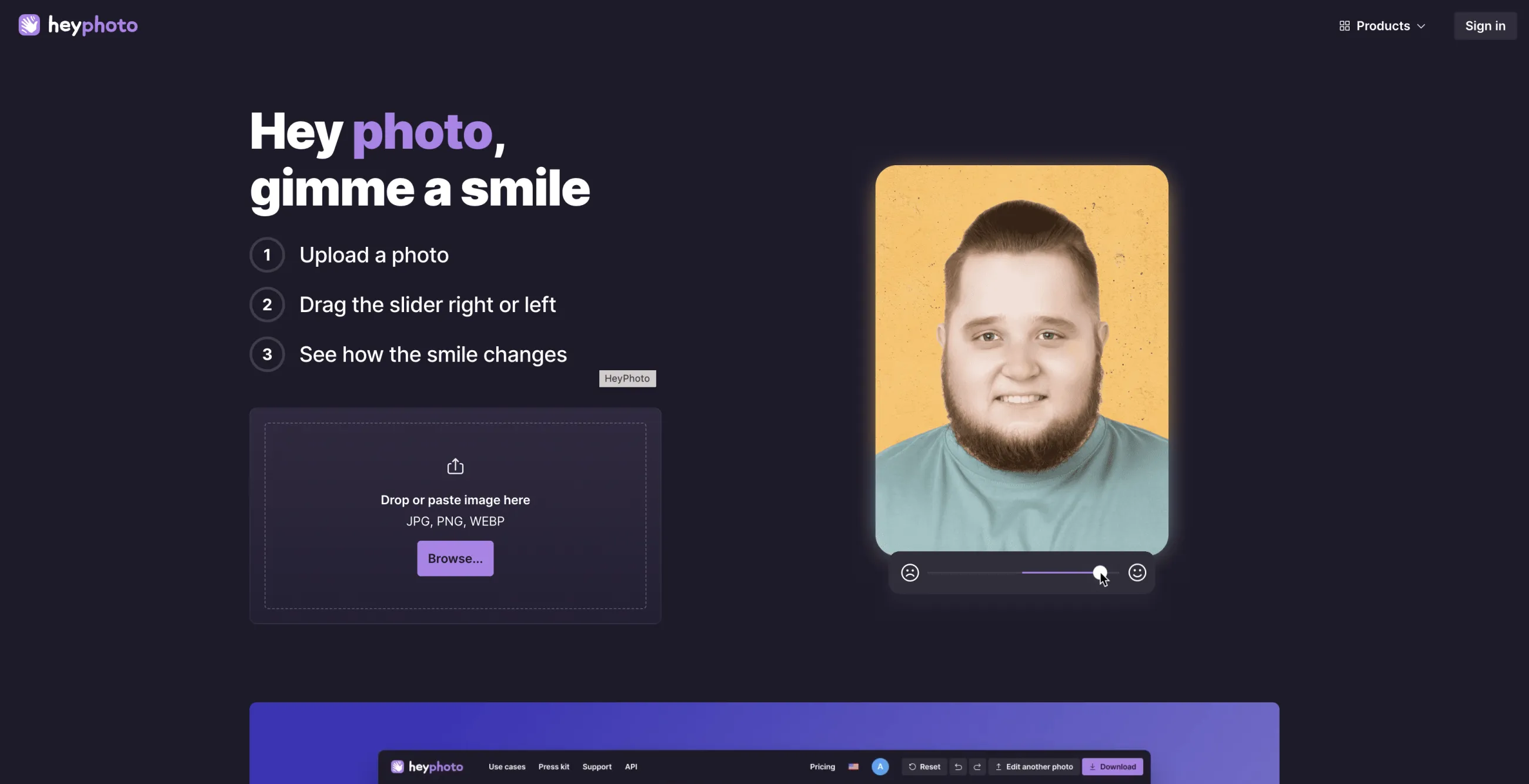
Its face tools cover gaze direction, hairstyle, makeup, skin tone, age, and gender presentation, alongside face swap and face anonymization. The smile feature lives in this toolkit under the name "Gimme a smile."
HeyPhoto is built by Icons8. The free version adds a watermark to the output, which a paid plan removes.
Price: Free with a watermark, or $19/month ($99/year) for unlimited watermark-free edits after a 3-day trial.
Pros:
✅ Smile-intensity slider for fine control
✅ Free to use (with watermark)
✅ Works on any device in the browser
Cons:
❌ Watermark on free output
❌ Single-purpose tool with no wider editing suite
Evoto is a desktop and iPad photo editor built for professional portrait and batch retouching. It runs as an installed app rather than in the browser, and reads JPG, PNG, TIFF, and RAW files so photographers can edit straight from a shoot without converting first.
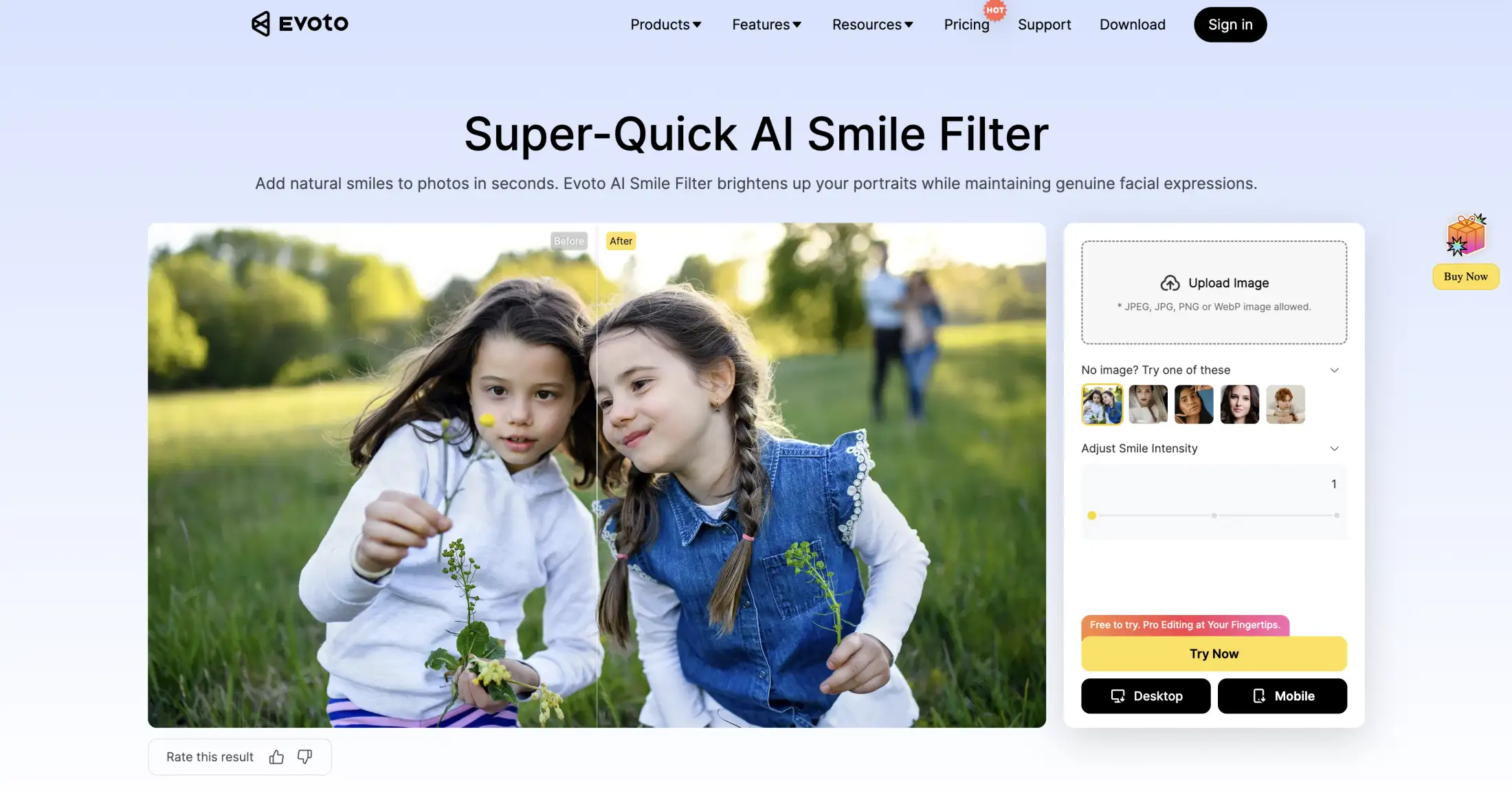
The smile filter sits among Evoto's wider retouching tools, which include skin smoothing, blemish removal, color matching, and full-body reshaping. When adding a smile, it reshapes the mouth, whitens the teeth, and adjusts the gum line, analyzing the face first so the new expression fits the existing structure.
Evoto runs on a credit model: every editing tool is free to use while you work, and a credit is spent only when you export a finished image.
| Plan | Price | Credits |
|---|---|---|
| Monthly | $9.99/mo | 50 |
| Starter (annual) | $80/yr | 800 |
Pros:
✅ Handles RAW files for professional workflows
✅ Fine control over teeth and gum line
✅ Part of a full retouching suite
Cons:
❌ Overkill for a one-off casual edit
❌ Steeper learning curve than a single-button tool
Media.io is an online media platform by Wondershare that edits video, audio, and images in the browser, with no software to install. The AI smile filter is one tool in a large cloud-based suite that also covers text-to-video, image-to-video, and audio editing.
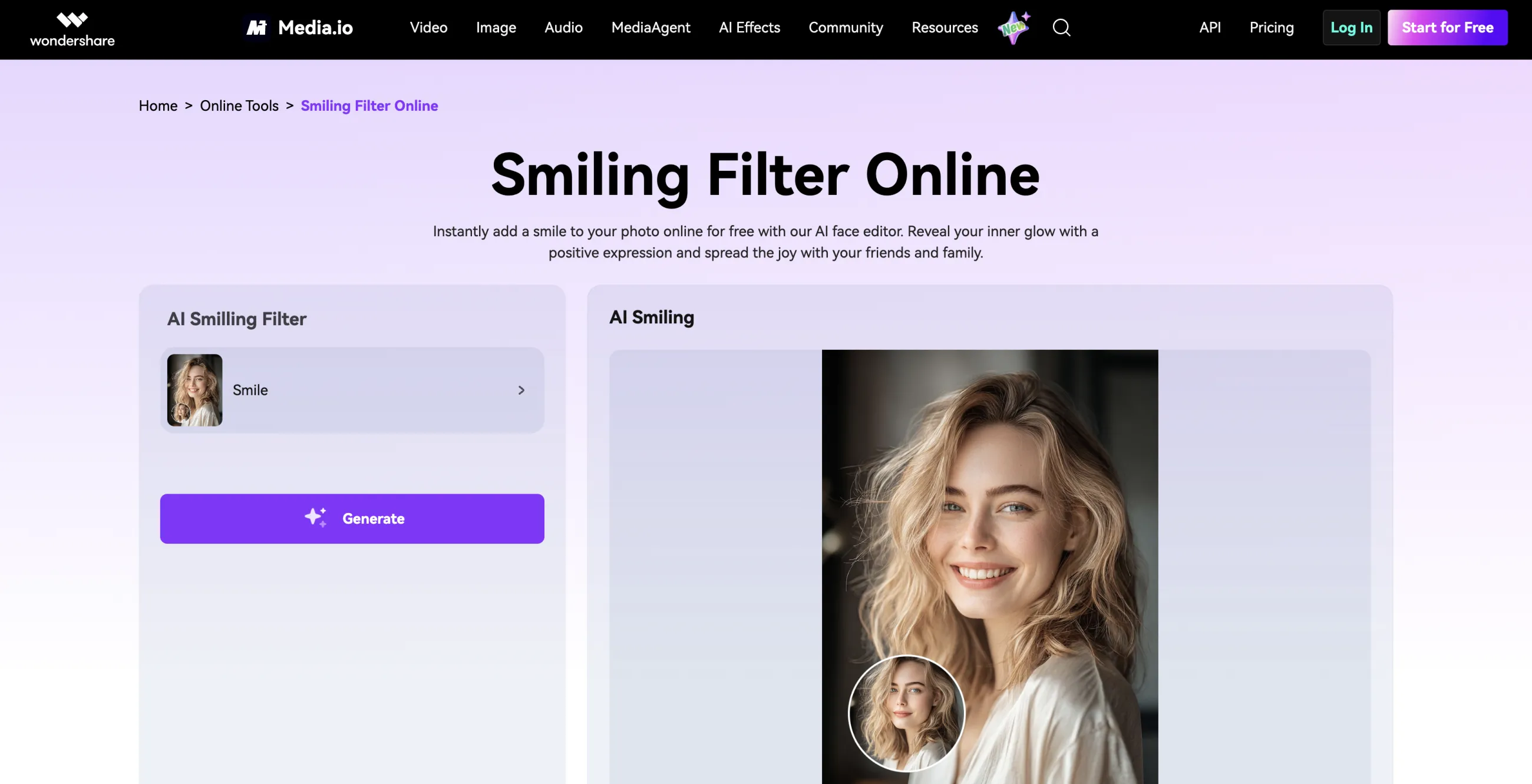
The smile tool applies automatic adjustments to the teeth and gums, so you upload a photo and get a smiling version back in a few seconds. It's a quick fix, though it gives you little control over the final result.
Price: Free plan with basic tools; paid plans start at $6.99/month for the full AI suite.
Pros:
✅ Free and instant
✅ Nothing to install
✅ Automatic teeth and gum adjustment
Cons:
❌ Little control over the final smile
❌ Upsells toward its paid suite
Pixelbin is an AI image-transformation platform founded in 2020 and based in Mumbai. It's built mainly around an image API, CDN, and asset-management system for developers, and it exposes a set of free standalone web tools on top of that infrastructure, including the same engine behind Upscale.media and Erase.bg.
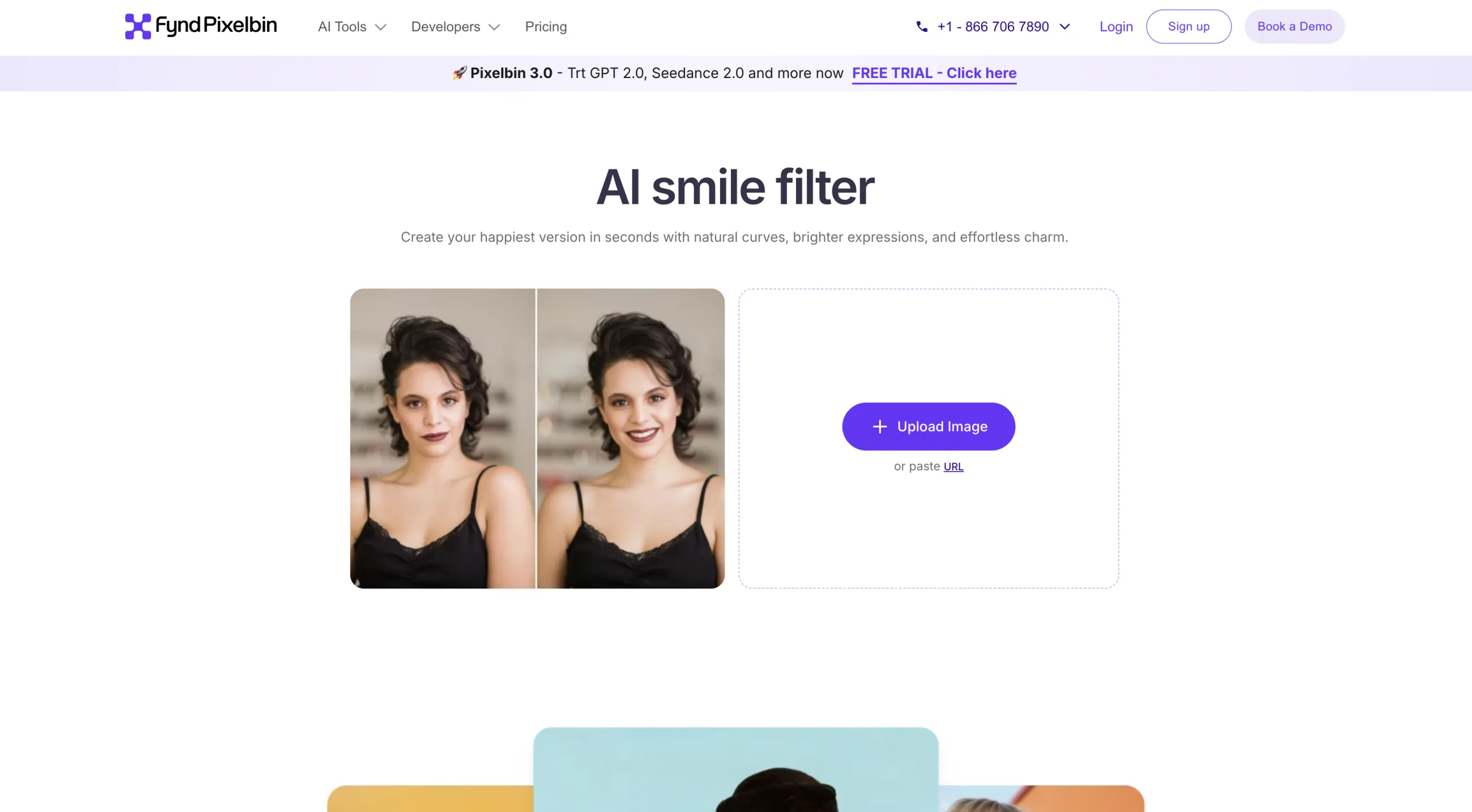
The smile filter is one of those free tools. It detects the face automatically, applies a smile while keeping the rest of the photo intact, and supports JPEG, PNG, and WEBP. Its main draw is the output: you can save the result in HD with no watermark and no added branding, which is rare for a free tool. The smile itself is fixed, with no intensity control.
Price: Free tier with 45 credits a month and HD watermark-free output; paid subscriptions start at $7.37/month, or $0.33 per credit pay-as-you-go.
Pros:
✅ Free HD download with no watermark
✅ Automatic face detection
✅ Preserves the rest of the photo
Cons:
❌ One fixed smile, no intensity control
❌ Geared toward a developer-focused image API
Magic Hour is a Y Combinator-backed AI video and image platform with more than 100 tools, used by over 3 million creators. Most of those tools, including the smile filter, run free in the browser with no sign-up.
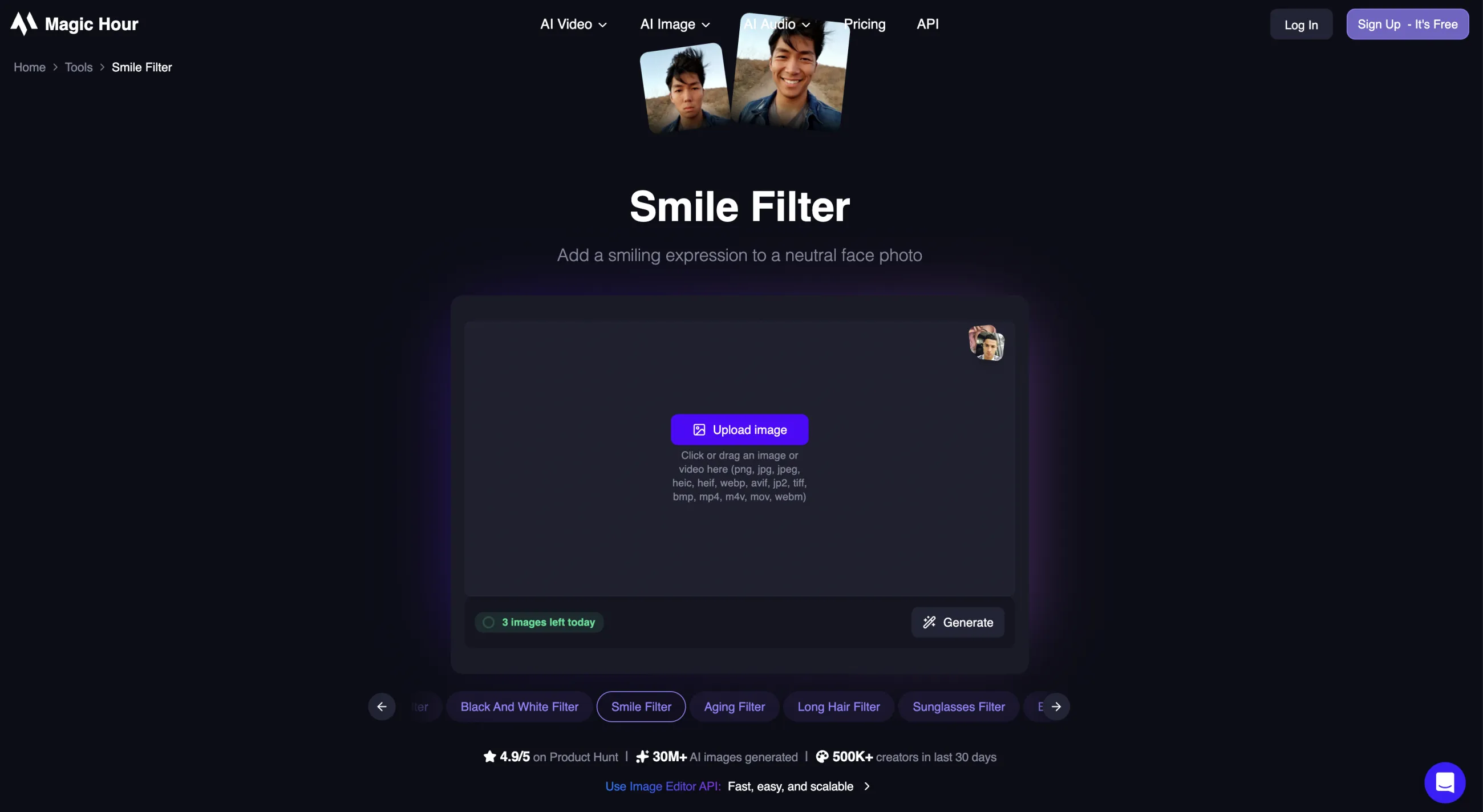
The smile filter is one of the simplest: you upload a JPG or PNG, the AI applies the smile, and you preview the before-and-after before downloading it. Without an account you get three free edits a day, and signing up removes that daily cap. The edit is one-shot, with no intensity slider or fine-tuning.
Everything on the platform shares one credit pool, billed across these tiers:
Price: Free with no sign-up; paid plans from $10/month.
Pros:
✅ No sign-up required
✅ Before-and-after preview
✅ Fast and simple
Cons:
❌ Three free edits a day without an account
❌ One-shot edit with little fine-tuning
Fotor is a general-purpose online photo editor and graphic-design tool, available in the browser and as a desktop app. Its AI smile filter is one feature inside a much wider editing suite that covers retouching, backgrounds, collages, and design templates.
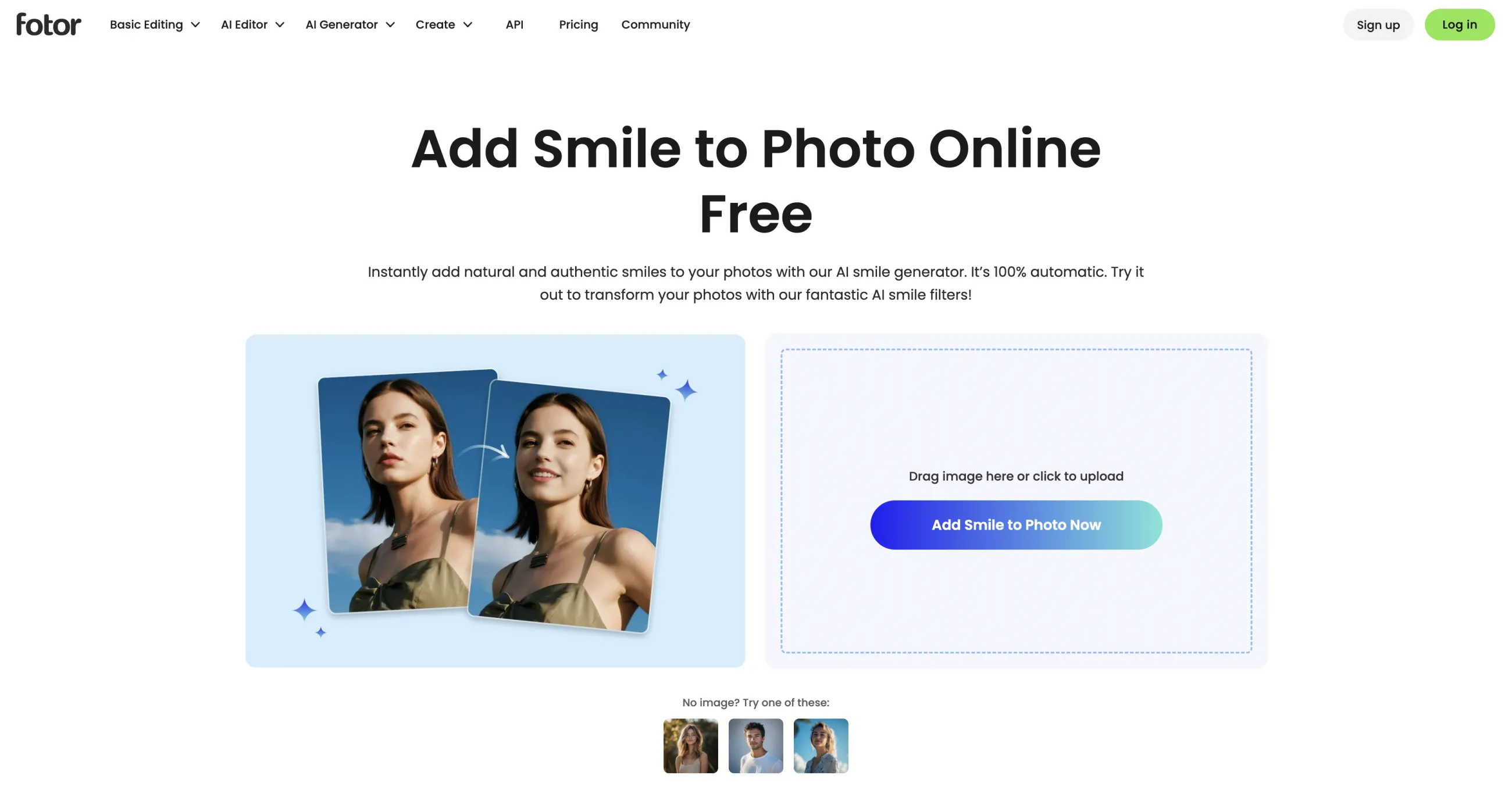
The smile tool works like the rest: you upload a photo and the AI generates a smiling version. It suits people who already use Fotor for general editing and want to add a smile without switching apps. The free tier only lets you preview a couple of generations, so regular use and watermark-free output need a paid plan.
| Plan | Monthly | Yearly |
|---|---|---|
| Pro | $8.99/mo | $39.99/yr |
| Pro+ | $19.99/mo | $89.99/yr |
Pros:
✅ Part of a full photo-editing suite
✅ Familiar if you already use Fotor
✅ Handles general edits beyond smiles
Cons:
❌ Free tier is preview-only
❌ Full use and watermark removal need Pro
Overchat AI is one of the best AI smile generators in 2026. The platform uses Nano Banana 2 for image editing, which generally produces more natural-looking facial edits than older AI image editors. This is particularly important for smile generation, as people are naturally conditioned to recognize when something looks off in faces, and if the edit isn't perfect it doesn't work at all.
Common questions about AI smile generators.
An AI smile generator is a photo editing tool that adds or enhances a smile in an existing image. It uses AI image models to adjust the mouth, teeth, and facial expression while keeping the rest of the face unchanged.
AI smile generators analyze the facial features in a photo and modify the expression to create a more natural smile. Modern tools can adjust the mouth shape, teeth, cheeks, and surrounding facial features so the edit blends into the original image.
Yes. A good AI smile generator can turn a neutral or closed-mouth expression into a natural smile while generating realistic-looking teeth and mouth details. Results are usually best with clear, front-facing photos.
It can, depending on the quality of the AI model and the source image. The best tools adjust the smile to match the face shape, lighting, and expression, while lower-quality editors can produce unrealistic or overly exaggerated results.
Yes. Many AI smile generators offer free plans or free trials. These often include limitations such as lower resolution exports, watermarks, or daily usage caps.
Yes. AI smile generators are commonly used to restore or improve older photos, particularly portraits where the subject has a neutral expression. The quality of the result depends on the resolution and condition of the original image.
Yes. Selfies are often among the easiest photos for AI smile generators to edit because the face is usually close to the camera and clearly visible.
Some can. Tools that include photo retouching features may whiten teeth or improve their appearance as part of the smile edit. For example, Overchat AI has a dedicated AI teeth whitening tool.
It should. A good AI smile generator modifies only the expression while preserving your facial features, hair, skin tone, and overall appearance.
Yes, although results can vary depending on the tool. Some editors can modify multiple faces in a single image, while others work best when editing one person at a time.
A high-resolution, well-lit photo with a clearly visible face typically produces the best results. Blurry images, extreme angles, or partially hidden faces can make smile generation less accurate.
Yes. AI smile generators are commonly used to improve profile photos for LinkedIn, company websites, and dating apps, especially when the original image is otherwise suitable but the expression appears too neutral.