The mugshot trend has taken social media by storm — it involves making a mugshot image of yourself with AI. And while you can use any image to image AI model to achieve that effect, it's much easier to use a mugshot generator. Which is why in this article we're reviewing top 5 mugshot makers (one of which is our own creation) and showing you what they can do and how much they cost.
AI mugshot generators are online apps powered by artificial intelligence models. They take a selfie or a photo of a person and create a new image where that person is portrayed as arrested and taking, well, a mugshot.
Overchat AI is the best AI mugshot generator. It has eight ready-made funny mugshot templates, you can make yourself hold a board with custom text, and the tool uses the Nano Banana 2 image generation model — one of the best and most realistic AI models there are.
Mugshot generators use AI image editing technology, and how convincing or not convincing the result is depends on the tuning of each tool, plus an underlying AI image generation model.
What Is an AI Mugshot Generator?
An AI mugshot generator is an online image tool that takes a picture as an input and outputs a new image stylized as a mugshot — a fictional police booking photo. These tools are part of a viral wave of AI image editors, except they've been optimized to output that specific style of image. Mugshot generators aren't the only way to make a mugshot picture, but they're easier to use than general purpose AI image generators, because the team has already optimized them around a specific look, so you don't need to do anything to achieve it.
Mugshot generator workflow is very similar in most of the tools and looks something like this:
Upload a selfie or portrait.
Choose a mugshot template or describe the look you want.
Add optional details, such as placard text or an aspect ratio.
Generate the image.
Download the result.
If you're choosing which mugshot generator to use, most importantly, see if the developer discloses or lets you select an image generation model — options powered by Nano Banana 2, GPT Image 2, Seedream 5 or Grok Imagine Image 1.5 are generally preferred, because these models are the most accurate when it comes to AI image editing.
5 Best AI Mugshot Generators Compared
The table below summarizes the top 5 AI mugshot generators:
Now, let’s look at each AI mugshot maker in more detail.
1. Overchat AI — Best Overall AI Mugshot Generator
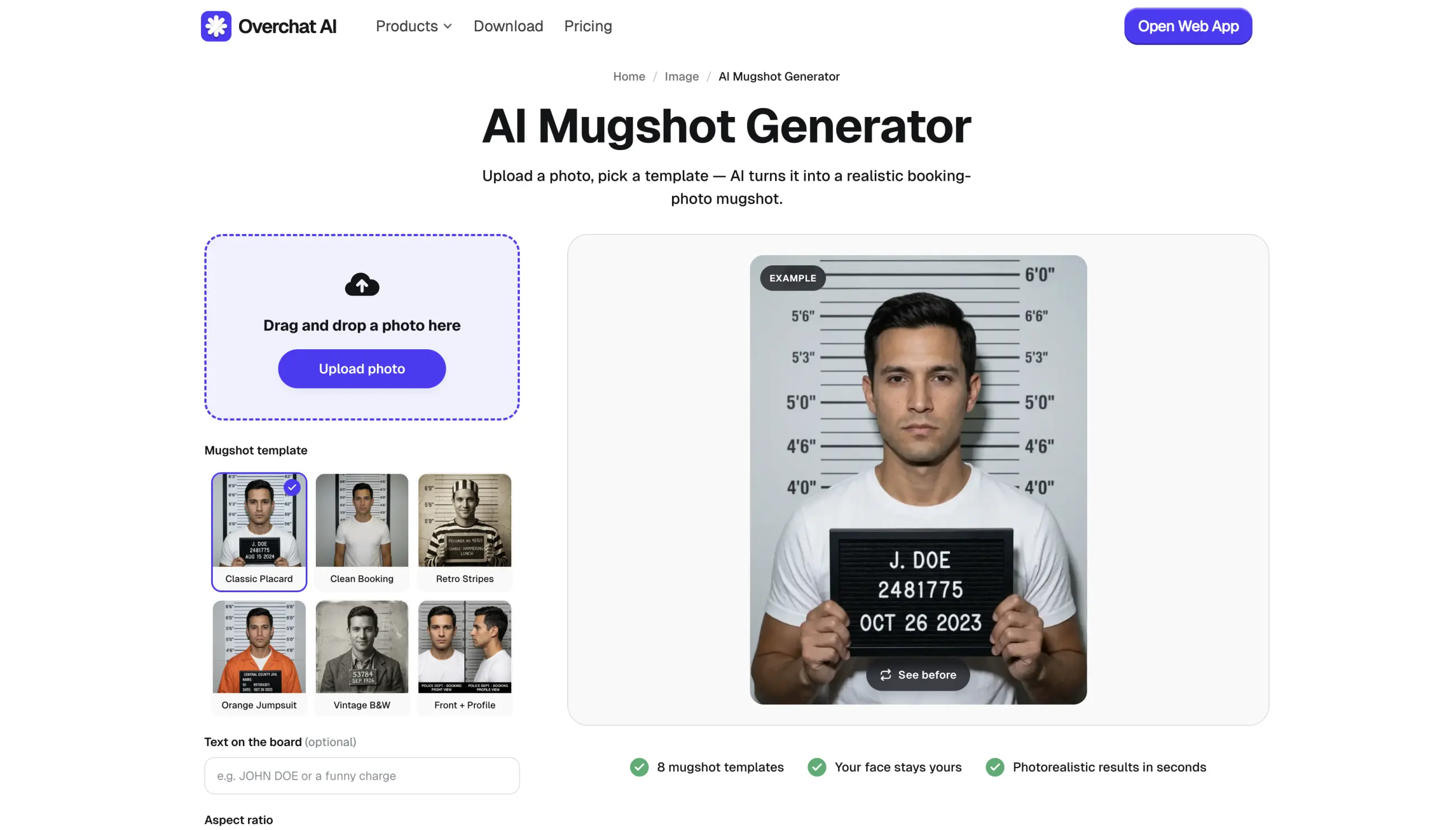
Overchat AI’s Mugshot Generator is an online tool we've built — when creating it, our goal was to make a tool that's very easy to use and that offers multiple creative styles, from classic viral ones to custom ones, such as mugshots from history, and to make it easy to use we've made it based on presets — you can preview the mugshot template in the gallery and pick one that you like from one of the templates:
Overchat AI Mugshot Generator
Classic Placard
Clean Booking
Retro Stripes
Orange Jumpsuit
Vintage B&W
Front + Profile
Night Arrest
Wanted Poster
For additional customization, you can add custom text that will be displayed on the board you'll be holding in the image via the text prompt.
Using the Overchat AI mugshot generator is very easy:
Upload a selfie.
Pick one of the eight mugshot templates.
Add up to 24 characters of optional board text when the selected template includes a placard.
Choose Auto, 1:1, 3:4, 4:5, 9:16, or 16:9 as the output ratio.
Click Generate mugshot and download the result.
We've chosen to use Nano Banana 2 as the engine, because this model is one of the most accurate AI image generation models for image editing, and it also excels at realism, which is what you want when making a prank or a joke image. Results typically arrive in 20–40 seconds. The output is available as an HD download without a watermark, and at the time of writing, we're keeping the tool free to use on the website without an account needed.
Pros:
✅ Eight purpose-built mugshot templates
✅ Custom text on supported placards
✅ Front-and-profile composition
✅ Modern, vintage, cinematic, and novelty styles
✅ Six output aspect-ratio options
✅ HD download with no watermark
2. Pollo AI
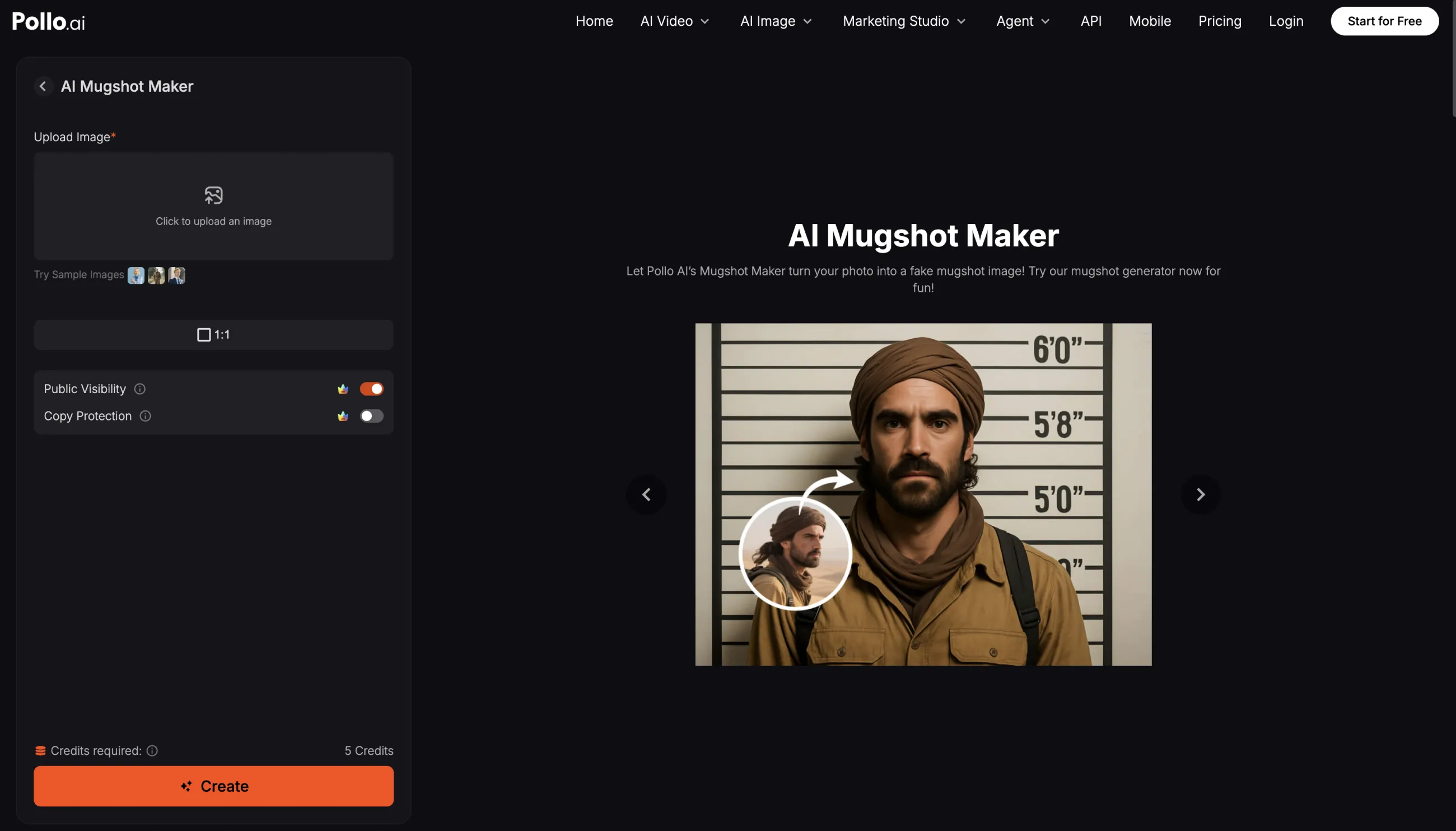
Pollo AI’s Mugshot Maker is a one-click photo effect that preserves the facial features from your photo, so the result stays recognizable.
Pollo AI Mugshot Maker
It works great for quick mugshots, but it's not customizable like Overchat AI — there's no prompt and no template picker.
However, like Overchat AI, Pollo AI is a large AI creative platform — mostly focused on video — with an AI video generator, face swap, and dozens of other photo effects you can apply to the mugshot image.
Pros:
✅ One-click effect with a realistic booking-photo backdrop and lighting
✅ Preserves facial features from the uploaded photo
✅ Part of a full AI suite: video generation, face swap, and many more photo effects
✅ Platform hosts strong image models such as GPT Image 2 and Nano Banana 2
✅ Easy download and social sharing
Cons:
❌ No custom placard text — board details are auto-generated
❌ Single look with no mugshot style presets
3. VEED
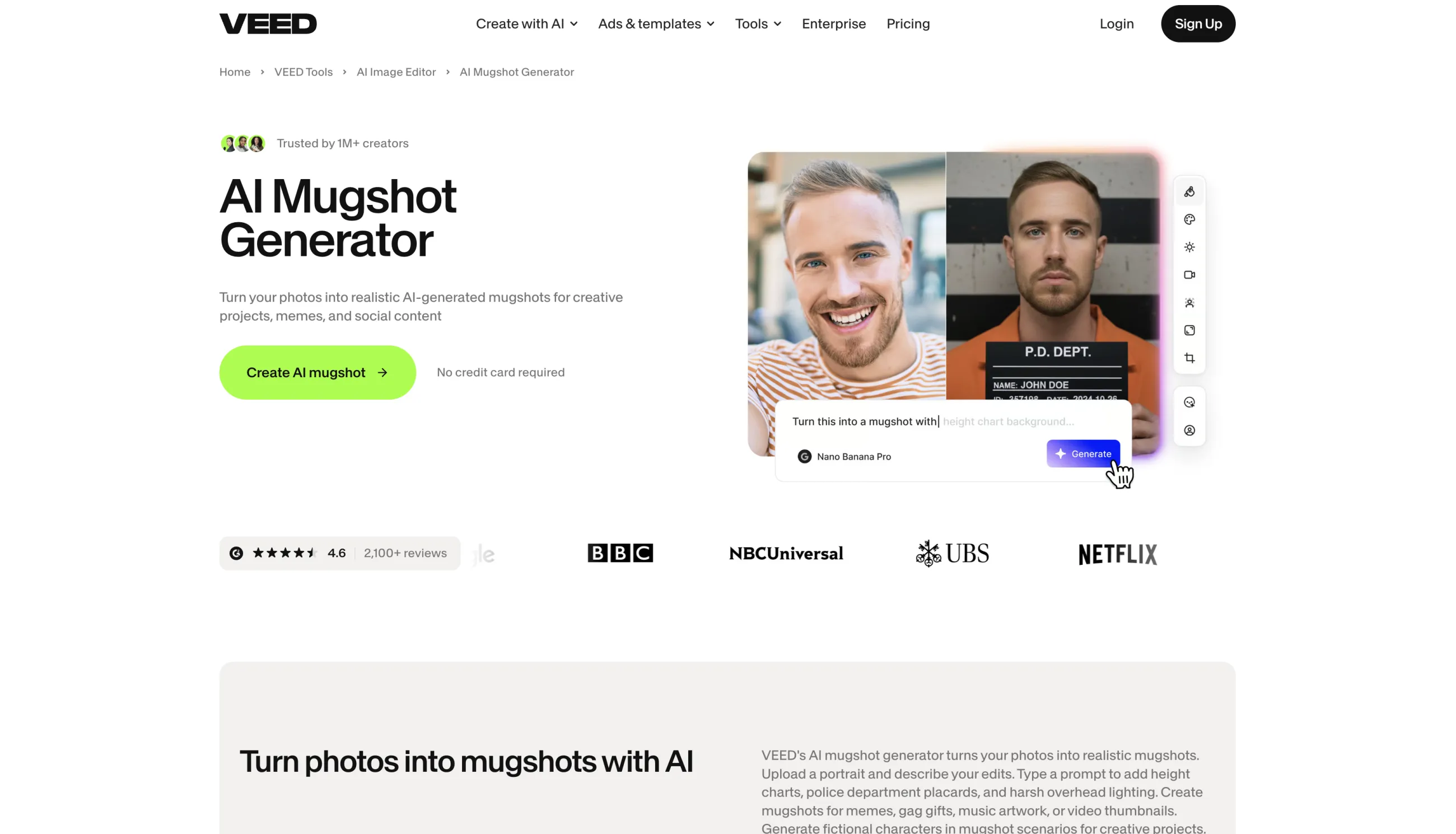
VEED’s AI Mugshot Generator is also built around a prompt-based image editor. To use it, upload a portrait and describe the booking-photo details.
VEED AI Mugshot Generator
VEED is primarily a video creation tool for making ads and social media content, and you can easily take the mugshot you created and use it in a video-based workflow — add captions, music, transitions, sound effects, or animate the image right then and there.
That makes VEED especially convenient for YouTube thumbnails, music videos, podcast graphics, “wanted” reveals, comedy skits, and short-form social posts.
Pros:
✅ Prompt-based control over the full scene
✅ Supports uploaded portraits and fictional characters
✅ Custom names, dates, captions, and ID numbers
✅ Direct connection to VEED’s video editor
✅ Useful for thumbnails, reels, skits, and music visuals
Cons:
❌ Uses a model-dependent credit system
❌ More interface than necessary for a single novelty image
❌ An account is required for the full generation workflow
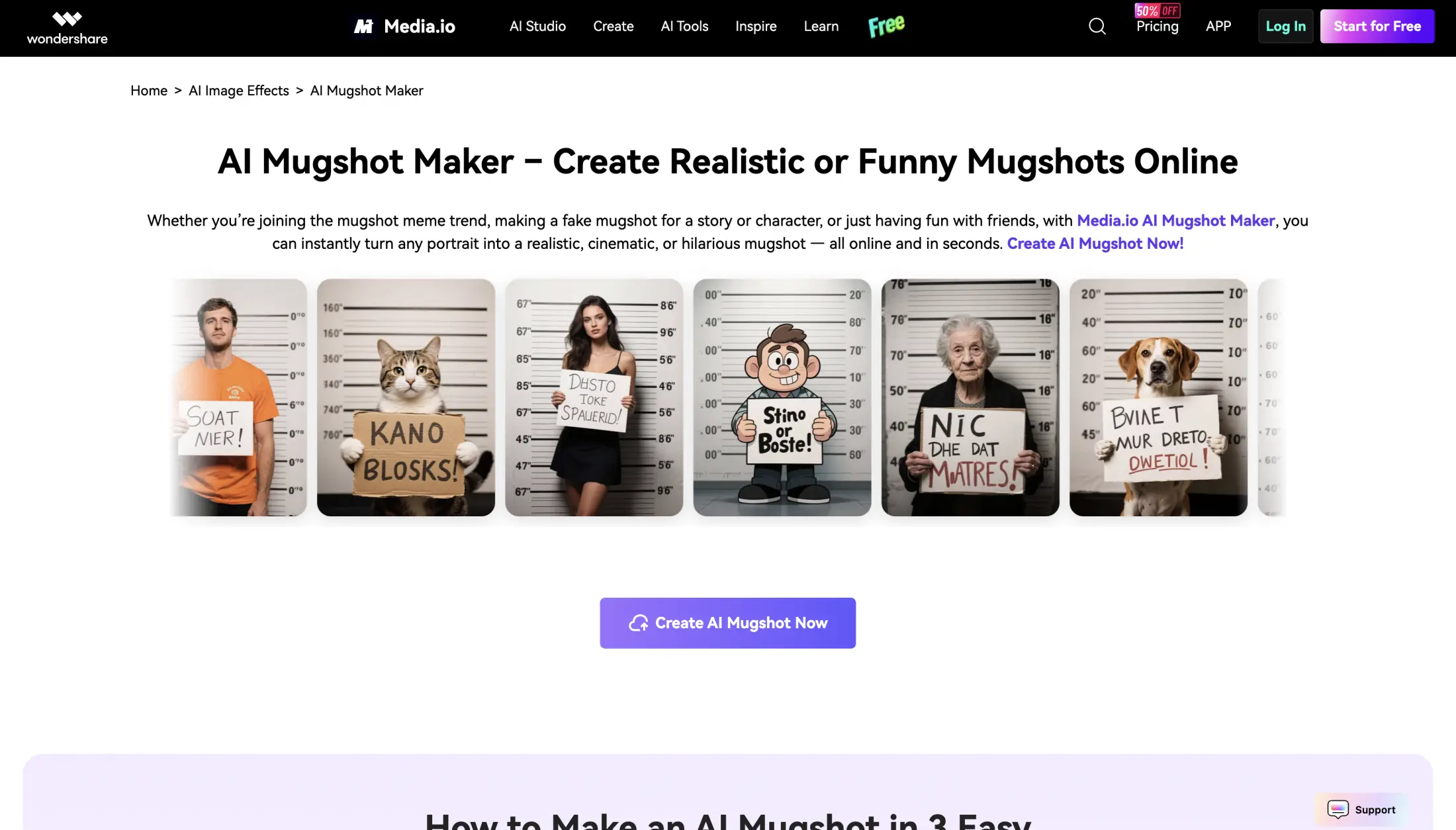
4. Media.io — Best for Memes and Pet Mugshots
Media.io’s AI Mugshot Maker supports both image-to-image and text-to-image generation, so you can either make a mugshot of yourself or one that features a made-up character.
Media.io AI Mugshot Maker
You can also add custom mugshot-board details: names, ID numbers, dates, and “charges” — all by including them in the prompt, making Media.io a natural fit for social posts, party invitations, gag gifts, and pet memes.
Pros:
✅ Photo-to-photo and text-to-image workflows
✅ Custom board text and scene details
✅ Works well for people, fictional characters, and pets
✅ Mobile-browser support
✅ Useful for memes, invitations, and gag gifts
Cons:
❌ Free generation is limited by credits
❌ Export quality and watermark options may depend on the plan
❌ Fewer clearly defined mugshot presets than Overchat AI
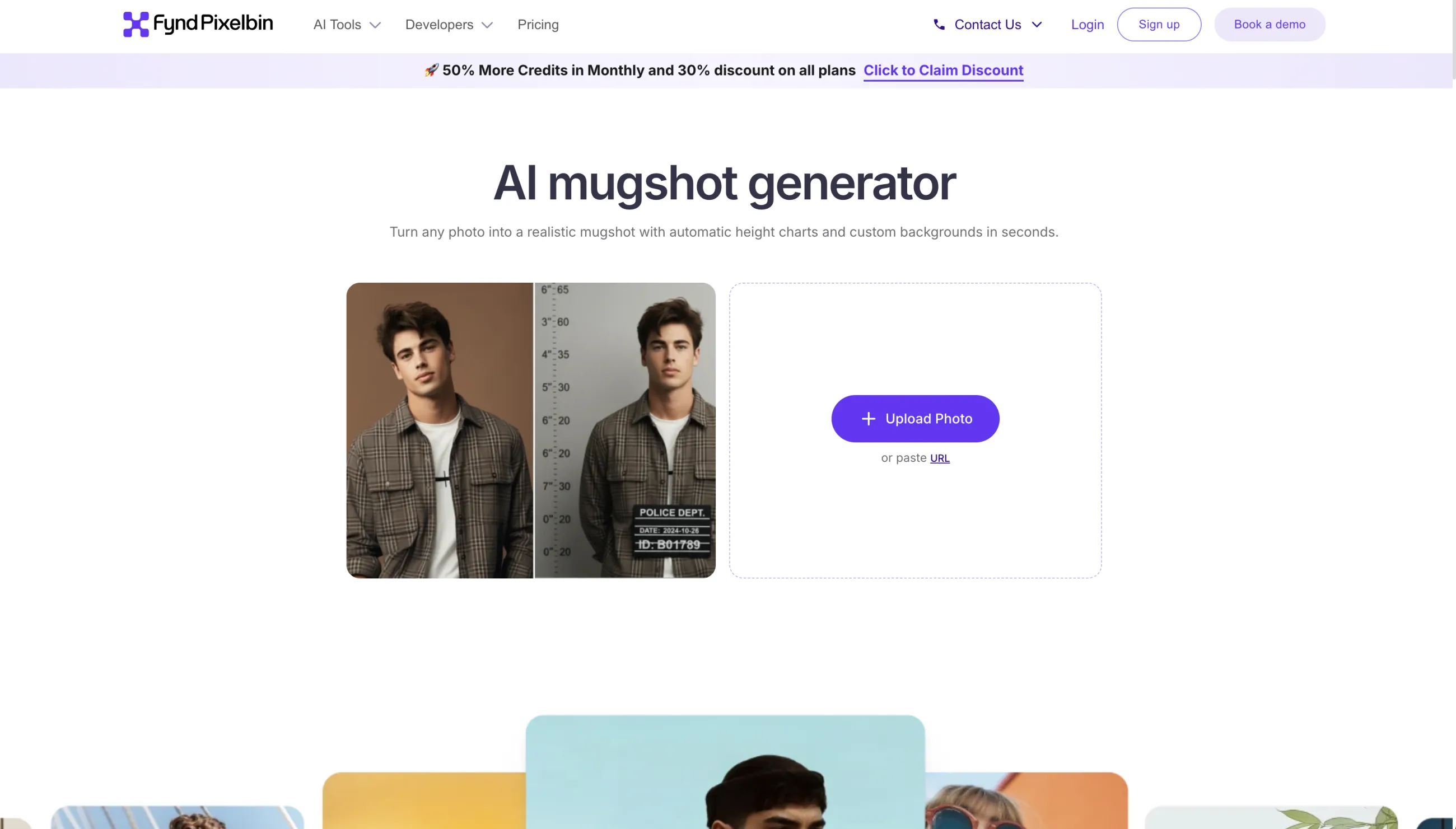
5. Pixelbin — Best Simple One-Click Mugshot Filter
Pixelbin’s AI Mugshot Maker is super easy to use. Basically, the whole interface is the dropzone and it automatically creates your mugshot, with little customization and no prompting. This can be a good thing or a bad thing. It's good if you just want to quickly make a photo of yourself that follows the viral trend, but bad if you want to play around with presets or customize it.
Pixelbin AI Mugshot Maker
Pixelbin says users can process three images per month without creating an account, with no watermark or hidden download charge. Signing up provides additional free credits. The platform also supports browser-based use across phones, tablets, and computers.
Pros:
✅ Very simple upload-and-generate workflow
✅ Three free images per month without sign-up
✅ JPG, JPEG, PNG, and WebP support up to 10 MB
✅ No watermark on the free result
✅ Works on mobile and desktop browsers
Cons:
❌ No custom placard text
❌ No text-to-image mode
❌ Limited creative control compared with the other tools
How to Make an AI Mugshot From a Photo
You can make a fake mugshot in under a minute with most of the tools above. Here is the process using Overchat AI:
Upload the photo. Drag and drop it on desktop or select it from your phone.
Pick a template.
Customize the board. If the template supports a placard, enter a short name, caption, or joke charge.
Choose the aspect ratio. Use 1:1 for a profile image, 4:5 for an Instagram post, 9:16 for Stories or TikTok, or Auto to follow the source photo.
Generate and download. The finished image is usually ready in 20–40 seconds.
Frequently Asked Questions (FAQ)
Quick answers to the most common questions about AI mugshot generators.
What is the best free AI mugshot generator?
Overchat AI is the best free AI mugshot generator overall. It works without an account, offers eight distinct templates, lets you customize board text, includes a front-and-profile option, supports six aspect ratios, and provides an HD download without a watermark.
Can AI turn a normal photo into a mugshot?
Yes. Upload a clear portrait to an image-to-image mugshot generator, choose a style, and the AI can rebuild the background, lighting, clothing, pose, and props while preserving the recognizable face from the original photo.
Can I add my own text to the mugshot board?
Yes, but support varies by tool. Overchat AI includes a dedicated text field for templates with a placard. VEED and Media.io let you describe the wording in a prompt. Pollo AI and Pixelbin apply an automatic mugshot effect without custom board text.
Can I create a front-and-side mugshot?
Yes. Overchat AI has a dedicated Front + Profile template that generates both angles in one two-panel image. With prompt-based tools, you can request the same composition, but the identity and details may be less consistent between panels.
Can I make a vintage mugshot?
Yes. Overchat AI includes Retro Stripes and Vintage B&W presets, while prompt-based generators such as VEED and Media.io can create an old booking-photo look when you describe details such as sepia film, scratches, early-1900s clothing, and an aged placard.
What can I use a fake mugshot for?
Popular uses include memes, Halloween props, party invitations, fictional character sheets, album artwork, YouTube thumbnails, social trends, comedy skits, and personalized gag gifts.
Bottom Line
Overchat AI is the best mug shot generator — it offers 8 custom styles, including unusual ones created by our team specifically for this app, and it's free to use for a limited time without creating an account.
Key takeaways:
AI mugshot generators can turn a selfie into a realistic booking-style image in under a minute.
Mugshot generators can create photorealistic or stylized images.
They're powered by AI image generation models, specifically image to image ones.
Look for mugshot generators powered by Nano Banana 2, GPT Image 2, or Seedream 5.
Overchat AI is the best AI mugshot generator — it features 8 custom mugshot templates, custom board text, multiple aspect ratios and it's free to use for a limited time.