



In this article, we share the top 5 AI image generation tools (with example results). Let's go!
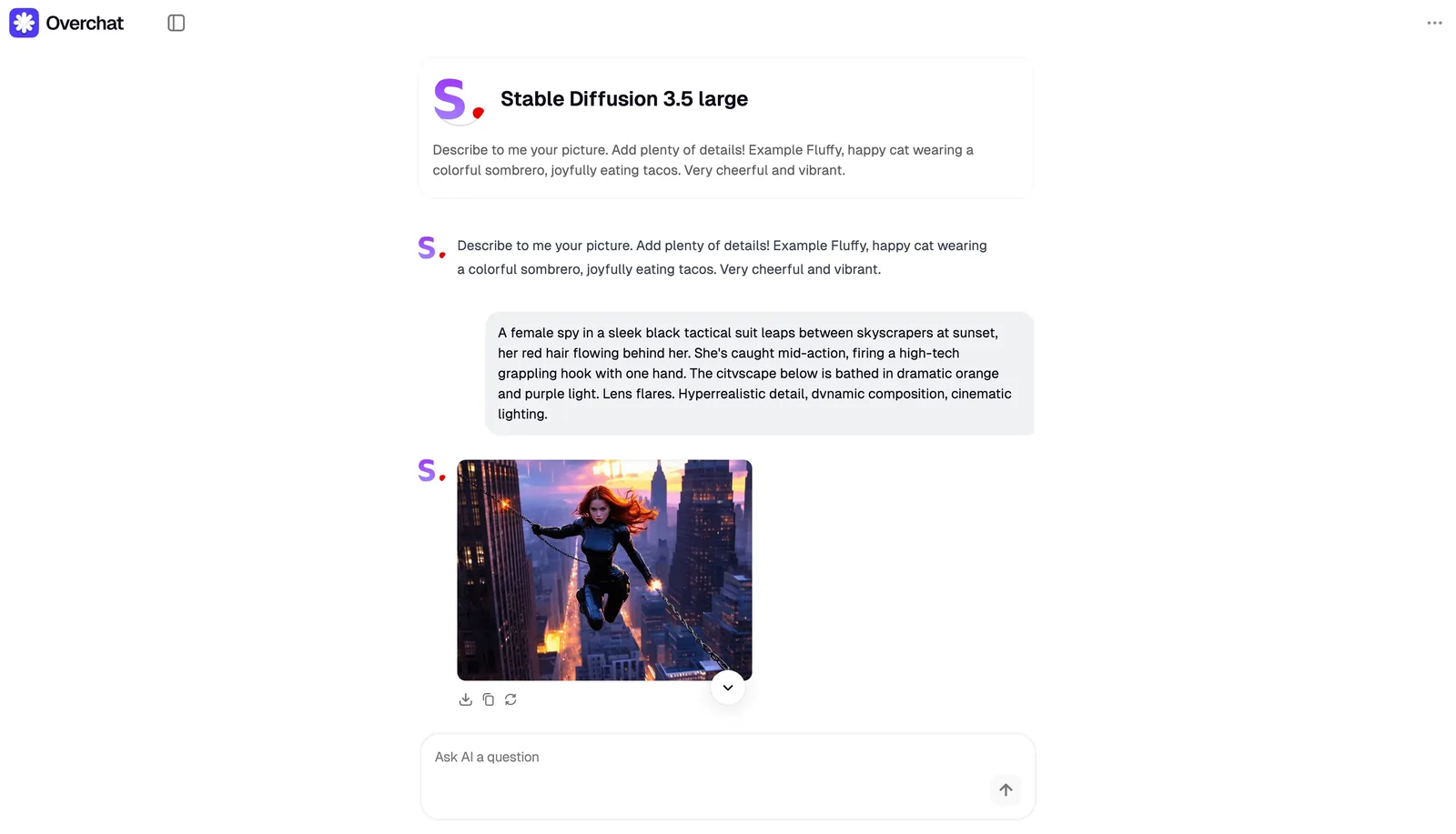
Bonus: we asked each model to generate the same scene: a Black Widow-like character in an action pose — which one do you like best?
1. Overchat
Overchat is an AI image-generation platform that brings all major AI models in one interface.

/im
Overchat makes it extremely easy to create AI art by offering specialized modes, like manga, realistic portraits, pixel art, cyberpunk visuals, and more — pick the one that fits your creative vision.
Creating images with AI can be tricky, because the final result depends on your prompt. Overchat solves this challenge for you, because you can pick a tool that’s already tuned for a specific result.
Overchat also features “unfavoured” popular AI models. It supports:
- DALL-E 3
- Recraft V3
- Flux
You can experiment with different models and see which one you like the most. You can generate beautiful AI art even if you don’t have experience writing prompts.
Key features of Overchat include:
- Free version available
- All popular AI image-generation models in one place
- Generate images in specific art styles
- Not just art, but also logos, banners and pitch decks.
- Easy-to-use interface
- No need to optimize prompts to achieve a particular style

2.Invideo AI Image Generator
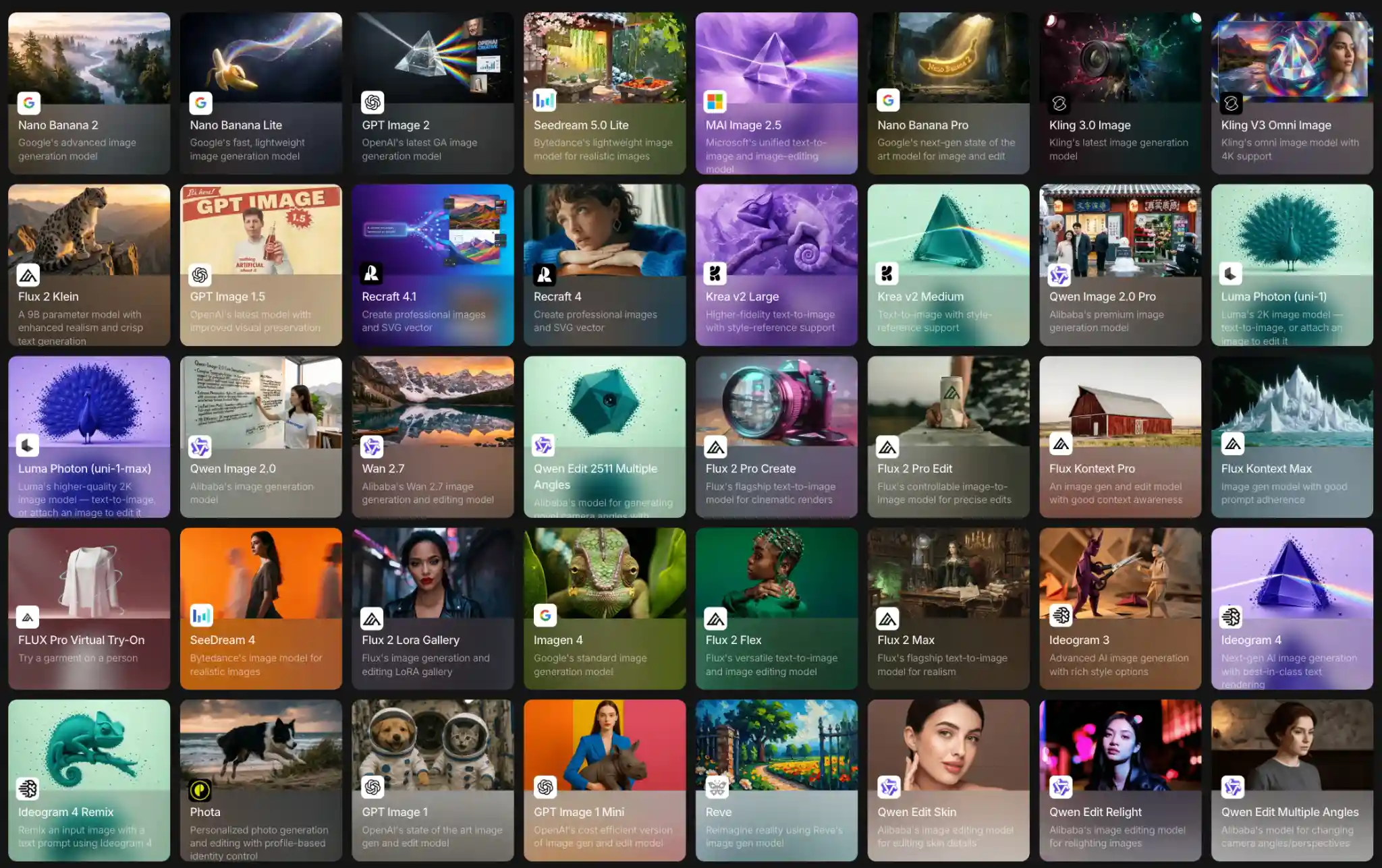
Invideo is an all-in-one text to image generation platform that gives you access to dozens of top AI models in one place, including Nano Banana, GPT Image , Flux, Seedream, and Ideogram.
Instead of locking you into a single model, invideo lets you describe what you want in plain English and pick whichever fits your vision, whether that's a photorealistic portrait, a cinematic render, or crisp text on a poster. You don't need to switch tools or start a new project to try a different model. You can pick any image model right inside the same project, so you can experiment freely and compare results without breaking your flow.
What really sets invideo apart is Agent One, its AI creative agent. Instead of you having to write the perfect prompt or know which model does what, you simply describe your idea and Agent One picks the right model and shapes the prompt for you. It also remembers your project as you go, so your characters, style, and overall look stay consistent across every image you create rather than drifting from one generation to the next.
Key features of invideo AI include:
- 70+ AI image models in a single interface (Nano Banana 2, GPT Image 2, Flux, Seedream 4.5, Imagen 4, and more)
- Agent One: picks the right model and writes the prompt for you
- Keeps your characters and style consistent across every image
- Generate images in any style, from photorealistic to illustrated and cinematic
- Strong text rendering for posters, logos, and banners
- Built-in path from image to video for end-to-end creation
3. Recraft V3
Recraft V3 is an AI text-to-image generator by Recraft.AI. You can easily generate photorealistic visuals. This tool is best for artworks, such as portraits and landscapes.
With Recraft, anyone can quickly generate professional-looking visuals. In our example, the tool delivered the most realistic textures and believable lighting, but the angle and pose are a little weird — it didn’t get our intent. You may need to tinker with the prompt more, compared to DALL-E.
Here are some of the main features of Recraft V3:
- Easy way to create photorealistic images
- Doesn’t have that trademark AI smooth texture
- Suitable for concept art, storyboards

4. Flux
Flux is an AI image generator developed by Flux.AI — this model doesn’t have a native interface, but you can use it through a platform like Overchat.
Overchat offers an intuitive and very minimalistic interface. It’s a great combination with Flux, which like DALL-E 3 “just gets” what you want. With Flux, it’s very easy to create professional looking art. In our test, it produced the second most accurate result relative to the prompt, only missing some aspects of the lightning.
A signature feature of Flux is its real-time visual control, enabling users to effortlessly manipulate images using intuitive sliders, live-editing brushes, and instant layer adjustments. This immediate feedback loop allows you to refine your creative vision seamlessly and explore countless possibilities without delay.
Here are some of Flux’s standout features:
- Real-time, interactive image generation
- Dynamic sliders and live-editing controls
- Rapid visual prototyping
- Instant feedback on creative adjustments
- Highly responsive, intuitive design interface
5. Stable Diffusion
Stable Diffusion is an open-source artificial intelligence image generator developed by Stability AI.
It’s excellent at generating highly detailed, realistic images. Stable Diffusion has base models, like Stable Diffusion 3.5 Large (available in Overchat), and pre-trained models optimized for specific styles: anime, or, for example, cartoons.
Here are some of Stable Diffusion’s defining features:
- Powerful and flexible AI-generated visuals
- Extensive control through prompt engineering
- Granular customization with numerous parameters
- Open-source platform supporting community extensions
- Steep learning curve requiring practice and experimentation
Try Generating AI Images Right Now!
Ready to start generating AI art? Get started in Overchat — use the most advanced AI image generators in one intuitive platform and create all kinds of images, from manga and realistic portraits to ink drawings — your imagination is the only limit.