8 Best AI Humanizer Tools in 2026: Free and Paid Options Compared
Last Updated:
2026-10-30
8 Best AI Humanizer Tools in 2026: Free and Paid Options Compared
If you’re wondering what the best AI humanizer tool is in 2026, you’re in the right place. In this article, we’re reviewing some of the most popular AI humanizer tools. We’re going to compare writing quality, meaning preservation, editing controls, free access, and the breadth of each product. Let’s get started.
Four styles, tone insights, grammar and paraphrasing tools
StealthGPT
Power users and automated workflows
1,000-word public editor
Light and heavy rewrite modes, Chrome extension, API, long inputs on enterprise plans
Humbot
Study and writing tools in one platform
Free test; allowance shown after signup
Humanizer, AI checker, plagiarism checker, citations, PDF tools
Overchat AI
All-in-one AI service with a humanizer
100 words per day
Humanizer plus AI chat, image, video, writing, and study tools
1. WriteHuman — Best AI Humanizer for Natural-Sounding Rewrites
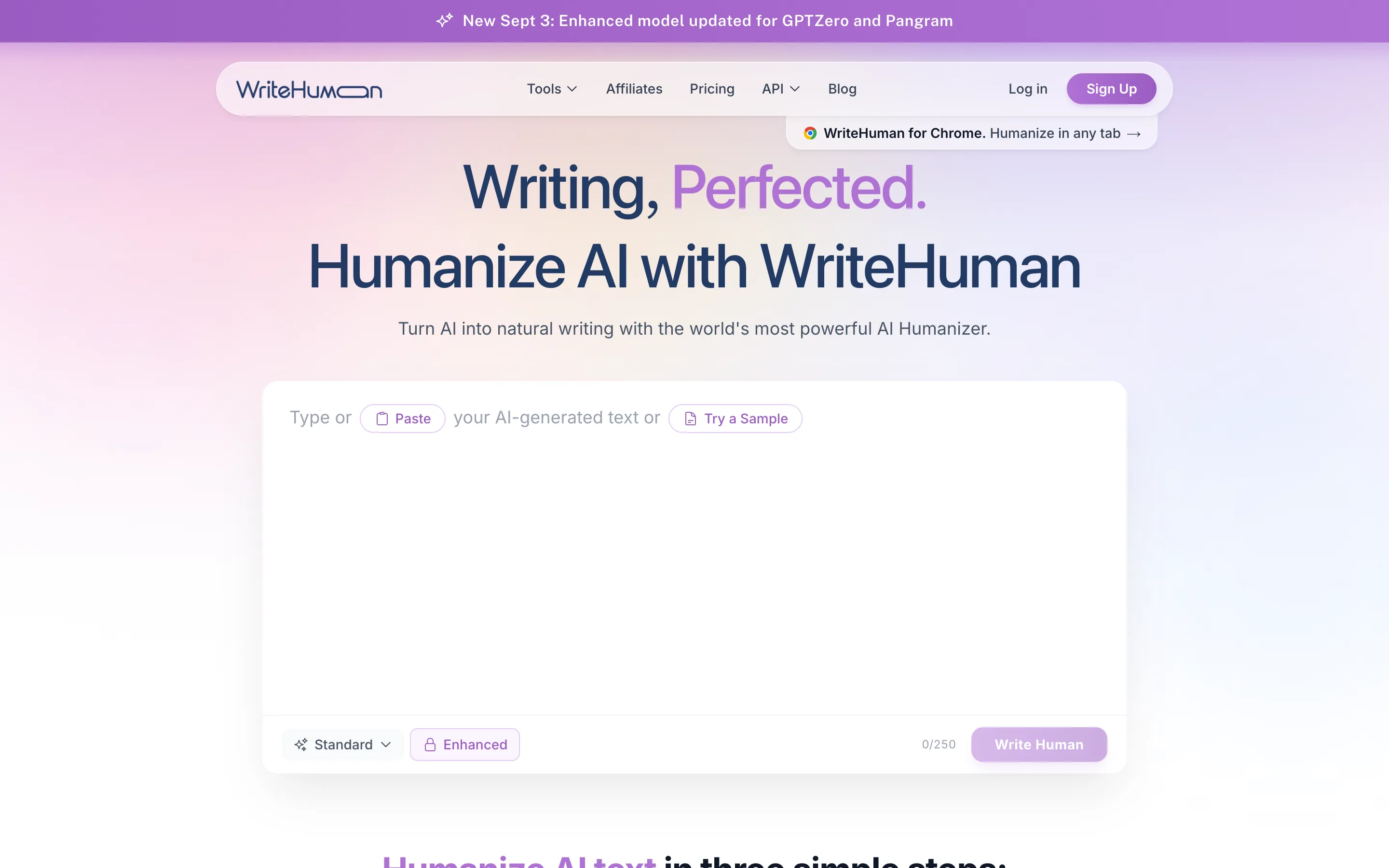
WriteHuman can rewrite text from ChatGPT, Claude, Gemini, Grok, DeepSeek, and other models in more than 40 languages. Its free trial allows you to paste up to 250 words per request and use Standard mode. Enhanced mode requires a paid plan.
WriteHuman rewrites text from ChatGPT, Claude, Gemini, and other models in more than 40 languages
The built-in detector assigns an AI probability to each sentence, so you can see which lines need further revision. WriteHuman also has a Chrome extension and apps for iPhone, iPad, and Android.
WriteHuman reports more than 7.5 million humanized documents. Its Android app has passed 100,000 downloads, while the iPhone and iPad app has a 4.7 rating from 188 App Store reviews. These figures cover the wider WriteHuman product, not a controlled measure of rewrite quality.
Paid plans generate two to five output versions, depending on the tier.
WriteHuman pricing:
Free: Up to 250 words per web request; mobile onboarding includes 5 free humanizations.
Basic: $12/month billed annually; 80 requests per month and up to 600 words per request.
Pro: $19/month billed annually; 200 requests per month and up to 1,200 words per request.
Ultra: $39/month billed annually; unlimited requests and up to 3,000 words per request.
Pros:
✅ Ranked first in the September 2026 HumanizerBench table
✅ AI probability shown for individual sentences
✅ 40+ supported languages
✅ Chrome extension and mobile apps
✅ Multiple output variations on paid plans
Cons:
❌ Free requests are limited to 250 words
❌ The Basic plan caps each request at 600 words
❌ HumanizerBench is operated by WriteHuman, so its first-place result is not an independent endorsement
2. Undetectable AI — Best for AI Detection and Humanization in One Tool
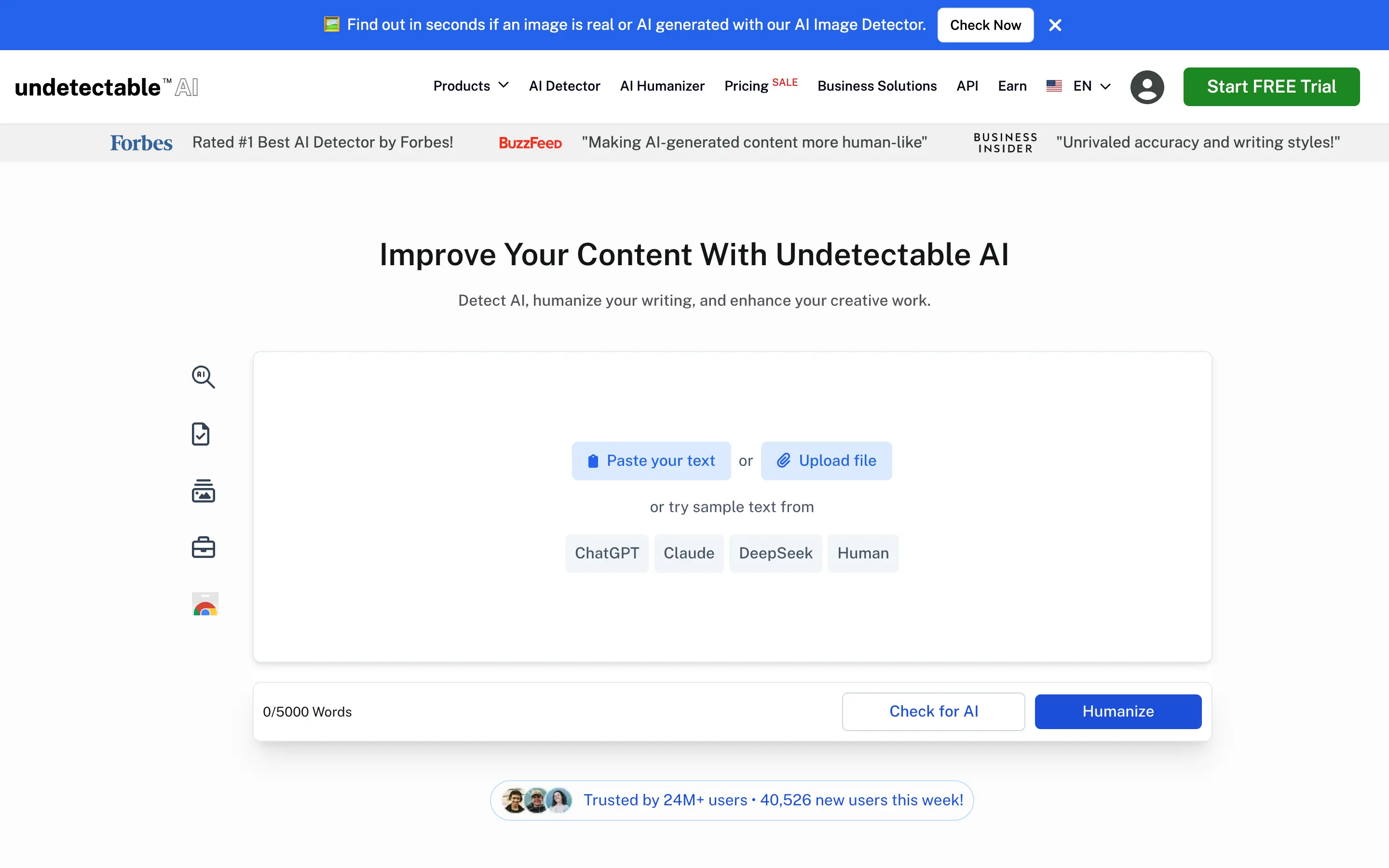
Undetectable AI allows you to humanize up to 5,000 words (250 on a free trial) in a single pass and has an integrated AI detector as well as the humanizer.
Undetectable AI places the detector and the humanizer controls in the same editor
You can set a writing level before rewriting and inspect detector results without copying the text into another product. Undetectable AI also provides a Chrome extension, an API, a paraphrasing tool, a plagiarism checker, and a human auto-typer.
Undetectable AI reports more than 24 million users. It also has the largest standard editor in this list at 5,000 words, although the number of words you can process still depends on your plan allowance.
Undetectable AI pricing:
Free trial: 250 words in total.
10,000 words/month: $9.99 month-to-month or $60/year, equivalent to $5/month.
20,000 words/month: $19 month-to-month or $114/year, equivalent to $9.50/month.
35,000 words/month: $31 month-to-month or $189/year, equivalent to $15.75/month.
Pros:
✅ Detector and humanizer controls in the same editor
✅ File upload and a 5,000-word input box
✅ Writing-level controls
✅ Chrome extension and API
✅ 250-word free trial
Cons:
❌ The trial only allows you to humanize 250 words
❌ The $9.99 monthly plan includes 10,000 words
3. HIX Bypass — Best Multilingual AI Humanizer
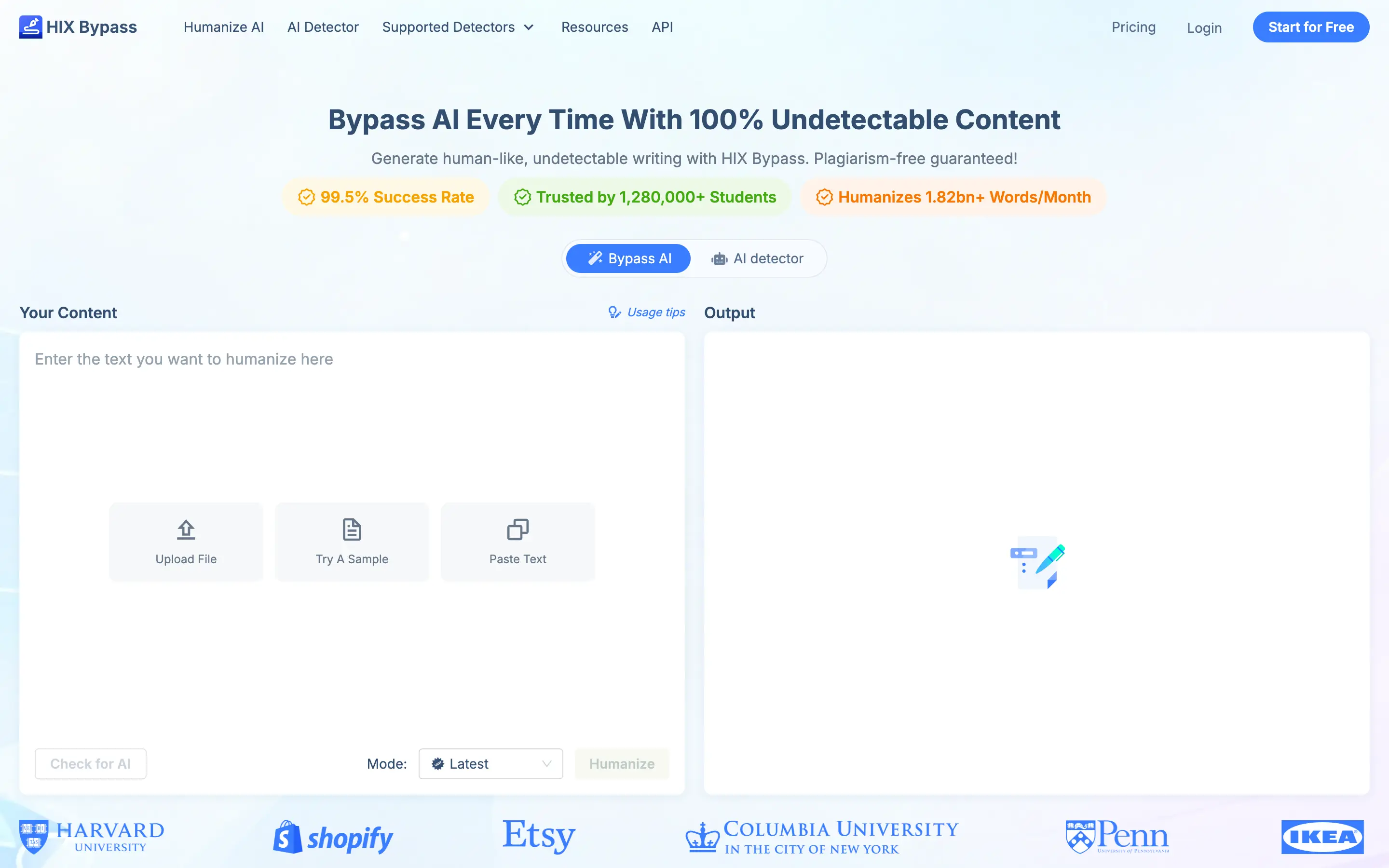
HIX Bypass rewrites text in more than 50 languages and provides Fast, Aggressive, and Latest modes.
Fast mode makes fewer structural changes.
Aggressive mode rewrites more of the draft.
Latest mode uses the newest available humanization model.
It’s easy to use as you can paste text, upload a file, or load a sample, then run either the humanizer or the AI detector from the same page.
HIX Bypass offers Fast, Aggressive, and Latest rewrite modes across more than 50 languages
HIX Bypass pricing:
Free trial: 300 words in total.
Standard: $14.99 month-to-month or $9.99/month with annual billing. 5,000 humanizer words and 5,000 detector words per month, with a 3,000-word input limit.
Unlimited: $59.99 month-to-month or $15/month with annual billing. Unlimited humanizer and detector words with no per-input limit.
Pros:
✅ 50+ supported languages
✅ Three rewrite modes
✅ Built-in AI detector
✅ API available
✅ Paste, file-upload, and sample-text inputs
Cons:
❌ The Standard plan provides 5,000 humanizer words per month
❌ Each Standard-plan input is capped at 3,000 words
❌ Aggressive mode can change technical terms or sentence emphasis
4. Phrasly — Best AI Humanizer for Students and Document Editing
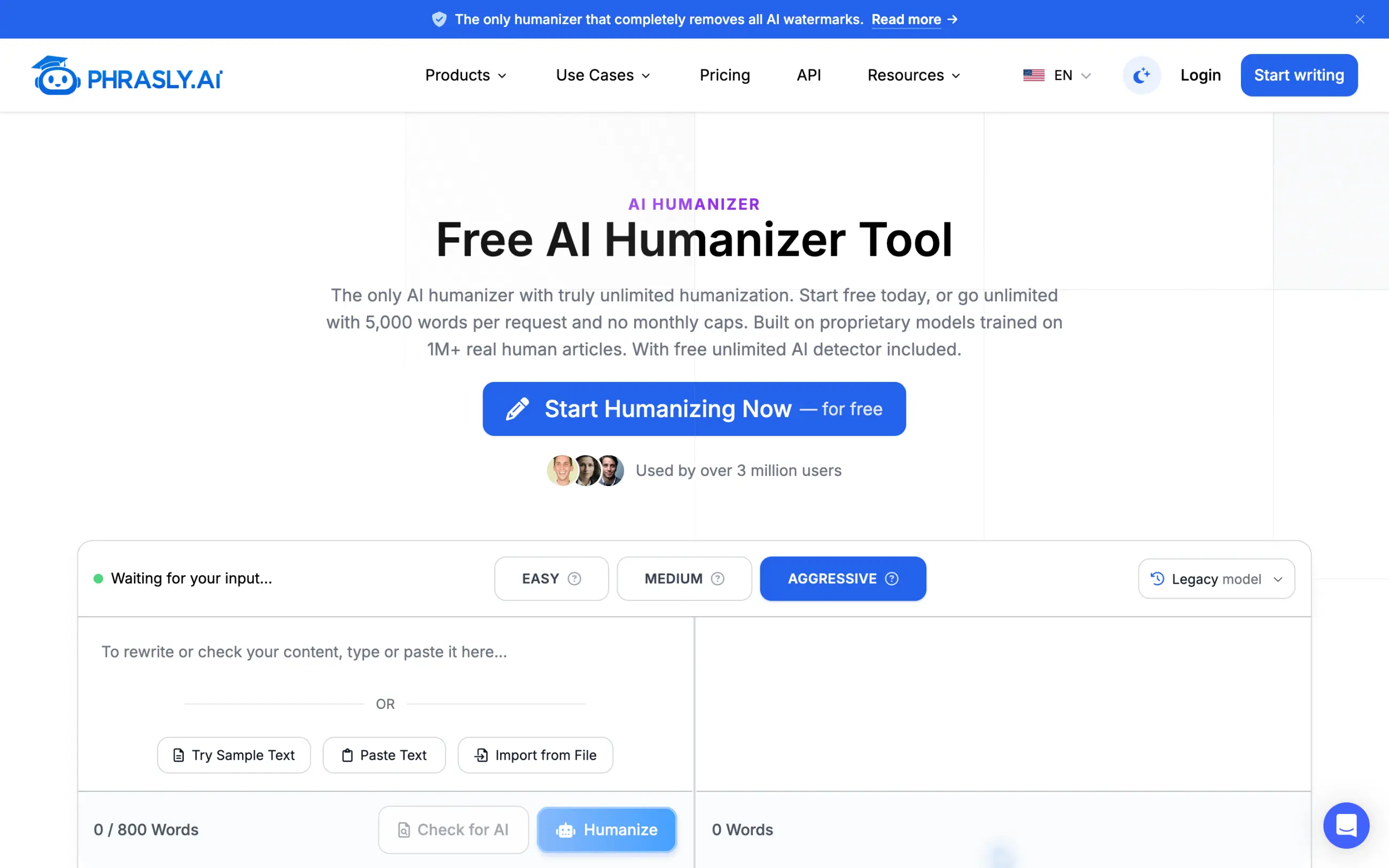
Phrasly processes up to 800 words per request for free and offers Easy, Medium, and Aggressive rewrite modes. Text can be pasted into the editor or imported from a file.
Phrasly combines the humanizer with a document editor, citations, and study tools
Phrasly includes a document editor, content generator, translator, thesis generator, plagiarism checker, citation generator, human auto-typer, and Chat with PDF. You need to create a free account before using the tool.
Phrasly reports more than 3 million users across 180 countries and more than 300 educational institutions. The humanizer is one of eight core tools in the platform, which explains its stronger focus on essays, citations, and document editing.
Phrasly pricing:
Free: Up to 800 words per request; account required.
Three-day trial: $2.
Monthly: $19.99/month.
Annual: $10.99/month billed annually.
Pros:
✅ 800 words per free request
✅ Easy, Medium, and Aggressive modes
✅ Document editor and Chat with PDF
✅ Citation, translation, and plagiarism tools
✅ 5,000 words per paid request
Cons:
❌ Sign-up is required
❌ Free requests stop at 800 words
❌ Medium and Aggressive modes can alter citations or specialized terminology
5. QuillBot — Best Free AI Humanizer for Short Text
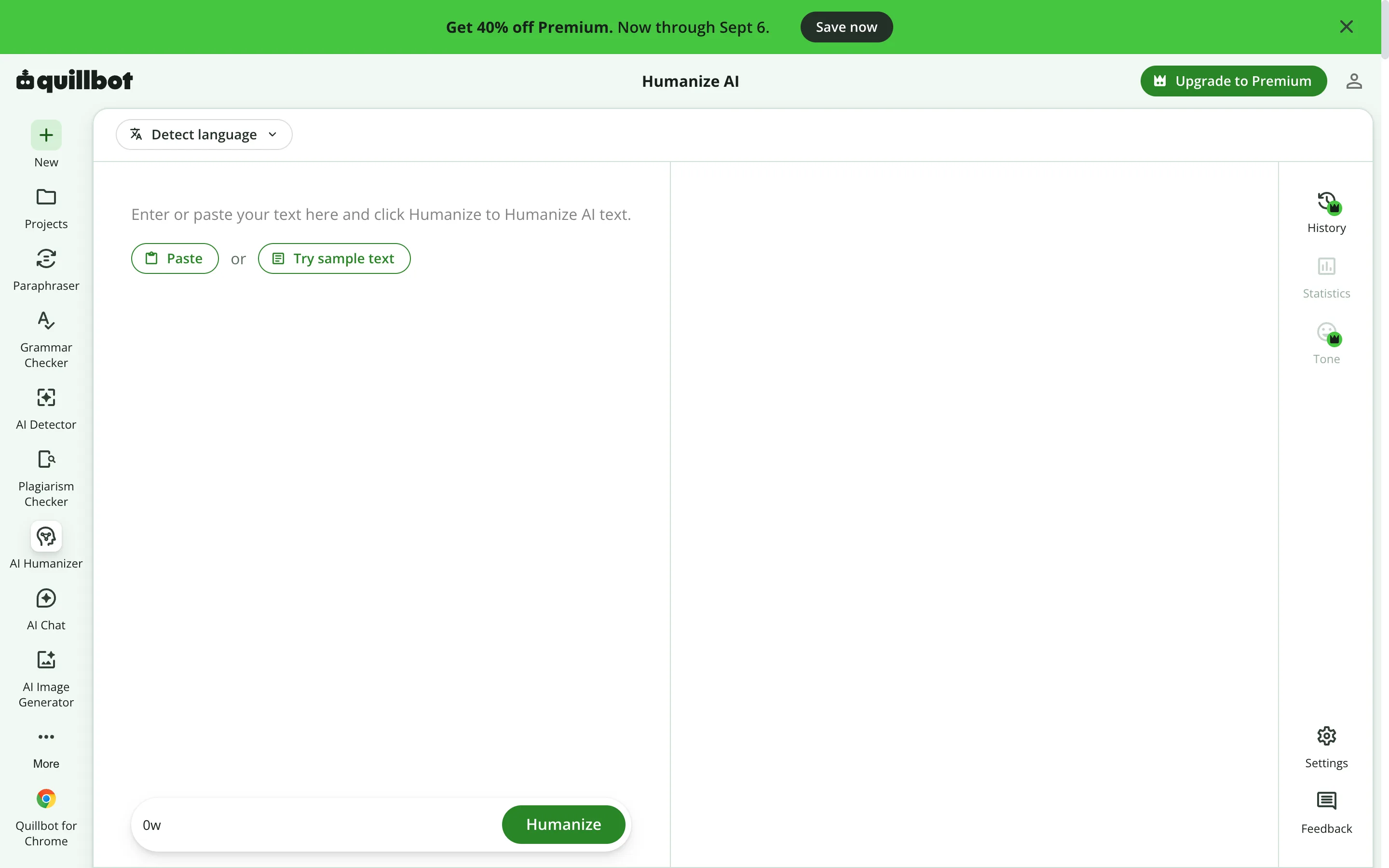
With QuillBot, you can humanize up to 125 words in a single run without creating an account. The editor supports Standard, Academic, Professional, and Casual styles and detects the input language automatically.
QuillBot humanizes up to 125 words per run without an account
If you need more features or want to humanize longer texts, Premium adds Advanced humanization, tone insights, and rewrite history. The same workspace contains the Paraphraser, Grammar Checker, AI Detector, Plagiarism Checker, AI Chat, and image generator.
QuillBot changes phrasing and sentence flow, but it is not marketed as a guaranteed detector-bypass tool. Its controls are designed for editing and readability, and the 125-word free limit works best for individual paragraphs, emails, and short posts.
QuillBot pricing:
Free: Up to 125 words per request; no account required for basic humanization.
Premium: $8.33/month billed annually; removes the humanizer word and usage limits and unlocks Advanced mode, tone insights, and history.
Pros:
✅ 125 free words per request
✅ No account required for basic use
✅ Academic, Professional, and Casual styles
✅ Paraphraser, Grammar Checker, AI Detector, and Plagiarism Checker in the same sidebar
❌ A 1,000-word draft must be split into at least eight free requests
❌ Advanced mode, tone insights, and history require Premium
❌ The product does not promise consistent detector bypass
6. StealthGPT — Best AI Humanizer for API and Long-Document Workflows
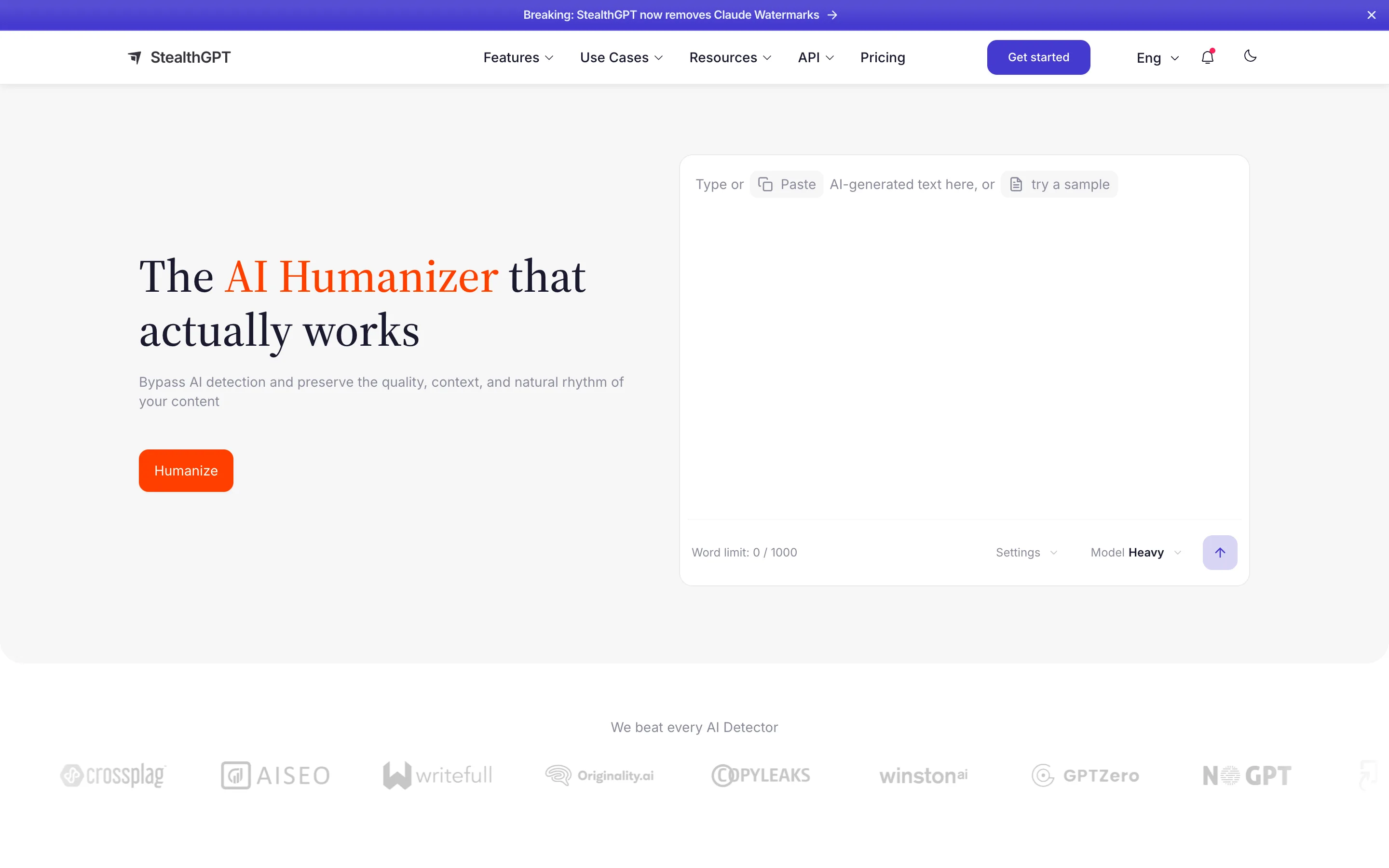
StealthGPT’s public humanizer accepts up to 1,000 words per request and provides Lite and Heavy rewrite modes. Users can paste text, load a sample, adjust settings, and choose the rewrite model from the same editor.
StealthGPT provides Lite and Heavy rewrite modes plus an API for automated workflows
StealthGPT’s API can send text from a CMS, internal editor, or batch content pipeline to the humanizer without opening the website for every request. The Chrome extension handles the opposite use case: humanizing text directly on the page where you are writing.
Stealth Agent combines web research, drafting, selected fact checks, and humanization in one guided run. The platform also includes an AI detector, SEO Writer, Chat with PDF, and a photo-to-answer tool.
StealthGPT divides long enterprise inputs into smaller sections, processes them in parallel, and shows progress for each section. Pro and higher plans support team members on one account.
StealthGPT pricing:
Public editor: Up to 1,000 words per request.
Paid plans: Start at $24.99/month.
Enterprise: Up to 20,000 words in one job; custom pricing.
Pros:
✅ Light and heavy rewrite modes
✅ Chrome extension and API
✅ SEO Writer, Chat with PDF, and Stealth Agent
✅ 20,000-word inputs on enterprise plans
✅ Team members supported on Pro and higher plans
Cons:
❌ The public editor caps each request at 1,000 words
❌ The 20,000-word limit is reserved for enterprise plans
❌ Heavy mode changes more of the source and requires checks for altered quotations, names, and technical terms
7. Humbot — Best AI Humanizer for Study and Research Tools
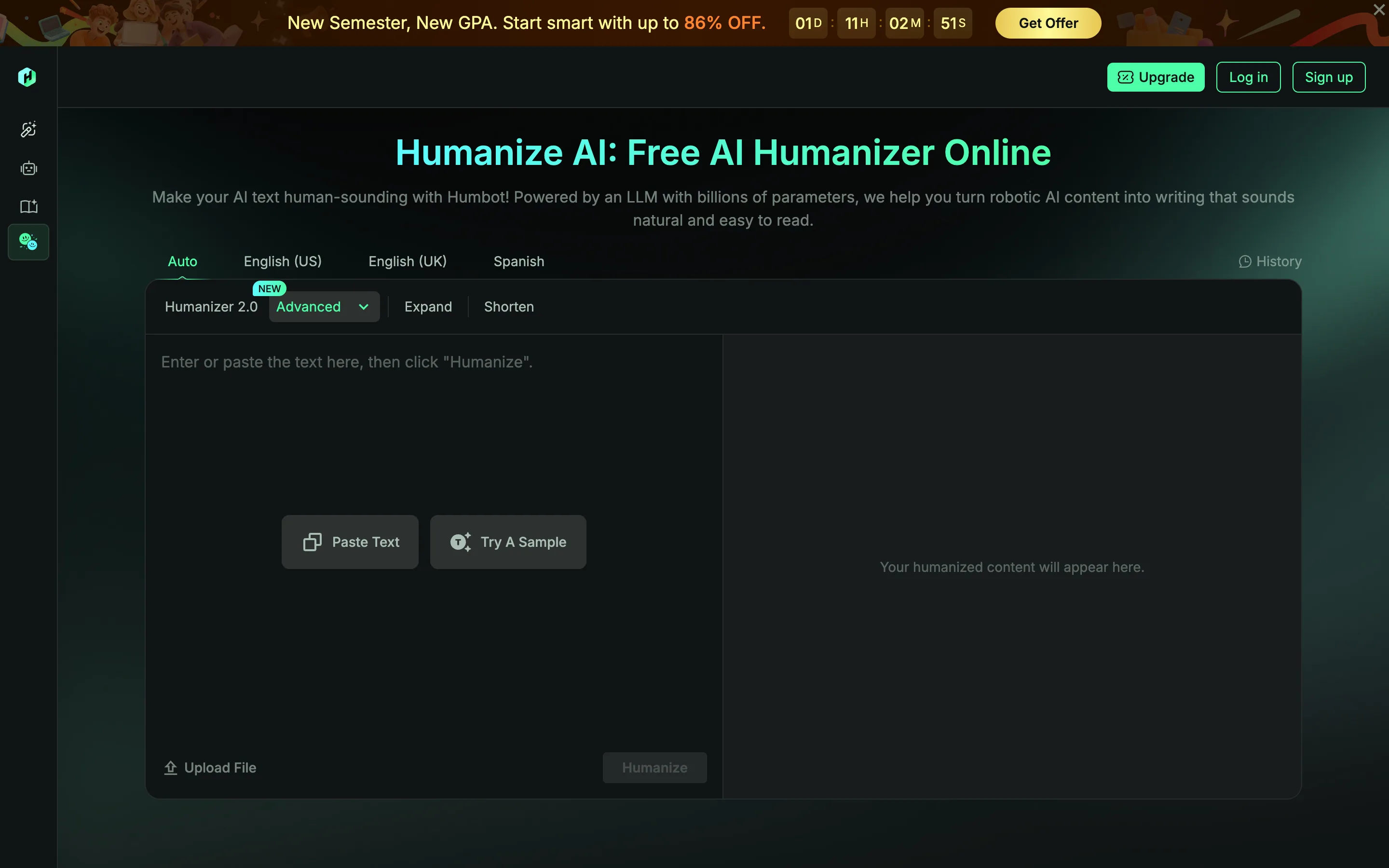
Humbot provides Quick, Enhanced, and Advanced humanization modes, tone controls, file upload, and language options for English, Spanish, and other supported languages. The input and rewritten text appear side by side, and changed phrases can be highlighted in the result.
Humbot shows the input and the rewritten text side by side and highlights changed phrases
The same account includes a multi-model AI checker, plagiarism checker, grammar checker, article rewriter, summarizer, document reader, math solver, quiz generator, translator, and citation generator. The citation tool supports more than 40 styles, and the translator covers more than 100 languages.
Humbot splits plan allowances into Basic and Advanced word credits. Credits can also be spent in Humbot’s other tools.
Humbot pricing:
Free test: Available after sign-up; the public pricing page does not state the free word allowance.
Paid plans: Per-request limits are 500 words, 1,200 words, or unlimited, depending on the tier.
Plan prices: Displayed at checkout and vary by the selected Basic and Advanced word allowances.
Pros:
✅ Side-by-side input and output
✅ Three humanization modes
✅ Multi-model AI checker
✅ Plagiarism, grammar, citation, and PDF tools
✅ Humanizer API available
Cons:
❌ Basic and Advanced words use separate credit allowances
❌ Some paid tiers cap each humanizer request at 500 or 1,200 words
❌ The left navigation and cross-tool credit system add steps for users who only need a humanizer
8. Overchat AI — Best All-in-One AI Service With a Humanizer
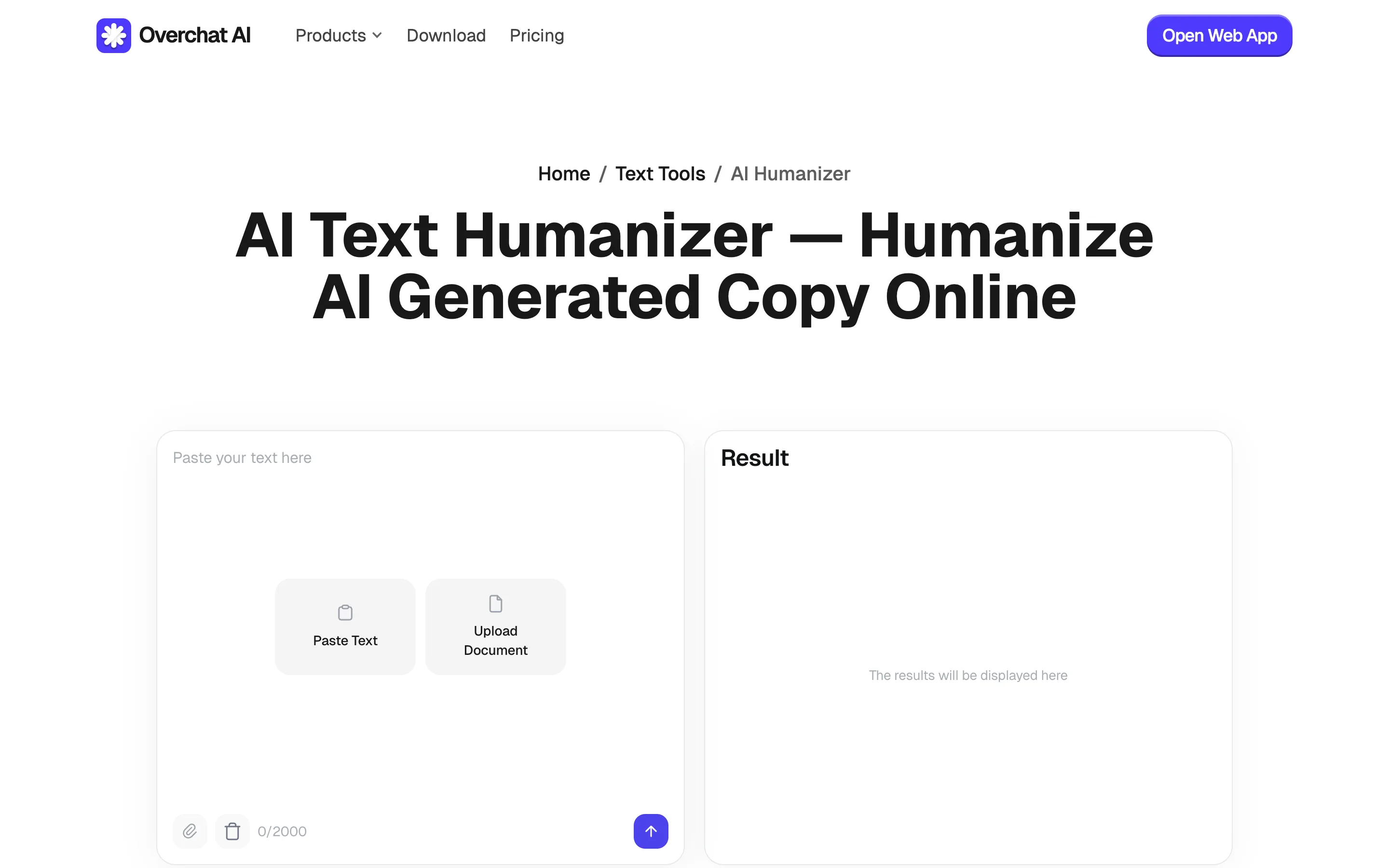
Overchat AI Humanizer rewrites text and hands the result straight to the AI Detector
Our text rewriter changes repetitive sentence structures, generic transitions, filler phrases, and overly formal wording to make text more readable and avoid flagging by AI detectors. You set the tone by choosing from one of the available models like formal or casual, provide a writing sample, or name a style to imitate.
As an all-in-one AI platform, Overchat AI has many other tools you might find useful alongside the humanizer, for example, the AI detector, or an AI chat where you can access GPT, Claude, Gemini, Grok, and DeepSeek models, as well as image and video generation. If you need a fully fledged AI-powered productivity suite that also includes a Humanizer, we think you might really enjoy Overchat AI.
Overchat is used by more than 1 million users and provides access to more than 150 AI tools and models for working with text, images, and videos all in one place.
Overchat AI pricing:
Free: Up to 100 words per day, with a 2,000-character limit per submission.
Paid plans: Start at $14.99/month and include the wider Overchat service, not only the humanizer.
Pros:
✅ Result can be opened directly in the AI Detector
✅ Paste text or upload a document
✅ AI chat, image generation, video generation, writing, and study tools in one service
✅ GPT, Claude, Gemini, Grok, and DeepSeek under one account
✅ 100 free words per day
Cons:
❌ Not a dedicated humanizer-only platform
❌ Free use stops after 100 words per day
❌ The humanizer input is capped at 2,000 characters per submission
❌ A humanizer-only subscription is not offered separately from the wider Overchat service
What is the Best Free AI Humanizer?
Phrasly has one of the best free tiers on the market, allowing you to humanize 800 words per free request. Not only that, but it also features some of the most natural-sounding humanization. Also consider WriteHuman, which accepts 250 words per web request, Undetectable AI, which provides 250 trial words in total, HIX Bypass, which provides 300 trial words in total, and Overchat AI, which provides 100 words per day.
Can AI Humanizers Bypass AI Detectors?
Yes, although it depends on the specific AI detector, humanizer, and text. If the text was partially edited or written by a human and completed with AI — something we call AI assisted writing — it may still be flagged by AI detectors, yet humanization works on this text quite effectively. However, for long texts that were written exclusively by AI, humanization may be less effective, especially if you’re trying to bypass modern detectors like Copyleaks.
Also keep in mind that aggressive humanization can introduce awkward wording, factual changes, or grammatical errors. A lower score is not an improvement if the text becomes less accurate or less useful. If you’re using humanizers to bypass detectors in school or for professional work, it’s better to disclose that you’ve partially used AI than get caught in a lie. An AI humanizer can help edit a draft, but it cannot create your experience, verify your sources, or supply original reasoning.
How to Humanize AI Text Without Losing Meaning
Follow these steps to keep the rewritten draft accurate while it reads more naturally.
Start with a fact-checked draft. A humanizer rewrites what you provide; it does not make unsupported claims true.
Work in short sections. One or two paragraphs are easier to compare than an entire article rewritten at once.
Use the lightest rewrite mode first. Stronger modes are more likely to change terminology and emphasis.
Compare the source and output side by side. Check names, numbers, quotations, links, and citations before judging style.
Add specific knowledge and examples. Personal experience, original data, and concrete observations make writing more useful than generic stylistic variation.
Edit the result yourself. Remove odd synonyms, restore precise language, and read the paragraph aloud to catch unnatural rhythm.
Run grammar and plagiarism checks separately. Humanization is not proofreading, fact-checking, or plagiarism detection.
Frequently Asked Questions
Short answers to the questions that come up most often about AI humanizers.
What Is the Best AI Humanizer in 2026?
WriteHuman is the best AI humanizer in 2026 — it supports 40+ languages, includes sentence-level AI scores, and leads the September 2026 HumanizerBench table. Undetectable AI places the detector and humanizer controls in one 5,000-word editor.
What Is the Best Free AI Humanizer?
Phrasly is the best free AI humanizer because it allows you to humanize 800 words in a single pass for free, which means that it has one of the most generous free tiers on the market and one that can cover you for professional work or serious projects.
Can Turnitin Detect Humanized AI Text?
Yes, Turnitin may be able to detect text even after it was humanized. No humanizer can guarantee that text will avoid Turnitin or another detector with 100% probability, and results may change as detection systems are updated.
Is Using an AI Humanizer Cheating?
That depends on the context and the rules that apply. Using a humanizer to improve the tone of your own draft may be permitted, while using one to disguise generated work as original authorship may violate academic, workplace, or publication policies. Check the policy before submitting or publishing.
Do AI Humanizers Hurt SEO?
An AI humanizer does not automatically help or hurt rankings. Google advises site owners to focus on accuracy, quality, relevance, and original value instead of whether generative AI was used. Mass-producing rewritten pages without adding value may violate Google’s scaled-content spam policy.
Are AI Humanizer Tools Safe?
Safety depends on the provider and the text you upload. Do not paste confidential client information, unpublished research, personal data, or protected company material unless you have reviewed the service’s privacy and retention terms. For sensitive work, use approved software and remove identifying details before processing.
Which AI Humanizer Should You Choose?
Choose WriteHuman when natural rewriting is the priority, Undetectable AI when you want detection and humanization together, HIX Bypass for multilingual work, Phrasly for document and academic workflows, QuillBot for short free edits, StealthGPT for extension or API workflows, and Humbot for study tools.
Overchat AI combines its humanizer with leading chat models, image and video generation, AI detection, and focused writing tools. That feature set makes it the best all-in-one AI service with a humanizer in this list, not the best standalone humanizer.