Transforme fotos em vídeos ou fotos realistas de abraço com IA

Envie uma foto com duas pessoas ou duas selfies separadas, escolha um preset de abraço e o Gerador de Abraço com IA cria um abraço realista em foto ou vídeo curto em segundos. Todo envio pode ser marcado como privado — só você vê.

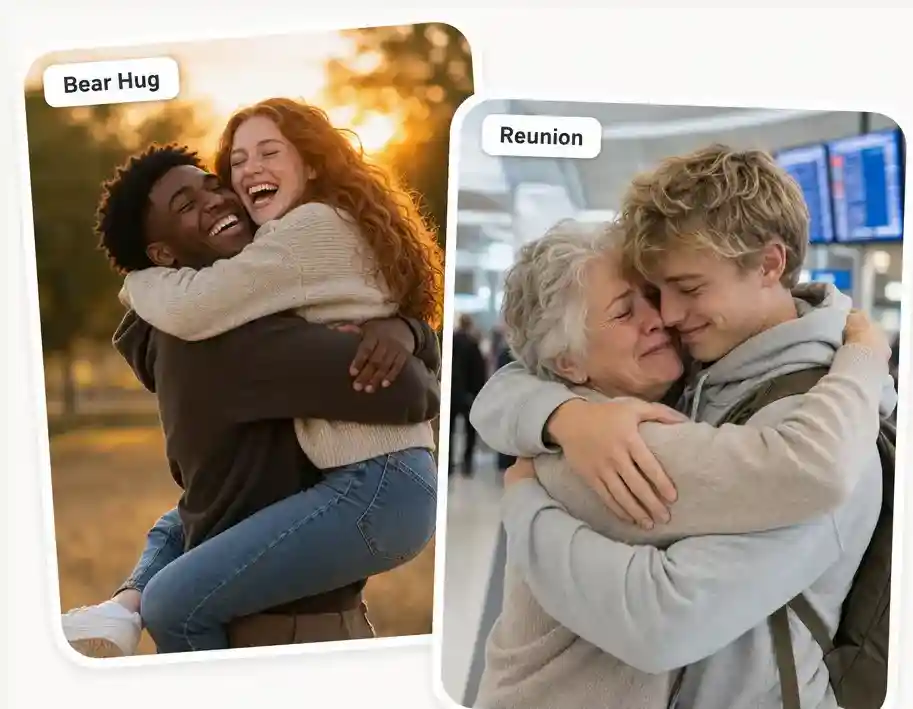
Cinco presets de abraço, ajustados à mão
Escolha o abraço exato: abraço apertado de reencontro, abraço romântico e caloroso, abraço lateral delicado, abraço de urso ou abraço por trás. Cada preset é ajustado para uma emoção diferente — saudade, conforto, alegria, proteção ou carinho — para o abraço combinar com o momento.
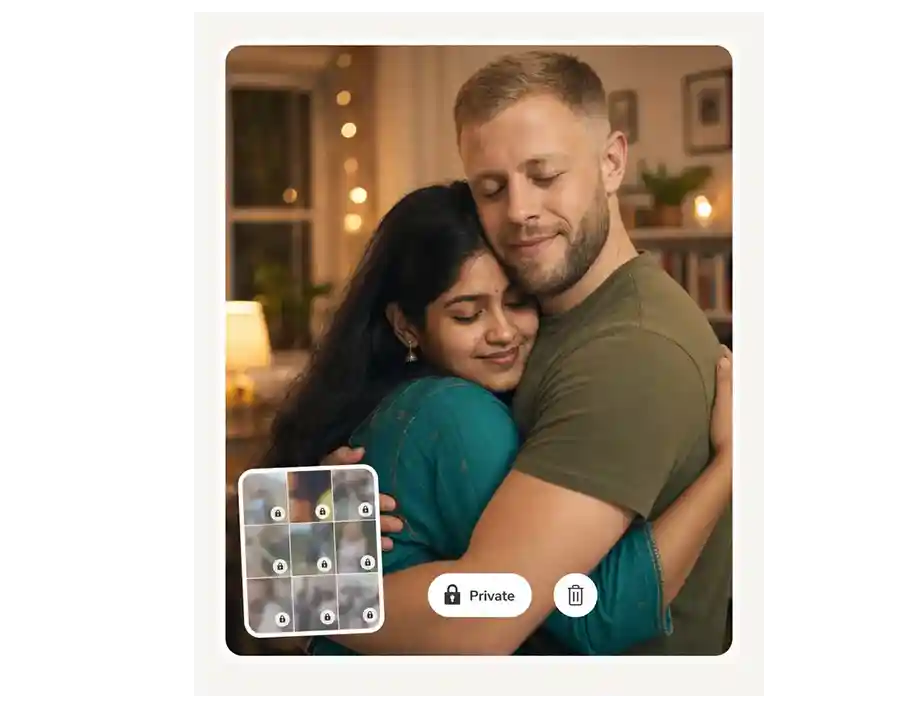
Privado por padrão, apagável quando quiser
Marque qualquer foto ou vídeo como privado — só você vê. Arquivos privados nunca aparecem em galerias públicas, nunca treinam modelos de IA e podem ser apagados para sempre da sua biblioteca com um clique.
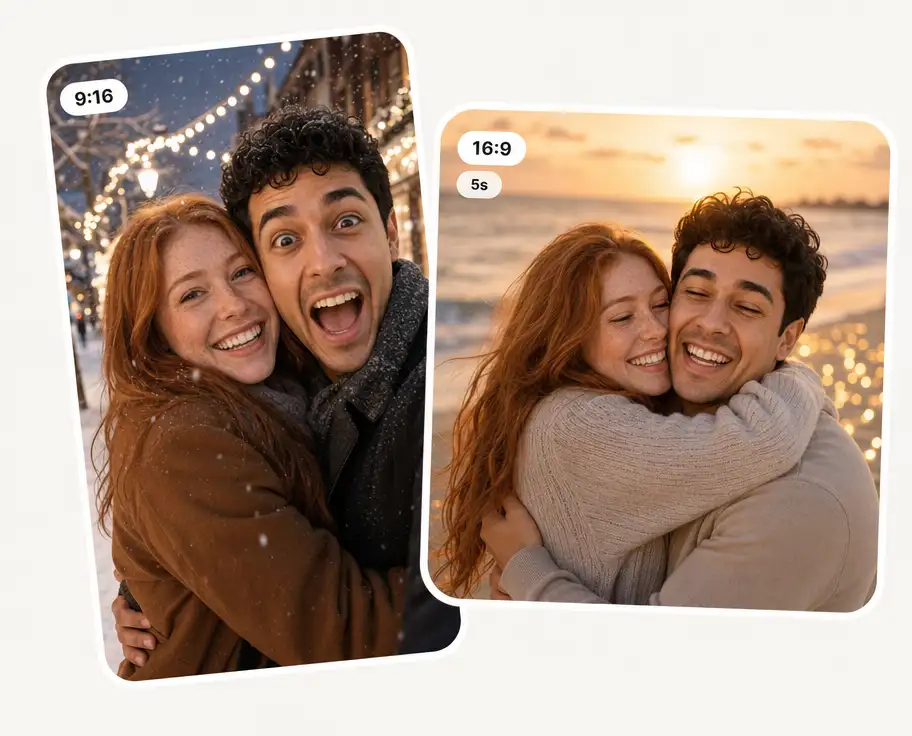
Prompt personalizado, proporção e duração
Adicione seu próprio prompt a qualquer preset — saguão de desembarque, praia no pôr do sol, cozinha da mãe, rua com neve. Escolha a proporção (9:16, 1:1, 16:9) e a duração do vídeo para o abraço encaixar certinho onde você vai postar.
Conheça as formas mais compartilhadas de transformar fotos em abraços com IA — da trend viral de "abraçar a sua versão criança" a momentos à distância e vídeos de homenagem.
Abrace a sua versão criança
A trend viral. Envie uma foto atual e uma foto de infância — a IA gera uma imagem emocionante de você hoje abraçando você criança. Perfeito para aniversários, conquistas ou posts de autoamor.
Relação à distância
Crie o abraço que você não pode dar pessoalmente — para casais separados por quilômetros ou fusos horários, filhos com saudade de um pai ou mãe longe de casa, ou amigos que não se encontram há anos.
TikTok / Reels virais
Vídeos de abraço em 9:16 feitos para TikTok, Reels e Shorts — o mesmo gancho emocional que fez a #aihug parar a rolagem em todos os feeds.
Casamentos e momentos em família
Coloque abraços apertados de reencontro em reels de casamento, edits de aniversário de namoro, vídeos de chá revelação, montagens de formatura e convites de noivado.
Homenagem e memória
Abrace alguém querido que já se foi. Junte uma selfie atual com um retrato antigo de um avô, avó, pai, mãe ou amigo que faleceu — uma lembrança particular que muita gente usa para se despedir e recordar.
Fan edits e projetos criativos
Abrace sua celebridade favorita, seu bias do K-pop ou um personagem de ficção. Ou monte cenas de abraço narrativas para curtas e reels de storytelling com controle total de prompt e presets.
Crie uma foto ou vídeo de abraço com IA em 3 passos:
Carregue duas imagens
Coloque suas fotos no bate-papo e diga à IA como você deseja combiná-las.
Escolha o estilo de abraço
Escolha um preset — reencontro, romântico, de urso, lateral, por trás —, adicione um prompt e defina proporção e duração.
Baixe a imagem completa
Obtenha sua imagem combinada sem marcas d'água e pronta para uso.
Como combinar duas fotos e colocá-las lado a lado?

Faça o upload das duas imagens e diga à IA “coloque-as lado a lado” ou “coloque-as uma ao lado da outra”. Escolha sua proporção e a IA as organizará horizontalmente.
O Overchat AI Photo Combiner é gratuito?
O Overchat AI Image Combiner é uma ferramenta paga, mas temos muitas ferramentas de IA gratuitas, incluindo um gerador de imagens de IA gratuito — para começar, basta criar uma conta gratuita no Overchat AI.
Quais formatos de imagem posso enviar?
Arquivos JPG, PNG e WEBP de até 10 MB cada. Sua imagem combinada aparece como PNG.
Quanto tempo leva para combinar imagens?
Normalmente 10 a 30 segundos. Combinações maiores ou mais complexas podem levar até um minuto.
Quanto tempo leva para gerar um vídeo de abraço com IA?
Sim Basta descrever o layout desejado: “esquerda e direita”, “um em cima”, “pessoa na frente do plano de fundo” etc. A IA segue suas instruções.
Minha foto é privada — especialmente em homenagens e memoriais?
Sim. Todo envio pode ser marcado como privado — só você vê, nunca aparece em galerias públicas, nunca treina nenhum modelo de IA e pode ser apagado definitivamente quando quiser. Isso importa ainda mais em homenagens a pessoas queridas que já partiram — essas ficam restritas a você e à sua conta.
É ético criar vídeos de abraço com IA?
Sim, quando há consentimento. Envie fotos suas, da sua família, do seu parceiro, do seu filho ou de pessoas que deram permissão. Abraços em homenagem a pessoas queridas que já partiram são amplamente vistos como uma prática saudável de luto. Bloqueamos menores de idade em abraços românticos e recusamos envios sem consentimento ou que tentem se passar por outra pessoa.
Posso usar o vídeo ou a foto de abraço comercialmente?
Sim. Os resultados dos seus abraços com IA são seus e podem ser usados em posts monetizados, anúncios, reels de fornecedores de casamento, lembranças memoriais, impressos ou e-commerce — desde que todas as pessoas mostradas tenham consentido. Abraços em homenagem e conteúdos envolvendo pessoas falecidas são melhor mantidos no âmbito pessoal, sem monetização.


