AI Passport Photo Generator

Upload a selfie and our AI turns it into a compliant passport, visa or ID photo — exact dimensions, regulation background, ready to print or upload.

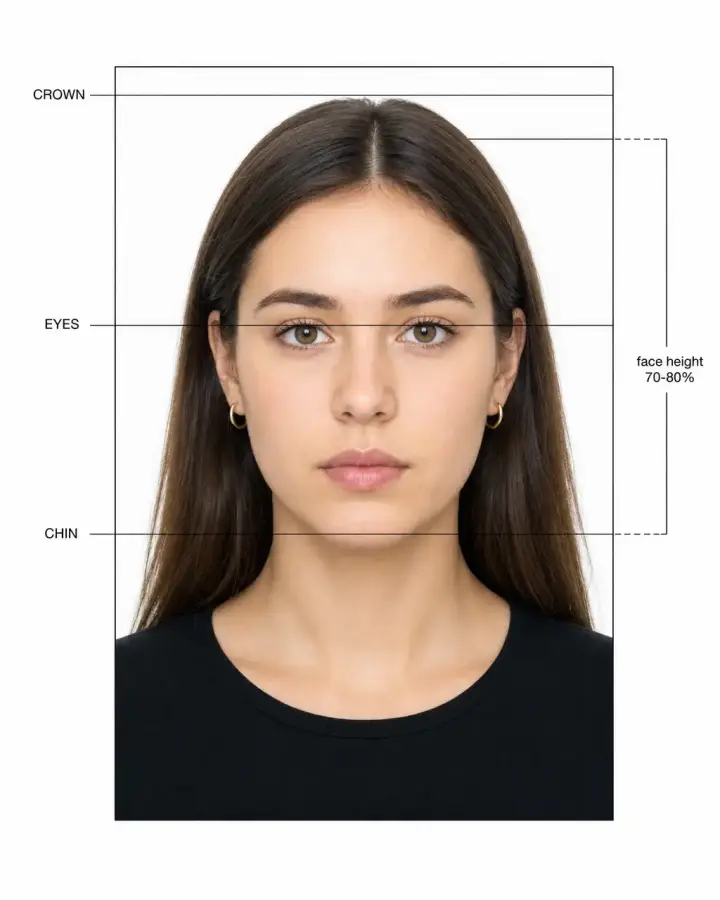
Example passport photo with measurement guides
Regulation-compliant 50+ countries supported HD download, no watermark

Your Free AI Passport Photo Maker

Don't have time to go to a photo studio, or having trouble taking a good passport photo at home? Use our passport photo generator to transform any selfie or casual photo into a clean headshot suitable for official documents, visas, and IDs, even if the original photo was taken with a different framing.

Key Benefits of Overchat AI

With Overchat AI, you can transform any photo into an ID-compliant image. Simply upload your photo, and our online tool, powered by artificial intelligence, will crop your image, frame your head perfectly, adjust the lighting, and give you a neutral expression. In seconds, you'll have an image that meets official passport and visa requirements.

Ilustração minimalista da interface de usuário mostrando a interface de bate-papo e documento com IA do Overchat, com cartões em camadas, balões de mensagens e ícones simplificados em azul e branco, representando comunicação e geração de conteúdo com inteligência artificial.
🖼️

Works with any image

You can use any image of your face, regardless of the lighting conditions, outfit, or framing. Our image generator will automatically adjust the framing and head position, remove the background, apply studio-quality lighting, and open your eyes if they are closed.

🌎

One tool, many ID photos

Get photos in a variety of sizes, ranging from 2x2 to 30x40 mm. Select from different background colors to create photos for various documents and visas, including U.S. passports, EU IDs, and Schengen visas.

⚡️

Takes just 30 seconds

On average, it takes Overchat AI that long to generate your passport image. Compare that with the 40 minutes to several hours it would take you to achieve the same result at home by fiddling with passport photo apps or going to a photo studio.

How to make a passport photo with AI in 3 steps

1.

Upload your selfie

Open the Overchat AI passport photo tool on the web, or use our mobile app. Drag in a selfie, mirror photo, or any portrait taken with your phone — no need to worry about background, lighting, or framing.

2.

Pick size and background

Choose the format you need — US 2×2 in, EU 35×45 mm, China, India, or any other passport, visa, or ID size. Set the background color (white, light blue, light gray, or red) and tell the AI whether to keep glasses, swap clothing for a formal blazer, or adjust the expression.

3.

Download and print

In about 30 seconds, your AI passport photo is ready in high resolution. Download it for online passport, visa, or ID applications, or print it at home, Walgreens, CVS, or any photo lab — no studio visit required.

Make a Passport Photo
Overchat AI Passport Photo Generator

Passport photo requirements by country

Every country has slightly different rules for passport, visa, and ID photos. Check the exact size, background, and head height you need — then upload your selfie and let Overchat AI generate a compliant photo in 30 seconds.

Country / Document Size (mm) Size (in) Background Head height Resolution
🇺🇸 United StatesPassport & visa
51 × 51 mm 2 × 2 in White 25–35 mm 600 × 600 px
🇬🇧 United KingdomPassport
35 × 45 mm 1.38 × 1.77 in Light grey / cream 29–34 mm 600 × 750 px
🇪🇺 SchengenVisa & EU passport
35 × 45 mm 1.38 × 1.77 in White / light grey 32–36 mm 413 × 531 px
🇨🇦 CanadaPassport
50 × 70 mm 2 × 2.75 in Plain white 31–36 mm 420 × 540 px
🇦🇺 AustraliaPassport
35 × 45 mm 1.38 × 1.77 in Light grey 32–36 mm 413 × 531 px
🇮🇳 IndiaPassport, OCI, Aadhaar
35 × 35 mm 1.38 × 1.38 in White 25–35 mm 350 × 350 px
🇨🇳 ChinaVisa
33 × 48 mm 1.30 × 1.89 in White / light blue 28–33 mm 354 × 472 px
🇯🇵 JapanPassport
35 × 45 mm 1.38 × 1.77 in White / off-white 32–36 mm 413 × 531 px
🇩🇪 GermanyPassport & ID
35 × 45 mm 1.38 × 1.77 in Light grey 32–36 mm 413 × 531 px
🇫🇷 FrancePassport & CNI
35 × 45 mm 1.38 × 1.77 in Light grey 32–36 mm 413 × 531 px
🇧🇷 BrazilPassport
50 × 70 mm 2 × 2.75 in White 25–35 mm 591 × 827 px
🇦🇪 UAEVisa & Emirates ID
43 × 55 mm 1.69 × 2.17 in White 32–36 mm 472 × 591 px

Requirements change occasionally — always double-check the latest spec on the official government site before submitting your application. Overchat AI generates photos that meet the standard rules above, including head positioning, neutral expression, even lighting, and a plain background.

AI swaps your background for a passport-compliant one

Took your selfie in the kitchen? In a parked car? Against a busy office wall? It doesn't matter. Overchat AI detects the subject, removes the original background, and drops in the plain white, light grey, or light blue backdrop your country requires — with clean edges around your hair, no halos, no leftover shadows. You get a passport photo background that meets US, UK, Schengen, and most other country specs in one click.

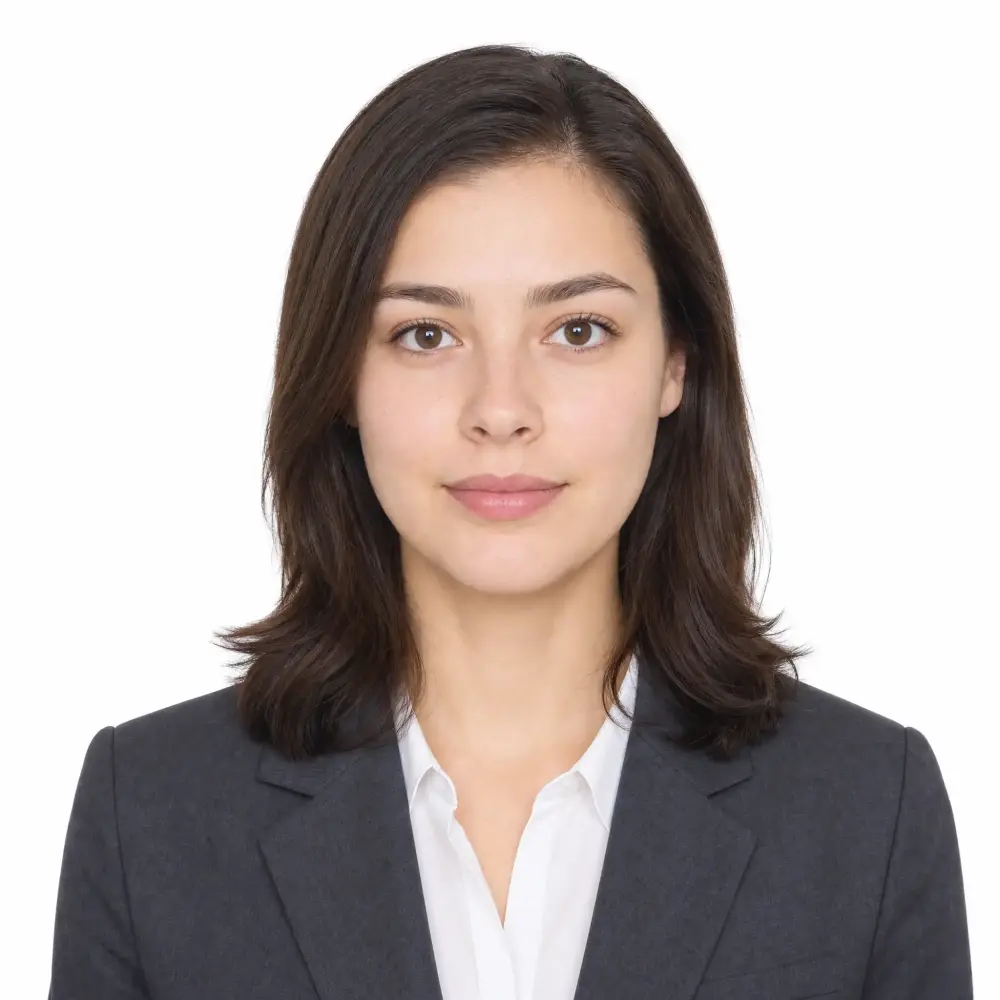
AI-generated passport photo of a woman in a dark blazer on a clean white background

One selfie, every country's passport photo size

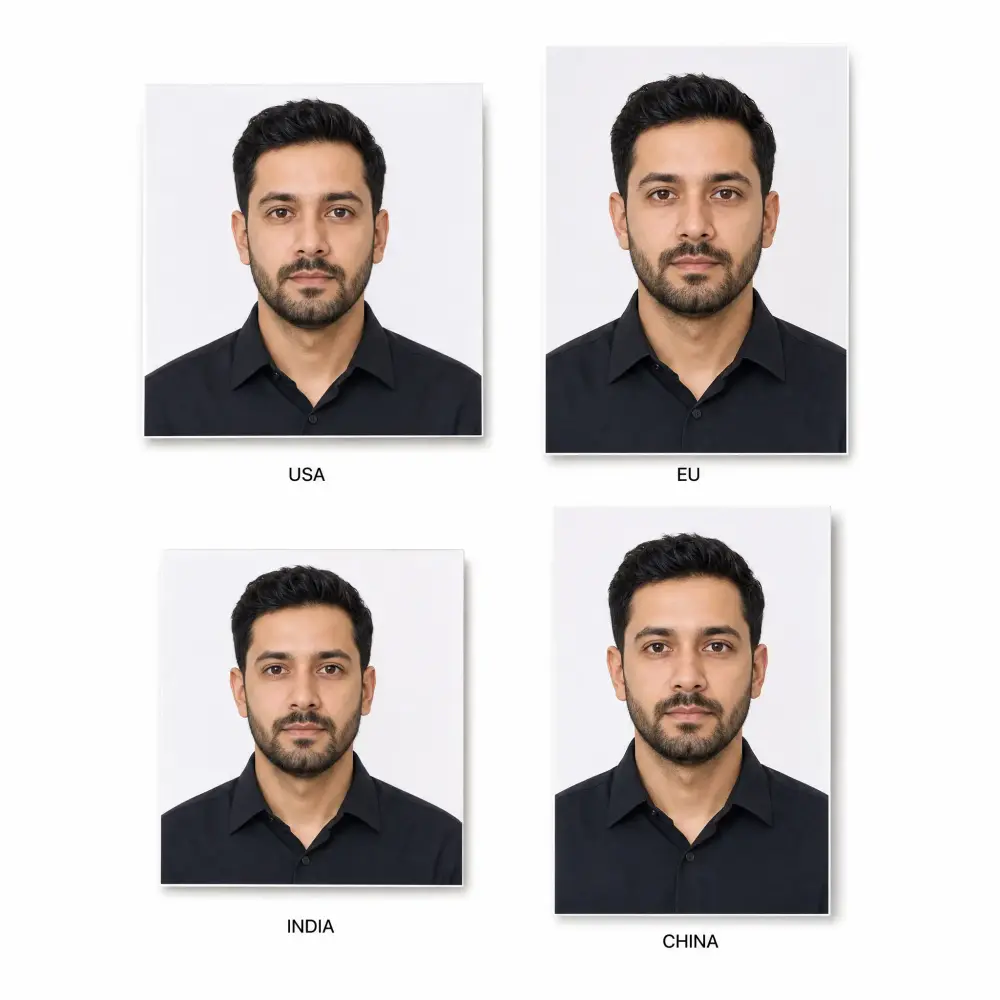
The same selfie can be reformatted for a US passport (2×2 inches), a UK or Schengen passport (35×45 mm), an Indian passport (35×35 mm), a Chinese visa (33×48 mm), or any other ID size. Overchat AI re-crops your head and shoulders to match each country's official photo requirements and resolution, so you don't have to regenerate from scratch when you need a different document.

Four passport photos of the same man cropped to USA, EU, India, and China sizes

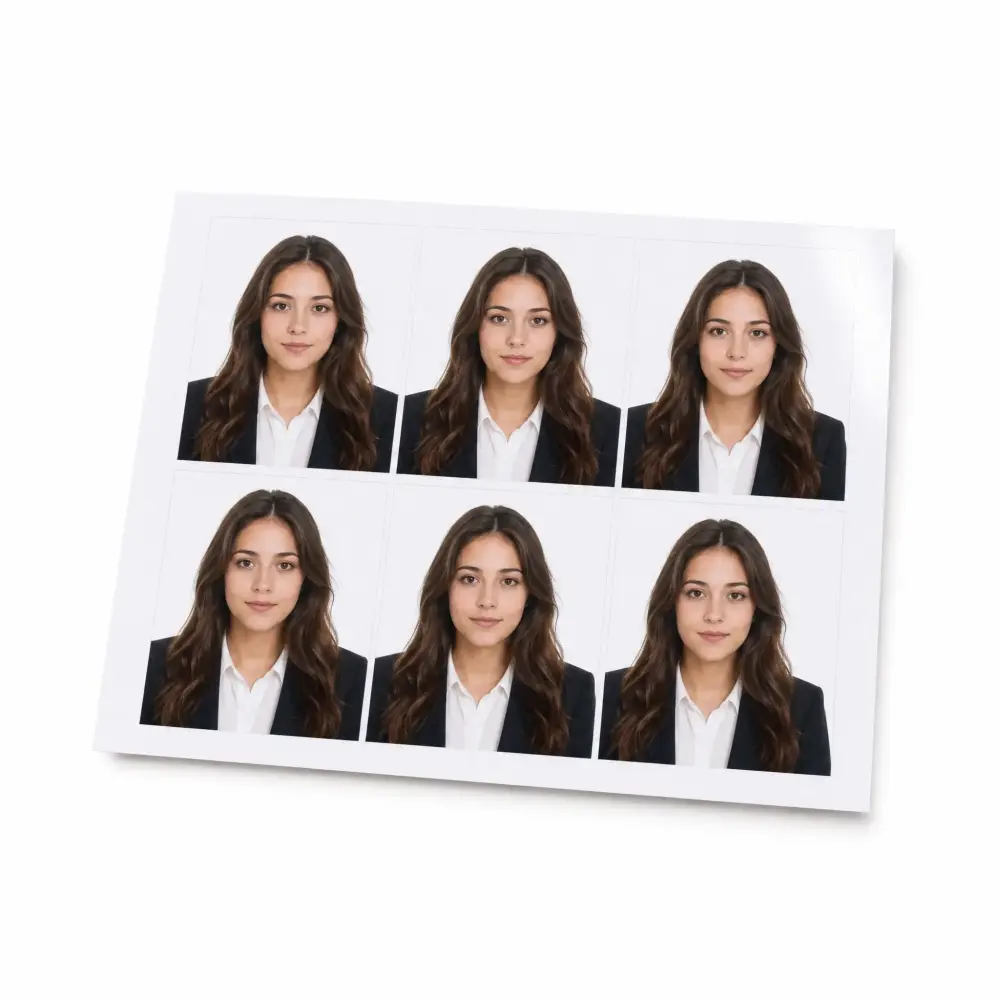
Print-ready 4×6 sheet for Walgreens, CVS, or home

Need physical prints for an in-person application? Download a high-resolution 4×6 sheet with six passport photos laid out at the correct size. Take it to Walgreens, CVS, Walmart, FedEx, or any local photo lab for $0.40 a print — way cheaper than the $15–$17 a passport photo studio charges. Or print it at home on glossy photo paper if you have a decent printer.

Printed 4 by 6 inch photo sheet with six identical passport photos of a woman

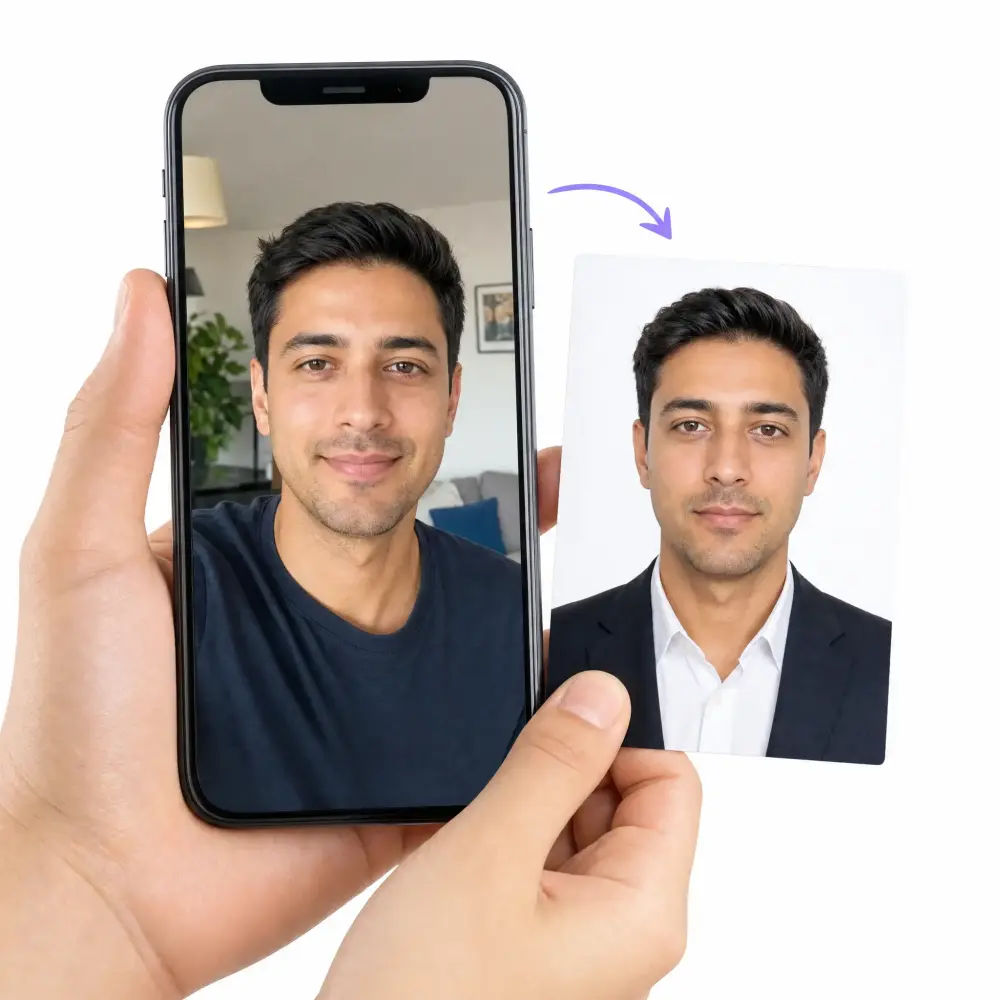
Works with any phone selfie — no studio needed

You don't need a DSLR, a tripod, or a professional photographer. Any front-facing photo taken on your iPhone or Android works as input. Overchat AI handles framing, head position, lighting correction, expression cleanup, and background replacement automatically. Take your own passport photo with any phone — upload a casual selfie and get a passport-ready photo back in about 30 seconds, without leaving your couch.

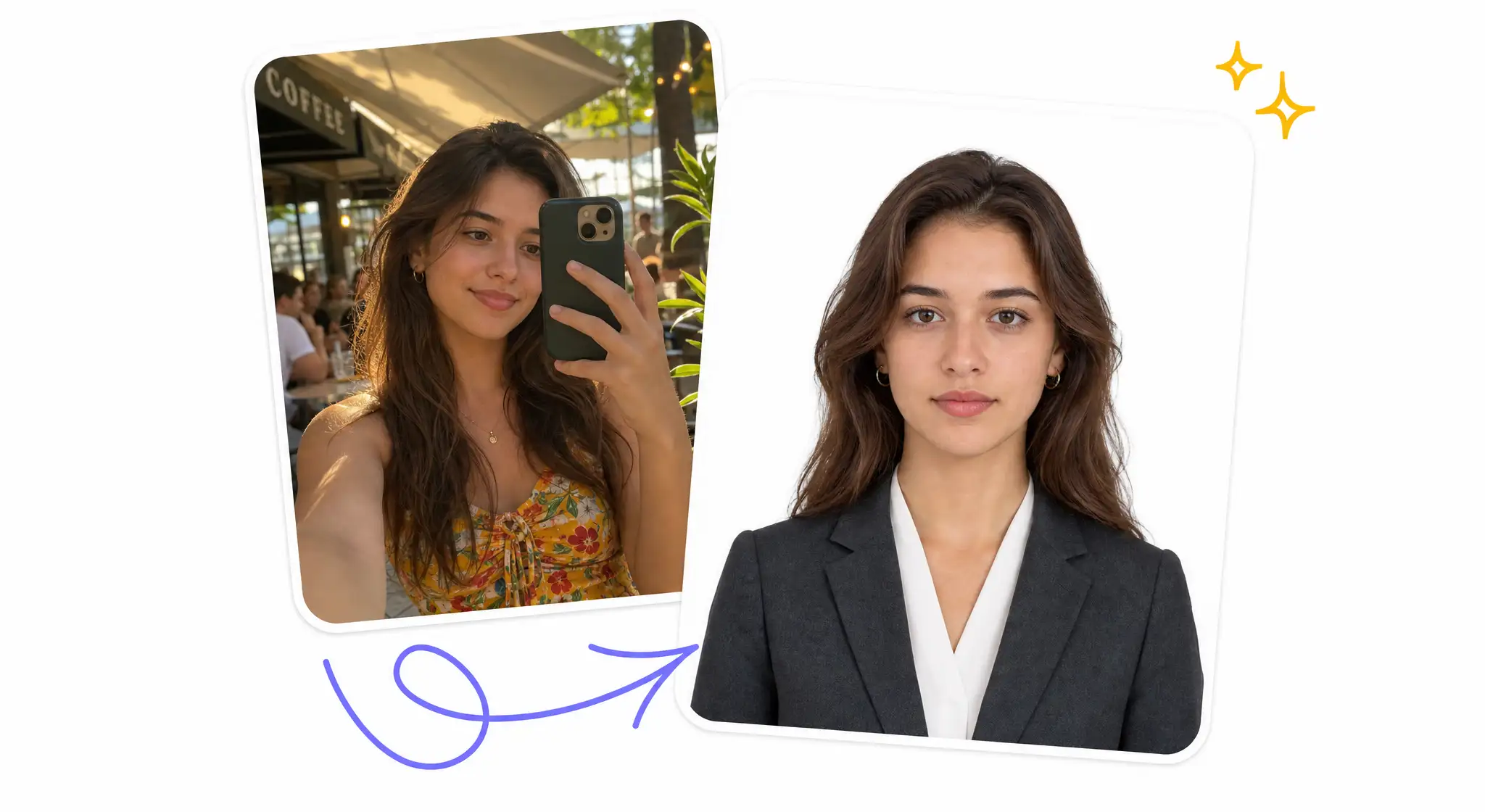
A hand holding a smartphone with a casual selfie next to the resulting AI-generated passport photo

CASOS DE USO

What ID Photos Can Overchat AI Create?

🛂

Passport photos

Ensure that your passport photos meet the requirements for new applications or renewals.

✈️

Visa photos

Easily prepare photos for Schengen, U.S., and U.K. visa applications, and let our tool ensure compliance.

🆔

ID card photos

Make sure your photos are the correct size for national ID cards, driver's licenses, and other government-issued documents.

🎓

Permits photos

Make photos that meet the requirements for student visas, work permits, and residence cards quickly and easily.

💻

Online form photos

Use our tool to make a photo that is the right size and formatted to meet the upload specifications.

👔

Professional headshots

Use our AI passport photo tool to create a formal headshot for LinkedIn profile, corporate badge, or resume.

Ready to create your passport photo?

Join thousands of people who are already using Overchat AI.

Experimente agora

Sobre Overchat AI

A IA do Overchat traz para você o poder dos principais modelos de IA do mundo: ChatGPT, Claude, Gemini, Mistral e muito mais.

Interface de IA Overchat

Explore mais ferramentas de IA

PERGUNTAS FREQUENTES

What is an AI passport photo maker?

An AI passport photo maker is an online tool that uses artificial intelligence. It takes any informal picture and turns it into a photograph that's ready to use for a passport application or in another ID. As always, check the results of the AI tool.

How does the AI passport photo maker work?

Overchat AI passport photo maker uses an advanced AI model from the Seedream family to transform any picture into a passport-ready ID photo. To use the tool, just upload your picture, choose the size and background color from the options, and click "Generate." It usually takes about 30 seconds to generate your passport photo. Then, you can download it in high-quality without watermarks.

What is the best AI passport photo tool?

Overchat AI is one of the best online passport photo generators. It uses one of the best AI image models available, which guarantees professional and consistent results. Each generation typically takes just 30 seconds to complete. Also, it's free to use, and you don't need an account to get started.

Is the Overchat AI passport photo maker free to use?

The Overchat AI passport photo tool is free. You can use it to make images for documents and ID applications. You can download these images without signing in. To start using the tool, scroll up to the widget above and follow the instructions on the screen.

What size is a passport photo?

Passport photo size depends on the country. A US passport photo is 2×2 inches (51×51 mm), while EU and UK passport photos are 35×45 mm. China passport photos are 33×48 mm, and India passport photos are 35×35 mm. Overchat AI generates your passport picture at the exact size and resolution required for each country, so you can upload it directly to an online form or print it for an in-person application.

What are the official passport photo requirements?

Most passport photo requirements share the same rules: a plain white or off-white background, neutral facial expression with mouth closed, both eyes open and visible, no glasses, no head coverings (unless religious), even lighting with no shadows, and the head taking up 50–69% of the photo height. The US passport photo must be a 2×2 inch color photo taken within the last 6 months. Overchat AI applies these compliance rules automatically so your photo meets official passport, visa, and ID standards.

Can I take my own passport photo with my iPhone or Android?

Yes — you can take your own passport photo with any iPhone or Android. Stand in front of a plain wall in even natural lighting, hold your phone at eye level about 2 feet (60 cm) from your face, and take a straight, front-facing photo with a neutral expression. Then upload it to Overchat AI, and our passport photo generator will crop, frame, light-correct, and place it on a compliant background — turning any phone selfie into a passport-ready ID photo in 30 seconds.

Can I print my AI passport photo at Walmart, CVS, or Walgreens?

Yes. After Overchat AI generates your passport photo, you can download a high-resolution print-ready file and order 4×6 prints with two passport photos per sheet at Walmart, CVS, Walgreens, FedEx, or any local photo lab. This usually costs around $0.40 a print versus $15–$17 to have a Walmart or CVS photo studio take it in person. You can also print it on photo paper at home.

What background color do I need for a passport photo?

Most countries — including the US, UK, Canada, and the Schengen zone — require a plain white or off-white passport photo background. China and Japan accept a light blue background, India accepts white or off-white, and some visa photos call for a light gray or red backdrop. Overchat AI lets you swap the background to white, light blue, light gray, or red in one click, and it removes any wall, shadow, or pattern from your original selfie automatically.

Does it work for visa, green card, and USCIS photos?

Yes. Overchat AI generates ID photos that meet the requirements of US visa applications, green card (Form I-485) submissions, USCIS photo tool specifications, the UK HM Passport Office, Schengen visa rules, OCI cards, Indian Aadhaar, Chinese visas, and most other government documents. Pick the country and document type from the settings, and the AI will adjust the size, background, and head positioning to match — ready to upload to your application portal.

Can I make a baby or infant passport photo with AI?

Yes — Overchat AI is one of the easiest ways to make a baby or infant passport photo. Lay your baby on a plain white sheet or blanket, take a top-down photo with their eyes open and mouth closed, and upload it to the tool. Our AI will crop the photo correctly, remove the background, and frame your baby's head to meet the official passport requirements for infants. This is much easier than holding a baby steady in a photo studio.

Will the US State Department accept an AI passport photo?

The US State Department accepts passport photos that meet their official requirements — not based on whether AI was used to crop, frame, or recolor the background. Overchat AI focuses on producing a compliant photo from your real selfie: correct size, plain background, neutral expression, proper head positioning, and natural lighting. We do not alter your facial features or generate a synthetic face. Always review your generated photo against the State Department guidelines before submitting, and use a recent selfie taken within the last 6 months.

Do blog

Aplicativo Overchat AI Para todas as plataformas

Disponível na Web, iOS e Android. Acesse seu assistente de IA em qualquer lugar, a qualquer hora.

Emblema da Google Play StoreEmblema da App Store
Interfaces móveis e de desktop com IA do Overchat