Vamos direto ao ponto. Infelizmente, não existe jeito de rodar o ChatGPT localmente. O ChatGPT é um serviço proprietário da OpenAI: eles não publicam o código no GitHub, que é basicamente mantido em segredo.
A boa notícia: existem modelos e serviços de IA open-source parecidos com o ChatGPT que são uma ótima alternativa ao chatbot da OpenAI, oferecendo praticamente a mesma experiência de uso — de graça.
Neste guia, vamos mostrar como montar a sua própria alternativa ao ChatGPT offline e começar a conversar em cerca de 5 minutos.
Você não consegue rodar o próprio ChatGPT offline — ele é um serviço proprietário na nuvem, e até os aplicativos de desktop e celular da OpenAI exigem conexão com a internet, já que todo o processamento acontece nos servidores da OpenAI.
Os modelos GPT-OSS da OpenAI são o que existe de mais próximo de um ChatGPT offline, mas são produtos separados, sem a interface e os recursos do ChatGPT.
Você pode montar uma experiência quase idêntica à do ChatGPT localmente usando modelos open-source da Meta (Llama), Google (Gemma), Alibaba (Qwen), Microsoft (Phi) ou o GPT-OSS da OpenAI.
Vantagens da IA local: privacidade total, acesso offline, custo zero de assinatura e personalização completa de modelos e parâmetros.
Limitações: os modelos locais ainda ficam atrás dos modelos de ponta na nuvem, como o GPT-4.5, em tarefas difíceis; os recursos multimodais são menos refinados; e os modelos capazes exigem um hardware razoável (16–32 GB+ de RAM).
A configuração tem 3 passos: instalar um aplicativo de IA local (o Atomic Chat é o mais simples), escolher um modelo e começar a conversar — no total, uns 5 minutos.
O GPT-OSS vem em dois tamanhos: o gpt-oss-20b roda com 16 GB de RAM e equivale ao o3-mini, enquanto o gpt-oss-120b precisa de uma H100 80 GB e chega perto da qualidade do o4-mini.
Os Macs com Apple Silicon são especialmente fortes para IA local graças à memória unificada — um MacBook Pro de 32 GB consegue rodar modelos que, num PC, exigiriam uma GPU dedicada cara.
Dá Para Usar o ChatGPT Offline?
Não. O ChatGPT é um produto na nuvem criado e operado pela OpenAI.
Os aplicativos de desktop e celular da OpenAI são locais?
Não — os aplicativos de desktop e celular do ChatGPT até parecem softwares locais, mas não funcionam sem conexão com a internet, e cada mensagem que você digita é enviada para os servidores da OpenAI. Em outras palavras, são aplicativos de IA na nuvem com uma interface instalada localmente, mas o processamento de fato das suas informações acontece remotamente, nos data centers da OpenAI.
Os modelos GPT-OSS da OpenAI são locais?
Sim. Na verdade, o GPT-OSS é o que a OpenAI tem de mais próximo de um ChatGPT offline, mas esses modelos não são a mesma coisa que o ChatGPT — eles não têm a interface e os recursos voltados ao usuário que o ChatGPT, o software de chat online, tem. Você ainda não consegue baixar o próprio ChatGPT e rodá-lo no seu notebook.
Dá para usar o ChatGPT offline?
A resposta definitiva é não. Mas o que você pode fazer é rodar modelos open-source da Meta (Llama), Google (Gemma), Alibaba (Qwen), Microsoft (Phi) e até da OpenAI totalmente offline, e criar a sua própria experiência de ChatGPT offline que é praticamente idêntica.
Vantagens e Limitações da IA Local
Antes de configurar qualquer coisa, aqui vai uma visão honesta do que um modelo local oferece em comparação com a experiência do ChatGPT online — e do que ele não oferece — porque existem prós e contras nos sistemas de IA offline:
Vantagens da IA local
Privacidade. Seus dados ficam na sua máquina — ninguém consegue ler suas conversas.
Acesso offline. Depois que o modelo está baixado, ele roda sem internet.
Totalmente gratuito. Não tem assinatura — você pode conversar com a IA o dia inteiro sem pagar um centavo.
Personalização. Você escolhe o modelo, os parâmetros e o prompt de sistema. Dá para trocar de modelo em segundos, ajustá-los com seus próprios dados ou rodar vários modelos lado a lado.
Limitações da IA local
Não é tão poderosa quanto o ChatGPT. Modelos de ponta na nuvem, como o GPT-4.5, superam os modelos locais em tarefas difíceis, porque têm acesso a um poder de processamento que nenhum hardware doméstico consegue igualar.
Recursos multimodais. Geração de imagens, visão avançada e análise de arquivos são mais refinadas no ChatGPT. O suporte multimodal local existe, mas ainda não é tão poderoso.
A IA local exige um hardware razoável. Quanto mais inteligente o modelo que você quer rodar, mais RAM e poder de GPU você precisa. Um notebook de 8 GB dá conta de modelos pequenos, mas os realmente capazes precisam de 16–32 GB ou mais.
Como Rodar o Seu Próprio Chatbot Parecido com o ChatGPT Localmente em 5 Minutos
Veja como configurar uma alternativa open-source capaz ao ChatGPT na sua própria máquina. São só três passos.
Passo 1: Baixe um Aplicativo de IA Local
Para rodar um modelo de IA na sua máquina, você precisa de um aplicativo.
Isso porque os próprios modelos de IA — a parte do software que processa suas perguntas e gera respostas parecidas com as de um humano — são apenas arquivos brutos: coleções enormes de pesos numéricos que, sozinhos, não fazem nada.
Você precisa de um software que carregue o modelo na memória, execute a inferência no seu hardware e te dê uma interface para interagir com ele. É exatamente isso que os aplicativos de IA local fazem.
Se esse conceito ainda soa meio estranho, uma boa forma de pensar nisso é como tocar um arquivo MP3 — você precisa de um player de música para tocar a faixa. A ideia aqui é a mesma — você precisa de um aplicativo que saiba "tocar" o modelo.
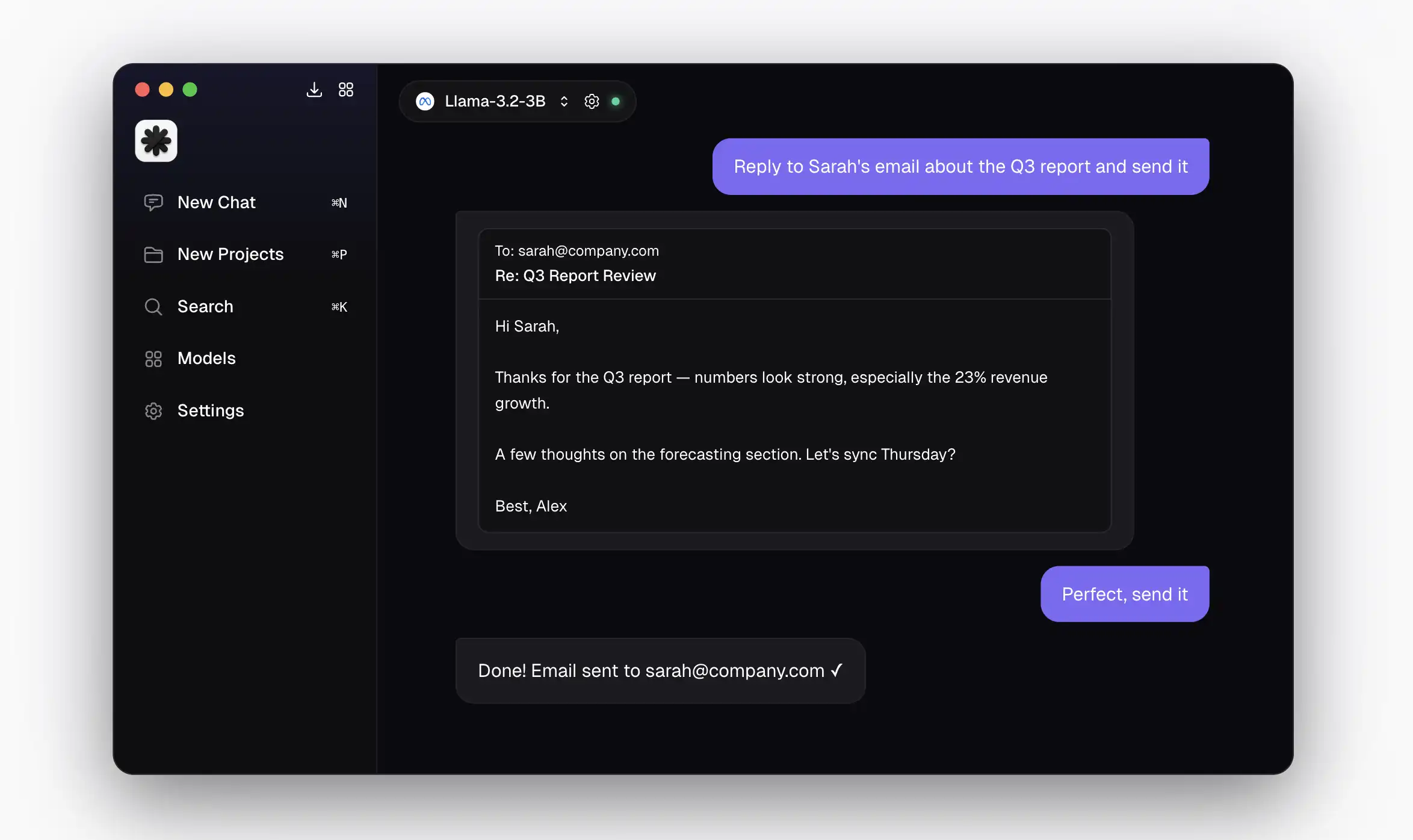
Existem muitos aplicativos de IA local hoje em dia, mas a opção mais simples para começar é o Atomic Chat. Para usá-lo:
Baixe o instalador para Mac em atomic.chat
Arraste o ícone para a sua pasta Aplicativos
Dê um duplo clique no ícone
Pronto.
A partir daí, o aplicativo te guia na escolha e no download de um modelo durante a configuração inicial.
Outras opções populares incluem LM Studio, Ollama e Jan.
Passo 2: Escolha um Modelo
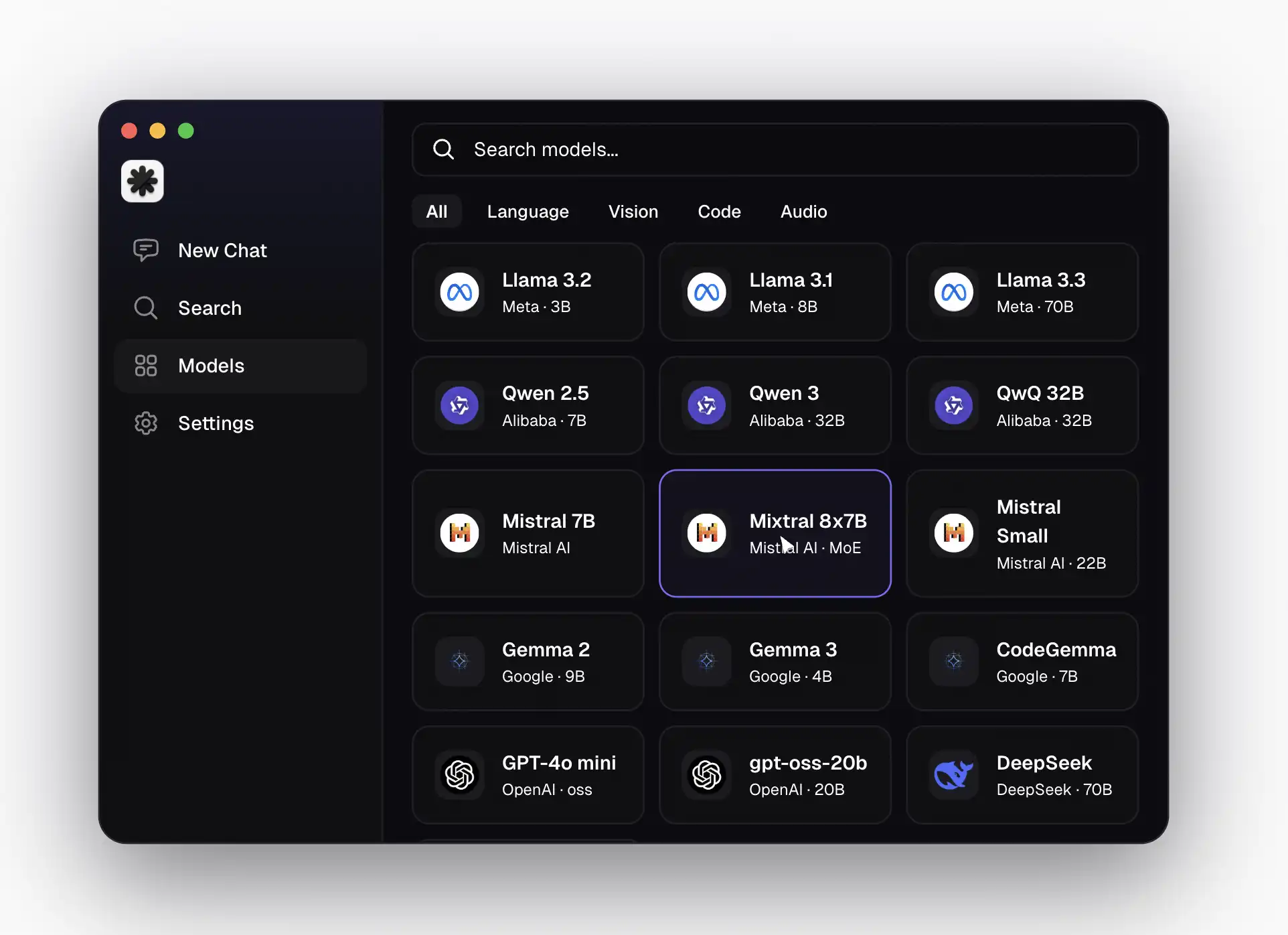
Se você já instalou o aplicativo de IA local de sua escolha, agora está pronto para rodar um modelo — e o primeiro passo é baixá-lo para a sua máquina.
Abra o aplicativo e siga as instruções de configuração na tela — ele vai te levar até a tela de seleção de modelo como parte da configuração de primeira execução.
Assim como acontece com os aplicativos, há muitos fornecedores de modelos para escolher, mas se você quer uma experiência o mais próxima possível do ChatGPT, escolha os modelos GPT-OSS — são modelos oficiais de pesos abertos da OpenAI e o mais perto que você vai chegar do ChatGPT.
gpt-oss-20b — 21B de parâmetros no total, MoE, com apenas 3.6B ativos por token. Roda com 16 GB de RAM. Equivale ao o3-mini nos benchmarks.
gpt-oss-120b — 117B no total, 5.1B ativos. Qualidade perto da do o4-mini. Mas precisa de uma H100 80 GB — não é hardware de consumidor.
Os dois foram lançados em 2025, têm capacidade completa de chain-of-thought e oferecem uma janela de contexto de 128k.
Passo 3: Comece a Conversar
Depois de escolher o seu modelo, basta clicar em baixar e ele será salvo no seu disco rígido — isso pode demorar um pouco, já que os arquivos de modelo são bem grandes: lembre-se de que você está baixando todo o "conhecimento" do modelo para o seu sistema local.
Quando o download terminar, você terá configurado com sucesso um chatbot de IA local que se parece muito com o ChatGPT, na aparência e no uso — só que é totalmente privado e funciona offline onde quer que você esteja.
Agora você consegue rodar uma alternativa ao ChatGPT localmente.
FAQ
Dá para rodar o ChatGPT localmente?
Não — o ChatGPT é um serviço proprietário na nuvem da OpenAI. Mas você pode rodar um chatbot de IA parecido com o ChatGPT localmente usando modelos open-source da OpenAI (a família GPT-OSS) combinados com um aplicativo de IA local como o Atomic Chat.
Existe um chatbot oficial do ChatGPT offline?
Não. O aplicativo de desktop do ChatGPT ainda exige uma conexão ativa com a internet — não existe um modo offline de verdade. A OpenAI lançou o GPT-OSS como modelos open-source, mas eles são produtos separados, não o ChatGPT — não vêm com a interface nem os recursos do ChatGPT.
Preciso de um computador potente para IA local?
Mais ou menos, mas você não precisa de um PC gamer monstruoso. Na prática, você precisa de pelo menos 8 GB de RAM para rodar os menores modelos capazes — os que têm cerca de 3.8B de parâmetros. Com 16 GB, dá para rodar modelos como o Llama 4 8B, que dão conta bem da maioria das tarefas. Os Macs com Apple Silicon são especialmente bons para isso — a arquitetura de memória unificada deles faz com que um MacBook Pro de 32 GB consiga rodar modelos que, num PC, exigiriam uma GPU dedicada cara.
A IA offline é gratuita?
Sim — é 100% gratuita. Todo o software de que você precisa para rodar IA local — a interface de chat e os próprios modelos — é open-source, e muitos projetos são lançados sob licenças permissivas como a Apache 2.0 ou a MIT. Como tudo roda na sua máquina, a única coisa que você paga é a energia elétrica.
Tenha o Seu Próprio ChatGPT Privado Hoje
Você não consegue rodar o ChatGPT de verdade offline — mas, em 2026, você tem acesso a alternativas open-source que entregam uma experiência parecida com a do ChatGPT de graça. Baixe o Atomic Chat e comece a conversar com a sua própria IA privada em minutos. É a forma mais rápida de rodar o ChatGPT localmente — sem realmente precisar do ChatGPT.

.webp)