Resumo
- IA privada significa rodar modelos de IA diretamente no seu próprio dispositivo, de modo que seus dados nunca saiam dele — sem servidores na nuvem, sem logs de API, sem conversas armazenadas.
- Serviços de IA na nuvem como o ChatGPT transmitem, processam e armazenam suas conversas na infraestrutura deles, o que cria riscos reais: alvos para invasores, intimações judiciais, obrigações regulatórias e possível acesso interno.
- O incidente da Samsung em 2023 é um exemplo marcante — engenheiros colaram código proprietário no ChatGPT, ele foi incorporado aos dados de treinamento da OpenAI e mais tarde reapareceu nas conversas de outros usuários, o que levou a empresa a proibir ferramentas de IA externas em toda a organização.
- Principais benefícios da IA privada: controle total sobre os dados, acesso offline, custo zero de assinatura, ausência de censura de conteúdo e nenhum limite de uso.
- A principal contrapartida é a capacidade — a IA privada roda modelos de porte intermediário em vez dos modelos de ponta, mas para cerca de 80% das tarefas do dia a dia (e-mails, resumos, perguntas e respostas, programação) a diferença é quase imperceptível.
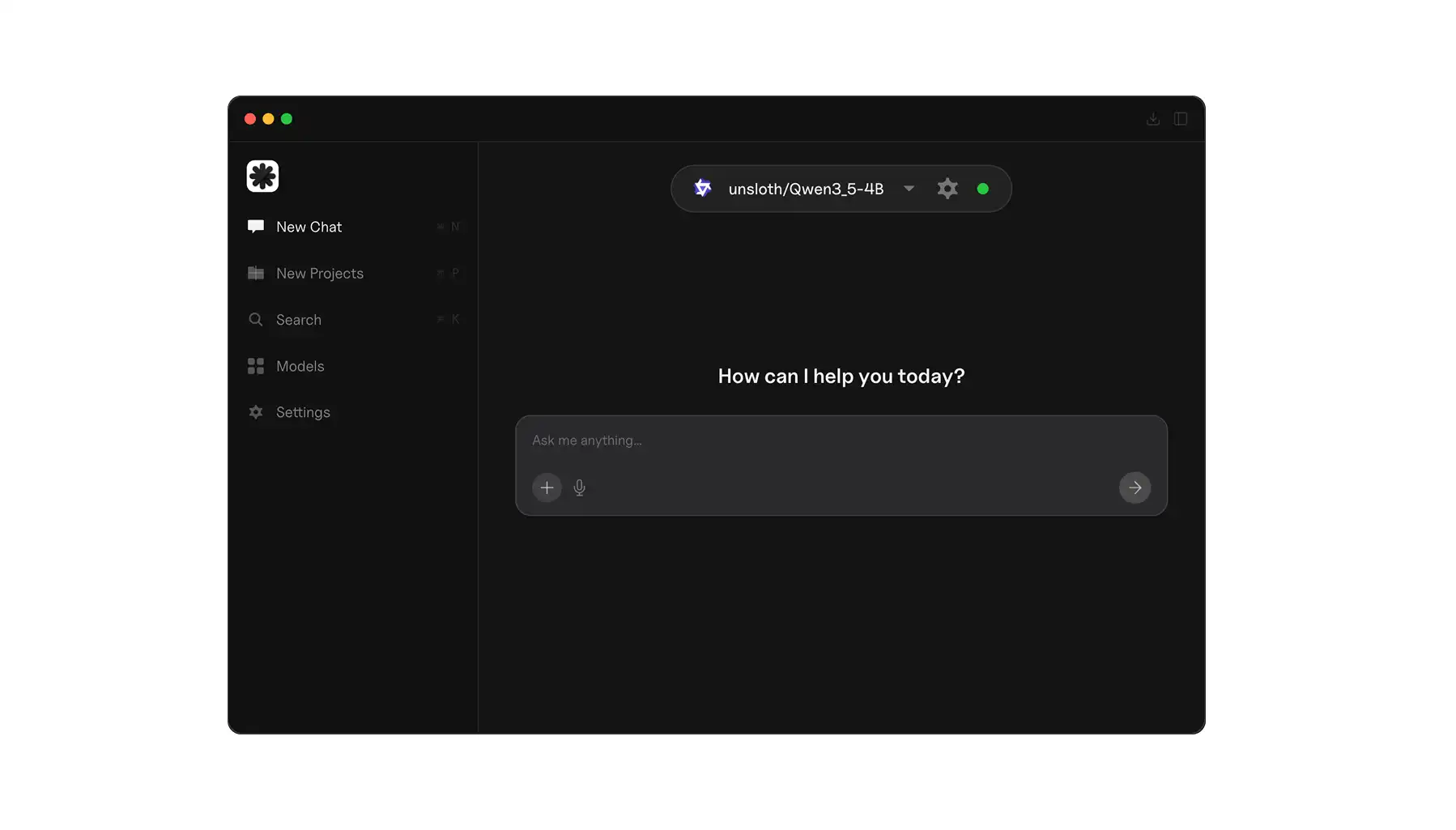
- A configuração tem três passos: instalar um aplicativo de IA local como o Atomic Chat, escolher um modelo e começar a conversar.
- Melhores modelos para 2026: Qwen3 8B (modos de raciocínio e rápido, 8 GB de RAM), Qwen3.5 9B (visão + contexto de 256K, 12 GB ou mais de VRAM) e o Gemma 4 da Google.
- Os requisitos de hardware são modestos — 8 GB de RAM rodam um modelo de 7B com desempenho na faixa do GPT-4o, e a maioria dos laptops fabricados nos últimos 3 a 4 anos dá conta de uma configuração de IA privada.
O Que É IA Privada?
IA privada se refere a qualquer sistema de inteligência artificial em que seus dados nunca saem do seu dispositivo. Para que isso aconteça, você instala o modelo de IA inteiro na sua máquina, de modo que ele possa processar suas informações localmente e responder às perguntas sem enviar nada para a nuvem.
Existem dois níveis nisso.
- Nível corporativo. Nesse nível, IA privada significa implantar modelos em instâncias de nuvem privada — basicamente servidores de dados pessoais. Felizmente, isso não é necessário para rodar chatbots de IA como usuário comum.
- Nível pessoal. Nesse nível significa rodar modelos de IA privados diretamente no seu laptop ou desktop usando ferramentas de código aberto.
Os termos são usados de forma solta, então vale esclarecer. Você pode encontrar a expressão IA confidencial em contextos corporativos, que geralmente se refere a uma IA executada dentro de enclaves seguros com criptografia em nível de hardware.
O que estamos abordando aqui é mais simples e mais acessível: baixar um modelo de código aberto, rodá-lo no seu computador e conversar com ele do mesmo jeito que você usaria o ChatGPT.
Neste artigo, vamos falar sobre o lado pessoal da coisa. Porque, em 2026, ficou bem fácil para qualquer pessoa comum rodar chatbots offline.
Por Que Se Preocupar com IA Privada?
Em resumo — porque suas conversas com IA não são tão privadas quanto você pensa. Para entender o porquê, você precisa compreender como acontece a comunicação com a IA. Quando você envia uma mensagem para o ChatGPT, o Claude ou o Gemini, eis o que acontece:
- Sua mensagem é transmitida pela internet até o servidor do provedor
- Ela é processada pelo modelo deles
- Uma resposta é enviada de volta.
Essa interação — seu prompt e a resposta — normalmente fica armazenada na infraestrutura deles.
A situação da privacidade no ChatGPT é um bom exemplo.
Por padrão, a OpenAI guarda suas conversas e pode usá-las para aprimorar seus modelos. Sim, mesmo que você opte por não participar do treinamento, seus dados continuam sendo transmitidos, processados e armazenados nos servidores deles.
Isso cria vários riscos concretos.
- Qualquer repositório centralizado de conversas de usuários é um alvo para invasores
- Dados armazenados na nuvem podem estar sujeitos a intimações judiciais, solicitações governamentais ou obrigações de conformidade regulatória com as quais você nunca concordou
- Acesso interno — funcionários dessas empresas podem ter algum nível de acesso aos dados dos usuários, mesmo que as políticas restrinjam isso.
Esses riscos são bem reais, e o exemplo mais famoso de algo dando errado aconteceu no início de 2023, quando engenheiros da Samsung colaram código-fonte proprietário e anotações de reuniões internas no ChatGPT para ajudar a depurar e resumir conteúdo. Esses dados foram então absorvidos pelos sistemas da OpenAI e usados no pré-treinamento de outros modelos, que os memorizaram e começaram a divulgá-los de forma semialeatória em conversas com outros usuários depois de lançados. Foi uma história muito curiosa, que resultou em um vazamento de dados e levou a Samsung a proibir totalmente o uso de ferramentas de IA externas pelos funcionários — mas os dados já tinham ido embora.
Da mesma forma, se você usa IA na nuvem para qualquer coisa que envolva dados proprietários, informações médicas, documentos jurídicos, registros financeiros ou até mesmo pensamentos pessoais que prefere manter em sigilo, você está confiando essas informações à infraestrutura, às políticas e à segurança do provedor.
Benefícios da IA Privada
Vamos falar sobre os principais benefícios da IA privada:
Privacidade. Essa é a proposta de valor central de um LLM privado. Seus prompts, documentos e respostas nunca saem do seu dispositivo, o que significa que não há logs de API nem histórico de conversas a que alguém possa ter acesso, porque tudo fica armazenado localmente na sua máquina.
Você é dono dos seus dados. Soberania de dados é o conceito de controlar onde suas informações ficam, e o lugar mais controlado para guardá-las é o seu próprio dispositivo — exatamente onde elas ficarão ao usar IA privada. O mesmo princípio se aplica além dos chatbots — um serviço de E-mail Privado com criptografia de ponta a ponta garante que sua correspondência fique sob seus termos, e não os do provedor.
Funciona offline. Depois de baixar um modelo, você não precisa de conexão com a internet para usá-lo — o modelo roda inteiramente no seu hardware local.
Sem assinaturas. As assinaturas de IA são muito caras. Por exemplo, o ChatGPT Plus custa US$ 20/mês, o Claude Pro também custa US$ 20/mês, e se você quiser usar modelos de provedores diferentes a conta sobe rápido. Com a IA privada, você baixa um modelo de código aberto uma vez e o usa para sempre — não há custo recorrente.
Sem censura. Os provedores de IA na nuvem aplicam políticas de conteúdo às vezes ridiculamente e extremamente restritivas, que impedem os modelos de responder perguntas inofensivas e muitas vezes limitam casos de uso reais. Com um modelo local, você tem controle total sobre o comportamento do sistema.
Sem limites de uso. Os serviços na nuvem restringem o uso — limites de mensagens, tokens por minuto, períodos de espera. Quando você roda um LLM privado localmente, não há limites artificiais. Você pode gerar tanto conteúdo quanto seu hardware aguentar, na velocidade que ele aguentar.
Todos esses benefícios soam ótimos na teoria — mas só importam se a configuração for simples o suficiente para realmente ser usada. O Atomic Chat reúne tudo em um único aplicativo de desktop: baixe-o, escolha um modelo e você terá tudo isso de cara. Sem comandos de terminal, sem arquivos de configuração, sem dor de cabeça com dependências.
IA Privada vs IA na Nuvem: Principais Diferenças
Veja como a IA privada se compara às alternativas baseadas na nuvem:
| Característica |
IA Privada |
IA na Nuvem |
| Local dos dados |
Seu dispositivo |
Servidores da empresa |
| Precisa de internet |
Não |
Sim |
| Custo |
Gratuito (código aberto) |
Assinatura de US$ 20+/mês |
| Qualidade do modelo |
Boa (8B–70B parâmetros) |
A melhor (GPT-4o, Claude Opus) |
| Privacidade |
Total |
Limitada pelas políticas do provedor |
Você deve estar se perguntando, então, se há alguma limitação séria na IA privada e se ainda faz sentido usar chatbots de IA na nuvem.
Sim — em alguns casos, e isso porque a IA na nuvem te dá acesso aos modelos de ponta mais poderosos, que a maioria das configurações domésticas não consegue rodar. Com a IA privada, você só consegue rodar modelos de porte intermediário. Dito isso, mesmo que você tenha apenas 8 ou 16 GB de RAM, memória unificada ou VRAM, você está bem servido para rodar um chatbot local poderoso.
Como Configurar Sua Própria IA Privada
Começar a usar IA privada é mais fácil do que você imagina, e veja como:
1. Escolha seu provedor de IA privada
Para começar, você precisa de um aplicativo que baixe o modelo de IA de código aberto para o seu PC ou Mac, instale-o, configure-o e te dê uma interface de chat para conversar com ele. A opção mais simples é o Atomic Chat — ele foi pensado para usuários não técnicos e cuida de toda a configuração automaticamente.
2. Baixe um modelo
Existem muitos modelos de LLM privados, e o aplicativo vai te dar uma lista para escolher. Se você não tem certeza por qual modelo começar, estes são alguns dos melhores modelos de IA locais em 2026:
- O Qwen3 8B é um dos LLMs locais mais respeitados — ele oferece tanto um modo de raciocínio para tarefas complexas quanto um modo rápido para o bate-papo do dia a dia, e roda tranquilamente em 8 GB de RAM.
- O Qwen3.5 9B é ainda mais recente, acrescentando capacidades de visão e uma janela de contexto de 256K. Se você tiver 12 GB de VRAM ou mais
- O Gemma 4 da Google é outra opção forte, que foi lançada em abril de 2026.
Esses modelos são realmente competentes para escrita, programação, resumos e perguntas e respostas — um salto enorme em relação a onde o código aberto estava há apenas um ano.
3. Comece a conversar
É isso. Abra o aplicativo, selecione seu modelo e digite um prompt. Tudo roda na sua máquina.
Perguntas Frequentes
A IA privada é tão boa quanto o ChatGPT?
Sim — para cerca de 80% das tarefas do dia a dia. Se suas conversas com IA envolvem principalmente e-mails, resumir textos, brainstorming e responder perguntas, os modelos de código aberto modernos se saem surpreendentemente bem. A diferença entre um modelo local de 8B e o GPT-5.4 é perceptível em raciocínio complexo, análises de várias etapas e tarefas de conhecimento especializado. Mas, para o tipo de trabalho que a maioria das pessoas faz com IA no dia a dia, um modelo privado dá conta com folga.
A IA privada é gratuita?
Sim — ela é 100% gratuita. Os modelos são de código aberto e gratuitos para baixar, e as ferramentas para rodá-los (Atomic Chat, LM Studio, Ollama) também são gratuitas.
Posso usar IA privada no meu celular?
É possível, mas limitado. Aplicativos como o Private LLM rodam modelos menores em dispositivos iOS. O Atomic Chat também terá um aplicativo para celular, que será lançado em breve. Só tenha em mente que o hardware do celular te restringe a modelos menores, então espere menos capacidade do que ao rodar em um laptop ou desktop.
Preciso de um computador potente?
Não muito. Para colocar isso em perspectiva, você precisa de pelo menos 8 GB de RAM para rodar um modelo de 7B parâmetros, que terá um desempenho mais ou menos no nível do GPT-4o. Isso não chega nem perto de um modelo de ponta moderno, mas, há apenas alguns anos, as pessoas chamavam isso de mágica. Já com 16 GB fica mais confortável, e isso abre espaço para modelos ainda maiores. Em resumo, a maioria dos laptops fabricados nos últimos 3 a 4 anos consegue rodar uma configuração de IA privada.
Assuma o Controle da Privacidade da Sua IA
Se você se importa com o destino dos seus dados — e deveria — a IA privada é a solução mais direta disponível. O Atomic Chat é a forma mais simples de rodar um LLM privado na sua própria máquina — baixe-o, escolha um modelo e comece a conversar com privacidade total.