Os 5 Melhores Geradores de Foto para Passaporte com IA: Como Fazer Foto de Documento em Casa
Last Updated:
2026-09-08
Os 5 Melhores Geradores de Foto para Passaporte com IA: Como Fazer Foto de Documento em Casa
Ninguém gosta de tirar foto para documento — você perde boa parte do dia, acaba preso em alguma salinha abafada, pisca em todas as tentativas e, no fim de tudo, sua foto sai com cara de quem não dorme há três dias. Nada agradável. A boa notícia é que dá para evitar tudo isso e conseguir uma foto profissional para passaporte em segundos.
Com a IA, você transforma qualquer selfie em uma foto de passaporte ou visto totalmente dentro das normas — e a ferramenta ainda redimensiona, recorta, troca o fundo e até muda sua roupa para um traje formal, tudo em questão de segundos.
Mas nem todo gerador de foto para passaporte é igualmente bom, então neste artigo vamos analisar as 5 melhores opções disponíveis hoje no mercado e detalhar os prós e contras de cada uma. Vamos lá.
Os geradores de foto para passaporte com IA usam modelos de geração de imagem-para-imagem para transformar automaticamente qualquer selfie em uma foto de documento dentro das normas oficiais em menos de um minuto — recortando, reajustando a luz, trocando o fundo e até mudando a roupa.
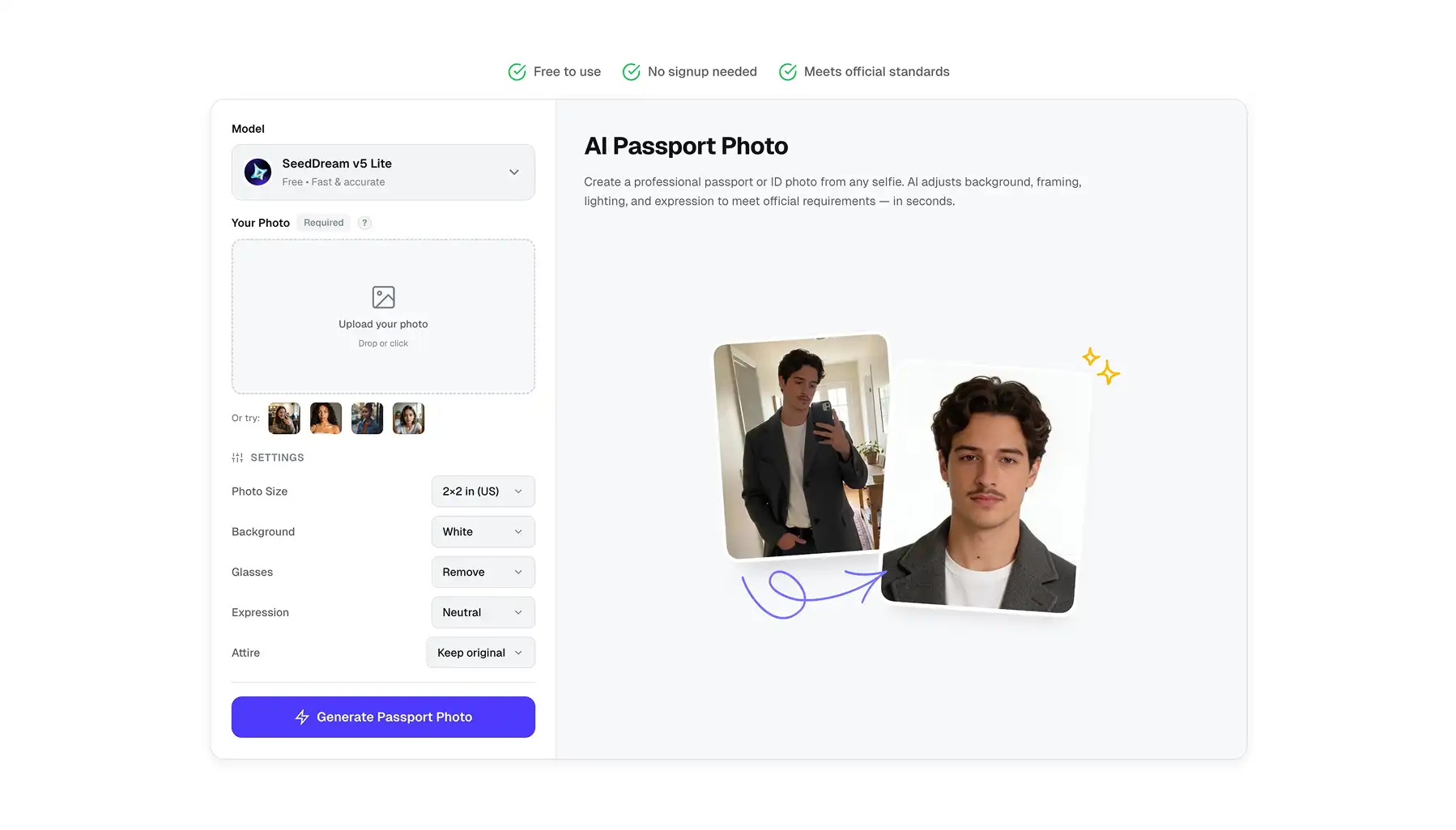
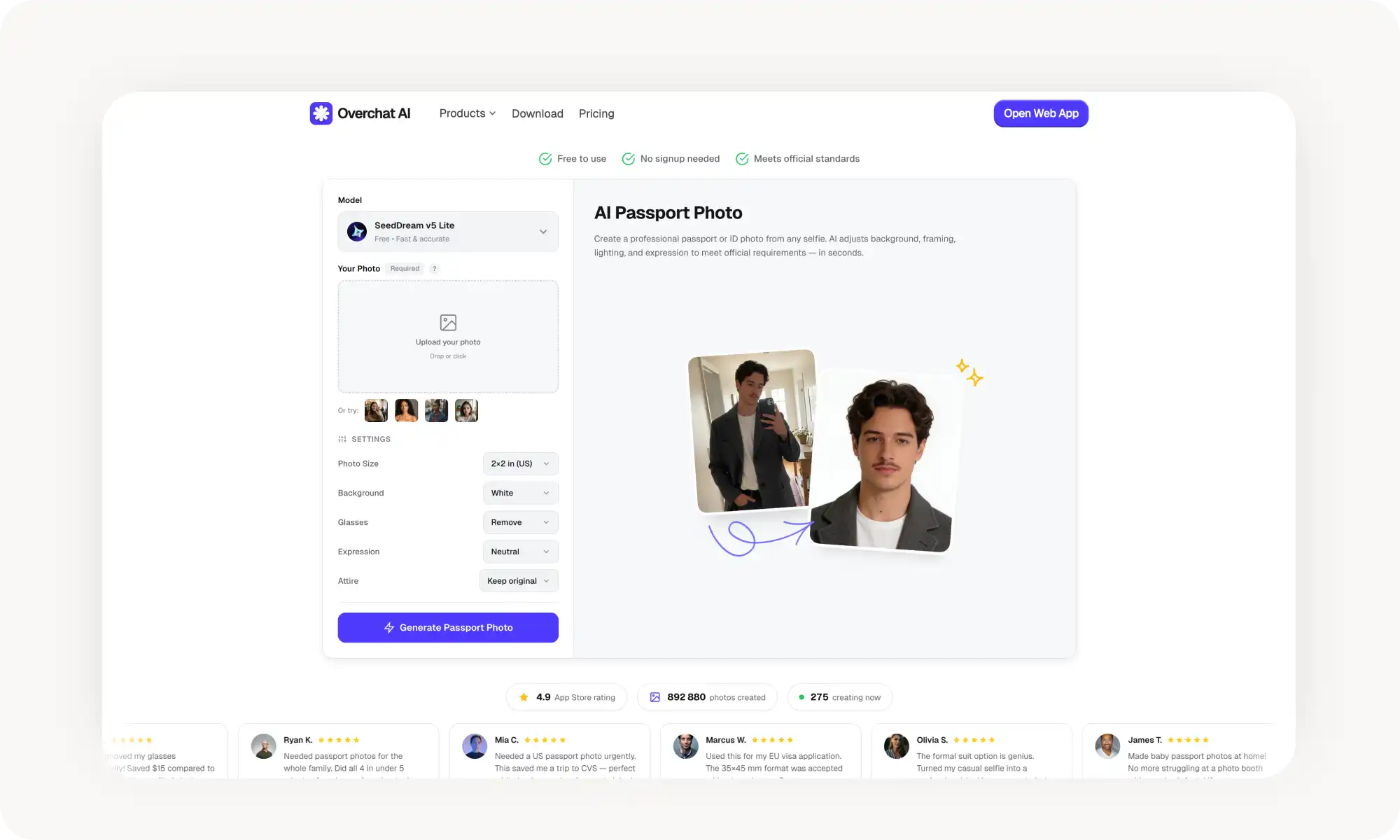
A Overchat AI é a melhor escolha, com a tecnologia do SeedDream 5.0, sem cadastro, sem marcas d'água e com recursos exclusivos como remoção automática de óculos, ajuste de expressão e troca de roupa de casual para formal — tudo em uma única interface gratuita.
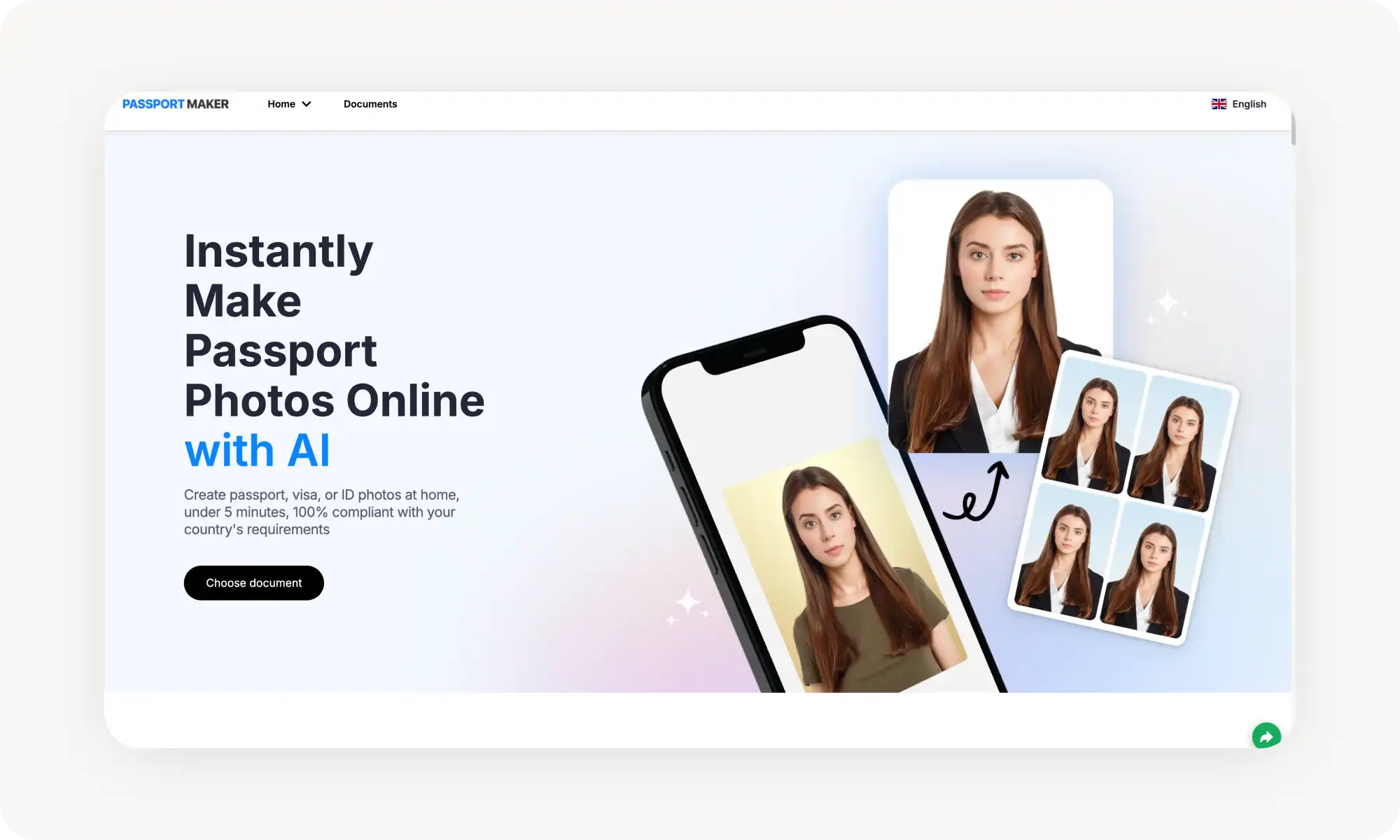
O PassportMaker oferece suporte a mais de 100 tipos de documentos em vários países, com troca de roupa por IA e melhoria de fotos tremidas, mas não tem remoção de óculos nem ajuste de expressão.
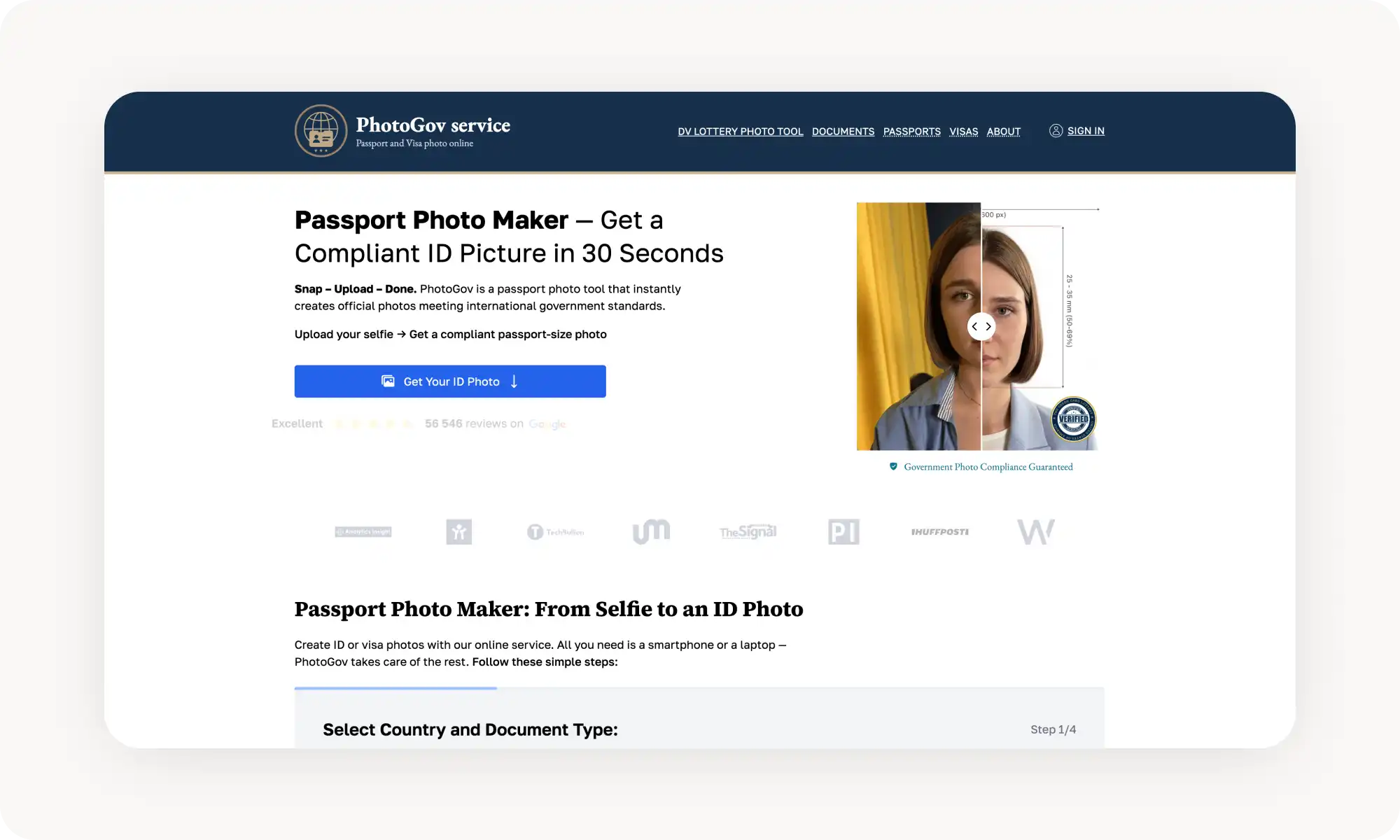
O PhotoGov tem a maior cobertura, com mais de 900 tipos de documentos em 200 países e conformidade biométrica ICAO declarada, mas custa US$ 4,90 por foto, com uma garantia de reembolso de 200% que alguns avaliadores do Trustpilot tiveram dificuldade para acionar.
O NoteGPT roda no modelo mais antigo Nano Banana e oferece predefinições de estilo além de geração de foto profissional, mas é limitado a 2 gerações gratuitas por dia, com falhas ocasionais no resultado.
O PhotoAid combina IA com verificação por especialistas humanos e um histórico consolidado de mais de 11 milhões de fotos, com uma garantia de reembolso de 200% — mas não tem plano gratuito e cobra de US$ 11,95 a US$ 16,95 por foto.
Em comparação com os US$ 15 a US$ 20 que você pagaria em uma farmácia ou nos Correios, as ferramentas de IA entregam resultados iguais ou melhores em cerca de 30 segundos, a partir de qualquer selfie nítida.
Dica prática: use uma selfie tirada com o braço esticado ou um pouco mais longe, com o rosto bem visível e sem sombras fortes — embora a IA moderna lide surpreendentemente bem com fotos casuais.
O Que É um Gerador de Foto para Passaporte com IA?
Um gerador de foto para passaporte com IA é uma ferramenta web ou mobile que usa modelos de inteligência artificial de geração de imagem-para-imagem para transformar automaticamente uma selfie ou uma foto casual em uma foto de documento oficial em menos de um minuto.
Como isso funciona na prática?
Você envia sua imagem — qualquer imagem em que seu rosto esteja visível serve
Seleciona as configurações, como a cor do fundo
Clica em Gerar
Espera a IA fazer a mágica
Recebe de volta uma imagem em estilo oficial, já recortada, reposicionada e com a luz ajustada — pronta para o seu pedido de documento
Na prática, a IA faz toda a edição da foto nos bastidores: ela remove ou substitui o fundo por um fundo branco ou colorido liso, ajusta a iluminação e a exposição e pode até trocar sua roupa.
Isso mesmo, você pode enviar uma foto de uma festa de madrugada em que está de óculos e moletom estampado, e a IA transforma tudo numa foto de documento oficial automaticamente — funciona mesmo como mágica.
A melhor parte é que muitas dessas ferramentas são gratuitas ou bem acessíveis em comparação com os US$ 15 a US$ 20 que você pagaria em uma farmácia ou nos Correios.
Com isso em mente, testamos as ferramentas de foto para passaporte com IA mais populares disponíveis no momento e escolhemos as 5 que realmente entregaram. Veja como elas se comparam.
As 5 Melhores Ferramentas de Foto para Passaporte com IA Comparadas
Aqui está uma tabela que detalha o básico entre as nossas 5 melhores escolhas:
Plataforma
Plano Gratuito?
Funciona Sem Cadastro?
Troca de Roupa?
Remoção de Óculos?
Preço do Plano Pro
Overchat AI
✅
✅
✅
✅
US$ 14,99/mês ou US$ 49,99/ano
PassportMaker
✅
✅
✅
❌
US$ 10/mês+
PhotoGov
✅ (limitado)
✅
❌
❌
A partir de US$ 4,90/foto
NoteGPT
✅ (2/dia)
❌
✅
❌
US$ 9,99/mês+
PhotoAid
❌
❌
❌
❌
~US$ 11/foto
Agora, com isso resolvido, vamos analisar cada ferramenta em detalhes.
Overchat AI
O gerador de foto para passaporte da Overchat AI tem a tecnologia do modelo SeedDream 5.0 — um dos melhores modelos de geração de imagem com IA em 2026, conhecido especialmente pela excelente qualidade de edição de fotos e preservação de detalhes.
Usar a ferramenta é muito simples:
Envie uma selfie para começar
Escolha o tamanho da foto (2×2 pol para os EUA, 35×45 mm para a UE, 33×48 mm para a China ou 30×40 mm para a Índia)
Escolha a cor do fundo (branco, azul-claro, cinza-claro ou vermelho)
Clique em Gerar
Receba o resultado
O que impressiona nessa ferramenta é que a IA consegue remover seus óculos automaticamente, ajustar sua expressão para neutra ou um sorriso natural e até trocar sua roupa por um terno formal, caso sua foto original estivesse muito casual. Nenhuma outra ferramenta gratuita que testamos oferece esses três recursos em uma única interface.
Prós:
✅ Não exige cadastro
✅ Sem marcas d'água no plano gratuito
✅ Remoção de óculos por IA
✅ Troca de roupa por IA (de casual para terno formal)
✅ Ajuste de expressão (neutra ou sorriso natural)
✅ Várias opções de cor de fundo, incluindo vermelho (para países que exigem)
✅ Modelos Pro disponíveis para resultados de maior qualidade
✅ Aplicativos próprios para celular (iOS e Android)
PassportMaker
O PassportMaker é uma plataforma dedicada a fotos para passaporte, com uma interface limpa e bem adaptada para celular.
Para usar, você seleciona o país e o tipo de documento — a ferramenta oferece suporte a mais de 100 documentos, incluindo passaportes dos EUA, vistos do Reino Unido, carteiras de motorista da Indonésia e muito mais — depois envia sua foto, e a IA cuida automaticamente do recorte, da remoção do fundo e do dimensionamento.
Assim como a Overchat AI, o PassportMaker permite trocar sua roupa por um terno ou camisa, o que é um toque bacana para fotos de documentos formais.
Prós:
✅ Oferece suporte a mais de 100 tipos de documentos em vários países
✅ Troca de roupa e remoção de fundo por IA
✅ Aplicativos próprios para celular (iOS e Android)
✅ Melhoria de fotos tremidas
Contras:
❌ Sem remoção automática de óculos
❌ Sem ajuste de expressão
❌ A interface web insiste bastante em te empurrar para o aplicativo de celular
PhotoGov
O PhotoGov oferece suporte a — segura essa — mais de 900 tipos de documentos em 200 países e segue explicitamente os padrões biométricos da ICAO, até nas proporções exatas de altura da cabeça, na posição da linha dos olhos e nos requisitos de resolução.
Isso é muito impressionante e produz os resultados mais dentro das normas, mas também é a ferramenta mais cara desta lista — US$ 4,90 por foto.
Para compensar, eles afirmam que reembolsam 200% do valor caso a foto seja rejeitada. Não testamos isso nós mesmos, mas não está claro como essa garantia funciona na prática: há avaliações de usuários no Trustpilot relatando dificuldade para receber o dinheiro de volta após uma rejeição. Ainda assim, só pela precisão técnica e pela conformidade, vale a pena considerar essa opção.
Prós:
✅ Mais de 900 tipos de documentos em 200 países — a maior cobertura desta lista
✅ Segue os padrões biométricos da ICAO
✅ Mais de 56.000 avaliações no Trustpilot
Contras:
❌ Cobrança por foto
❌ Sem troca de roupa, remoção de óculos ou ajuste de expressão
❌ Alguns avaliadores relatam problemas com a garantia de reembolso
❌ O plano gratuito é bem limitado
NoteGPT
O NoteGPT é outro gerador de foto para passaporte de uma empresa que é, antes de tudo, uma criadora de ferramentas de IA — parecida com a Overchat AI.
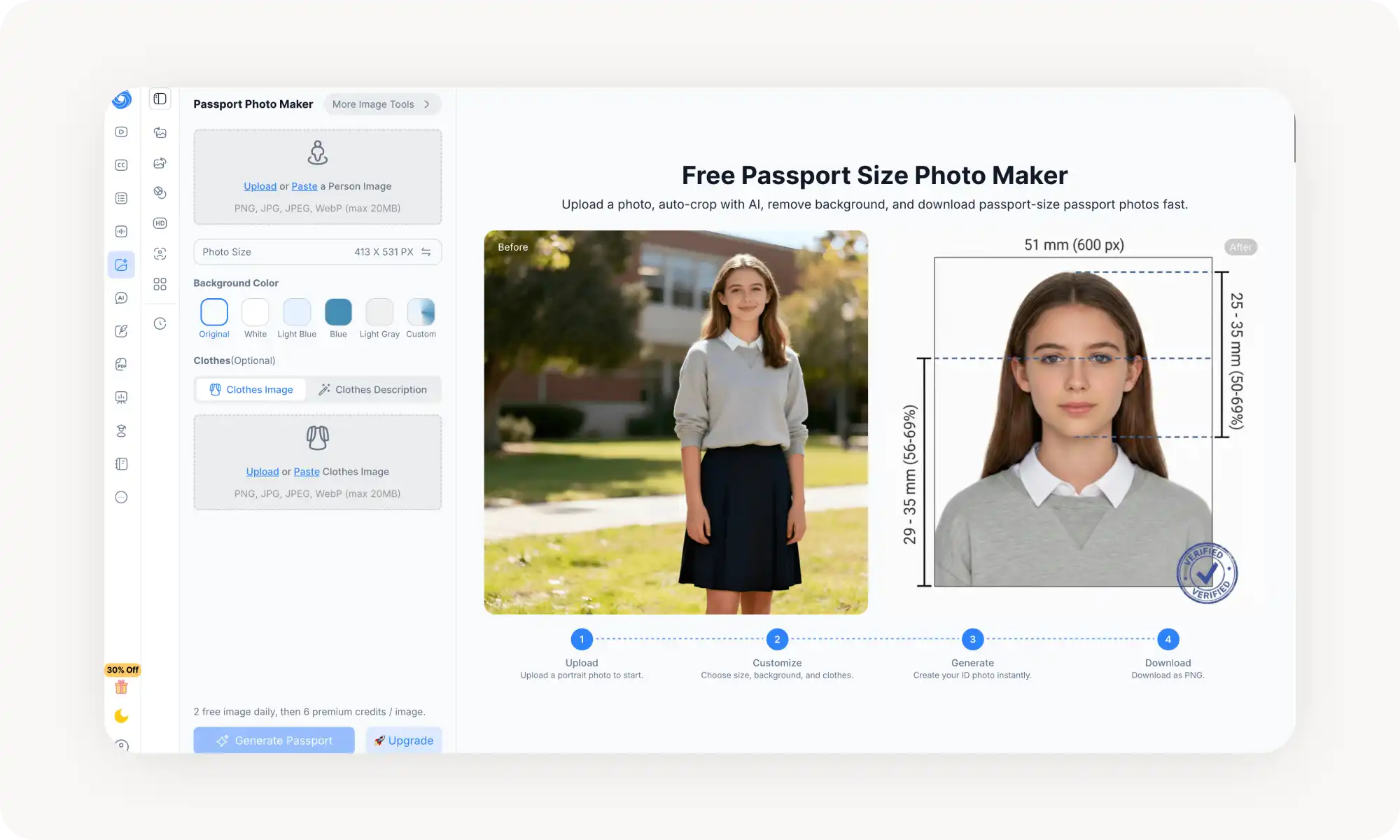
Mas, diferentemente da Overchat, que usa o SeedDream 5.0 Lite, essa ferramenta roda no Nano Banana — um modelo de geração de imagem do Google que já não é o mais novo nem o mais avançado, pois pertence à geração anterior de editores de imagem por IA. No momento em que este texto foi escrito, a versão mais atual é o Nano Banana 2. O que isso significa na prática? A ferramenta ainda é bem boa, mas, nos nossos testes, encontramos mais inconsistências — às vezes ela apresentava falhas e produzia resultados estranhos, como gerar uma página de passaporte de verdade ao redor da imagem.
O plano gratuito te dá 2 gerações de imagem por dia. Além disso, cada imagem custa 6 créditos premium. O NoteGPT aceita arquivos PNG, JPG, JPEG e WebP de até 20 MB.
Prós:
✅ Várias predefinições de estilo
✅ Também serve como gerador de foto profissional com IA
✅ Faz parte de uma plataforma de produtividade com IA mais ampla
Contras:
❌ Exige conta
❌ Apenas 2 gerações gratuitas por dia
❌ Recursos limitados de conformidade específicos por país
❌ Sem validação biométrica ou verificação de padrões oficiais
PhotoAid
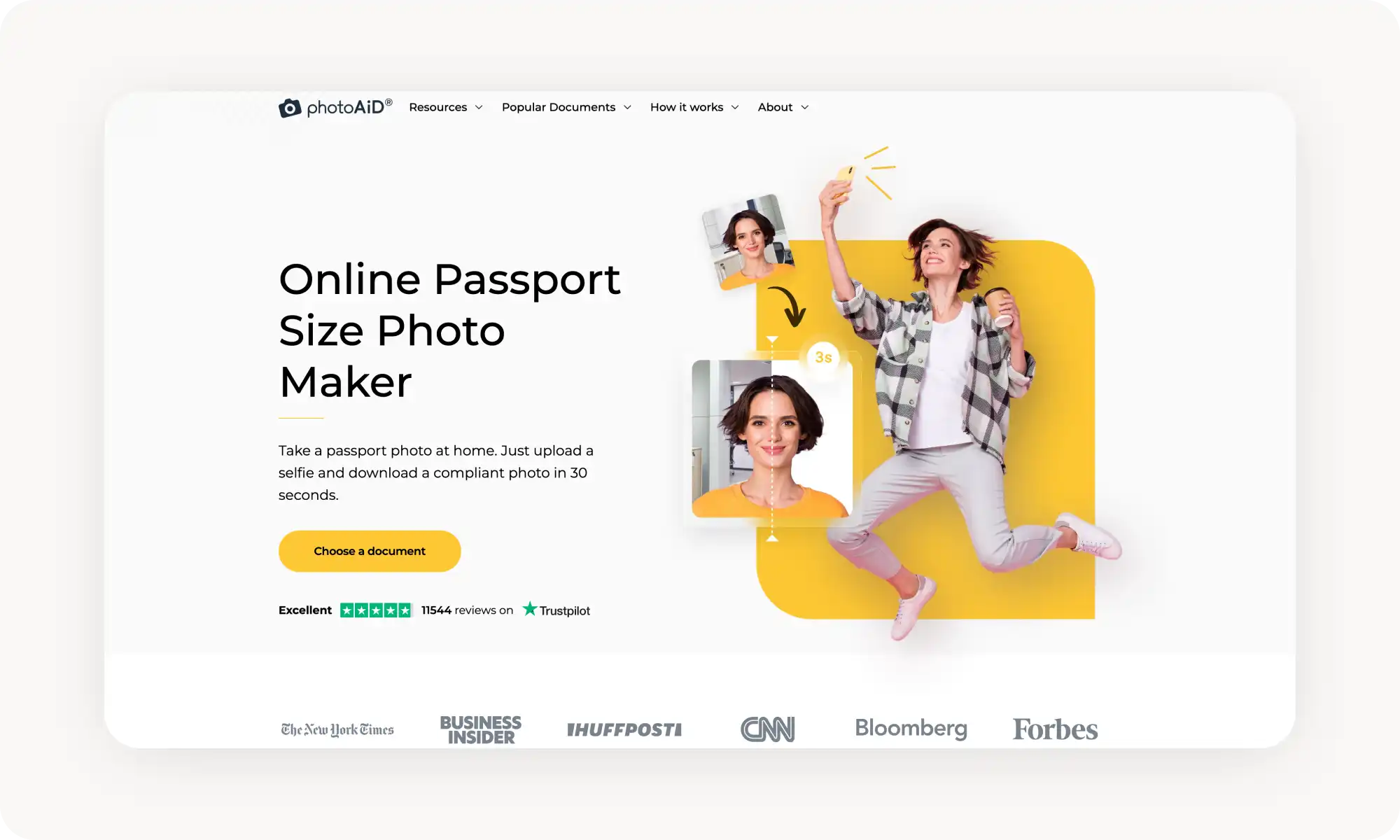
O PhotoAid é um dos veteranos desse setor — uma empresa polonesa fundada em 2012 que já processou mais de 11 milhões de fotos.
Seu grande diferencial é um sistema de verificação em duas camadas: primeiro, a IA recorta, redimensiona e ajusta sua foto automaticamente; depois, um especialista humano a confere com base nos requisitos oficiais e dá um retorno em menos de um minuto.
O PhotoAid oferece suporte a mais de 100 tipos de documentos e dá uma garantia de reembolso de 200% caso sua foto seja rejeitada. A plataforma está disponível para iOS, Android e web, e já foi destaque em grandes publicações.
A desvantagem é o preço. O PhotoAid não oferece plano gratuito — as fotos digitais custam por volta de US$ 11,95 a US$ 16,95, dependendo do tipo de documento, o que é bem caro.
Dito isso, se você está disposto a pagar e quer a tranquilidade que vem com a verificação humana, o PhotoAid é uma escolha sólida e bem estabelecida.
Prós:
✅ Verificação por IA + especialista humano
✅ Garantia de reembolso de 200% por conformidade
✅ Plataforma consolidada, com mais de 11 milhões de fotos processadas
Contras:
❌ Sem plano gratuito
❌ Sem troca de roupa, remoção de óculos ou ajuste de expressão
Perguntas Frequentes (FAQ)
Qual é o melhor gerador de foto para passaporte com IA gratuito?
A Overchat AI é o melhor gerador de foto para passaporte com IA gratuito: ela funciona sem precisar criar conta, não adiciona marcas d'água e inclui recursos avançados de IA que nenhuma outra ferramenta gratuita oferece — remoção automática de óculos, ajuste de expressão e uma opção de troca de roupa que transforma uma selfie casual em uma foto com terno formal.
Como fazer uma foto de passaporte usando IA?
Leva cerca de 30 segundos para fazer uma foto de passaporte com IA. Veja como funciona o processo, passo a passo:
1. Tire uma selfie. O ideal é ficar na frente de uma parede lisa, olhar de frente para a câmera e manter uma expressão neutra. Mesmo assim, com os avanços recentes da IA, qualquer imagem que mostre seu rosto com clareza vai servir — até uma foto bem casual ao ar livre, em luz forte.
2. Abra uma ferramenta de foto para passaporte com IA. Acesse qualquer gerador de foto para passaporte com IA no seu navegador — por exemplo, a Overchat AI.
3. Envie sua foto. Arraste e solte sua selfie ou toque para selecioná-la na sua galeria.
4. Escolha as configurações. Selecione o tamanho de foto que corresponde ao seu documento.
5. Gere e baixe. Clique no botão de gerar. A IA vai fazer o trabalho nos bastidores — dependendo da ferramenta, isso costuma levar de 30 segundos a um minuto. Depois disso, você recebe uma foto de passaporte já formatada. Baixe e faça o upload dela no seu pedido de passaporte online ou imprima em papel fotográfico de 10×15 cm e recorte no tamanho certo.
É só isso.
É possível fazer uma foto de passaporte a partir de uma selfie?
Com certeza — é exatamente para isso que essas ferramentas existem. Para os melhores resultados, use uma foto tirada com o braço esticado ou um pouco mais longe, com o rosto bem visível e sem sombras fortes. Dito isso, você pode usar praticamente qualquer foto, desde que ela mostre seu rosto, e a maioria das ferramentas vai se sair razoavelmente bem com esse tipo de imagem.
Conclusão
Os geradores de foto para passaporte com IA chegaram a um ponto em que há muito pouca razão para se deslocar até um local físico e pagar caro para tirar suas fotos de documento. Em vez disso, você pode fazer tudo do conforto do seu celular e gerar uma foto de passaporte a partir de uma imagem que você já tinha na galeria — desde que ela mostre seu rosto com clareza.
Principais pontos:
Os geradores de foto para passaporte com IA usam modelos de geração de imagem com IA para recortar, redimensionar e ajustar automaticamente sua selfie de modo a atender aos requisitos de foto de documento oficial.
Os melhores geradores de foto para passaporte com IA também conseguem remover óculos, trocar sua roupa por algo mais formal e ajustar sua pose e expressão para combinar com o estilo exigido em fotos oficiais.
A Overchat AI é o melhor gerador de foto para passaporte com IA no geral: é gratuita, não exige cadastro, não gera marcas d'água e é a única ferramenta desta lista que oferece remoção de óculos, troca de roupa e controle de expressão em uma única interface.