Os 5 Melhores Geradores de Múltiplos Ângulos com IA: Crie Novas Vistas a Partir de Uma Única Foto
Last Updated:
2026-09-08
Os 5 Melhores Geradores de Múltiplos Ângulos com IA: Crie Novas Vistas a Partir de Uma Única Foto
Quando você tira uma foto, congela um único instante no tempo — um ângulo, uma perspectiva. É da natureza da fotografia, não é? Sua câmera captura aquilo que você fotografa de um lado só. Não é como um modelo 3D, que você pode girar e ver de todas as direções.
Só que agora — com os geradores de múltiplos ângulos com IA — pode ser.
Essas ferramentas conseguem pegar uma única imagem e gerar novas perspectivas a partir dela. Mesmo que você tenha fotografado algo de frente, dá para criar uma vista lateral, uma vista de cima, uma vista de baixo, um ângulo diagonal — o que você precisar.
Neste artigo, vamos conhecer os melhores geradores de múltiplos ângulos com IA que testamos. Depois de experimentar mais de 20 ferramentas, reduzi a lista a cinco destaques.
Mas, antes de compará-los, vamos começar pelo básico.
Os geradores de múltiplos ângulos com IA pegam uma única imagem e produzem novas vistas reconstruindo os pixels além do quadro visível — úteis para e-commerce, design de personagens, retratos e criação de conteúdo.
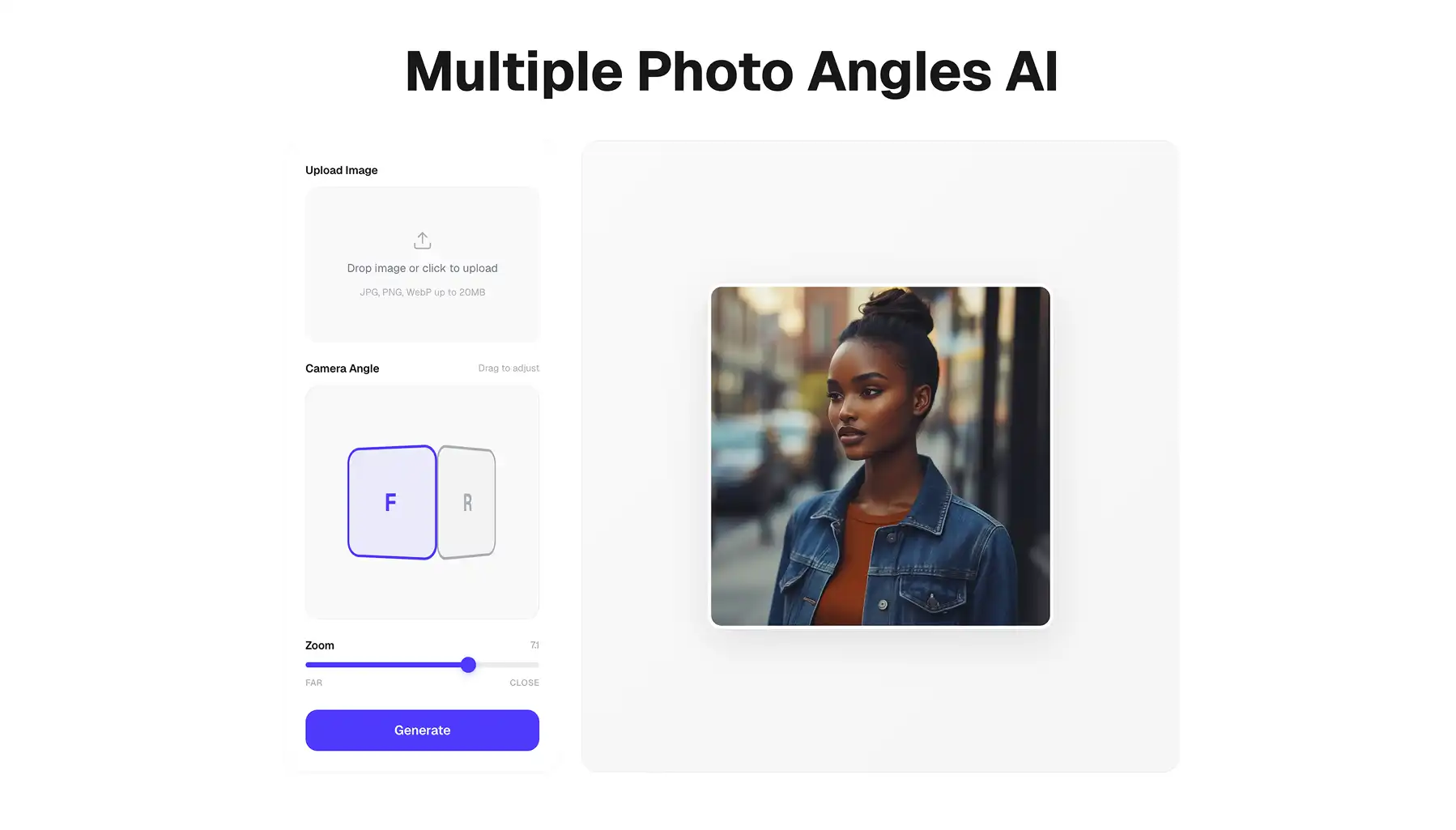
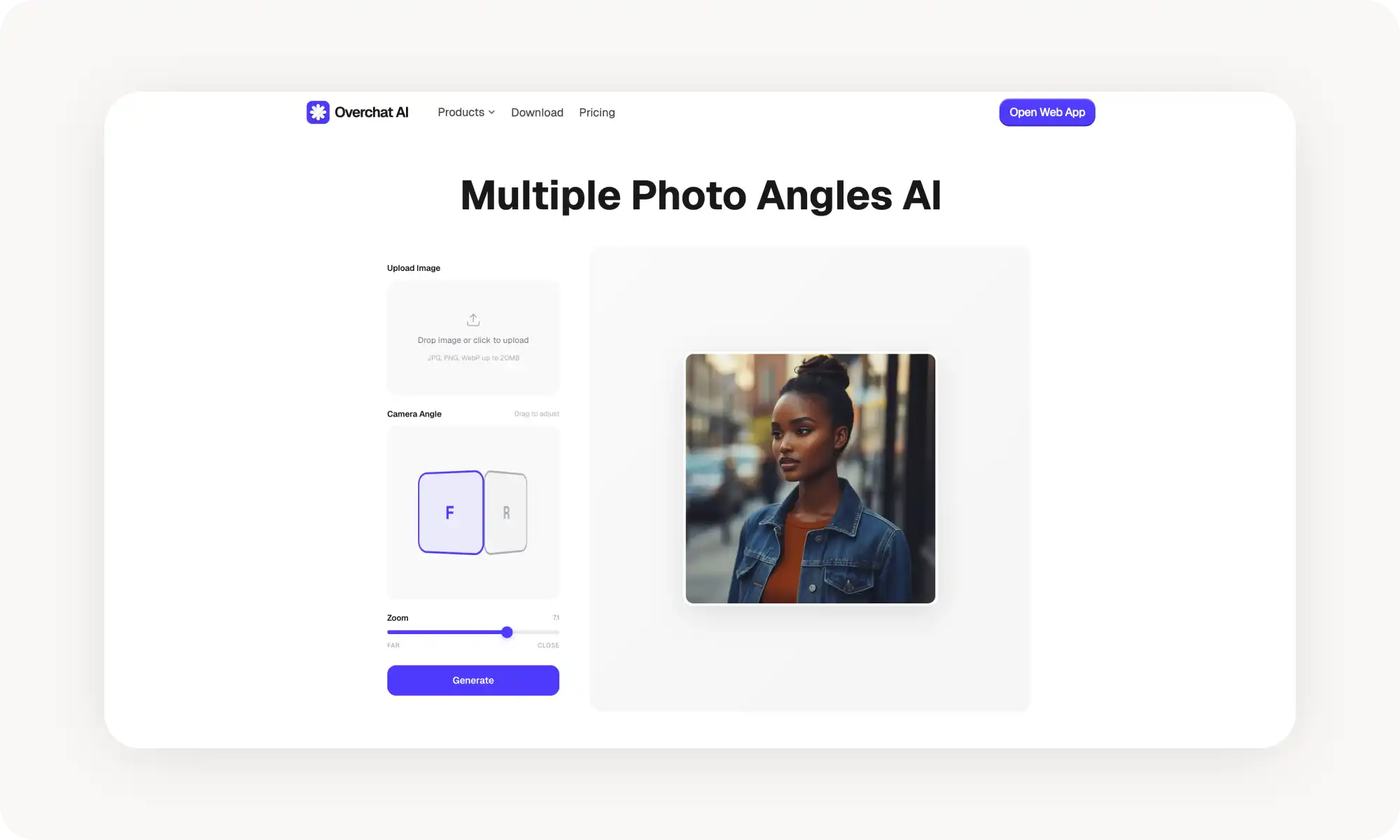
A Overchat AI usa um cubo 3D interativo com prévia em tempo real, para que você veja exatamente qual ângulo vai obter antes de gerar. Toda opção de ângulo realmente funciona (sem zonas mortas), com downloads em HD e sem marcas-d'água. A partir de US$ 4,99/semana.
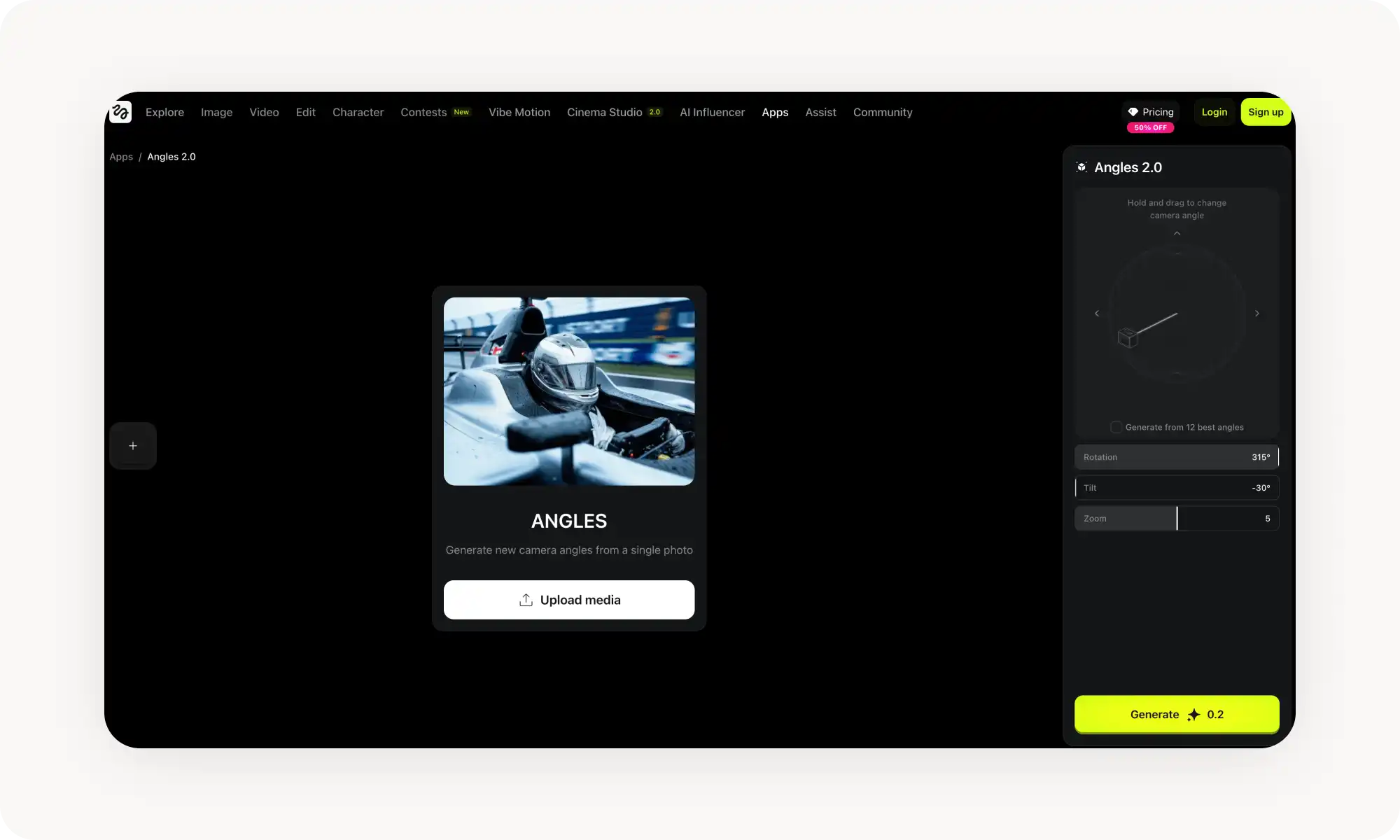
A Higgsfield roda no Nano Banana e tem um botão "Gerar de todos os ângulos", que produz 12 perspectivas de uma vez para uma vista completa em 360° — a resolução de saída é limitada ao tamanho da imagem de entrada.
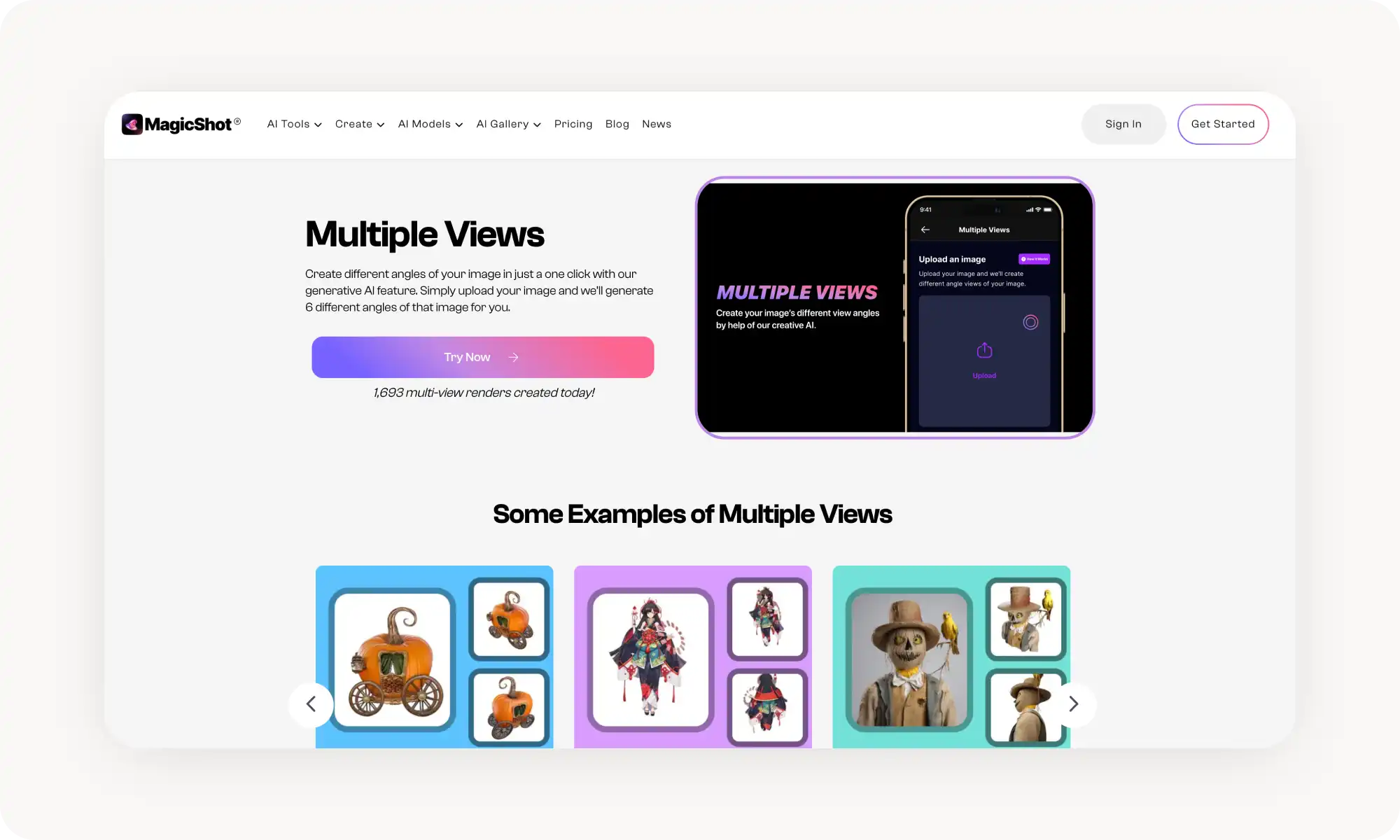
A MagicShot gera seis ângulos por clique e conta com um recurso separado, a Portrait Series, que também troca o fundo. Oferece menos controle sobre ângulos específicos e funciona por créditos.
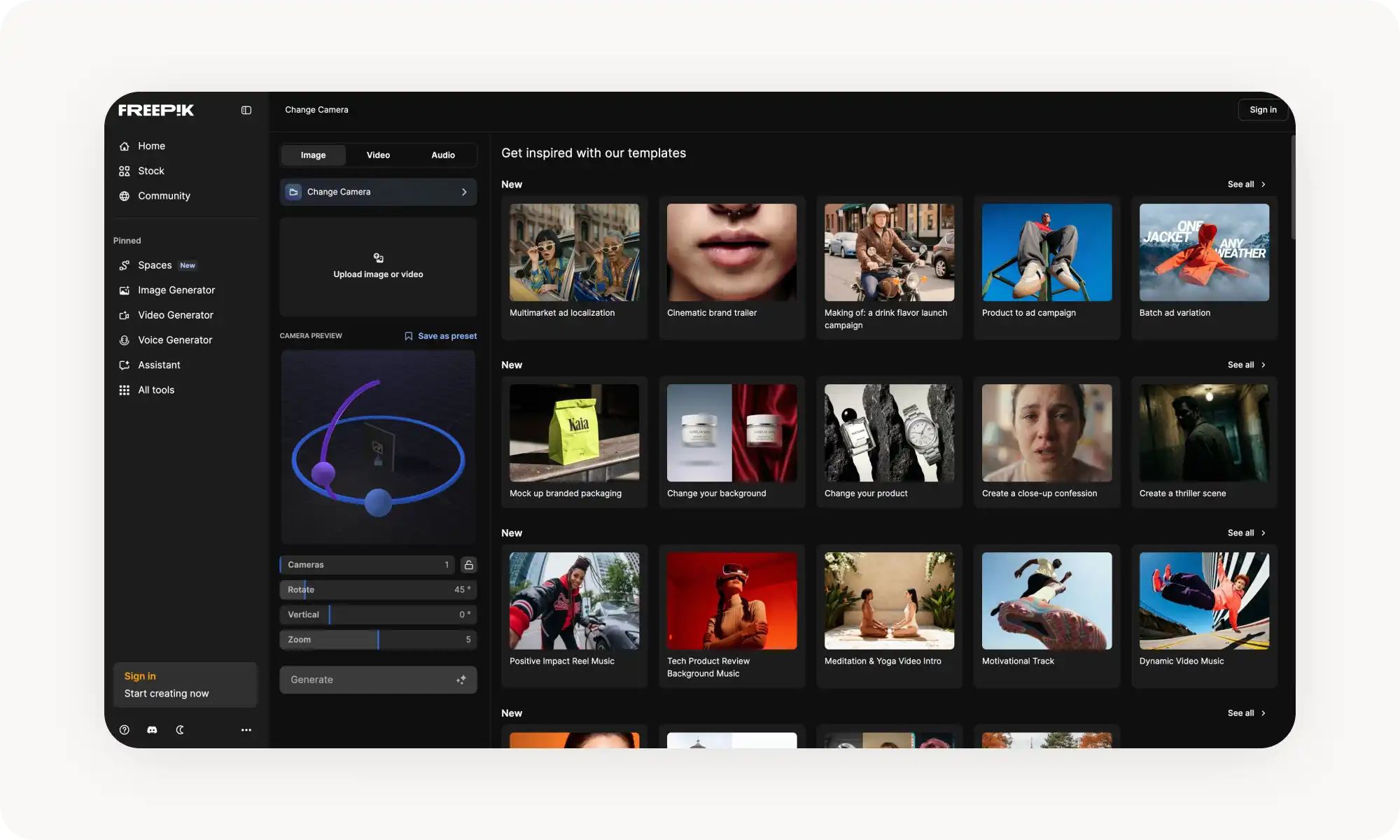
A ferramenta Change Camera da Freepik tem prévia em tempo real e se integra à suíte criativa completa da plataforma — exagero, se você só precisa gerar ângulos.
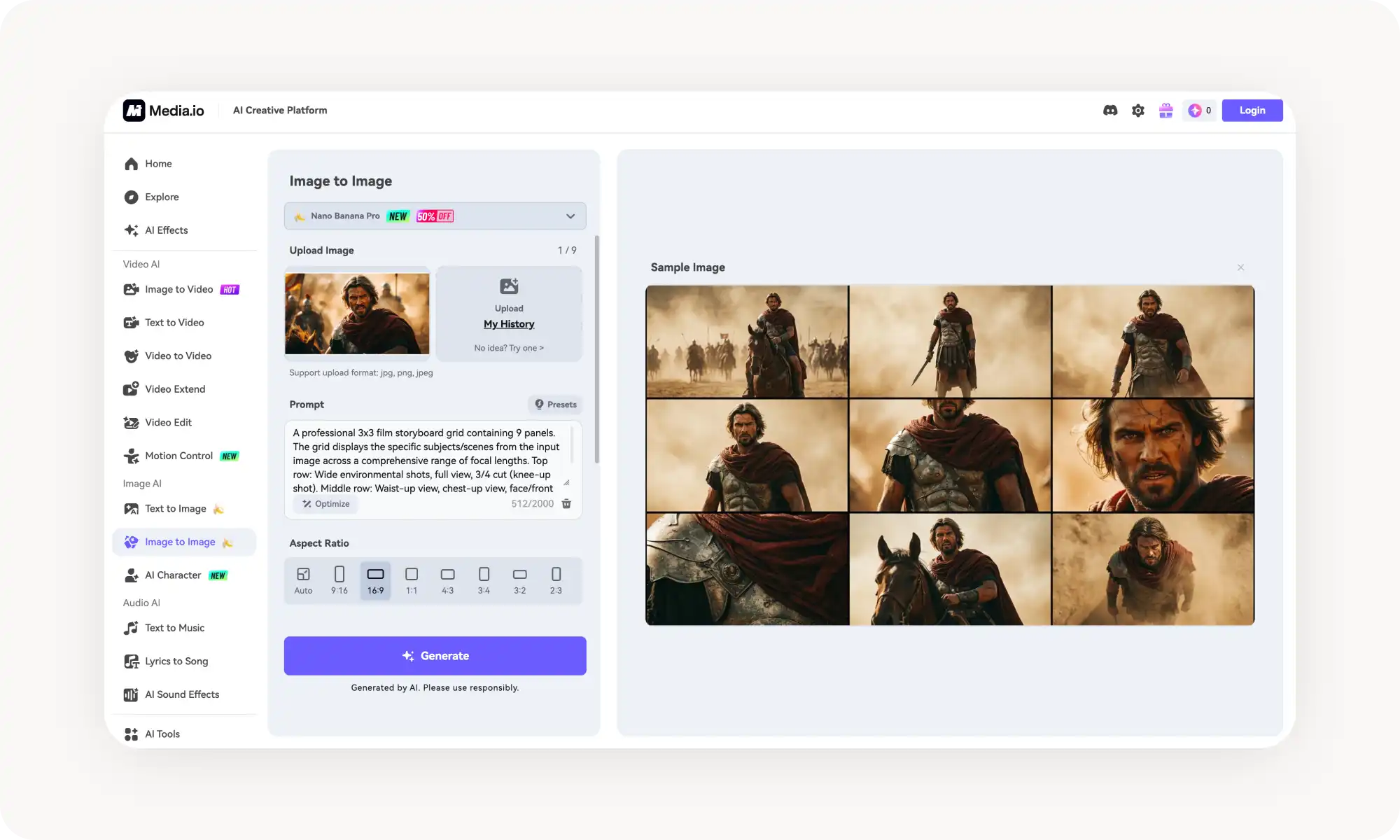
A Media.io gera uma grade de storyboard 3x3 com 9 ângulos em um clique, ótima para pré-visualizar composições, mas os quadros ficam pequenos demais para usar individualmente.
Rotações extremas (de frente para trás) parecem convincentes, mas a IA inventa os detalhes que não vê; já rotações moderadas, de 30° a 60°, ficam indistinguíveis de fotos reais.
As ferramentas modernas preservam a semelhança de forma confiável — até detalhes pequenos, como pintas e o padrão de sardas, permanecem no lugar.
O que é um gerador de múltiplos ângulos com IA?
Uma ferramenta de múltiplos ângulos com IA é um gerador de imagens movido por modelos de difusão de inteligência artificial — como o Nano Banana Pro, o Seedream 4.5 ou o Qwen Image.
Essas ferramentas funcionam exclusivamente por fluxos de trabalho de imagem para imagem. Ou seja, você parte de uma imagem existente e então fornece um prompt de texto ou parâmetros específicos — por exemplo, o quanto girar o objeto.
A mágica por trás dessas ferramentas é a capacidade de criar pixels novos do zero. Usando as informações visuais do contexto e do entorno, elas basicamente "imaginam" o que existe além do quadro visível, gerando vistas totalmente novas.
A tecnologia de geração de imagens em 2026 ficou tão avançada que os resultados podem parecer perfeitamente fotorrealistas — o que torna difícil perceber que uma imagem foi gerada por IA.
Por que gerar múltiplos ângulos a partir de uma só foto?
Antigamente, se você precisasse mostrar um produto sob seis ângulos diferentes, tinha que fotografá-lo seis vezes separadas — ajustando a montagem a cada foto. Isso dá trabalho e toma tempo. Os geradores de múltiplos ângulos permitem pular essa etapa. Mas esse nem é o uso mais poderoso deles — afinal, e se você esquecer de capturar um determinado ângulo ou simplesmente não conseguir obtê-lo?
Imagine que você já enviou as fotos para o cliente, o objeto não está mais com você, a sessão acabou — ou talvez você tenha tirado fotos da família na praia e o ângulo ficou estranho. Isso não precisa ser caso perdido. Com as ferramentas de múltiplos ângulos com IA, você pode:
Criar sessões inteiras de e-commerce a partir de uma única imagem
Gerar folhas de referência de personagens para modelagem 3D
Ajustar ângulos de retrato depois de a foto já ter sido tirada
Criar animações com movimento de câmera suave em 360°
Realçar fotos de ação com ângulos criativos ou que de outra forma seriam impossíveis
E muito mais
Esclarecido isso, você deve estar se perguntando: qual é o melhor gerador de múltiplos ângulos com IA disponível agora? Depois de muitos testes, aqui estão as ferramentas que mais gostei de usar — e por que cada uma se destaca.
Os melhores geradores de múltiplos ângulos com IA comparados
Para escrever este artigo, testei mais de 20 ferramentas de IA, incluindo geradores de imagens de uso geral (spoiler: esses não foram bem nessa tarefa). No fim, reduzi a lista a cinco opções que oferecem as interfaces mais simples e a melhor qualidade de imagem.
Aqui estão elas — sem nenhuma ordem específica.
Ferramenta
Ângulos gerados
Preço
Recursos principais
Overchat AI
Personalizado via cubo 3D
A partir de US$ 4,99/semana
Rotação interativa, controle de zoom
Higgsfield
12 predefinições ou personalizado
Por créditos
Controle total em 360°, ajuste de iluminação
MagicShot
6 por imagem
A partir de US$ 5 em créditos
Geração com um clique, foco em produtos
Freepik
Personalizado
Planos por créditos
Parte de uma suíte de IA completa, prévia em tempo real
Media io
9 (grade 3×3)
Créditos grátis para testar
Formato storyboard, Nano Banana Pro
1. Overchat AI
A ferramenta Multiple Angles da Overchat AI é a mais fácil de usar porque tem um cubo 3D interativo que deixa você escolher onde fica a câmera, além de uma prévia que mostra o ângulo que você vai obter, o que é muito útil.
Usar a ferramenta é simples:
Envie uma foto
Gire o cubo até o ângulo desejado, acompanhando a prévia
Ajuste o nível de zoom com um controle deslizante
Gere um novo ângulo apertando um único botão.
Os resultados são baixados em HD, sem marcas-d'água.
A ferramenta Multiple Angles exige uma assinatura do Overchat AI Pro, a partir de US$ 4,99 por semana. Ela também libera o Face Swap, os filtros de idade e outras ferramentas de IA da plataforma.
O que mais gostei nessa ferramenta é que todo ângulo de câmera que dá para escolher realmente funciona — e isso faz diferença, porque em muitos concorrentes você tem várias opções, mas, na tentativa e erro, percebe que boa parte delas (sobretudo as tomadas diagonais altas e baixas) simplesmente não funciona.
Prós:
✅ Os controles 3D interativos são divertidos de usar
✅ Downloads em HD
✅ Funciona com tudo
✅ Ótima qualidade de imagem
Contras:
❌ Um ângulo por geração
2. Higgsfield
A Higgsfield oferece o Higgsfield Angles, uma ferramenta para mudar a perspectiva das fotos. Ela traz três métodos de controle: uma esfera de rotação 3D interativa, controles deslizantes manuais, zoom e mudanças de ângulo vertical.
O que gostei nesta foi o botão "Gerar de todos os ângulos", que produz 12 perspectivas diferentes da sua única imagem de entrada de uma só vez, para uma vista completa em 360° do objeto. Um belo atalho (mas que consome tokens rapidamente)
A ferramenta é construída sobre o Nano Banana — um dos melhores geradores de imagens com IA —, então as saídas são fotorrealistas. No entanto, a resolução é atualmente limitada ao tamanho da imagem de entrada.
Prós:
✅ Três métodos de controle
✅ Gera 12 ângulos de uma vez
✅ Rotação completa em 360°, incluindo a parte de trás do objeto
Contras:
❌ Resolução de saída limitada ao tamanho da entrada
❌ O sistema por créditos exige compra
❌ Funciona melhor com proporções 3:4 ou 4:3
3. MagicShot
O recurso Multiple Views da MagicShot gera seis ângulos diferentes a partir de uma única imagem enviada, com um clique.
O destaque para mim foi o uso voltado a retratos — um recurso à parte, a Portrait Series, que cria seis poses e ângulos e também muda o fundo: basta escolher uma das opções de cor predefinidas antes de gerar.
A MagicShot usa um sistema por créditos, com opções de pagamento por uso a partir de US$ 5 ou assinaturas mensais, incluindo 100 créditos grátis e 50% de desconto em compras adicionais.
Prós:
✅ Seis ângulos gerados por imagem
✅ Operação com um clique
✅ Otimizada para fotografia de produtos
✅ Personalização opcional por descrições
✅ Ferramenta à parte bem legal para retratos
Contras:
❌ Pensada principalmente para objetos, não para pessoas
❌ Pouco controle sobre ângulos específicos
❌ Exige compra de créditos
4. Freepik
A ferramenta Change Camera da Freepik faz parte da AI Suite da plataforma — então você consegue gerar ângulos e criar imagens e vídeos no mesmo lugar.
O melhor recurso é, sem dúvida, a prévia em tempo real, que permite ajustar os ângulos antes de partir para a geração — e gastar seus tokens.
Usar a ferramenta é bem simples:
Envie uma imagem
Use os controles de rotação e inclinação para definir a perspectiva
Clique em "Gerar" — pronto
Em termos de preço, a plataforma usa um sistema por créditos atrelado aos seus níveis de assinatura, mas as contas gratuitas têm acesso diário limitado.
Ainda assim, pode ser mais do que você precisa, já que você estaria pagando pela suíte criativa inteira. Se só precisa dos ângulos, essa assinatura pode ser excessiva.
Prós:
✅ Prévia em tempo real antes de gerar
✅ Integra-se à biblioteca de banco de imagens
Contras:
❌ O sistema de créditos pode ser confuso
❌ Caro se você usar só os recursos de ângulo
5. Media io
Esse trocador de ângulo de foto gera uma grade de storyboard 3×3 com 9 perspectivas diferentes de uma mesma imagem.
Em um único uso, você recebe basicamente nove quadros: plano aberto do ambiente, vista completa, plano dos joelhos para cima, da cintura para cima, do peito para cima, close-up do rosto, detalhe macro, ângulo baixo e ângulo alto. Isso reflete a forma como os diretores de fotografia profissionais planejam a cobertura de uma cena.
Não é como as ferramentas em que você escolhe um ângulo específico, mas achei uma forma interessante de usá-la: pré-visualizar muitas composições rapidamente.
O problema é que... você não consegue usar cada quadro isoladamente, porque todos ficam pequenos dentro de uma única imagem. Talvez seja mais um recurso curioso do que prático.
A ferramenta roda no Nano Banana Pro e aceita imagens JPG ou PNG de até 20 MB. Você pode usar prompts de ângulo predefinidos ou escrever descrições personalizadas para perspectivas específicas.
Prós:
✅ Nove ângulos em um clique
✅ Créditos grátis para testar
✅ Downloads em HD sem marcas-d'água
✅ Movida pelo Nano Banana Pro
Contras:
❌ Formato fixo em grade 3×3
❌ Pouco controle sobre ângulos específicos
Perguntas frequentes (FAQs)
Qual é o melhor gerador de ângulos com IA?
Depois de testar todas essas ferramentas, a coroa fica com o gerador de ângulos da Overchat AI — principalmente porque é fácil de usar e incrivelmente confiável. Ele entrega exatamente o ângulo que você especifica, com resultados visuais sempre de alta qualidade. Ao contrário de muitas outras ferramentas que deixam você definir ângulos específicos, esse não tem "zonas mortas". Ou seja, não há curva de aprendizado acentuada nem desperdício de tokens tentando descobrir o que funciona e o que não.
Quão realistas são os ângulos gerados por IA?
Muito — você realmente não vai conseguir perceber que não é uma foto de verdade. A única coisa a ter em mente é que, se você escolher uma rotação extrema — como gerar uma vista de trás a partir de uma foto de frente —, a IA simplesmente não tem nenhuma informação sobre o que há atrás do objeto. Ela vai combinar a iluminação e a perspectiva, mas os detalhes da parte de trás e do entorno são totalmente reconstruídos e podem não corresponder ao que realmente havia ali.
Dito isso, você provavelmente só notaria a diferença em uma comparação lado a lado com uma vista de trás real. Para rotações mais moderadas (em torno de 30° a 60°), isso não é problema nenhum.
A IA vai manter a identidade do meu sujeito em todos os ângulos?
Sim — as ferramentas modernas de IA são muito boas em preservar a semelhança, então você pode usá-las com tranquilidade em fotos de pessoas ou pets. Elas retêm até detalhes pequenos, como a posição de pintas ou o padrão de sardas no rosto de alguém. Na minha experiência, elas têm sido muito confiáveis nesse aspecto. Quando mostrei as imagens giradas para as próprias pessoas fotografadas, elas não perceberam que tinham sido geradas por IA.
Conclusão
Os geradores de múltiplos ângulos com IA se tornaram possíveis graças aos modelos de difusão, capazes de meio que adivinhar a estrutura 3D a partir de uma única imagem 2D. Veja as principais conclusões:
Eles analisam profundidade, iluminação e relações espaciais e, em seguida, geram novas vistas convincentes.
Você obtém os melhores resultados com fotos nítidas e bem iluminadas, de composição simples.
Pequenas mudanças de ângulo ficam muito mais realistas do que rotações extremas.
Os principais usos são e-commerce, design de personagens, imóveis e criação de conteúdo.
A maioria das ferramentas funciona por créditos, então quanto mais você usa, mais paga.
Eles não vão substituir por completo a fotografia tradicional em projetos de alto risco, mas conseguem reduzir drasticamente a necessidade de várias sessões, porque uma boa foto já pode render um conjunto completo de ângulos para a maioria dos usos práticos.
Além disso, achei muito divertido brincar com elas — e, como a maioria das plataformas desta lista oferece um teste gratuito, recomendo demais que você também experimente. Boas trocas de ângulo!